1.实现创建水晶并且能与水晶进行交换位置的能力
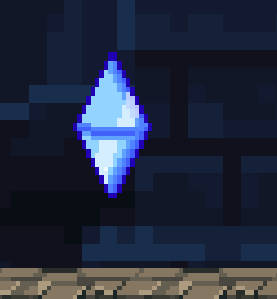
创建好水晶的预制体,添加动画控制器,传入待机和爆炸的动画
创建Crystal_Skill_Control脚本:
挂载在水晶预制体上
private float crystalExstTime;//水晶存在时间
public void SetupCrystal(float _crystalDuration)
{
crystalExstTime = _crystalDuration;
}
private void Update()
{
crystalExstTime -= Time.deltaTime;
if(crystalExstTime < 0 )
{
SelfDestroy();//超时自毁
}
}
public void SelfDestroy() => Destroy(gameObject);
创建Crystal_Skill脚本:
挂载在技能管理器上,并在SkillManage脚本上初始化
SerializeField private float crystalDuration;//传入上面的控制脚本
SerializeField private GameObject crystalPrefab;//预制体
private GameObject currentCrystal;
public override void UseSkill()
{
base.UseSkill();
if(currentCrystal==null)//不存在则创建
{
currentCrystal =Instantiate(crystalPrefab,player.transform.position,Quaternion.identity);
Crystal_Skill_Control newcrystalScript= currentCrystal.GetComponent<Crystal_Skill_Control>();
newcrystalScript.SetupCrystal(crystalDuration);
}
else//如果场上有水晶则传送玩家并销毁水晶
{
player.transform.position = currentCrystal.transform.position;
Destroy(currentCrystal);
}
}
Player脚本:
if(Input.GetKeyDown(KeyCode.F)) //update中
{
skill.crystal.CanbeUsed();
}
2.实现水晶爆炸和变大的功能
给水晶爆炸动画选取中间一帧调用伤害函数,在结束添加帧事件调用自毁函数
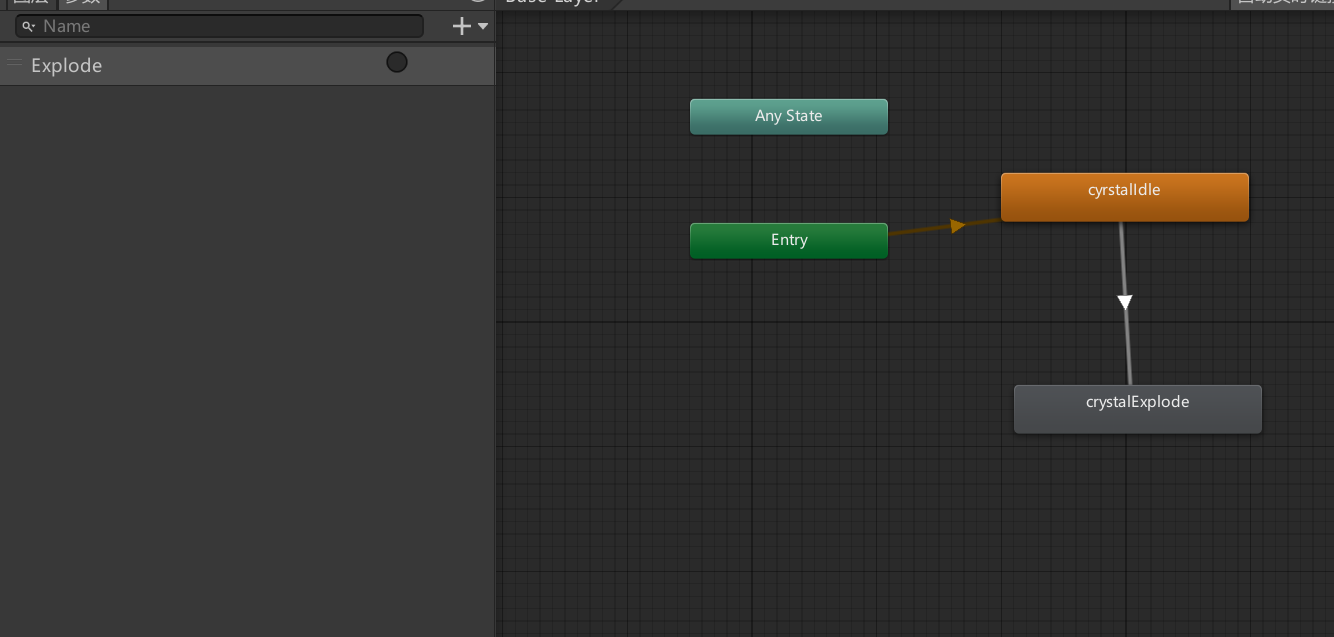
动画控制器添加触发Explode
Crystal_Skill_Control脚本:
private Animator anim =>GetComponent<Animator>();//获取碰撞器和动画器
private CircleCollider2D cd =>GetComponent<CircleCollider2D>();
private bool canExplode;//是否可以爆炸
private bool canMove;//是否可以移动
private bool canGrow=false;//是否可以变大
private float moveSpeed;
private float growSpeed=5f;//增大速度
public void SetupCrystal(float _crystalDuration,bool _canExplode,bool _canMove,float _moveSpeed)
{
crystalExstTime = _crystalDuration;
canExplode = _canExplode;
canMove = _canMove;
moveSpeed = _moveSpeed;
}
if(canGrow)//update()中
{
transform.localScale = Vector2.Lerp(transform.localScale,new Vector3(3,3),growSpeed*Time.deltaTime);//变大
}
public void AnimationExplodeEvent()//伤害事件
{
Collider2D\[\] collider2Ds = Physics2D.OverlapCircleAll(transform.position,cd.radius);//用碰撞器的半径
foreach (var hit in collider2Ds)
{
if (hit.GetComponent<Enemy>() != null)
{
hit.GetComponent<Enemy>().Damage();
}
}
}
public void FinishCrystal()
{
if (canExplode)//如果可以爆炸
{
canGrow = true;//设置变大
anim.SetTrigger("Explode");//播放爆炸动画
}
else
{
SelfDestroy();
}
}
Crystal_Skill脚本:
Header("Explode crystal")
SerializeField private bool canExplode;
Header("Moving crystal")
SerializeField private bool canMove;
SerializeField private float moveSpeed;
else//修改
{
Vector2 playerPos= player.transform.position;
player.transform.position = currentCrystal.transform.position;
currentCrystal.transform.position = playerPos;//交换水晶与玩家
currentCrystal.GetComponent<Crystal_Skill_Control>().FinishCrystal();
}
3.实现水晶的移动
Skill脚本:
protected virtual Transform FindClosetEnemy(Transform _checkTransform)//这是之前写克隆攻击时用到的代码,现将它放在skill上,用于找到指定组件附近最近的敌人
{
Collider2D\[\] collider2Ds = Physics2D.OverlapCircleAll(_checkTransform.position, 25);
float closestEnemyDistance = Mathf.Infinity;
Transform closestEnemy = null;
foreach (var hit in collider2Ds)
{
if (hit.GetComponent<Enemy>() != null)
{
float distanceToEnemy = Vector2.Distance(_checkTransform.position, hit.transform.position);
if (distanceToEnemy < closestEnemyDistance)
{
closestEnemyDistance = distanceToEnemy;
closestEnemy = hit.transform;
}
}
}
return closestEnemy;
}
自行修改克隆攻击脚本中的一些代码
Crystal_Skill_Control脚本:
private Transform closestTarget;//最近的敌人目标
if (canMoveToEnemy)
{
transform.position =Vector2.MoveTowards(transform.position,closestTarget.position,moveSpeed*Time.deltaTime);//移动
if(Vector2.Distance(transform.position,closestTarget.position)<1f )//距离小于1时自毁
{
FinishCrystal();
canMoveToEnemy = false;
}
}
Crystal_Skill脚本:
if(currentCrystal==null)
{
currentCrystal =Instantiate(crystalPrefab,player.transform.position,Quaternion.identity);
Crystal_Skill_Control newcrystalScript= currentCrystal.GetComponent<Crystal_Skill_Control>();
newcrystalScript.SetupCrystal(crystalDuration,canExplode,canMoveToEnemy,moveSpeed,FindClosetEnemy(currentCrystal.transform));//传入上面函数返回的最近敌人
}
else
{
if (canMoveToEnemy)//水晶移动时不可以换位
{
return;
}
Vector2 playerPos= player.transform.position;
player.transform.position = currentCrystal.transform.position;
currentCrystal.transform.position = playerPos;
currentCrystal.GetComponent<Crystal_Skill_Control>().FinishCrystal();
}
4.实现多晶体
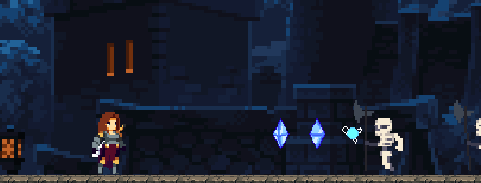
玩家可以拥有多个晶体并且可以一次性使用它们
Crystal_Skill脚本:
Header("Multi Stacking crystal")
SerializeField private bool canMultiStack;//是否可以使用多晶体
SerializeField private int amountofCrystal;//晶体数量
SerializeField private float MultiCrystalCooldown;//冷却时间
SerializeField private List<GameObject> crystalLeft=new List<GameObject>();//预备储存晶体的列表
if(canMultiCrystal())//update中
{
return;
}
private bool canMultiCrystal()//是否能够发射多晶体
{
if(canMultiStack)
{
if(crystalLeft.Count>0)//如果列表里有晶体
{
cooldown = 0;//可以连发
GameObject crystaclToSpawn = crystalLeftcrystalLeft.Count-1;//取最后一个晶体
GameObject newCrystal =Instantiate(crystaclToSpawn,player.transform.position,Quaternion.identity);//生成
crystalLeft.Remove(crystaclToSpawn);//从列表中移除
Crystal_Skill_Control newcrystalScript = newCrystal.GetComponent<Crystal_Skill_Control>();
newcrystalScript.SetupCrystal(crystalDuration, canExplode, canMoveToEnemy, moveSpeed, FindClosetEnemy(newCrystal.transform));
if(crystalLeft.Count<=0)//无晶体重新填装
{
cooldown = MultiCrystalCooldown;//设置冷却
RefillCrystal();
}
return true;
}
}
return false;
}
public void RefillCrystal()//填装晶体
{
for(int i = 0;i<amountofCrystal;i++)
{
crystalLeft.Add(crystalPrefab);
}
}
5.实现发射晶体的时间窗口
即当玩家只发射一颗晶体时,经过一定时间后也会进入冷却并重新填装晶体
Crystal_Skill脚本:
SerializeField private float useTimeWindow;//延迟窗口时间
public void RefillCrystal()
{
int amountToAdd=amountofCrystal-crystalLeft.Count;//确保填装数等于设定的数
for(int i = 0;i<amountToAdd;i++)
{
crystalLeft.Add(crystalPrefab);
}
}
private void ResetAbility()//重置
{
if (coolDownTime > 0)//如果已经在冷却则返回
return;
cooldown = MultiCrystalCooldown;
RefillCrystal();
}
if(crystalLeft.Count>0)
{
if(amountofCrystal==crystalLeft.Count)//当发射出第一颗时延迟调用
{
Invoke("ResetAbility", useTimeWindow);
}