近期项目中使用了word转pdf的功能,其中借助了远程服务的jodconverter来处理。
<dependency>
    <groupId>org.jodconverter</groupId>
    <artifactId>jodconverter-remote</artifactId>
    <version>4.4.2</version>
</dependency>
jodconverter官网链接
https://jodconverter.github.io/jodconverter/4.4.11/
其中提供了docker-image-jodconverter-examples这个项目来生成镜像,提供对外服务
https://github.com/jodconverter/docker-image-jodconverter-examples
目前官网有rest版和gui版,rest版只是外部网络调用,gui版提供页面传入文件然后下载(对中文支持不友好)。
底层库通过libreoffice来进行转换(还有apache的openoffice,但是这个版本更新慢)。
镜像版本介绍
镜像发布情况
https://github.com/jodconverter/docker-image-jodconverter-examples/releases
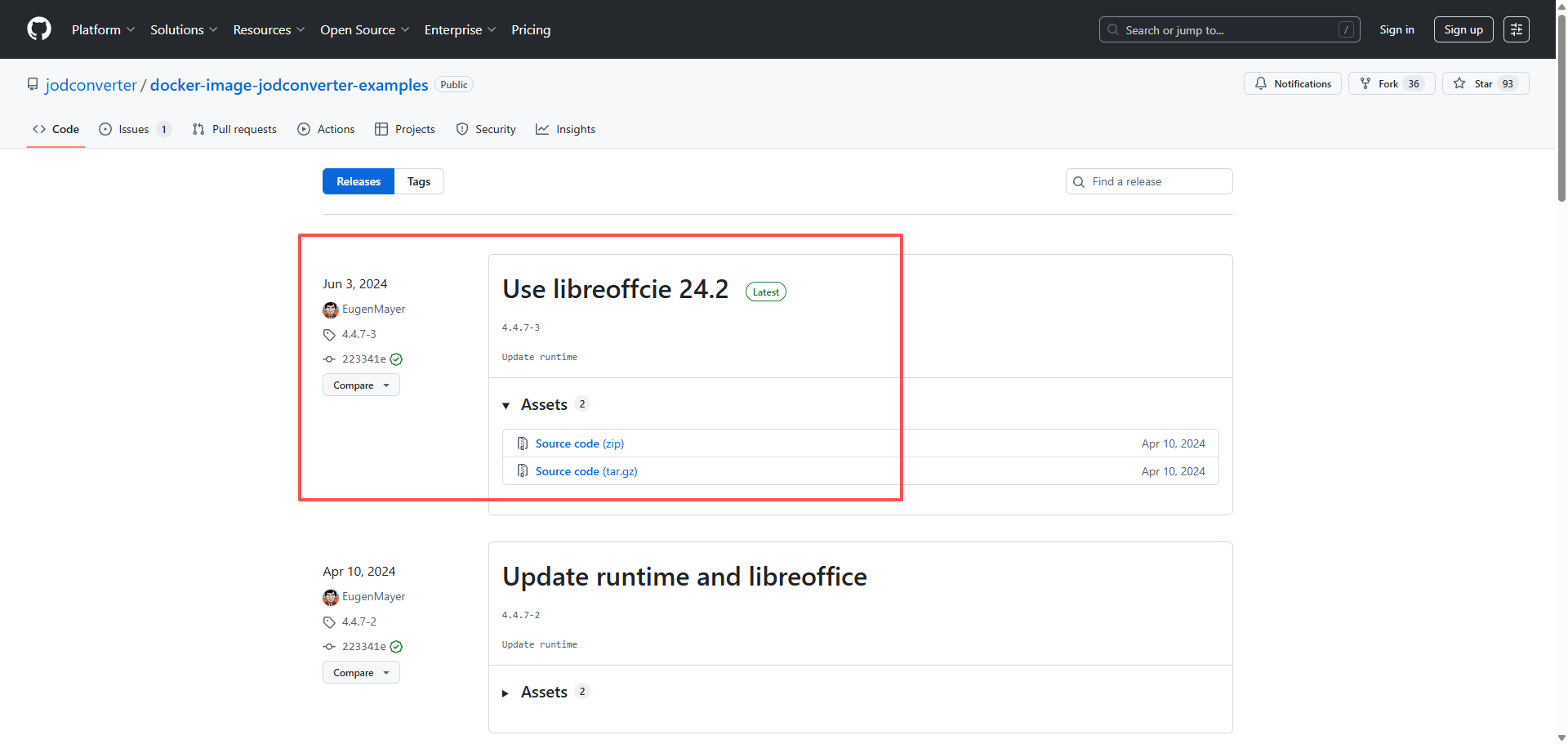
项目中使用发现,截止到2025.09.05,镜像底层使用的libreoffice未及时更新,还是7.x版本。对应如下介绍
https://github.com/jodconverter/docker-image-jodconverter-runtime
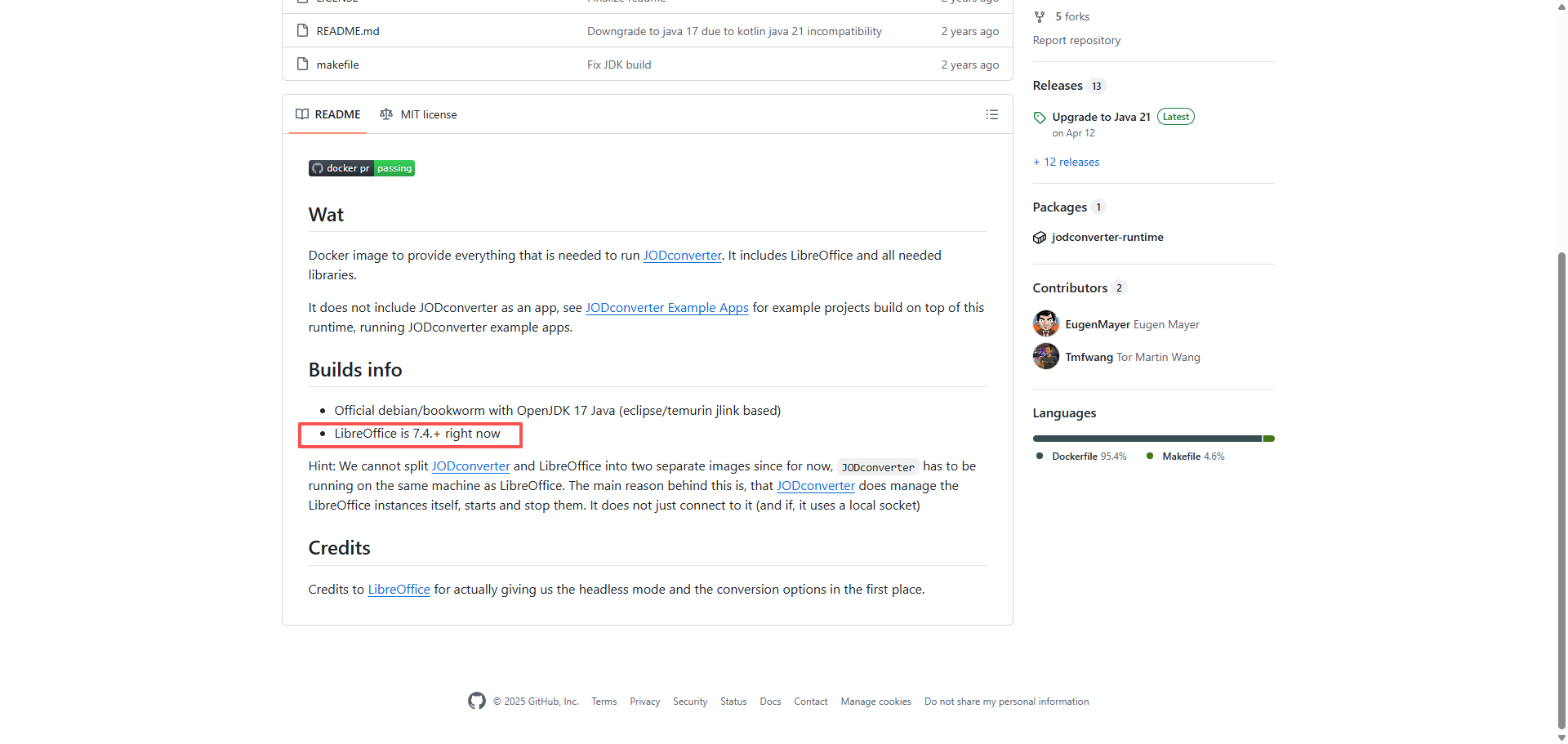
由于7.x版本中针对word转pdf时删除线渲染有问题,升级到新版本后此问题消失,所以需要升级libreoffice的版本。
鉴于jodconverter镜像的特殊性,考虑到了使用docker镜像挂载宿主机的libreoffice来处理。不然的话需要将官方的镜像重新打包处理,这个相对宿主机而言麻烦一些。后续可以考虑使用镜像来处理。
libreoffice官网下载
https://downloadarchive.documentfoundation.org/libreoffice/old/
libreoffice具体版本下载
下载下来文件后将文件进行解压。
安装前检查一下是否安装过libreoffice,如果存在需要删除,防止出现问题。
目前机器操作系统使用了ubuntu,使用如下命令
# 1. 确认是否安装
dpkg -l | grep openoffice

# 2. 彻底删除
sudo apt purge 软件包名称

# 3. 清理残留依赖
sudo apt autoremove
后面再逐个安装软件包,依赖情况如下
|----------------------------------------------|--------------------------------------------------------------------------------------|
| 软件包名 | 依赖软件包名 |
| libobasis25.8-core_25.8.1.1-1_amd64.deb | libreoffice25.8-ure_25.8.1.1-1_amd64.deb libobasis25.8-ooofonts_25.8.1.1-1_amd64.deb |
| libreoffice25.8_25.8.1.1-1_amd64.deb | libobasis25.8-images_25.8.1.1-1_amd64.deb |
| libreoffice25.8-calc_25.8.1.1-1_amd64.deb | libobasis25.8-calc |
| libreoffice25.8-draw_25.8.1.1-1_amd64.deb | libobasis25.8-draw |
| libreoffice25.8-en-us_25.8.1.1-1_amd64.deb | libobasis25.8-en-us_25.8.1.1-1_amd64.deb |
| libreoffice25.8-impress_25.8.1.1-1_amd64.deb | libobasis25.8-impress |
| libreoffice25.8-math_25.8.1.1-1_amd64.deb | libobasis25.8-math_25.8.1.1-1_amd64.deb |
| libreoffice25.8-writer_25.8.1.1-1_amd64.deb | libobasis25.8-writer_25.8.1.1-1_amd64.deb |
| libobasis25.8-librelogo_25.8.1.1-1_amd64.deb | libobasis25.8-pyuno |
其他软件包无依赖,安装中如果遇到问题需要具体排查处理。
如下命令安装即可
sudo dpkg -i 软件包名安装错误以及对应软件包
| 错误名 | 执行命令 |
|---|---|
| error while loading shared libraries: libXinerama.so.1: cannot open shared object file: No such file or directory | sudo apt install libxinerama1 |
| error while loading shared libraries: libsmime3.so: cannot open shared object file: No such file or directory | sudo apt install libnss3 |
| error while loading shared libraries: libcairo.so.2: cannot open shared object file: No such file or directory | sudo apt install libcairo2 |
| error while loading shared libraries: libcups.so.2: cannot open shared object file: No such file or directory | sudo apt install libcups2 libx11-xcb1 |
安装完libreoffice后默认安装在如下位置
/opt/libreoffice版本号字体安装
查看安装源
root@VM-8-7-debian:~# cat /etc/apt/sources.list
deb http://mirrors.tencentyun.com/debian bookworm main contrib non-free non-free-firmware
#deb-src http://mirrors.tencentyun.com/debian bookworm main contrib non-free non-free-firmware
deb http://mirrors.tencentyun.com/debian bookworm-updates main contrib non-free non-free-firmware
#deb-src http://mirrors.tencentyun.com/debian bookworm-updates main contrib non-free non-free-firmware
deb http://mirrors.tencentyun.com/debian-security/ bookworm-security main contrib non-free-firmware
#deb-src http://mirrors.tencentyun.com/debian-security/ bookworm-security main contrib non-free-firmware
确保返回的数据中main后有对应的数据,不然字体会下载不下来。
字体安装
sudo apt install fonts-noto-cjk fonts-noto-core fonts-dejavu fonts-liberation fonts-wqy-zenhei fonts-wqy-microhei
sudo apt install ttf-mscorefonts-installer
进入jodconverter镜像得知,libreoffice实际在如下位置
/usr/lib/libreoffice最终docker命令如下
docker run -v /usr/share/fonts:/usr/share/fonts:ro -v /opt/libreoffice24.8:/usr/lib/libreoffice -d --memory 512m -p 8100:8080 ghcr.io/jodconverter/jodconverter-examples:rest-
宿主机字体对应docker的字体目录
-
宿主机libreoffice对应docker的libreoffice目录
-
宿主机8100端口对应docker的8080,内部是一个java web项目,通过8080调用libreoffice进行文件格式转换处理。