引言
在Web开发中,我们经常需要知道某个元素是否进入了可视区域。传统的方式是通过监听scroll事件,但这种实现方式性能较差,容易造成页面卡顿。今天我们来学习一个现代化的解决方案------IntersectionObserver API。
什么是IntersectionObserver?
IntersectionObserver(交叉观察者)是一个浏览器原生API,它可以异步观察目标元素与其祖先元素或视窗(viewport)的交叉状态。简单来说,就是当被观察的元素进入或离开可视区域时,它会自动通知我们。
为什么需要它?
想象一下,你要判断一个元素是否在屏幕内:
传统方式:监听scroll事件,频繁计算元素位置,性能开销大
IntersectionObserver:浏览器原生支持,异步处理,性能高效
基本用法
javascript
// 创建观察者实例
const observer = new IntersectionObserver(
  (entries) => {
    entries.forEach((entry) => {
      if (entry.isIntersecting) {
        console.log("元素可见了");
      } else {
        console.log("元素不可见了");
      }
    });
  },
  {
    root: document.querySelector(".container"), // 根元素,null表示视窗
    threshold: 0.5, // 阈值,触发回调的相交比例(0-1),可为数字或者数组[0, 0.25, 0.5, 0.75, 1],在0%,25%,50%...的时候都触发
    rootMargin: "0px", // 根元素的外边距
  }
);

// 开始观察目标元素
const target = document.querySelector(".target-element");
observer.observe(target);

document.querySelectorAll(".item").forEach((item) => {
  observer.observe(item);
});
使用案例
html
<!DOCTYPE html>
<html lang="en">
  <head>
    <meta charset="UTF-8" />
    <meta name="viewport" content="width=device-width, initial-scale=1.0" />
    <title>IntersectionObserver</title>
  </head>
  <style>
    * {
      margin: 0;
      padding: 0;
      box-sizing: border-box;
    }
    .container {
      width: 800px;
      margin: 0 auto;
      height: 800px;
      overflow-y: auto;
      border: 1px solid #ccc;
      margin-top: 200px;
    }
    .item {
      height: 200px;
      margin-bottom: 10px;
      line-height: 200px;
      text-align: center;
      background-color: beige;
    }
    .item:last-child {
      margin-bottom: 0;
    }
    .item.visible {
      background-color: aqua;
    }
  </style>
  <body>
    <div class="container">
      <div class="item">元素1</div>
      <div class="item">元素2</div>
      <div class="item">元素3</div>
      <div class="item">元素4</div>
      <div class="item">元素5</div>
      <div class="item">元素6</div>
    </div>
  </body>
  <script>
    const observer = new IntersectionObserver(
      (entries) => {
        entries.forEach((entry) => {
          if (entry.isIntersecting) {
            entry.target.classList.add("visible");
          } else {
            entry.target.classList.remove("visible");
          }
        });
      },
      {
        root: document.querySelector(".container"),
        threshold: 0.5,
      }
    );
    document.querySelectorAll(".item").forEach((item) => {
      observer.observe(item);
    });
  </script>
</html>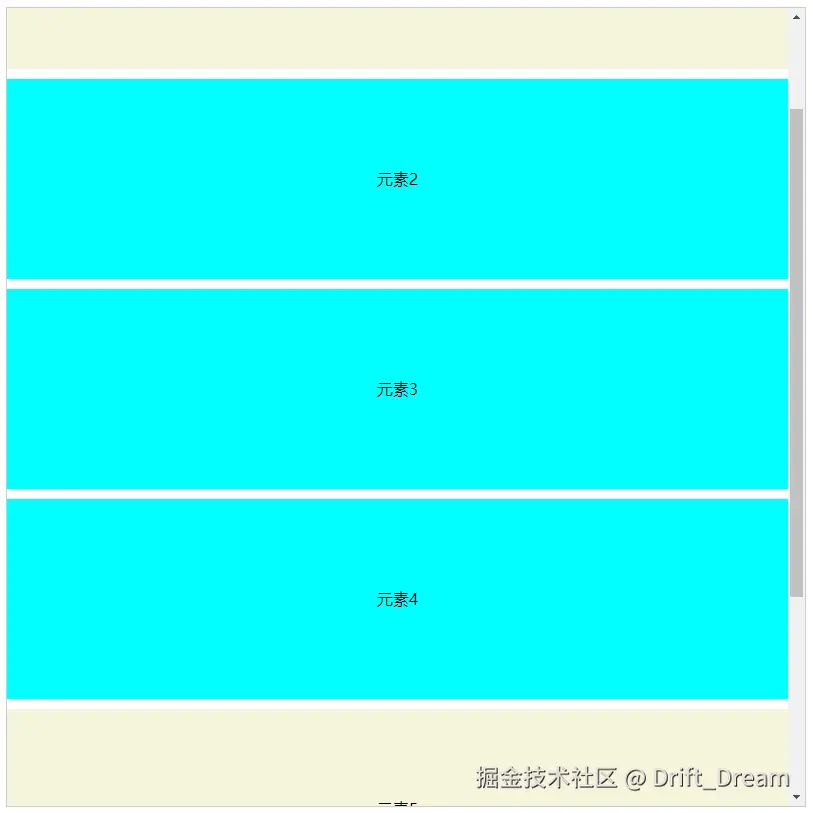
Vue 3 实战应用
精简版滚动动画(类AOS)
xml
<template>
  <div class="aos-container">
    <div
      v-for="(feature, index) in features"
      :key="feature.id"
      ref="featureRefs"
      class="feature-card"
      :class="{ animate: isFeatureVisible[index] }"
    >
      <h3>{{ feature.title }}</h3>
      <p>{{ feature.description }}</p>
    </div>
  </div>
</template>

<script lang="ts" setup>
import { ref, onMounted, nextTick, useTemplateRef } from "vue";

const features = ref([
  { id: 1, title: "特性一", description: "这是第一个特性的描述" },
  { id: 2, title: "特性二", description: "这是第二个特性的描述" },
  { id: 3, title: "特性三", description: "这是第三个特性的描述" },
  { id: 4, title: "特性四", description: "这是第四个特性的描述" },
  { id: 5, title: "特性五", description: "这是第五个特性的描述" },
  { id: 6, title: "特性六", description: "这是第六个特性的描述" },
  { id: 7, title: "特性七", description: "这是第七个特性的描述" },
  { id: 8, title: "特性八", description: "这是第八个特性的描述" },
  { id: 9, title: "特性九", description: "这是第九个特性的描述" },
  { id: 10, title: "特性十", description: "这是第十个特性的描述" },
  { id: 11, title: "特性十一", description: "这是第十一个特性的描述" },
  { id: 12, title: "特性十二", description: "这是第十二个特性的描述" },
]);

const isFeatureVisible = ref(Array(features.value.length).fill(false));

const featureRefs = useTemplateRef("featureRefs");

onMounted(async () => {
  await nextTick();
  featureRefs.value?.forEach((ref, index) => {
    const featureObserver = new IntersectionObserver((entries) => {
      if (entries[0]) isFeatureVisible.value[index] = entries[0].isIntersecting;
    });
    featureObserver.observe(ref);
  });
});
</script>

<style scoped>
.aos-container {
  padding: 20px;
  height: 800px;
  width: 1080px;
  margin: 0 auto;
  overflow-y: auto;
  overflow-x: hidden;
}

.feature-card {
  opacity: 0;
  transform: translateX(-50px);
  transition: all 0.6s ease;
  margin: 20px 0;
  padding: 20px;
  background: #f5f5f5;
  border-radius: 8px;
}

.feature-card.animate {
  opacity: 1;
  transform: translateX(0);
}
</style>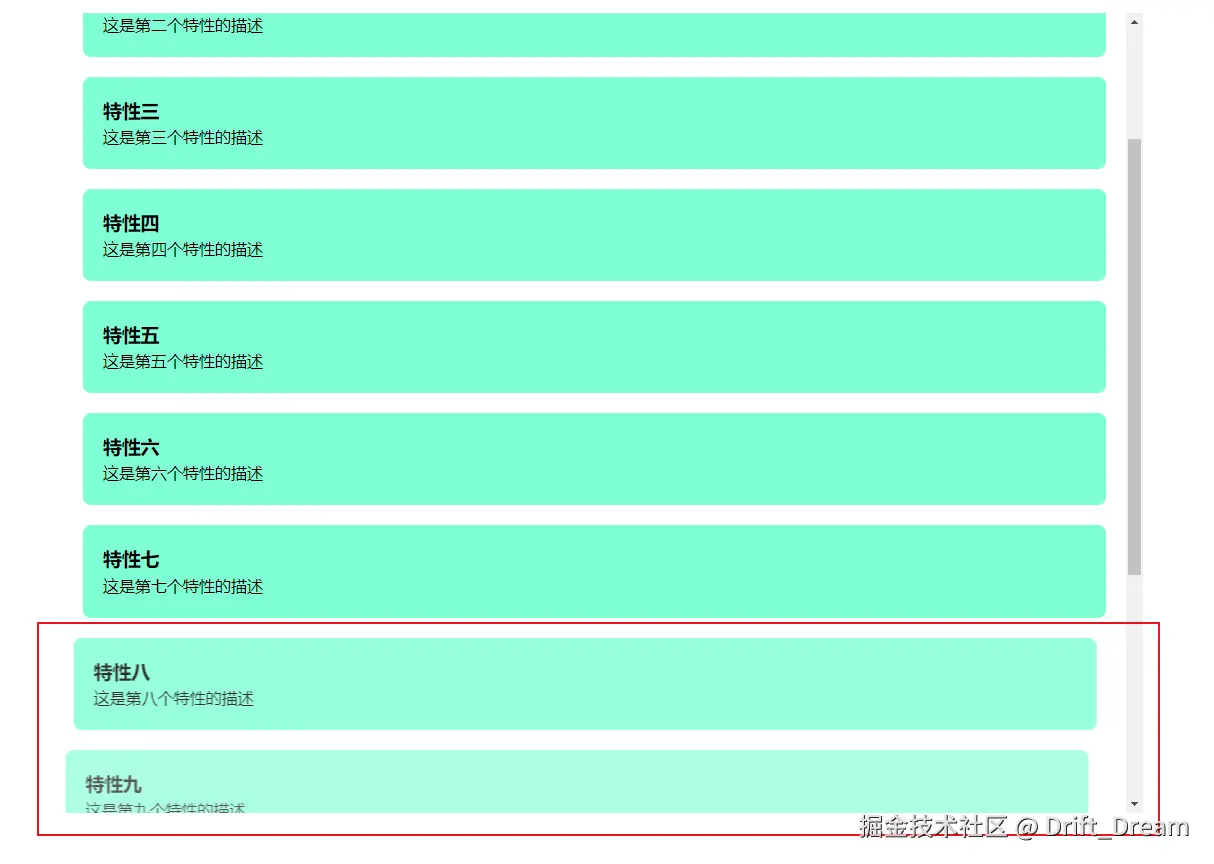
多说一句,如果不循环featureRefs.value ,只使用一个Observer,还可以这么写。
typescript
const isFeatureVisible = ref(Array(features.value.length).fill(false));

const featureRefs = useTemplateRef("featureRefs");

let observer: null | IntersectionObserver = null;

onMounted(async () => {
  await nextTick();
  observer = new IntersectionObserver((entries) => {
    entries.forEach((entry) => {
      // 找到目标元素在 featureRefs 中的索引
      const index = Array.from(featureRefs.value!).indexOf(
        entry.target as HTMLDivElement
      );
      isFeatureVisible.value[index] = entry.isIntersecting;
    });
  });

  featureRefs.value?.forEach((ref) => {
    observer?.observe(ref);
  });
});
图片懒加载组件
组件代码
xml
<template>
  <div class="lazy-image">
    <div v-if="!isLoaded" class="loading">
      <span>图片加载中...</span>
    </div>
    <img
      :src="isVisible ? src : placeholder"
      :alt="alt"
      :class="{ loaded: isVisible }"
      @load="onLoad"
      ref="imgElement"
    />
  </div>
</template>

<script lang="ts" setup>
import { ref, onMounted, onUnmounted } from "vue";

const props = defineProps({
  src: String,
  alt: String,
  placeholder: {
    type: String,
    default: "",
  },
});

const imgElement = ref<HTMLImageElement>();
const isVisible = ref(false);
const isLoaded = ref(false);

let observer: IntersectionObserver | null = null;

onMounted(() => {
  observer = new IntersectionObserver(
    (entries) => {
      if (entries[0] && entries[0].isIntersecting) {
        console.log("图片进入视口");
        isVisible.value = true;
        if (imgElement.value) {
          observer?.unobserve(imgElement.value);
        }
      }
    },
    { threshold: 0.1 }
  );

  if (imgElement.value) {
    observer.observe(imgElement.value);
  }
});

onUnmounted(() => {
  if (observer) {
    observer.disconnect();
  }
});

const onLoad = () => {
  console.log("图片加载完成");
  isLoaded.value = true;
};
</script>

<style lang="scss" scoped>
.lazy-image {
  position: relative;
  display: inline-block;
  img {
    transition: opacity 0.3s ease;
    max-width: 100%;
    height: auto;
  }

  img:not(.loaded) {
    opacity: 0.5;
  }

  img.loaded {
    opacity: 1;
  }

  .loading {
    position: absolute;
    top: 0;
    left: 0;
    text-align: center;
    background-color: #f5f5f5;
    white-space: nowrap;
  }
}
</style>
使用组件
xml
<template>
  <div class="lazy-image-container">
    <div class="height-1600px"></div>
    <div class="lazy-image-item">
      <LazyImg src="https://picsum.photos/400/400" alt="随机图片" />
    </div>
  </div>
</template>

<script lang="ts" setup>
import LazyImg from "./LazyImg.vue";
</script>
<style lang="scss">
.lazy-image-container {
  height: 100%;
  width: 100%;
  overflow-y: auto;
  .height-1600px {
    height: 1600px;
  }
}
</style>
无限滚动示例
xml
<template>
  <div ref="scrollContainer" class="infinite-scroll">
    <div class="items-list">
      <div v-for="item in visibleItems" :key="item.id" class="list-item">
        {{ item.content }}
      </div>
    </div>

    <!-- 哨兵元素,专门用于触发加载 -->
    <div ref="sentinel" class="sentinel" v-if="hasMore"></div>

    <div v-if="isLoading" class="loading">加载中...</div>
    <div v-if="!hasMore" class="no-more">没有更多内容了</div>
  </div>
</template>

<script setup lang="ts">
import { ref, onMounted, onUnmounted, nextTick } from "vue";

interface Item {
  id: number;
  content: string;
}

// 模拟数据
const allItems = ref<Item[]>(
  Array.from({ length: 100 }, (_, i) => ({
    id: i + 1,
    content: `列表项 ${i + 1} - 这是一些示例内容,用于展示无限滚动功能`,
  }))
);

const visibleItems = ref<Item[]>([]);
const isLoading = ref<boolean>(false);
const hasMore = ref<boolean>(true);
const pageSize: number = 10;
let currentPage: number = 0;

// 加载数据
const loadMore = (): void => {
  if (isLoading.value || !hasMore.value) return;

  isLoading.value = true;

  setTimeout(() => {
    const start = currentPage * pageSize;
    const end = start + pageSize;
    const newItems = allItems.value.slice(start, end);

    if (newItems.length > 0) {
      visibleItems.value.push(...newItems);
      currentPage++;
      hasMore.value = end < allItems.value.length;
    } else {
      hasMore.value = false;
    }

    isLoading.value = false;
  }, 500);
};

// 初始加载
loadMore();

// 无限滚动逻辑
const scrollContainer = ref<HTMLDivElement | null>(null);
const sentinel = ref<HTMLDivElement | null>(null); // 哨兵元素
let observer: IntersectionObserver | null = null;

onMounted(async () => {
  await nextTick();

  observer = new IntersectionObserver(
    (entries: IntersectionObserverEntry[]) => {
      console.log(entries);
      // 只有当哨兵元素进入视口且不在加载状态时才触发
      if (
        entries[0] &&
        entries[0].isIntersecting &&
        !isLoading.value &&
        hasMore.value
      ) {
        loadMore();
      }
    },
    {
      threshold: 0.1,
      root: scrollContainer.value,
    }
  );

  if (sentinel.value) {
    observer.observe(sentinel.value);
  }
});

onUnmounted(() => {
  if (observer) {
    observer.disconnect();
  }
});
</script>
<style scoped>
.sentinel {
  height: 1px; /* 极小的高度,不影响布局 */
}
.infinite-scroll {
  height: 400px;
  overflow: auto;
  max-width: 600px;
  margin: 0 auto;
}

.items-list {
  margin-bottom: 20px;
}

.list-item {
  padding: 15px;
  margin: 10px 0;
  background: #f5f5f5;
  border-radius: 4px;
}

.load-trigger,
.loading,
.no-more {
  text-align: center;
  padding: 20px;
  color: #666;
}
</style>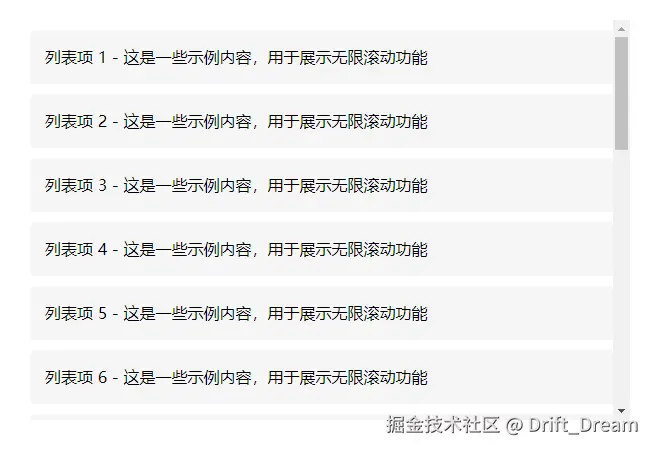
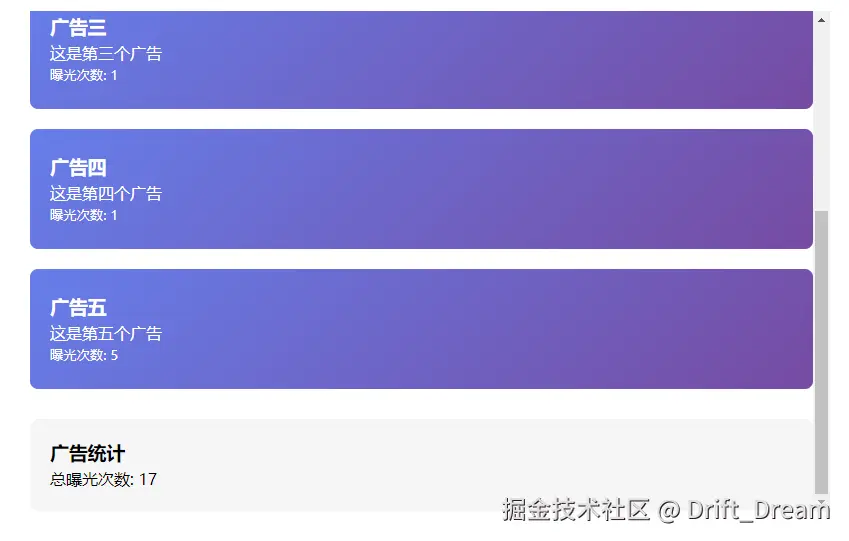
广告曝光
xml
<template>
  <div class="ad-container">
    <div v-for="ad in ads" :key="ad.id" ref="adRefs" class="ad-banner">
      <h3>{{ ad.title }}</h3>
      <p>{{ ad.description }}</p>
      <small>曝光次数: {{ ad.impressions }}</small>
    </div>

    <div class="stats">
      <h3>广告统计</h3>
      <p>总曝光次数: {{ totalImpressions }}</p>
    </div>
  </div>
</template>

<script setup>
import { ref, computed, onMounted, nextTick, useTemplateRef } from "vue";

const ads = ref([
  { id: 1, title: "广告一", description: "这是第一个广告", impressions: 0 },
  { id: 2, title: "广告二", description: "这是第二个广告", impressions: 0 },
  { id: 3, title: "广告三", description: "这是第三个广告", impressions: 0 },
  { id: 4, title: "广告四", description: "这是第四个广告", impressions: 0 },
  { id: 5, title: "广告五", description: "这是第五个广告", impressions: 0 },
]);

const adRefs = useTemplateRef("adRefs");
const observers = ref([]);

const totalImpressions = computed(() => {
  return ads.value.reduce((sum, ad) => sum + ad.impressions, 0);
});

onMounted(async () => {
  await nextTick();

  adRefs.value.forEach((el, index) => {
    const observer = new IntersectionObserver(
      (entries) => {
        if (entries[0].isIntersecting) {
          // 广告进入视口,记录曝光
          ads.value[index].impressions++;

          // 实际项目中这里可以发送统计请求
          console.log(`广告 ${ads.value[index].title} 曝光一次`);
        }
      },
      { threshold: 0.5 }
    );

    observer.observe(el);
    observers.value.push(observer);
  });
});
</script>

<style scoped>
.ad-container {
  max-width: 800px;
  height: 500px;
  overflow-y: auto;
  margin: 0 auto;
}

.ad-banner {
  height: 120px;
  margin: 20px 0;
  padding: 20px;
  background-image: linear-gradient(135deg, #667eea 0%, #764ba2 100%);
  color: white;
  border-radius: 8px;
  display: flex;
  flex-direction: column;
  justify-content: center;
}

.stats {
  margin-top: 30px;
  padding: 20px;
  background: #f5f5f5;
  border-radius: 8px;
}
</style>