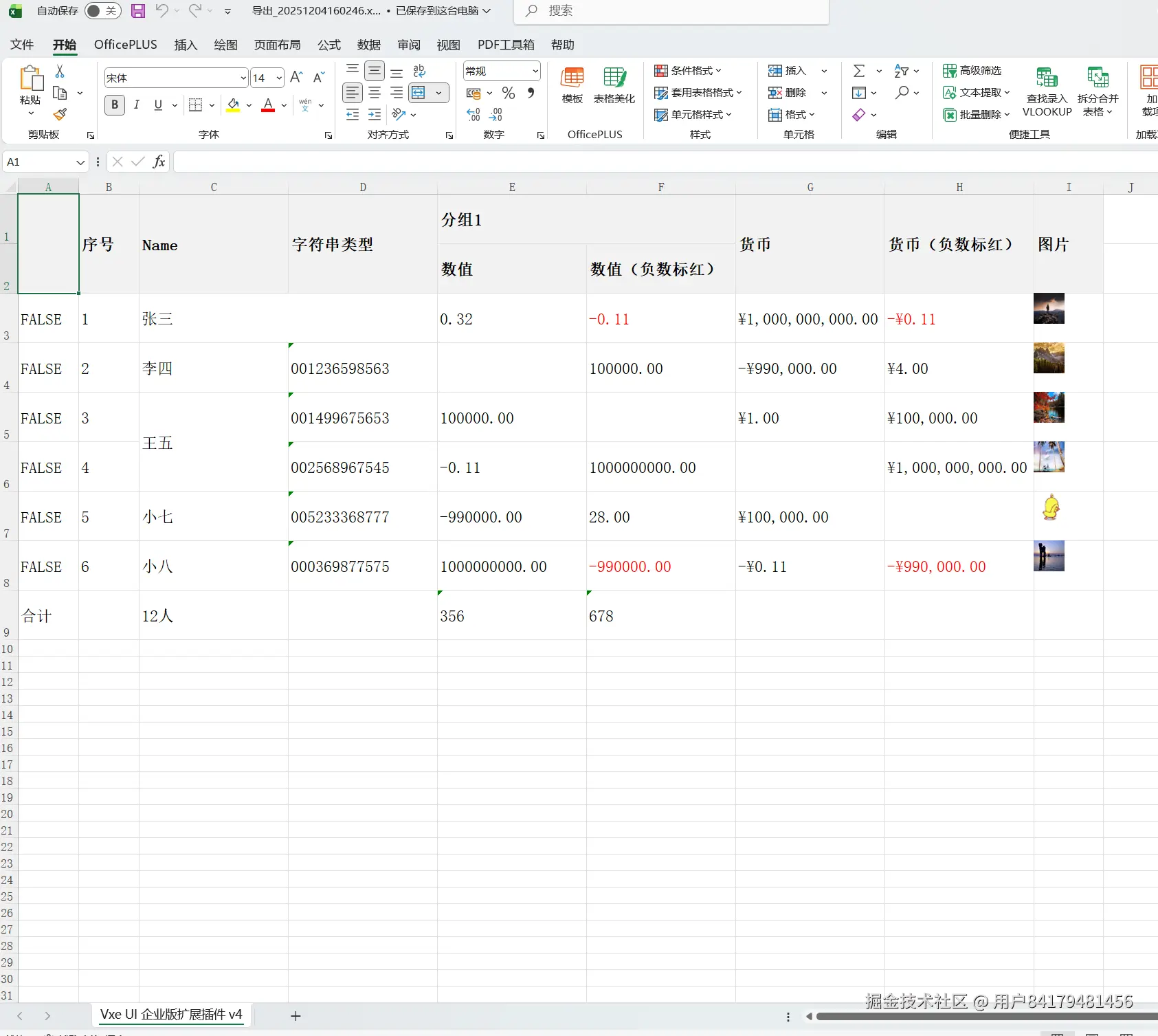
如何使用 vxe-table 导出为带图片的单元格到 excel 格式文件 需要注意导出图片时,需确保图片是有效链接,且允许跨域获取,否则不支持导出图片
查看官网:vxetable.cn
gitbub:github.com/x-extends/v...
gitee:gitee.com/x-extends/v...
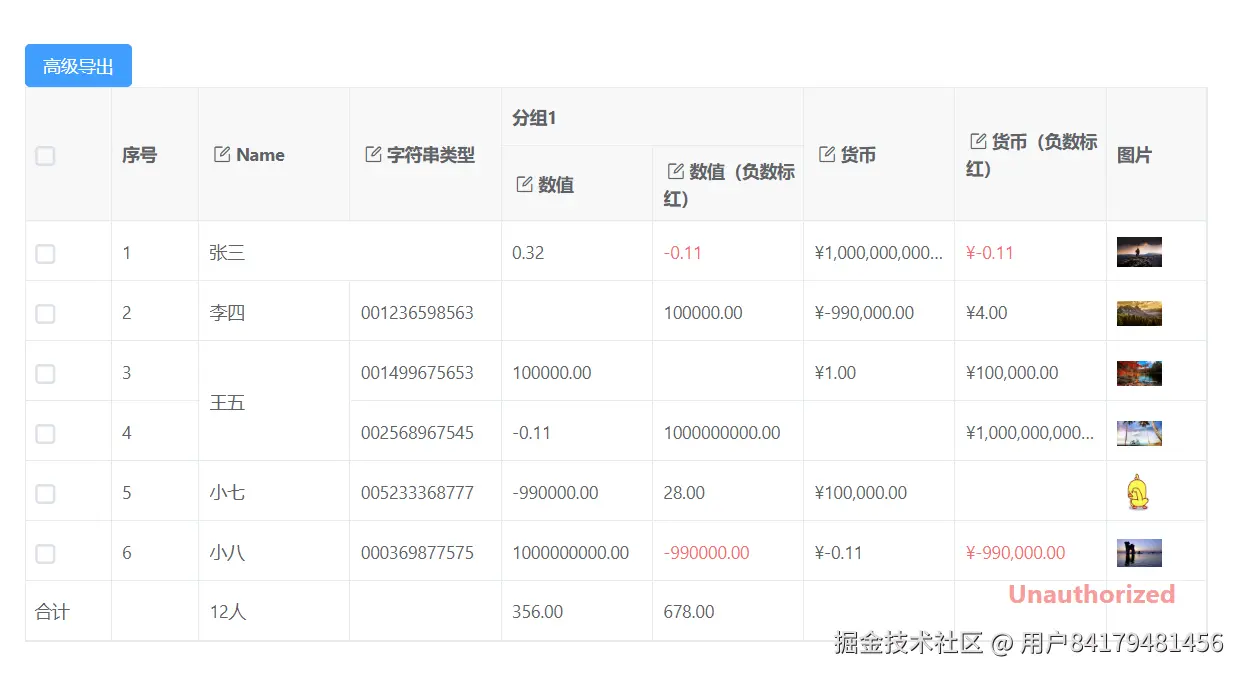

通过定义 cellRender 为 VxeImage 来导出图片格式
html
<template>
  <div>
    <vxe-button status="primary" @click="exportEvent">高级导出</vxe-button>
    <vxe-grid ref="gridRef" v-bind="gridOptions"></vxe-grid>
  </div>
</template>

<script setup>
import { ref, reactive } from 'vue'

const gridRef = ref()

const imgUrlCellRender = reactive({
  name: 'VxeImage',
  props: {
    width: 36,
    height: 36
  }
})

const gridOptions = reactive({
  border: true,
  showFooter: true,
  showOverflow: true,
  columnConfig: {
    resizable: true
  },
  editConfig: {
    trigger: 'click',
    mode: 'cell'
  },
  mergeCells: [
    { row: 0, col: 2, rowspan: 1, colspan: 2 },
    { row: 2, col: 2, rowspan: 2, colspan: 1 }
  ],
  exportConfig: {
    type: 'xlsx'
  },
  menuConfig: {
    body: {
      options: [
        [
          { code: 'EXPORT_ALL', name: '导出.xlsx' }
        ]
      ]
    }
  },
  columns: [
    { field: 'checkbox', type: 'checkbox', width: 70 },
    { field: 'seq', type: 'seq', width: 70 },
    { field: 'name', title: 'Name', editRender: { name: 'VxeInput' } },
    { field: 'code', title: '字符串类型', cellType: 'string', editRender: { name: 'VxeInput' } },
    {
      title: '分组1',
      children: [
        { field: 'num1', title: '数值', editRender: { name: 'VxeNumberInput', props: { type: 'float' } } },
        { field: 'num2', title: '数值(负数标红)', editRender: { name: 'VxeNumberInput', showNegativeStatus: true, props: { type: 'float' } } }
      ]
    },
    { field: 'amount1', title: '货币', editRender: { name: 'VxeNumberInput', props: { type: 'amount', showCurrency: true } } },
    { field: 'amount2', title: '货币(负数标红)', editRender: { name: 'VxeNumberInput', showNegativeStatus: true, props: { type: 'amount', showCurrency: true } } },
    { field: 'imgUrl', title: '图片', width: 80, cellRender: imgUrlCellRender }
  ],
  data: [
    { id: 10001, name: '张三', code: '000528697411', num1: 0.32, num2: -0.11, amount1: 1000000000, amount2: -0.11, imgUrl: 'https://vxeui.com/resource/img/fj586.png' },
    { id: 10002, name: '李四', code: '001236598563', num1: null, num2: 100000, amount1: -990000, amount2: 4, imgUrl: 'https://vxeui.com/resource/img/fj573.jpeg' },
    { id: 10003, name: '王五', code: '001499675653', num1: 100000, num2: null, amount1: 1, amount2: 100000, imgUrl: 'https://vxeui.com/resource/img/fj567.jpeg' },
    { id: 10004, name: '老六', code: '002568967545', num1: -0.11, num2: 1000000000, amount1: null, amount2: 1000000000, imgUrl: 'https://vxeui.com/resource/img/fj577.jpg' },
    { id: 10005, name: '小七', code: '005233368777', num1: -990000, num2: 28, amount1: 100000, amount2: null, imgUrl: 'https://vxeui.com/resource/img/bq673.gif' },
    { id: 10006, name: '小八', code: '000369877575', num1: 1000000000, num2: -990000, amount1: -0.11, amount2: -990000, imgUrl: 'https://vxeui.com/resource/img/fj124.jpeg' }
  ],
  footerData: [
    { checkbox: '合计', name: '12人', no1: 356 }
  ]
})

const exportEvent = () => {
  const $grid = gridRef.value
  if ($grid) {
    $grid.openExport()
  }
}
</script>
点击导出后效果