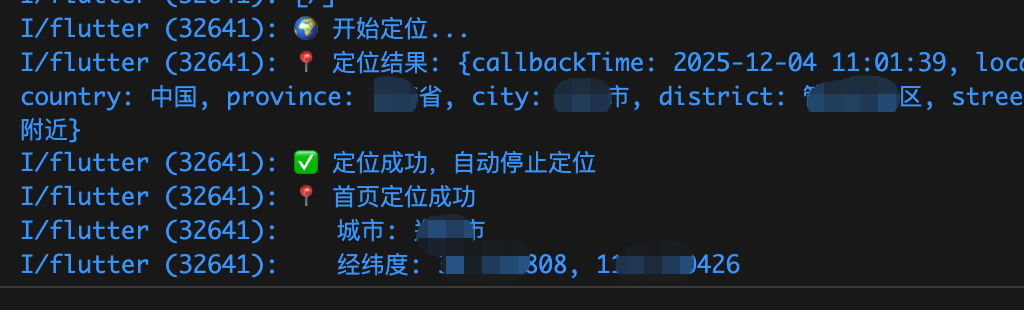
需要自行申请高德key,
下载高德定位插件amap_flutter_location: ^3.0.0
权限验证:permission_handler: ^11.4.0
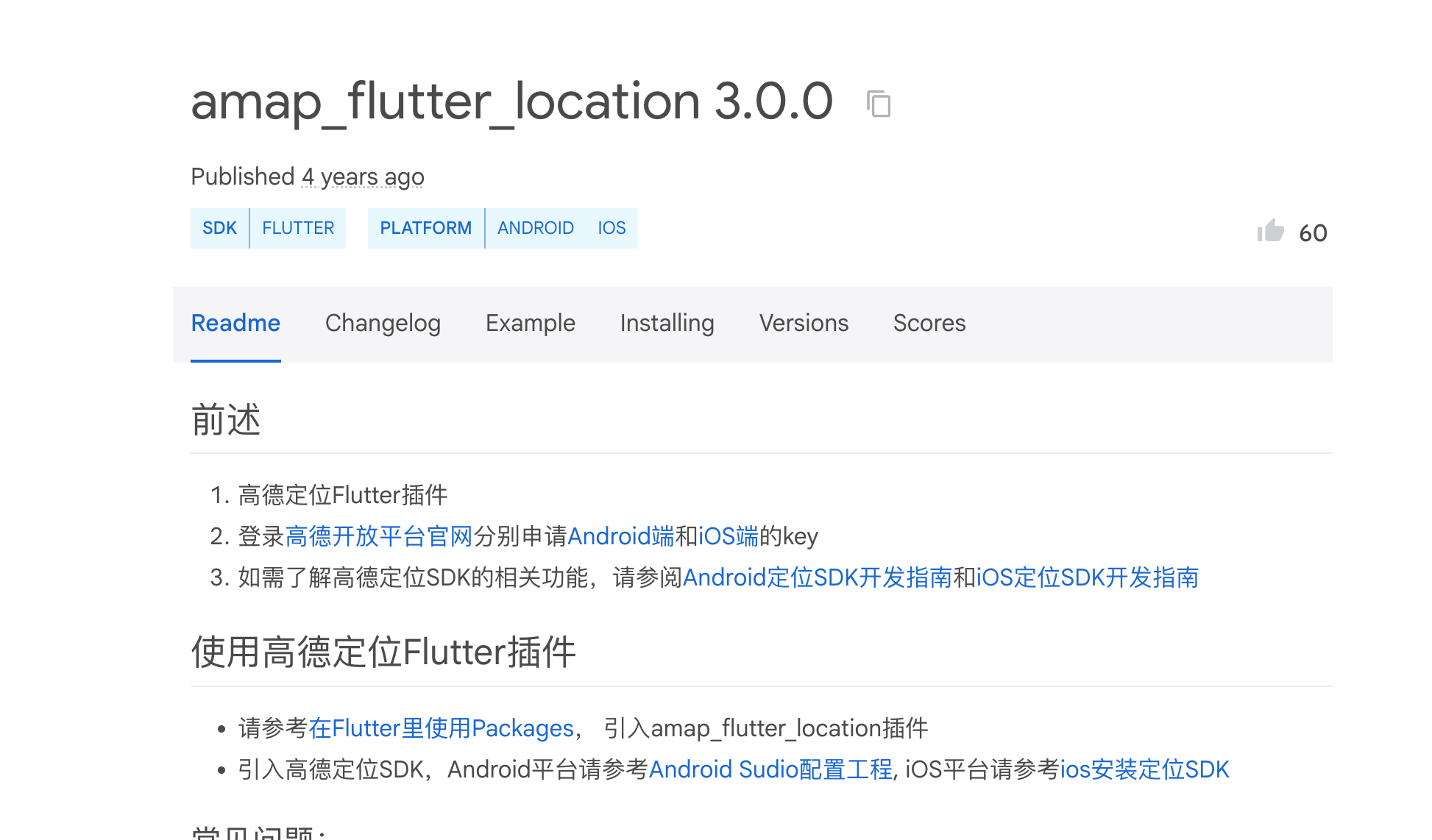
最好吧源码下载到自己项目里,官方上次更新已经是4年前了,需要修改他的一些源码配置才能跑起来
bash
  # 高德定位
  amap_flutter_location:
    path: plugins/amap_flutter_location-3.0.0
配置
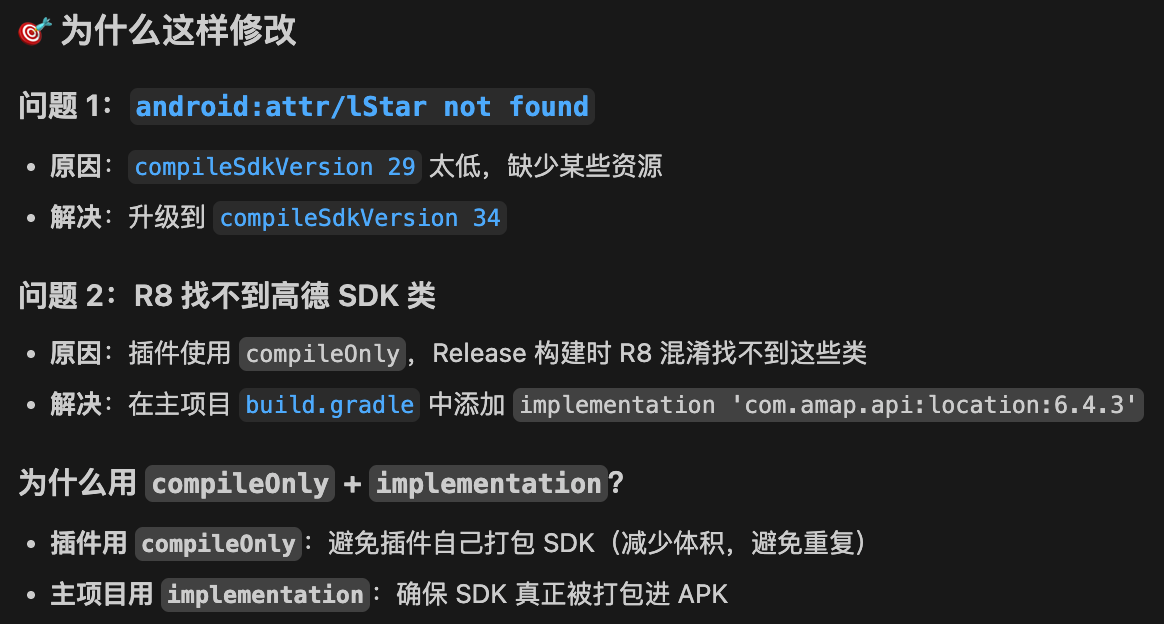
- 在主项目中添加高德定位 SDK 的依赖:/android/app/build.gradle
bash
 dependencies {
    // 高德定位 SDK
    implementation 'com.amap.api:location:6.4.3'    // ✅ 添加实际依赖
}- 修改源码配置:plugins/amap_flutter_location-3.0.0/android/build.gradle
bash
 android {
    namespace 'com.amap.flutter.location'  // ✅ 添加 namespace
    compileSdkVersion 34                   // ✅ 升级到 SDK 34

    defaultConfig {
        minSdkVersion 21                   // ✅ 升级 minSdk
    }
}

dependencies {
    compileOnly 'com.amap.api:location:6.4.3'  // ✅ 使用 compileOnly
}
- /android/app/src/main/AndroidManifest.xml
bash
   <!-- 定位权限 -->
   <!-- 粗略定位权限 -->
   <uses-permission android:name="android.permission.ACCESS_COARSE_LOCATION" />
   <!-- 精确定位权限 -->
   <uses-permission android:name="android.permission.ACCESS_FINE_LOCATION" />
    <application>
   		<!-- 高德地图/定位 API Key -->
   		<meta-data
   			android:name="com.amap.api.v2.apikey"
   			android:value="你申请的高德key" />

   		<!-- 高德定位服务 (必须配置在 application 标签内) -->
   		<service android:name="com.amap.api.location.APSService" />
......- /ios/Runner/Info.plist
bash
<key>AMapApiKey</key>
<string>你的高德iOS Key</string>

<!-- 定位权限描述 -->
<key>NSLocationWhenInUseUsageDescription</key>
<string>需要获取您的位置信息,为您推荐附近的服务</string>

<key>NSLocationAlwaysAndWhenInUseUsageDescription</key>
<string>需要获取您的位置信息,为您提供更好的服务</string>
封装一个单例(包含权限管理)
dart
import 'dart:async';
import 'dart:io';
import 'package:flutter/cupertino.dart';
import 'package:flutter/material.dart';
import 'package:get/get.dart';
import 'package:amap_flutter_location/amap_flutter_location.dart';
import 'package:amap_flutter_location/amap_location_option.dart';
import 'package:permission_handler/permission_handler.dart';
import 'package:ayidaojia/common/index.dart';

/// 高德定位组件(单例模式)
///
/// 使用方式:
/// ```dart
/// // 开始定位(带回调)
/// await LocationComponent.to.startLocation(
///   onSuccess: (result) {
///     print('纬度: ${result['latitude']}');
///     print('经度: ${result['longitude']}');
///     // 更新列表等操作
///   },
///   onError: (errorCode, errorInfo) {
///     print('定位失败: $errorInfo');
///   },
/// );
///
/// // 在 UI 中展示城市(响应式)
/// Obx(() => Text(LocationComponent.to.cityName.value))
///
/// // 在 UI 中展示加载状态
/// Obx(() => LocationComponent.to.isLocating.value
///     ? CircularProgressIndicator()
///     : Text(LocationComponent.to.cityName.value)
/// )
/// ```
class LocationComponent extends GetxService {
  static LocationComponent get to => Get.find();

  // 定位插件实例
  final AMapFlutterLocation _locationPlugin = AMapFlutterLocation();

  // 定位监听
  StreamSubscription<Map<String, Object>>? _locationListener;

  // 是否正在定位(响应式)
  final RxBool isLocating = false.obs;

  // 城市名称(响应式,用于 UI 展示)
  final RxString cityName = '定位中...'.obs;

  // 经纬度(响应式)
  final RxDouble latitude = 0.0.obs;
  final RxDouble longitude = 0.0.obs;

  // 定位成功回调
  Function(Map<String, Object>)? _onSuccessCallback;

  // 定位失败回调
  Function(int errorCode, String errorInfo)? _onErrorCallback;

  @override
  Future<void> onInit() async {
    super.onInit();

    /// 设置是否已经包含高德隐私政策并弹窗展示显示用户查看
    /// 高德SDK合规使用方案请参考官网地址:https://lbs.amap.com/news/sdkhgsy
    /// 必须保证在调用定位功能之前调用
    AMapFlutterLocation.updatePrivacyShow(true, true);

    /// 设置是否已经取得用户同意
    AMapFlutterLocation.updatePrivacyAgree(true);

    /// 设置Android和iOS的apiKey
    AMapFlutterLocation.setApiKey(
      "e8f7a247595e1ee2f5aa19f8c2955a71",  // Android Key
      "e8f7a247595e1ee2f5aa19f8c2955a71"  // iOS Key
    );

    /// iOS 获取native精度类型
    if (Platform.isIOS) {
      _requestAccuracyAuthorization();
    }

    /// 注册定位结果监听
    _locationListener = _locationPlugin
        .onLocationChanged()
        .listen((Map<String, Object> result) async {
      print('📍 定位结果: $result');

      // 检查是否定位成功(没有错误码)
      if (!result.containsKey('errorCode')) {
        print('✅ 定位成功,自动停止定位');

        // 解析定位结果(只缓存城市和经纬度)
        _parseLocationResult(result);

        // 定位成功后自动停止
        _locationPlugin.stopLocation();
        isLocating.value = false;

        // 触发成功回调
        if (_onSuccessCallback != null) {
          _onSuccessCallback!(result);
          _onSuccessCallback = null; // 回调后清空
        }
      } else {
        // 定位失败
        int errorCode = int.parse(result['errorCode'].toString());
        String errorInfo = result['errorInfo'].toString();
        print('❌ 定位失败 [错误码: $errorCode]: $errorInfo');
        isLocating.value = false;

        // 检查是否为权限相关错误
        if (_isPermissionError(errorCode, errorInfo)) {
          print('⚠️ 定位失败原因:权限被拒绝');
          // 显示权限引导对话框
          await _showPermissionDialog();
        }

        // 触发失败回调
        if (_onErrorCallback != null) {
          _onErrorCallback!(errorCode, errorInfo);
          _onErrorCallback = null; // 回调后清空
        }
      }
    });

    // 从本地加载上次的定位信息(仅城市和经纬度)
    _loadLastLocation();
  }

  @override
  void onClose() {
    // 停止定位
    _locationPlugin.stopLocation();
    // 销毁定位
    _locationPlugin.destroy();
    // 取消监听
    _locationListener?.cancel();
    super.onClose();
  }

  /// 解析定位结果(只缓存城市和经纬度)
  void _parseLocationResult(Map<String, Object> result) {
    // 城市(缓存)
    if (result.containsKey('city')) {
      String city = result['city'].toString();
      // 去掉"市"字
      cityName.value = city.replaceAll('市', '');
      // 保存到本地
      Storage().setString('last_city', city);
    }

    // 经纬度(缓存)
    if (result.containsKey('latitude')) {
      latitude.value = double.parse(result['latitude'].toString());
      Storage().setString('last_latitude', result['latitude'].toString());
    }
    if (result.containsKey('longitude')) {
      longitude.value = double.parse(result['longitude'].toString());
      Storage().setString('last_longitude', result['longitude'].toString());
    }
  }

  /// 从本地加载上次的定位信息(只加载城市和经纬度)
  void _loadLastLocation() {
    String lastCity = Storage().getString('last_city');
    String lastLat = Storage().getString('last_latitude');
    String lastLng = Storage().getString('last_longitude');

    if (lastCity.isNotEmpty) {
      cityName.value = lastCity.replaceAll('市', '');
    }
    if (lastLat.isNotEmpty) {
      latitude.value = double.tryParse(lastLat) ?? 0.0;
    }
    if (lastLng.isNotEmpty) {
      longitude.value = double.tryParse(lastLng) ?? 0.0;
    }
  }

  /// 设置定位参数
  void _setLocationOption() {
    AMapLocationOption locationOption = AMapLocationOption();

    /// 是否单次定位(true=定位一次后自动停止)
    locationOption.onceLocation = true;

    /// 是否需要返回逆地理信息
    locationOption.needAddress = true;

    /// 逆地理信息的语言类型
    locationOption.geoLanguage = GeoLanguage.DEFAULT;

    /// 设置Android端连续定位的定位间隔
    locationOption.locationInterval = 2000;

    /// 设置Android端的定位模式
    locationOption.locationMode = AMapLocationMode.Hight_Accuracy;

    /// 设置iOS端的定位最小更新距离
    locationOption.distanceFilter = -1;

    /// 设置iOS端期望的定位精度
    locationOption.desiredAccuracy = DesiredAccuracy.Best;

    /// 设置iOS端是否允许系统暂停定位
    locationOption.pausesLocationUpdatesAutomatically = false;

    /// 将定位参数设置给定位插件
    _locationPlugin.setLocationOption(locationOption);
  }

  /// 开始定位(公开方法)
  ///
  /// [onSuccess] 定位成功回调,返回完整的定位结果
  /// [onError] 定位失败回调,返回错误码和错误信息
  ///
  /// 使用示例:
  /// ```dart
  /// await LocationComponent.to.startLocation(
  ///   onSuccess: (result) {
  ///     double lat = double.parse(result['latitude'].toString());
  ///     double lng = double.parse(result['longitude'].toString());
  ///     String city = result['city'].toString();
  ///     String address = result['address'].toString();
  ///
  ///     // 使用经纬度更新列表
  ///     loadNearbyServices(lat, lng);
  ///   },
  ///   onError: (errorCode, errorInfo) {
  ///     print('定位失败: $errorInfo');
  ///   },
  /// );
  /// ```
  Future<bool> startLocation({
    Function(Map<String, Object> result)? onSuccess,
    Function(int errorCode, String errorInfo)? onError,
  }) async {
    if (isLocating.value) {
      print('⚠️ 正在定位中,请勿重复调用');
      return false;
    }

    // 保存回调函数
    _onSuccessCallback = onSuccess;
    _onErrorCallback = onError;

    // 检查并请求权限(参考 ImageSaverHelper 的权限验证逻辑)
    bool hasPermission = await _checkAndRequestPermission();
    if (!hasPermission) {
      print('❌ 定位权限申请失败或被拒绝');
      isLocating.value = false;
      _onErrorCallback?.call(-1, '定位权限申请失败或被拒绝');
      _onSuccessCallback = null;
      _onErrorCallback = null;
      return false;
    }

    // 设置定位参数
    _setLocationOption();

    // 开始定位(UI 会通过 isLocating.value 显示加载图标)
    isLocating.value = true;
    _locationPlugin.startLocation();
    print('🌍 开始定位...');

    return true;
  }

  /// 停止定位(公开方法)
  void stopLocation() {
    _locationPlugin.stopLocation();
    isLocating.value = false;
    print('⏹️ 停止定位');
  }

  /// 获取iOS native的accuracyAuthorization类型
  void _requestAccuracyAuthorization() async {
    AMapAccuracyAuthorization currentAccuracyAuthorization =
        await _locationPlugin.getSystemAccuracyAuthorization();
    if (currentAccuracyAuthorization ==
        AMapAccuracyAuthorization.AMapAccuracyAuthorizationFullAccuracy) {
      print("✅ iOS 精确定位类型");
    } else if (currentAccuracyAuthorization ==
        AMapAccuracyAuthorization.AMapAccuracyAuthorizationReducedAccuracy) {
      print("⚠️ iOS 模糊定位类型");
    } else {
      print("❓ iOS 未知定位类型");
    }
  }

  /// 检查并请求定位权限(参考 ImageSaverHelper 的权限验证逻辑)
  /// Returns: 是否获得权限
  Future<bool> _checkAndRequestPermission() async {
    try {
      var status = await Permission.location.status;

      // 权限已授予
      if (status.isGranted) {
        return true;
      }

      // 权限被拒绝,尝试请求
      if (status.isDenied) {
        status = await Permission.location.request();
      }

      // 权限被永久拒绝,显示引导对话框
      if (status.isPermanentlyDenied) {
        await _showPermissionDialog();
        return false;
      }

      // 再次检查权限状态
      if (!status.isGranted) {
        // 用户拒绝了权限,显示引导对话框
        await _showPermissionDialog();
        return false;
      }

      return true;
    } catch (e) {
      print('权限检查失败: $e');
      Loading.error('权限检查失败:${e.toString()}'.tr);
      return false;
    }
  }

  /// 检查是否有定位权限(不请求)
  /// Returns: 是否有权限
  static Future<bool> hasPermission() async {
    try {
      var status = await Permission.location.status;
      return status.isGranted;
    } catch (e) {
      return false;
    }
  }

  /// 显示权限被拒绝时的对话框(参考 ImageSaverHelper)
  /// 当用户拒绝定位权限后,提示用户前往系统设置
  Future<void> _showPermissionDialog() async {
    final context = Get.context;
    if (context == null) {
      Loading.error('无法获取位置信息,请在设置中开启定位权限'.tr);
      return;
    }
    Loading.dismiss();

    return showCupertinoDialog<void>(
      context: context,
      barrierDismissible: false,
      builder: (BuildContext dialogContext) {
        return CupertinoAlertDialog(
          title: Text('无法获取位置信息'.tr),
          content: Text('当前无定位权限,建议前往系统设置,允许应用访问[位置信息]'.tr),
          actions: <Widget>[
            CupertinoDialogAction(
              child: Text(
                '取消'.tr,
                style: const TextStyle(fontSize: 16, color: AppTheme.color999),
              ),
              onPressed: () {
                Navigator.of(dialogContext).pop();
              },
            ),
            CupertinoDialogAction(
              isDefaultAction: true,
              child: Text(
                '前往系统设置'.tr,
                style: const TextStyle(fontSize: 16, color: Colors.black),
              ),
              onPressed: () async {
                Navigator.of(dialogContext).pop();
                // 跳转到系统设置
                await openAppSettings();
              },
            ),
          ],
        );
      },
    );
  }

  /// 判断是否为权限相关的错误(参考 ImageSaverHelper)
  /// [errorCode] 错误码
  /// [errorInfo] 错误信息
  /// Returns: 是否为权限错误
  bool _isPermissionError(int errorCode, String errorInfo) {
    // 高德定位错误码 12: 缺少权限
    // 参考:https://lbs.amap.com/api/android-location-sdk/guide/utilities/errorcode/
    if (errorCode == 12) {
      return true;
    }

    // 检查错误信息中是否包含权限相关关键词
    final lowerErrorInfo = errorInfo.toLowerCase();
    return lowerErrorInfo.contains('permission') ||
        lowerErrorInfo.contains('权限') ||
        lowerErrorInfo.contains('授权');
  }

  /// 获取当前城市(公开方法)
  String getCurrentCity() {
    return cityName.value;
  }

  /// 获取当前经纬度(公开方法)
  Map<String, double> getCurrentLatLng() {
    return {
      'latitude': latitude.value,
      'longitude': longitude.value,
    };
  }
}
需要先在全局初始化
bash
Get.put<LocationComponent>(LocationComponent());页面中使用
dart
  // 初始化定位
  Widget _buildLocation() {
    return Obx(() => <Widget>[
      LocationComponent.to.isLocating.value ? <Widget>[
        SizedBox(
          width: 16.sp,
          height: 16.sp,
          child: const CircularProgressIndicator(
            strokeWidth: 2,
            valueColor: AlwaysStoppedAnimation<Color>(Colors.white),
          ),
        ),
        SizedBox(width: 8.w),
        TextWidget.body(
          '定位中...',
          size: 24.sp,
          color: Colors.white,
          weight: FontWeight.w600,
        ),
      ].toRow()
    : <Widget>[
        TextWidget.body(
          LocationComponent.to.cityName.value,
          size: 24.sp,
          color: Colors.white,
          weight: FontWeight.w600,
        ),
        Icon(Icons.arrow_drop_down_rounded, size: 32.sp, color: Colors.white),
      ].toRow(),
    ].toRow().onTap(() async {
      // 点击重新定位
      await LocationComponent.to.startLocation(
        onSuccess: (result) {
          // 定位成功后的操作
          print('✅ 点击定位成功');
          print('   城市: ${result['city']}');
          print('   地址: ${result['address']}');

          // 可以在这里更新列表等操作
          // controller.loadNearbyData(
          //   lat: double.parse(result['latitude'].toString()),
          //   lng: double.parse(result['longitude'].toString()),
          // );

          Loading.success('定位成功'.tr);
        },
        onError: (errorCode, errorInfo) {
          print('❌ 点击定位失败: $errorInfo');
          // 不需要额外提示,_showPermissionDialog 已经处理
        },
      );
    }));
  }