用Trea来开发一个浏览器插件
背景
浏览网页的时候,总是外网的加载不出来,弄了梯子,有时候直连的又加载不出来,最近ZeroOmega也老是不好用,总有些资源加载不出来
Trea solo
直接打开trea,新建任务,输入提示词:
提示词
帮我开发一个浏览器插件,主要功能是管理浏览器,默认浏览器直联,如果链接异常的网址通过vpn链接打开plan开关,点击发送 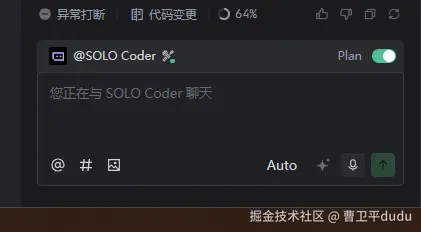 Trea就吭哧吭哧一顿计划,会生成一个计划文档
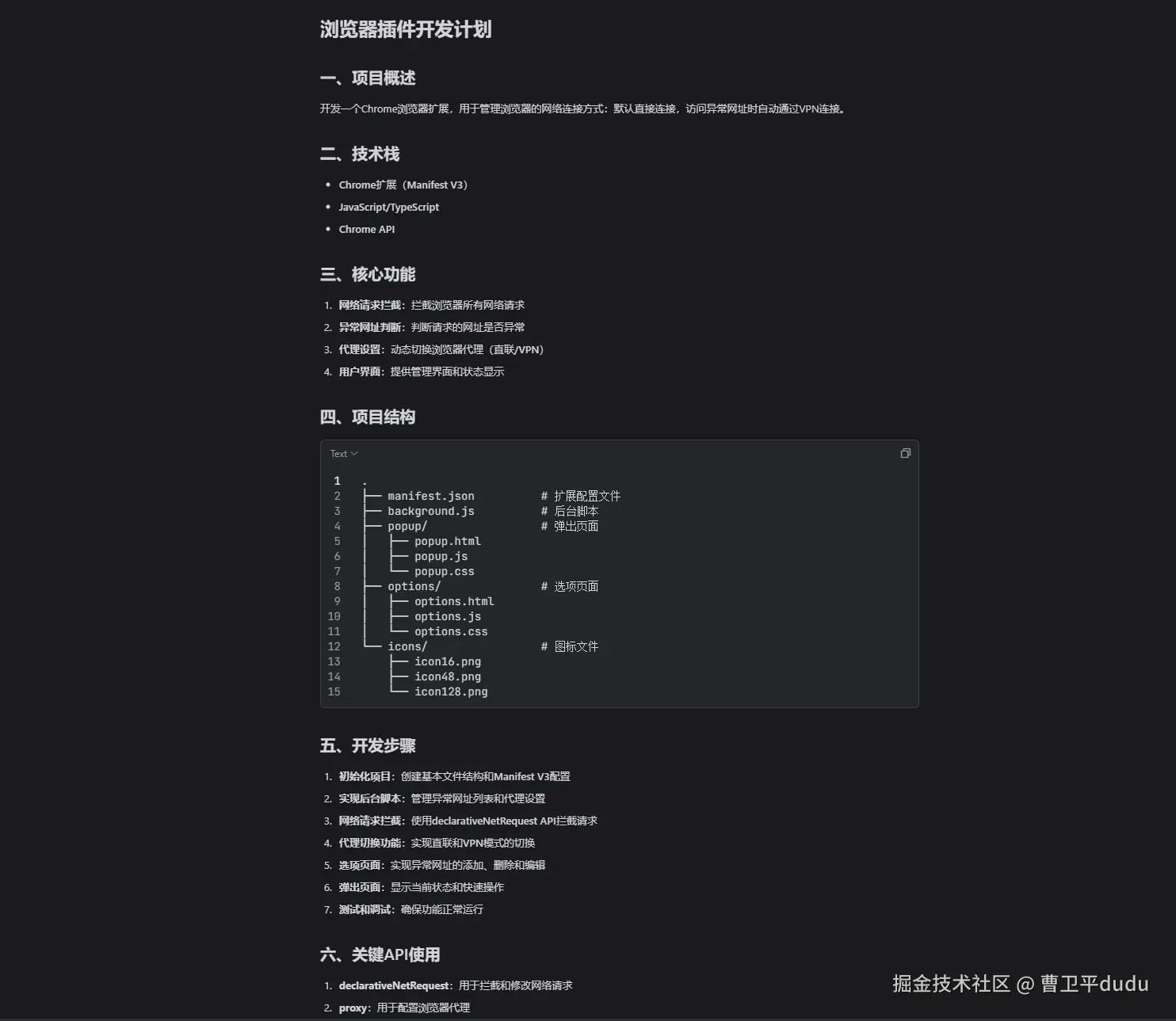 非常的专业
非常的专业
点击执行计划
很快的就会生成项目,给项目添加上对应的icon图片,就可以在浏览器里打开了
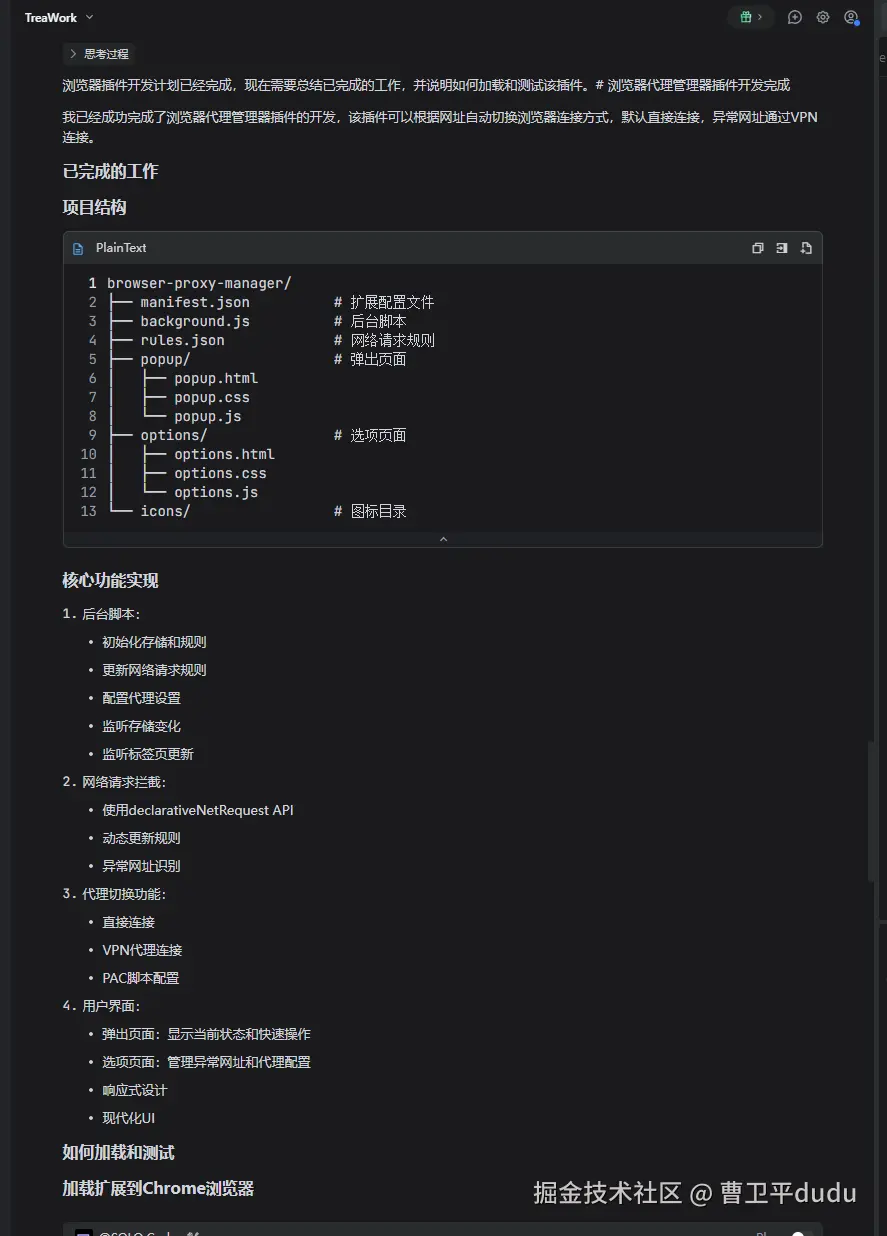
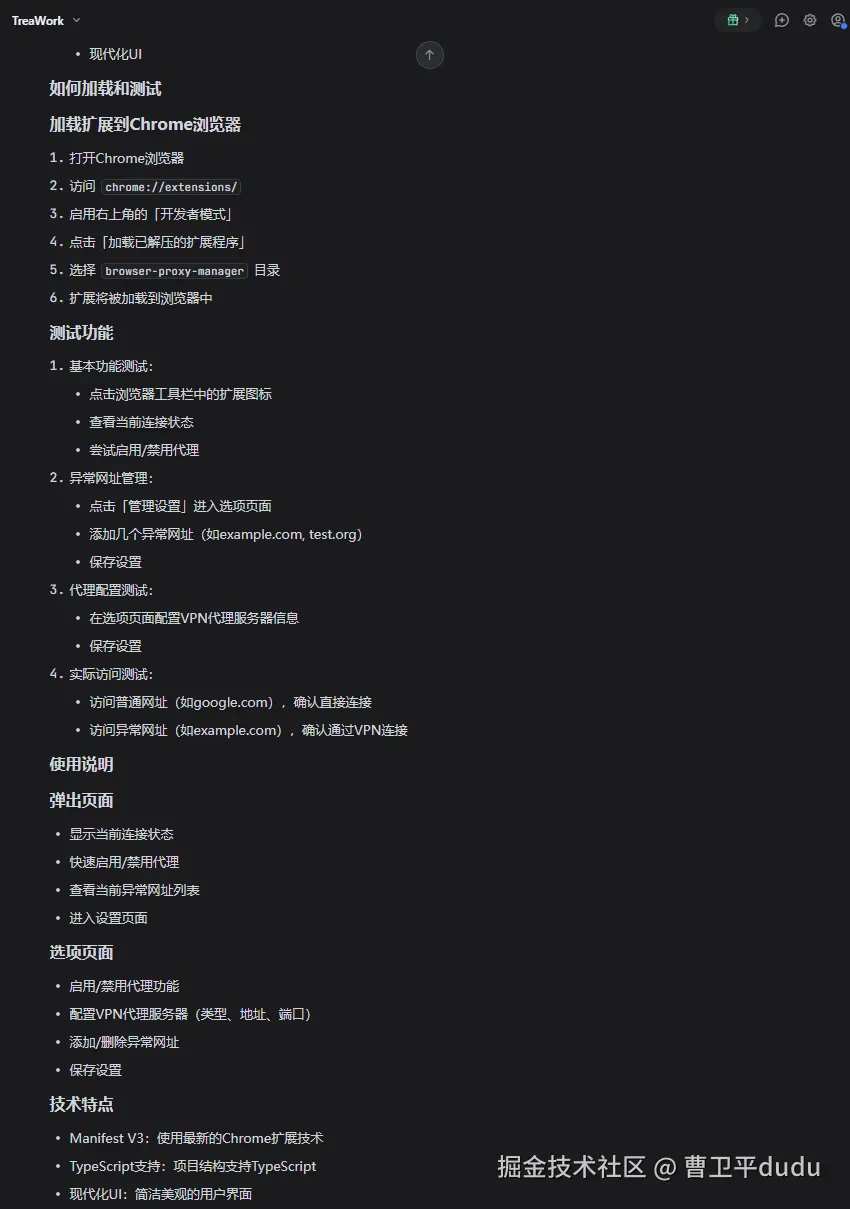 并且可以截图让他对对应的有问题的地方进行修改
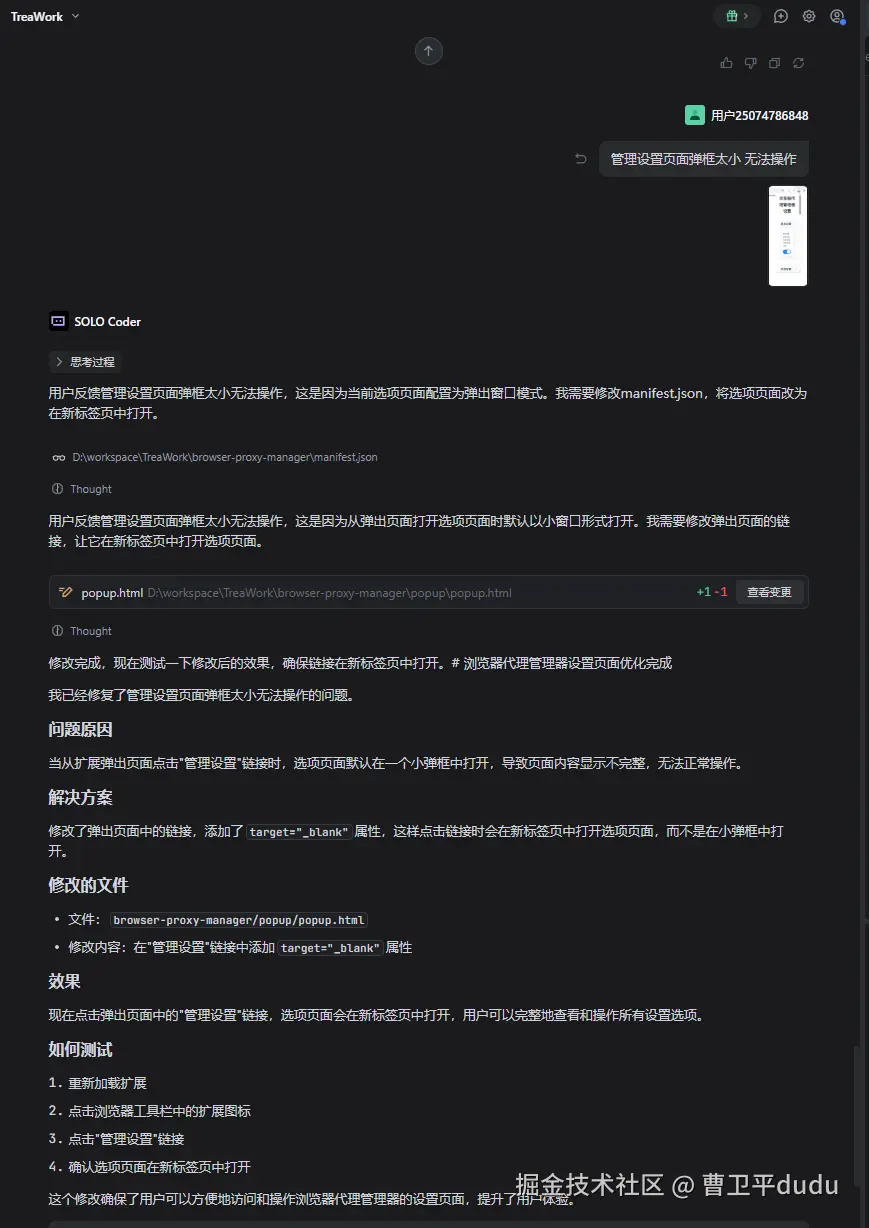 截图改变按钮大小
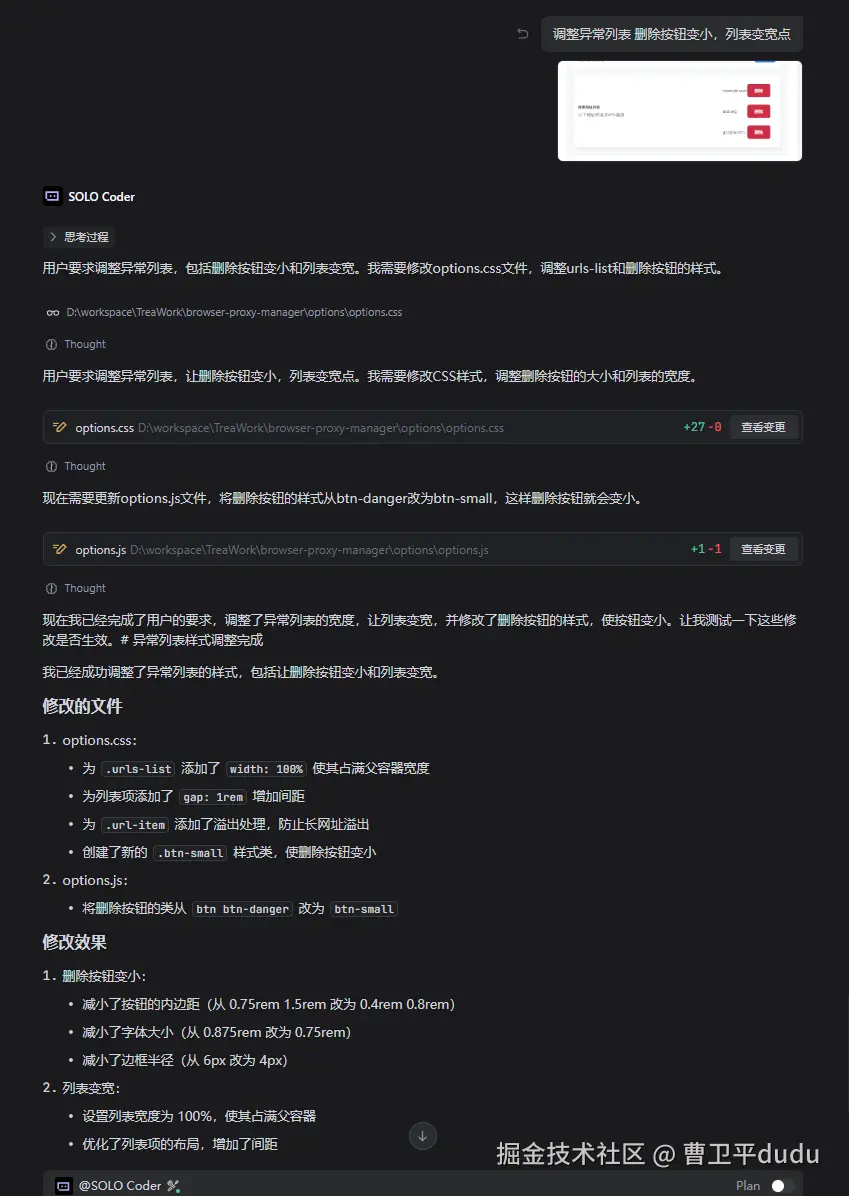 改完后的效果
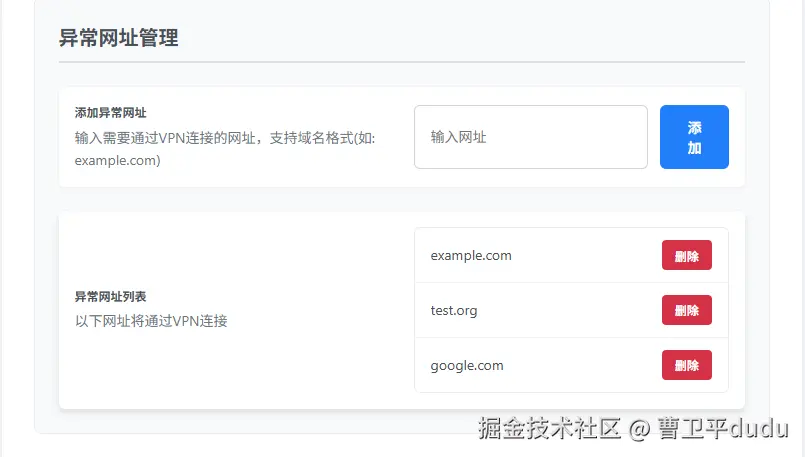 再微调微调,搞定
效果展示
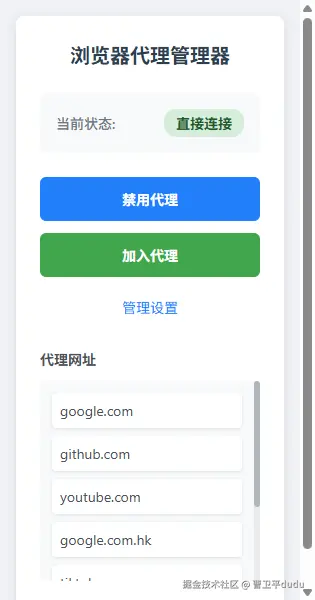
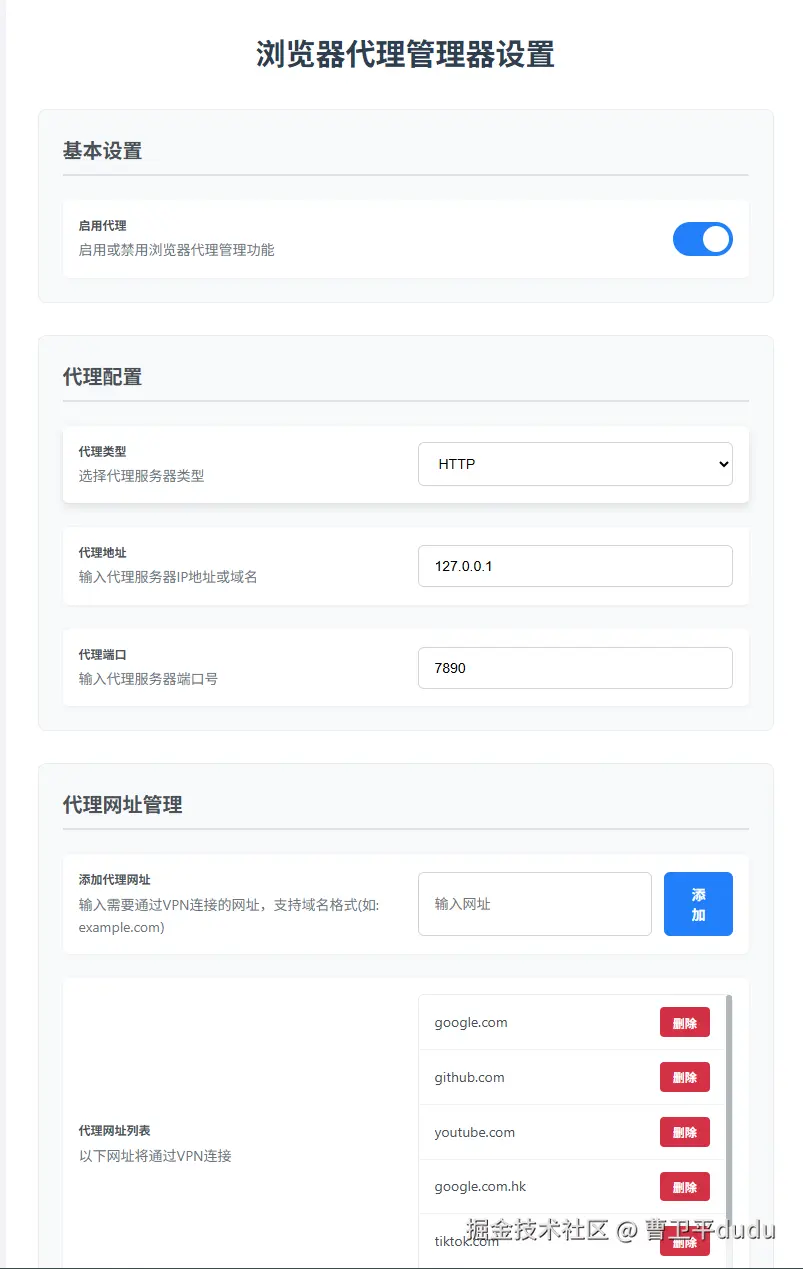
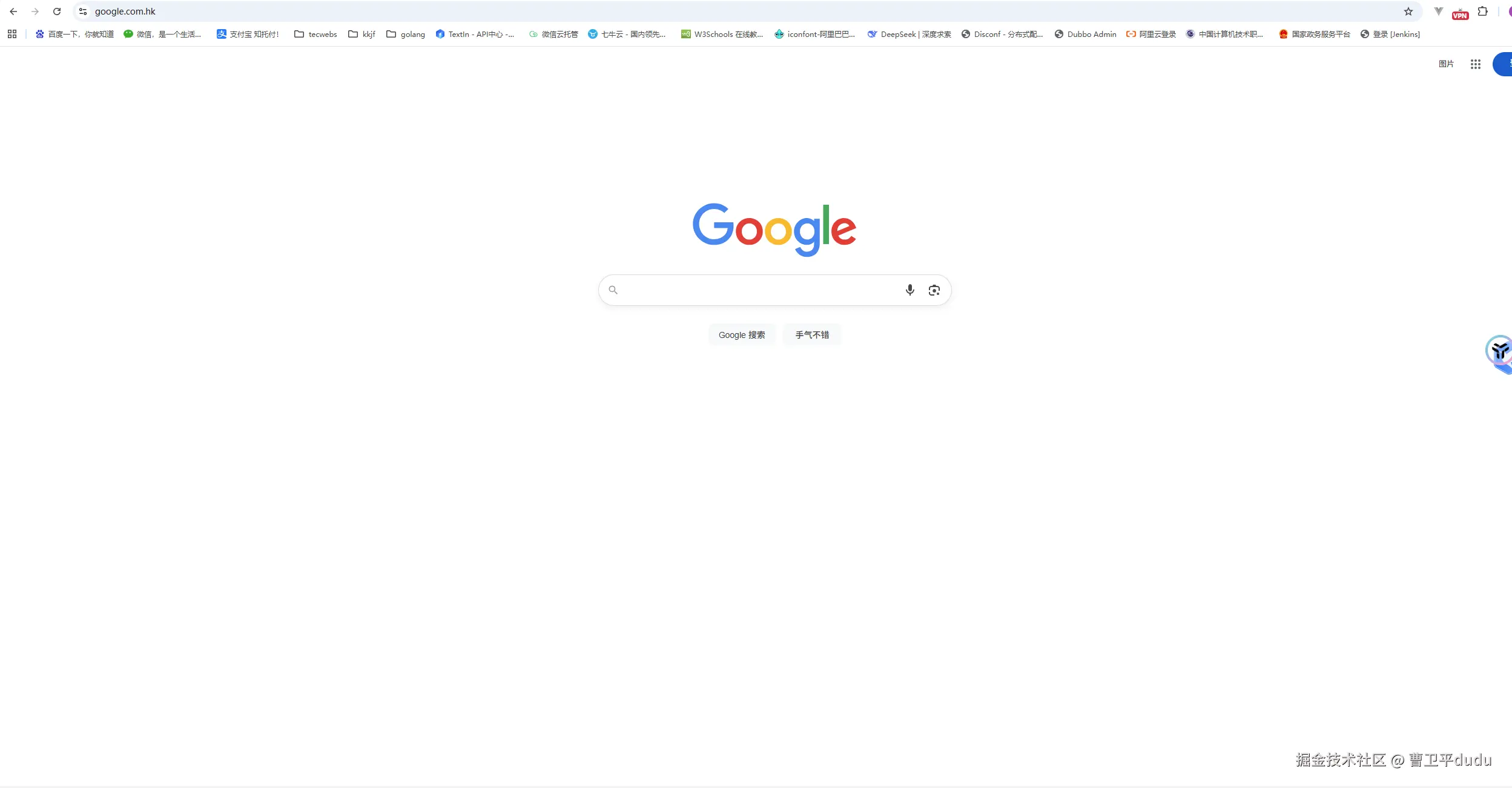 简单实用,比较满意
不足之处
很多网站的资源都不在同一个域名下,需要配置多个域名,如:tiktok.com的很多资源在tiktokv.com这个域名下,这就需要打开网站的调试工具,检查哪些资源无法加载的,把相应的域名添加到代理列表才可以。想让Trea solo根据标签页来判断是否需要代理,需要代理的整个标签页的所有请求都走代理,但是ai也没弄成。有大佬的可以指导指导。
background.js
// 浏览器代理管理器 - 背景脚本

// 初始化存储
async function initStorage() {
  const storage = await chrome.storage.local.get(['exceptionUrls', 'proxyConfig', 'isEnabled']);

  // 设置默认值
  const defaults = {
    exceptionUrls: [],
    proxyConfig: {
      host: '127.0.0.1',
      port: 1080,
      type: 'http'
    },
    isEnabled: true
  };

  // 合并默认值和现有值 - 只在值不存在时使用默认值
  const newStorage = {
    exceptionUrls: storage.exceptionUrls !== undefined ? storage.exceptionUrls : defaults.exceptionUrls,
    proxyConfig: storage.proxyConfig || defaults.proxyConfig,
    isEnabled: storage.isEnabled !== undefined ? storage.isEnabled : defaults.isEnabled
  };

  // 保存到存储
  await chrome.storage.local.set(newStorage);

  console.log('Storage initialized:', newStorage);

  // 更新规则
  await updateRules(newStorage.exceptionUrls);
}

// 更新网络请求规则
async function updateRules(exceptionUrls) {
  // 不再使用declarativeNetRequest,直接更新PAC脚本
  await initProxySettings();
}

// 配置代理函数已移除,改为使用PAC脚本处理代理逻辑

// 监听存储变化
chrome.storage.onChanged.addListener(async (changes, area) => {
  if (area === 'local') {
    if (changes.exceptionUrls) {
      await updateRules(changes.exceptionUrls.newValue);
    }
  }
});

// 初始化代理设置
async function initProxySettings() {
  const storage = await chrome.storage.local.get(['isEnabled', 'exceptionUrls', 'proxyConfig']);

  console.log('initProxySettings called with:', storage);

  if (storage.isEnabled) {
    // 配置代理
    const exceptionUrls = storage.exceptionUrls || [];
    const proxyConfig = storage.proxyConfig || { host: '127.0.0.1', port: 1080, type: 'http' };

    console.log('Enabling proxy with config:', proxyConfig);
    console.log('Exception URLs:', exceptionUrls);

    // 生成PAC脚本
    const pacScript = `function FindProxyForURL(url, host) {
      // Browser Proxy Manager - PAC Script
      const exceptionUrls = ${JSON.stringify(exceptionUrls)};
      const proxyConfig = ${JSON.stringify(proxyConfig)};

      // Check if URL is in proxy list
      const isException = exceptionUrls.some(proxyUrl => {
        return host === proxyUrl || host.endsWith("." + proxyUrl);
      });

      if (isException) {
        // Use proxy
        const proxyStr = 'PROXY ' + proxyConfig.host + ':' + proxyConfig.port + '; DIRECT';
        return proxyStr;
      } else {
        // Direct connection
        return 'DIRECT';
      }
    }`;

    try {
      await chrome.proxy.settings.set({
        value: {
          mode: 'pac_script',
          pacScript: {
            data: pacScript
          }
        },
        scope: 'regular'
      }, () => {
        if (chrome.runtime.lastError) {
          console.error('Error setting proxy:', chrome.runtime.lastError);
        } else {
          console.log('Proxy settings updated successfully');
        }
      });
    } catch (error) {
      console.error('Error setting proxy settings:', error);
    }
  } else {
    // 禁用代理
    console.log('Disabling proxy');
    try {
      await chrome.proxy.settings.set({
        value: {
          mode: 'direct'
        },
        scope: 'regular'
      });
    } catch (error) {
      console.error('Error disabling proxy:', error);
    }
  }
}

// 监听扩展安装或更新
chrome.runtime.onInstalled.addListener(async () => {
  await initStorage();
  await initProxySettings();
  // 初始化所有标签页的图标和徽章颜色
  const storage = await chrome.storage.local.get(['isEnabled']);
  await updateAllTabsIconAndColor(storage.isEnabled);
});

// 监听扩展启动
chrome.runtime.onStartup.addListener(async () => {
  await initProxySettings();
  // 初始化所有标签页的图标和徽章颜色
  const storage = await chrome.storage.local.get(['isEnabled']);
  await updateAllTabsIconAndColor(storage.isEnabled);
});

// 直连模式使用默认图标
const greenIcon = {
  "16": "icons/icon16.png",
  "48": "icons/icon48.png",
  "128": "icons/icon128.png"
};

// 代理模式使用默认图标
const redIcon = {
  "16": "icons/icon16.png",
  "48": "icons/icon48.png",
  "128": "icons/icon128.png"
};

// 根据连接状态更新标签页图标
async function updateTabIcon(tabId, url) {
  // 获取设置
  const storage = await chrome.storage.local.get(['exceptionUrls', 'isEnabled']);

  // 如果扩展未启用,显示默认图标和禁用状态
  if (!storage.isEnabled) {
    chrome.action.setBadgeText({ text: 'DISABLED', tabId: tabId });
    chrome.action.setBadgeBackgroundColor({ color: '#6c757d', tabId: tabId });
    return;
  }

  try {
    const urlObj = new URL(url);
    const hostname = urlObj.hostname;

    const isException = storage.exceptionUrls.some(proxyUrl => {
      return hostname === proxyUrl || hostname.endsWith("." + proxyUrl);
    });

    // 更新徽章文本和颜色
    if (isException) {
      // 代理模式 - 显示VPN徽章和红色背景
      chrome.action.setBadgeText({ text: 'VPN', tabId: tabId });
      chrome.action.setBadgeBackgroundColor({ color: '#dc3545', tabId: tabId });
    } else {
      // 直连模式 - 显示DIRECT徽章和绿色背景
      chrome.action.setBadgeText({ text: 'DIR', tabId: tabId });
      chrome.action.setBadgeBackgroundColor({ color: '#3fc944', tabId: tabId });
    }
  } catch (error) {
    // 对于无法解析的URL,显示直连状态
    chrome.action.setBadgeText({ text: 'DIR', tabId: tabId });
    chrome.action.setBadgeBackgroundColor({ color: '#3fc944', tabId: tabId });
  }
}

// 监听标签页更新
chrome.tabs.onUpdated.addListener(async (tabId, changeInfo, tab) => {
  if (changeInfo.status === 'complete' && tab.url) {
    // 更新标签页图标
    await updateTabIcon(tabId, tab.url);
  }
});

// 监听标签页切换
chrome.tabs.onActivated.addListener(async (activeInfo) => {
  const tab = await new Promise(resolve => chrome.tabs.get(activeInfo.tabId, resolve));
  if (tab.url) {
    // 更新激活标签页的图标
    await updateTabIcon(activeInfo.tabId, tab.url);
  }
});

// 更新所有标签页的图标和徽章颜色
async function updateAllTabsIconAndColor(isEnabled) {
  const tabs = await new Promise(resolve => chrome.tabs.query({}, resolve));

  for (const tab of tabs) {
    if (tab.url) {
      await updateTabIcon(tab.id, tab.url);
    }
  }
}

// 初始化
initStorage();

// 更新所有标签页的徽章颜色
async function updateAllTabsBadgeColor(isEnabled) {
  const tabs = await new Promise(resolve => chrome.tabs.query({}, resolve));

  if (!isEnabled) {
    // 插件被禁用时,将所有标签页的徽章背景色设为灰色
    tabs.forEach(tab => {
      chrome.action.setBadgeBackgroundColor({ color: '#808080', tabId: tab.id });
    });
  } else {
    // 插件启用时,根据每个标签页的连接状态设置颜色
    const storage = await chrome.storage.local.get(['exceptionUrls']);

    tabs.forEach(tab => {
      if (tab.url) {
        try {
          const url = new URL(tab.url);
          const hostname = url.hostname;

          const isException = storage.exceptionUrls.some(proxyUrl => {
            return hostname === proxyUrl || hostname.endsWith("." + proxyUrl);
          });

          if (isException) {
            // 代理模式下设置为红色
            chrome.action.setBadgeBackgroundColor({ color: '#FF0000', tabId: tab.id });
          } else {
            // 直连模式下设置为绿色
            chrome.action.setBadgeBackgroundColor({ color: '#00FF00', tabId: tab.id });
          }
        } catch (e) {
          // 对于无法解析的URL,设置为默认颜色
          chrome.action.setBadgeBackgroundColor({ color: '#00FF00', tabId: tab.id });
        }
      }
    });
  }
}

// 监听消息
chrome.runtime.onMessage.addListener((message, sender, sendResponse) => {
  switch (message.action) {
    case 'getSettings':
      // 获取设置
      chrome.storage.local.get(['exceptionUrls', 'proxyConfig', 'isEnabled'], (result) => {
        sendResponse(result);
      });
      return true;

    case 'saveSettings':
      // 保存设置
      chrome.storage.local.set(message.data, async () => {
        const proxyUrls = message.data.exceptionUrls || [];
        console.log('Settings saved:', message.data);
        console.log('Proxy URLs:', proxyUrls);
        await updateRules(proxyUrls);
        await initProxySettings();
        // 更新所有标签页的图标
        await updateAllTabsIconAndColor(message.data.isEnabled !== false);
        sendResponse({ success: true });
      });
      return true;

    case 'toggleEnabled':
      // 切换启用状态
      chrome.storage.local.get('isEnabled', async (result) => {
        const newEnabled = !result.isEnabled;
        await chrome.storage.local.set({ isEnabled: newEnabled });
        await initProxySettings();
        // 更新所有标签页的图标和徽章颜色
        await updateAllTabsIconAndColor(newEnabled);
        sendResponse({ isEnabled: newEnabled });
      });
      return true;

    default:
      sendResponse({ error: 'Unknown action' });
      return true;
  }
});
结束语
现在有了trea真的太方便了,做一个浏览器小插件2个小时不到就做出来了,真的是大大节省了我们开发工作量,必须点赞。