<template>
  <el-row class="testStatistics">
    <el-col :span="24">
      <H_Panel>
        <div class="panel_box">
          <div class="ctl-bar">
            <el-space>
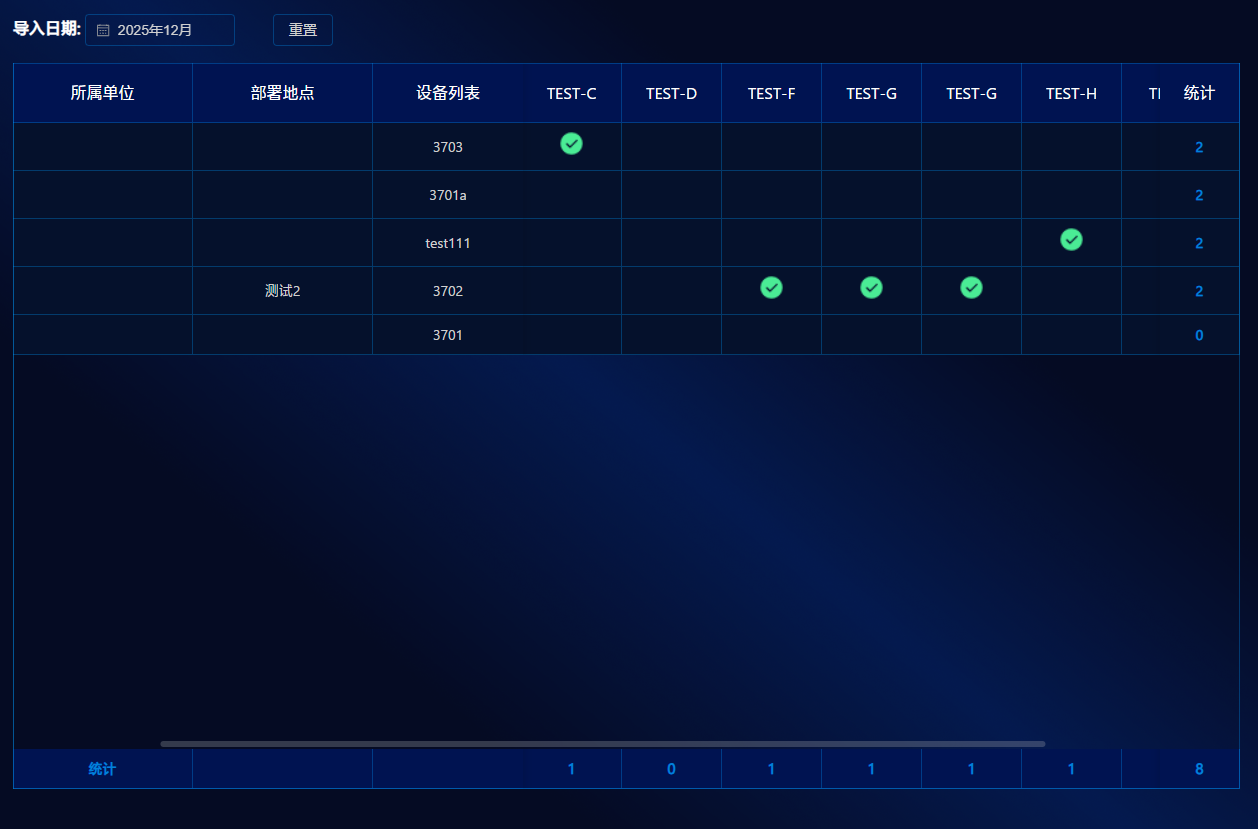
              <label>
                导入日期:
                <el-date-picker
                    v-model="selectedDate"
                    type="month"
                    placeholder="选择年月"
                    format="YYYY年MM月"
                    value-format="YYYY-MM"
                    style="width: 150px; margin-right: 10px"
                    @change="handleDateChange"
                />
              </label>
              <el-button style="margin: 0 20px" @click="resetTime">
                重置
              </el-button>
            </el-space>

          </div>
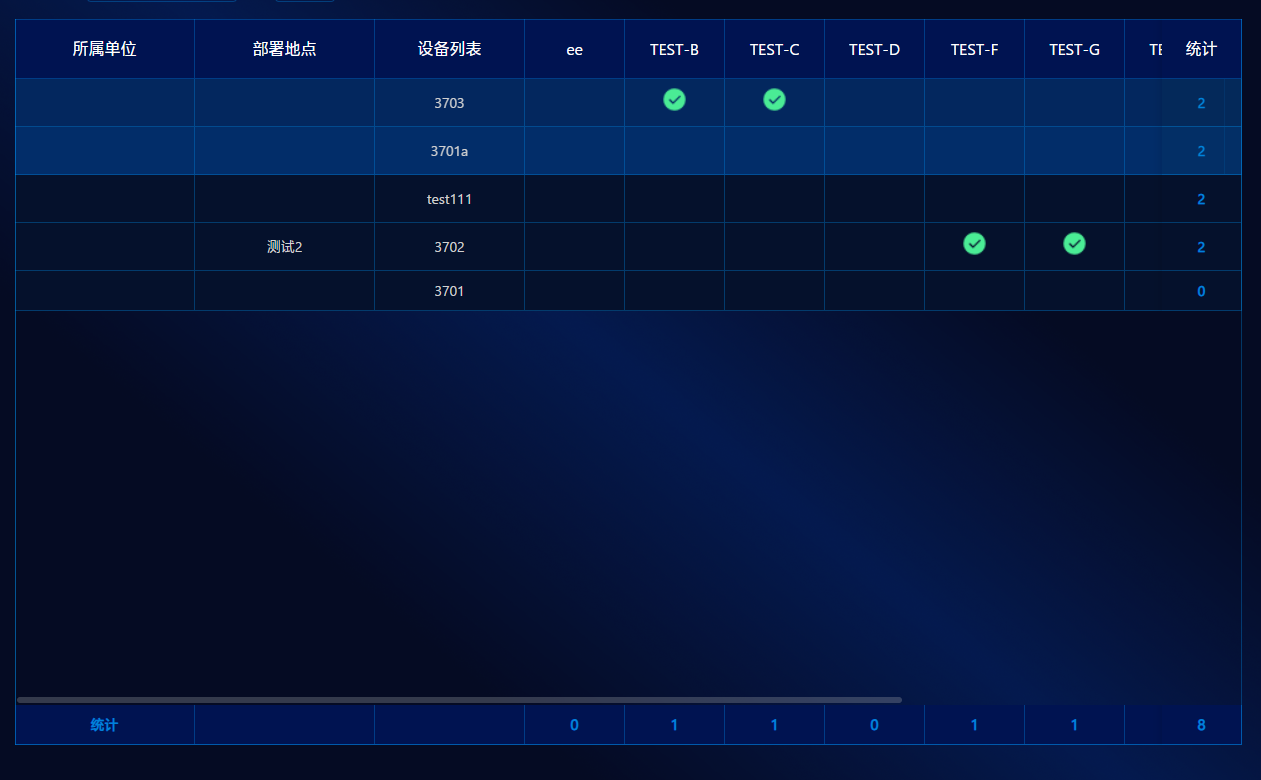
          <el-table
              :data="tabsData[0].data"
              border
              :pagination="false"
              :style="{ marginTop: '8px', height: '726px' }"
              :scroll="{ x: 'min-content' }"
              show-summary
              :summary-method="getSummaries"
          >

            <el-table-column prop="dept" label="所属单位" width="180" fixed="left" align="center"/>
            <el-table-column prop="address" label="部署地点" width="180" fixed="left" align="center"/>
            <el-table-column prop="devName" label="设备列表" width="150" fixed="left" align="center"/>


            <el-table-column
                v-for="task in tabsData[0].columns[3].children"
                :key="task.title"
                :label="task.title"
                :prop="task.title"
                align="center"
                :min-width="100"
            >
              <template #default="{ row }">
                <template v-if="row.devTaskjson && row.devTaskjson[0]">
                  <img
                      v-if="row.devTaskjson[0][task.title] === '1' && !editableData[row.id]"
                      :src="success"
                      style="width: 25px; height: 25px"
                  >
                  <div v-else-if="editableData[row.id]">
                    是否参试:
                    <el-select
                        v-model="editableData[row.id].devTaskjson[0][task.title]"
                        style="width: 120px"
                    >
                      <el-option
                          v-for="opt in options2"
                          :key="opt.value"
                          :label="opt.label"
                          :value="opt.value"
                      />
                    </el-select>
                  </div>
                </template>
              </template>
            </el-table-column>


            <el-table-column prop="totalSum" label="统计" :width="headerFlag?'80':''" fixed="right" align="center">
              <template #default="{ row }">
                <span style="font-weight:bold;color:#0082D9">{{ sum(row.devTaskjson) }}</span>
              </template>
            </el-table-column>

            <!--          <el-table-column-->
            <!--              v-if="user.role === '管理员'"-->
            <!--              label="操作"-->
            <!--              width="120"-->
            <!--              fixed="right"-->
            <!--          >-->
            <!--            <template #default="{ row }">-->
            <!--              <div class="editable-row-operations">-->
            <!--                  <span v-if="editableData[row.id]">-->
            <!--                    <el-link @click="save(row.id)">保存</el-link>-->
            <!--                    <el-popconfirm title="您要放弃保存吗?" @confirm="cancel(row.id)">-->
            <!--                      <template #reference>-->
            <!--                        <el-link type="danger" style="margin-left: 8px">取消</el-link>-->
            <!--                      </template>-->
            <!--                    </el-popconfirm>-->
            <!--                  </span>-->
            <!--                <span v-else>-->
            <!--                    <el-space>-->
            <!--                      <el-link @click="edit(row.id)">编辑</el-link>-->
            <!--                      <el-popconfirm title="确定删除该条数据?" @confirm="deleteRow(row.id)">-->
            <!--                        <template #reference>-->
            <!--                          <el-link type="danger" class="del-link">删除</el-link>-->
            <!--                        </template>-->
            <!--                      </el-popconfirm>-->
            <!--                    </el-space>-->
            <!--                  </span>-->
            <!--              </div>-->
            <!--            </template>-->
            <!--          </el-table-column>-->
          </el-table>
        </div>
      </H_Panel>
    </el-col>
  </el-row>
</template>

<script setup>
import {onMounted, ref, reactive, nextTick} from 'vue'
import H_Panel from './components/H_Panel.vue'
import success from '@/assets/cops/statistics/success@2x.png'
import {cloneDeep} from 'lodash-es'
import useGlobalStore from '@/store/modules/global'
import {ElMessage} from 'element-plus'
import {TestStatisticsService} from '@/api/statistical/index.js'   // <-- 真实接口

const {user} = useGlobalStore()

const headerFlag = ref(true)

/* ----------------------------------------------------------
 *  日期选择(年月)
 * ---------------------------------------------------------- */
const selectedDate = ref('')
const setCurrentDate = () => {
  const now = new Date()
  const year = now.getFullYear()
  const month = (now.getMonth() + 1).toString().padStart(2, '0')
  selectedDate.value = `${year}-${month}`
}
const handleDateChange = () => selectedDate.value && getData(selectedDate.value)
const resetTime = () => {
  setCurrentDate()
  getData(selectedDate.value)
}

/* ----------------------------------------------------------
 *  表格骨架
 * ---------------------------------------------------------- */
const tabsData = ref([
  {
    key: 'basic',
    title: '基本信息',
    columns: [
      {dataIndex: 'dept', key: 'dept', title: '所属单位', width: 180, fixed: 'left'},
      {dataIndex: 'address', key: 'address', title: '部署地点', width: 180, fixed: 'left'},
      {dataIndex: 'devName', key: 'devName', title: '设备列表', width: 150, fixed: 'left'},
      {title: '任务编号', children: []},
      {title: '统计', dataIndex: 'gender', key: 'gender', width: 80, fixed: 'right'},
    ],
    data: [],
  },
])

/* ----------------------------------------------------------
 *  编辑相关
 * ---------------------------------------------------------- */
const editableData = reactive({})
const editTitle = ref([])
const options2 = ref([{value: '0', label: '否'}, {value: '1', label: '是'}])


function mapRemoteToLocal({header, taskList}) {

  /* 动态列 */
  tabsData.value[0].columns[3].children = header.map(h => ({
    title: h.name,
    key: h.name,
    dataIndex: h.name,
    width: 100,
    sum: h.value,
  }))
  /* 行数据 */
  tabsData.value[0].data = taskList.map(item => ({
    ...item,
    devTaskjson: [JSON.parse(item.devTaskjson)],
  }))
}

async function getData(date) {
  try {
    const params = {queryMonth: date}
    const res = await TestStatisticsService.getTestStatistics(params)

    if (res?.code === 200) {
      headerFlag.value = res?.data.header.length > 0
      mapRemoteToLocal(res.data)
    } else {
      // initMockData()
    }
  } catch (e) {
    console.error('获取数据失败,使用模拟数据:', e)
    // initMockData()
  }
}

function generateMockData() {
  const departments = ['作战一部', '作战二部', '技术支持部', '后勤保障部', '信息中心']
  const locations = ['指挥中心A区', '指挥中心B区', '野外阵地1号', '野外阵地2号', '机动部署点']
  const devices = ['雷达系统', '通信设备', '监控终端', '数据处理服务器', '导航设备']
  const tasks = ['任务001', '任务002', '任务003', '任务004', '任务005', '任务006', '任务007', '任务008', '任务009', '任务010', '任务011', '任务012', '任务013', '任务014', '任务015', '任务016']

  const taskColumns = tasks.map(t => ({title: t, key: t, dataIndex: t, width: 100, sum: 0}))
  const mockData = Array.from({length: 15}).map((_, i) => {
    const taskJson = {}
    tasks.forEach(t => (taskJson[t] = Math.random() > 0.3 ? '1' : '0'))
    return {
      id: String(i + 1),
      dept: departments[i % departments.length],
      address: locations[i % locations.length],
      devName: `${devices[i % devices.length]}-${i + 1}`,
      devTaskjson: [taskJson],
    }
  })
  taskColumns.forEach(col => {
    col.sum = mockData.filter(r => r.devTaskjson[0][col.title] === '1').length
  })
  return {mockData, taskColumns}
}

function initMockData() {
  const {mockData, taskColumns} = generateMockData()
  tabsData.value[0].data = mockData
  tabsData.value[0].columns[3].children = taskColumns
}

/* ----------------------------------------------------------
 *  汇总行
 * ---------------------------------------------------------- */
function getSummaries({ columns, data }) {
  const sums = []
  columns.forEach((col, idx) => {
    if (idx === 0) { sums[idx] = '统计'; return }
    if (idx < 3) { sums[idx] = ''; return }

    if (col.property === 'totalSum') {
      sums[idx] = data.reduce((acc, row) => acc + sum(row.devTaskjson), 0)
      return
    }

    if (user?.role === '管理员' && idx === columns.length - 2) { sums[idx] = ''; return }

    const taskName = col.property
    sums[idx] = data.reduce((acc, row) =>
        acc + (row.devTaskjson?.[0]?.[taskName] === '1' ? 1 : 0), 0)
  })
  return sums
}

/* ----------------------------------------------------------
 *  行内统计
 * ---------------------------------------------------------- */
function sum(devTaskjson) {
  if (!devTaskjson?.[0]) return 0
  return Object.values(devTaskjson[0]).filter(v => v === '1').length
}

/* ----------------------------------------------------------
 *  编辑 / 保存 / 删除
 * ---------------------------------------------------------- */
function edit(id) {
  if (Object.keys(editableData).length) return ElMessage.warning('请先处理上一条数据')
  const row = tabsData.value[0].data.find(item => item.id === id)
  if (row) {
    editableData[id] = cloneDeep(row)
    editTitle.value = tabsData.value[0].columns[3].children.map(t => t.title)
  }
}

async function save(id) {
  try {
    const params = {
      ...editableData[id],
      devTaskjson: JSON.stringify(editableData[id].devTaskjson[0]),
    }
    const res = await updateItem(params)
    if (res?.code === 0) {
      ElMessage.success(res.msg)
      delete editableData[id]
      editTitle.value = []
      await getData(selectedDate.value)
    }
  } catch (e) {
    ElMessage.error('保存失败')
  }
}

function cancel(id) {
  delete editableData[id]
  editTitle.value = []
}

async function deleteRow(id) {
  try {
    const res = await deleteDev({devId: id})
    if (res?.code === 0) {
      ElMessage.success(res.msg)
      await getData(selectedDate.value)
    }
  } catch (e) {
    ElMessage.error('删除失败')
  }
}

/* ----------------------------------------------------------
 *  初始化
 * ---------------------------------------------------------- */
onMounted(async () => {
  setCurrentDate()
  await nextTick()
  getData(selectedDate.value)
})
</script>


<style lang="scss" scoped>
.testStatistics {
  height: 100%;
}

.panel_box {
  height: 100%;

  :deep(.el-table) {
    height: 726px;
    background: transparent !important;

    .el-table__header th {
      color: #fff;
      height: 60px !important;
      font-size: 16px;
      font-weight: normal;
    }

    .el-table__header {
      background: #001351 !important;

      th {
        background: #001351 !important;
      }

      //tr{
      //  background: url("/src/assets/cops/statistics/right_table_header.png") no-repeat !important;
      //  background-size: 100% 100% !important;
      //  color: #fff;
      //}

    }

    .el-table__body {
      tr {
        //background: transparent !important;
      }
    }

    // 修改汇总行样式
    .el-table__footer-wrapper {
      tr {
        background-color: #001351 !important;

        td {
          background-color: #001351 !important;
          font-weight: bold;
          color: #0082D9 !important;
          font-size: 14px;
          text-align: center;


          &:first-child {
            color: #0082D9 !important;
            font-weight: 700;
          }


          &:not(:first-child):not(:empty) {
            color: #0082D9 !important;
            font-weight: 700;
            font-size: 15px;
          }
        }
      }
    }
  }
}

.ctl-bar {
  height: 35px;
  display: flex;
  justify-content: space-between;
  align-items: center;
  margin-bottom: 16px;
}

.page-bar {
  margin-top: 16px;
  display: flex;
  justify-content: flex-end;
}

.del-link {
  color: #f56c6c;
}

.editable-row-operations a {
  margin-right: 8px;
}

.task-item {
  margin-bottom: 16px;
}

.task-buttons {
  display: flex;
  justify-content: flex-end;
  margin-bottom: 20px;
}

.form-buttons {
  display: flex;
  justify-content: center;
  margin-top: 50px;
  width: 100%;
}

:deep(.el-form-item) {
  width: 100%;
  margin-bottom: 22px;
}

:deep(.el-input) {
  width: 100%;
}

:deep(.el-table .el-table__body) {
  tr:nth-child(even) {
    background-color: #002872 !important;
  }

  tr:nth-child(odd) {
    background-color: #00206A !important;
  }
}

:deep(.el-table__body-wrapper) {
  max-height: 686px;
  overflow-y: auto;
}

:deep(.el-table .table-striped) {
  background-color: #fafafa;
}

:deep(.el-upload-list) {
  display: none;
}
</style>