欢迎大家加入开源鸿蒙跨平台开发者社区,一起共建开源鸿蒙跨平台生态。
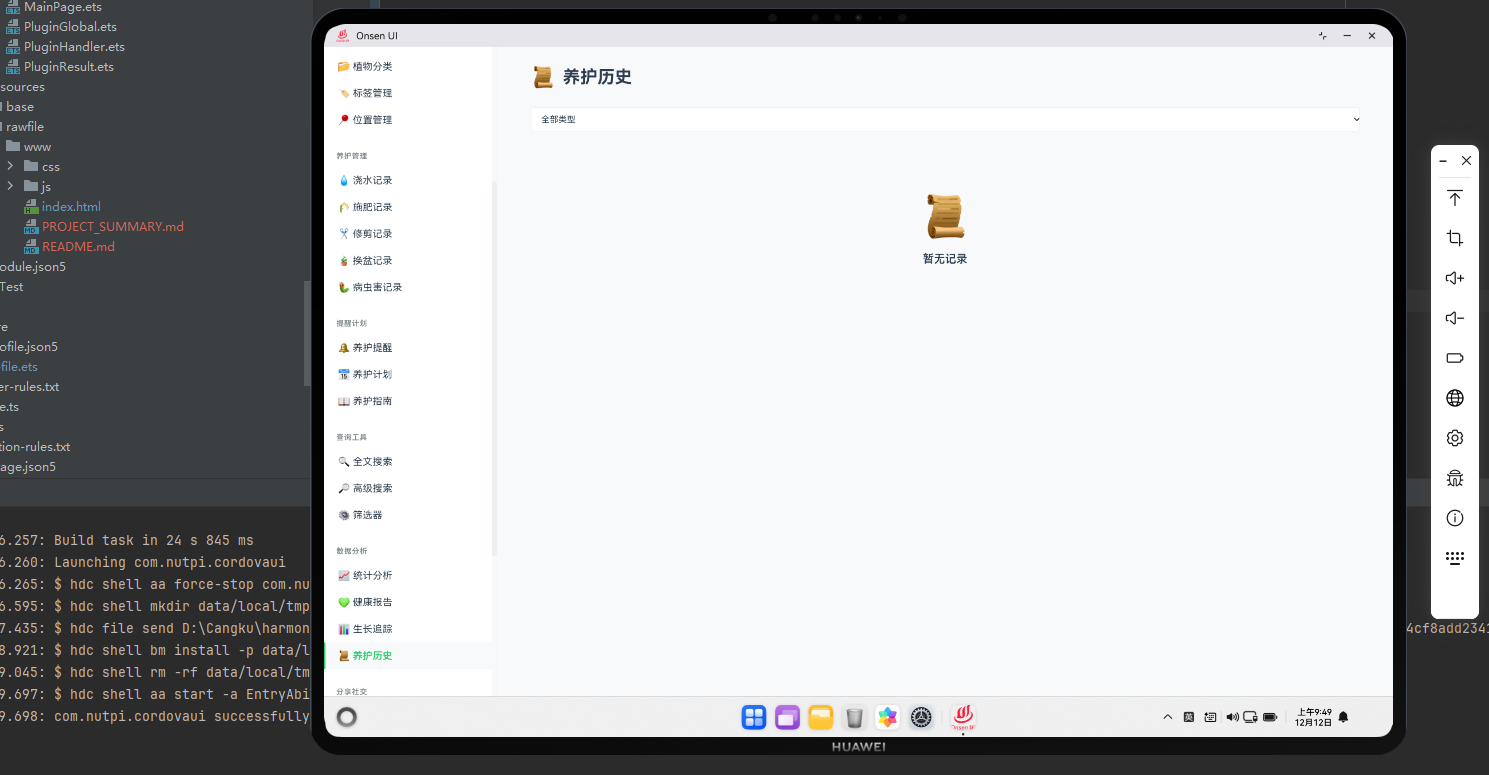
养护历史系统概述
养护历史系统记录和管理植物的所有养护活动。在Cordova框架与OpenHarmony系统的结合下,我们需要实现一个完整的历史记录系统,包括记录查询、统计和导出功能。
养护历史数据模型
javascript
class CareHistory {
    constructor() {
        this.records = [];
        this.loadFromStorage();
    }

    getAllCareRecords(plantId) {
        const wateringRecords = wateringManager.getWateringRecordsForPlant(plantId)
            .map(r => ({ ...r, type: 'watering' }));

        const fertilizingRecords = fertilizingManager.records
            .filter(r => r.plantId === plantId)
            .map(r => ({ ...r, type: 'fertilizing' }));

        const pruningRecords = pruningManager.records
            .filter(r => r.plantId === plantId)
            .map(r => ({ ...r, type: 'pruning' }));

        const repottingRecords = repottingManager.records
            .filter(r => r.plantId === plantId)
            .map(r => ({ ...r, type: 'repotting' }));

        return [
            ...wateringRecords,
            ...fertilizingRecords,
            ...pruningRecords,
            ...repottingRecords
        ].sort((a, b) => new Date(b.date) - new Date(a.date));
    }

    getRecordsByDateRange(plantId, startDate, endDate) {
        const allRecords = this.getAllCareRecords(plantId);
        return allRecords.filter(r => {
            const recordDate = new Date(r.date);
            return recordDate >= startDate && recordDate <= endDate;
        });
    }

    getRecordsByType(plantId, type) {
        return this.getAllCareRecords(plantId).filter(r => r.type === type);
    }
}
这个养护历史数据模型定义了CareHistory类。
与OpenHarmony的集成
javascript
function loadCareHistoryFromDatabase(plantId) {
    cordova.exec(
        function(result) {
            console.log("养护历史已加载");
            renderCareHistory(result);
        },
        function(error) {
            console.error("加载失败:", error);
        },
        "DatabasePlugin",
        "getCareHistory",
        [plantId]
    );
}
这段代码展示了如何与OpenHarmony的数据库集成,加载养护历史。
养护历史展示
javascript
function renderCareHistory(plantId) {
    const plant = plants.find(p => p.id === plantId);
    const history = new CareHistory();
    const records = history.getAllCareRecords(plantId);

    const container = document.getElementById('page-container');
    container.innerHTML = `
        <div class="care-history">
            <h2>${plant.name} 的养护历史</h2>
            <div class="history-filters">
                <select id="type-filter" onchange="filterHistoryByType('${plantId}')">
                    <option value="">所有类型</option>
                    <option value="watering">浇水</option>
                    <option value="fertilizing">施肥</option>
                    <option value="pruning">修剪</option>
                    <option value="repotting">换盆</option>
                </select>
                <input type="date" id="start-date" placeholder="开始日期">
                <input type="date" id="end-date" placeholder="结束日期">
                <button onclick="filterHistoryByDate('${plantId}')">筛选</button>
            </div>
        </div>
    `;

    if (records.length === 0) {
        container.innerHTML += '<p class="empty-message">还没有养护记录</p>';
        return;
    }

    const timeline = document.createElement('div');
    timeline.className = 'care-timeline';

    records.forEach(record => {
        const timelineItem = document.createElement('div');
        timelineItem.className = `timeline-item type-${record.type}`;

        const typeLabel = getTypeLabel(record.type);
        const typeIcon = getTypeIcon(record.type);

        timelineItem.innerHTML = `
            <div class="timeline-marker">${typeIcon}</div>
            <div class="timeline-content">
                <h4>${typeLabel}</h4>
                <p class="timeline-date">${record.date.toLocaleString('zh-CN')}</p>
                <p class="timeline-details">${getRecordDetails(record)}</p>
            </div>
        `;

        timeline.appendChild(timelineItem);
    });

    container.appendChild(timeline);
}

function getTypeLabel(type) {
    const labels = {
        'watering': '浇水',
        'fertilizing': '施肥',
        'pruning': '修剪',
        'repotting': '换盆'
    };
    return labels[type] || type;
}

function getTypeIcon(type) {
    const icons = {
        'watering': '💧',
        'fertilizing': '🌾',
        'pruning': '✂️',
        'repotting': '🪴'
    };
    return icons[type] || '📝';
}

function getRecordDetails(record) {
    if (record.type === 'watering') {
        return `浇水量: ${record.amount}ml`;
    } else if (record.type === 'fertilizing') {
        return `用量: ${record.amount}克`;
    } else if (record.type === 'pruning') {
        return `位置: ${record.location}, 移除枝条: ${record.branchesRemoved}条`;
    } else if (record.type === 'repotting') {
        return `从${record.oldPotSize}换到${record.newPotSize}`;
    }
    return '';
}
这个函数负责渲染养护历史时间线。
历史统计
javascript
class CareHistoryStatistics {
    constructor(plantId) {
        this.plantId = plantId;
        this.history = new CareHistory();
    }

    getTotalCareCount() {
        return this.history.getAllCareRecords(this.plantId).length;
    }

    getCareCountByType() {
        const records = this.history.getAllCareRecords(this.plantId);
        const counts = {
            watering: 0,
            fertilizing: 0,
            pruning: 0,
            repotting: 0
        };

        records.forEach(record => {
            counts[record.type]++;
        });

        return counts;
    }

    getAverageCareInterval(type) {
        const records = this.history.getRecordsByType(this.plantId, type)
            .sort((a, b) => new Date(a.date) - new Date(b.date));

        if (records.length < 2) return null;

        let totalInterval = 0;
        for (let i = 1; i < records.length; i++) {
            const interval = (new Date(records[i].date) - new Date(records[i-1].date)) / (24 * 60 * 60 * 1000);
            totalInterval += interval;
        }

        return (totalInterval / (records.length - 1)).toFixed(1);
    }

    getMostRecentCare() {
        const records = this.history.getAllCareRecords(this.plantId);
        return records.length > 0 ? records[0] : null;
    }
}
这个CareHistoryStatistics类提供了养护历史的统计功能。
历史导出
javascript
function exportCareHistory(plantId) {
    const plant = plants.find(p => p.id === plantId);
    const history = new CareHistory();
    const records = history.getAllCareRecords(plantId);

    const csvContent = [
        ['日期', '类型', '详情'],
        ...records.map(r => [
            r.date.toLocaleString('zh-CN'),
            getTypeLabel(r.type),
            getRecordDetails(r)
        ])
    ].map(row => row.map(cell => `"${cell}"`).join(',')).join('\n');

    cordova.exec(
        function(result) {
            console.log("历史记录已导出");
        },
        function(error) {
            console.error("导出失败:", error);
        },
        "FilePlugin",
        "exportData",
        [{
            filename: `${plant.name}_care_history.csv`,
            content: csvContent
        }]
    );
}
这段代码实现了养护历史的导出功能。
总结
养护历史记录系统为用户提供了完整的养护活动记录。通过时间线展示和统计分析,我们可以帮助用户了解他们的养护历史和规律。