07.postman newman生成测试报告

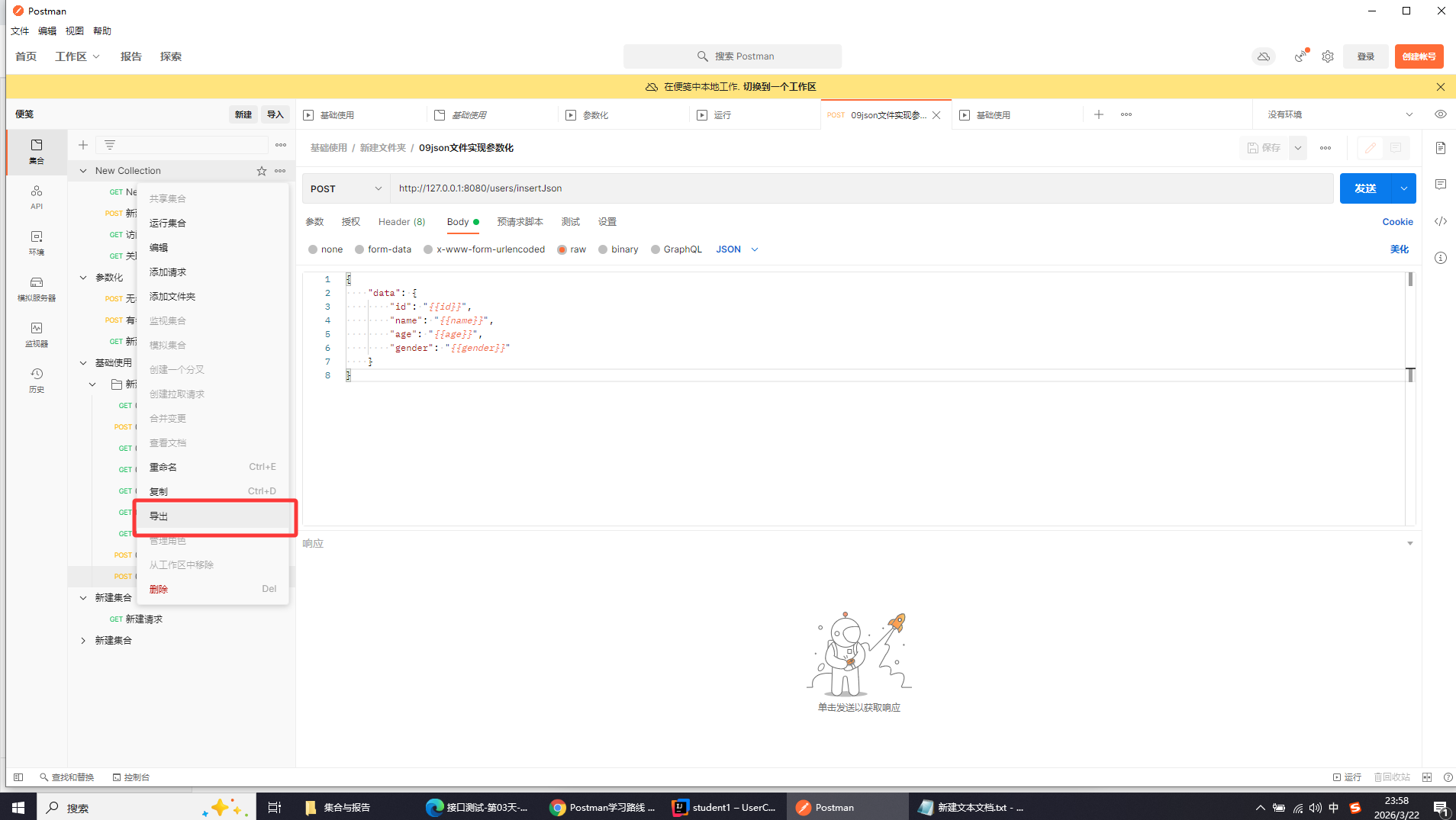
导出测试用例集

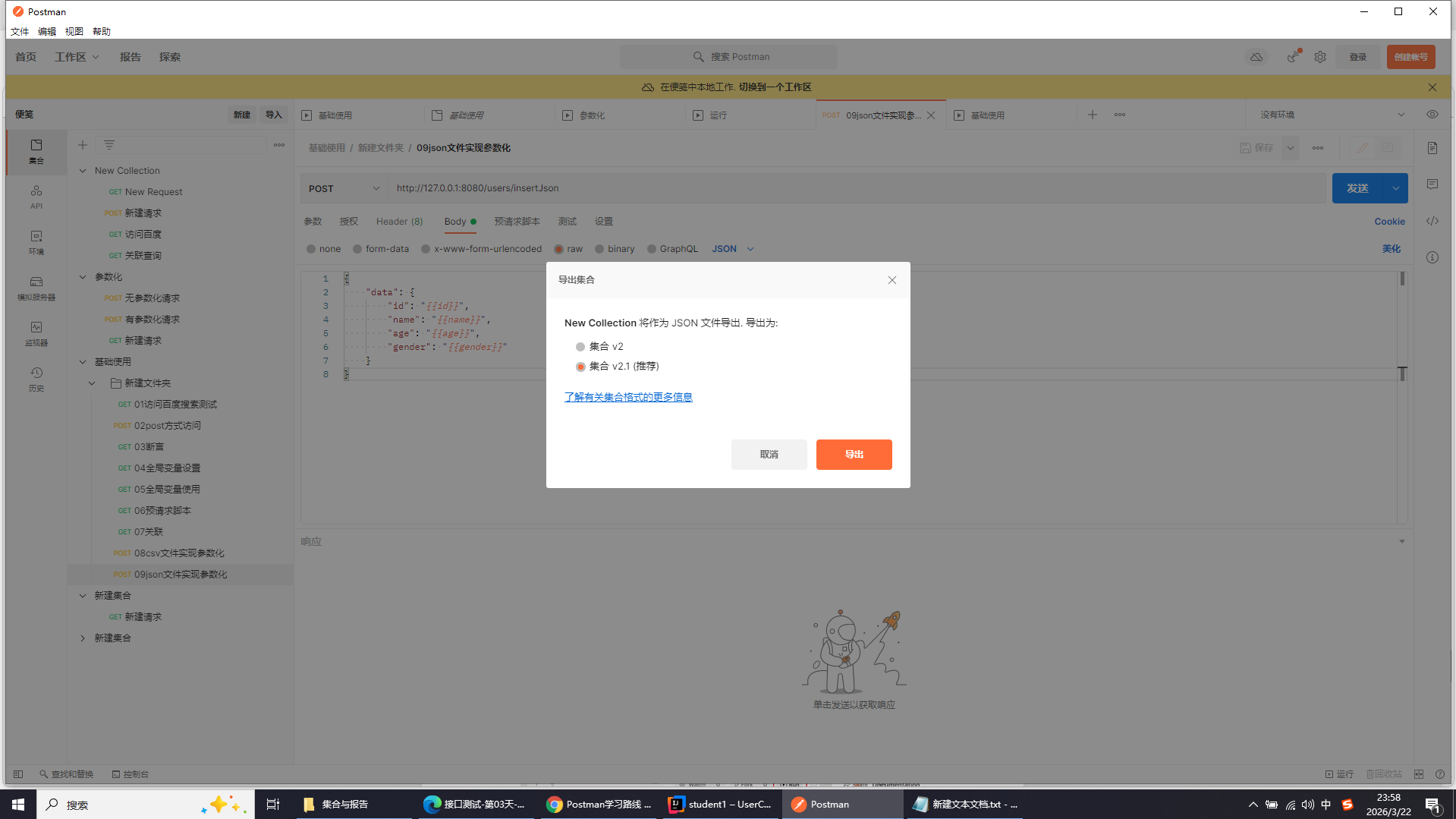
默认2.1

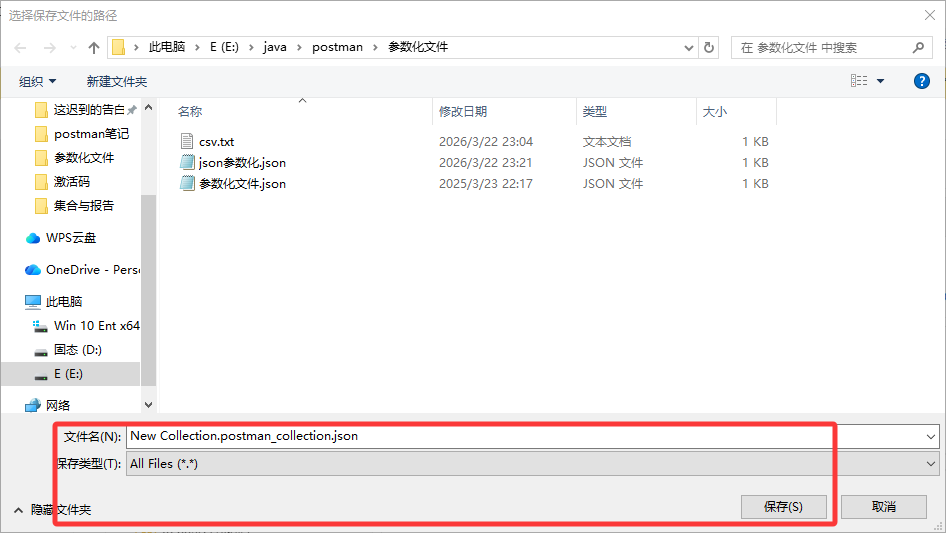
选择保存位置,点击保存即可
打开导出测试用例集所在文件夹
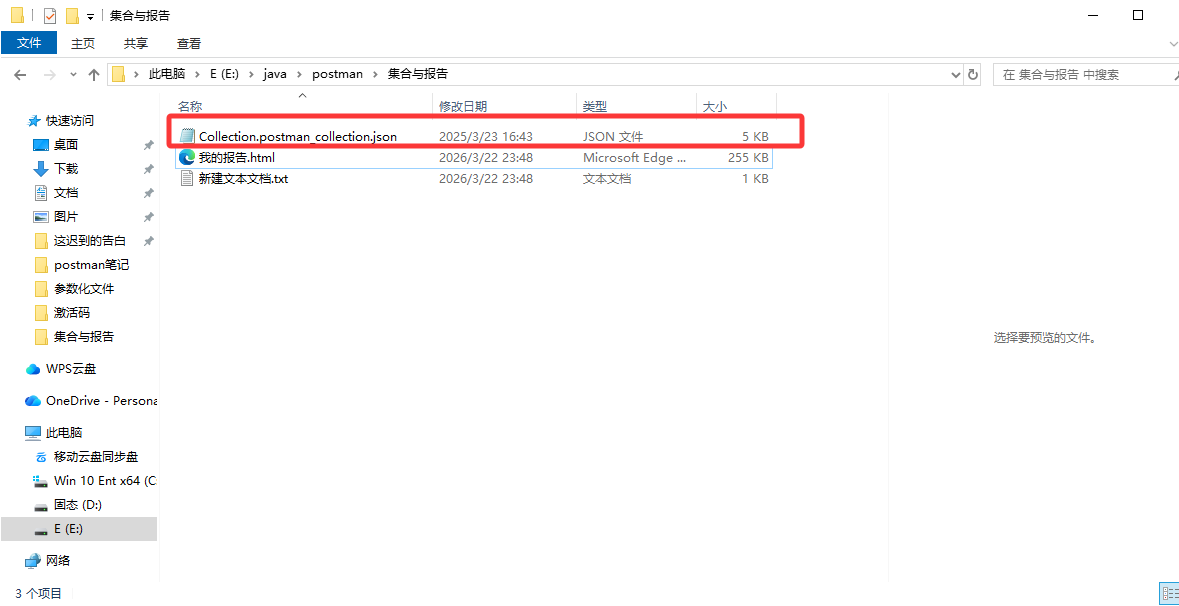
在上方地址栏输入cmd打开命令行窗口
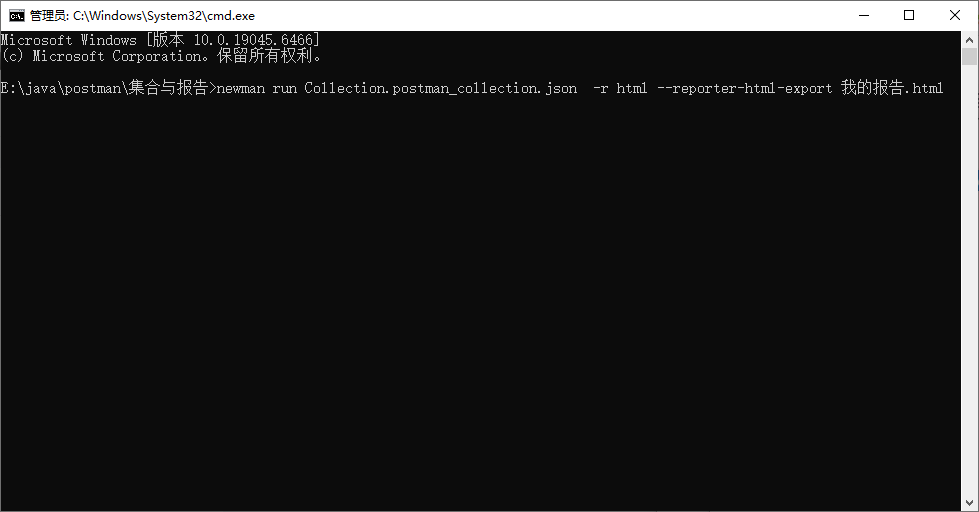
newman run Collection.postman_collection.json -r html --reporter-html-export 我的报告.html

基本格式(无环境、无参数化)

newman run 你的集合名.json -r html --reporter-html-export 测试报告.html

带环境变量 + 参数化 CSV + 报告

newman run collection.json -e environment.json -d 数据文件.csv -r html --reporter-html-export 接口测试报告.html

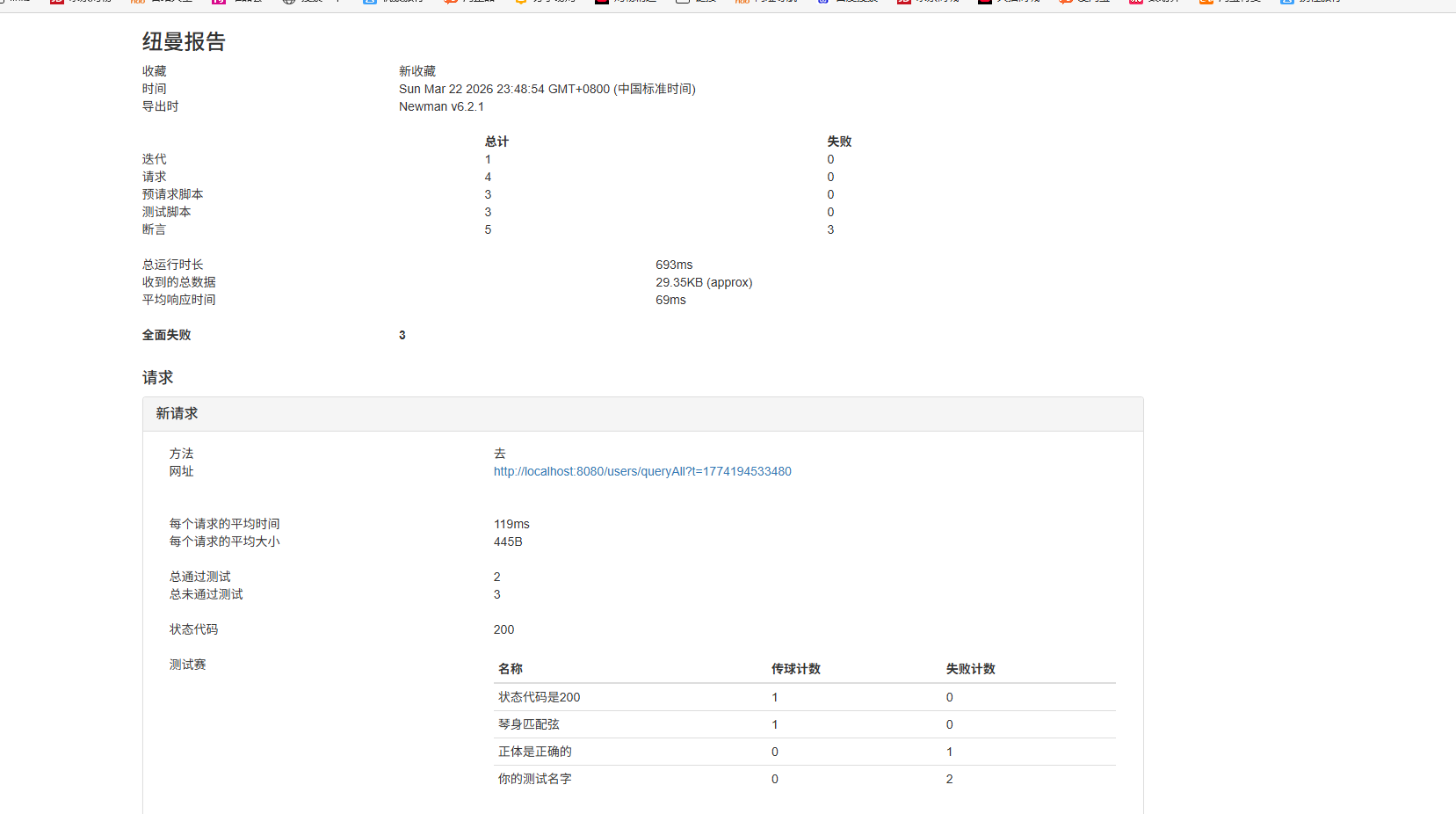
点击生成的测试报告查看
相关推荐
爱敲代码的菜菜13 小时前
【测试】自动化测试
css·selenium·测试工具·junit·自动化·xpath
123过去21 小时前
wireshark使用教程
linux·网络·测试工具·wireshark
123过去21 小时前
hexinject使用教程
linux·网络·测试工具
测试19981 天前
功能测试、自动化测试、性能测试的区别?
自动化测试·软件测试·python·功能测试·测试工具·性能测试·安全性测试
爱敲代码的菜菜1 天前
【测试】Selenium
selenium·测试工具·xpath·webdriver·cssselector
shughui2 天前
Fiddler下载、安装、使用、汉化,详细图文教程(2026附安装包)
前端·测试工具·fiddler
2501_915921432 天前
常用iOS性能测试工具大全及使用指南
android·测试工具·ios·小程序·uni-app·cocoa·iphone
半个俗人2 天前
3.postman全局变量和环境变量
测试工具·postman