⑴
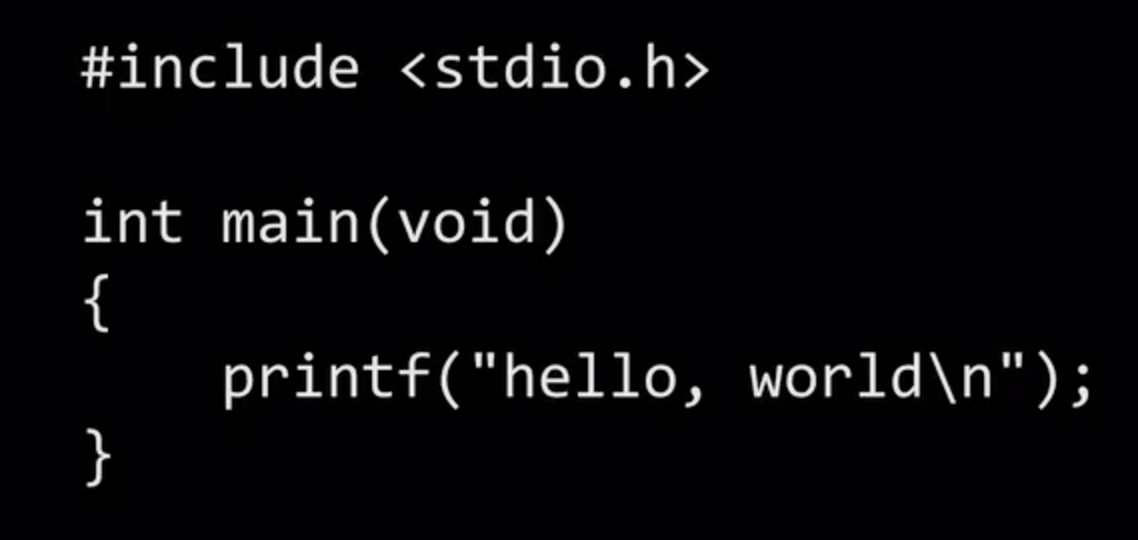
So here's the code that I propose that we write first, just like we wrote our very first Scratch program to say " hello, world " . So let's go ahead and do exactly this.
I'm going to switch over to this screen here, where I've already logged into CS50.dev on my computer. And just to keep the focus on the code, I've hidden the activity bar.
I've hidden the File Explorer, so to speak. So you're seeing here the area where all of my tabs are about to go and the terminal window, where all of my commands are going to go. But I've just simplified the UI to keep our focus on the interesting parts for now. So how do I go about actually writing and compiling and running some code ?
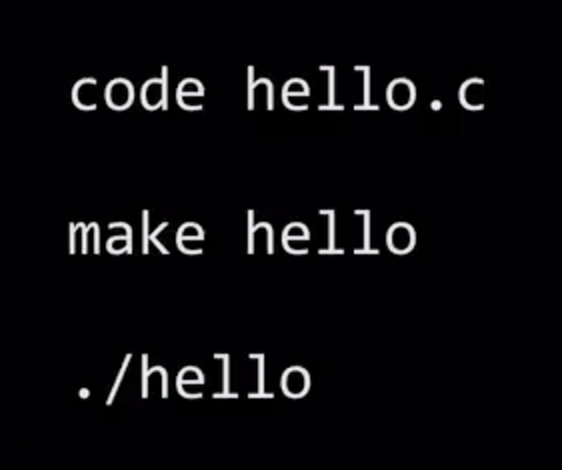
Well, the teaser is going to be these three steps. One of these is a command called, aptly, Code. And Code is just going to let me to open or create a new file, like a file called " hello.c ". Make is going to be, for now, my compiler that allows me to make the program, that is convert source code into machine code, so from C to zeros and ones. And then weirdly, but we'll soon see why. ./hello is going to be the command to run my actual code, so the textual equivalent of like double-clicking on a Mac or a PC icon, or tapping an icon on your phone. So that's it. These three commands are going to allow me to write, to compiler, and to run code ultimately.
⑵
So let's go ahead and do that. I'm back in my VS Code interface.
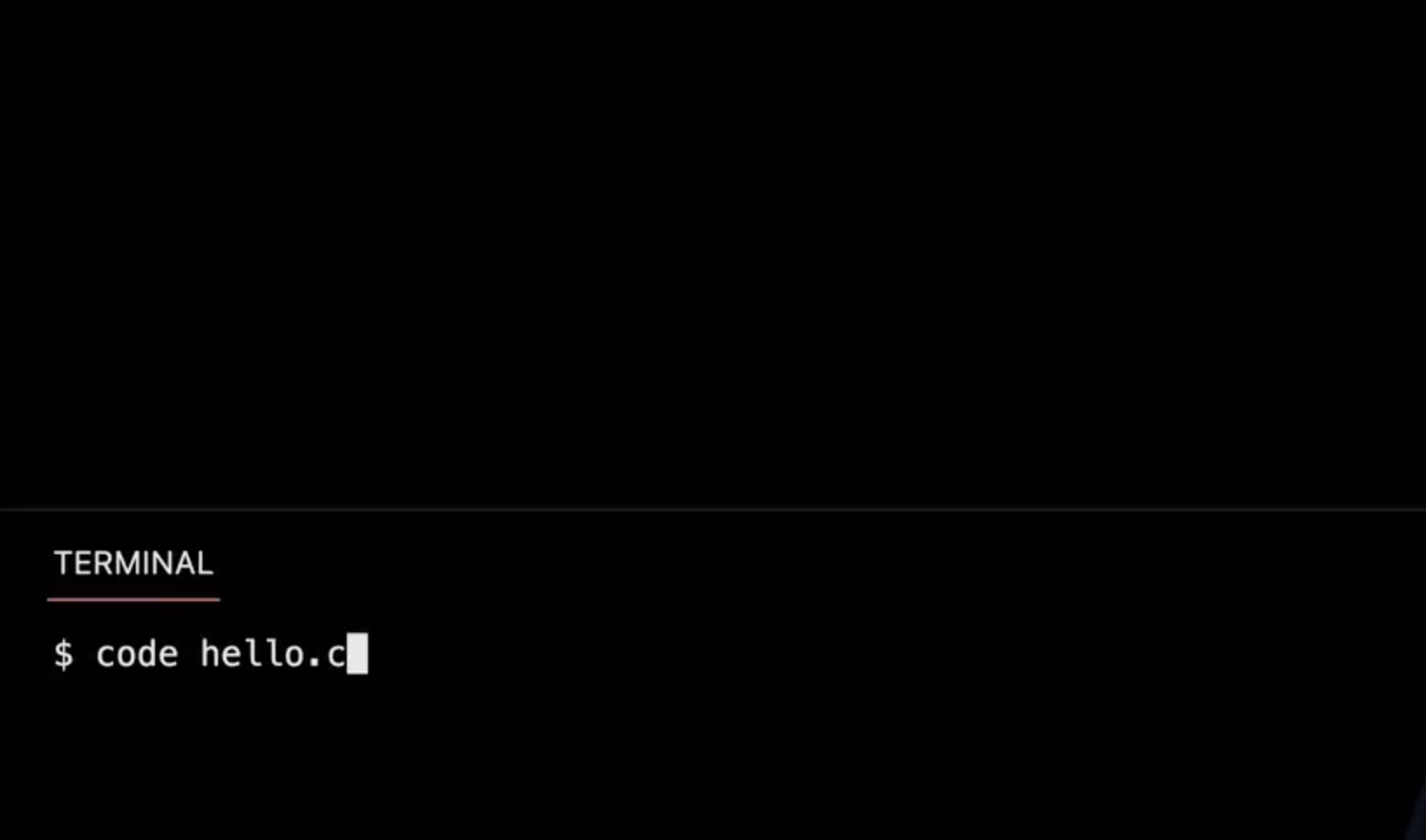
I'm going to go ahead and run " code hello.c " . And notice a couple of details here. So one, there's this weird dollar sign, which has nothing to do with currency but it's just a common convention in the programming world to represent your prompt. So if a TF, if I ever say, go to your prompt, we really mean, go to your terminal window. Go to the dollar sign. And the dollar sign is where you type the command. Sometimes it's a different symbol, but a dollar sign is conventional.
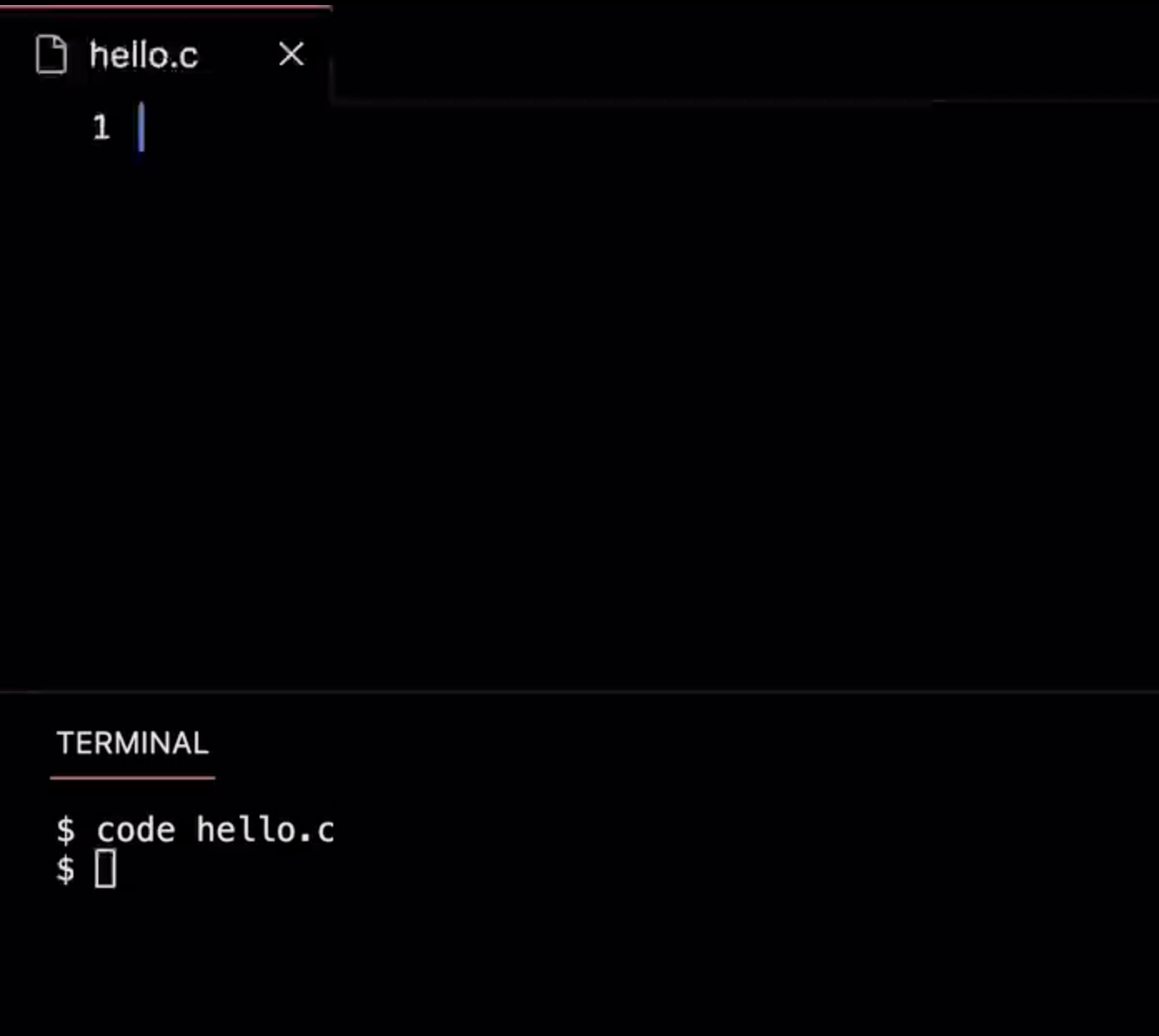
Now that I've typed " code " space " hello.c ", I'm going to go ahead and hit Enter. And maybe not surprisingly, this gives me a brand new tab, a new file if you will called " hello.c ". And just like word documents have their own file extension, like DOC, DOCX and Excel files have .XLSX and PDF's have .PDF and GIF's have .GIF and so forth,
So do C files have a file extension by convention that is C. Now, a couple of minor points. Notice that, by convention, I'm almost always going to name my files in lowercase. By convention, I'm never going to use spaces in my file names. And my file extension, too, is going to be lowercase. Long story short, accidentally hitting the spacebar or using file names with spaces just tends to make life harder when you're in a command-line environment. So just beware silly, stupid things like that. So all lowercase, no spaces for now.
So my cursor is literally blinking because the program wants me to write some code. I'm going to do this from memory. It'll take you presumably some time to acquire the same instincts.
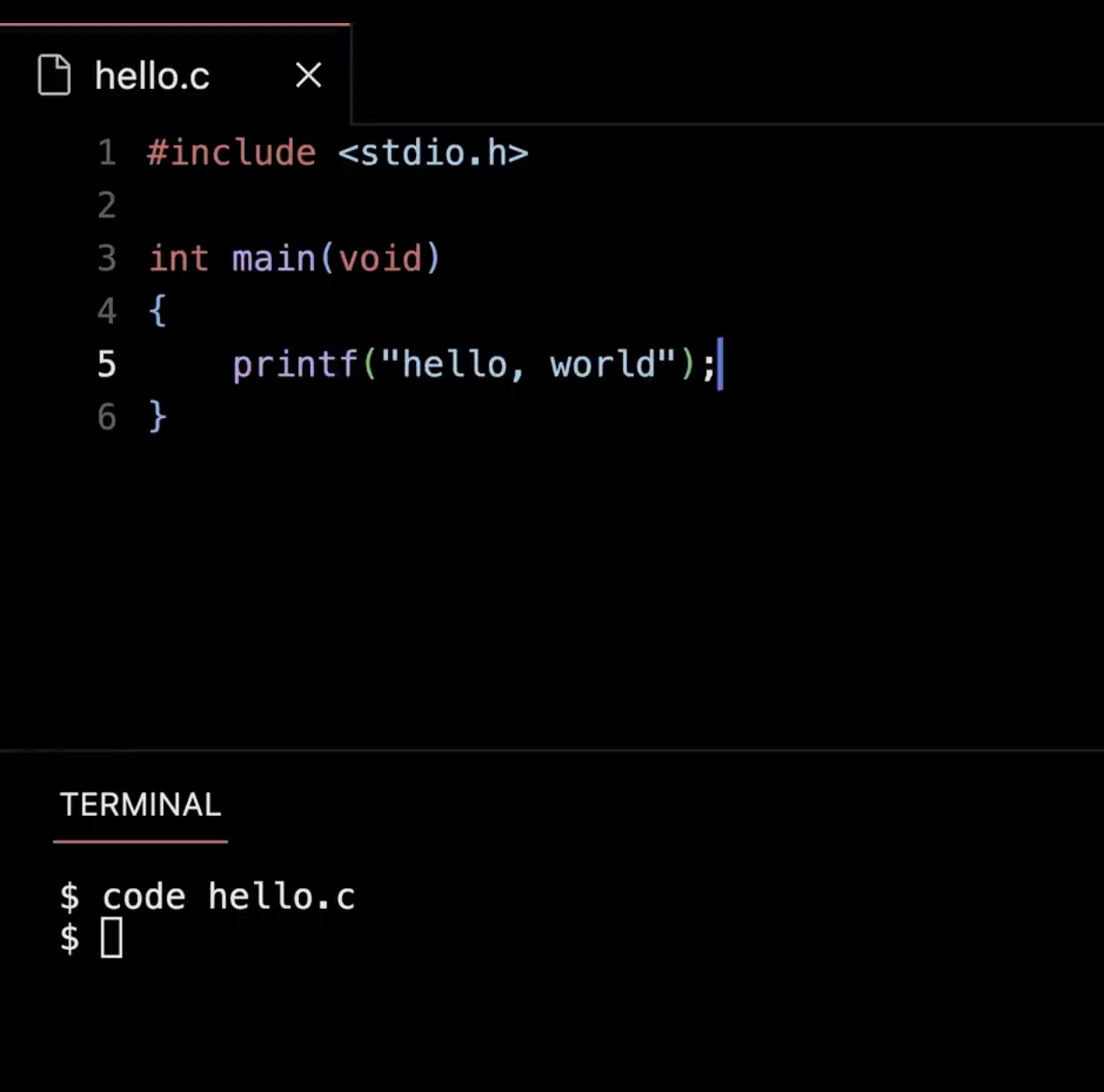
But I'm going to go ahead and type this first line here, pronounced " include standard io.h ", more on that soon, int main( void ), with some parentheses thrown in. Notice what's about to happen here is a little interesting in the code. I want to type, I want what we'll call curly braces, the sort of squiggles that you don't use often in English, at least, but are there on your keyboard somewhere. But notice what VS Code does, and a lot of programming environments, is it finishes part of my thought. So I'm only going to type a left curly brace, but notice I actually get two of them. And if I hit Enter, notice that not only does it scooch one down a bit, it also indents my cursor because just like with pseudocode last week, whenever you're doing something logically that should only happen, if the thing above it happens, similarly is indentation going to be a thing when we actually write code. So VS Code and programs like it just try to save us keystrokes. So I don't have to waste time hitting the spacebar or hitting Tab or wasting my human time like that. All right, so with that said, I'm going to go ahead and type the last of these lines, " printf " where the F is going to mean " formatted ", and then a parentheses. And notice it gave me two. It gave me the second one for free sometimes it will get confused. And you can certainly override this, delete it, and start over. And now, unlike Scratch, in C. It turns out I'm going to need to use double quotes anytime. I'm using an English word or phrase or any human language for that matter " Hello " comma " world ". And then at the very end of my line, much like English uses periods. I'm going to use a semicolon in C. So that's a lot of talking, but it's not much coding. It's technically six lines of code. But honestly, the only interesting one intellectually , as we'll soon see, is really line 5. Like, that it the equivalent of that, say block. Now here's where I'll cross my fingers, hoping that I didn't make any typographical errors. It's going to automatically save for me.
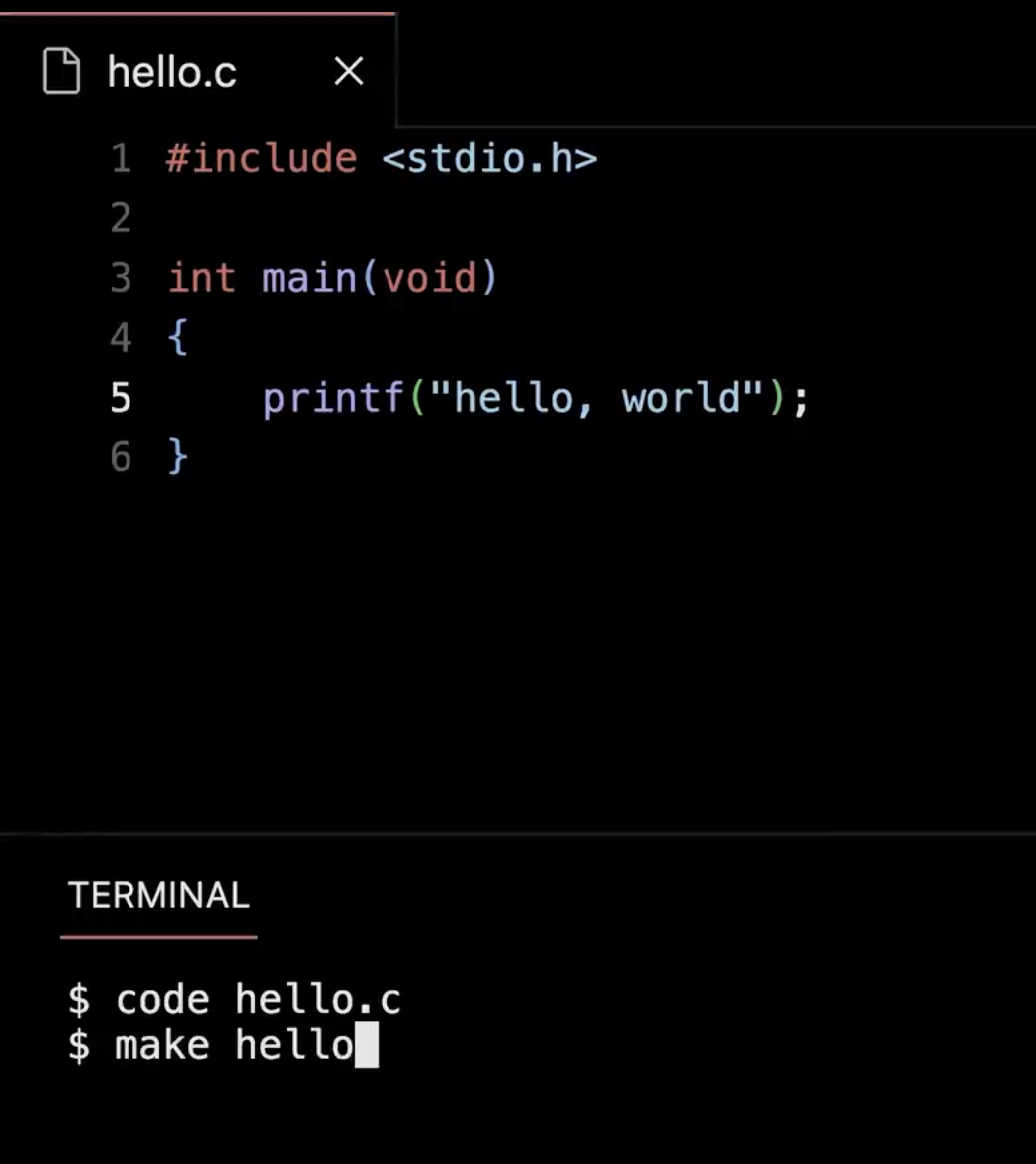
And I'm going to go back to my terminal window where now I'm going to do that second command, " make " space " hello ". Common mistake - - you do not say " make hello.c " bacause you already made that file. You say " make hello " which is the name of the program that in this case I do want to create. And Make is smart. It's going to look in my folder. And if it sees a file called " hello.c " it's going to convert that source code to machine code and save the results in a simple shorter-name file just called " hello " like an icon on your desktop. Now hopefully nothing will happen. And that is a good thing, quite paradoxically. If you do anything wrong when programming, odds are you're going to see one or many more lines of error sort of yelling at you that you made a mistake. Seeing nothing happen is actually a good sign. So the last command, to run my code, recall our three steps here.
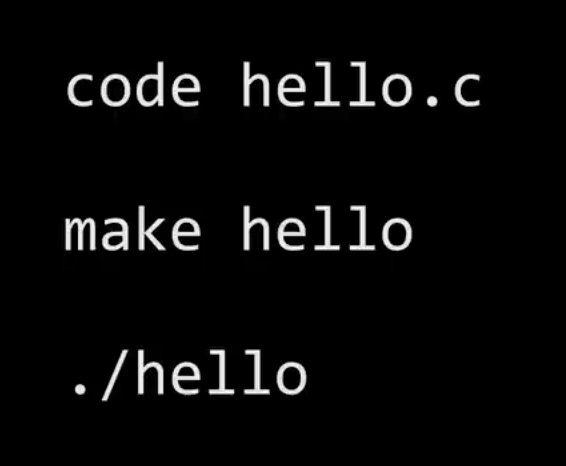
We've written code to create the file. Make to compile the file from source code to machine code. So lastly is " ./hello "
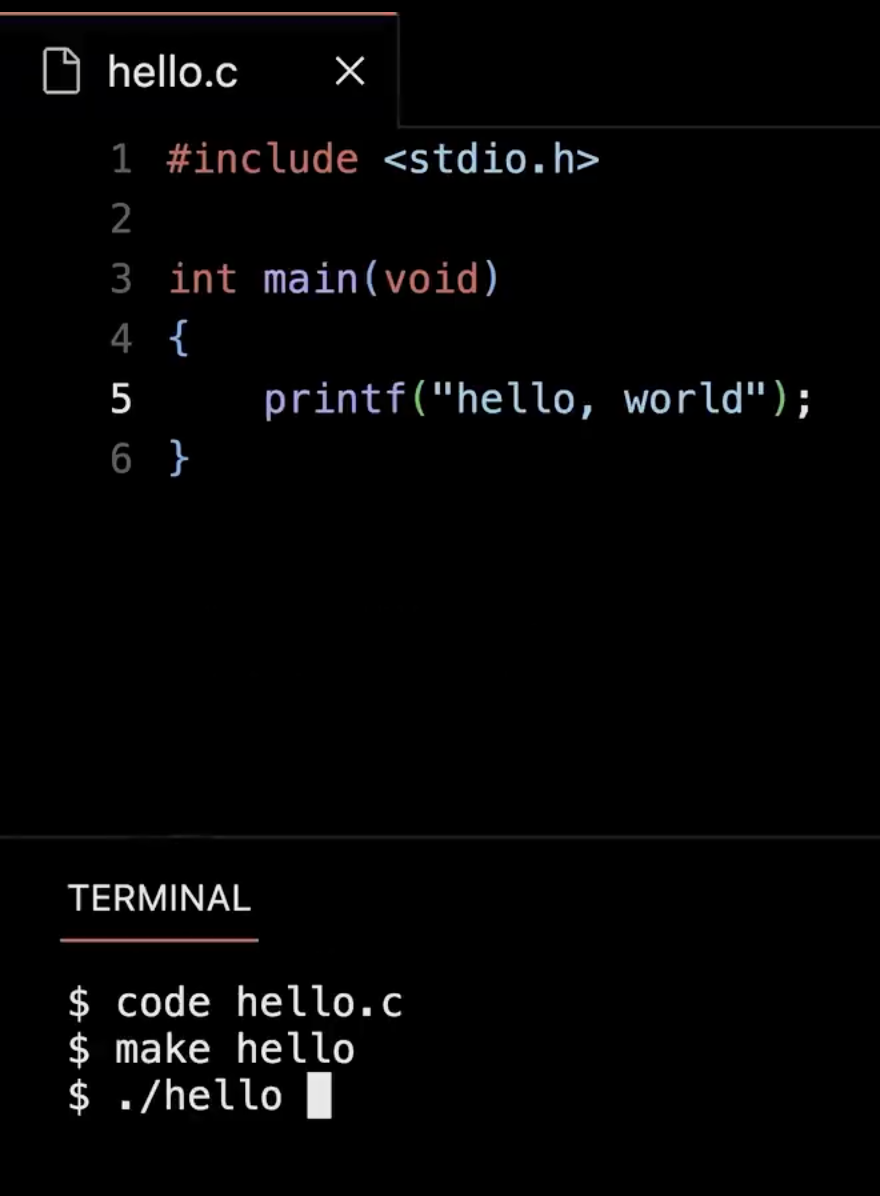
So this now is the equivalent of my double-clicking on a Mac or PC or single tapping on a phone.
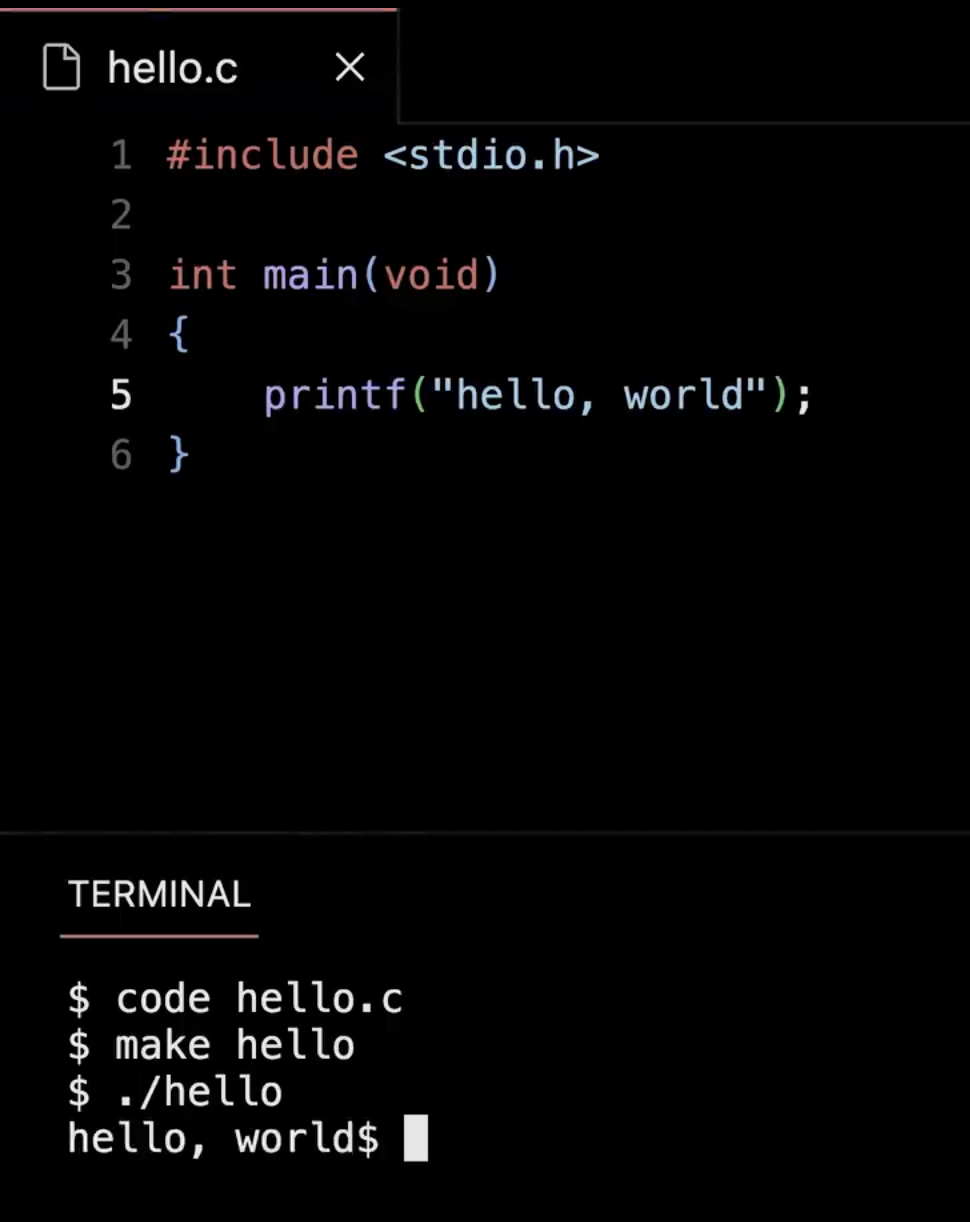
Enter. So close ! All right, it's pretty good I got the H-E-L-L-O comma space " world ". But there's something a little stupid about my output. What might rub some of you aesthetically the wrong way ? Yeah, so the dollar sign looks like I was like, " hello, world " dollar sign in my output. But no that's just kind of a remnant of my prompt starting with a dollar sign. And this is a little nitpicky, but this just doesn't feel right, doesn't look right. It's not quite correct. So how can I go about fixing this ? Well, here's where, at least initially, it's going to take some introduction to just new syntax in C to fix this.
⑶
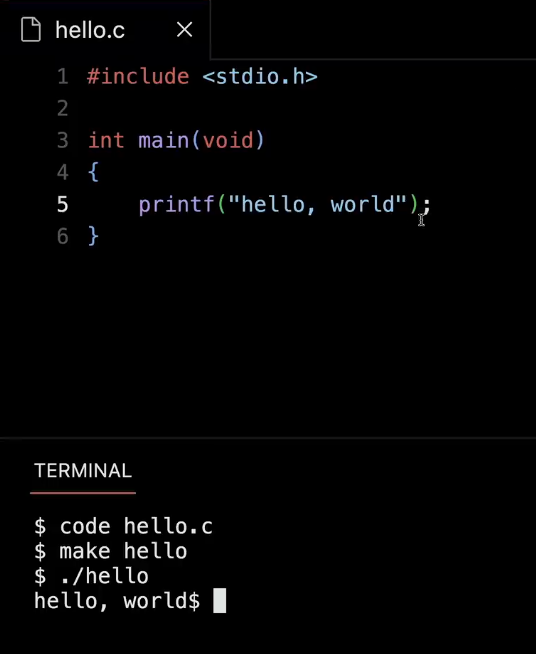
The simplest instinct might be to do this.
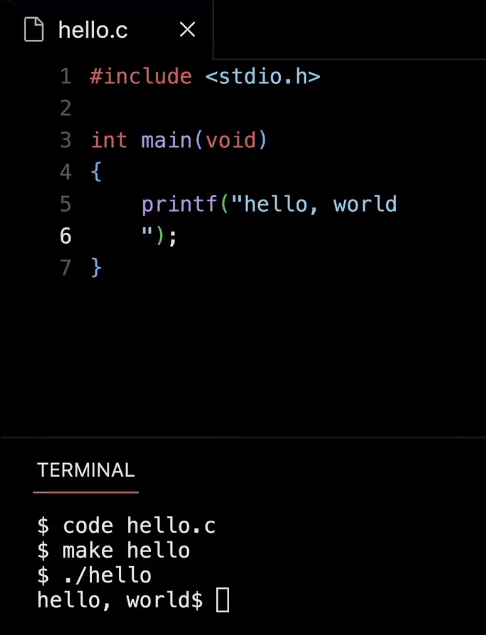
Well, let me just hit Enter like that. But this should soon, if not already, rub you the wrong way because in general we're going to see that programming in C and in Paython and other languages tends to be line-based. Like, you should really start and finish your thought on one line. So if you're in the habit of hitting Enter like this and finishing your thought on the next line, generally programming languages don't like that. So this is, in fact, not going to do what we expect. And just to show you as much. I'm going to do this. Let me go back to my terminal window here.
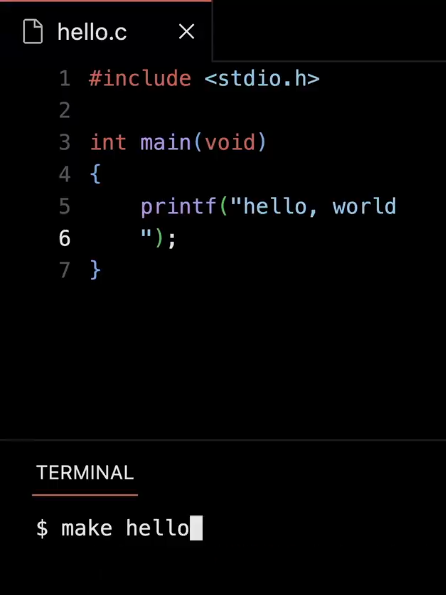
I'm going to rerun " make hello " after making that change.
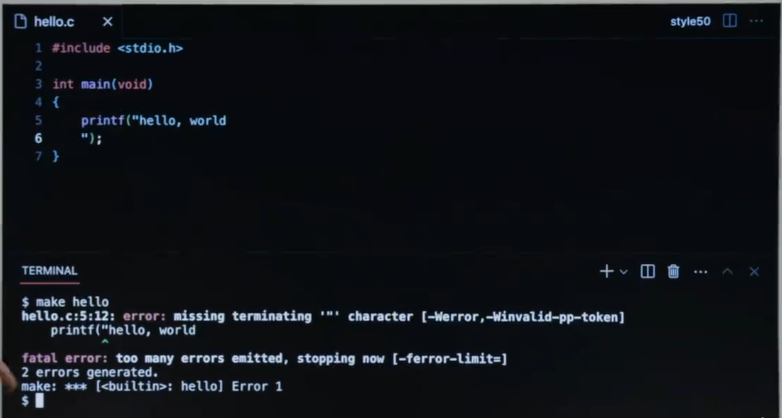
Enter. And there we have it, like the first of our erroneous outputs. And it's yelling at me. It's missing a terminating character. And there's some red in here, some green, drawing my attention to it. Sometimes these error messages will be straightforward. Sometimes you're going to rack your brain a bit to figure them out. But for now I've kind of spoiled it. Obviously, Enter is not the right solution. So let me clear my terminal window just to hide that error.
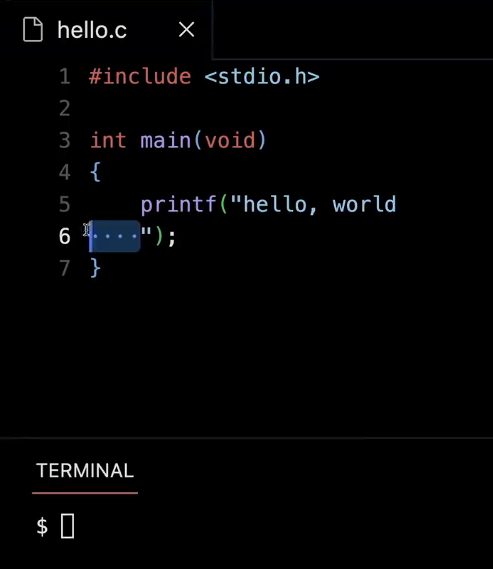
Let me delete this.
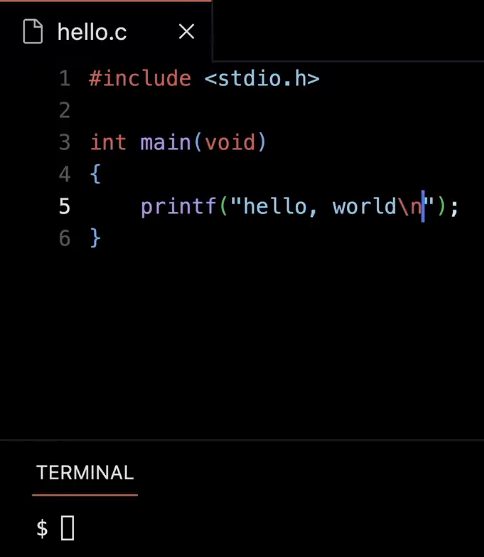
And let me propose now that I add this incantation here. So backslash n, it turns out, is going to be the sort of magical way of ensuring that you actually get a new line at the end of your output. So let me go ahead now and rerun " make hello " . Because I've changed my code. I need to now reconvert, recompile the source code to new machine. " ./hello " . And now, there is the canonical " hello, world " program that I hoped to write in the first place.