文章目录
-
- [一、httpx 是什么?](#一、httpx 是什么?)
- [二、httpx 的典型用途](#二、httpx 的典型用途)
-
- [1. 资产探活](#1. 资产探活)
- [2. Web 指纹识别](#2. Web 指纹识别)
- [3. 漏洞扫描前置筛选](#3. 漏洞扫描前置筛选)
- [4. 攻防演练资产整理](#4. 攻防演练资产整理)
- [三、安装 httpx](#三、安装 httpx)
-
- [方式一:Go 安装](#方式一:Go 安装)
- [方式二:Linux 二进制安装](#方式二:Linux 二进制安装)
- [方式三:Kali 安装注意](#方式三:Kali 安装注意)
- [四、httpx 基础语法](#四、httpx 基础语法)
-
- [1. 单个目标探测](#1. 单个目标探测)
- [2. 批量目标探测](#2. 批量目标探测)
- [3. 输出到文件](#3. 输出到文件)
- 五、常用参数详解
-
- [1. 显示状态码](#1. 显示状态码)
- [2. 显示页面标题](#2. 显示页面标题)
- [3. 显示状态码 + 标题](#3. 显示状态码 + 标题)
- [4. 显示 Web Server](#4. 显示 Web Server)
- [5. 显示内容长度](#5. 显示内容长度)
- [6. 显示内容类型](#6. 显示内容类型)
- [7. 显示跳转地址](#7. 显示跳转地址)
- [8. 显示技术栈](#8. 显示技术栈)
- [9. 显示响应时间](#9. 显示响应时间)
- 六、最常用实战命令
-
- [1. 标准资产探活命令](#1. 标准资产探活命令)
- [2. 跟随跳转](#2. 跟随跳转)
- [3. 只保留 200 状态码](#3. 只保留 200 状态码)
- [4. 匹配多个状态码](#4. 匹配多个状态码)
- [5. 过滤 404](#5. 过滤 404)
- [6. 探测 IP 段常见端口](#6. 探测 IP 段常见端口)
- [七、httpx 与 nuclei 联动](#七、httpx 与 nuclei 联动)
-
- [1. 先用 httpx 探活](#1. 先用 httpx 探活)
- [2. 再用 nuclei 扫描](#2. 再用 nuclei 扫描)
- [3. 推荐安全速率](#3. 推荐安全速率)
- 八、完整工作流示例
-
- [场景:对授权域名资产进行 Web 探活](#场景:对授权域名资产进行 Web 探活)
- 第一步:准备目标文件
- [第二步:执行 httpx 探活](#第二步:执行 httpx 探活)
- 第三步:查看结果
- 第四步:筛选有效资产
- [第五步:交给 nuclei](#第五步:交给 nuclei)
- [九、输出 JSON 结果](#九、输出 JSON 结果)
- 十、常见问题
-
- [1. `httpx` 命令不存在](#1.
httpx命令不存在) - [2. 执行提示 `Permission denied`](#2. 执行提示
Permission denied) - [3. Kali 中的 `httpx` 不是 ProjectDiscovery 的 httpx](#3. Kali 中的
httpx不是 ProjectDiscovery 的 httpx) - [4. 结果太多怎么办?](#4. 结果太多怎么办?)
- [5. 目标响应慢怎么办?](#5. 目标响应慢怎么办?)
- [1. `httpx` 命令不存在](#1.
- 十一、推荐目录结构
- 十二、常用命令速查表
- 十三、安全与合规提醒
- 十四、总结
适用场景 :授权测试、资产梳理、攻防演练、漏洞扫描前置探活
工具定位 :快速判断目标是否存在 Web 服务,并提取状态码、标题、技术栈、响应长度、跳转地址等信息。
合规提醒:本文仅用于合法授权范围内的安全测试、资产管理与学习研究,禁止用于未授权扫描。
本文仅用于合法授权范围内的安全测试、资产管理与学习研究,禁止用于未授权扫描。本文不适合放真实扫描的图例,读者也不要未授权进行测试。
一、httpx 是什么?
httpx 是 ProjectDiscovery 开源的一款 HTTP 探测工具,主要用于对域名、IP、URL、CIDR 等目标进行 Web 服务探活和指纹信息采集。
简单来说,它可以帮我们快速回答以下问题:
text
这个资产有没有 Web 服务?
访问后返回什么状态码?
页面标题是什么?
使用了什么 Web 服务器?
有没有跳转?
响应长度是多少?
是否支持 HTTPS?
技术栈大概是什么?在实际工作中,httpx 常作为 nuclei、AWVS、BurpSuite、人工验证之前的资产筛选工具。
二、httpx 的典型用途
1. 资产探活
假设你有一批域名:
text
example.com
test.example.com
admin.example.com
api.example.com
你不知道哪些真的开了 Web 服务,可以使用 httpx 批量探测。
2. Web 指纹识别
通过状态码、页面标题、Server 头、技术栈等字段,快速判断目标类型。
示例输出:
text
https://example.com [200] [Apache] [phpMyAdmin]
https://admin.example.com [302] [nginx] [Login]
https://test.example.com [403] [openresty] [Forbidden]
3. 漏洞扫描前置筛选
nuclei 直接扫描全部资产会比较慢,也容易产生无效请求。常见流程如下:
text
原始资产 → httpx 探活 → 存活 Web → nuclei 扫描4. 攻防演练资产整理
在 HVV、应急响应、内网梳理中,经常要快速把大量 IP 或域名整理成可访问的 Web 资产列表。
三、安装 httpx
httpx 支持 Go 安装、二进制安装、Docker 安装等方式。下面以常用方式为例。
方式一:Go 安装
bash
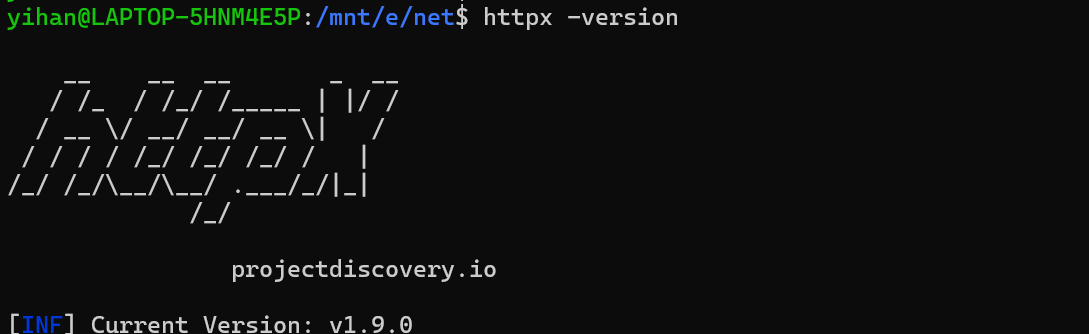
go install -v github.com/projectdiscovery/httpx/cmd/httpx@latest安装完成后查看版本:
bash
httpx -version方式二:Linux 二进制安装
如果你已经下载好了 Linux 版二进制文件:
bash
chmod +x httpx
sudo mv httpx /usr/local/bin/
httpx -version
如果下载的是压缩包:
bash
unzip httpx_amd64_linux.zip
chmod +x httpx
sudo mv httpx /usr/local/bin/
httpx -version
方式三:Kali 安装注意
Kali 中可能存在 Python 的 httpx 包命令冲突。ProjectDiscovery 的 httpx 在部分 Kali 环境中可能叫:
bash
httpx-toolkit可以尝试:
bash
httpx-toolkit -h四、httpx 基础语法
1. 单个目标探测
bash
httpx -u https://example.com也可以探测不带协议的域名:
bash
httpx -u example.comhttpx 支持 HTTPS 到 HTTP 的智能回退,这对于批量探测非常方便。
2. 批量目标探测
准备目标文件:
bash
cat targets.txt内容示例:
text
example.com
test.example.com
https://admin.example.com
http://192.168.1.10
执行批量探测:
bash
httpx -l targets.txt3. 输出到文件
bash
httpx -l targets.txt -o alive.txt这样会把存活结果保存到:
text
alive.txt五、常用参数详解
httpx 支持状态码、标题、响应长度、内容类型、跳转地址、favicon hash、响应时间、技术识别等多种探测参数。
1. 显示状态码
bash
httpx -l targets.txt -status-code简写:
bash
httpx -l targets.txt -sc输出示例:
text
https://example.com [200]
https://admin.example.com [302]
https://test.example.com [403]
常见状态码含义:
| 状态码 | 含义 |
|---|---|
| 200 | 正常访问 |
| 301 / 302 | 跳转 |
| 401 | 需要认证 |
| 403 | 禁止访问 |
| 404 | 页面不存在 |
| 500 | 服务器内部错误 |
2. 显示页面标题
bash
httpx -l targets.txt -title输出示例:
text
https://example.com [Example Domain]
https://admin.example.com [Login]
标题对于快速识别后台、管理系统、网关页面很有用。
3. 显示状态码 + 标题
bash
httpx -l targets.txt -sc -title这是最常用的组合之一。
4. 显示 Web Server
bash
httpx -l targets.txt -server输出示例:
text
https://example.com [nginx]
https://test.example.com [Apache]
5. 显示内容长度
bash
httpx -l targets.txt -content-length简写:
bash
httpx -l targets.txt -cl响应长度可以用于发现相似页面、空页面、默认页面或异常响应。
6. 显示内容类型
bash
httpx -l targets.txt -content-type简写:
bash
httpx -l targets.txt -ct输出示例:
text
[text/html]
[application/json]
[application/xml]
7. 显示跳转地址
bash
httpx -l targets.txt -location适合分析登录跳转、HTTP 跳 HTTPS、后台重定向等情况。
8. 显示技术栈
bash
httpx -l targets.txt -tech-detect简写:
bash
httpx -l targets.txt -td输出可能类似:
text
[nginx, PHP, jQuery]
[Apache, WordPress]
9. 显示响应时间
bash
httpx -l targets.txt -response-time简写:
bash
httpx -l targets.txt -rt适合判断目标延迟、异常卡顿、边缘节点情况。
六、最常用实战命令
1. 标准资产探活命令
bash
httpx -l targets.txt -sc -title -server -td -cl -rt -o httpx_result.txt参数含义:
| 参数 | 含义 |
|---|---|
-sc |
显示状态码 |
-title |
显示页面标题 |
-server |
显示 Web Server |
-td |
技术栈识别 |
-cl |
响应长度 |
-rt |
响应时间 |
-o |
输出到文件 |
2. 跟随跳转
bash
httpx -l targets.txt -follow-redirects -sc -title -location适合处理:
text
http://example.com → https://example.com
/admin → /login
3. 只保留 200 状态码
bash
httpx -l targets.txt -sc -title -mc 200-mc 表示 match code,也就是匹配指定状态码。
4. 匹配多个状态码
bash
httpx -l targets.txt -sc -title -mc 200,301,302,401,403这些状态码通常都值得关注:
| 状态码 | 价值 |
|---|---|
| 200 | 正常页面 |
| 301 / 302 | 跳转页面 |
| 401 | 认证入口 |
| 403 | 权限控制、目录限制或后台入口 |
5. 过滤 404
bash
httpx -l targets.txt -sc -title -fc 404-fc 表示 filter code,即过滤指定状态码。
6. 探测 IP 段常见端口
准备 ips.txt:
text
192.168.1.1
192.168.1.2
192.168.1.3
执行:
bash
httpx -l ips.txt -ports 80,443,8080,8000,8888 -sc -title七、httpx 与 nuclei 联动
httpx 常作为 nuclei 的前置探活工具。
1. 先用 httpx 探活
bash
httpx -l targets.txt -sc -title -td -o alive.txt2. 再用 nuclei 扫描
bash
nuclei -l alive.txt -o nuclei_result.txt3. 推荐安全速率
bash
nuclei -l alive.txt -rate-limit 5 -c 5 -o nuclei_safe_result.txt这样可以减少对目标的压力,降低误报和误伤风险。
八、完整工作流示例
场景:对授权域名资产进行 Web 探活
假设目标范围已经授权:
text
example.com
test.example.com
admin.example.com
api.example.com
第一步:准备目标文件
bash
vim targets.txt内容:
text
example.com
test.example.com
admin.example.com
api.example.com
第二步:执行 httpx 探活
bash
httpx -l targets.txt \
  -sc -title -server -td -cl -rt -follow-redirects \
  -o httpx_result.txt
第三步:查看结果
bash
cat httpx_result.txt示例:
text
https://example.com [200] [Example Domain] [nginx] [text/html] [1256] [120ms]
https://admin.example.com [302] [Login] [nginx] [PHP] [892] [98ms]
https://api.example.com [200] [API Gateway] [openresty] [application/json] [421] [80ms]
第四步:筛选有效资产
筛选 200 状态码资产:
bash
cat httpx_result.txt | grep "\[200\]"只保留 URL:
bash
cat httpx_result.txt | awk '{print $1}' > alive_urls.txt第五步:交给 nuclei
bash
nuclei -l alive_urls.txt -rate-limit 5 -c 5 -o nuclei_result.txt九、输出 JSON 结果
如果后续要做自动化处理,可以输出 JSON:
bash
httpx -l targets.txt -json -sc -title -td -server -o httpx_result.jsonJSON 结果适合接入:
- Python 脚本
- 资产管理平台
- Elasticsearch
- 数据库
- 自动化扫描流水线
十、常见问题
1. httpx 命令不存在
检查路径:
bash
which httpx如果没有输出,说明没有放入系统 PATH。
解决:
bash
chmod +x httpx
sudo mv httpx /usr/local/bin/
httpx -version
2. 执行提示 Permission denied
说明没有执行权限:
bash
chmod +x httpx3. Kali 中的 httpx 不是 ProjectDiscovery 的 httpx
可能和 Python 的 httpx 包冲突,可以尝试:
bash
httpx-toolkit -h4. 结果太多怎么办?
可以用状态码过滤:
bash
httpx -l targets.txt -mc 200,301,302,401,403 -sc -title或者过滤无效状态码:
bash
httpx -l targets.txt -fc 404,5005. 目标响应慢怎么办?
可以降低并发,减少误判:
bash
httpx -l targets.txt -threads 20 -timeout 10 -retries 2十一、推荐目录结构
text
/opt/sec-tools/
├── targets/
│   └── targets.txt
├── results/
│   ├── httpx_result.txt
│   └── nuclei_result.txt
└── logs/
创建目录:
bash
mkdir -p /opt/sec-tools/{targets,results,logs}常用命令:
bash
httpx -l /opt/sec-tools/targets/targets.txt \
  -sc -title -server -td -cl -rt -follow-redirects \
  -o /opt/sec-tools/results/httpx_result.txt
十二、常用命令速查表
| 目的 | 命令 |
|---|---|
| 单个目标探测 | httpx -u https://example.com |
| 批量探活 | httpx -l targets.txt |
| 显示状态码 | httpx -l targets.txt -sc |
| 显示标题 | httpx -l targets.txt -title |
| 显示技术栈 | httpx -l targets.txt -td |
| 显示 Server | httpx -l targets.txt -server |
| 显示响应长度 | httpx -l targets.txt -cl |
| 跟随跳转 | httpx -l targets.txt -follow-redirects |
| 只匹配 200 | httpx -l targets.txt -mc 200 |
| 过滤 404 | httpx -l targets.txt -fc 404 |
| 输出 JSON | httpx -l targets.txt -json -o result.json |
| 保存结果 | httpx -l targets.txt -o alive.txt |
十三、安全与合规提醒
httpx 虽然主要是探活工具,但仍然会向目标发起 HTTP 请求。使用时必须注意:
- 只扫描自己拥有或已授权的目标。
- 不要对第三方系统进行未授权扫描。
- 控制并发和速率。
- 不要在生产系统高峰期进行大规模探测。
- 保留授权范围、测试时间和日志。
推荐安全参数:
bash
httpx -l targets.txt -threads 20 -rate-limit 10 -timeout 10 -retries 1十四、总结
httpx 是资产探活阶段非常实用的工具。它的核心价值不是"发现漏洞",而是快速整理出真正存在 Web 服务的资产,并提取有价值的基础信息。
典型流程如下:
text
资产列表
  ↓
httpx 探活
  ↓
筛选存活 Web
  ↓
nuclei / AWVS / Burp / 人工验证
  ↓
输出报告在日常攻防、资产管理、HVV、漏洞扫描前置工作中,httpx 可以显著提高效率,减少无效扫描目标,是安全测试人员必备的基础工具之一。