文章目录
一、错误记录
核心报错信息 :
shell
Building with plugins requires symlink support.

Please enable Developer Mode in your system settings. Run
  start ms-settings:developers
to open settings.
完整命令行输出 :
shell
D:\002_Project\001_Flutter\client_terminal>flutter pub get
Flutter assets will be downloaded from https://storage.flutter-io.cn. Make sure you trust this source!
Resolving dependencies...
Downloading packages...
  matcher 0.12.19 (0.12.20 available)
  meta 1.17.0 (1.18.2 available)
  test_api 0.7.10 (0.7.12 available)
  vector_math 2.2.0 (2.3.0 available)
Got dependencies!
4 packages have newer versions incompatible with dependency constraints.
Try `flutter pub outdated` for more information.
Building with plugins requires symlink support.

Please enable Developer Mode in your system settings. Run
  start ms-settings:developers
to open settings.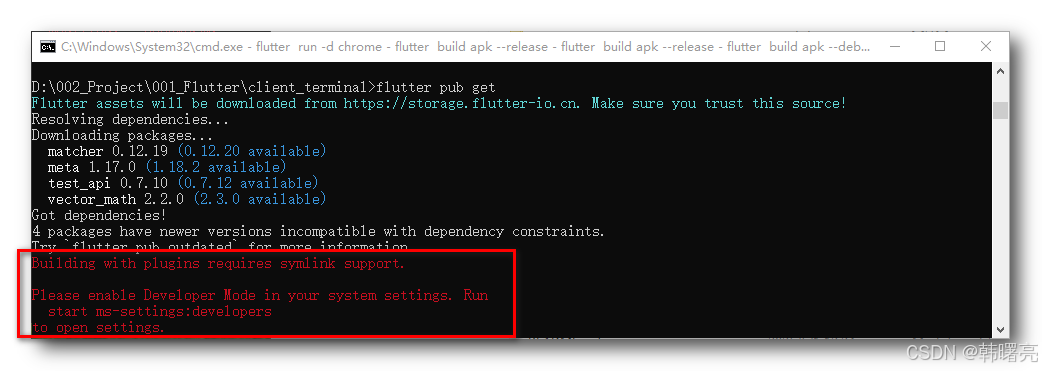
二、解决方案
执行
shell
start ms-settings:developers命令 , 在弹出的页面中打开 开发者选项 ;
报错提示 :
shell
Please enable Developer Mode in your system settings. Run
  start ms-settings:developers
to open settings.
请在系统设置中开启开发者模式 ; 执行下面命令可直接打开设置页面 : start ms-settings:developers
Windows 开发者模式 = 给开发用的 " 特权模式 " , 平时普通用户不用开 , 但做 Flutter/Android/UWP 开发必须开 , 否则很多编译、链接、调试功能会被系统禁止 ;
Windows 开发者模式 是 Windows 自带的一个开发总开关Microsoft Learn ;
关掉开发者模式 , 系统只让你装 微软商店 ( Microsoft Store ) 里的软件 , 限制很多底层 / 调试 / 链接功能 ;
打开开发者模式 , 解除限制 , 允许 :
- 安装非商店来源的测试包、未签名应用 ( 侧载 )
- 启用调试、远程部署、SSH、设备门户等开发功能Microsoft Learn
- 创建符号链接 ( symlink ) ------ 这就是你 Flutter 报错的关键点!
对 Flutter 来说最关键的一点 : Flutter 在 Windows 编译安卓 / 插件时 , 会大量创建 符号链接 ( symlink ) 来关联插件和引擎 ;
没开开发者模式 → Windows 不让创建 symlink → 直接报错 :
执行
shell
start ms-settings:developers命令 , 在弹出的页面中打开 开发者选项 ;
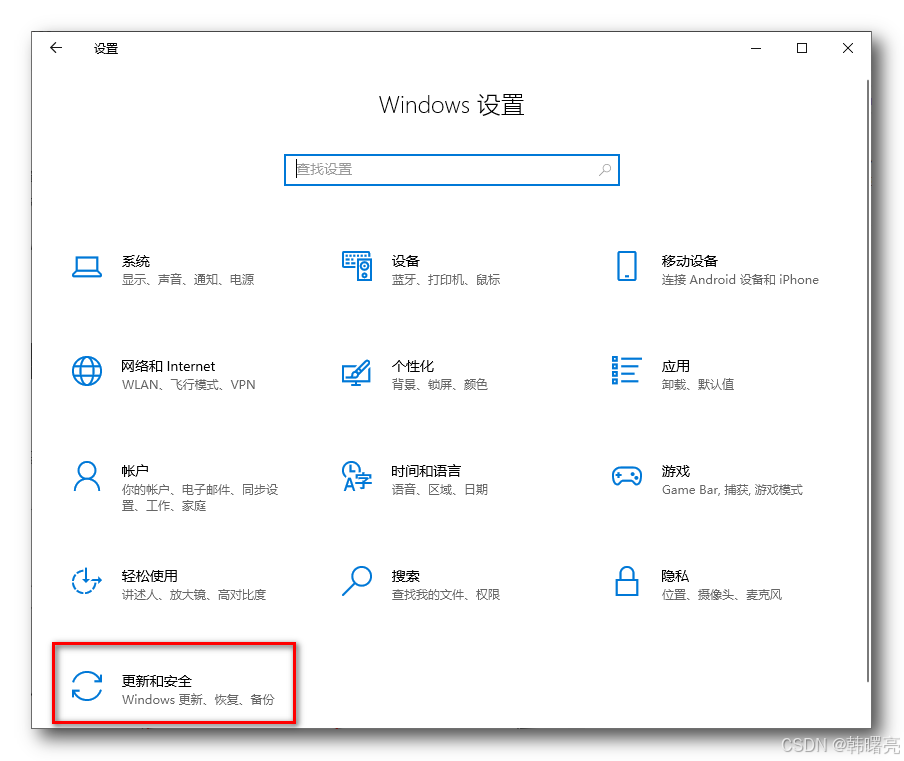
或者在 控制面板 / 更新和安全 / 开发者选项 页面中 , 打开开发者模式 ;
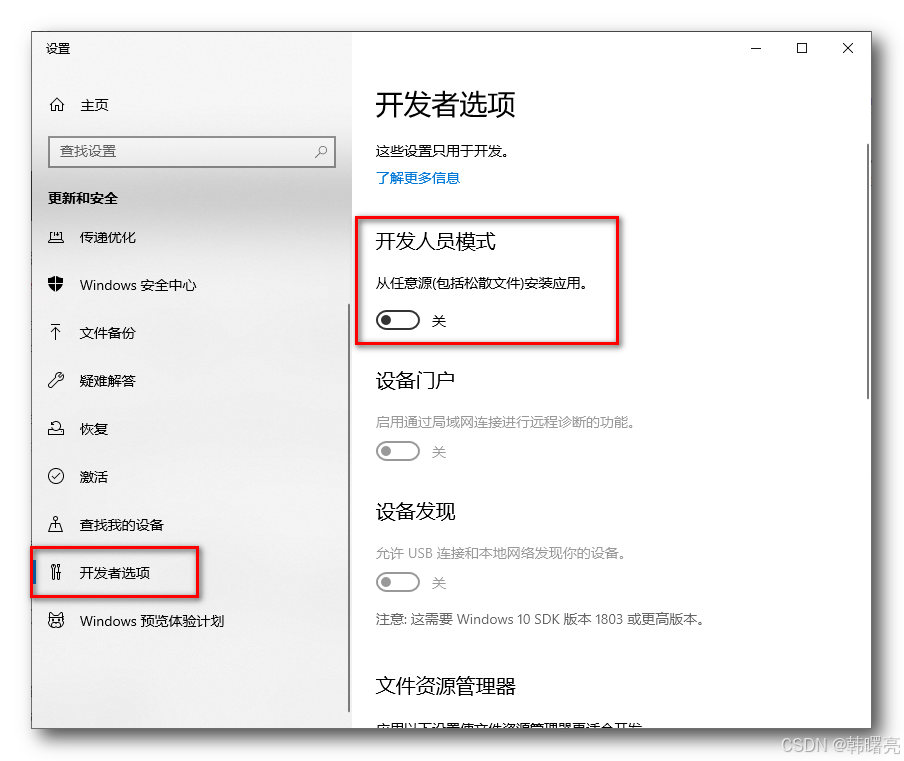
打开该选项 ;
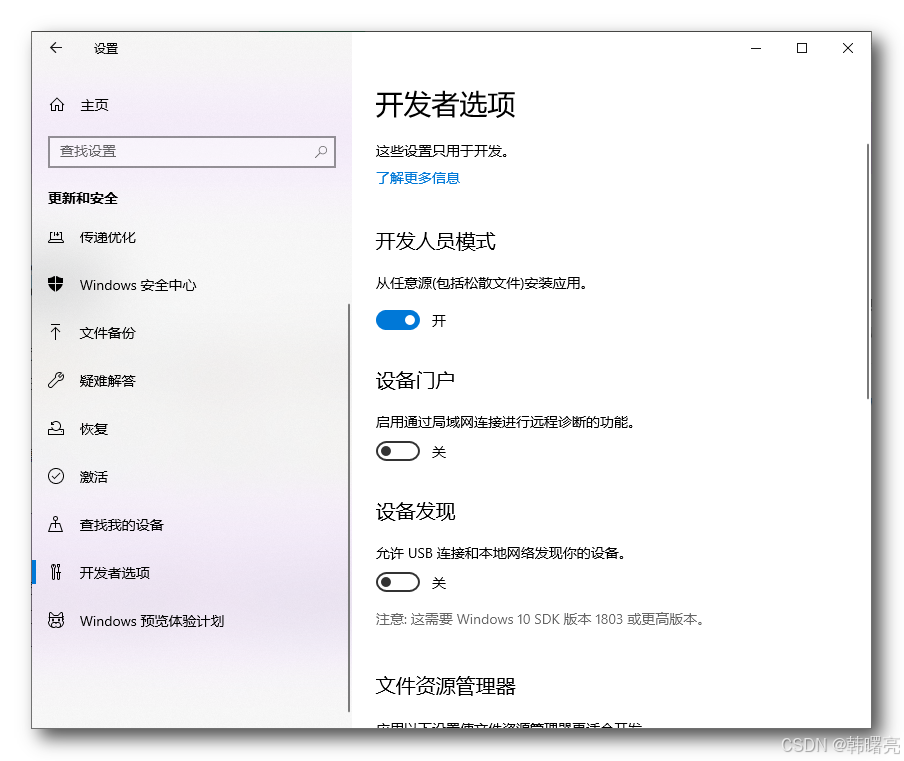
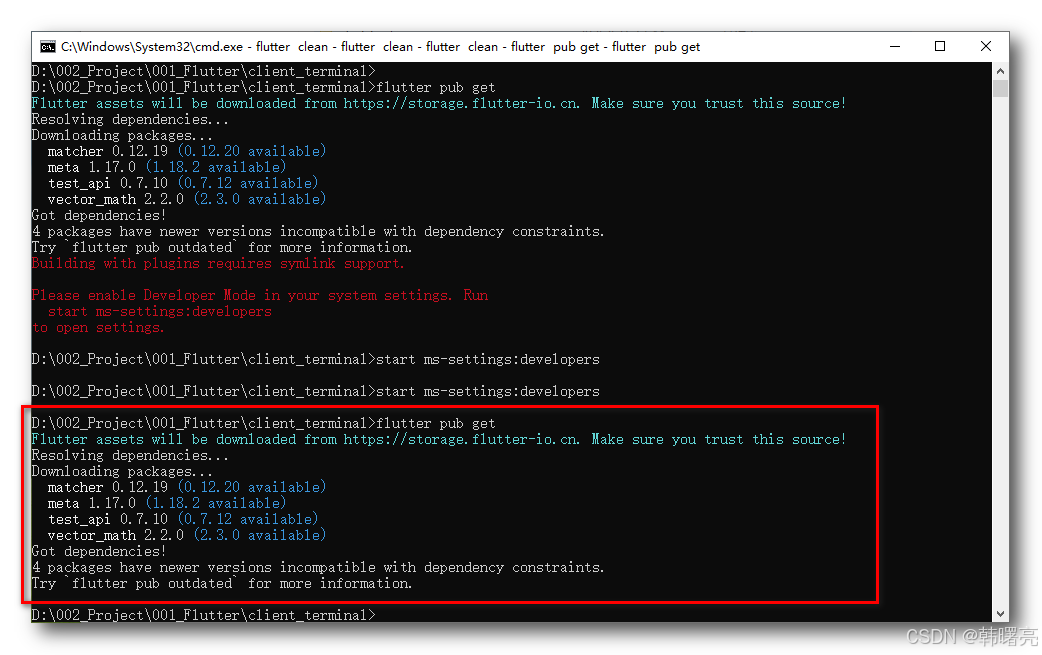
设置完毕后 , 执行 flutter pub get 命令 , 不再报错 ;
shell
D:\002_Project\001_Flutter\client_terminal>flutter pub get
Flutter assets will be downloaded from https://storage.flutter-io.cn. Make sure you trust this source!
Resolving dependencies...
Downloading packages...
  matcher 0.12.19 (0.12.20 available)
  meta 1.17.0 (1.18.2 available)
  test_api 0.7.10 (0.7.12 available)
  vector_math 2.2.0 (2.3.0 available)
Got dependencies!
4 packages have newer versions incompatible with dependency constraints.
Try `flutter pub outdated` for more information.

D:\002_Project\001_Flutter\client_terminal>