1、依次点击:(菜单)编辑,Preferences...,构建套件
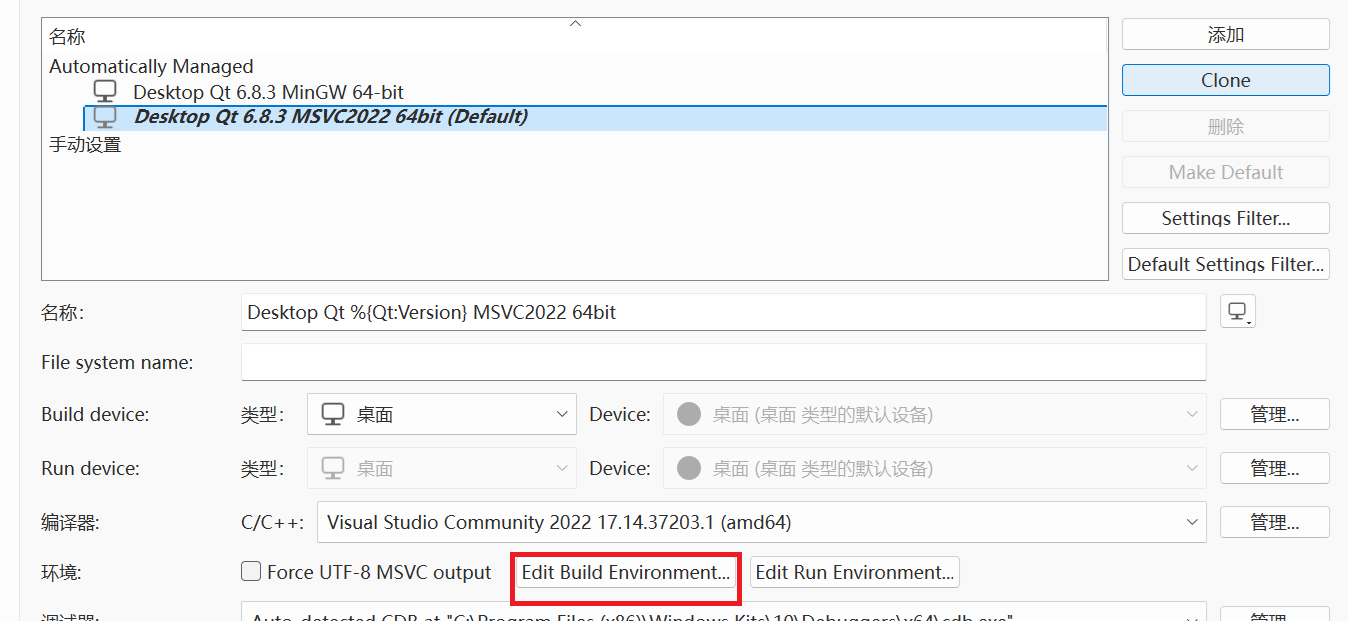
2、选择乱码的构建套件、然后选择"Edit Build Environment...",比如我的是这样的:
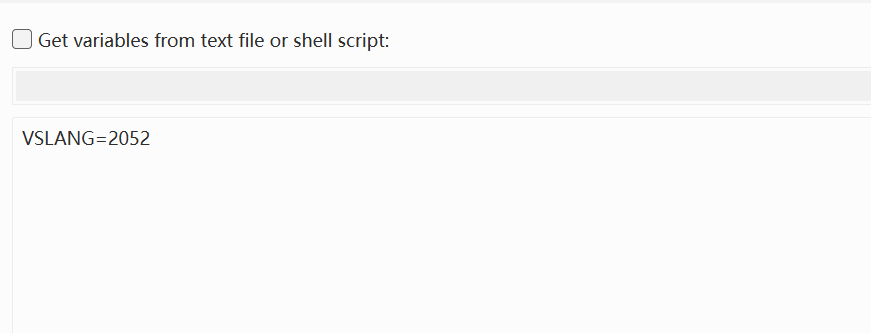
3、输入VSLANG=2052,点击OK:
4、关于VSLNAG:
链接:
vcpkg-tool/docs/localization.md at main · microsoft/vcpkg-tool · GitHub
关键内容:
vcpkg chooses a language through the
VSLANGenvironment variable, which should be set to a valid LCID (locale identifier, 4-byte value representing a language). IfVSLANGis not set or is set to an invalid LCID, we default to English. That said, if you wish to change the language, then setVSLANGto any of the following LCIDs:1029: Czech
1031: German
1033: English
3082: Spanish (Spain)
1036: French
1040: Italian
1041: Japanese
1042: Korean
1045: Polish
1046: Portuguese (Brazil)
1049: Russian
1055: Turkish
2052: Chinese (Simplified)
1028: Chinese (Traditional)