介绍
ip-restriction 插件可以通过将 IP 地址列入白名单或黑名单来限制对服务或路由的访问。
支持对单个 IP 地址、多个 IP 地址和类似 10.10.10.0/24 的 CIDR(无类别域间路由)范围的限制。
属性
| 参数名 | 类型 | 必选项 | 默认值 | 有效值 | 描述 |
|---|---|---|---|---|---|
| whitelist | arraystring | 否 | 加入白名单的 IP 地址或 CIDR 范围。 | ||
| blacklist | arraystring | 否 | 加入黑名单的 IP 地址或 CIDR 范围。 | ||
| message | string | 否 | "Your IP address is not allowed" | 1, 1024 | 在未允许的 IP 访问的情况下返回的信息。 |
注意:whitelist 和 blacklist 属性无法同时在同一个服务或路由上使用,只能使用其中之一。
配置步骤
1、从config.yaml获取admin_key并存入环境变量
admin_key=$(cat config.yaml |awk -F': +' 'BEGIN{admin_key=0}
/admin_key:/{admin_key=1}
admin_key && /^ *key:/{print $NF;admin_key=0;exit;}')
2、设置白名单,只允许172.105.0.1/16和127.0.0.1本地访问http://ip:9080
curl http://127.0.0.1:9180/apisix/admin/routes/1 -H "X-API-KEY: $admin_key" -X PUT -d '
{
"uri": "/",
"upstream": {
"type": "roundrobin",
"nodes": {
"172.105.0.4:8080": 1
}
},
"plugins": {
"ip-restriction": {
"whitelist": [
"127.0.0.1",
"172.105.0.1/16"
],
"message":"Your IP address is not allowed"
}
}
}'
3、上述配置中172.105.0.4:8080是我启动的一个Tomcat服务
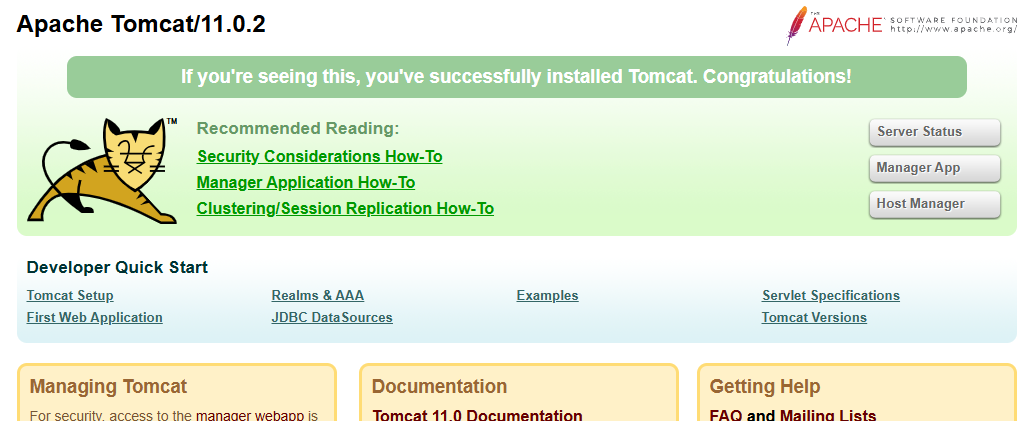
目前,新版本的Tomcat默认不提供webapps了,所以访问返回404。如下是Tomcat官方(https://hub.docker.com/_/tomcat)说明:
You can then go to http://localhost:8888 or http://host-ip:8888 in a browser (noting that it will return a 404 since there are no webapps loaded by default).
如果非要显示如下页面,需要手动配置:
cp -a webapps.dist/* webapps/
4、验证配置是否生效
curl -I http://localhost:9080
HTTP/1.1 200
......
在白名单意外的IP服务器上执行
curl http://192.168.xx.xxx:9080 -i
HTTP/1.1 403 Forbidden
Date: Mon, 19 May 2025 13:21:37 GMT
Content-Type: text/plain; charset=utf-8
Transfer-Encoding: chunked
Connection: keep-alive
Server: APISIX/3.12.0
{"message":"Your IP address is not allowed"}
删除插件
当你需要禁用 ip-restriction 插件时,可以通过以下命令删除相应的 JSON 配置,APISIX 将会自动重新加载相关配置,无需重启服务:
curl http://127.0.0.1:9180/apisix/admin/routes/1 -H "X-API-KEY: $admin_key" -X PUT -d '
{
"uri": "/index.html",
"plugins": {},
"upstream": {
"type": "roundrobin",
"nodes": {
"127.0.0.1:1980": 1
}
}
}'