安装
python
pip install pytest用例可以是函数也可以是类中的方法
python
def test_func():
	print()

class TestAdd:
# def __init__(self):  在 pytest 中不可以使用__init__方法
#     self.cc = 12345
@pytest.mark.api
def test_str(self):
    res = add('1', '2')
    assert res == '12'

def test_int(self):
    res = add(1, 2)
    assert res == 3

def test_list(self):
    res = add([1, 2], [3, 4])
    assert res == [1, 2, 3, 4]
启动测试
- 命令行输入 pytest 会自动检索项目中所有的用例去执行 参数 -k "xx" 模糊匹配文件执行
- 根目录新建 main.py 文件 右键运行脚本
python
main.py
import pytest
pytest.main()
用户自定义标记
可以根据不同类型的用例分成不同的种类.在用例多的情况下可以根据需求执行部分种类测试日志.
配置
创建配置文件,我这边创建在项目的根目录下 pytest.ini
bash
[pytest]
markers =
   api : 接口测试
   ui : UI测试
   ut : 重试
   login : 登录测试
   ddt: 数据驱动测试
在 markers 中key:value 形式的就是自定义的标记,名称:注释
打标记
@pytest.mark.标记名称来使用.
python
@pytest.mark.tt
def test_func():
	print()
使用
-
命令行
pytest -m 标记名称
-
添加到配置文件中 pytest.ini 在配置文件中添加参数后.在命令行直接执行 pytest 会自动携带addopts中的参数
[pytest]
addopts = -m 标记名称
内置标记
-
skip 无条件跳过
-
skipif 满足条件跳过
-
xfail 预期失败
-
xfailif 满足条件预期失败
-
parametrize 参数化
使用@pytest.mark.parametrize标记.参数1为字段,参数 2 为函数解析出来的嵌套列表python@pytest.mark.parametrize('a, b, c', read_csv('/Users/nieminghua/Desktop/pycode/pythonProject/Apytest/data.csv')) def test_ddt(a, b, c): assert int(a) + int(b) == int(c)
夹具-fixture
我把fixture 理解成用例执行的前置操作和后置操作(钩子函数)
比如,在对 web 网站进行测试时,前置必要条件需要先打开浏览器.测试完毕后关闭浏览器.
- fixture 可以被 fixture 调用
- 在fixture中的yield关键字可以返回值,只能返回 1 个值
- 在使用 fixture 中参数scope可以控制夹具的作用范围
- function 默认值, 每个用例都会执行一遍
- class 每个类执行一遍
- module 每个模块执行一遍
- session 每个会话执行一遍
- package 每个包执行一遍
python
如果不指定作用域,则每个用例执行都会单独去执行 fixture
@pytest.fixture()
def func2():
    # 前置操作
    print(datetime.now(), "func2用例开始执行")
    yield [1, 2, 3]
    # 后置操作
    print(datetime.now(), "func2用例执行结束")

@pytest.mark.usefixtures("func",'func2')
def test_1():
    print('test1')

@pytest.mark.usefixtures("func",'func2')
def test_2():
    print('test2')


>>>
Apytest/test_fixture.py::test_1 2025-06-05 18:32:58.075634 func1用例开始执行
2025-06-05 18:32:58.077104 func2用例开始执行
test1
PASSED2025-06-05 18:32:58.078129 func2用例执行结束
2025-06-05 18:32:58.078950 func1用例执行结束

Apytest/test_fixture.py::test_2 2025-06-05 18:32:58.080741 func1用例开始执行
2025-06-05 18:32:58.080920 func2用例开始执行
test2
PASSED2025-06-05 18:32:58.081668 func2用例执行结束
2025-06-05 18:32:58.082254 func1用例执行结束
指定作用域给 fixture 添加scope="session"
python
@pytest.fixture(scope='session')
def func():
    # 前置操作
    print(datetime.now(), "func1用例开始执行")
    yield
    # 后置操作
    print(datetime.now(), "func1用例执行结束")


@pytest.fixture(scope='session')
def func2():
    # 前置操作
    print(datetime.now(), "func2用例开始执行")
    yield [1, 2, 3]
    # 后置操作
    print(datetime.now(), "func2用例执行结束")

@pytest.mark.usefixtures("func",'func2')
def test_1():
    print('test1')

@pytest.mark.usefixtures("func",'func2')
def test_2():
    print('test2')

>>>
Apytest/test_fixture.py::test_1 2025-06-06 14:54:55.729863 func1用例开始执行
2025-06-06 14:54:55.730163 func2用例开始执行
test1
PASSED
Apytest/test_fixture.py::test_2 test2
PASSED2025-06-06 14:54:55.733253 func2用例执行结束
2025-06-06 14:54:55.733882 func1用例执行结束
对于一些更通用的 fixture 可以定义在conftest.py 文件中.给 fixture添加 autouse=True 参数,和 scope 指定作用域,这样所有的用例在作用域范围内都会自动关联到 fixture.(fixture同样可以嵌套使用)
python
conftest.py
在 func2 方法中调用了 func 所以即使 func 并没有 autouse=True,一样会被调用.
@pytest.fixture(scope='session')
def func():
    # 前置操作
    print(datetime.now(), "conftest_func1用例开始执行")
    yield
    # 后置操作
    print(datetime.now(), "conftest_func1用例执行结束")

@pytest.fixture(autouse=True, scope='session')
def func2(func):
    # 前置操作
    print(datetime.now(), "conftest_func2用例开始执行")
    yield [1, 2, 3]
    # 后置操作
    print(datetime.now(), "conftest_func2用例执行结束")

>>>>
Apytest/test_fixture.py::test_1 2025-06-06 16:29:25.996684 conftest_func1用例开始执行
2025-06-06 16:29:25.997059 conftest_func2用例开始执行
test1
PASSED
Apytest/test_fixture.py::test_2 test2
PASSED2025-06-06 16:29:26.000212 conftest_func2用例执行结束
2025-06-06 16:29:26.001231 conftest_func1用例执行结束
测试报告
这里用到第三方插件allure
bash
pip install allure-pytestallure下载地址官网
添加启动命令
python
pytest.ini
[pytest]
addopts =  --alluredir=allure-results --clean-alluredir
加上这条命令后执行完会生成一个allure-results文件,里边放着 json 格式的测试日志.
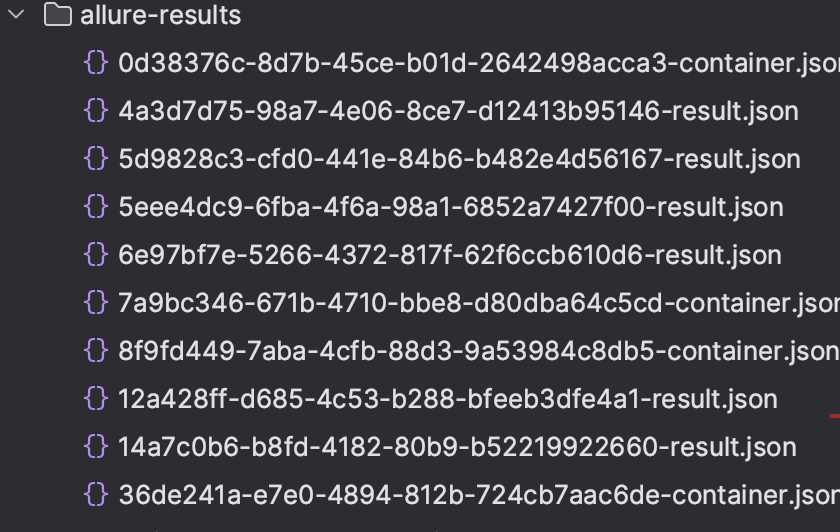
之后在执行allure generate allure-results -o allure-report --clean命令. -o 参数为报告输出路径
之后打开目录里的 index.html 就可以看到报告
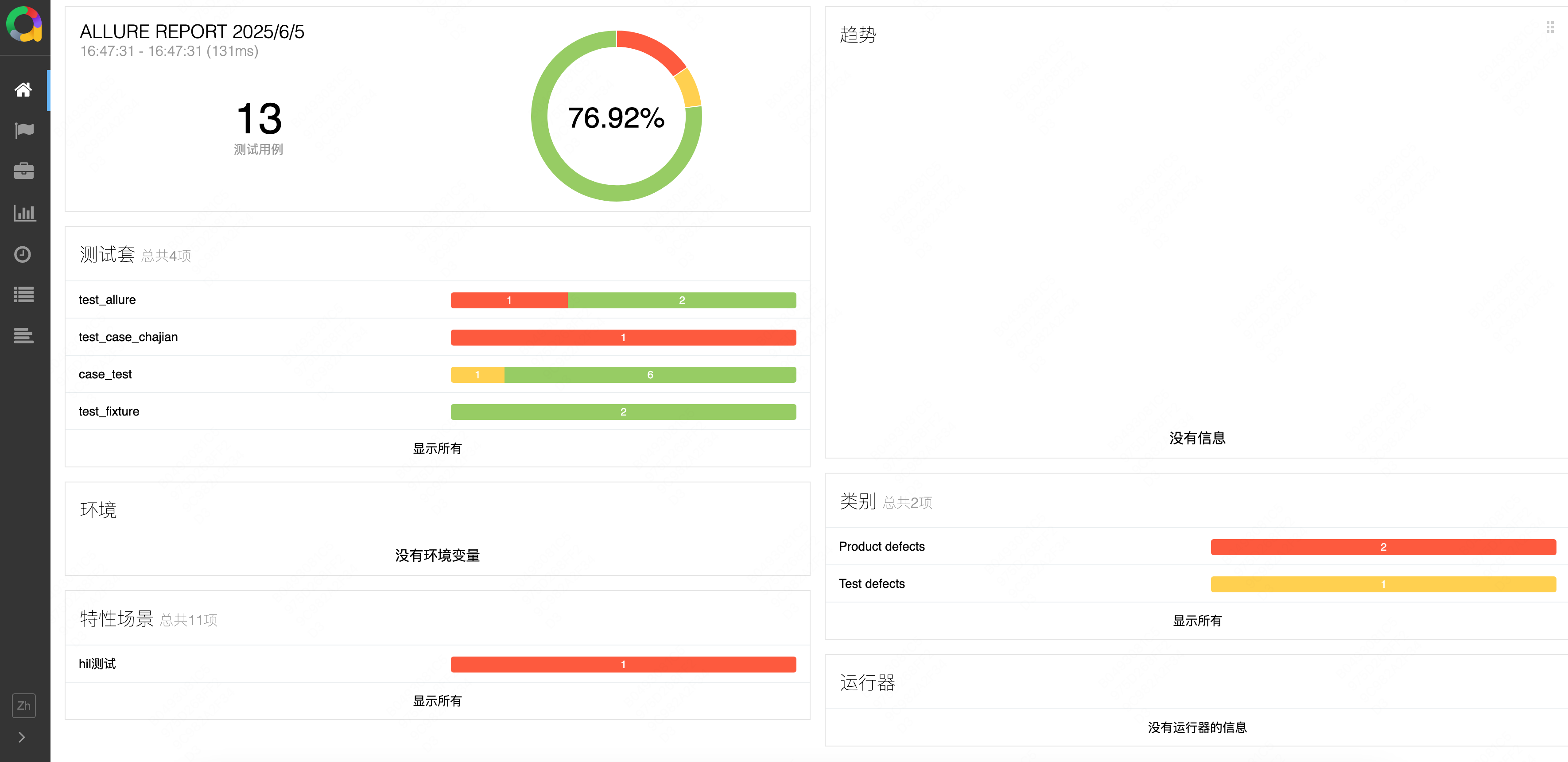
可以在 main.py 文件中通过 os 模块来执行生成的动作,这样每次执行完用例会自动生成报告
python
import pytest
import os

pytest.main()

os.system("allure generate allure-results -o allure-report --clean")
用例分类
在报告中按功能给用例分类.
- @allure.epic 项目名称
- @allure.feature 模块名称
- @allure.story 业务场景名称
- @allure.title 标题
- @allure.description 描述
- @allure.setup 环境信息
- @allure.testcase 测试用例链接
- @allure.issue 缺陷链接
- @allure.link 链接
python
@allure.epic("hil测试")
@allure.feature("故障注入")
@allure.story("CVD")
@allure.title("HTO")
@allure.description("描述 11")
@allure.testcase("https://www.baidu.com", "用例链接")
@allure.issue("https://www.sogou.com", "缺陷链接", )
@allure.link("链接")
@pytest.mark.ut
def test_01():
    assert 1 == 1


@allure.epic("hil测试")
@allure.feature("故障注入")
@allure.story("CVD")
@allure.title("低压")
@allure.description("描述 11")
@allure.testcase("www.baidu.com", "用例链接")
@allure.issue("www.sogou.com", "缺陷链接", )
@pytest.mark.ut
def test_02():
    assert 1 == 2


@allure.epic("hil测试")
@allure.feature("故障注入")
@allure.story("HTO")
@allure.description("描述 11")
@allure.testcase("www.baidu.com", "用例链接")
@allure.issue("www.sogou.com", "缺陷链接", )
@pytest.mark.ut
def test_03():
    assert 1 == 1