nginx+lua+redis实践
概述
nginx、lua访问redis的三种方式:
1。
指令少,功能单一 ,适合简单的缓存。只支持get 、select命令。
2。
功能强大,比较灵活。
3。 lua-resty-redis库
OpenResty。api。适合复杂业务,节省内存。
OpenResty:基于nginx开源版本的一个扩展版本。集成了大量的精良的lua库。
OpenResty安装
安装wget
root@localhost yum.repos.d# yum install wget
下载资源库
root@localhost yum.repos.d# wget https://openresty.org/package/centos/openresty.repo
得到文件: openresty.repo 安装OpenResty
root@localhost yum.repos.d# yum install openresty
启动OpenResty
root@localhost yum.repos.d# /usr/local/openresty/nginx/sbin/nginx -p /usr/local/openresty/nginx/
root@localhost yum.repos.d#
测试:
我们用nat,注意端口映射。
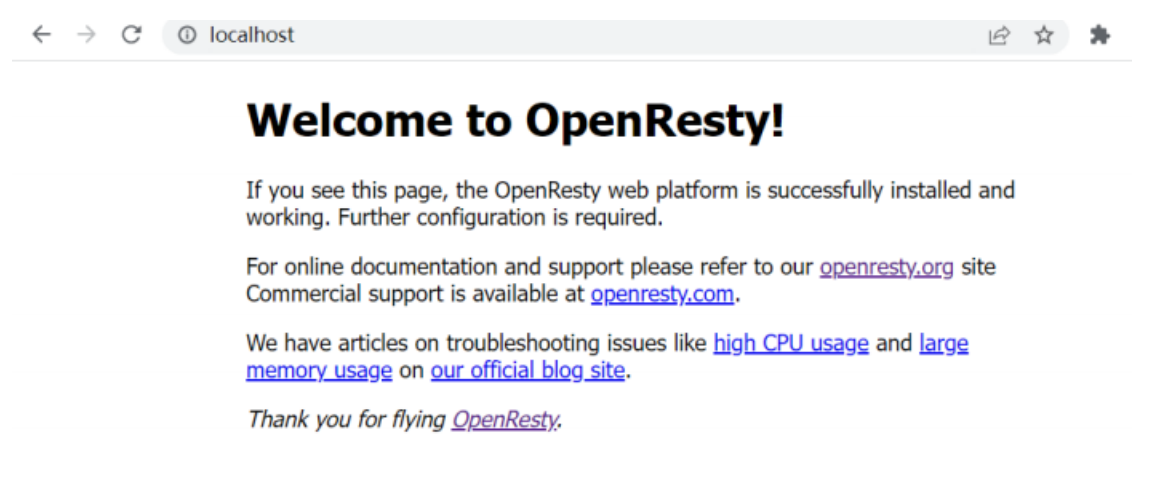
初试测试lua
修改conf
server {
listen 8080; location / {
default_type text/html;
content_by_lua 'ngx.say("hello my openresty")'; }
}
redis安装
安装epel:第三方的源(软件安装包)。
root@localhost /# yum install epel-release
安装redis
root@localhost /# yum install redis
启动redis
root@localhost /# /usr/bin/redis-cli
Could not connect to Redis at <127.0.0.1>:6379: Connection refused
Could not connect to Redis at <127.0.0.1>:6379: Connection refused not connected>
root@localhost /# systemctl start redis
测试redis
redis服务端和redis客户端 启动redis客户端
root@localhost /# cd /usr/bin/ root@localhost /# which redis-cli /usr/bin/redis-cli
root@localhost bin# ./redis-cli
<127.0.0.1>:6379> set akey avalue OK
<127.0.0.1>:6379> get akey "avalue"
<127.0.0.1>:6379> quit
root@localhost bin# pwd /usr/bin
root@localhost bin#
HttpRedis
修改配置文件
mValueroot@localhost conf# cat nginx-httpredis.conf worker_processes 1;
events {
worker_connections 1024;
}
include mime.types;
default_type application/octet-stream;
sendfile on;
keepalive_timeout 65;
server {
listen 80;
server_name www.cpf.com;
root html;
index index.html;
location / {
default_type text/plain;
set $redis_key "m";
redis_pass <127.0.0.1>:6379;
error_page 404 = @fetch; }
location @fetch {
root html; }
}
}
root@localhost conf#
以这个配置文件启动
root@localhost conf# /usr/local/openresty/nginx/sbin/nginx -p /usr/local/openresty/nginx/ -c /usr/local/o 测试一下:
1。 redis中没有 key为m的 键值对。
root@localhost conf# curl http://localhost/1.html
2。我们通过redis,设置key为m的value是:"mValue"。(m=mValue)
root@localhost conf# curl http://localhost/1.html mValue
扩展:
用于降级。
HttpRedis2Module
root@localhost conf# cat nginx-httpRedis2Module.conf worker_processes 1;
events {
worker_connections 1024;
}
include mime.types;
default_type application/octet-stream;
sendfile on;
keepalive_timeout 65;
server {
listen 80;
server_name www.cpf.com;
root html;
index index.html;
location /get {
set_unescape_uri $key 'n';
redis2_query get $key;
redis2_pass <127.0.0.1>:6379; }
location /set {
set_unescape_uri $key 'n';
redis2_query set $key 'nValue';
redis2_pass <127.0.0.1>:6379; }
}
}
root@localhost conf#
重启
root@localhost conf# /usr/local/openresty/nginx/sbin/nginx -p /usr/local/openresty/nginx/ -c /usr/local/o 测试:
root@localhost conf# curl localhost/get $-1
root@localhost conf# curl localhost/set +OK
root@localhost conf# curl localhost/get $7
n1Value
root@localhost conf#