将自己的jar包发布到maven中央仓库(2025-08-29)
一、注册账号
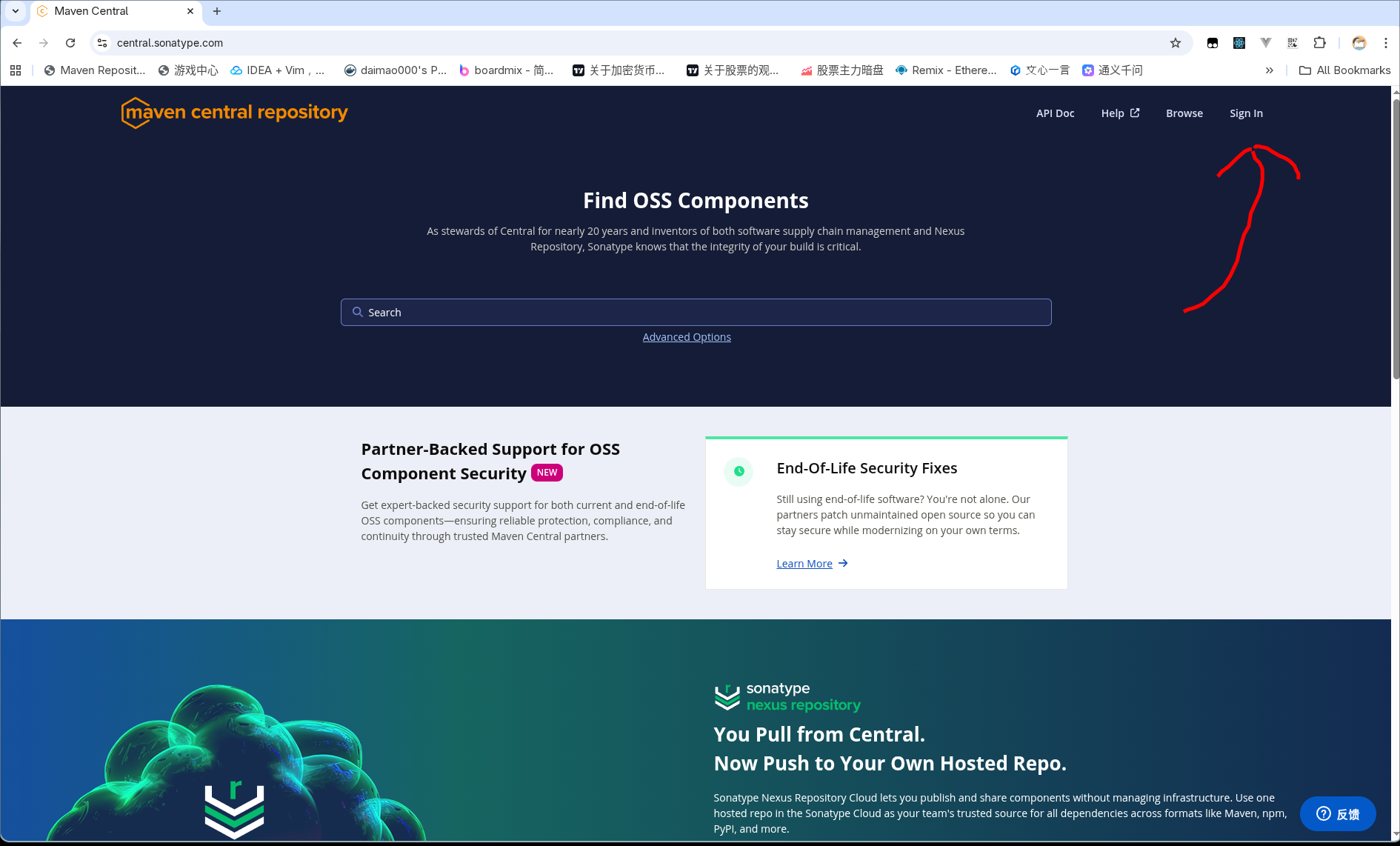
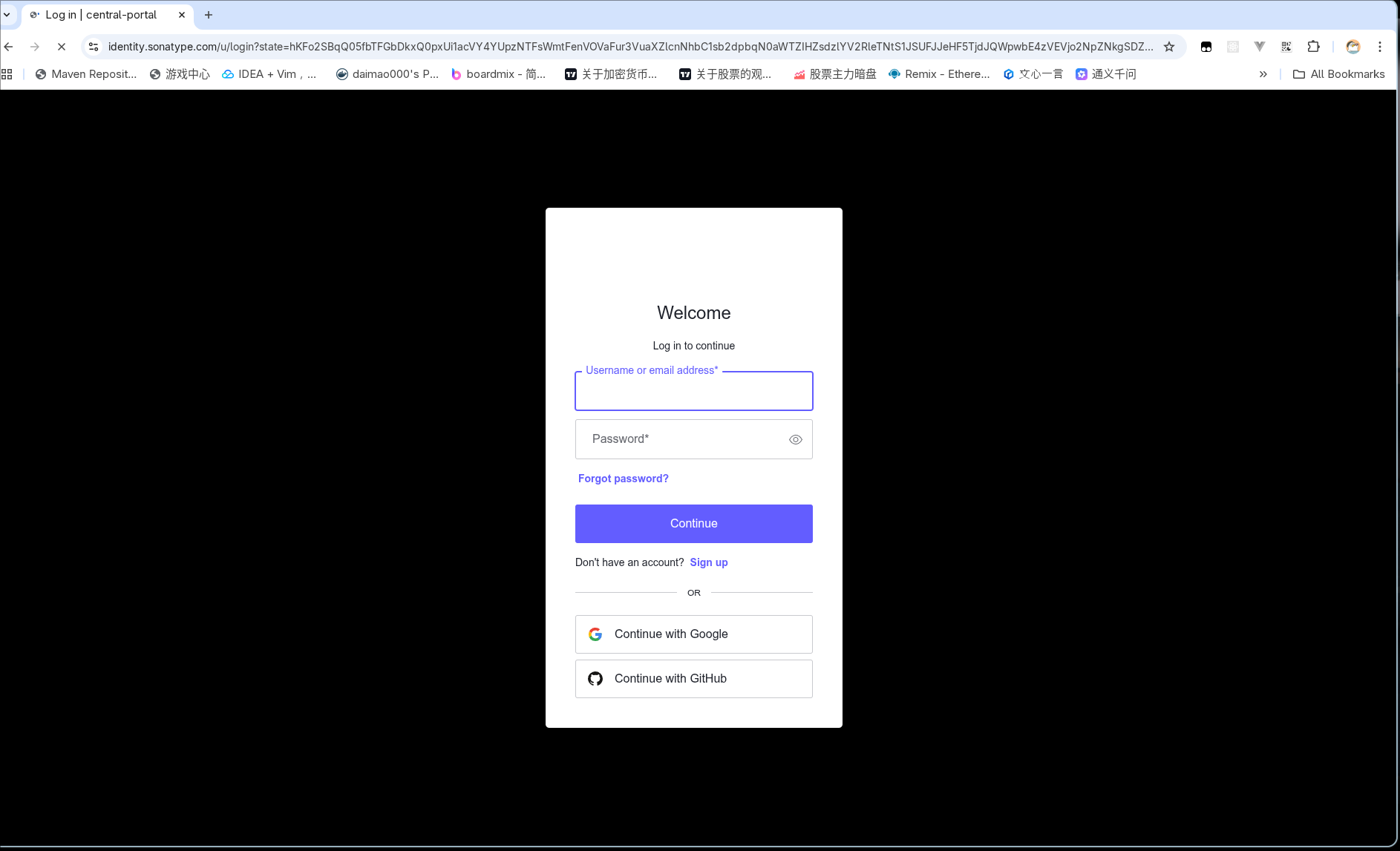
二、新建命名空间
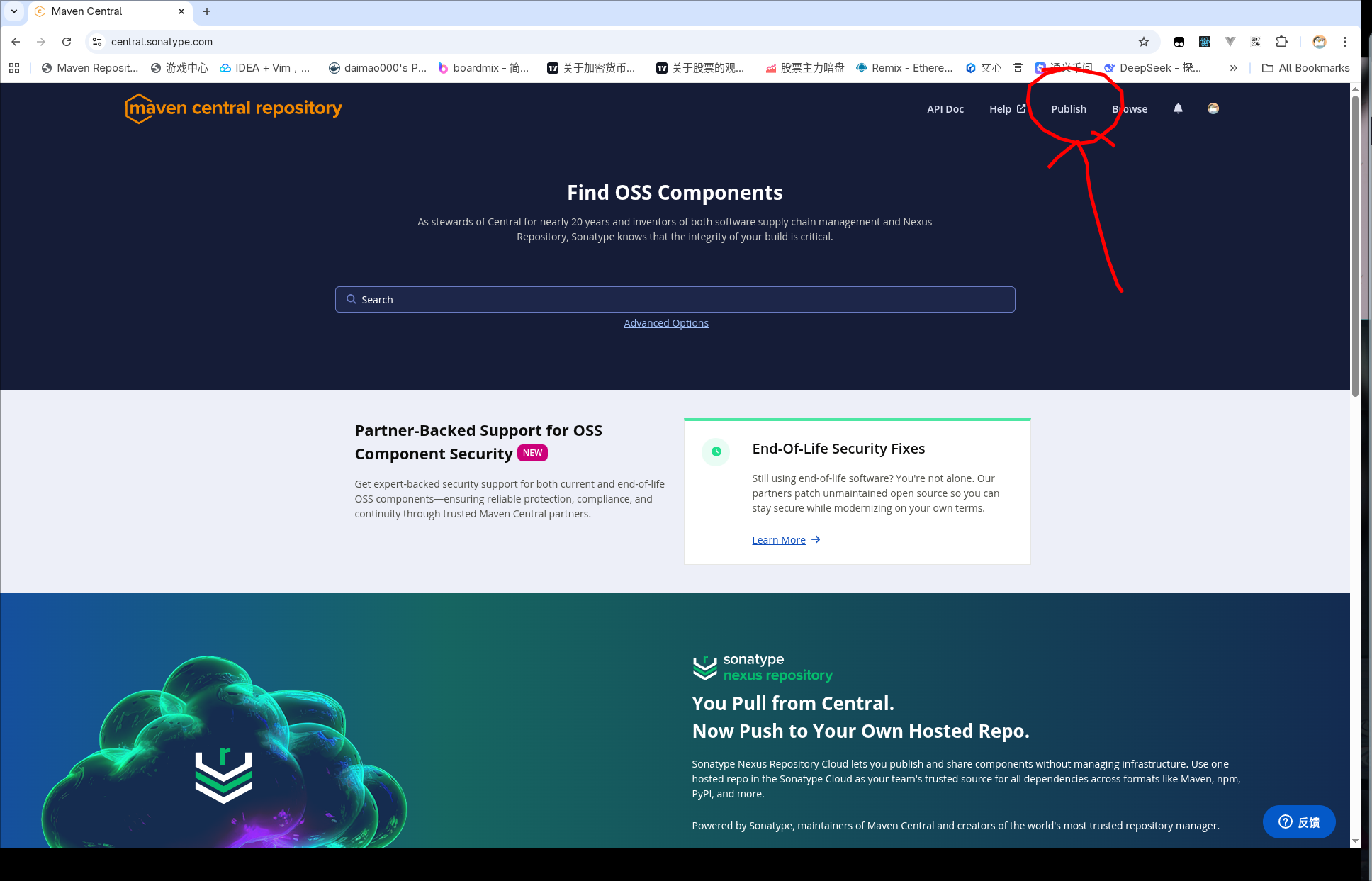
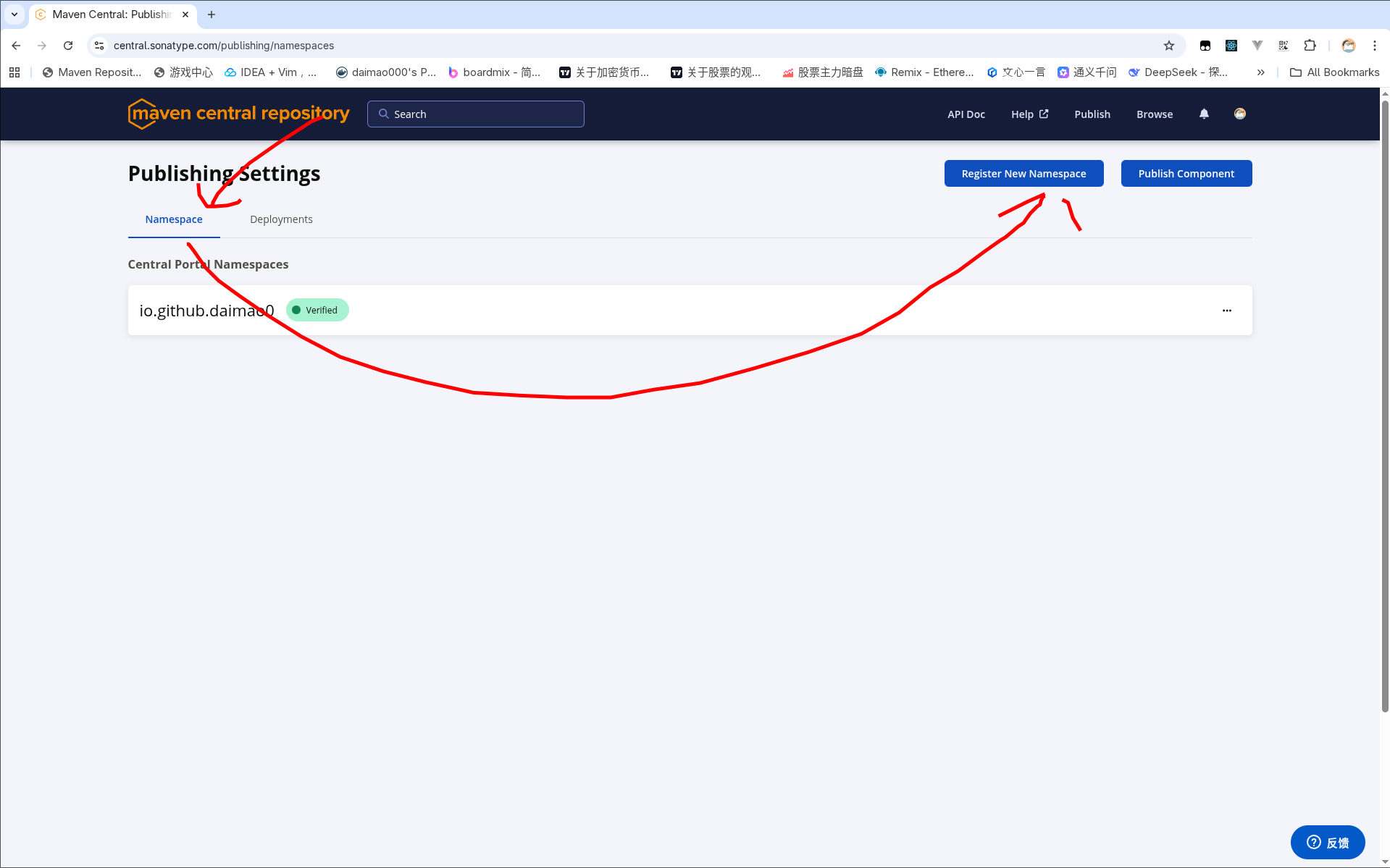
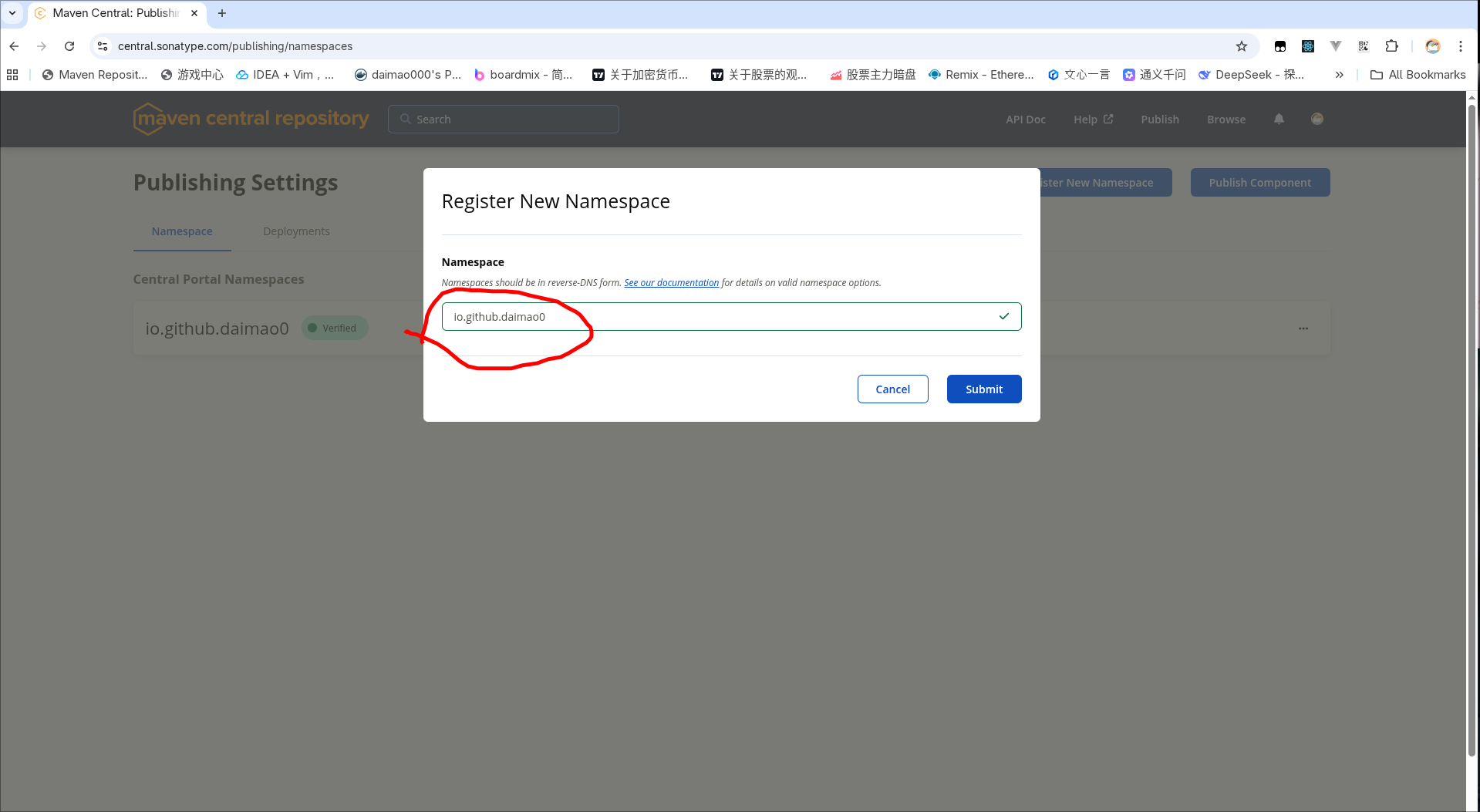
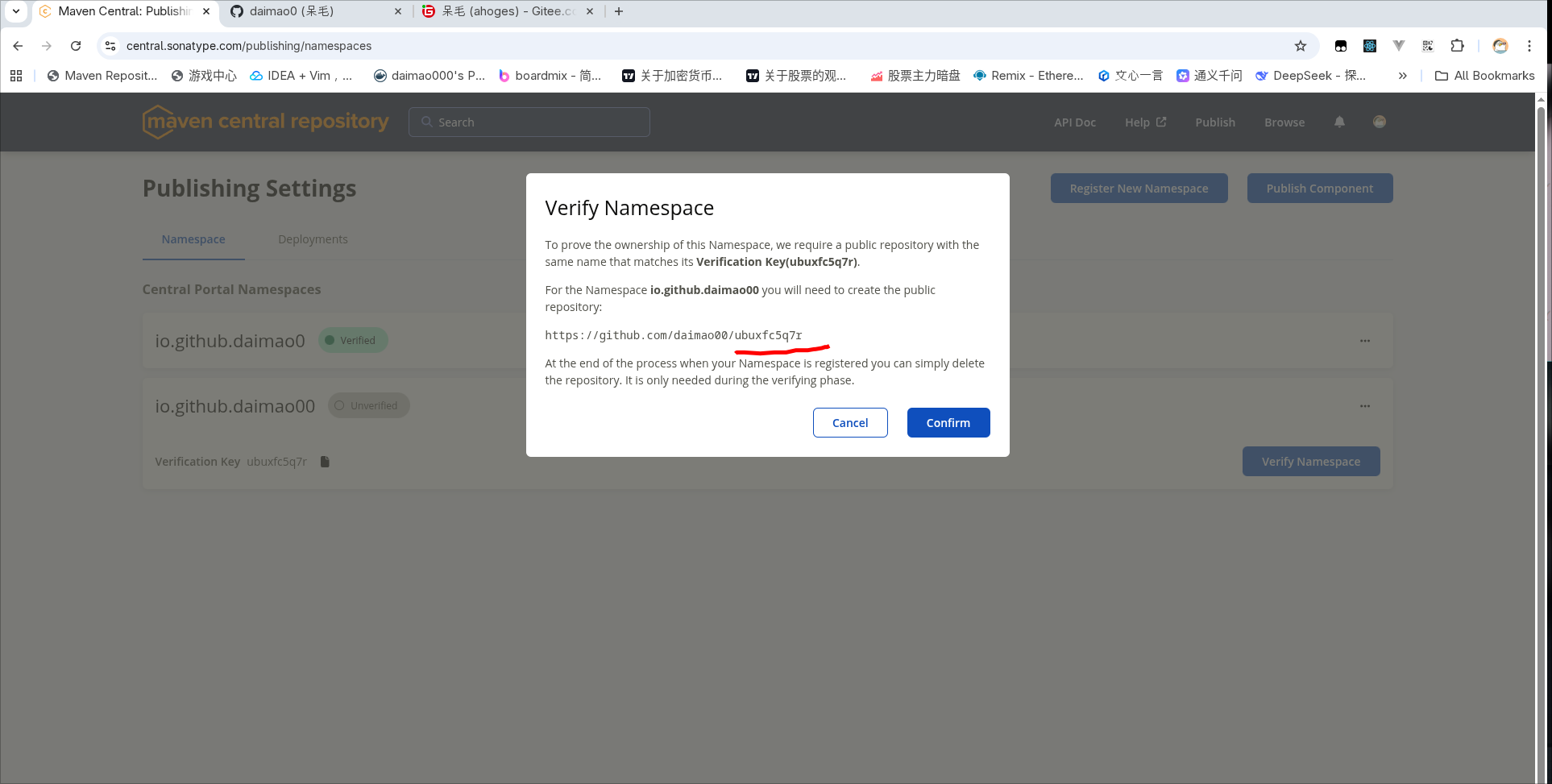
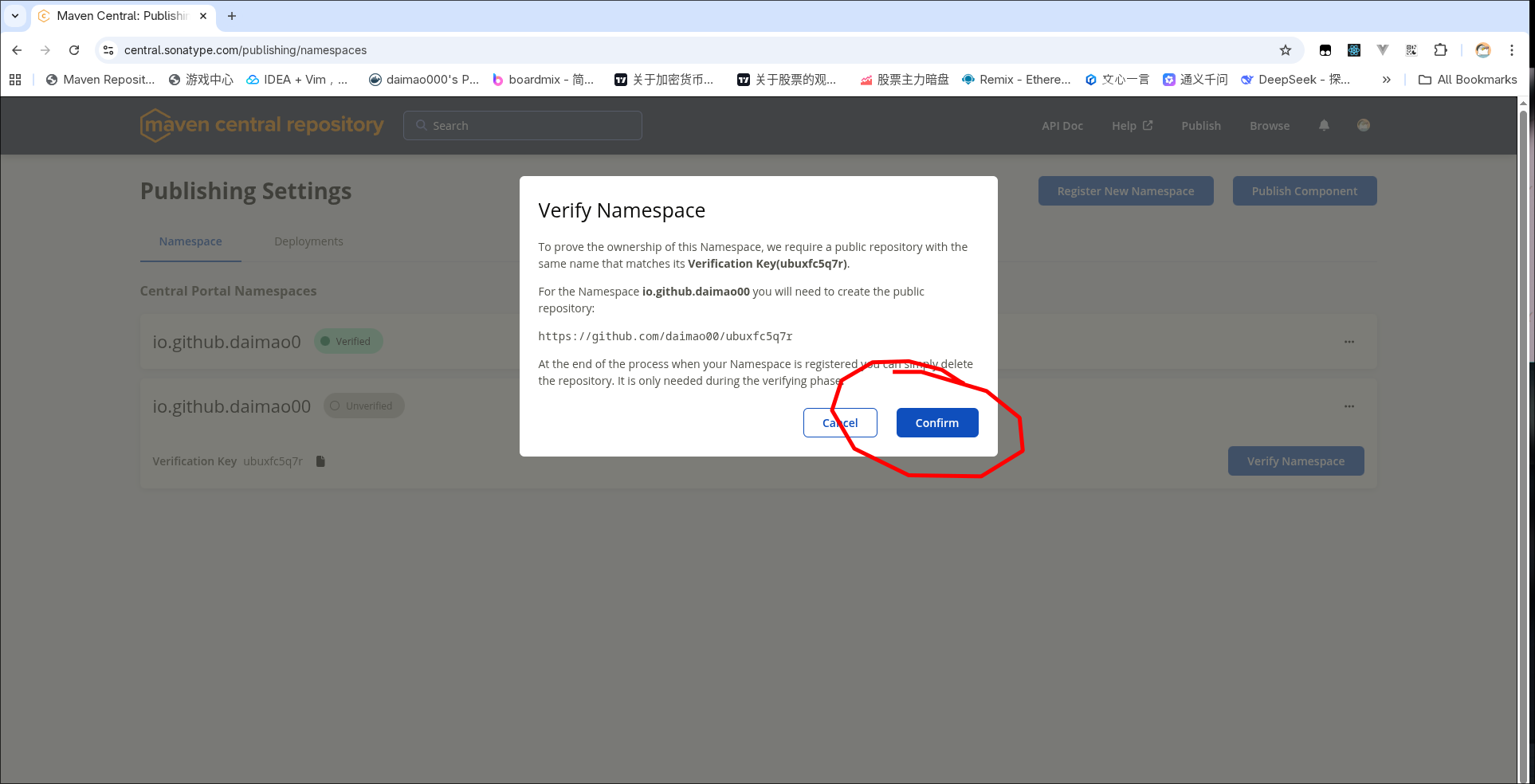
这里的命名空间需要填写github的用户名因为我的用户名是daimao0,所以命名空间填io.github.daimao0
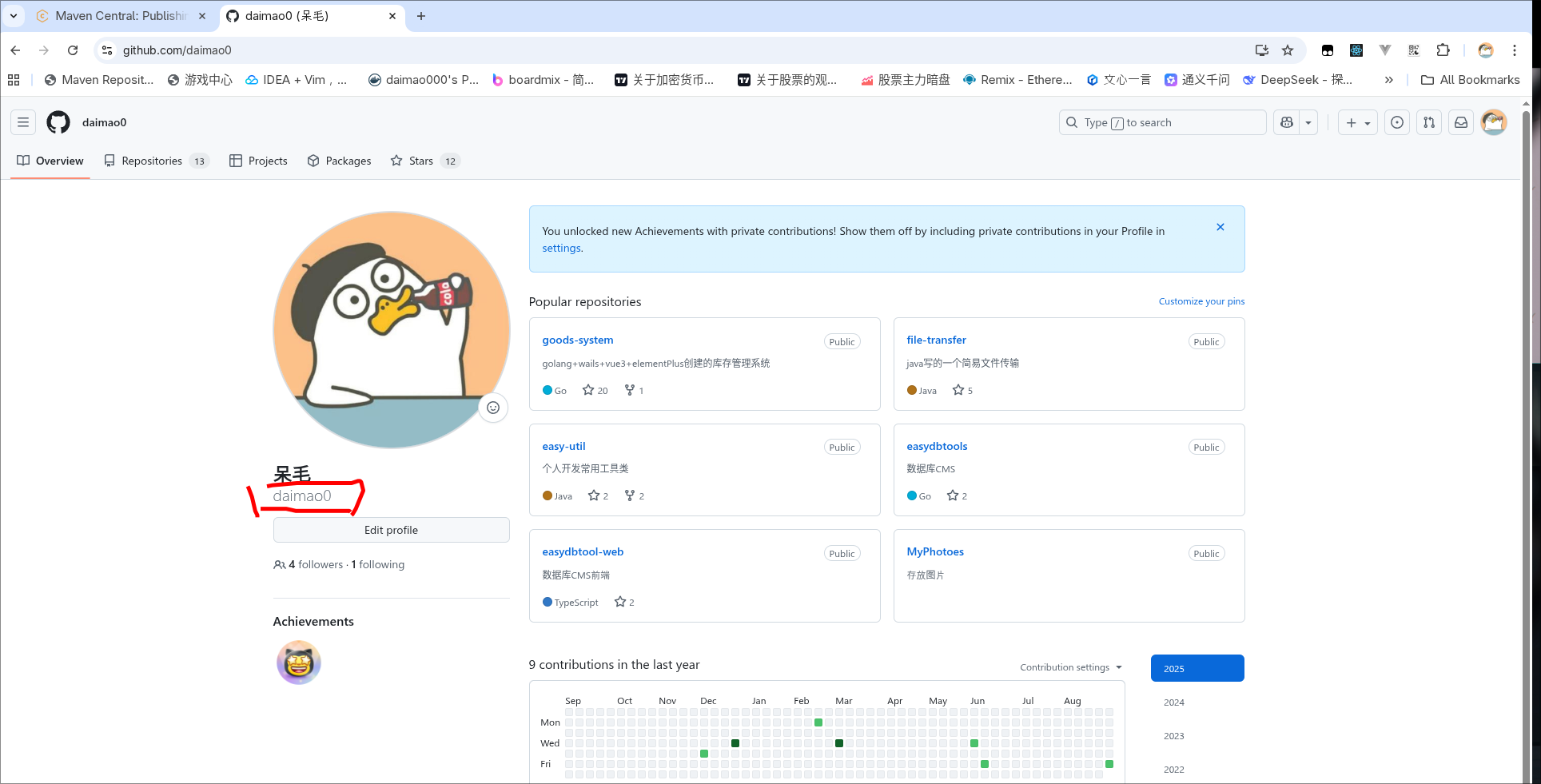
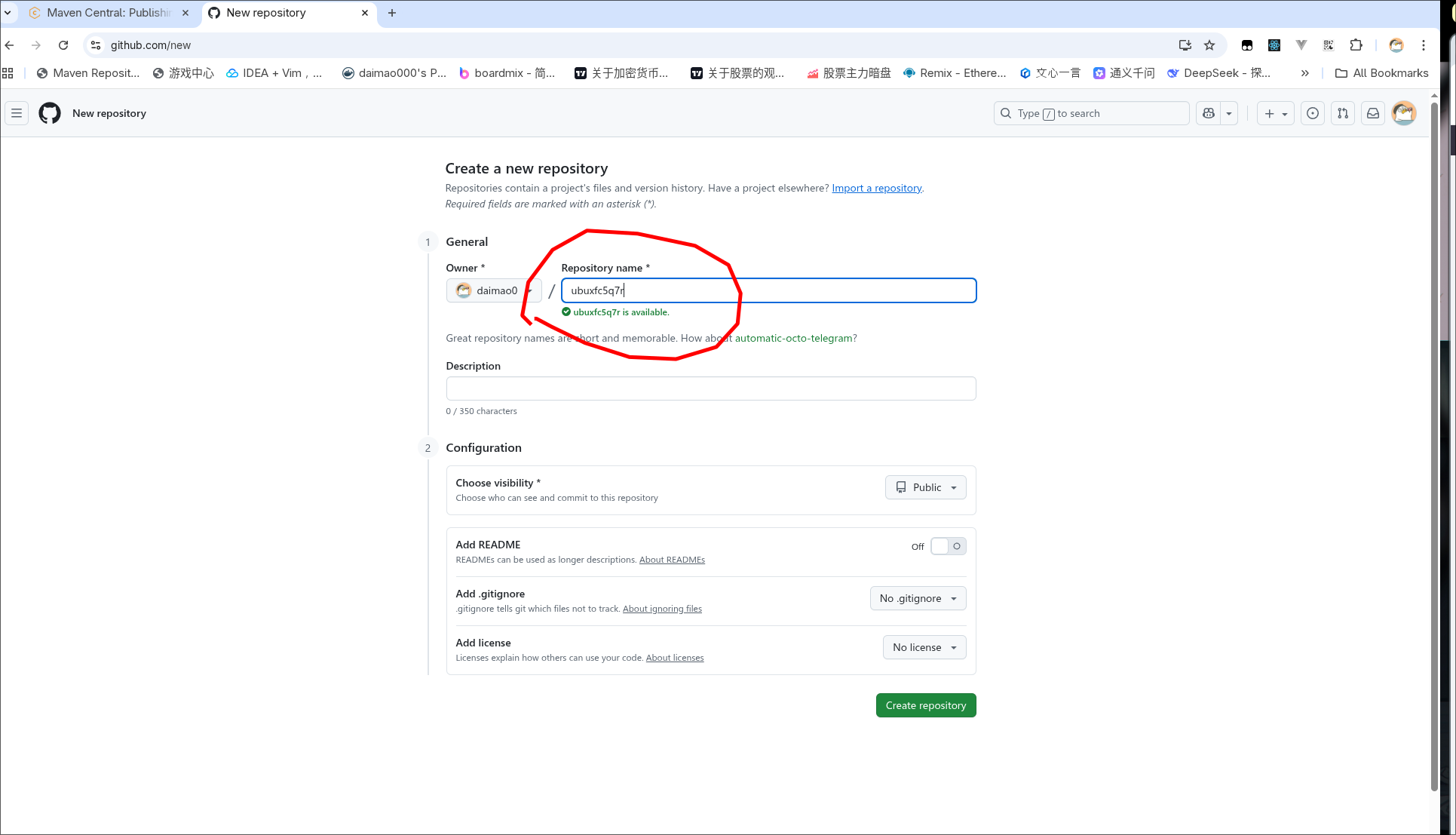
这里要求你建一个名为ubuxfc5q7r的公共项目,先创建项目在点confrim
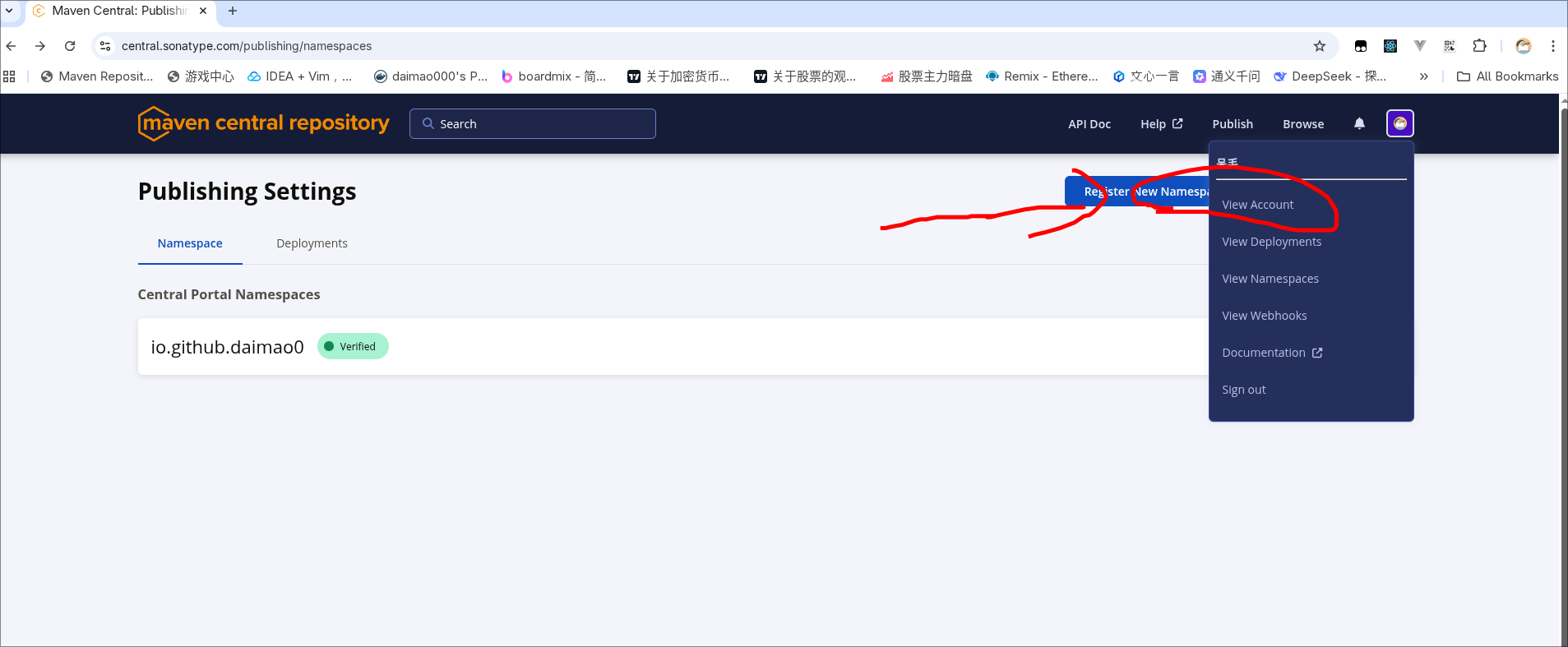
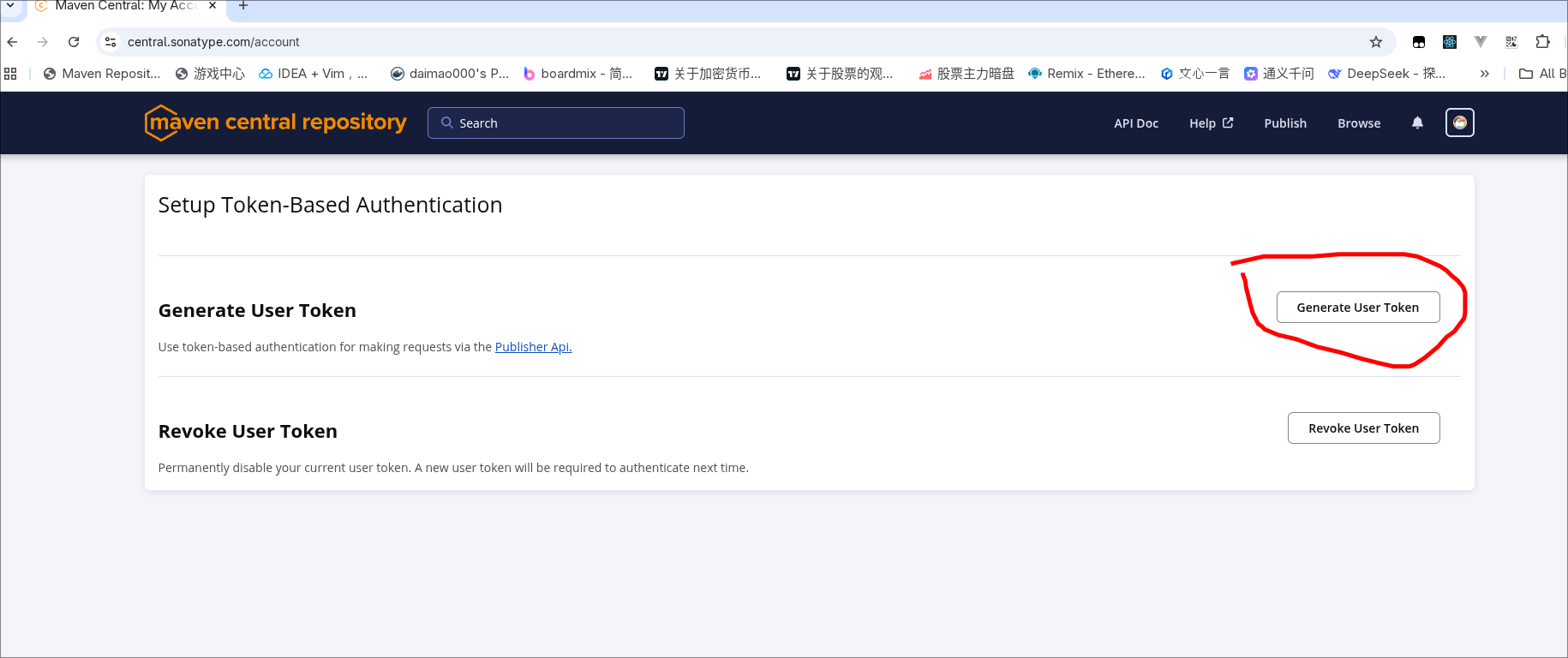
三、创建PUSH的账号密码
四、GPG准备
GPG 用于创建asc文件用于验证你的文件的正确性和安全性,我们直接去官网下载:
https://gnupg.org/download/index.html
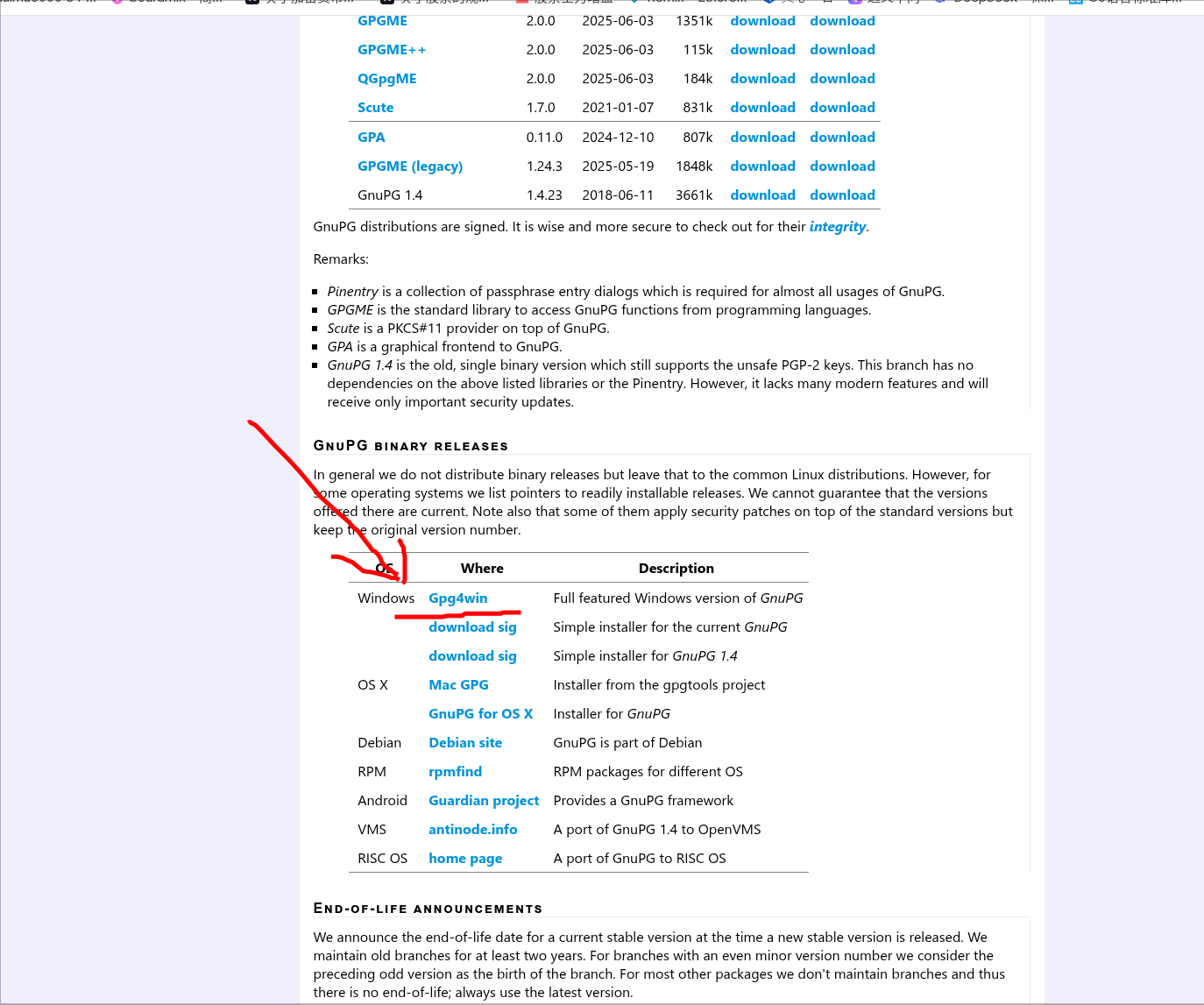
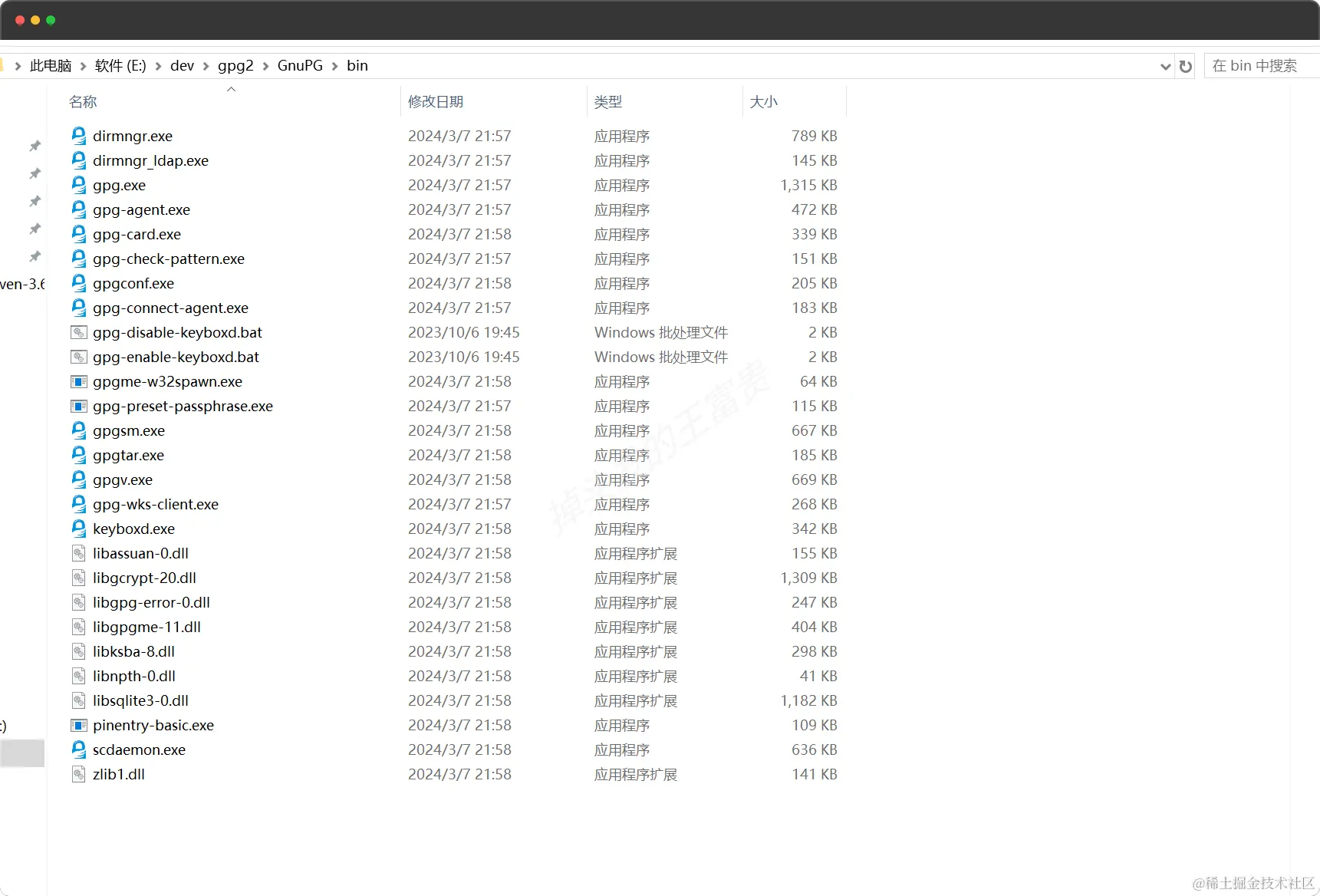
用于我是arch-linux, linux系统一般自带gpg
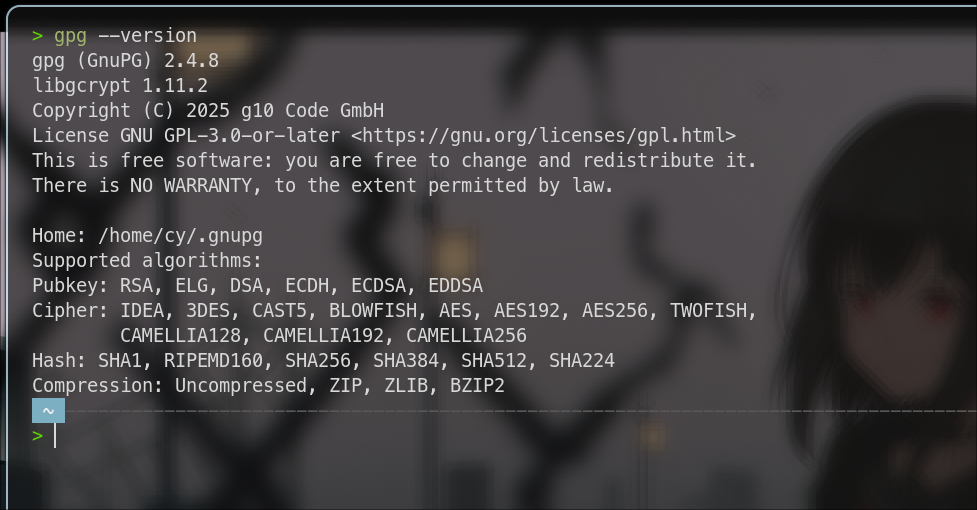
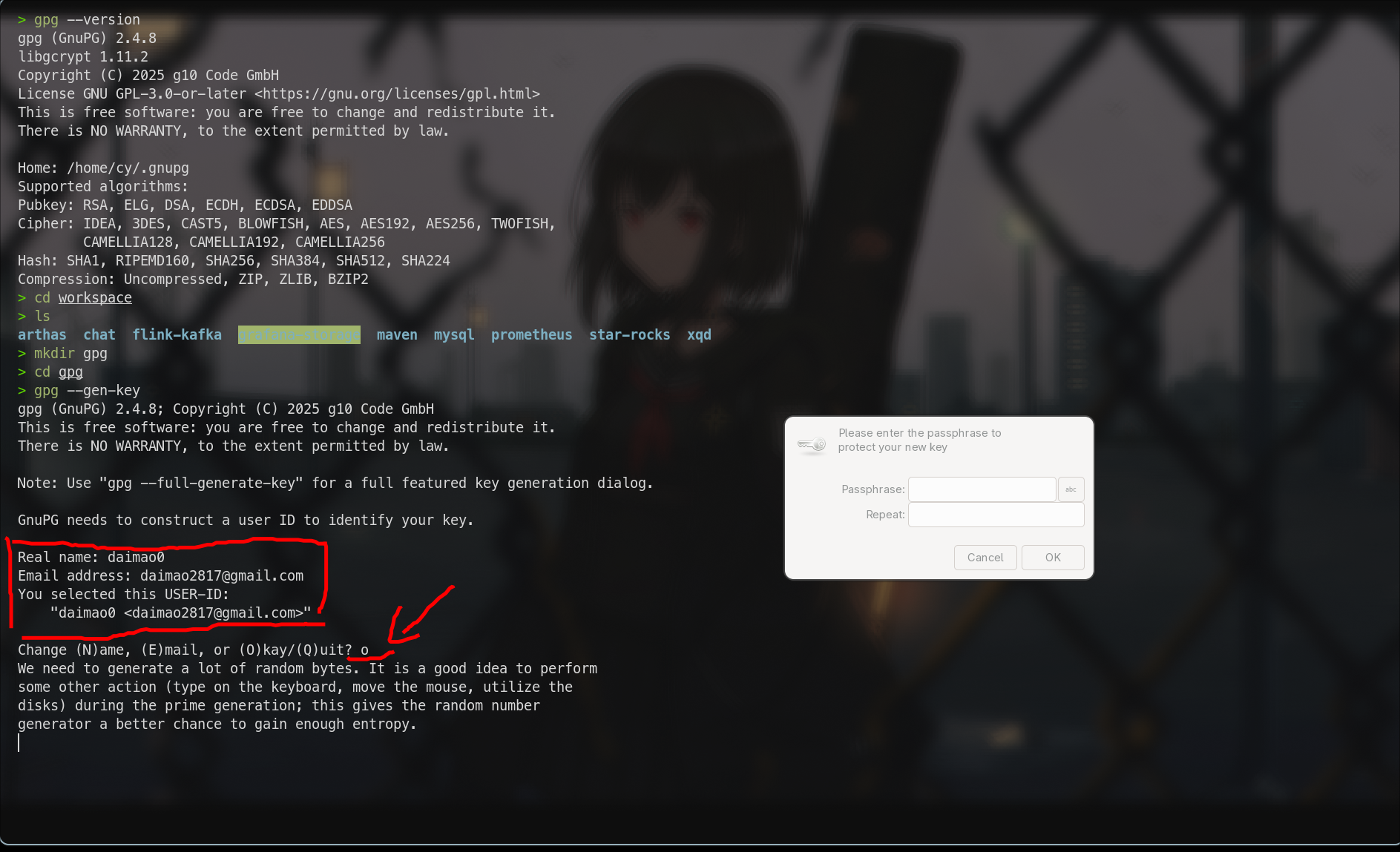
输入两遍密码
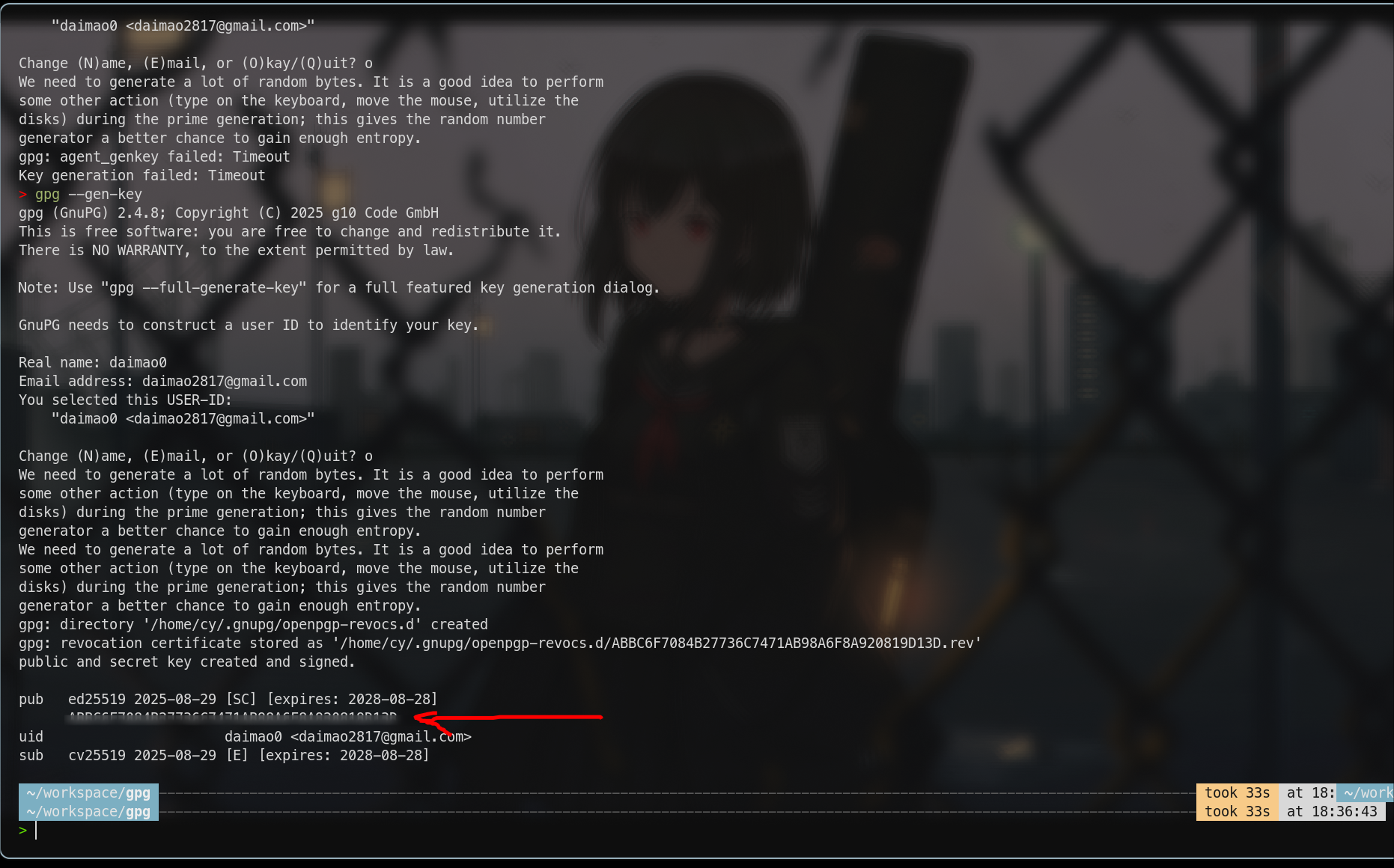
这里的密钥发布到keyserver.ubuntu.com服务器上,把你的密钥替换掉 4CB3D9314CD5F1277582A11F4ADBA3851D627E38
备用地址:
text
keyserver.ubuntu.com
keys.openpgp.org pgp.mit.edu
bash
gpg --keyserver keyserver.ubuntu.com --send-keys 4CB3D9314CD5F1277582A11F4ADBA3851D627E38
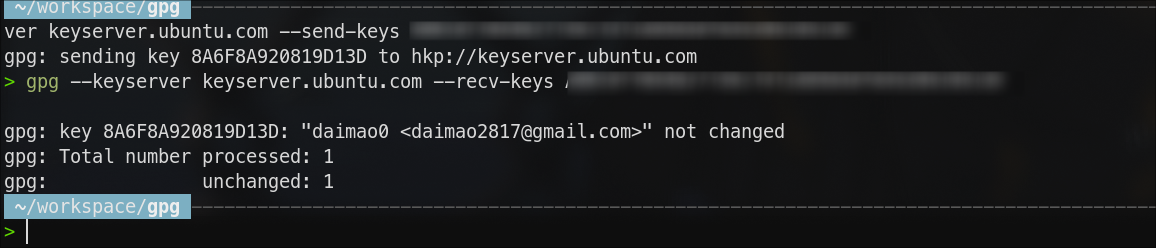
验证密钥
如果出现了下面的内容说明发布成功
五、发布jar包
完整pom示例
xml
<?xml version="1.0" encoding="UTF-8"?>
<project xmlns="http://maven.apache.org/POM/4.0.0"
         xmlns:xsi="http://www.w3.org/2001/XMLSchema-instance"
         xsi:schemaLocation="http://maven.apache.org/POM/4.0.0 http://maven.apache.org/xsd/maven-4.0.0.xsd">
    <modelVersion>4.0.0</modelVersion>

    <groupId>io.github.daimao0</groupId>
    <artifactId>easy-http</artifactId>
    <version>1.0.0</version>
    <name>easy-http</name>
    <description>A simple and easy-to-use HTTP client library for Java</description> <!-- 项目描述 -->
    <url>https://github.com/daimao0/easy-http</url> <!-- 项目URL -->

    <properties>
        <maven.compiler.source>1.8</maven.compiler.source>
        <maven.compiler.target>1.8</maven.compiler.target>
        <project.build.sourceEncoding>UTF-8</project.build.sourceEncoding>
    </properties>

    <dependencies>
        <dependency>
            <groupId>com.squareup.okhttp3</groupId>
            <artifactId>okhttp</artifactId>
            <version>4.12.0</version>
        </dependency>
        <dependency>
            <groupId>com.fasterxml.jackson.core</groupId>
            <artifactId>jackson-databind</artifactId>
            <version>2.19.2</version>
        </dependency>
    </dependencies>


    <licenses>
        <license>
            <name>The Apache Software License, Version 2.0</name>
            <url>http://www.apache.org/licenses/LICENSE-2.0.txt</url>
        </license>
    </licenses>

    <developers>
        <developer>
            <name>daimao0</name>
            <email>daimao2817@gmail.com</email>
        </developer>
    </developers>

    <scm>
        <url>https://github.com/daimao0/easy-http</url>
        <connection>scm:git:https://github.com/daimao0/easy-http.git</connection>
        <developerConnection>scm:git:ssh://git@github.com/daimao0/easy-http.git</developerConnection>
    </scm>

    <profiles>
        <profile>
            <id>ossrh</id>
            <build>
                <plugins>
                    <!--   central发布插件    -->
                    <plugin>
                        <groupId>org.sonatype.central</groupId>
                        <artifactId>central-publishing-maven-plugin</artifactId>
                        <version>0.5.0</version>
                        <extensions>true</extensions>
                        <configuration>
                            <publishingServerId>ossrh</publishingServerId>
                            <tokenAuth>true</tokenAuth>
                        </configuration>
                    </plugin>
                    <!--   source源码插件 -->
                    <plugin>
                        <groupId>org.apache.maven.plugins</groupId>
                        <artifactId>maven-source-plugin</artifactId>
                        <version>3.3.1</version>
                        <executions>
                            <execution>
                                <id>attach-sources</id>
                                <goals>
                                    <goal>jar-no-fork</goal>
                                </goals>
                            </execution>
                        </executions>
                    </plugin>
                    <!--   javadoc插件 -->
                    <plugin>
                        <groupId>org.apache.maven.plugins</groupId>
                        <artifactId>maven-javadoc-plugin</artifactId>
                        <version>3.10.0</version>
                        <executions>
                            <execution>
                                <id>attach-javadocs</id>
                                <goals>
                                    <goal>jar</goal>
                                </goals>
                            </execution>
                        </executions>
                    </plugin>
                    <plugin>
                        <groupId>org.apache.maven.plugins</groupId>
                        <artifactId>maven-gpg-plugin</artifactId>
                        <version>3.2.5</version>
                        <executions>
                            <execution>
                                <id>sign-artifacts</id>
                                <phase>verify</phase>
                                <goals>
                                    <goal>sign</goal>
                                </goals>
                            </execution>
                        </executions>
                    </plugin>

                </plugins>
            </build>
        </profile>
    </profiles>
</project>
pom注意点
下面的配置必须都有
xml
    <groupId>io.github.daimao0</groupId>
    <artifactId>easy-http</artifactId>
    <version>1.0.0</version>
    <name>easy-http</name>
    <description>A simple and easy-to-use HTTP client library for Java</description> <!-- 项目描述 -->
    <url>https://github.com/daimao0/easy-http</url> <!-- 项目URL -->

    <licenses>
        <license>
            <name>The Apache Software License, Version 2.0</name>
            <url>http://www.apache.org/licenses/LICENSE-2.0.txt</url>
        </license>
    </licenses>

    <developers>
        <developer>
        <!--   central发布插件 替换你自己的用户名和邮箱和pgp保持一致   -->
            <name>daimao0</name>
            <email>daimao2817@gmail.com</email>
        </developer>
    </developers>
 <!--   scm 改成你自己的项目地址  -->
    <scm>
        <url>https://github.com/daimao0/easy-http</url>
        <connection>scm:git:https://github.com/daimao0/easy-http.git</connection>
        <developerConnection>scm:git:ssh://git@github.com/daimao0/easy-http.git</developerConnection>
    </scm>

    <profiles>
        <profile>
            <id>ossrh</id>
            <build>
                <plugins>
                    <!--   central发布插件    -->
                    <plugin>
                        <groupId>org.sonatype.central</groupId>
                        <artifactId>central-publishing-maven-plugin</artifactId>
                        <version>0.5.0</version>
                        <extensions>true</extensions>
                        <configuration>
                            <publishingServerId>ossrh</publishingServerId>
                            <tokenAuth>true</tokenAuth>
                        </configuration>
                    </plugin>
                    <!--   source源码插件 -->
                    <plugin>
                        <groupId>org.apache.maven.plugins</groupId>
                        <artifactId>maven-source-plugin</artifactId>
                        <version>3.3.1</version>
                        <executions>
                            <execution>
                                <id>attach-sources</id>
                                <goals>
                                    <goal>jar-no-fork</goal>
                                </goals>
                            </execution>
                        </executions>
                    </plugin>
                    <!--   javadoc插件 -->
                    <plugin>
                        <groupId>org.apache.maven.plugins</groupId>
                        <artifactId>maven-javadoc-plugin</artifactId>
                        <version>3.10.0</version>
                        <executions>
                            <execution>
                                <id>attach-javadocs</id>
                                <goals>
                                    <goal>jar</goal>
                                </goals>
                            </execution>
                        </executions>
                    </plugin>
                    <plugin>
                        <groupId>org.apache.maven.plugins</groupId>
                        <artifactId>maven-gpg-plugin</artifactId>
                        <version>3.2.5</version>
                        <executions>
                            <execution>
                                <id>sign-artifacts</id>
                                <phase>verify</phase>
                                <goals>
                                    <goal>sign</goal>
                                </goals>
                            </execution>
                        </executions>
                    </plugin>

                </plugins>
            </build>
        </profile>
    </profiles>
然后就是执行
mvn clean deploy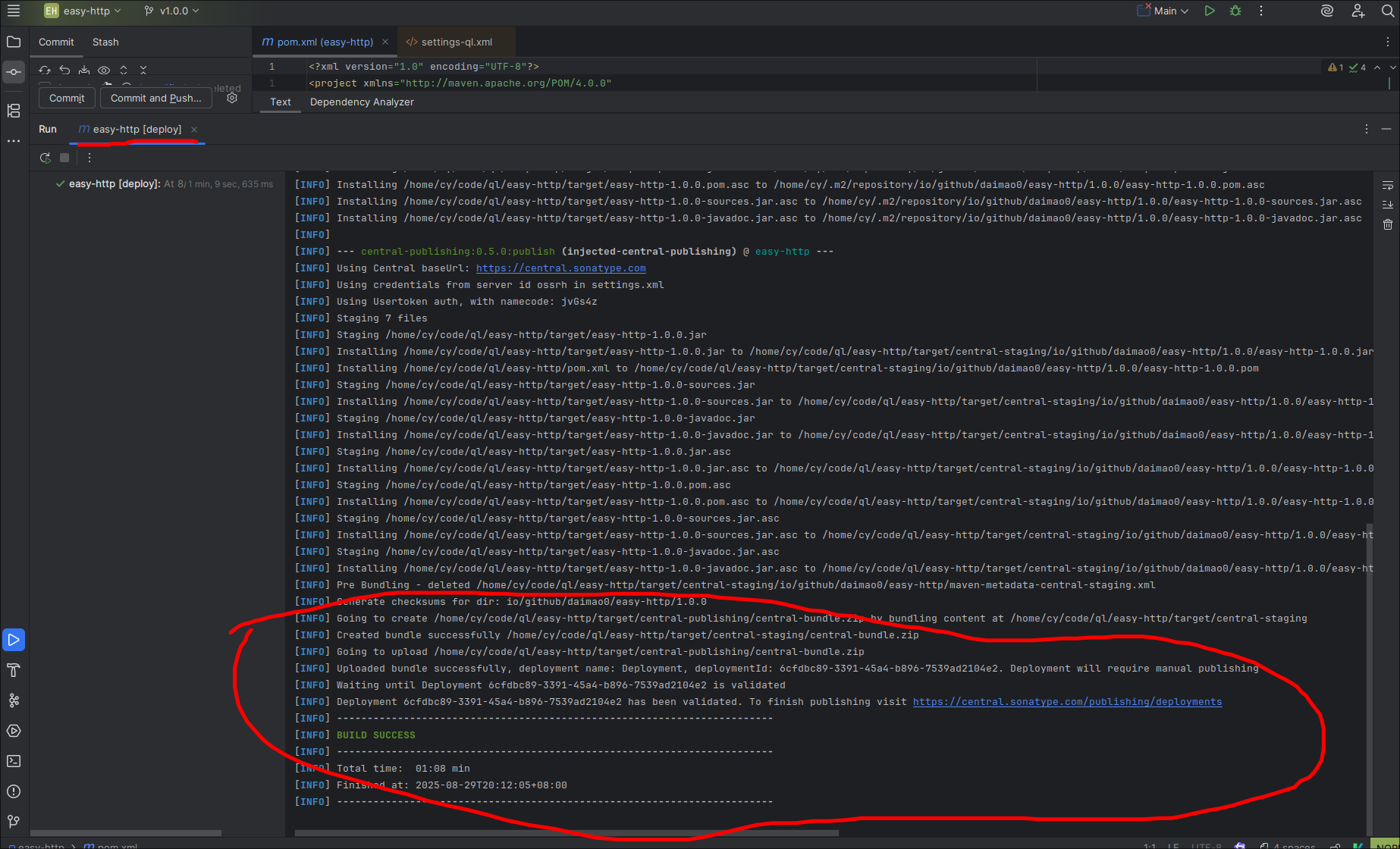
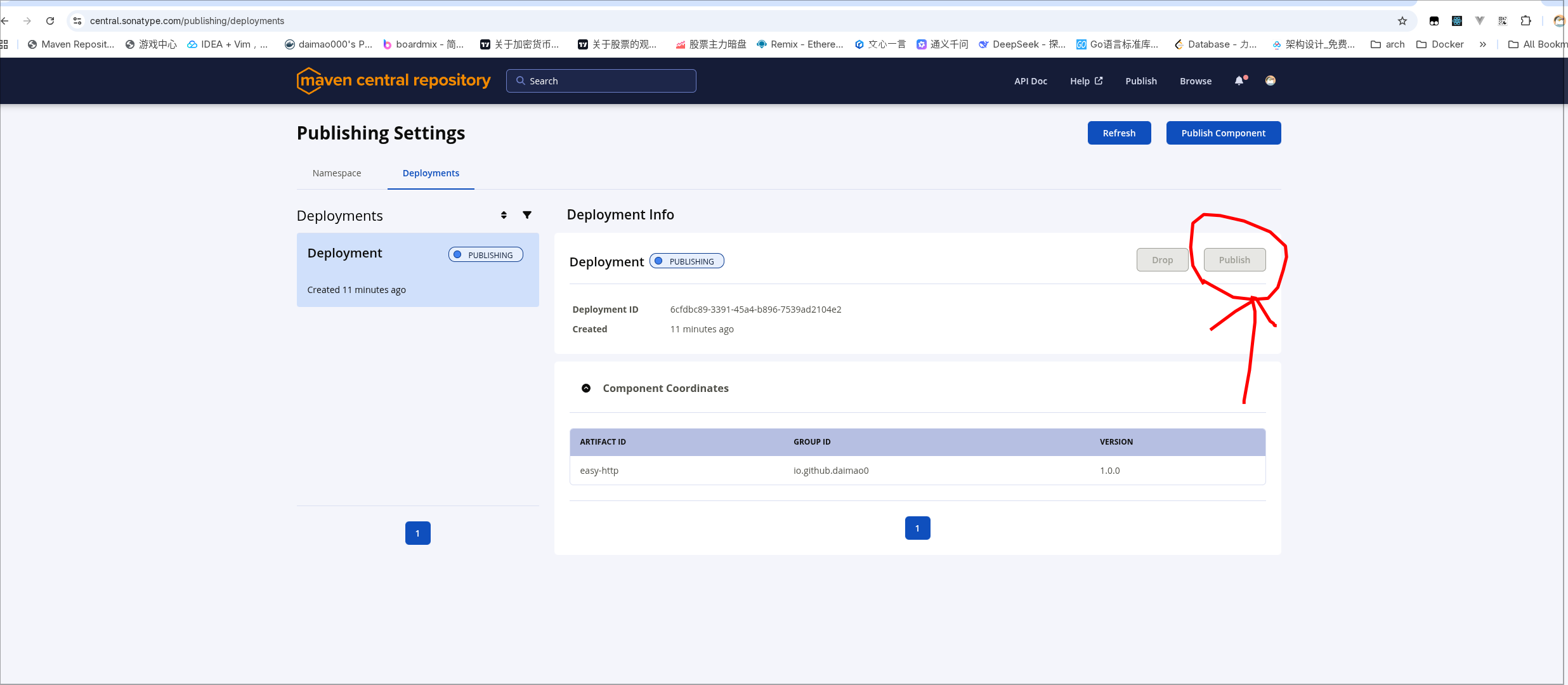
点一下发布之后就等待就好了