VSCODE开发一个代码规范的插件入门
背景介绍
1.eslint、prettier、husky、lint-staged等代码规范的库,每次项目配置不全或者完全没有,就需要配置一遍,每次执行繁琐还总是忘记,所以特意写一个库用来批量安装这些依赖和添加对应配置。
2.同时学习一下VSCODE插件进行入门。
3.这只是针对Vue3项目的一个简单入门。
一、初始化插件项目
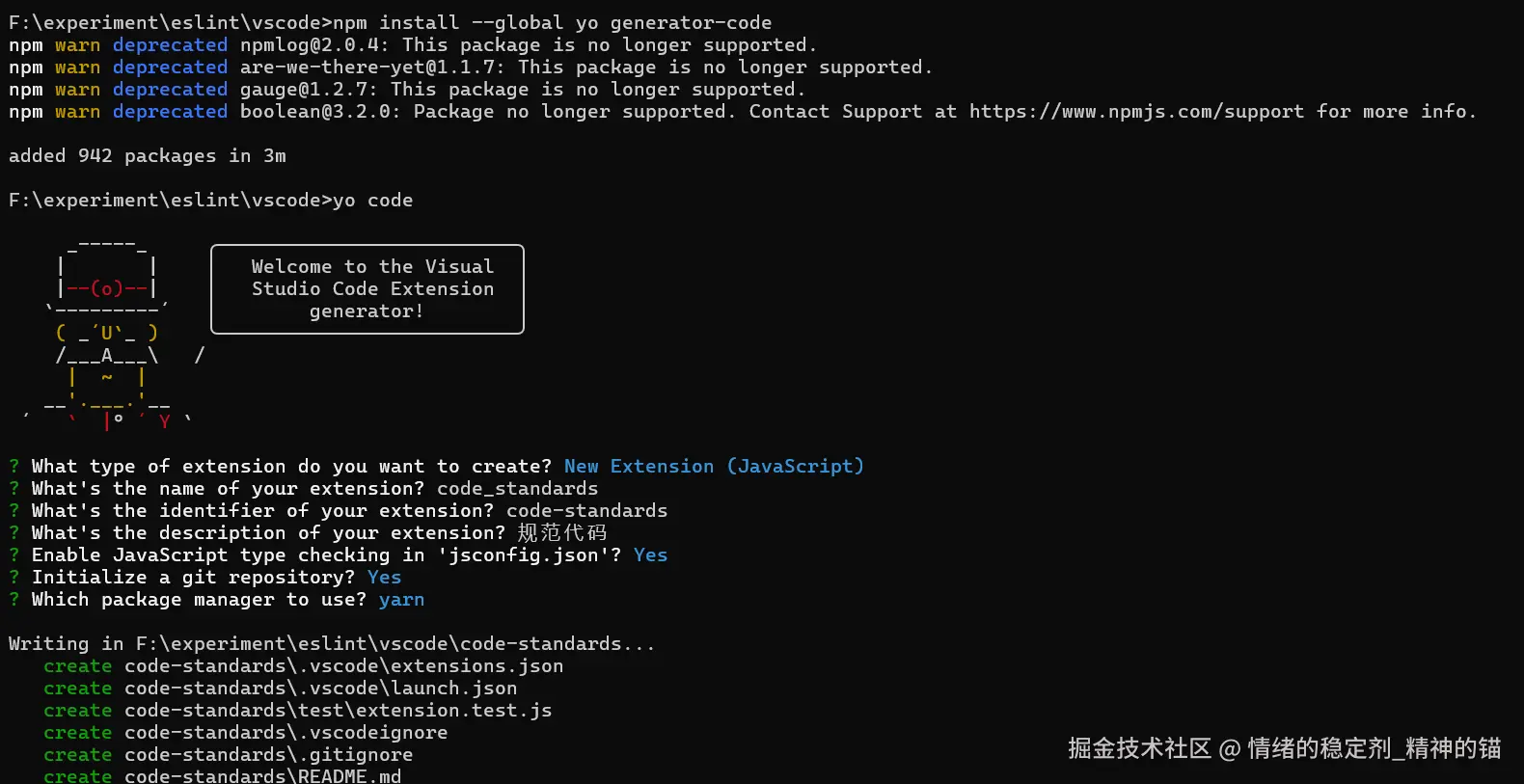
1.安装必要库,执行npm install --global yo generator-code
2.执行yo code,创建VSCODE的基本插件项目
二、尝试初始化项目是否可以运行
使用vSCODE打开创建的项目
按下F5,VSCODE插件开始启动,在弹出的VSCODE上,按下Ctrl+Shift+P,在上面搜索helloWorld这个命令结果发现搜索不到
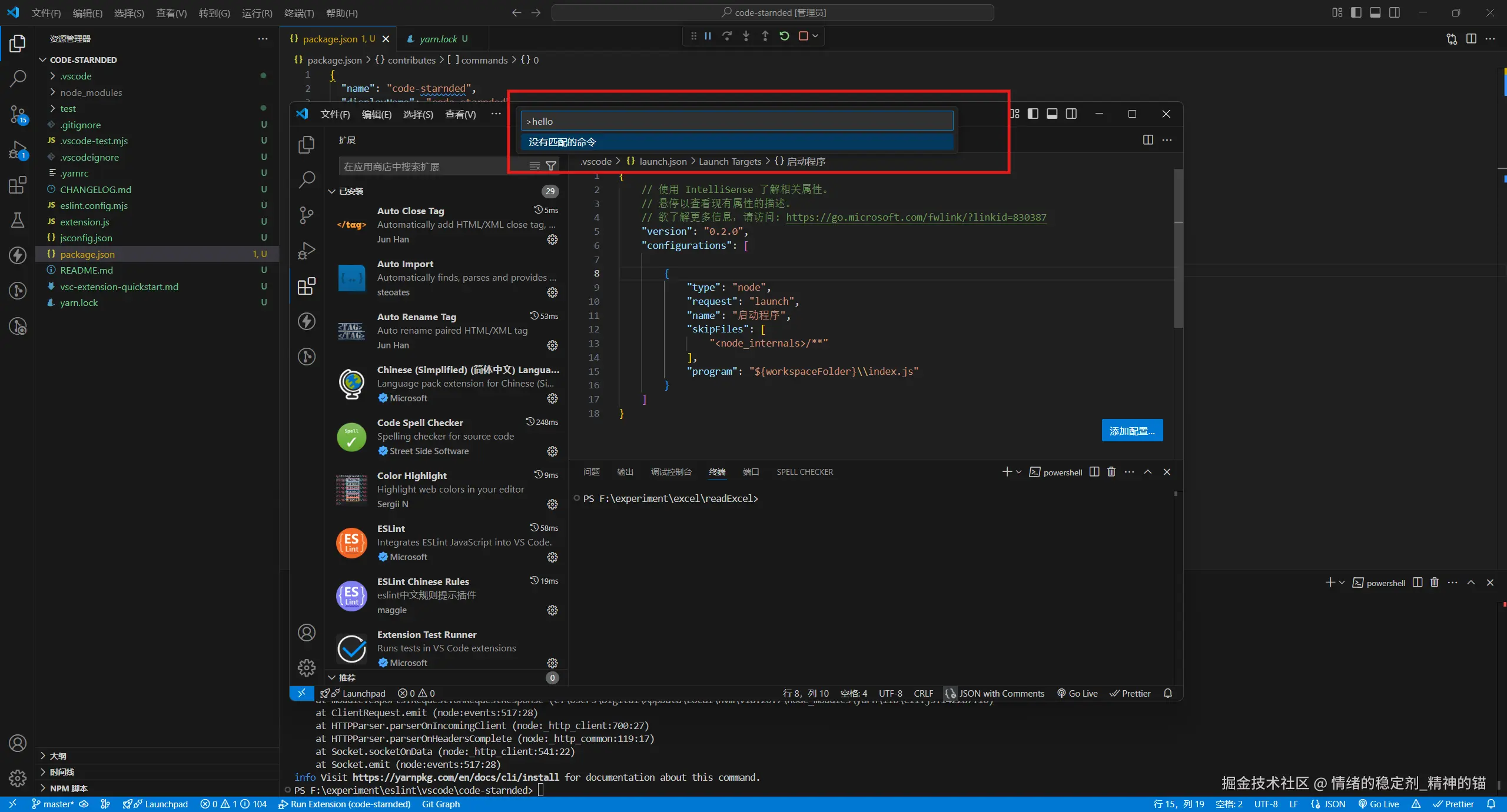
然后查找官网,官网提示说如果出现这种情况一般是package.json中vscode的版本和当前安装版本不一致;排查发现当前安装的vscode版本为1.100.3但是项目中的vscode版本为^1.103.0;然后修改如下:
json
{
  "name": "code-standard",
  "displayName": "code_standard",
  "description": "guifandaima",
  "version": "0.0.1",
  "engines": {
    "vscode": "^1.100.3"
  },
  "categories": [
    "Other"
  ],
  "activationEvents": [],
  "main": "./extension.js",
  "contributes": {
    "commands": [{
      "command": "code-standard.helloWorld",
      "title": "Hello World"
    }]
  },
  "scripts": {
    "lint": "eslint .",
    "pretest": "yarn run lint",
    "test": "vscode-test"
  },
  "devDependencies": {
    "@types/vscode": "^1.100.3",
    "@types/mocha": "^10.0.10",
    "@types/node": "22.x",
    "eslint": "^9.32.0",
    "@vscode/test-cli": "^0.0.11",
    "@vscode/test-electron": "^2.5.2"
  }
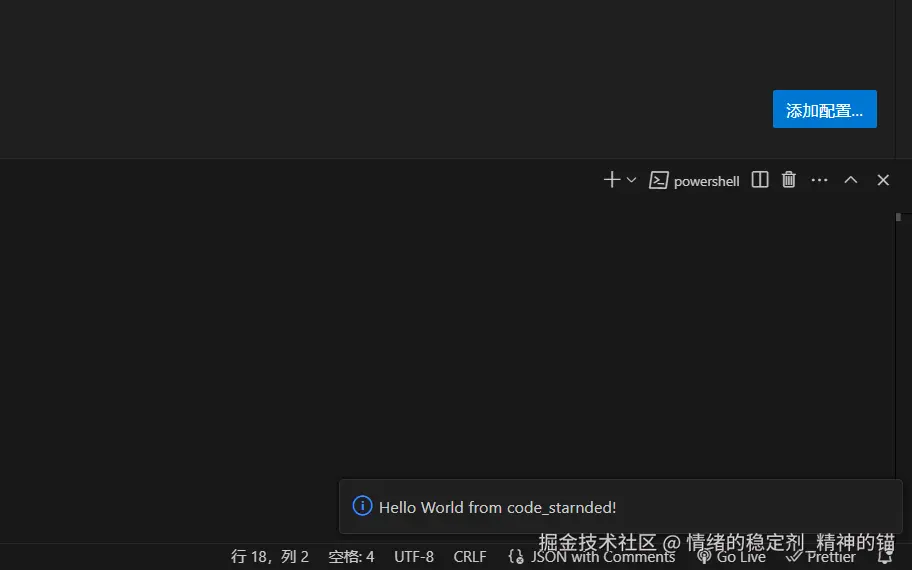
}关闭原来的调试进程,点击停止按钮或者Shift+F5;然后重新启动,再次执行helloWorld发现下面有了提示:
3.修改触发指令helloWorld为codeVerification,需要同时修改两个文件extension.js和package.json,修改如下
js
// extension.js
const vscode = require('vscode');

function activate(context) {
const disposable = vscode.commands.registerCommand('code-standard.codeVerification', function () { // 这里修改指令名称

		vscode.window.showInformationMessage('Hello World from code_standard!');
	});

	context.subscriptions.push(disposable);
}

function deactivate() {}
module.exports = {
	activate,
	deactivate
}
json
// package.json
{
  "contributes": {
    "commands": [{
      "command": "code-standard.codeVerification",
      "title": "添加代码规范检查功能"
    }]
  },
}修改成功后重新启动调试环境,按下Ctrl+Shift+P,在上面搜索codeVerification这个命令或者搜索title的值添加代码规范检查功能都能搜到这个命令,执行后和上面一样会出现提示。
二、改造项目从CommonJS (CJS)语法改造为ES Module (ESM) 修改后如下
js
// extension.js
import * as vscode from 'vscode'
export function activate(context) {

	console.log('我的代码规范组件激活了');

	const disposable = vscode.commands.registerCommand('code-standard.codeVerification', function () {

		vscode.window.showInformationMessage('Hello World from code_starnded!');
	});

	context.subscriptions.push(disposable);
}
export function deactivate() {}其中的package.json添加type为module 至此改造成功,可以重新启动测试组件能够正常运行了。
三、编写插件代码
js
// extension.js

// The module 'vscode' contains the VS Code extensibility API
// Import the module and reference it with the alias vscode in your code below
/* const vscode = require('vscode'); */

import * as vscode from "vscode";
import * as fs from "fs";
import * as path from "path";
import { spawn } from "child_process";
import {
  eslintConfig,
  prettierrcConfig,
  commitConfig,
  prettierrcIgnore,
  czConfig,
  commitMsg,
  preCommit,
} from "./config.js";

function getPackageManager(rootPath) {
  if (fs.existsSync(path.join(rootPath, "pnpm-lock.yaml"))) {
    return "pnpm";
  }
  if (fs.existsSync(path.join(rootPath, "yarn.lock"))) {
    return "yarn";
  }

  // 如果不存在package-lock.json说明项目是刚初始化,还没有选定包管理工具
  if (!fs.existsSync(path.join(rootPath, "package-lock.json"))) {
    return "yarn";
  }
  return "npm";
}

/**
 * @description 查找当前是否缺少必要的安装包;没有则开始安装
 * @param {*} options
 * @param {Array} options.pkgs 需要安装的包
 * @param {Object} options.deps 开发依赖对象
 * @param {String} options.packageManager 包管理工具
 */
function installIfMissing(options) {
  const { pkgs, deps, packageManager, rootPath } = options;
  const notInstallPkg = pkgs.filter((pkg) => {
    const name = pkg.startsWith("@") ? pkg : pkg.split("@")[0];
    return !deps[name];
  });
   return new Promise((resolve, reject) => {

  if (notInstallPkg.length > 0) {
    const terminal = vscode.window.createTerminal({
      name: `npm install`,
      cwd: rootPath,
    });

     terminal.sendText(
      `"执行如下命令: ${packageManager} -D ${notInstallPkg.join(" ")} " \n`,false
    );


    terminal.show();
    const args =
      packageManager === "npm"
        ? ["install", "-D", ...pkgs]
        : packageManager === "yarn"
        ? ["add", "-D", ...pkgs]
        : ["add", "-D", ...pkgs];

    const child = spawn(packageManager, args, {
      shell: true,
       encoding: 'utf8',
       cwd:rootPath
    });

    child.stderr.on("data", (data) => {
      terminal.sendText(`"安装中的信息: ${data.toString()}"`, false);
    });


    child.on("close", (code) => {
      if (code !== 0) {

        vscode.window.showErrorMessage(`安装失败:${code}`);
         reject();
         return
      } else {
        vscode.window.showInformationMessage(`安装成功`);
      }
      addPackageConfig(rootPath);
      const husky = spawn("yarn", ["add","-D","husky"], {
        cwd: rootPath,
        shell:true,
         encoding: 'utf8',
      });

      husky.stderr.on("data", (data) => {
        terminal.sendText(`husky 安装中的信息: "${data.toString()}"`, false);
      });
      husky.on("close", (huskyCode) => {
        if (huskyCode === 0) {
           resolve();
          vscode.window.showWarningMessage("husky 初始化成功");
          let huskyPath = path.join(rootPath, ".husky");
          // addPathIfNotExist(huskyPath);
          addConfigFileIfNotExist(huskyPath, "commit-msg", commitMsg);
          addConfigFileIfNotExist(huskyPath, "pre-commit", preCommit);
        } else {
          vscode.window.showErrorMessage("husky 初始化失败");
          reject();
        }
      });
    });


    terminal.hide();
  }

   });
}

/**
 * @description 查找当前工作区是否有对应的插件推荐,没有则添加
 * @param {String} rootPath 工作区绝对地址
 */
async function addPluginRecommend(rootPath) {
  const pluginJsonConfig = path.join(rootPath, ".vscode/extensions.json");
  let json = { recommendations: [] };
  if (fs.existsSync(pluginJsonConfig)) {
    json = JSON.parse(fs.readFileSync(pluginJsonConfig, "utf-8"));
    const recommendations = json.recommendations;
    if (Array.isArray(recommendations)) {
      if (!recommendations.includes("dbaeumer.vscode-eslint")) {
        recommendations.push("dbaeumer.vscode-eslint");
      }
      if (!recommendations.includes("maggie.eslint-rules-zh-plugin")) {
        recommendations.push("maggie.eslint-rules-zh-plugin");
      }
    }
  } else {
    json.json.push("dbaeumer.vscode-eslint", "maggie.eslint-rules-zh-plugin");
  }

  fs.writeFileSync(pluginJsonConfig, JSON.stringify(json, null, 8));
}

/**
 * @description 添加配置文件
 * @param {String} rootPath
 * @param {String} configFile
 * @param {String} configStr
 */
function addConfigFileIfNotExist(rootPath, configFile, configStr) {
  let configPath = path.join(rootPath, configFile);
  if (!fs.existsSync(configPath)) {
    fs.writeFileSync(configPath, configStr);
  }
}

function addPathIfNotExist(filePath) {
  if (!fs.existsSync(filePath)) {
    fs.mkdirSync(filePath, { recursive: true });
  }
}

/**
 * @description 修改package.json配置文件
 * @param {Object} packageJson 配置文件对象
 * @param {String} rootPath 工作区绝对路径
 */
function addPackageConfig(rootPath) {
   const packageJsonPath = path.join(rootPath, "package.json");
    const json = JSON.parse(fs.readFileSync(packageJsonPath, "utf-8"));
  const packageJson = JSON.parse(JSON.stringify(json));
  if (!packageJson["lint-staged"]) {
    packageJson["lint-staged"] = {
      "*.{js,jsx,vue}": ["yarn run eslint", "yarn run prettier"],
    };
  }
  if (!packageJson?.config?.commitizen) {
    packageJson.config = packageJson.config || {};
    packageJson.config.commitizen = {
      path: "node_modules/cz-customizable",
    };
  }

  if (!packageJson.scripts["prettier"]) {
    packageJson.scripts.prettier = "prettier --write";
  }
  if (!packageJson.scripts["eslint"]) {
    packageJson.scripts.eslint = "eslint --cache --fix --no-ignore";
  }
  if (!packageJson.scripts["postinstall"]) {
    packageJson.scripts.postinstall = "husky install";
  }
  if (!packageJson.scripts["commit"]) {
    packageJson.scripts.commit = "git-cz";
  }

  const filePath = path.join(rootPath, "package.json");
  fs.writeFileSync(filePath, JSON.stringify(packageJson, null, 8));
}

/**
 * @param {vscode.ExtensionContext} context
 */
export function activate(context) {
  console.log("我的代码规范组件激活了");

  const disposable = vscode.commands.registerCommand(
    "code-standard.codeVerification",
    async function () {
      const workspaceFolders = vscode.workspace.workspaceFolders?.[0];
      if (!workspaceFolders) {
        vscode.window.showErrorMessage("请打开一个项目");
        return;
      }

      const rootPath = workspaceFolders.uri.fsPath;
      const packageJsonPath = path.join(rootPath, "package.json");
      if (!fs.existsSync(packageJsonPath)) {
        vscode.window.showErrorMessage("未找到package.json");
        return;
      }

      let packageManager = getPackageManager(rootPath);

      const packageJson = JSON.parse(fs.readFileSync(packageJsonPath, "utf-8"));
      const deps = {
        ...packageJson.dependencies,
        ...packageJson.devDependencies,
      };
      const isVueProject = deps.vue;
      // 如果存在vue则默认为是一个vue项目
      if (isVueProject) {
        const installPkg=[
            "eslint",
            "prettier",
            "eslint-config-prettier",
            "eslint-plugin-import",
            "lint-staged@13.1.4",
            "husky",
            "@commitlint/cli",
            "@commitlint/config-conventional",
            "commitizen",
            "cz-conventional-changelog",
            "cz-customizable",
            "eslint-plugin-vue",
            "@eslint/js",
            "globals",
            "@eslint/css",
            "@eslint/json",
          ];
        if(packageManager==='yarn'){
            installPkg.push('vue-eslint-parser'); // yarn需要多安装vue-eslint-parser这个包
        }
        await installIfMissing({
          pkgs: installPkg,
          deps,
          packageManager,
          rootPath,
        });
      }

      addPluginRecommend(rootPath);
      addConfigFileIfNotExist(rootPath, "eslint.config.mjs", eslintConfig);
      addConfigFileIfNotExist(rootPath, ".prettierrc", prettierrcConfig);
      addConfigFileIfNotExist(rootPath, "commitlint.config.js", commitConfig);
      addConfigFileIfNotExist(rootPath, ".prettierignore", prettierrcIgnore);
      addConfigFileIfNotExist(rootPath, ".cz-config.js", czConfig);
      addConfigFileIfNotExist(rootPath, "commit-msg", commitMsg);


      vscode.window.showInformationMessage("Hello World from code_starnded!");
    }
  );

  context.subscriptions.push(disposable);
}

export function deactivate() {}
代码总体思路如下:
1.检测当前是否是工作区。
2.检查当前项目是否是vue项目
3.安装对应包
4.复制对应的配置文件过去
配置模板文件,起始就是把配置好文件专门搞一个文件存放,然后写入目标项目:
js
// config.js

export const eslintConfig=`
import js from '@eslint/js';
import globals from 'globals';
import eslintPluginVue  from 'eslint-plugin-vue';
import json from '@eslint/json';
import css from '@eslint/css';
import { defineConfig } from 'eslint/config';
import prettier from 'eslint-config-prettier';
import importPlugin from 'eslint-plugin-import';

export default defineConfig([
  importPlugin.flatConfigs.recommended,
  {
    files: ['**/*.{js,mjs,cjs,vue}'],
    plugins: { js },
    extends: ['js/recommended',...eslintPluginVue.configs['flat/recommended']],
    languageOptions: { globals: { ...globals.browser, ...globals.node }, sourceType: 'module', ecmaVersion: 2022 },
    rules: {
      'import/namespace': 'off',
      'import/default': 'off',
      'import/no-named-as-default': 'off',
      'import/no-unresolved': 'off',
      'import/no-named-as-default-member': 'off',
      'vue/multi-word-component-names': 'off',
    },
  },

  {
    files: ['**/*.json'],
    plugins: { json },
    language: 'json/json',
    extends: ['json/recommended'],
  },
  { files: ['**/*.css'], plugins: { css }, language: 'css/css', extends: ['css/recommended'] },
  prettier,
]);

`;

export const prettierrcConfig=`
{
  "printWidth": 120,
  "tabWidth": 2,
  "useTabs": false,
  "semi": true,
  "singleQuote": true,
  "quoteProps": "as-needed",
  "jsxSingleQuote": false,
  "trailingComma": "all",
  "bracketSpacing": true,
  "arrowParens": "always",
  "rangeStart": 0,
  "requirePragma": false,
  "insertPragma": false,
  "proseWrap": "preserve",
  "htmlWhitespaceSensitivity": "css",
  "vueIndentScriptAndStyle": false,
  "endOfLine": "lf"
}
`

export const prettierrcIgnore=`
dist
nginx
node_modules
public
.eslintcache
`;

export const commitConfig=`
module.exports = { extends: ['@commitlint/config-conventional'] };
`;

export const czConfig=`
module.exports = {
  // 可选类型
  types: [
    { value: 'feat', name: 'feat:     新功能' },
    { value: 'fix', name: 'fix:      修复' },
    { value: 'docs', name: 'docs:     文档变更' },
    { value: 'style', name: 'style:    代码格式(不影响代码运行的变动)' },
    { value: 'refactor', name: 'refactor: 重构' },
    { value: 'perf', name: 'perf:     性能优化' },
    { value: 'test', name: 'test:     增加测试' },
    { value: 'chore', name: 'chore:    构建过程或辅助工具的变动' },
    { value: 'revert', name: 'revert:   回退' },
    { value: 'build', name: 'build:    打包' },
    { value: 'ci', name: 'ci:       与持续集成服务有关的改动' },
  ],
  scopes: ['你的项目名称或者其他名称', '其他'],
  allowCustomScopes: true,
  // 消息步骤
  messages: {
    type: '请选择提交类型:',
    customScope: '请输入修改范围(可选):',
    subject: '请简要描述提交(必填):',
    body: '请输入详细描述(可选):',
    footer: '请输入要关闭的issue(可选):',
    confirmCommit: '确认使用以上信息提交?(y/n/e/h)',
  },
  // 跳过问题
  skipQuestions: ['footer'],
  // subject文字长度默认是72
  subjectLimit: 72,
};

`;

export const commitMsg=`npx --no-install commitlint --edit "$1"`;


export const preCommit=`npx lint-staged --allow-empty`
遇到问题,执行
yarn run commit的时候,执行失败,有可能是package.json文件中的type字段设置为了module,把这个字段删除即可;
四、生成插件
-
执行
npm install -g @vscode/vsce安装生成插件的包 -
在根目录下执行
vsce package,可以看到插件生成成功
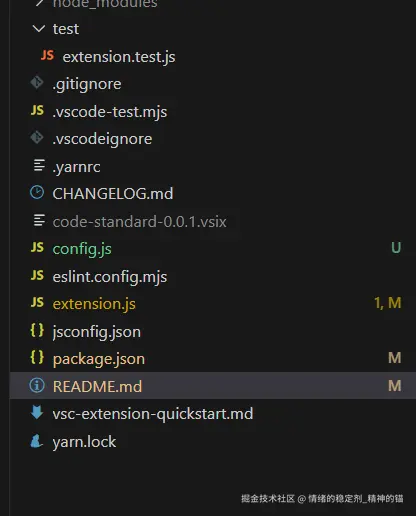
其中的code-standard-0.0.1.vsix就是导出的插件;
五、安装验证
根据如下图安装到VSCODE即可:
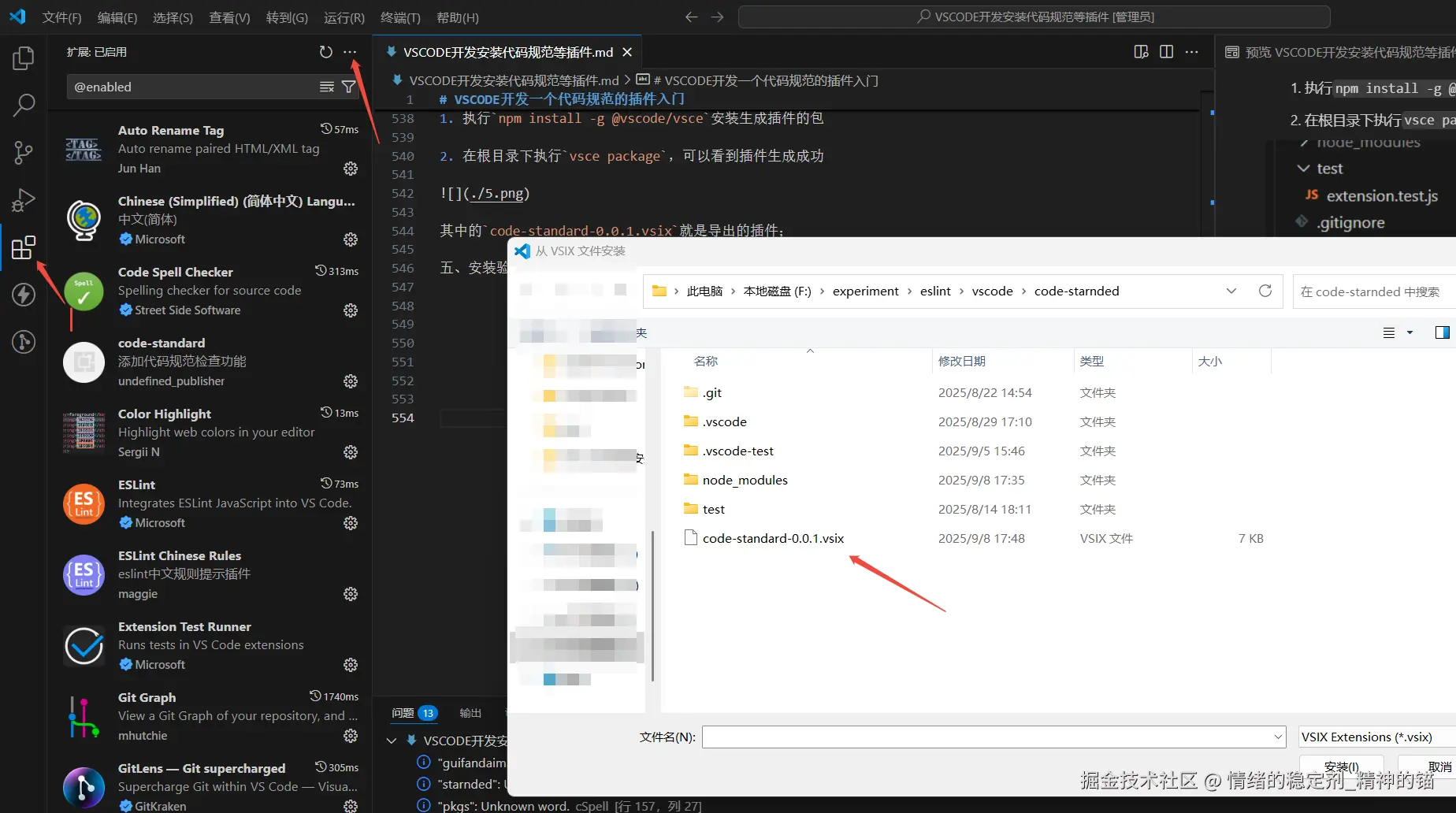
然后打开一个有git初始化的项目,执行Ctrl+Shift+P,搜索添加代码规范检查功能找到后点击,就会自定在后台执行。
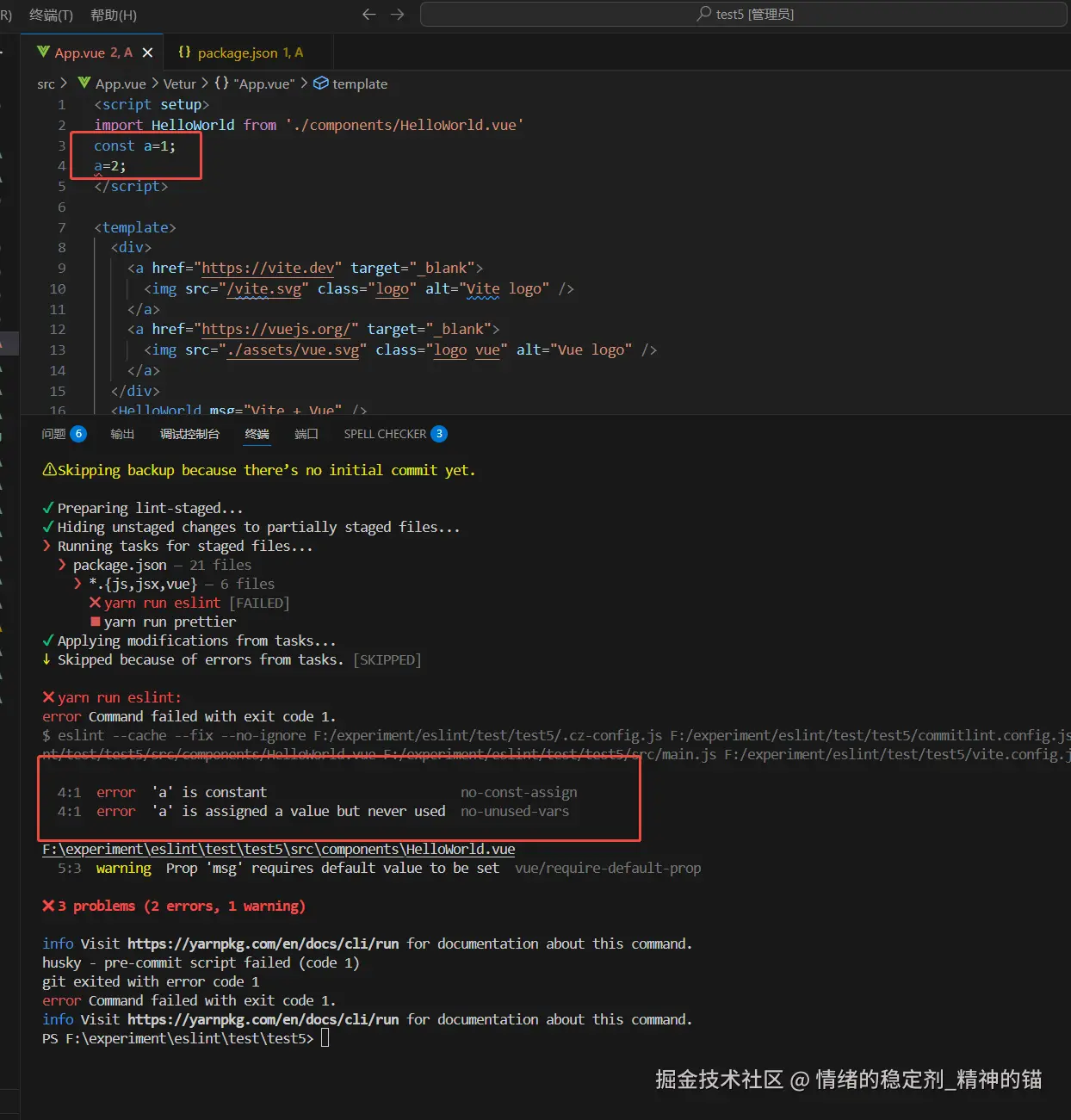
执行后故意在app.vue文件写错误代码;会看到报错,上面报错需要同事安装vscode对应的插件,下面的报错当使用命令行git commit -m 以后会执行代码检测和格式化,报错如下的第二个方框,如下图: