<!DOCTYPE html>
<html lang="en">
<head>
  <meta charset="UTF-8">
  <meta http-equiv="X-UA-Compatible" content="IE=edge">
  <meta name="viewport" content="width=device-width, initial-scale=1.0">
  <title>webScoket</title>
  <style>
    * {
      box-sizing: border-box;
      overflow: hidden;
    }
    html, body {
      padding: 0;
      margin: 0;
    }
    .config {
      position: absolute;
      z-index: 100;
      width: 100%;
      height: 100%;
      background: #40E0D0;  /* fallback for old browsers */
      background: -webkit-linear-gradient(to right, #FF0080, #FF8C00, #40E0D0);  /* Chrome 10-25, Safari 5.1-6 */
      background: linear-gradient(to right, #FF0080, #FF8C00, #40E0D0); /* W3C, IE 10+/ Edge, Firefox 16+, Chrome 26+, Opera 12+, Safari 7+ */
      display: flex;
      align-items: center;
      justify-content: center;
    }

    .config--box {
      display: flex;
      flex-direction: column;
      align-items: center;
      justify-content: center;
      background-color: #f5f5f5;
      border: 1px solid #ccc;
      border-radius: 5px;
      padding: 20px;
      box-shadow: 0 2px 4px rgba(0, 0, 0, 0.1);
    }

    .config--title {
      font-size: 24px;
      font-weight: bold;
      margin-bottom: 20px;
    }

    .config--ipt {
      display: flex;
      align-items: center;
      justify-content: center;
      margin-bottom: 20px;
    }

    .config--ipt input {
      border: none;
      border-radius: 5px;
      padding: 10px;
      font-size: 16px;
      outline: none;
      box-shadow: 0 2px 4px rgba(0, 0, 0, 0.1);
    }

    .config--btn button {
      border: none;
      border-radius: 5px;
      padding: 10px 20px;
      font-size: 16px;
      font-weight: bold;
      color: #fff;
      background-color: #007bff;
      cursor: pointer;
      outline: none;
      box-shadow: 0 2px 4px rgba(0, 0, 0, 0.1);
    }

    .config--btn button:hover {
      background-color: #0069d9;
    }

    .index {
      display: flex;
      flex-direction: column;
      height: 100vh;
      background-color: #f5f5f5;
      padding: 20px;
    }

    #index #messageBox {
      display: flex;
      flex-direction: column;
      align-items: flex-start;
      justify-content: flex-start;
      height: calc(100vh - 200px);
      overflow-y: auto;
    }

    #index #messageBox div {
      width: 100%;
      border-radius: 5px;
      box-shadow: 0 2px 4px rgba(0, 0, 0, 0.1);
      padding: 10px;
      margin-bottom: 10px;
    }

    #index #messageBox div span {
      font-weight: bold;
      margin-right: 10px;
    }

    #index #messageBox div p {
      margin: 0;
    }

    #messageBox {
      display: flex;
      flex-direction: column;
      align-items: flex-start;
      justify-content: flex-start;
      height: 400px;
      overflow-y: auto;
    }

    .left {
      display: flex;
      flex-direction: row;
      align-items: center;
      justify-content: flex-start;
      margin-bottom: 10px;
      background-color: #fff;
      color: #333;
      border-radius: 20px;
      padding: 10px 15px;
      box-shadow: 0 2px 4px rgba(0, 0, 0, 0.1);
    }

    .right {
      display: flex;
      flex-direction: row;
      align-items: center;
      justify-content: flex-end;
      margin-bottom: 10px;
      background-color: #def1fc;
      color: #333;
      border-radius: 20px;
      padding: 10px 15px;
      box-shadow: 0 2px 4px rgba(0, 0, 0, 0.1);
    }

    .operation {
      position: relative;
    }

    #index textarea {
      border: none;
      border-radius: 5px;
      padding: 10px;
      font-size: 16px;
      outline: none;
      box-shadow: 0 2px 4px rgba(0, 0, 0, 0.1);
      margin-right: 10px;
      flex-grow: 1;
      width: 100%;
    }

    #index button {
      border: none;
      border-radius: 5px;
      padding: 10px 20px;
      font-size: 16px;
      font-weight: bold;
      color: #fff;
      background-color: #007bff;
      cursor: pointer;
      outline: none;
      box-shadow: 0 2px 4px rgba(0, 0, 0, 0.1);
      position: absolute;
      right: 20px;
      top: 20px;
    }

    #index button:hover {
      background-color: #0069d9;
    }
  </style>
</head>
<body>
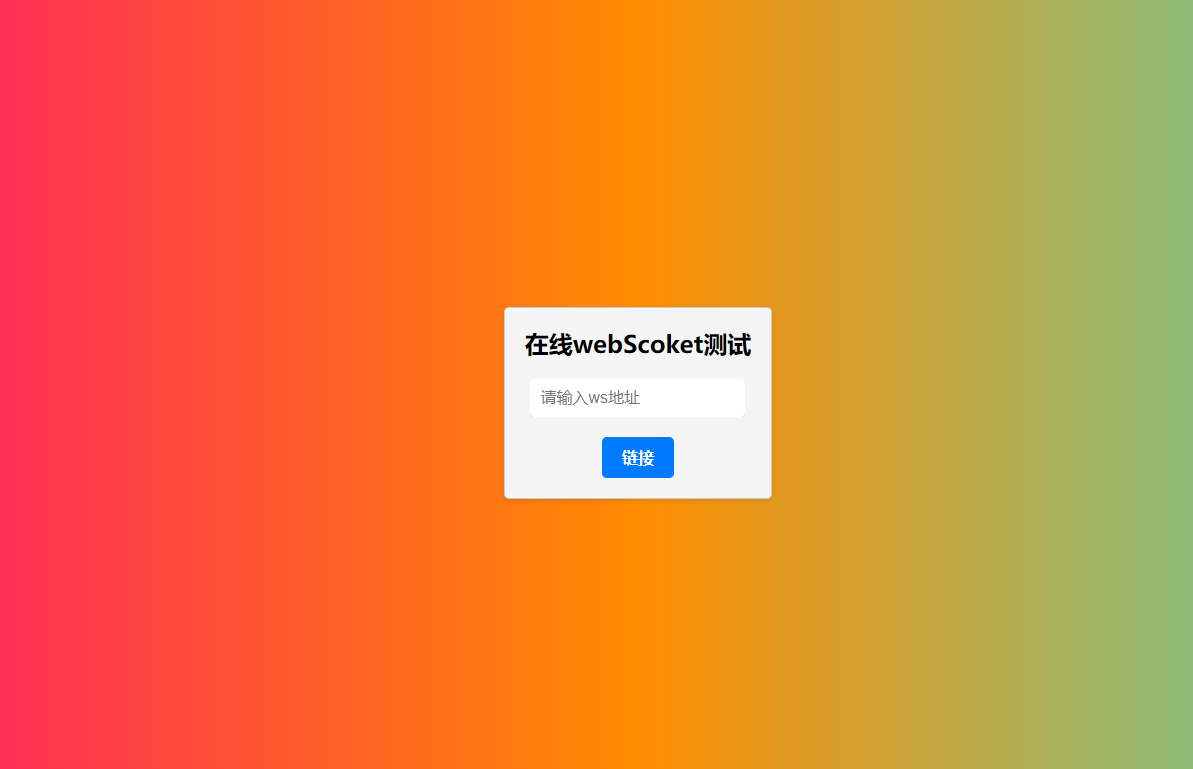
  <div id="config" class="config">
    <div class="config--box">
      <div class="config--title">在线webScoket测试</div>
      <div class="config--ipt">
        <input id="address" placeholder="请输入ws地址" />
      </div>
      <div class="config--btn">
        <button id="connectBtn">链接</button>
      </div>
    </div>
  </div>
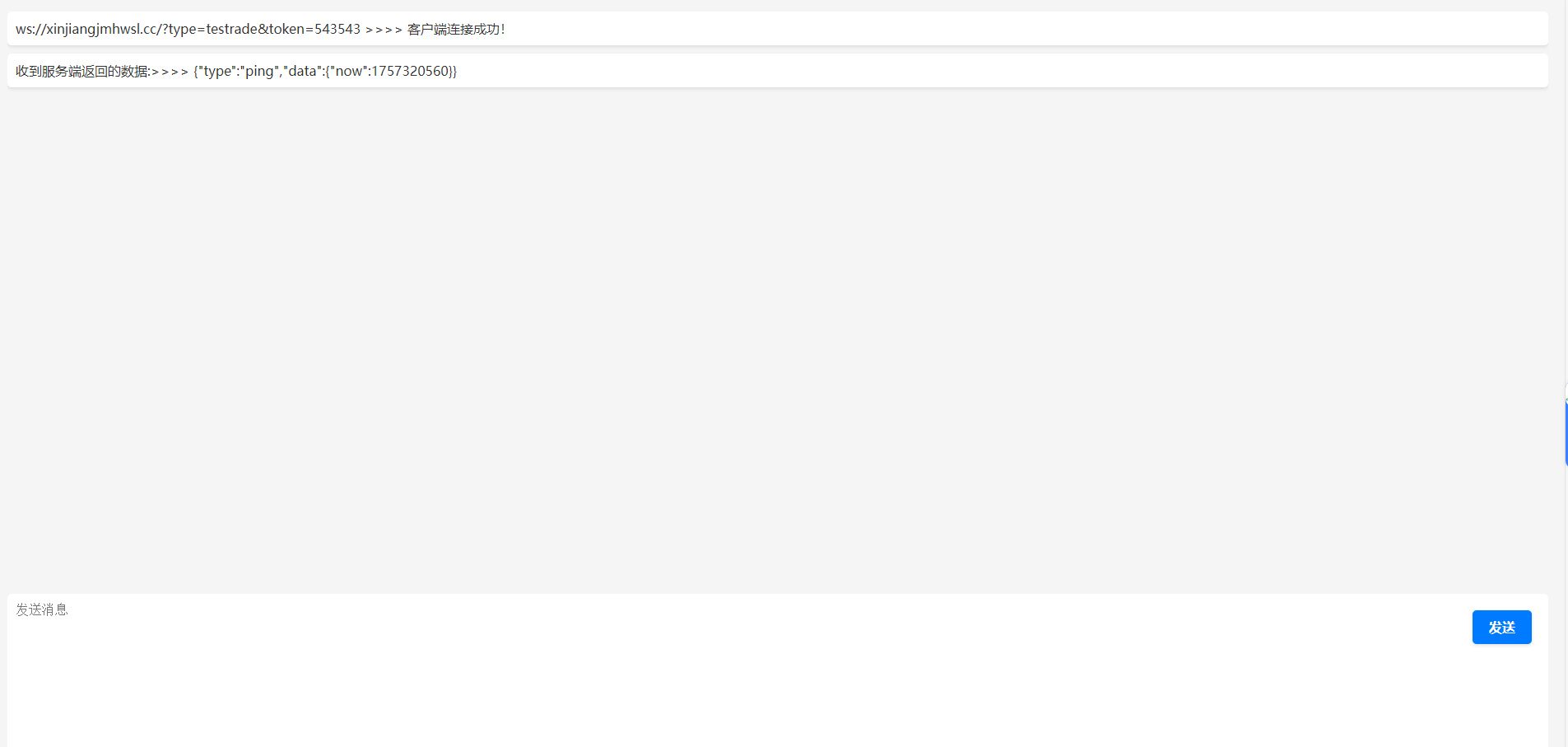
  <div id="index" class="index">
    <div id="messageBox">
      <div class="left"></div>
      <div class="right"></div>
    </div>
    <div class="operation">
      <textarea id="chat" cols="30" rows="10" placeholder="发送消息"></textarea>
      <button id="sendBtn">发送</button>
    </div>
  </div>
  <script>
    const state = {
      // ws地址链接
      address: ''
    }
    let ws = null;
    const list = [];
    const connectBtn = document.getElementById('connectBtn');
    const address = document.getElementById('address');
    const sendBtn = document.getElementById('sendBtn');
    const outPut = (obj) => {
        list.push({
          key: list.length,
          ...obj
        })
        let str = ''
        list.forEach(item => {
          str += `<div class="${item.position}">${item.msg}</div>`
        });
        document.getElementById('messageBox').innerHTML = str;
      }
    function send(msg) {
      if(ws) {
        ws.send(msg)
      }
    }
    connectBtn.addEventListener('click', function() {
      state.address = address.value;
      if(address.value.length > 0) {
        if(!ws) {
        ws = new WebSocket(address.value);
        // 连接成功后的回调函数
        ws.onopen = function (params) {
          outPut({
            position: 'left',
            msg: state.address + ' >>>> 客户端连接成功!'
          })
        };
        // 从服务器接受到信息时的回调函数
        ws.onmessage = function (e) {
          outPut({
            position: 'left',
            msg: "收到服务端返回的数据:>>>> " + e.data.toString()
          })
        };
        // 连接关闭后的回调函数
        ws.onclose = function(evt) {
          outPut({
            position: 'left',
            msg: '关闭客户端连接!'
          })
        };
        // 连接失败后的回调函数
        ws.onerror = function (evt) {
          outPut({
            position: 'left',
            msg: '连接失败了!'
          });
        };
      } else {
          outPut({
            position: 'left',
            msg: '已经和 >>>>' + ipt.value + '<<<< 建立了链接!'
          });
        }
        document.getElementById('config').style.display = 'none';
      }
    });
    sendBtn.addEventListener('click', function() {
      const msg = document.getElementById('chat').value;
      outPut({
          position: 'right',
          msg,
        })
      send(msg);
    })
  </script>
</body>
</html>