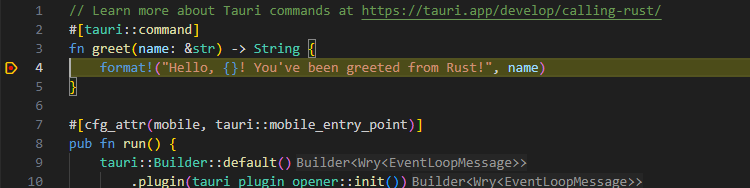
创建项目
我使用的下面的配置

项目编译
安装依赖
进入根路径下执行 npm install,虽然使用了yarn管理工具,但是yarn安装依赖会失败。
编译前端
npm run build
运行项目包含了rust编译
npm run tauri dev
调试
必备插件
在 VS Code 中打开扩展商店(快捷键 Ctrl+Shift+X),搜索并安装,前三个是必选项:
-
CodeLLDB -
C/C++ -
Rust Analyzer -
CrabNebula DevTools(如果你启用了 CrabNebula 插件)
配置调试文件
launch.json文件
{
  // Use IntelliSense to learn about possible attributes.
  // Hover to view descriptions of existing attributes.
  // For more information, visit: https://go.microsoft.com/fwlink/?linkid=830387
  "version": "0.2.0",
  "configurations": [
    {
      "name": "Launch App Debug",
      "type": "cppvsdbg",
      "request": "launch",
      // change the exe name to your actual exe name
      // (to debug release builds, change `target/debug` to `release/debug`)
      "program": "${workspaceRoot}/src-tauri/target/debug/your-app-name-here.exe",
      "cwd": "${workspaceRoot}",
      "preLaunchTask": "ui:dev"
    }
  ]
}
tasks.json文件
{
  // See https://go.microsoft.com/fwlink/?LinkId=733558
  // for the documentation about the tasks.json format
  "version": "2.0.0",
  "tasks": [
    {
      "label": "build:debug",
      "type": "cargo",
      "command": "build",
      "options": {
        "cwd": "${workspaceRoot}/src-tauri"
      }
    },
    {
      "label": "ui:dev",
      "type": "shell",
      // `dev` keeps running in the background
      // ideally you should also configure a `problemMatcher`
      // see https://code.visualstudio.com/docs/editor/tasks#_can-a-background-task-be-used-as-a-prelaunchtask-in-launchjson
      "isBackground": true,
      // change this to your `beforeDevCommand`:
      "command": "yarn",
      "args": ["dev"]
    },
    {
      "label": "dev",
      "dependsOn": ["build:debug", "ui:dev"],
      "group": {
        "kind": "build"
      }
    }
  ]
}
全部配置完后 按F5调试项目。
调试前端代码
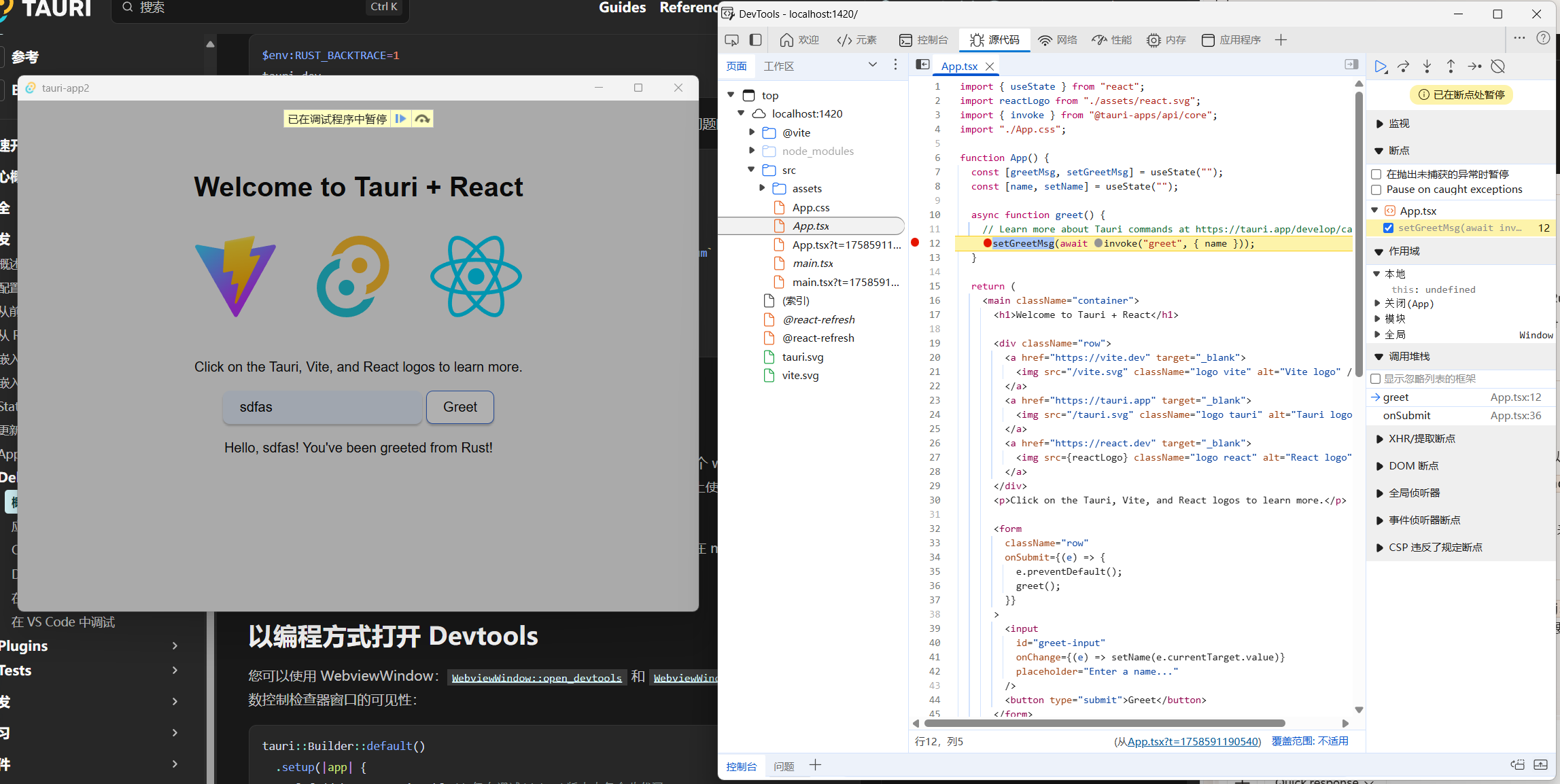
右键webview页面选择检查即可调出开发者web页面,在源代码窗口即可调试前端代码。
添加日志
前端日志
使用webview的api即可
console.log("普通日志");
console.warn("警告日志");
console.error("错误日志");
rust日志
println!("日志消息");