前言:
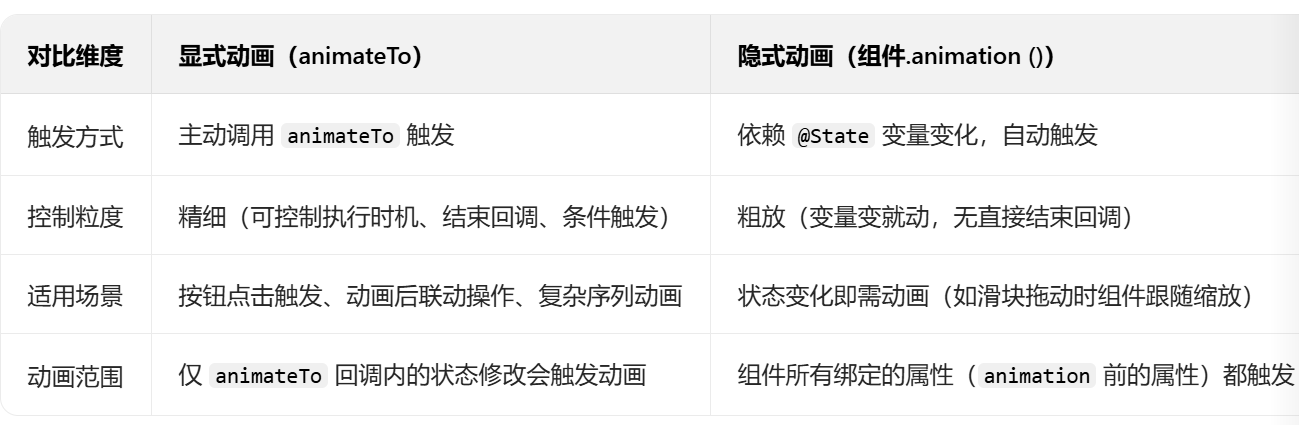
两者的区别:animation是被动的,animateTo是主动的。
我们还是老样子,跟着官方文档学习和实践,链接如下:
 https://developer.huawei.com/consumer/cn/doc/harmonyos-references/ts-explicit-animation
以下是豆包基于官方文档的总结:
不多说了,直接上练习代码和运行效果图:
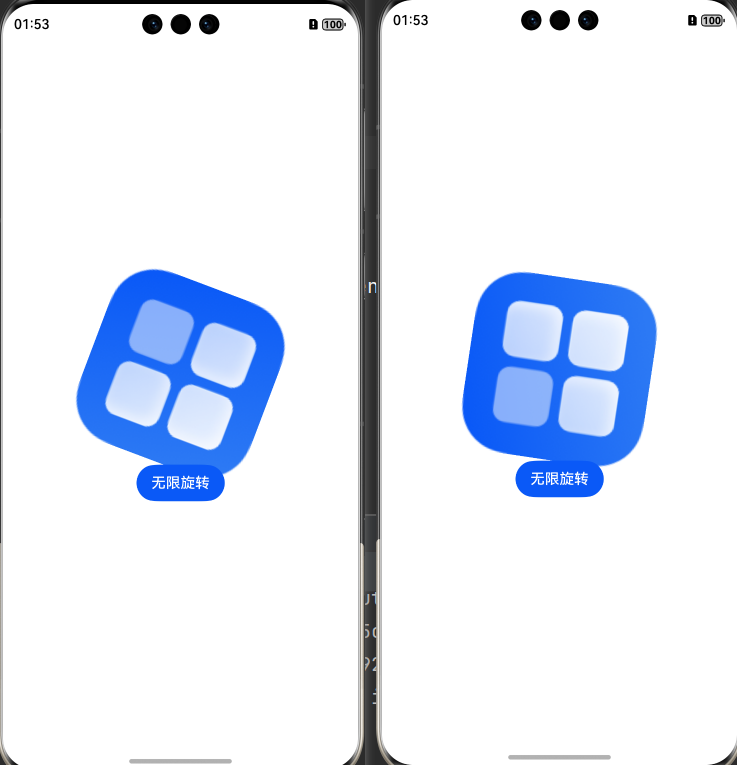
【说明:点击图片,触发animation属性;点击按钮"无限旋转",触发animateTo方法】
代码如下:
Index.ets
@Entry
@Component
export struct Index {
  @State angle: number = 0;

  build() {
    Column() {
      Image($r('app.media.startIcon'))
        .width(200)
        .rotate({ angle: this.angle, centerX: '50%', centerY: '50%' })
        .onClick(() => {
          this.angle = 90
        })
        .animation({
          duration: 500, // 时长
          curve: Curve.Linear, // 速度
          delay: 100, // 延迟
          iterations: -1, // 循环
          playMode: PlayMode.Normal // 动画模式
        })

      Button("无限旋转")
        .onClick(() => {
          this.getUIContext()?.animateTo({
            duration: 100, // 时长
            curve: Curve.Linear, // 速度
            delay: 100, // 延迟
            iterations: -1,
            playMode: PlayMode.Normal // 动画模式
          },
            () => {
              this.angle = 360; // 旋转角度
            })
        })
    }
    .justifyContent(FlexAlign.Center)
    .width('100%')
    .height('100%')
  }
}
觉得有用,可以点赞、收藏或关注