一、什么是 QuickSight?
Amazon QuickSight 是 AWS 提供的一款 云原生商业智能(BI)工具,它能让用户直接在云端快速构建交互式仪表盘、报表和可视化分析,而无需传统 BI 工具繁琐的运维部署。
它的定位是 轻量、快、自动扩展、与 AWS 服务紧密集成。你可以直接连接 Athena、Redshift、RDS、S3 里的数据,还可以直接上传json文件入库,能快速做出图表并分享给团队和个人。
二、QuickSight 的核心特点
-
无服务器化:不用自己搭 BI 平台,QuickSight 托管在 AWS。
-
数据源丰富:支持直接连接 S3、Athena、RDS、Redshift、Snowflake、Salesforce、Excel、CSV 等。
-
交互式仪表盘:不仅能画柱状图、折线图、饼图,还支持 Sankey 图、词云、热力图等高级可视化。
-
SPICE 引擎:QuickSight 内置了一个高性能内存计算引擎(SPICE),数据加载进去之后查询速度很快,适合大规模交互分析。
-
与 AWS 集成:IAM 控制权限,CloudTrail 记录操作日志,CloudWatch 监控,Lambda 触发刷新任务,原生生态优势明显。
三、数据准备与建模
在 QuickSight 里,数据的使用大体分三步:
-
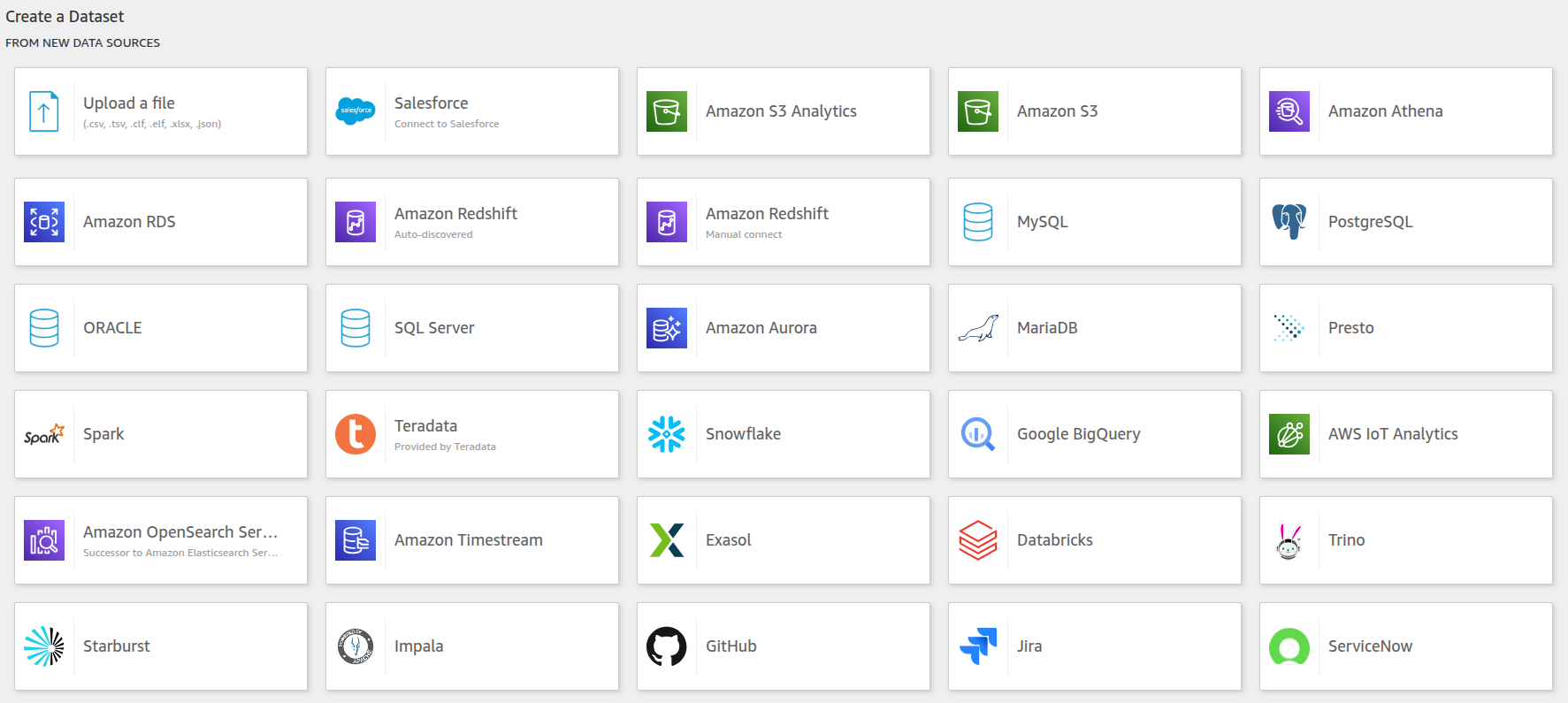
数据集(Dataset):
创建方式如图所示,支持很多方式。数据导入选择SPICE,会大幅度提升页面加载速度。
-
字段计算
-
QuickSight 支持类似 Excel 的计算字段语法,例如:
ifelse({status} = 'FAILED', 1, 0)
-
-
数据刷新
-
导入 SPICE 后可定时刷新
-
也可以用 boto3 的
create_ingestionAPI 实现立即刷新
-
四、可视化实践
1. 本地自动上传文件为例:
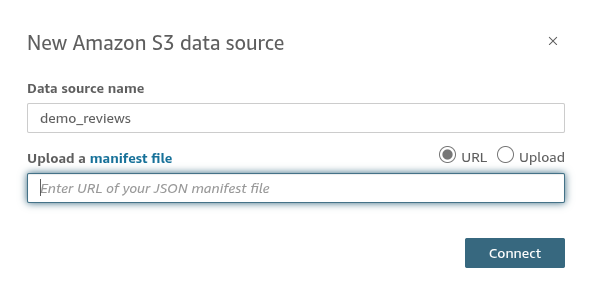
(1)创建dataset,并选择s3上的json文件创建表结构,也可以用脚本里的
manifest_demo_reviews_v1.json上传S3创建。 
(2)本地文件生成dataset的表结构,并上传S3自动更新,脚本参考:
import boto3
import botocore
import json
import uuid
import time
from datetime import datetime

quicksight_dataset_cache={'demo_reviews_v1': '14194554-2b79-47a9-8b00-c849ea4a23cd'}

def get_aws_boto3_config(region_name):
    bsession = boto3.Session(
        region_name=region_name,
        aws_access_key_id="",
        aws_secret_access_key=""
    )
    https_config = botocore.config.Config(
        signature_version='s3v4'
    )
    return bsession, https_config

def upload_to_s3(file_path, bucket_name, s3_key):
    """Upload file to S3 bucket.

    Args:
        bucket_name: S3 bucket name.
        file_path: File path to upload.
        s3_key: S3 file key.
    """
    region_name = 'us-east-1'
    aws_se, conf = get_aws_boto3_config(region_name)
    s3 = aws_se.client('s3', config=conf)
    s3.upload_file(file_path, bucket_name, s3_key)

def list_all_datasets(account_id, quicksight):
    """分页获取所有数据集"""
    datasets = []
    next_token = None
    while True:
        if next_token:
            response = quicksight.list_data_sets(AwsAccountId=account_id, NextToken=next_token)
        else:
            response = quicksight.list_data_sets(AwsAccountId=account_id)
        datasets.extend(response["DataSetSummaries"])
        next_token = response.get("NextToken")
        if not next_token:
            break
    # print(f'datasets==>{datasets}')
    return datasets

def get_dataset_id_by_name(account_id, dataset_name, quicksight):
    """根据数据集名称查找 DataSetId"""
    if dataset_name not in quicksight_dataset_cache:
        datasets = list_all_datasets(account_id, quicksight)
        for ds in datasets:
            if 'demo_' in ds["Name"]:
                quicksight_dataset_cache[ds["Name"]] = ds["DataSetId"]
    dataset_id = quicksight_dataset_cache[dataset_name] if dataset_name in quicksight_dataset_cache else None
    return dataset_id

# Refresh dataset
def update_quicksight_dataset(dataset_name):
    try:
        aws_se, conf = get_aws_boto3_config('us-east-1')
        quicksight = aws_se.client('quicksight', config=conf)
        sts = aws_se.client('sts', config=conf)
        account_id = sts.get_caller_identity()['Account']
        dataset_id = get_dataset_id_by_name(account_id, dataset_name, quicksight)
        if not dataset_id:
            print(f'ERROR: update_quicksight_dataset===>no dataset_id')
            return
        ingestion_id = str(int(time.time()))

        # For SPICE dataset, use FULL_REFRESH
        quicksight.create_ingestion(
            AwsAccountId=account_id,
            DataSetId=dataset_id,
            IngestionId=ingestion_id,
            IngestionType='FULL_REFRESH'
        )
        print(f"QuickSight dataset refresh successful: {dataset_name}")
    except Exception as e:
        print(f'ERROR: update_quicksight_dataset===>dataset_name={dataset_name}, e = {e}')

def demo_reviews_analysis(file_name, output_path, version):
    with open(file_name, 'r', encoding='utf-8') as f:
        content = json.load(f)
    # 此处省略 content的解析过程,以data_list为示例
    data_list = [{
        "id": "",
        "name": "",
        "date": ""
    }]
    data_list.append(item_obj)
    file_save_path = f'{output_path}/demo_reviews_{version}.json'
    with open(file_save_path, 'w', encoding='utf-8') as f:
        json.dump(data_list, f, indent=2, ensure_ascii=False)

    # Upload data file
    data_s3_key = f'upload/{output_path}/demo_reviews_{version}.json'
    upload_to_s3(file_save_path, bucket_name='test_bucket', s3_key=data_s3_key)

    # Create and upload manifest file
    manifest = {
        "fileLocations": [{"URIs": [f"s3://test_bucket/{data_s3_key}"]}],
        "globalUploadSettings": {"format": "JSON"}
    }
    manifest_path = f'{output_path}/manifest_demo_reviews_{version}.json'
    with open(manifest_path, 'w') as f:
        json.dump(manifest, f)
    upload_to_s3(manifest_path, bucket_name='test_bucket', s3_key=f'upload/{output_path}/manifest_demo_reviews_{version}.json')
    update_quicksight_dataset(f'demo_reviews_{version}')

if __name__ == "__main__":
    version = 'v1'  #Different version configuration names
    source_path = f'source_{version}'  #Original file
    output_path = f'domo_data_{version}'
    demo_reviews_path = f'{source_path}/demo_reviews.json'
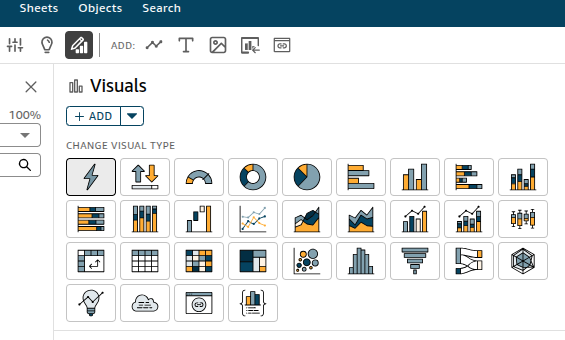
demo_reviews_analysis(demo_reviews_path, f'{output_path}', version)- 创建analysis,然后可以选择如下各种图表样式创建:
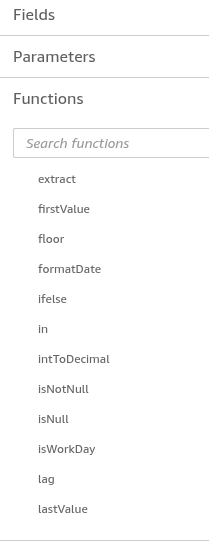
- 如果需要一些像excel一样的计算方式,可以点增加计算,支持各种类似excel的计算方式。

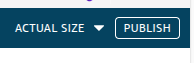
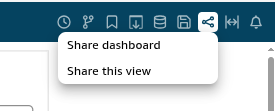
5.页面创作完成之后要点右上角publish,然后share dashboard分享给想要看到的人。
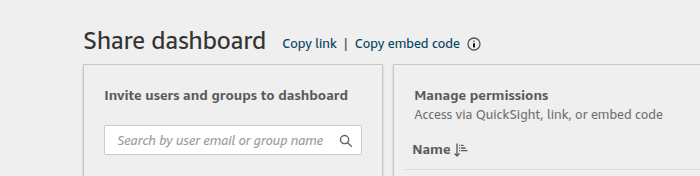
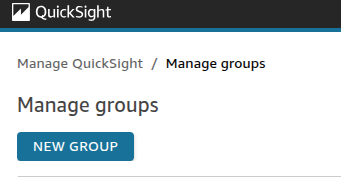
6.要是想要分享给一个群组,可以点右上角头像后,选择管理quicksight,创建一个群组,之后把上面页面分享给群组,组内的成员就都能看到页面。