Vue3 列表渲染
- [1. v-for 与数组(v-for 通常用于遍历数组,渲染列表)](#1. v-for 与数组(v-for 通常用于遍历数组,渲染列表))
-
- [1.1 通常用法(迭代item、index)](#1.1 通常用法(迭代item、index))
- [1.2 迭代项的解构](#1.2 迭代项的解构)
- [1.3 多重嵌套 v-for(作用域可访问到父级)](#1.3 多重嵌套 v-for(作用域可访问到父级))
- [1.4 v-for 中的 key(迭代项唯一标识,优化渲染性能)](#1.4 v-for 中的 key(迭代项唯一标识,优化渲染性能))
- [2. v-for 与对象(迭代value、key、index)](#2. v-for 与对象(迭代value、key、index))
- [3. template 上使用 v-for](#3. template 上使用 v-for)
- [4. 组件上使用 v-for(通过props注入item和index)](#4. 组件上使用 v-for(通过props注入item和index))
- [5. v-for 与数字(快速遍历一定次数,从1开始)](#5. v-for 与数字(快速遍历一定次数,从1开始))
- [6. 数组变化侦测](#6. 数组变化侦测)
-
- [6.1 变更方法](#6.1 变更方法)
- [6.2 非变更方法](#6.2 非变更方法)
- [7. 过滤或排序的一些方法 / 注意事项](#7. 过滤或排序的一些方法 / 注意事项)
-
- [7.1 结合计算属性](#7.1 结合计算属性)
- [7.2 结合方法](#7.2 结合方法)
- [7.3 计算属性改变原始数据时,建议创建副本](#7.3 计算属性改变原始数据时,建议创建副本)
1. v-for 与数组(v-for 通常用于遍历数组,渲染列表)
1.1 通常用法(迭代item、index)
在 Vue 模板中,我们通常使用内置指令 v-for 来遍历数组,从而进行列表的渲染。
javascript
<template>
  <div>
    <h2>商品列表</h2>
    <ul>
      <li v-for="(item, index) in items" :key="index">
        {{ index + 1 }} - {{ item.name }} - {{ item.price }}
      </li>
    </ul>
  </div>
</template>

<script setup>
import { ref } from 'vue'
const items = ref([
  { name: '辣条', price: 3.01, id: '001' },
  { name: '泡面', price: 5.05, id: '002' },
  { name: '火腿肠', price: 1.00, id: '003' }
])
</script>

<style scoped></style>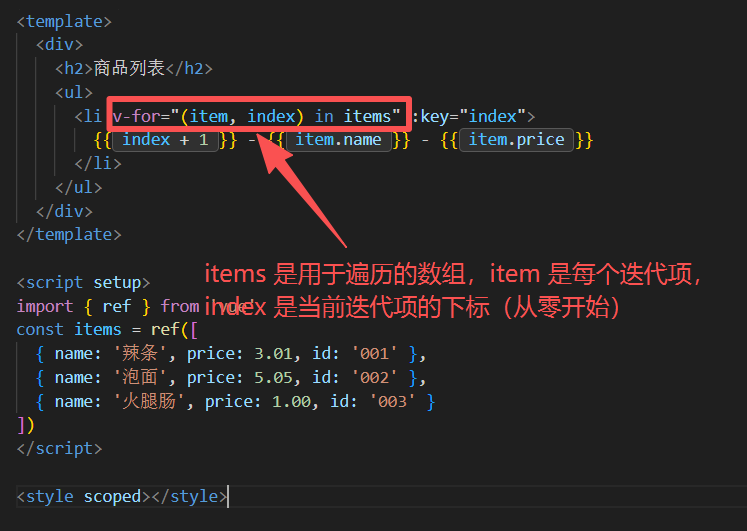
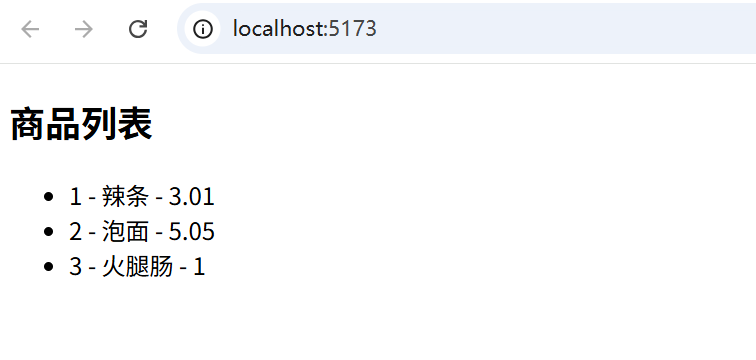
以上代码中,items 是遍历的数组数据源,item 为迭代项的别名(别名没有强制要求,可根据情况而定),index(也可修改为其他英文,比如itemIndex,避免多重遍历时的重名) 为当前迭代项的数组下标。
1.2 迭代项的解构
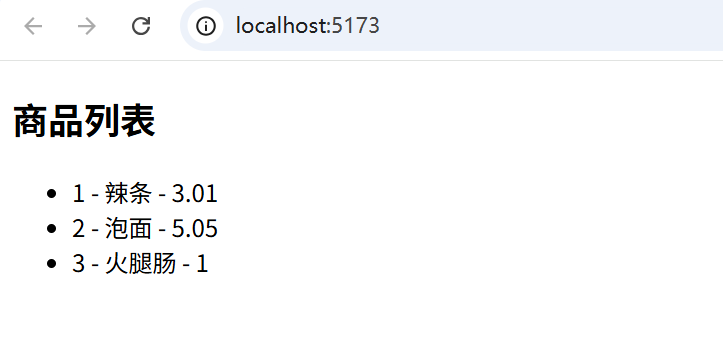
当迭代项是对象时,可以进行解构操作,方便取值。比如:
javascript
<template>
  <div>
    <h2>商品列表</h2>
    <ul>
      <li v-for="({ name, price }, index) in items" :key="index">
        {{ index + 1 }} - {{ name }} - {{ price }}
      </li>
    </ul>
  </div>
</template>

<script setup>
import { ref } from 'vue'
const items = ref([
  { name: '辣条', price: 3.01, id: '001' },
  { name: '泡面', price: 5.05, id: '002' },
  { name: '火腿肠', price: 1.00, id: '003' }
])
</script>

<style scoped></style>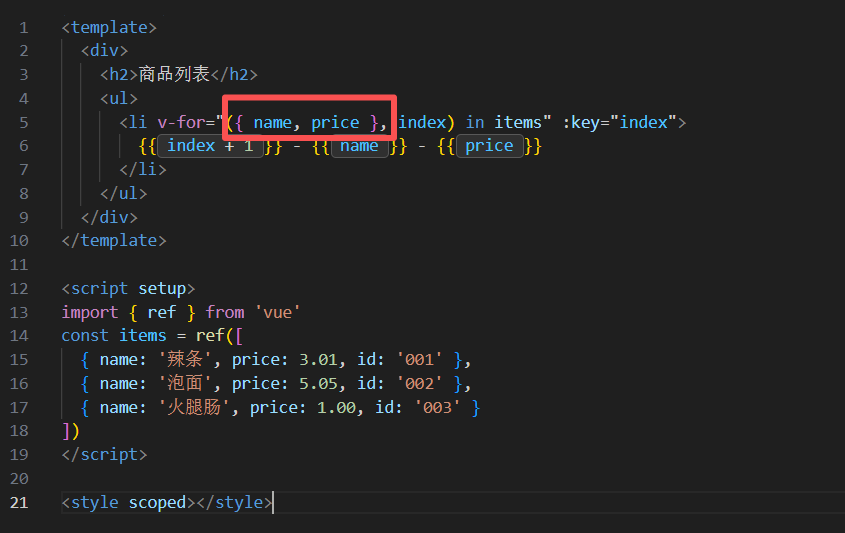
1.3 多重嵌套 v-for(作用域可访问到父级)
和函数作用域类似,多重嵌套 v-for 时,可访问到父级作用域的迭代源数组、迭代项和下标。比如:
javascript
<template>
  <div>
    <h2>商品列表</h2>
    <div v-for="item in items">
      <div v-for="childrenItem in item.children">
        <div>{{item.id}} 货架:</div>
        <div>{{childrenItem.name}} - ¥{{ childrenItem.price }}</div>
        ---
      </div>
    </div>
  </div>
</template>

<script setup>
import { ref } from 'vue'
const items = ref([
  {
    id: '001',
    children: [
      {
        name: '商品101', price: 100,
        name: '商品102', price: 200,
      },
      {
        name: '商品111', price: 101,
        name: '商品112', price: 110,
      },
    ]
  },
  {
    id: '002',
    children: [
      {
        name: '商品201', price: 99,
        name: '商品202', price: 100,
      },
      {
        name: '商品211', price: 90,
        name: '商品212', price: 100,
      },
    ]
  },
  {
    id: '003',
    children: [
      {
        name: '商品301', price: 80,
        name: '商品302', price: 90,
      },
      {
        name: '商品311', price: 200,
        name: '商品312', price: 100,
      },
    ]
  },
])
</script>

<style scoped></style>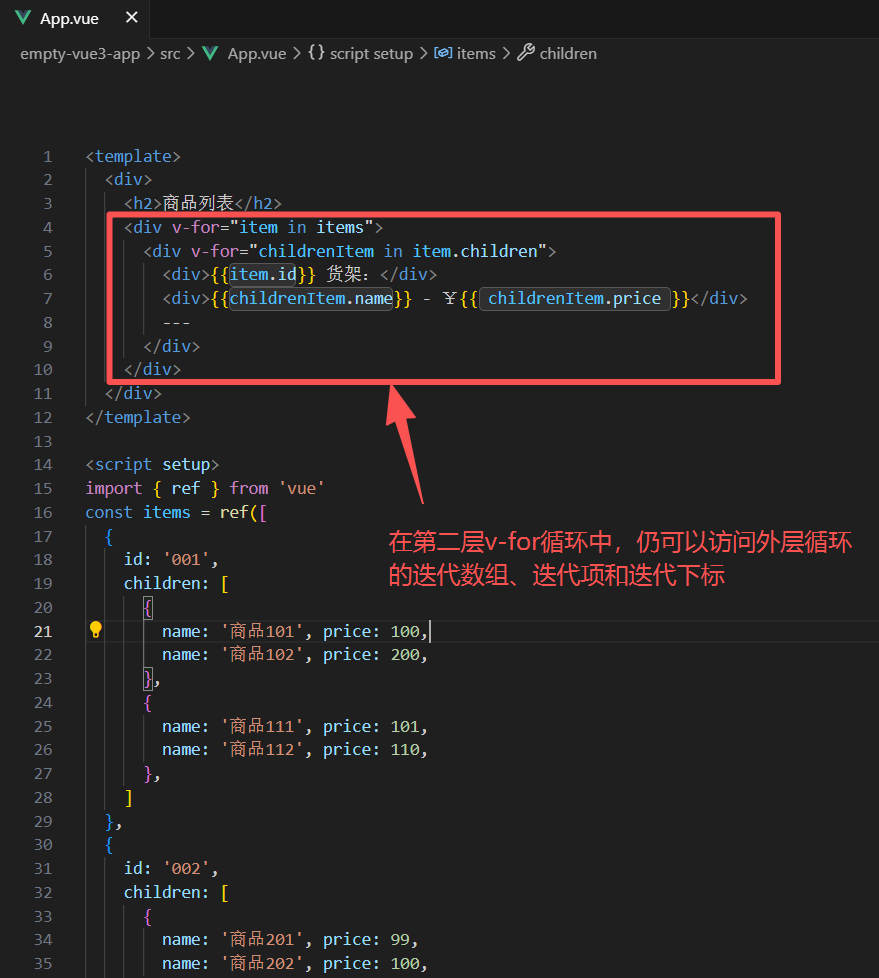
1.4 v-for 中的 key(迭代项唯一标识,优化渲染性能)
通常我们在使用 v-for 时,会添加一个 key,用于做每个迭代项的唯一标识,在数据发生变化时,用于加速排序,从而优化虚拟 dom 的渲染性能。
如果数据源内容不发生变化,可以使用 迭代项下标 index 作为key,这也比较省事。
但是数据源是会发生变化的,此时就 key 属性就不能使用 index,因为顺序变化(甚至整个数组都发生了改变),此时index 和之前的迭代项可能是不匹配的。
所以通常我们会使用字段的 id 或者其他确认的唯一标识作为 key,用于优化虚拟dom的渲染性能。
javascript
<template>
  <div>
    <h2>商品列表</h2>
    <ul>
      <li v-for="(item, index) in items" :key="item.id">
        {{ index + 1 }} - {{ item.name }} - {{ item.price }}
      </li>
    </ul>
  </div>
</template>

<script setup>
import { ref } from 'vue'
const items = ref([
  { name: '辣条', price: 3.01, id: '001' },
  { name: '泡面', price: 5.05, id: '002' },
  { name: '火腿肠', price: 1.00, id: '003' }
])
</script>

<style scoped></style>
2. v-for 与对象(迭代value、key、index)
javascript
<template>
  <div>
    <h2>书籍信息:</h2>
    <ul>
      <li v-for="(value, key, index) in myObject">
      {{ index }}. {{ key }}: {{ value }}
    </li>
    </ul>
  </div>
</template>

<script setup>
import { reactive } from 'vue'
const myObject = reactive({
  title: 'How to do lists in Vue',
  author: 'Jane Doe',
  publishedAt: '2016-04-10'
})
</script>

<style scoped></style>
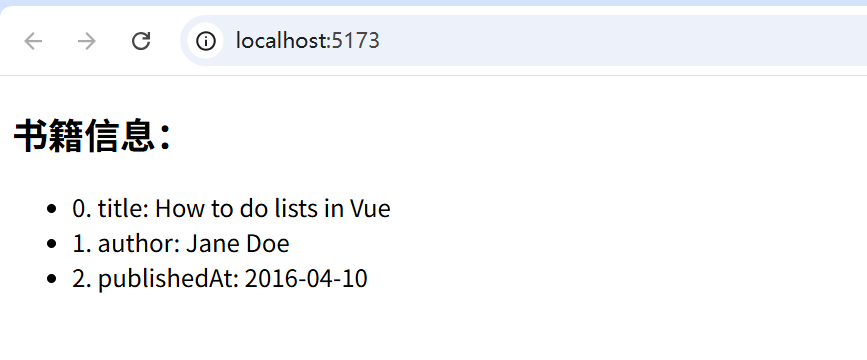
迭代的最多3个参数,依次分别是 属性值value、索引key 和 索引位置index
3. template 上使用 v-for
template 上使用 v-for,可用于遍历,只会渲染内部元素,并不会渲染template 本身。比如:
javascript
<template>
  <div>
    <h2>商品列表</h2>
    <ul>
      <template v-for="item in items">
        <li>{{ item.name }}</li>
        <li>¥{{ item.price }}</li>
        --------------------
      </template>
    </ul>
  </div>
</template>

<script setup>
import { ref } from 'vue'
const items = ref([
  { name: '辣条', price: 3.01, id: '001' },
  { name: '泡面', price: 5.05, id: '002' },
  { name: '火腿肠', price: 1.00, id: '003' }
])
</script>

<style scoped></style>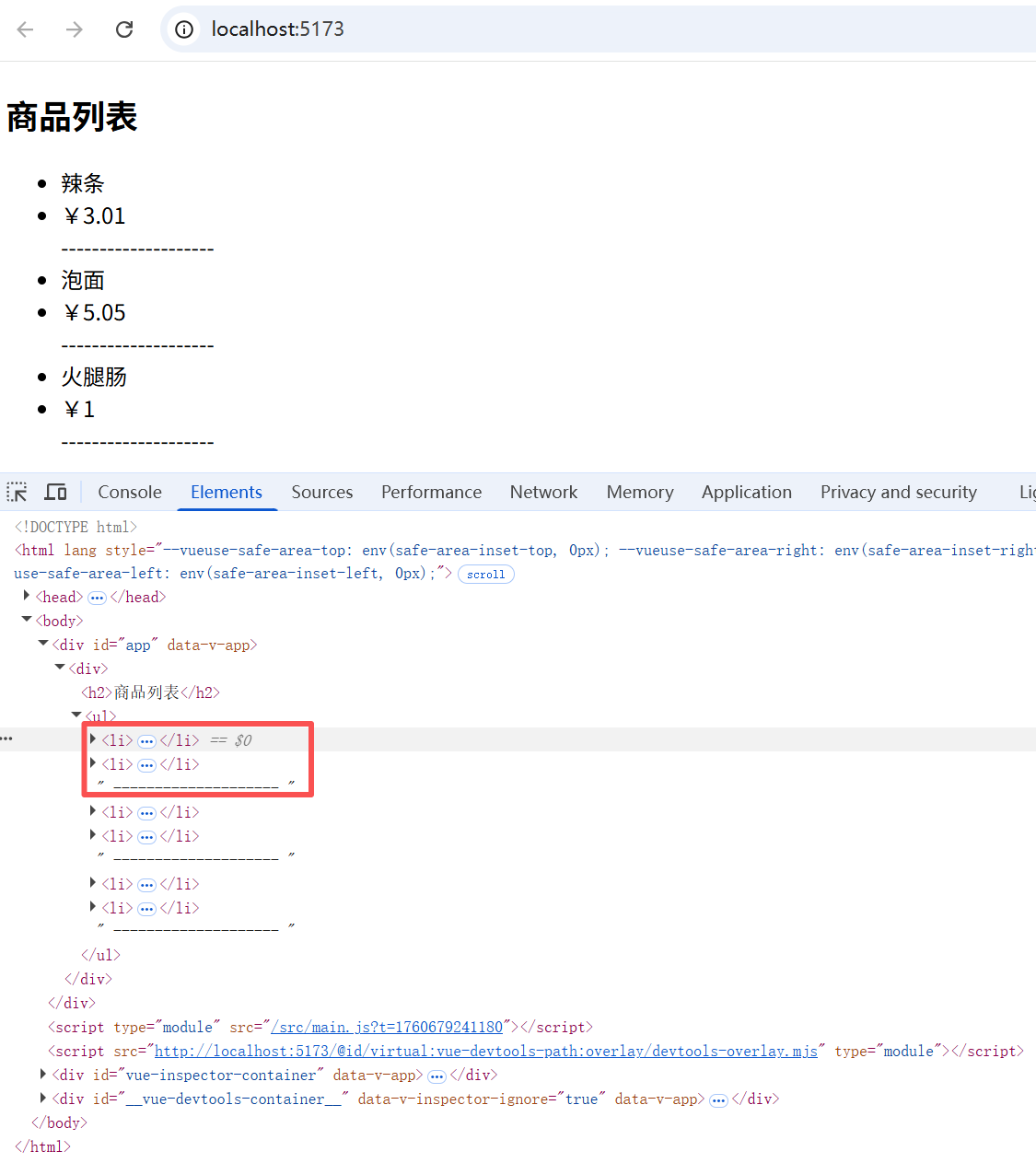
4. 组件上使用 v-for(通过props注入item和index)
子组件使用 defineProps 接收 item 和 index:
javascript
<template>
  <div>{{ index + 1 }}. {{ item.name }}</div>
  <div>¥{{ item.price || '--' }}</div>
  <div>-------------------------</div>
</template>

<script setup>
defineProps({
  item: Object,
  index: Number
})
</script>

<style lang="scss" scoped></style>
父组件使用 v-for 遍历子组件,通过 props 传递参数:
javascript
<template>
  <div>
    <h2>商品列表</h2>
    <ul>
      <MyComponent v-for="(item, index) in items" :item="item" :index="index" :key="item.id" />
    </ul>
  </div>
</template>

<script setup>
import { ref } from 'vue'
import MyComponent from '@/components/MyComponent.vue';
const items = ref([
  { name: '辣条', price: 3.01, id: '001' },
  { name: '泡面', price: 5.05, id: '002' },
  { name: '火腿肠', price: 1.00, id: '003' }
])
</script>

<style scoped></style>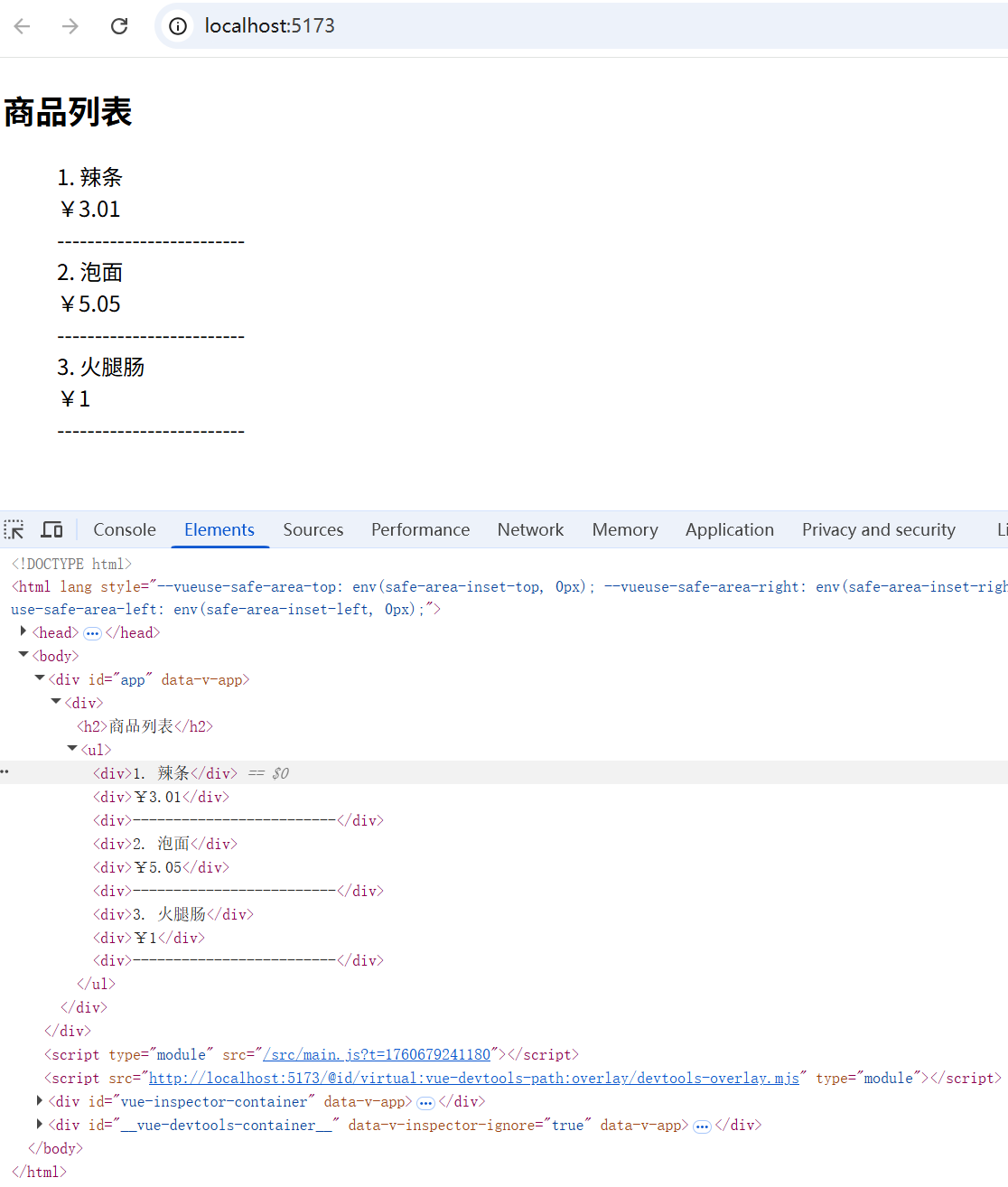
之所以要通过 props 将迭代数据传入,而非自动将 item 注入子组件的原因是,子组件的数据来源可能并非 item,可能是其中的一个字段,甚至是其他数据项。
5. v-for 与数字(快速遍历一定次数,从1开始)
有时候我们只是为了单纯地遍历一定的次数,无需数组和对象,也可以使用数字进行v-for遍历,比如:
javascript
<template>
  <div>
    <span v-for="n in 10">{{ n }}</span>
  </div>
</template>

<script setup>
</script>

<style scoped></style>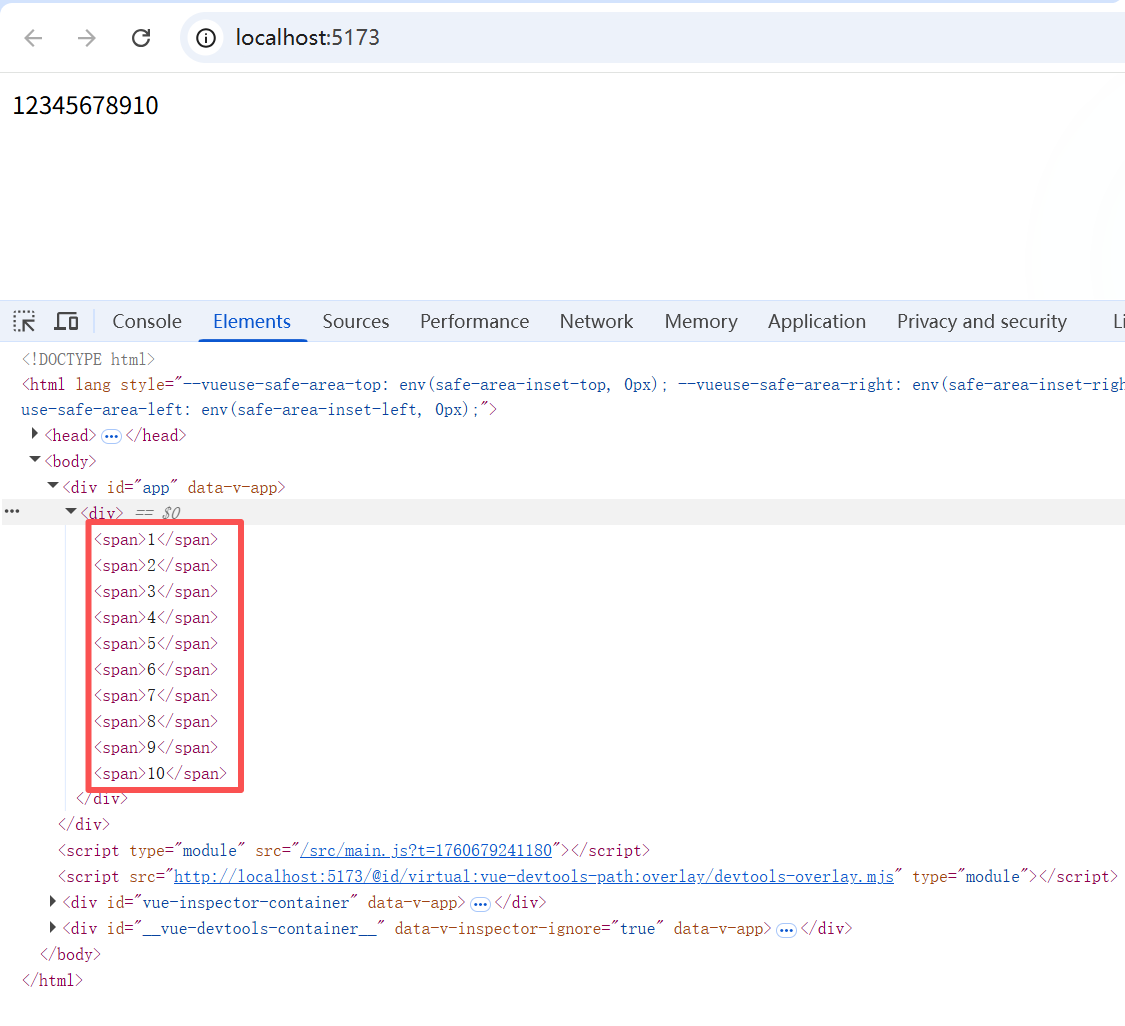
6. 数组变化侦测
数组变化侦测通常分为两大类:变更方法和非变更方法(替换整个数组)。
6.1 变更方法
数组变更方法(调用这些方法时会对原来的数组进行变更):
- push
- pop
- shift
- unshift
- splice
- sort
- reverse
针对变更方法,数组只要一更新,就会触发它的响应式,页面会重新渲染
javascript
setTimeout(() => {
  projects.value.push({
    id: 3,
    name: '大项目',
    tasks: [
      {
        id: 1,
        name: '搭建工程',
        subtasks: ['调研框架', '熟悉框架']
      },
      {
        id: 2,
        name: '分解模块',
        subtasks: ['调研', '分析']
      }
    ]
  })
}, 3000)
6.2 非变更方法
非变更方法(调用这些方法不会对原来的数组进行变更,而是会返回一个新的数组):
- filter
- concat
- slice
- map
如果是非变更方法,那么需要使用方法的返回值去替换原来的值:
javascript
// `items` 是一个数组的 ref
items.value = items.value.filter((item) => item.message.match(/Foo/))
你可能认为这将导致 Vue 丢弃现有的 DOM 并重新渲染整个列表------幸运的是,情况并非如此。Vue 实现了一些巧妙的方法来最大化对 DOM 元素的重用,因此用另一个包含部分重叠对象的数组来做替换,仍会是一种非常高效的操作。
7. 过滤或排序的一些方法 / 注意事项
7.1 结合计算属性
如果希望显示数组经过过滤或排序后的内容,而不实际变更或重置原始数据。可以创建对应的计算属性。比如:
javascript
<template>
  <div>
    <li v-for="n in evenNumbers">{{ n }}</li>
  </div>
</template>

<script setup>
import { ref, computed } from 'vue'
const numbers = ref([1, 2, 3, 4, 5])

const evenNumbers = computed(() => {
  return numbers.value.filter((n) => n % 2 === 0)
})
</script>

<style scoped></style>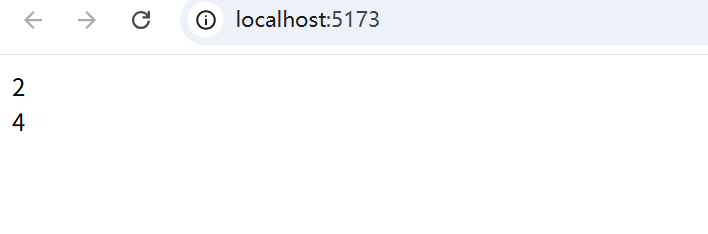
7.2 结合方法
在计算属性不可行的情况下 (例如在多层嵌套的 v-for 循环中),你可以使用方法对迭代项数据进行二次处理:
javascript
<template>
  <div>
    <ul v-for="numbers in sets">
      <li v-for="n in even(numbers)">{{ n }}</li>
    </ul>
  </div>
</template>

<script setup>
import { ref } from 'vue'
const sets = ref([
  [1, 2, 3, 4, 5],
  [6, 7, 8, 9, 10]
])

function even(numbers) {
  return numbers.filter((number) => number % 2 === 0)
}
</script>

<style scoped></style>
7.3 计算属性改变原始数据时,建议创建副本
在计算属性中使用 reverse() 和 sort() 的时候务必小心!这两个方法将变更原始数组,计算函数中不应该这么做。
javascript
<template>
  <div>
    <li v-for="n in reverseNumbers">{{ n }}</li>
  </div>
  <div>-------------------------</div>
  <div>
    <li v-for="n in numbers">{{ n }}</li>
  </div>
</template>

<script setup>
import { ref, computed } from 'vue'
const numbers = ref([1, 2, 3, 4, 5])

const reverseNumbers = computed(() => {
  return numbers.value.reverse()
})
</script>

<style scoped></style>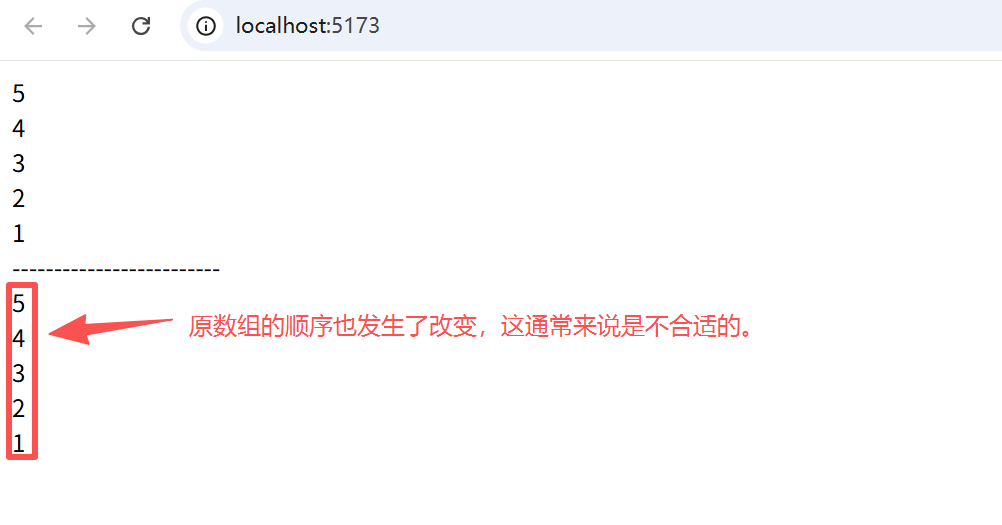
请在调用这些方法之前创建一个原数组的副本:
javascript
return [...numbers.value].reverse()
javascript
<template>
  <div>
    <li v-for="n in reverseNumbers">{{ n }}</li>
  </div>
  <div>-------------------------</div>
  <div>
    <li v-for="n in numbers">{{ n }}</li>
  </div>
</template>

<script setup>
import { ref, computed } from 'vue'
const numbers = ref([1, 2, 3, 4, 5])

const reverseNumbers = computed(() => {
  return [...numbers.value].reverse()
})
</script>

<style scoped></style>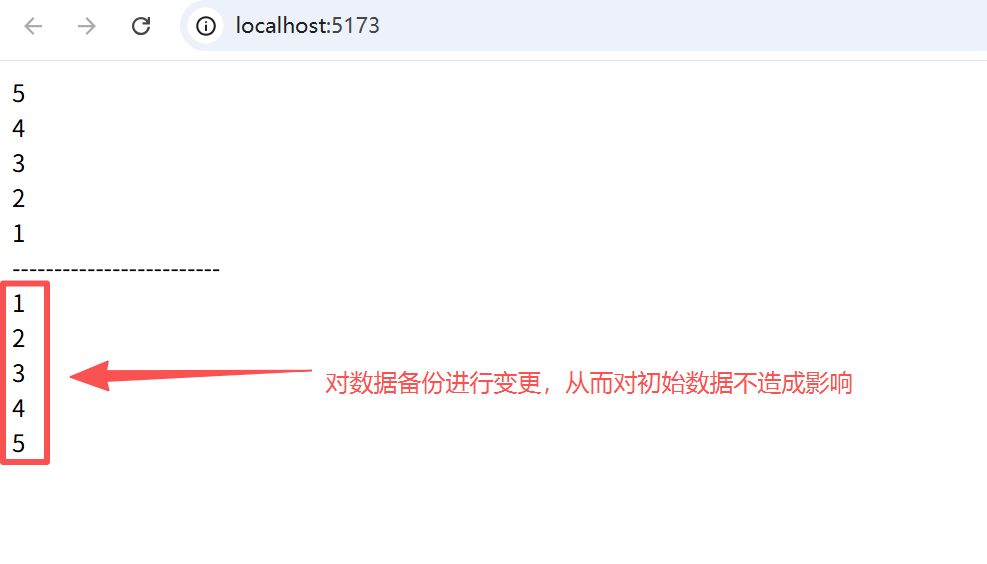
上一章 《Vue3 条件渲染》
下一章 《Vue3 事件处理》