页面1:
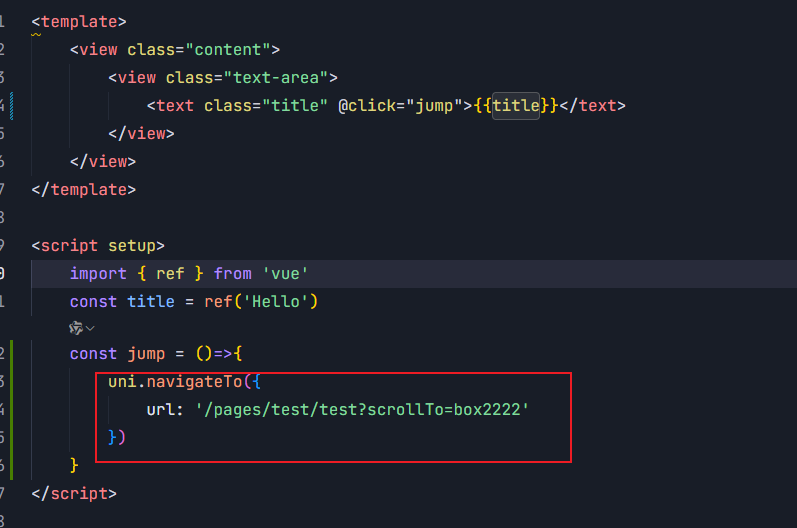
跳转页面:
html
<template>
	<view class="content">
		<view class="test test1">1111111111111</view>
        <view id="box2222" class="test test2">22222222222222</view>
	</view>
</template>

<script setup>
	import { ref, onMounted } from 'vue'

	onMounted(() => {
			// 获取路由参数
            //所有路由
			const pages = getCurrentPages()
            //当前跳转的路由(跳转页)
			const currentPage = pages[pages.length - 1]
            //需要跳转的位置
			const scrollTo = currentPage.options.scrollTo

			if (scrollTo) {
				// 延迟执行滚动,确保DOM已经渲染完成
				setTimeout(() => {
					// 使用uni-app的选择器API,兼容各平台
					const query = uni.createSelectorQuery().in(currentPage)
					query.select('#' + scrollTo).boundingClientRect()
					query.exec((res) => {
						if (res && res[0]) {
							// 获取元素位置并滚动
							const { top } = res[0]
							uni.pageScrollTo({
								scrollTop: top,
								duration: 300
							})
						}
					})
				}, 100)
			}
		})
</script>

<style lang="scss" scoped>
	.test{
        width: 100%;
        height:1200rpx ;
        background: green;
    }
</style>