
引言
在前两篇文章中,我们分别从架构设计 和基础通信实现 两个维度,探讨了如何让 Flutter 应用接入 OpenHarmony 的分布式软总线(DSoftBus)。然而,真实业务场景往往远比"点对点发消息"复杂------比如多设备协同编辑、跨端状态同步、任务接力等。
本文将带你构建一个分布式待办事项(Todo)应用,支持:
- 在手机上创建任务;
- 平板自动同步并显示;
- 任一设备标记完成,所有设备实时更新;
- 离线操作后,网络恢复自动合并状态。
这不仅是一次技术集成,更是一次分布式数据一致性模型 的实践。我们将使用 OpenHarmony 的分布式数据管理(DDM) + 软总线事件通知 + Flutter 状态管理三位一体方案。
一、为什么不能只靠软总线?
软总线擅长设备发现与低延迟通信,但不解决以下问题:
- 数据持久化;
- 多设备并发写冲突;
- 离线操作同步;
- 历史版本回溯。
因此,OpenHarmony 提供了 分布式数据管理(Distributed Data Management, DDM) ,基于 RelationalStore 或 KVStore 实现跨设备数据同步。我们将结合两者:
- DDM:负责数据存储与同步;
- 软总线 EventChannel:用于触发 UI 刷新(避免轮询)。
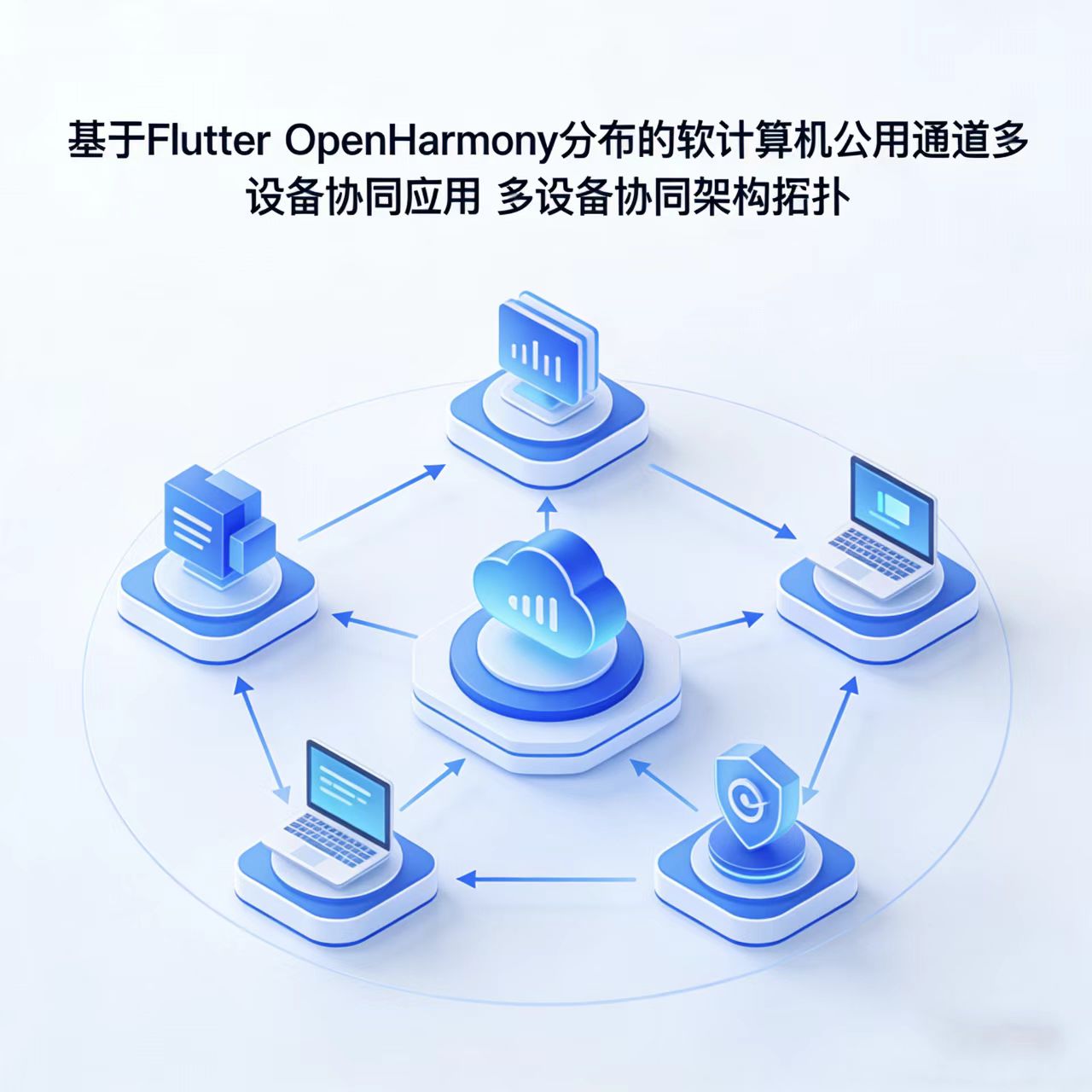
二、整体架构
+---------------------+
|     Flutter App     |
|   (Provider + Riverpod)|
+----------+----------+
           |
   MethodChannel / EventChannel
           |
+----------v----------+
| OpenHarmony Native  |
| - DSoftBus (通知)   |
| - KVStore (数据同步)|
+----------+----------+
           |
   Distributed KVStore (Auto-sync via DSoftBus)
           |
+----------v----------+
| Other OHOS Devices  |
+---------------------+
✅ 优势:数据由系统自动同步,应用只需监听本地 KVStore 变更即可响应全局状态变化。
三、原生侧:分布式 KVStore 封装
1. 创建 DistributedTodoStore.ets
ts
// services/DistributedTodoStore.ets
import distributedKVStore from '@ohos.data.distributedKVStore';
import { Options } from '@ohos.data.distributedKVStore';

class DistributedTodoStore {
  private kvStore: distributedKVStore.KVStore | null = null;
  private onChangeCallback: ((key: string, value: string) => void) | null = null;

  async init(): Promise<boolean> {
    const config: distributedKVStore.Options = {
      createIfMissing: true,
      encrypt: false,
      backup: false,
      autoSync: true, // 关键:开启自动同步
      kvStoreType: distributedKVStore.KVStoreType.DEVICE_COLLABORATION,
      securityLevel: distributedKVStore.SecurityLevel.S2
    };

    try {
      this.kvStore = await distributedKVStore.getKVStore('todo_store', config);
      this.registerChangeListener();
      return true;
    } catch (err) {
      console.error('[KVStore] init failed:', err);
      return false;
    }
  }

  private registerChangeListener(): void {
    if (!this.kvStore) return;
    this.kvStore.on('dataChange', distributedKVStore.SubscribeType.SUBSCRIBE_TYPE_ALL, (data) => {
      data.forEach((entry) => {
        const key = entry.key;
        const value = entry.value?.toString() || '';
        console.info(`[KVStore] Changed: ${key} = ${value}`);
        if (this.onChangeCallback) {
          this.onChangeCallback(key, value);
        }
      });
    });
  }

  async put(key: string, value: string): Promise<boolean> {
    try {
      await this.kvStore?.put(key, value);
      return true;
    } catch (err) {
      console.error('[KVStore] put error:', err);
      return false;
    }
  }

  async delete(key: string): Promise<boolean> {
    try {
      await this.kvStore?.delete(key);
      return true;
    } catch (err) {
      console.error('[KVStore] delete error:', err);
      return false;
    }
  }

  async getAll(): Promise<Record<string, string>> {
    try {
      const entries = await this.kvStore?.getEntries('');
      const result: Record<string, string> = {};
      entries?.forEach(entry => {
        result[entry.key] = entry.value?.toString() || '';
      });
      return result;
    } catch (err) {
      console.error('[KVStore] getAll error:', err);
      return {};
    }
  }

  setOnDataChange(callback: (key: string, value: string) => void): void {
    this.onChangeCallback = callback;
  }
}

const todoStore = new DistributedTodoStore();
export default todoStore;
2. 暴露给 Flutter(通过 EventChannel)
ts
// plugins/TodoStorePlugin.ets
import todoStore from '../services/DistributedTodoStore';
import { MethodChannel, EventChannel } from '@flutter/engine';

const METHOD_CHANNEL = 'com.example.flutter/todo/method';
const EVENT_CHANNEL = 'com.example.flutter/todo/event';

export class TodoStorePlugin {
  private eventSink: any = null;

  init() {
    // 初始化 KVStore
    todoStore.init().then(success => {
      if (success) console.info('[Plugin] KVStore initialized');
    });

    // 设置数据变更回调
    todoStore.setOnDataChange((key, value) => {
      if (this.eventSink) {
        this.eventSink.success({ key, value });
      }
    });

    // MethodChannel
    const methodChannel = new MethodChannel(METHOD_CHANNEL);
    methodChannel.setMethodCallHandler(this.handleMethod.bind(this));

    // EventChannel
    const eventChannel = new EventChannel(EVENT_CHANNEL);
    eventChannel.setStreamHandler({
      onListen: (_, sink) => this.eventSink = sink,
      onCancel: () => this.eventSink = null
    });
  }

  private async handleMethod(call: any): Promise<any> {
    switch (call.method) {
      case 'put':
        const { key, value } = call.arguments;
        await todoStore.put(key, value);
        return { success: true };

      case 'delete':
        await todoStore.delete(call.arguments['key']);
        return { success: true };

      case 'getAll':
        const data = await todoStore.getAll();
        return { data };
    }
    throw new Error('Unknown method');
  }
}
在 MainPage.ets 中初始化插件:
ts
// MainPage.ets
import { TodoStorePlugin } from './plugins/TodoStorePlugin';

@Entry
@Component
struct MainPage {
  aboutToAppear() {
    new TodoStorePlugin().init();
  }
  // ... FlutterView
}
四、Dart 侧:Flutter 应用实现
1. 定义数据模型
dart
// lib/models/todo_item.dart
class TodoItem {
  final String id;
  final String title;
  final bool completed;
  final int timestamp;

  TodoItem({
    required this.id,
    required this.title,
    this.completed = false,
    required this.timestamp,
  });

  factory TodoItem.fromJson(Map<String, dynamic> json) {
    return TodoItem(
      id: json['id'],
      title: json['title'],
      completed: json['completed'] == true,
      timestamp: json['timestamp'] ?? DateTime.now().millisecondsSinceEpoch,
    );
  }

  Map<String, dynamic> toJson() => {
        'id': id,
        'title': title,
        'completed': completed,
        'timestamp': timestamp,
      };

  String toJsonString() => jsonEncode(toJson());
}
2. 封装通道
dart
// lib/services/todo_service.dart
import 'dart:convert';
import 'package:flutter/services.dart';
import '../models/todo_item.dart';

class TodoService {
  static const _method = MethodChannel('com.example.flutter/todo/method');
  static const _event = EventChannel('com.example.flutter/todo/event');

  // 保存任务
  static Future<void> save(TodoItem item) async {
    await _method.invokeMethod('put', {
      'key': 'todo_${item.id}',
      'value': item.toJsonString(),
    });
  }

  // 删除任务
  static Future<void> delete(String id) async {
    await _method.invokeMethod('delete', {'key': 'todo_$id'});
  }

  // 获取所有任务
  static Future<List<TodoItem>> getAll() async {
    final result = await _method.invokeMethod('getAll');
    final data = Map<String, dynamic>.from(result['data']);
    final items = <TodoItem>[];
    data.forEach((key, value) {
      if (key.startsWith('todo_')) {
        try {
          final json = jsonDecode(value as String);
          items.add(TodoItem.fromJson(json));
        } catch (e) {
          // ignore invalid entries
        }
      }
    });
    return items;
  }

  // 监听变更(用于刷新 UI)
  static Stream<TodoItem?> watchChanges() async* {
    await for (final event in _event.receiveBroadcastStream()) {
      final map = event as Map<dynamic, dynamic>;
      final key = map['key'] as String?;
      final value = map['value'] as String?;

      if (key?.startsWith('todo_') == true && value != null) {
        try {
          final json = jsonDecode(value);
          yield TodoItem.fromJson(json);
        } catch (e) {
          yield null;
        }
      }
    }
  }
}
3. 使用 Riverpod 管理状态
dart
// lib/providers/todo_provider.dart
import 'package:flutter_riverpod/flutter_riverpod.dart';
import '../services/todo_service.dart';
import '../models/todo_item.dart';

final todoListProvider = StateNotifierProvider<TodoListNotifier, List<TodoItem>>((ref) {
  return TodoListNotifier(ref.read);
});

class TodoListNotifier extends StateNotifier<List<TodoItem>> {
  final Reader _read;
  late StreamSubscription _subscription;

  TodoListNotifier(this._read) : super([]) {
    _loadInitialData();
    _listenToChanges();
  }

  Future<void> _loadInitialData() async {
    final items = await TodoService.getAll();
    state = items;
  }

  void _listenToChanges() {
    _subscription = TodoService.watchChanges().listen((item) {
      if (item == null) return;
      final index = state.indexWhere((e) => e.id == item.id);
      if (index >= 0) {
        // 更新
        state = [...state..[index] = item];
      } else {
        // 新增
        state = [...state, item];
      }
    });
  }

  Future<void> addTodo(String title) async {
    final item = TodoItem(
      id: DateTime.now().millisecondsSinceEpoch.toString(),
      title: title,
      timestamp: DateTime.now().millisecondsSinceEpoch,
    );
    await TodoService.save(item);
    // 不需要手动更新 state,由 watchChanges 自动触发
  }

  Future<void> toggleComplete(TodoItem item) async {
    final updated = TodoItem(
      id: item.id,
      title: item.title,
      completed: !item.completed,
      timestamp: item.timestamp,
    );
    await TodoService.save(updated);
  }

  @override
  void dispose() {
    _subscription.cancel();
    super.dispose();
  }
}
4. UI 展示(简化)
dart
// lib/screens/todo_screen.dart
class TodoScreen extends ConsumerWidget {
  @override
  Widget build(BuildContext context, WidgetRef ref) {
    final todos = ref.watch(todoListProvider);

    return Scaffold(
      appBar: AppBar(title: Text('分布式 Todo')),
      body: ListView.builder(
        itemCount: todos.length,
        itemBuilder: (ctx, i) {
          final item = todos[i];
          return ListTile(
            title: Text(item.title),
            leading: Checkbox(
              value: item.completed,
              onChanged: (_) => ref.read(todoListProvider.notifier).toggleComplete(item),
            ),
          );
        },
      ),
      floatingActionButton: FloatingActionButton(
        onPressed: () => _showAddDialog(context, ref),
        child: Icon(Icons.add),
      ),
    );
  }

  void _showAddDialog(BuildContext context, WidgetRef ref) {
    final controller = TextEditingController();
    showDialog(
      context: context,
      builder: (_) => AlertDialog(
        title: Text('新建任务'),
        content: TextField(controller: controller, decoration: InputDecoration(hintText: '输入任务...')),
        actions: [
          TextButton(onPressed: Navigator.of(context).pop, child: Text('取消')),
          TextButton(
            onPressed: () {
              ref.read(todoListProvider.notifier).addTodo(controller.text);
              Navigator.of(context).pop();
            },
            child: Text('添加'),
          )
        ],
      ),
    );
  }
}
五、关键特性验证
| 场景 | 行为 | 是否支持 |
|---|---|---|
| 设备 A 添加任务 | 设备 B 自动出现 | ✅ |
| 设备 B 标记完成 | 设备 A 立即更新 | ✅ |
| 设备离线时新增任务 | 重新联网后自动同步 | ✅(依赖 DDM 内部队列) |
| 两设备同时修改同一任务 | 后写入覆盖(Last Write Wins) | ⚠️(需业务层加版本号解决) |
💡 如需强一致性,可在
TodoItem中加入version字段,并在put前校验。
六、总结与展望
本文通过一个真实的分布式 Todo 应用,展示了:
- 如何利用 OpenHarmony 分布式 KVStore 实现数据自动同步;
- 如何通过 EventChannel 实现实时 UI 响应;
- 如何在 Flutter 中构建响应式、可扩展的分布式应用架构。
未来方向:
- 引入 CRDTs(无冲突复制数据类型) 解决并发写冲突;
- 结合 分布式文件服务 支持附件同步;
- 使用 Stage Model 优化多实例场景下的资源占用。
欢迎大家加入开源鸿蒙跨平台开发者社区,一起共建开源鸿蒙跨平台生态。