前言
首先,狗头保命下哈🐶,我只是看到大佬的文章,来了兴趣,随手让ai写下脚本而已。作为技术人纯分享而已,不喜欢勿喷哈,喷了我不回你就是啦。
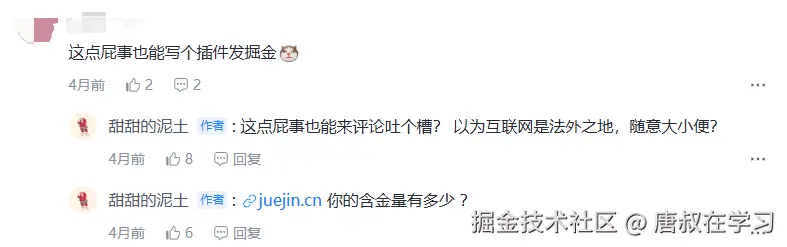
大佬的原文是这个:脱裤子放屁 - 你们讨厌这样的页面吗?一个浏览器插件,用于跳过掘金,知乎,少数派等网站的外链中转站页面。让你的互联网浏览 - 掘金
脚本
然后基于AI编写的油猴脚本是这个:
javascript
// ==UserScript==
// @name         Redirect Skipper
// @namespace    http://tampermonkey.net/
// @version      1.1
// @description  自动跳过链接中转页面,包含详细调试日志
// @author       Original idea from juejin.cn article
// @match        *://*/*
// @grant        GM_log
// @run-at       document-end
// ==/UserScript==

(function() {
    'use strict';

    // 调试开关 - 设置为 true 时在控制台输出详细日志
    const DEBUG = false;

    function debugLog(...args) {
        if (DEBUG) {
            console.log('[Redirect Skipper]', new Date().toLocaleTimeString(), ...args);
        }
    }

    function errorLog(...args) {
        console.error('[Redirect Skipper] ERROR:', ...args);
    }

    // 需要处理的网站列表
    let hostnames = ["juejin.cn", "sspai.com", "www.zhihu.com"];

    debugLog('脚本开始执行');
    debugLog('当前域名:', location.hostname);
    debugLog('处理的域名列表:', hostnames);

    /**
     * 检查当前域名是否在支持列表中
     */
    function checkCurrentHostname() {
        const currentHost = location.hostname;
        const isSupported = hostnames.some(host => {
            // 支持子域名匹配,比如 www.zhihu.com 匹配 zhihu.com
            return currentHost === host || currentHost.endsWith('.' + host);
        });

        debugLog('域名检查结果:', {
            '当前域名': currentHost,
            '是否支持': isSupported,
            '匹配规则': isSupported ? hostnames.find(h => currentHost === h || currentHost.endsWith('.' + h)) : '无'
        });

        return isSupported;
    }

    /**
     * 核心函数:查找并替换带有 ?target= 参数的链接
     */
    function findByTarget() {
        const isSupported = checkCurrentHostname();
        if (!isSupported) {
            debugLog('当前域名不在处理列表中,跳过执行');
            return;
        }

        debugLog('开始查找需要处理的链接...');

        const linkKeyword = "?target=";
        const selector = `a[href*="${linkKeyword}"]:not([data-redirect-skipper])`;
        debugLog('使用的选择器:', selector);

        try {
            const aLinks = document.querySelectorAll(selector);
            debugLog('找到的链接数量:', aLinks.length);

            if (!aLinks.length) {
                debugLog('未找到符合条件的链接');
                return;
            }

            aLinks.forEach((a, index) => {
                const originalHref = a.href;
                debugLog(`处理链接 ${index + 1}:`, originalHref);

                const targetIndex = originalHref.indexOf(linkKeyword);
                if (targetIndex !== -1) {
                    const encodedUrl = originalHref.substring(targetIndex + linkKeyword.length);
                    const decodedUrl = decodeURIComponent(encodedUrl);

                    debugLog(`  ✓ 解析结果:`, {
                        '原始URL': originalHref,
                        'target位置': targetIndex,
                        '编码后的目标URL': encodedUrl,
                        '解码后的目标URL': decodedUrl
                    });

                    // 验证URL是否有效
                    if (decodedUrl && decodedUrl.startsWith('http')) {
                        a.href = decodedUrl;
                        a.setAttribute("data-redirect-skipper", "true");
                        debugLog(`  ✓ 已替换为:`, decodedUrl);

                        // 添加点击事件监听,记录用户交互
                        a.addEventListener('click', function(e) {
                            debugLog('用户点击了已处理的链接:', decodedUrl);
                        }, { once: true });
                    } else {
                        errorLog('解析出的URL无效:', decodedUrl);
                    }
                } else {
                    debugLog(`  ✗ 未找到 ${linkKeyword} 参数`);
                }
            });

            debugLog('链接处理完成');

        } catch (err) {
            errorLog('执行过程中发生错误:', err);
        }
    }

    /**
     * 监听文档变化(用于处理动态加载的内容)
     */
    function observerDocument() {
        debugLog('开始监听文档变化...');

        const observer = new MutationObserver((mutationsList) => {
            debugLog('检测到文档变化,变更数量:', mutationsList.length);

            for (const mutation of mutationsList) {
                if (mutation.type === "childList" && mutation.addedNodes.length) {
                    debugLog('发现新增节点,数量:', mutation.addedNodes.length);
                    debugLog('新增节点:', mutation.addedNodes);
                    findByTarget();
                }
            }
        });

        observer.observe(document.body, {
            childList: true,
            subtree: true
        });

        debugLog('MutationObserver 已启动');
        return observer;
    }

    /**
     * 扫描页面中的链接并统计信息
     */
    function scanPageLinks() {
        const allLinks = document.querySelectorAll('a[href]');
        const targetLinks = document.querySelectorAll('a[href*="?target="]');
        const processedLinks = document.querySelectorAll('a[data-redirect-skipper]');

        debugLog('页面链接统计:', {
            '总链接数': allLinks.length,
            '包含?target=的链接数': targetLinks.length,
            '已处理的链接数': processedLinks.length
        });

        // 列出所有包含?target=的链接
        targetLinks.forEach((link, i) => {
            debugLog(`链接${i}:`, link.href, '已处理:', link.hasAttribute('data-redirect-skipper'));
        });
    }

    // 主执行流程
    function init() {
        debugLog('===== 脚本初始化开始 =====');

        // 检查油猴环境
        if (typeof GM_info !== 'undefined') {
            debugLog('油猴脚本信息:', {
                '脚本名称': GM_info.script.name,
                '版本': GM_info.script.version,
                '运行位置': GM_info.scriptRunAt
            });
        }

        // 初始扫描
        scanPageLinks();
        findByTarget();

        // 启动DOM变化监听
        const observer = observerDocument();

        // 监听页面事件
        const events = ['load', 'hashchange', 'popstate'];
        events.forEach(event => {
            window.addEventListener(event, function() {
                debugLog(`事件触发: ${event}`);
                if (event === 'load') {
                    scanPageLinks();
                }
                findByTarget();
            });
        });

        // 为了调试,将关键函数暴露到全局
        if (DEBUG) {
            window.RedirectSkipper = {
                scanPageLinks,
                findByTarget,
                checkCurrentHostname,
                observer
            };
            debugLog('调试函数已暴露到 window.RedirectSkipper');
        }

        debugLog('===== 脚本初始化完成 =====');
    }

    // 延迟初始化,确保DOM已加载
    if (document.readyState === 'loading') {
        debugLog('文档还在加载中,等待DOMContentLoaded事件');
        document.addEventListener('DOMContentLoaded', init);
    } else {
        debugLog('文档已就绪,立即初始化');
        init();
    }

})();
至于脚本用的AI提示词就更简单啦,不过我问的第一次生成的代码运行后跳转没生效,然后让AI加日志了,好定位分析,结果第二次竟然就成功了,也不用定位了hhh!有一说一:这年头,其实还是要学会善用AI这个大杀器的。
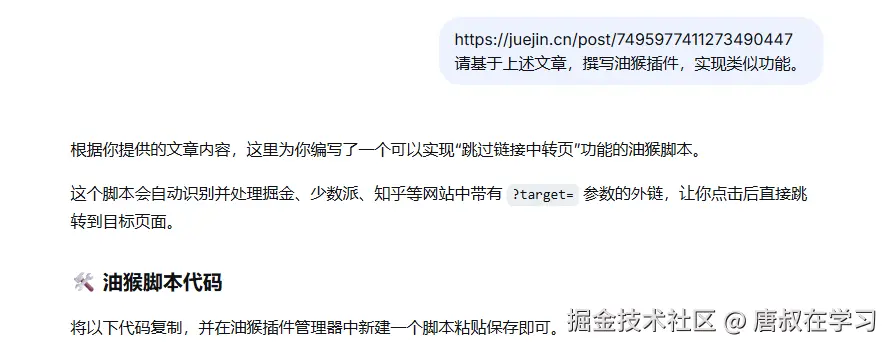
💡温馨提示:
如果你希望脚本处理其他网站,只需修改代码开头的 hostnames 数组即可。例如,要添加 example.com:
javascript
let hostnames = ["juejin.cn", "sspai.com", "www.zhihu.com", "example.com"];添加后保存脚本,并刷新目标网站即可生效。
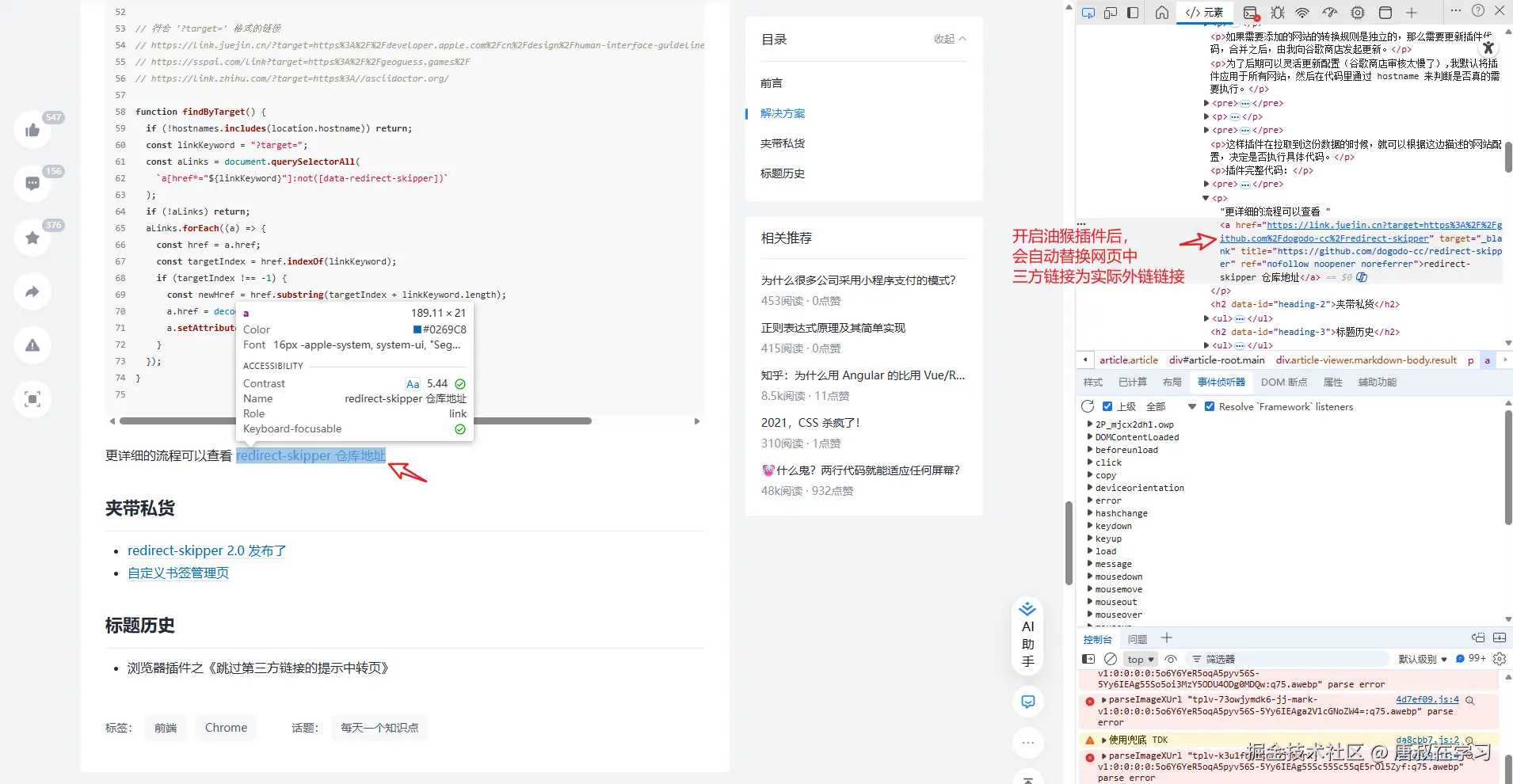
油猴脚本实现原理其实也相对简单,就直接上图了,如果理解不了我再完善解释呢。
思考
为啥网站都这样玩呢?除了原博主说的:
- 防止钓鱼攻击
- 增强用户意识
- 品牌保护
- 遵守法律法规
- 控制流量去向
其实,我更倾向于评论中不少大佬提及的SEO问题。毕竟,外链出问题了,本身也是用户点击的,跟平台关系不大的。

当然,不管是哪种原因,加跳转页还是不加跳转页,其实最终影响的都是用户本身吧,都是用户买单吧......