环境
系统:CentOS-7
CPU : E5-2680V4 14核28线程
内存:DDR4 2133 32G * 2
显卡:Tesla V100-32G【PG503】 (水冷)
驱动: 535
CUDA: 12.2
ComfyUI version: 0.4.0
ComfyUI frontend version: 1.34.8
系统软件信息
系统信息
OS
linux
Python Version
3.12.12 | packaged by Anaconda, Inc. | (main, Oct 21 2025, 20:16:04) [GCC 11.2.0]
Embedded Python
false
Pytorch Version
2.9.1+cu128
Arguments
main.py --listen --port 8188 --cuda-malloc --lowvram
RAM Total
62.68 GB
RAM Free
60.25 GB
启动
bash
python main.py --listen --port 8188 --cuda-malloc --lowvram使用模版

混元3D 2.1
下载模文件并按提示的要求放入目录中
可以使用迅雷单独下载文件
bash
https://huggingface.co/Comfy-Org/hunyuan3D_2.1_repackaged/resolve/main/hunyuan_3d_v2.1.safetensors📂 ComfyUI/
├── 📂 models/
│ └── 📂 checkpoints/
│ └── hunyuan_3d_v2.1.safetensors
如果
没有Manager情况下可以重启ComfyUI
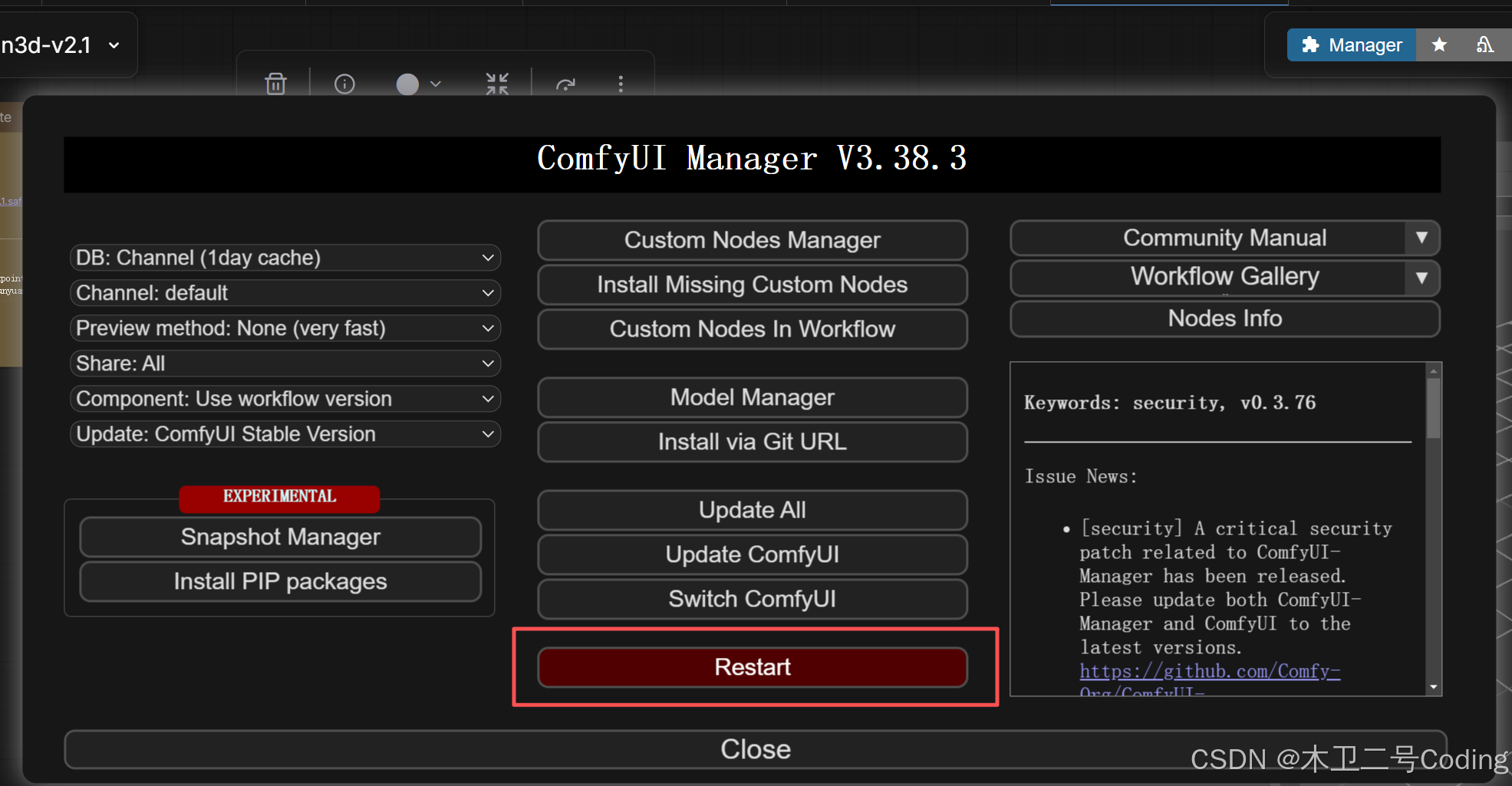
Manager Restart 不用后台命令行就能重启加载新模型文件了
运行结果
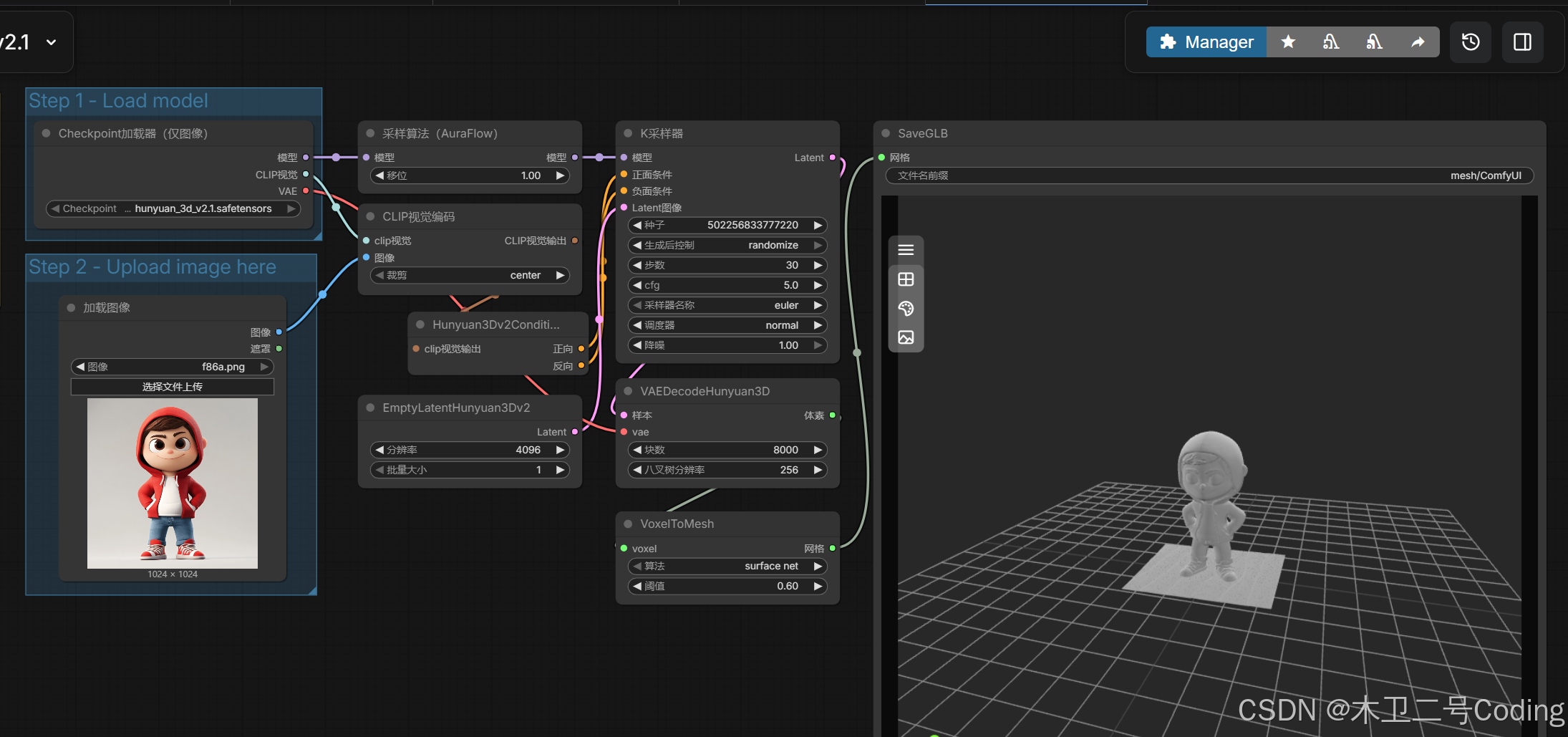
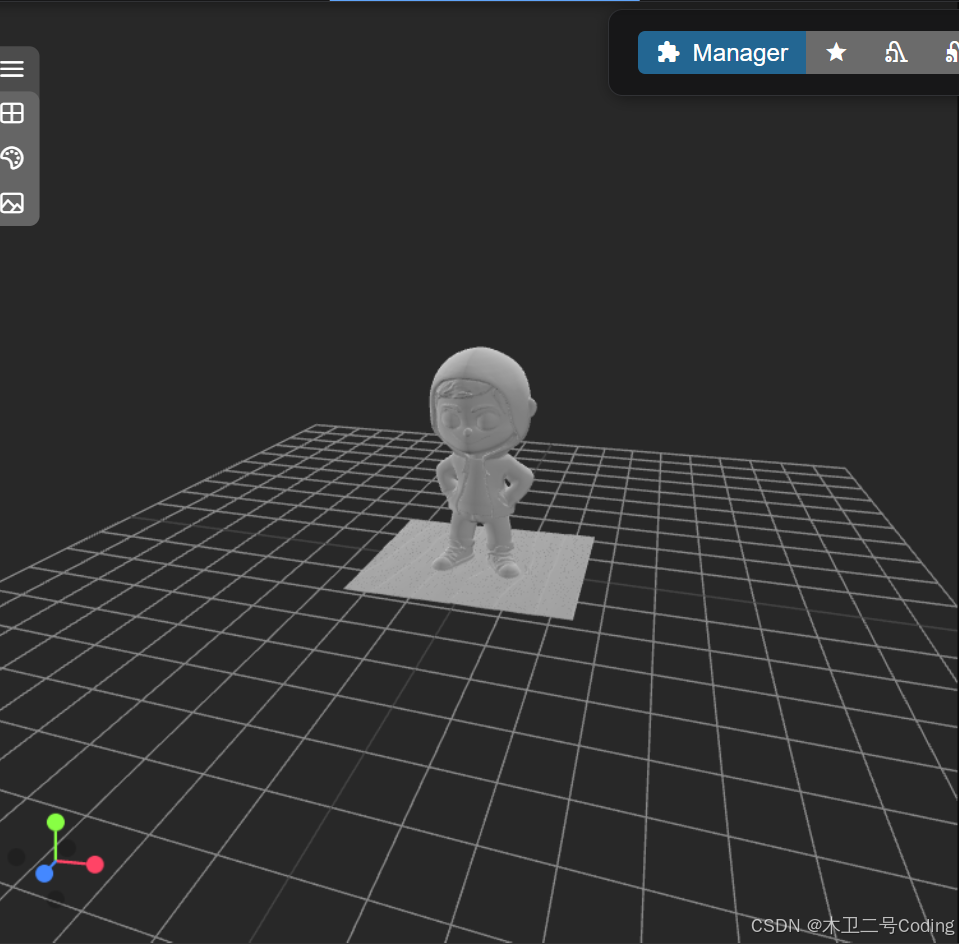
第一次时间长一点
时间
bash
loaded completely; 20829.17 MB usable, 5818.86 MB loaded, full load: True
  0%|                                                                                    | 0/30 [00:00<?, ?it/s][ComfyUI-Manager] default cache updated: https://raw.githubusercontent.com/ltdrdata/ComfyUI-Manager/main/extension-node-map.json
100%|███████████████████████████████████████████████████████████████████████████| 30/30 [00:21<00:00,  1.40it/s]
Requested to load ShapeVAE
loaded completely; 14937.18 MB usable, 624.88 MB loaded, full load: True
Volume Decoding: 100%|█████████████████████████████████████████████████████| 2122/2122 [00:17<00:00, 120.77it/s]
Prompt executed in 67.35 seconds
got prompt
 43%|████████████████████████████████▌                                          | 13/30 [00:09<00:11,  1.43it/s]
 97%|████████████████████████████████████████████████████████████████████████▌  | 29/30 [00:20<00:00,  1.42it/s]
100%|███████████████████████████████████████████████████████████████████████████| 30/30 [00:21<00:00,  1.42it/s]
Volume Decoding:  66%|██████████████████████████████████▉                  | 1399/2122 [00:11<00:06, 118.36it/s]
Volume Decoding: 100%|█████████████████████████████████████████████████████| 2122/2122 [00:17<00:00, 120.80it/s]
Prompt executed in 60.97 seconds
GPU
bash
Fri Dec 19 23:24:22 2025
+---------------------------------------------------------------------------------------+
| NVIDIA-SMI 535.129.03             Driver Version: 535.129.03   CUDA Version: 12.2     |
|-----------------------------------------+----------------------+----------------------+
| GPU  Name                 Persistence-M | Bus-Id        Disp.A | Volatile Uncorr. ECC |
| Fan  Temp   Perf          Pwr:Usage/Cap |         Memory-Usage | GPU-Util  Compute M. |
|                                         |                      |               MIG M. |
|=========================================+======================+======================|
|   0  Tesla PG503-216                On  | 00000000:04:00.0 Off |                    0 |
| N/A   27C    P0              38W / 250W |  18388MiB / 32768MiB |    100%      Default |
|                                         |                      |                  N/A |
+-----------------------------------------+----------------------+----------------------+
总结
1.GPU 占用18G
2.GPU 100%
3.60 秒左右一次
4.还是挺好用的