避免资源文件硬编码,和后期清理维护问题
TypeScript
import fs from 'fs';
import path from 'path';
import chokidar from 'chokidar';

const headerNotice = "/**" +
    " * THIS FILE IS AUTO-GENERATED\n" +
    " * --------------------------------------------------------------------------\n" +
    " *\n" +
    " * ⚠️ WARNING:\n" +
    " *   This file is automatically generated by scripts/code-gen.\n" +
    " *   Do NOT modify this file manually, as your changes will be overwritten.\n" +
    " *\n" +
    " * INFO:\n" +
    " *   Author: XXF\n" +
    " *   Generator: bun run r\n" +
    " *   Purpose: Provide static access to resources (images, icons, etc.)\n" +
    " *\n" +
    " * USAGE:\n" +
    " *   import { R } from '@/lib/code-gen/output/R';\n" +
    " *   <img src={R.images.icons.close} alt=\"close\" />\n" +
    " *\n" +
    " * --------------------------------------------------------------------------\n" +
    " */"
/// 执行脚本  bun lib/code-gen/scripts/generateR.ts --watch
/// 或者 bun run r
const resourceRoot = path.resolve(__dirname, '../../../public');
const outDir = path.resolve(__dirname, '../output');
const outFile = path.join(outDir, 'R.ts');
const outDtsFile = path.join(outDir, 'RType.d.ts');

const allowedExt = ['.png', '.jpg', '.jpeg', '.svg', '.gif', '.webp','.ico'];

// 转换文件名为合法 TS key
const toKey = (name: string) => name.replace(/[-\s]/g, '_').replace(/\.[^/.]+$/, '');

// 递归遍历目录生成对象
function walkDir(dir: string, basePath = ''): Record<string, any> {
    const entries = fs.readdirSync(dir, {withFileTypes: true});
    const result: Record<string, any> = {};
    for (const entry of entries) {
        const fullPath = path.join(dir, entry.name);
        const relativePath = path.join(basePath, entry.name);
        if (entry.isDirectory()) {
            result[toKey(entry.name)] = walkDir(fullPath, relativePath);
        } else if (entry.isFile()) {
            const ext = path.extname(entry.name).toLowerCase();
            if (allowedExt.includes(ext)) {
                result[toKey(entry.name)] = '/' + relativePath.replace(/\\/g, '/');
            }
        }
    }
    return result;
}

// 生成 TS 文件
function generateTS(obj: Record<string, any>, className = 'R', rootKey = 'images') {
    const lines = [`${headerNotice}\n`, `export class ${className} {`];
    lines.push(`  static ${rootKey} = ${JSON.stringify(obj, null, 2)};`);
    lines.push('}\n');
    return lines.join('\n');
}

// 生成 d.ts 文件
function generateDTS(obj: Record<string, any>, className = 'R', rootKey = 'images') {
    function buildType(obj: any): string {
        const lines: string[] = ['{'];
        for (const key in obj) {
            if (typeof obj[key] === 'string') {
                lines.push(`  ${key}: string;`);
            } else {
                lines.push(`  ${key}: ${buildType(obj[key])}`);
            }
        }
        lines.push('}');
        return lines.join('\n');
    }

    return `${headerNotice}\n` + `export declare class ${className} {\n  static ${rootKey}: ${buildType(obj)};\n}`;
}

// 执行生成
function generateAll() {
    if (!fs.existsSync(resourceRoot)) {
        console.log("resourceRoot is not exist");
        return;
    }
    const rObject = walkDir(resourceRoot);
    if (!fs.existsSync(outDir)) fs.mkdirSync(outDir, {recursive: true});
    fs.writeFileSync(outFile, generateTS(rObject), 'utf-8');
    fs.writeFileSync(outDtsFile, generateDTS(rObject), 'utf-8');
    console.log('✅ generateR.ts and R.d.ts generated successfully!');
}

// 支持 watch 模式
if (process.argv.includes('--watch')) {
    console.log('Watching public/images for changes...');
    generateAll();
    chokidar.watch(resourceRoot, {ignoreInitial: true, depth: 10}).on('all', () => generateAll());
} else {
    generateAll();
}
生成文件如下
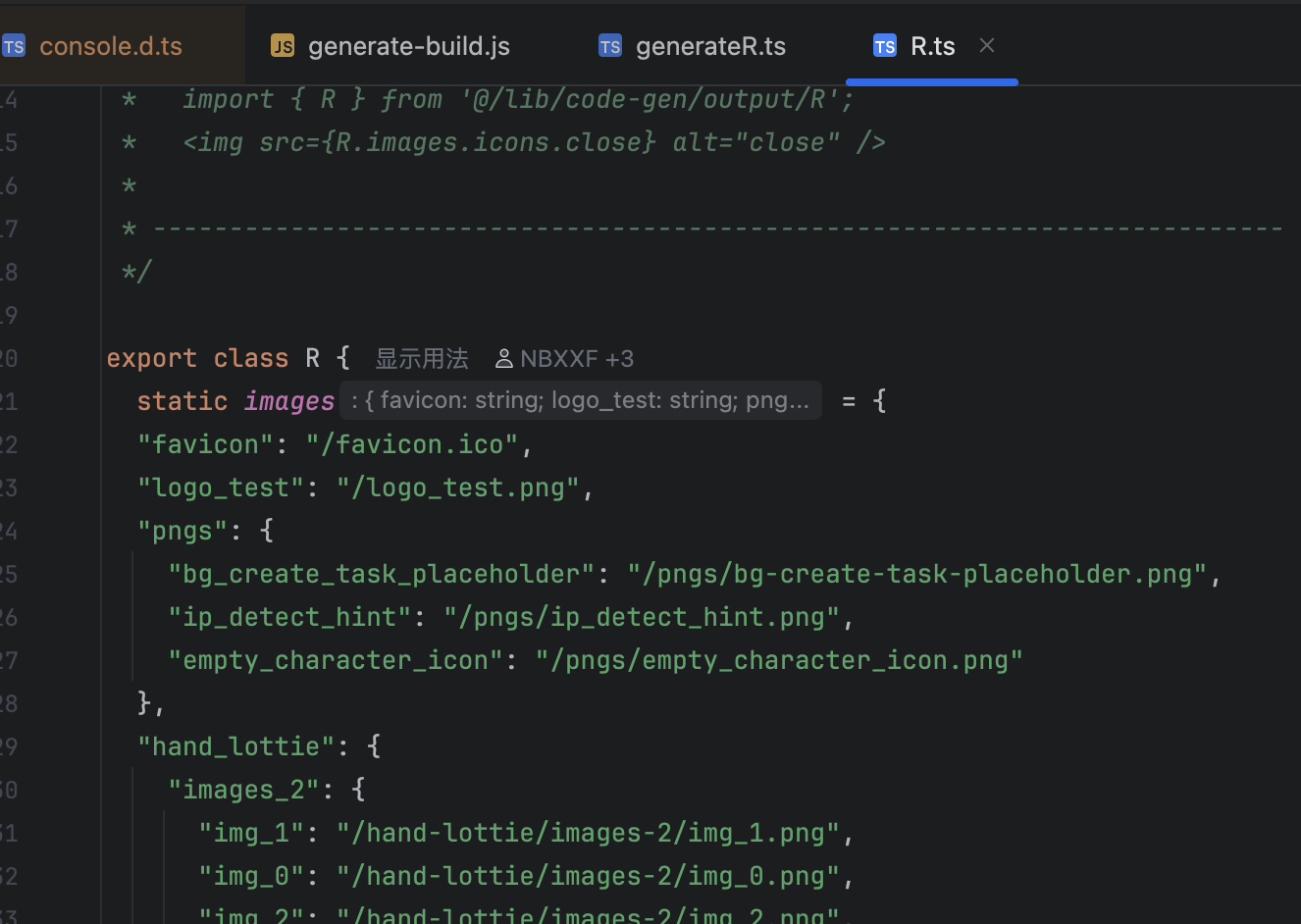
业务可以直接应用
TypeScript
  import { R } from '@/lib/code-gen/output/R';
  <img src={R.images.icons.close} alt="close" />