
curl 是常用的命令行工具,用来请求 Web 服务器。它的名字就是客户端(client)的 URL 工具的意思。
bash
// 发起一个普通的客户端请求:
$ curl https://www.example.com
常用参数
Headers相关
-H、--header
bash
# 设置请求头
$ curl -H "Content-Type:application/json" https://www.example.com-A、--user-agent
修改User-Agent客户端信息。默认的ua是 curl/version。
bash
# 添加ua
$ curl -A "Chrome/76.0.3809.100" https://www.example.com

# 移除信息ua
$ curl -A "" https://www.example.com-e、--referer
设置请求的来源。
bash
curl -e 'https://google.com?q=example' https://www.example.com
# 或使用 -H
curl -H 'Referer: https://google.com?q=example' https://www.example.com
Cookie相关
-b、--cookie
向服务器发送 Cookie。
bash
# 设置cookie
$ curl -b 'foo=bar' https://www.example.com

# 使用文件内容作为cookie信息
$ curl -b cookies.txt https://www.example.com
-c
将服务器设置的 Cookie 写入一个文件
bash
$ curl -c cookies.txt https://www.example.comMethod相关
-X
修改请求方式,默认是GET
bash
# POST
$ curl -X POST https://www.example.com-d、--data、--data-urlencode
参数用于发送 POST 请求的数据体。使用
-d参数以后,HTTP 请求会自动加上标头Content-Type : application/x-www-form-urlencoded。并且会自动将请求转为 POST 方法
bash
#
$ curl --d "data=xxx" https://www.example.com

# json
$ curl -d '{"login": "emma", "pass": "123"}' -H 'Content-Type: application/json' https://www.example.com

# 等同于-d 、区别在于会自动将发送的数据进行 URL 编码。
$ curl --data-urlencode 'comment=hello world' https://google.com/login
-G
用来构造 URL 的查询字符串。
bash
# https://google.com/search?q=kitties&count=20
$ curl -G -d 'q=kitties' -d 'count=20' https://google.com/search

# 如果数据需要 URL 编码
# https://google.com/search?ids=1%2C1
$ curl -G --data-urlencode 'ids=1,2' https://google.com/search
查看请求信息
-i、-I
查看响应头
bash
# 显示http response的头信息,连同网页代码一起
$ curl -i https://www.example.com

# 只显示http response的头信息
$ curl -I https://www.example.com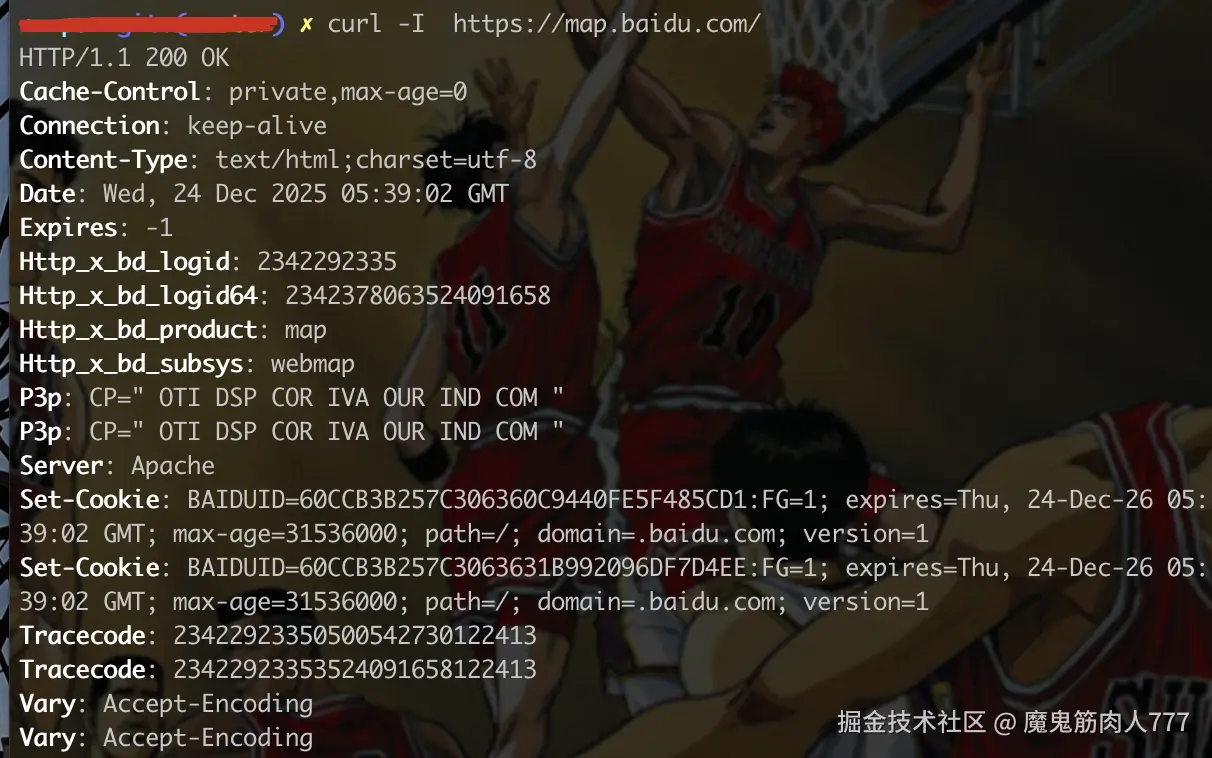
-v
显示一次http通信的整个过程。(包括握手、请求头、响应头、响应体)

其他
-o 、 -O
将服务器的回应保存成文件
bash
# 制定文件名
$ curl -o example.html https://www.example.com

# 将 URL 的最后部分当作文件名。文件名为bar.html。
$ curl -O https://www.example.com/foo/bar.html