文章目录
一、在iDesktopX中创建kml并添加模型
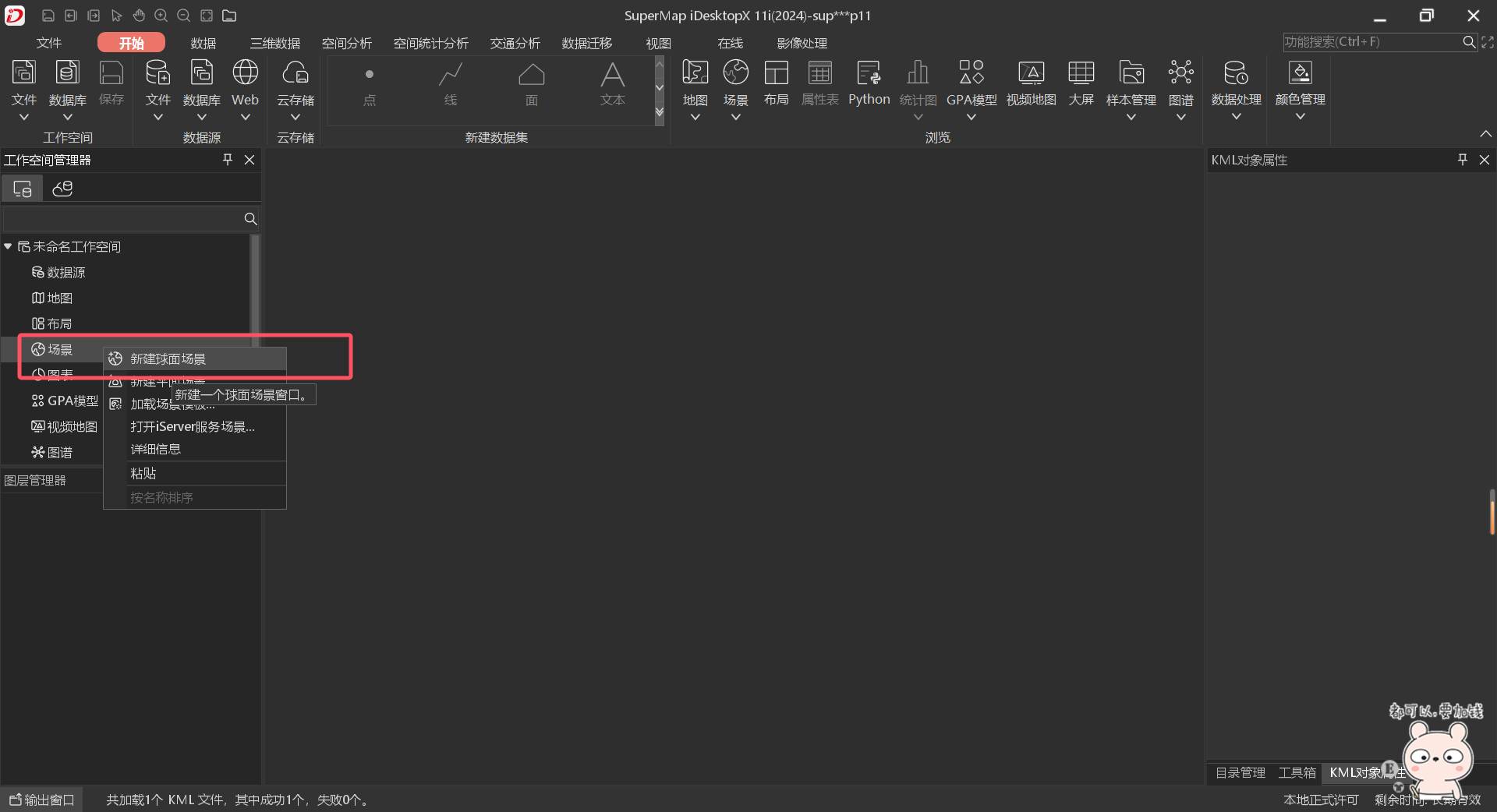
1、新建球面场景
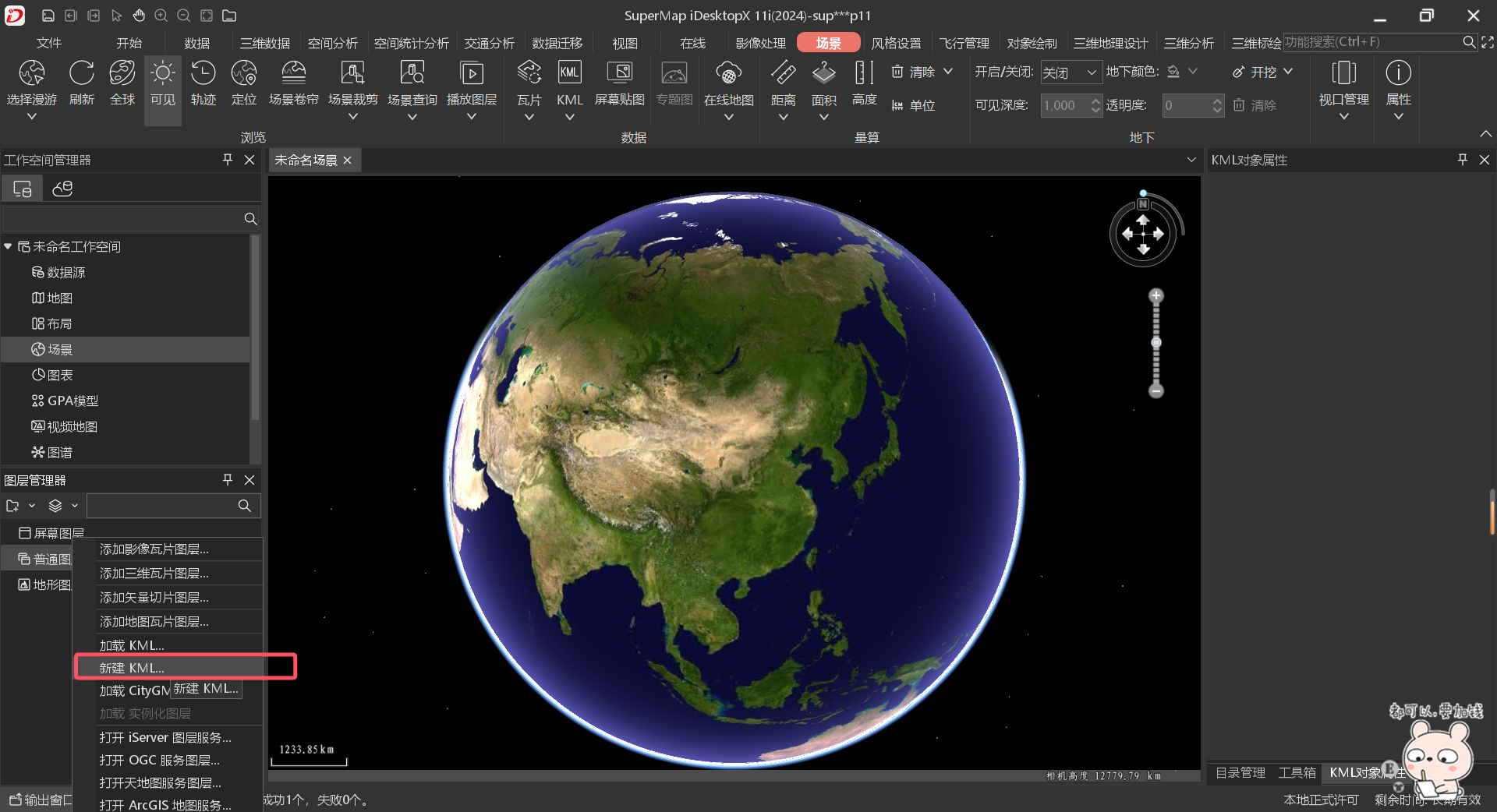
2、新建kml
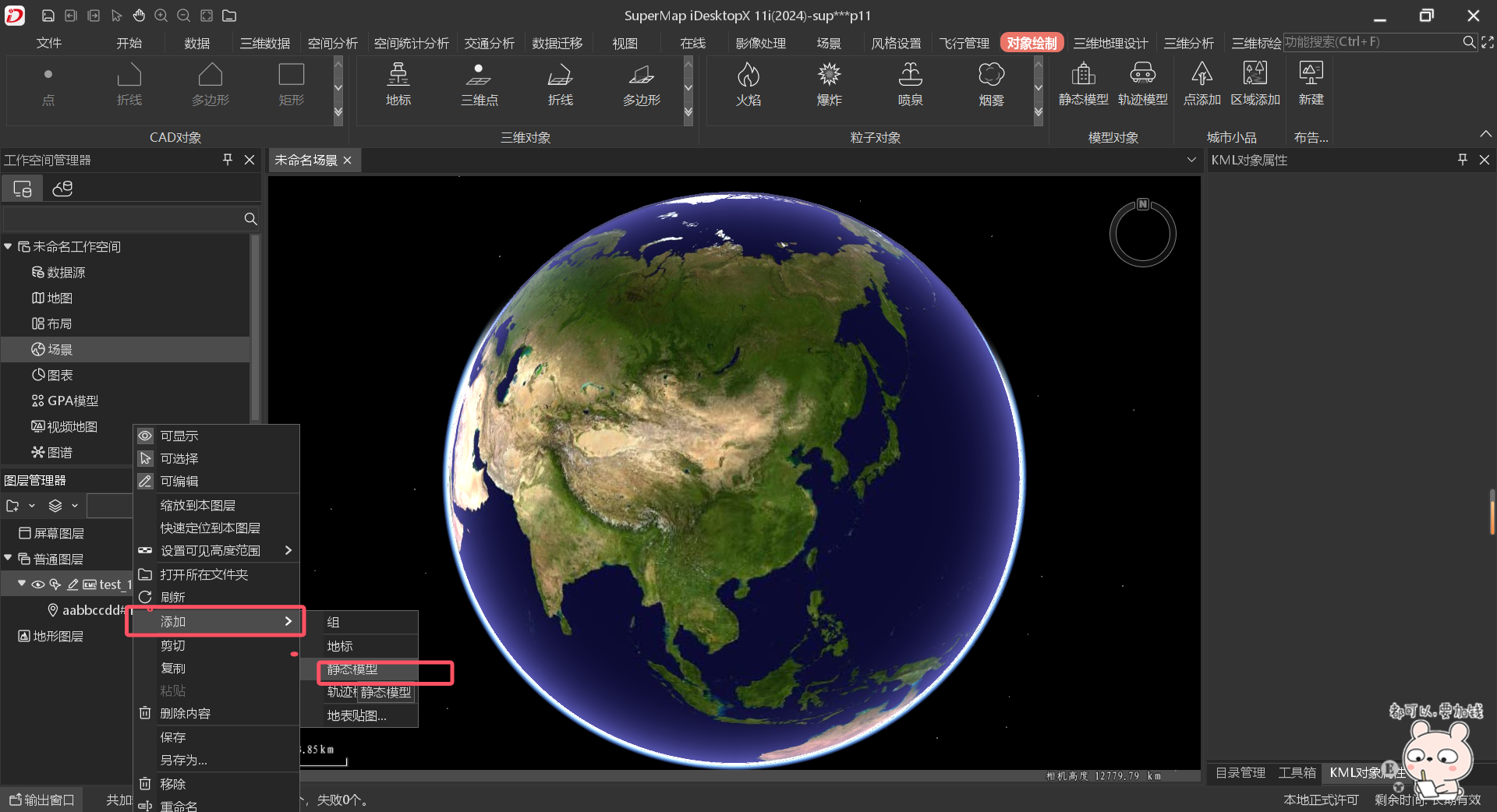
3、添加模型
这里添加静态模型和轨迹模型均可
支持:.fbx、.3ds、.obj、.dae、.x、.osgb、.stl、.off、.gltf、.glb、.s3mb、.osg、.s3m、.sgm、.mesh格式模型
二、将kml文件以及模型文件拷贝到手机指定目录中

三、iMobile场景中加载kml图层
java
		//初始化场景
		public SceneControl mSceneControl;
		mSceneControl = (SceneControl) findViewById(R.id.sceneControl);
		//kml图层添加到场景中
		Path = "/sdcard/SampleData/CBD_android/files/";
		mSceneControl.getScene().getLayers().addLayerWith(Path + "kml/test_1.kml", Layer3DType.KML, true,
				"NodeAnimation");
四、让模型动起来
1、获取场景中的kml图层并定位
java
		Layer3D layer3d = mSceneControl.getScene().getLayers().get("NodeAnimation");
        mSceneControl.getScene().ensureVisible(layer3d);
2、获取模型并让他动起来
java
		//获取GeoPlacemark
		GeoPlacemark placemark = (GeoPlacemark) ((Feature3D)mSceneControl.getScene().getLayers().get(0).getFeatures().get(0)).getGeometry();
		GeoModel3D myGeoModel = (GeoModel3D) placemark.getGeometry();
		//获取三维模型对象的节点动画
		nodeAnimation = myGeoModel.getNodeAnimation();
		//设置节点动画的播放模式
		nodeAnimation.setPlayMode(nodeAnimationPlayMode);
		//这里的geoline3d为模型的运动路线
		if (geoline3d != null) {
			//设置获取节点动画运行周期的时长,单位:秒。
			nodeAnimation.setLength(mTime);
			Log.v("lzw", "startnodeAnimation mTime=" + mTime);
			//开启节点动画
			nodeAnimation.setEnabled(true);
			//设置节点动画的运动轨迹,目前只接受类型为 GeoLine3D的参数,其他类型无效。
			nodeAnimation.setTrack(geoline3d);
		} else {
			nodeAnimation.setEnabled(false);

		}
五、效果
节点动画