WebStorm配置与插件

WebStorm配置与插件

1、插件px2rem

打开 Setting -> Plugins -> Marketplace 搜索px2rem点击安装。
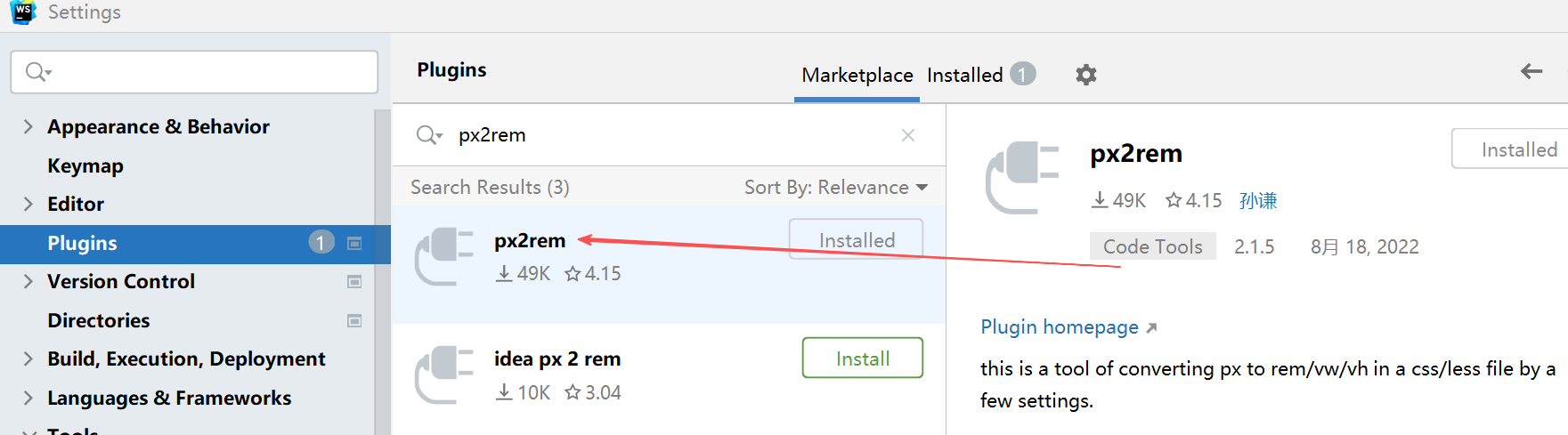
安装完成,在Settings -> Px to Rem 中设置 rm [root fontsize],即px转rem的换算标准,如下图设置为80px是1rem。
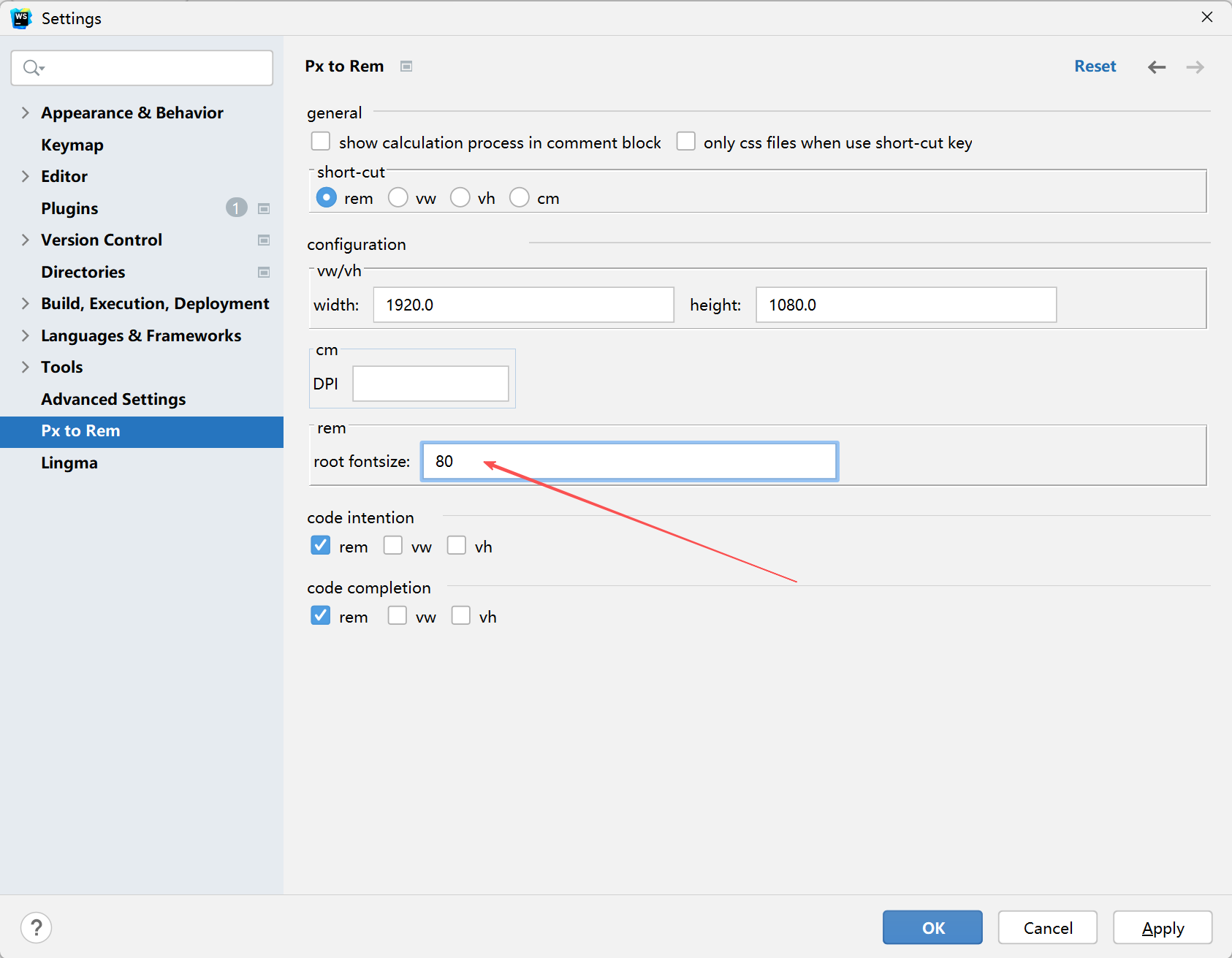
在写css样式时关于尺寸大小px的时候可自动选择转换成rem单位。

2、插件less转css

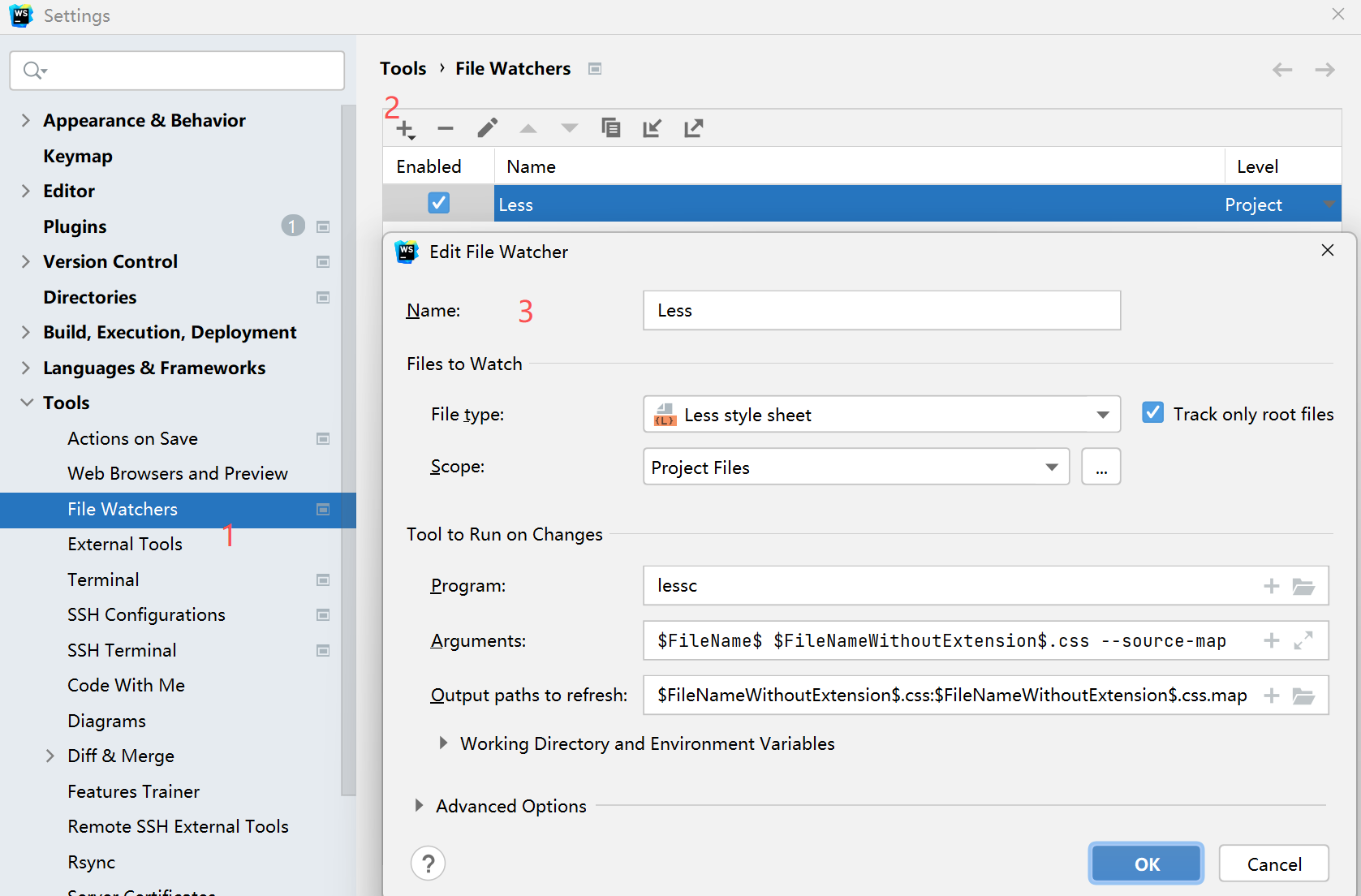
less自动转换css 全局安装less:npm install -g less

然后 Setting -> Tools -> File Watchers 把less转css配置好。
3、xxxx

相关推荐
️学习的小王8 小时前
Anaconda国内镜像配置与conda常用命令
ide·经验分享·python·conda
雾沉川10 小时前
Rust IDE 选型:除 VS Code 之外,RustRover 非商业场景可免费使用
ide·vscode·rust
2501_915918411 天前
iOS 真机调试工具推荐,安装运行、性能分析有哪些工具
ide·vscode·ios·objective-c·个人开发·swift·敏捷流程
Albert Edison2 天前
PyCharm 字体大小设置
ide·python·pycharm
Super 含3 天前
Android 包体积优化(一):APK 到底大在哪里?从 APK 结构到体积分析
android·ide·vscode
冷雨夜中漫步3 天前
IDEA CodeStyle代码风格格式化模板
java·ide·intellij-idea
Promising_GEO3 天前
新电脑科研环境配置指南:Miniforge + PyCharm + GitHub 从安装到可用
ide·python·pycharm·github·地理
舞动青春883 天前
vscode copilot配置kimi k3
ide·vscode·copilot
爱上纯净的蓝天3 天前
AtomCode 多语言开发支持:一个 AI IDE 搞定全栈开发
ide·多语言·全栈开发·atomcode
小小啊python4 天前
IDEA中SpringBoot项目配置热部署
java·ide·intellij-idea·springboot·热部署