mac电脑idea更改git用户名和密码

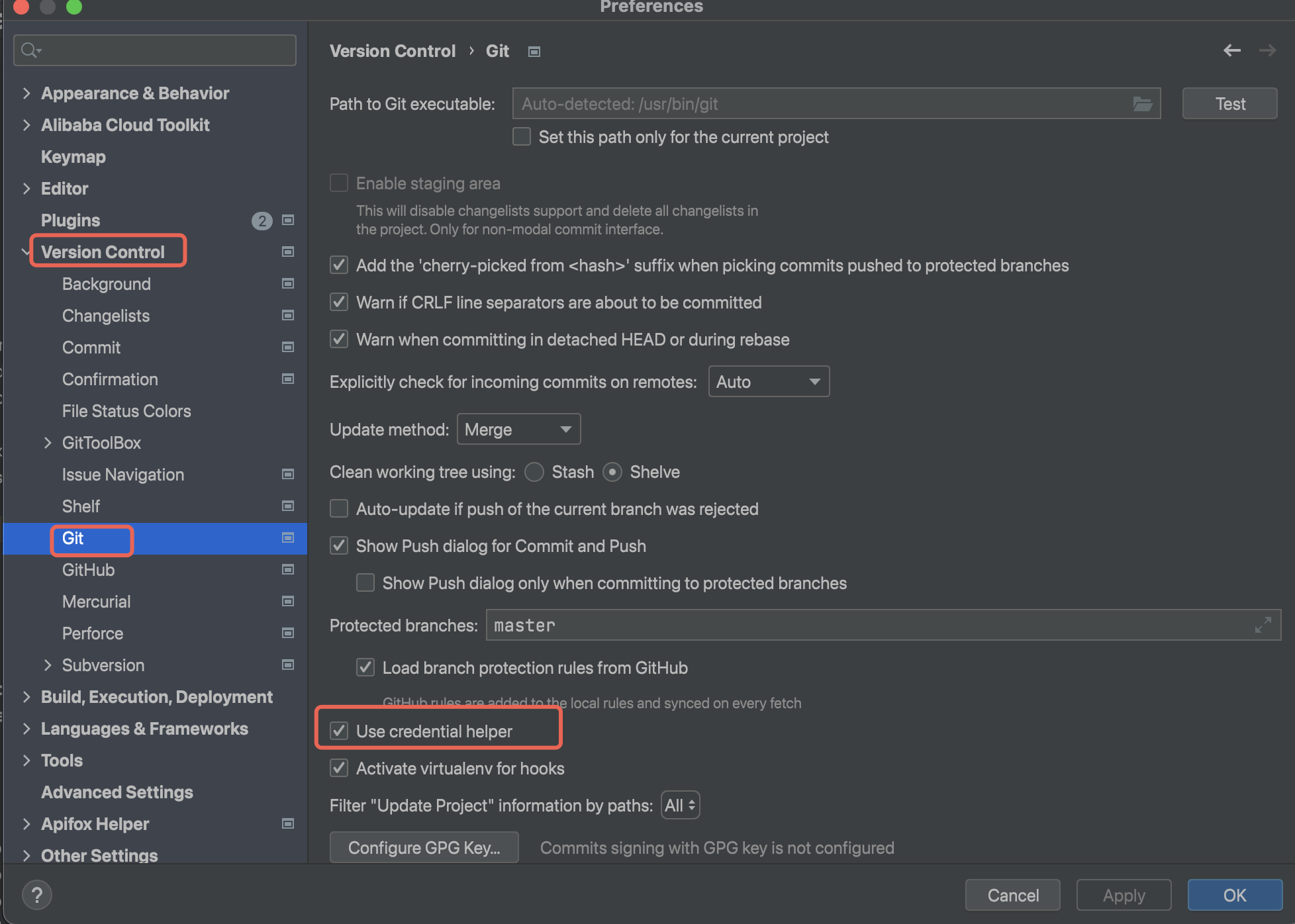
一、点击IntelliJ IDEA -> settings -> Version Control 找到git 选项,将Use credential helper 这个选项勾选
二、再次找到IntelliJ IDEA -> settings -> Appearance & Behavior -> System Settings 找到 Passwords 在里面找到 Do not ,forget passwords after restart 选择这个
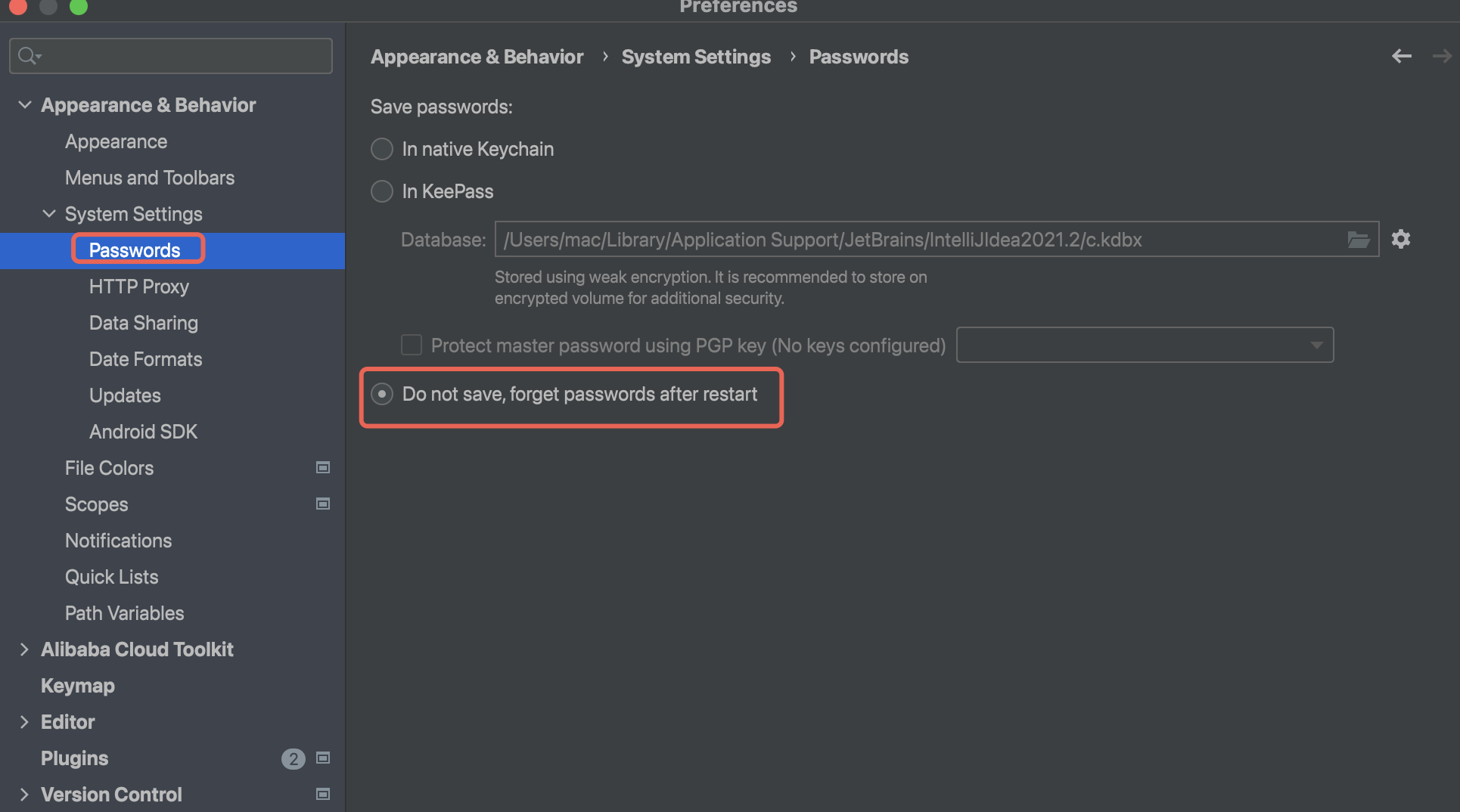
三、然后pull或者push代码的时候就会提示重新输入账号密码

相关推荐
武超杰4 小时前
Git 从入门到精通教程
git
程序员夏末5 小时前
【开源经历 | 第一篇】参与开源需要掌握的Git和Github指令
git·开源
vooy pktc5 小时前
macOS安装Redis
数据库·redis·macos
A懿轩A5 小时前
Ghostty:告别 Mac 毛坯终端,打造 2026 最丝滑的 Ghostty AI 开发驾驶舱——Claude Code 团队也在用
python·macos·策略模式
SNOWPIAOP6 小时前
git status 出现中文乱码的解决方案等
git·乱码·postgres
空中海7 小时前
01. iOS 逆向基础、环境搭建与授权
macos·ios·cocoa
空中海7 小时前
iOS LLDB 调试、Mach-O、Runtime 与二进制分析
macos·ios·cocoa
空中海7 小时前
iOS 防护、加固复测与综合交付
macos·ios·cocoa
qq_4352879217 小时前
第9章 夸父逐日与后羿射日:死循环与进程终止?十个太阳同时值班的并行冲突
java·开发语言·git·死循环·进程终止·并行冲突·夸父逐日
AIMath~1 天前
Git 子模块(Submodule)目录结构清除实战复盘
git