git unstash误clear后恢复指南

文章目录

  • [1. 进入File->Local History->Show History](#1. 进入File->Local History->Show History)
  • [2. 找到要恢复的记录](#2. 找到要恢复的记录)
  • [3. 右击Revert Selected and Later Changes](#3. 右击Revert Selected and Later Changes)
  • [4. 点击Add](#4. 点击Add)

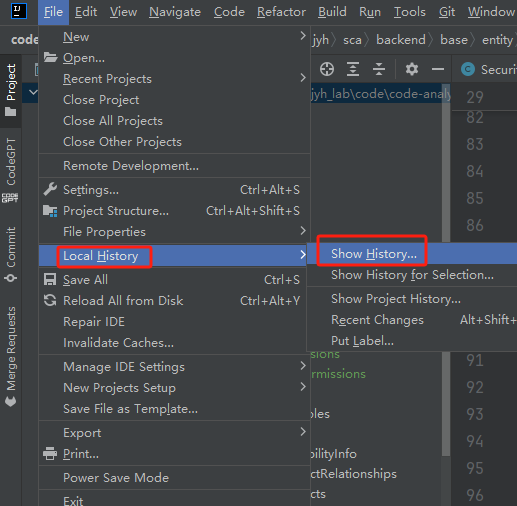
1. 进入File->Local History->Show History
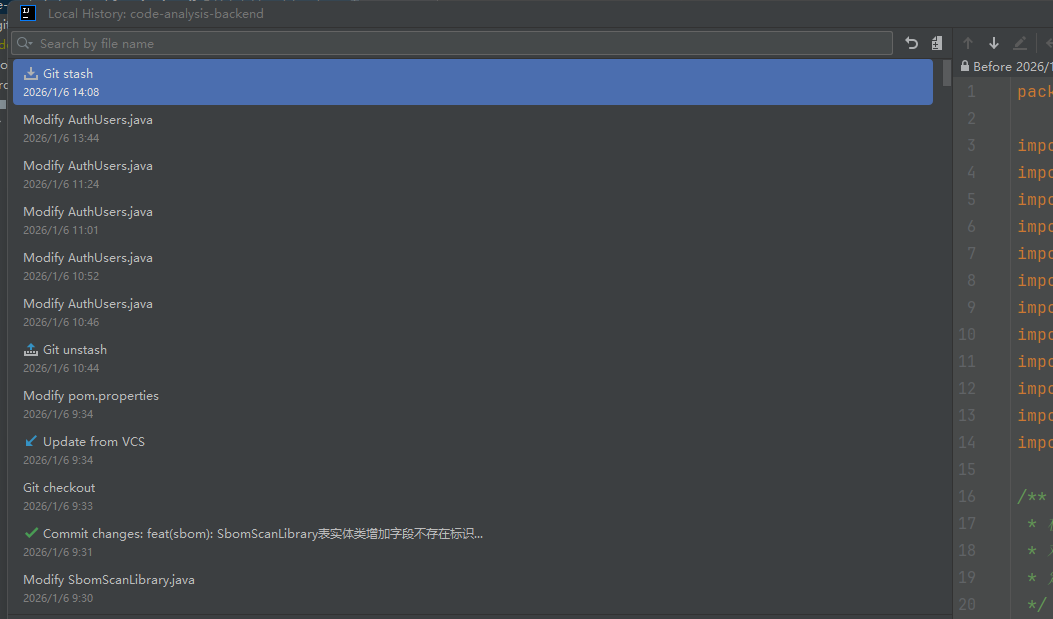
2. 找到要恢复的记录
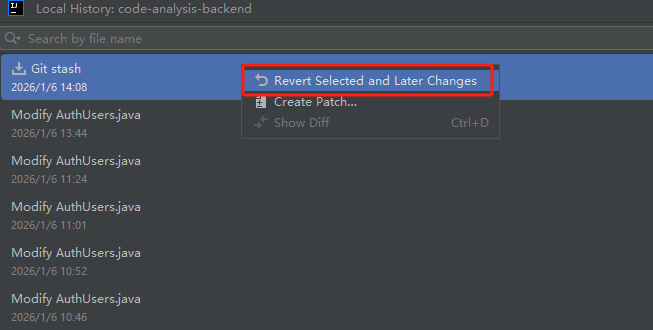
3. 右击Revert Selected and Later Changes
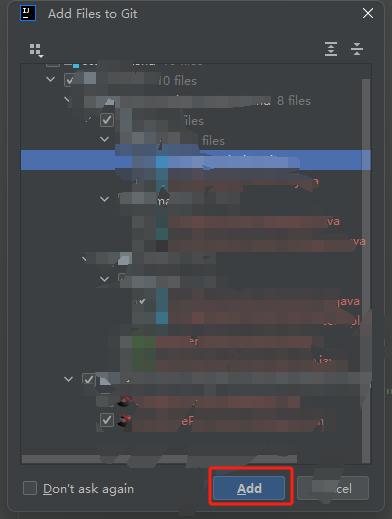
4. 点击Add
以上为个人学习分享,如有问题,欢迎指出:)

相关推荐
小柯博客1 天前
从零开始打造 OpenSTLinux 6.6 Yocto 系统 - STM32MP2(基于STM32CubeMX)(六)
c语言·git·stm32·单片机·嵌入式硬件·开源·yocto
静若繁花_jingjing1 天前
Git分支命令
git
stu_kk1 天前
Git常用操作指令
git
顾默@1 天前
关于git推送到远程仓库的一些操作
git
___波子 Pro Max.1 天前
Git 2.23新增命令switch使用指南
git
℘团子এ2 天前
git中,项目怎么更换远程仓库连接地址
git
言之。2 天前
Git Hooks
git
代码AI弗森2 天前
Git Bash 与 PowerShell:定位差异、使用场景与选择建议
开发语言·git·bash
森叶2 天前
Git flow command error: ‘flow‘ is not a git command 问题解决
git
天麓2 天前
git merge 举例
git