MinIo 2025-10 起已明确把"社区版"降格为维护模式,并同步收紧了交付方式与功能范围;同时,官方把研发重心全部转向付费的商业版(AIStor)
对比
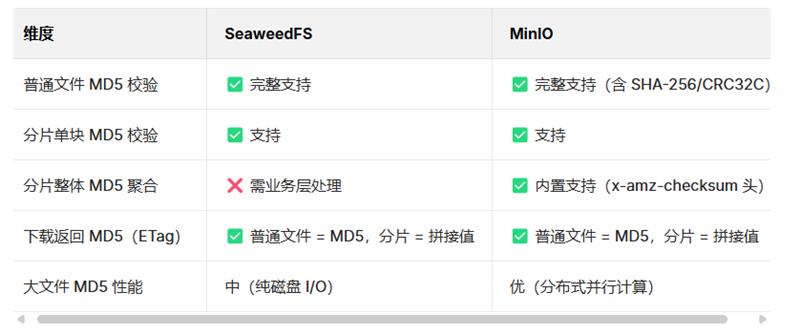
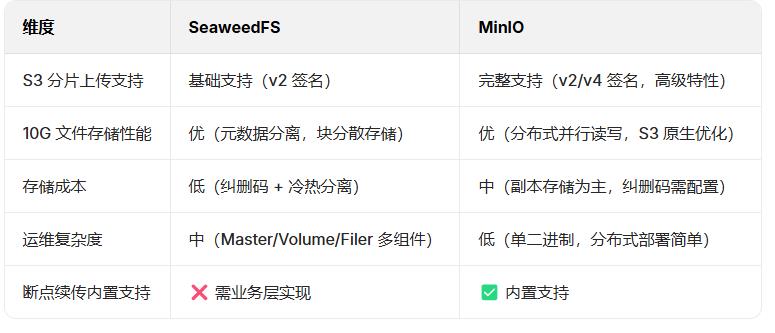
核心概念
一句话的理解:Master 管"调度",Volume 管"存数据",Filer 管"目录",S3 Gateway 管"像 S3 一样访问"。
|--------------|------------------------------------------|---------------------------------------------------------------|
| 组件 | 作用 | 存储内容 |
| Master | 集群"调度器":分配 VolumeId、维护拓扑与副本策略、负载均衡 | 仅元元数据(Volume→VolumeServer 映射、心跳信息),不占大空间 |
| VolumeServer | 数据节点:真正存放文件内容,可水平扩展 | 本地大文件 volumeId.dat + volumeId.idx(默认单卷最大 30 GB) |
| Filer | 元数据/目录服务:把"目录+文件名"映射到 Volume 里的文件 Id,可挂载 | 目录结构、文件属性、小文件 Id 列表(默认 LevelDB,可换 MySQL/Postgres/Cassandra 等) |
| S3 Gateway | 协议适配层:把 AWS S3 REST 调用翻译成对 Filer 的读写 | 无持久数据(无状态),Bucket→Collection 映射关系存在 Filer |
启动步骤
| 组件 | 启动命令(新开 CMD 窗口) | 验证方式 | 协议 |
|---|---|---|---|
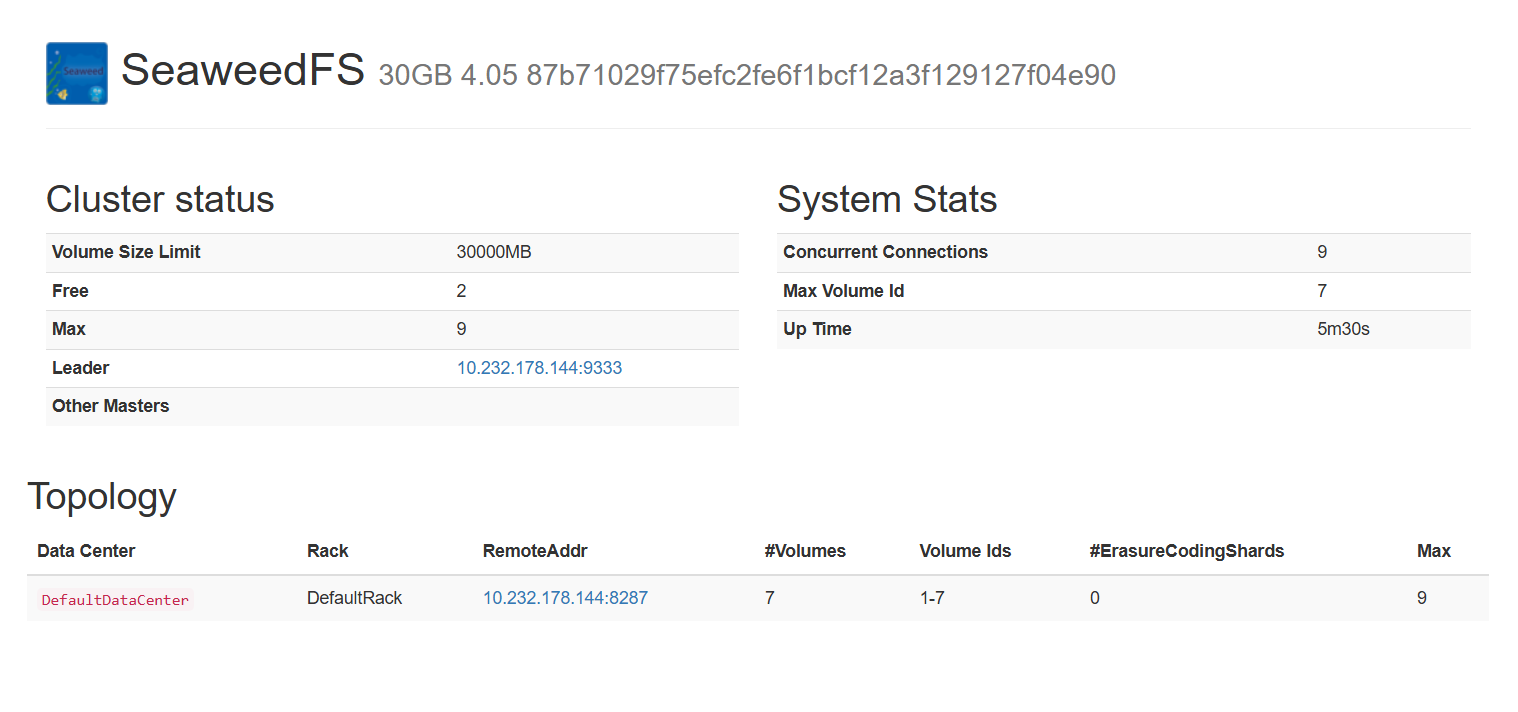
| Master | weed master -port=9333 -defaultReplication="000" |
浏览器访问 http://localhost:9333,可见 SeaweedFS 控制台; 日志无报错。 |
内部 gRPC/HTTP(对 Volume/Filer),不直接对用户 |
| Volume | weed volume -mserver=localhost:9333 -port=8080 -dir=D:\seaweedfs\data\volume -max=0 |
Volume 窗口输出 volume started on 8080; Master 窗口提示 Volume 注册成功。 |
HTTP /xyz 小文件存储接口 |
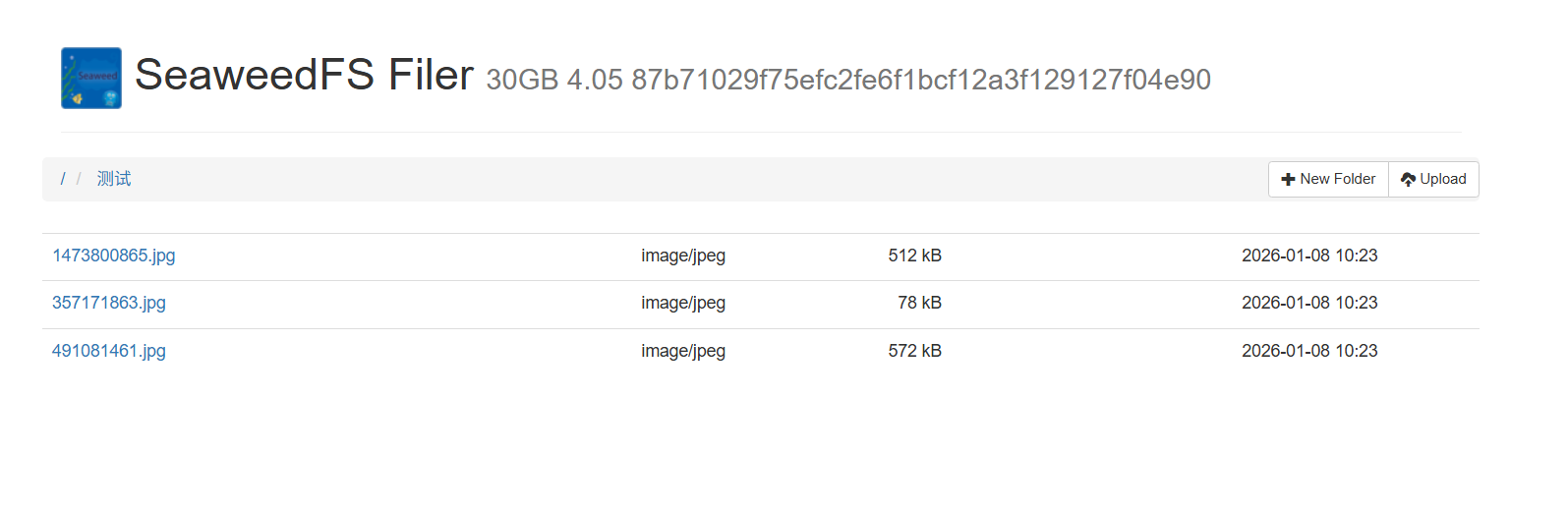
| Filer | weed filer -master=localhost:9333 -port=8888 |
浏览器访问 http://localhost:8888,可见 Filer 控制台。 |
HTTP REST、gRPC、可选 NFS/WebDAV/HDFS |
| S3 Gateway | weed s3 -filer=localhost:8888 -port=9000 |
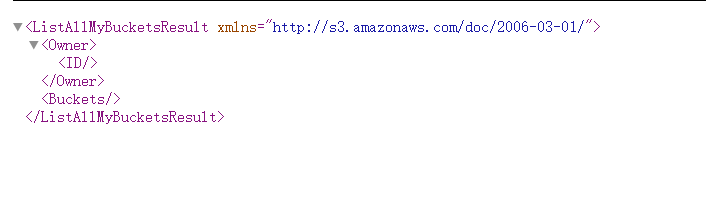
浏览器访问 http://localhost:9000,显示 SeaweedFS S3 Gateway; 窗口输出 s3 gateway started on 9000。 |
AWS S3 兼容 REST(GET/PUT/DELETE/HEAD...) |
快速停止
taskkill /f /im weed.exeMater
Filter
Gateway
配置文件
SeaweedFS 把 S3 的 AK/SK(Access Key / Secret Key)以及权限策略统一写在一份 JSON 文件 里(默认叫 s3.json),启动 S3 Gateway 时通过 -config 参数加载即可
{
  "identities": [
    {
      "name": "admin",
      "credentials": [
        {
          "accessKey": "YOUR_ACCESS_KEY",
          "secretKey": "YOUR_SECRET_KEY"
        }
      ],
      "actions": ["Admin", "Read", "Write", "List", "Tagging"]
    }
  ],
  "accounts": []
}
启动命令
独立 S3 Gateway 进程
weed s3 -filer=localhost:8888 -port=8333 -config=/etc/seaweedfs/s3.json
SDK
直接用 AWS 官方的 @aws-sdk/client-s3(推荐)------SeaweedFS 的 S3 Gateway 兼容 AWS 签名,只要配好 endpoint、forcePathStyle 和 AK/SK 即可 。
npm i @aws-sdk/client-s3
javascript
import { S3Client, PutObjectCommand, GetObjectCommand, ListBucketsCommand } from "@aws-sdk/client-s3";
import { createReadStream } from "fs";

const s3 = new S3Client({
  endpoint: "http://127.0.0.1:8333",   // SeaweedFS S3 端口
  region: "us-east-1",                 // 必填,但会被忽略
  forcePathStyle: true,                // 关键:关闭虚拟主机风格
  credentials: {
    accessKeyId: "YOUR_AK",
    secretAccessKey: "YOUR_SK"
  }
});

// 上传
await s3.send(new PutObjectCommand({
  Bucket: "test-bucket",
  Key: "hello.txt",
  Body: createReadStream("./hello.txt")
}));

// 列举桶
const { Buckets } = await s3.send(new ListBucketsCommand({}));
console.log("Buckets:", Buckets);