1. 背景
对一名开发者来说,办公和家里都有编程环境,并且都需要时刻保持同步,往常完全靠个人记忆,手工同步,这导致有时候会遗忘。此刻,如果有一个定时任务帮我在某个时刻,将 Git 自动同步,这将是一种不同于以往任何一个体验。
2. 使用插件
2.1. Windows
办公环境都是 Windows ,办公室用的 Windows 10,家里用的 Windows 11。
2.2. VSCode
Visual Studio Code(简称 VS Code)是一款由微软开发的轻量级、跨平台代码编辑器,支持多种编程语言和扩展功能,深受开发者喜爱 ,使用 VSCode 开发调测PS文件。
2.3. PowerShell
PowerShell 是由微软开发的一个命令行环境和脚本语言,也是一种跨平台的任务自动化解决方案,用于系统管理和配置管理,由命令行 shell、脚本语言和配置管理框架组成。
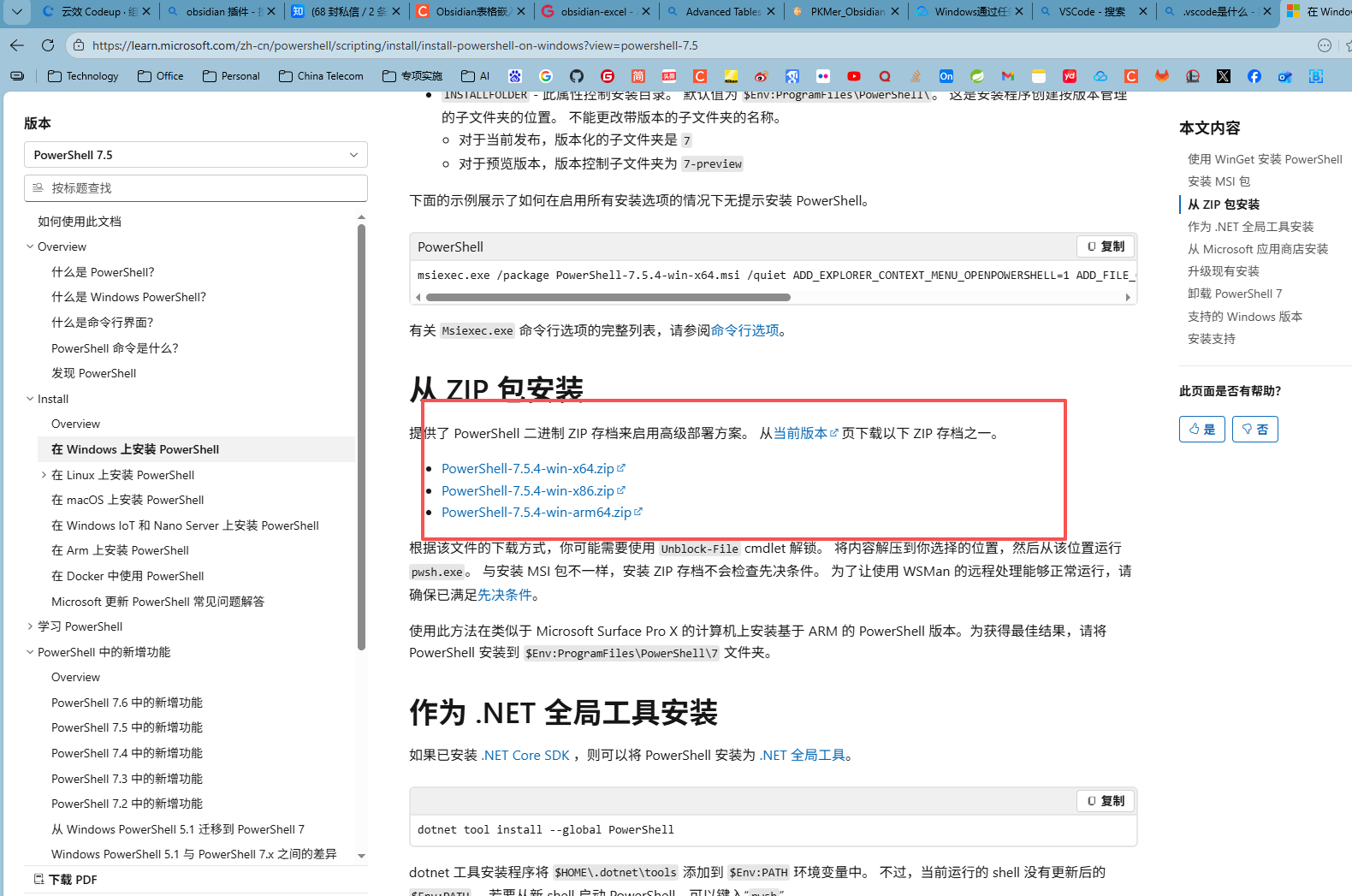
具体安装 请参考 在 Windows 上安装 PowerShell 。
此处使用 PowerShell-7.5 作为执行的环境,下载地址 PowerShell-7.5.4-win-x86.zip 。
3. 实现步骤
3.1. PS代码
ps1
# 文件名:autoGitPush.ps1
Function gitPush {
    # 将脚本放置在项目根路径
    if ($PSVersionTable.PSVersion.Major -ge 3) {
        # PowerShell 3.0 或更高版本
        $ScriptPath = $PSCommandPath
    } else {
        # PowerShell 2.0 或更低版本
        $MyInvocation = (Get-Variable MyInvocation).Value
        $ScriptPath = $MyInvocation.MyCommand.Definition
        $ScriptDir = Split-Path -Parent $ScriptPath
    }

    $ScriptDir = Split-Path -Path $ScriptPath -Parent
    Write-Output $ScriptDir

    Set-Location $ScriptDir # 切换到项目路径
    $now = Get-Date # 获取时间日期对象
    $msg = " The Commit Message==>  " + $now.ToString('yyyy-MM-dd HH:mm:ss') + "==="#
    # 将提交信息输出到日志文件gitpush.log
    $msg | Out-File -FilePath .\gitpush.log -Append -Encoding utf8
    Write-Output $msg
    # 将代码的相关信息输出到日志文件gitpush.log
    git status >> .\gitpush.log
    git add . >> .\gitpush.log
    git commit -m $msg  >> .\gitpush.log
    git push origin main  >> .\gitpush.log
}

gitPush # 运行函数
3.2. 自动化任务配置
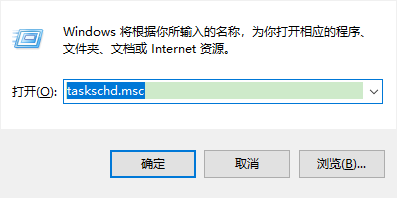
打开任务计划窗口
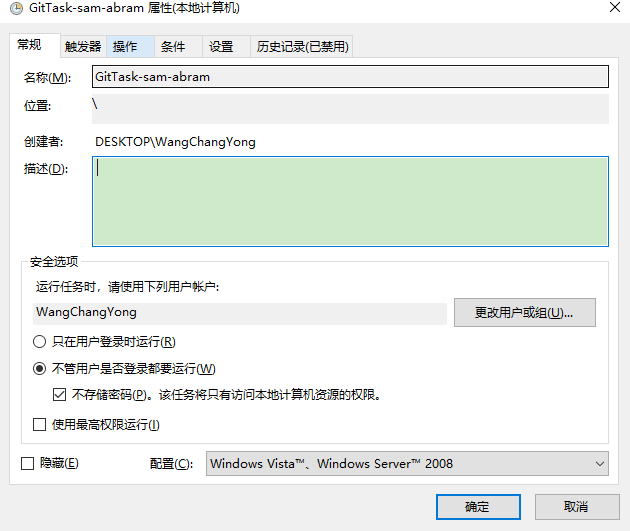
选择创建任务

- 选择创建任务,并参考下图进行配置。
- 新建触发器任务
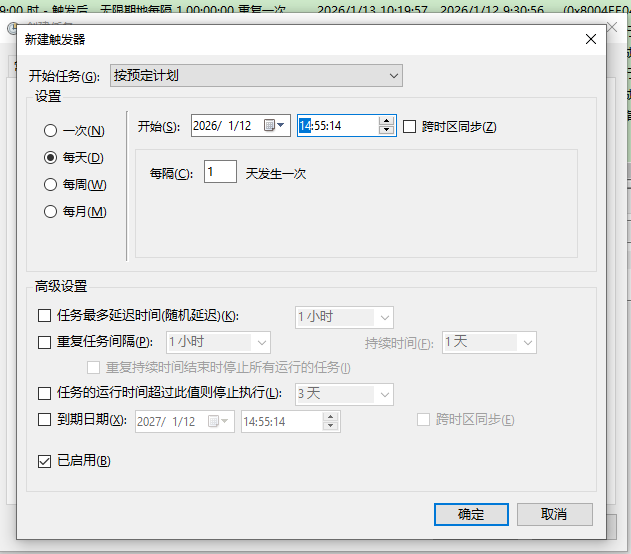
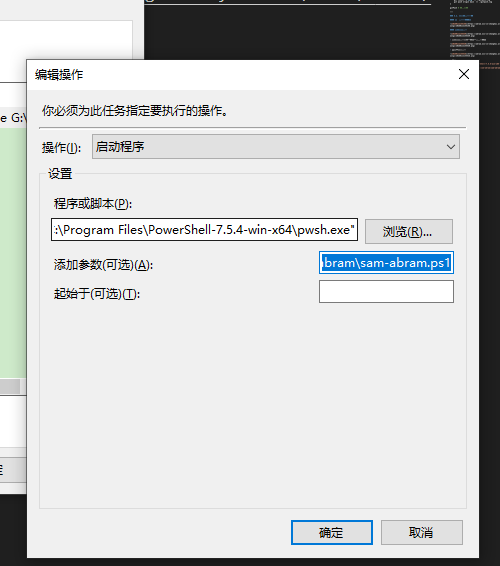
- 操作
程序或脚本 选择下载的 PowerShell-7.5.4-win-x64 下的 pwsh.exe。
添加参数(可选)(A) : -File G:\sam-abram\sam-abram.ps1 其中 sam-abram.ps1 为 Vscode编辑的程序名。