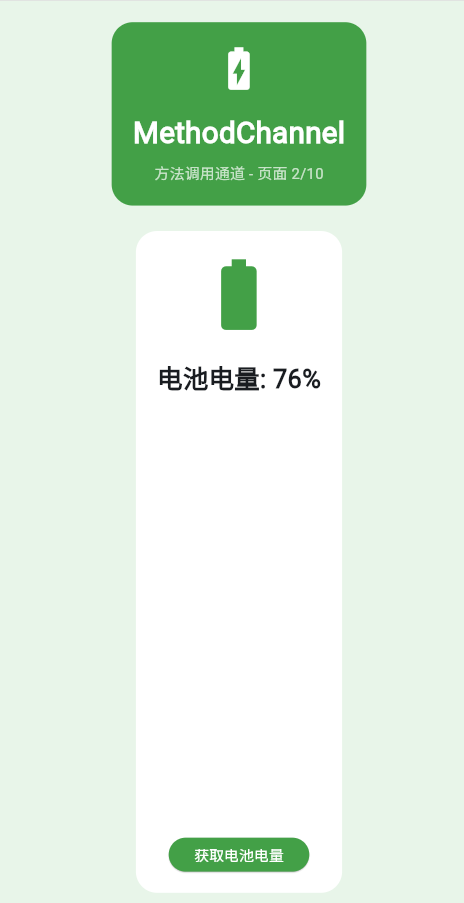
一、MethodChannel概述
MethodChannel用于在Flutter和原生平台之间进行方法调用,是最常用的通信方式。
invokeMethod
调用
返回
返回
Flutter
MethodChannel
HarmonyOS Plugin
|| 特性 | 说明 |
|------|------|
| 请求响应 | 支持同步和异步响应 |
| 参数传递 | 支持复杂对象参数 |
| 错误处理 | PlatformException异常处理 |
| 单向调用 | 只支持Flutter调用原生 |
二、调用流程
HarmonyOS 插件方法 MethodChannel Flutter UI HarmonyOS 插件方法 MethodChannel Flutter UI invokeMethod('getBatteryLevel') 转发调用 查询电量 返回电量值 返回结果 更新显示
dart
class _Page02MethodChannel extends StatefulWidget {
  const _Page02MethodChannel();

  @override
  State<_Page02MethodChannel> createState() => _Page02MethodChannelState();
}

class _Page02MethodChannelState extends State<_Page02MethodChannel> {
  static const platform = MethodChannel('com.example.demo/battery');
  String _batteryLevel = '未知';
  bool _isLoading = false;

  Future<void> _getBatteryLevel() async {
    setState(() {
      _isLoading = true;
      _batteryLevel = '获取中...';
    });

    try {
      // 模拟获取电池电量
      await Future.delayed(const Duration(milliseconds: 500));
      final level = 50 + (DateTime.now().millisecond % 50);
      if (mounted) {
        setState(() {
          _batteryLevel = '电池电量: $level%';
          _isLoading = false;
        });
      }
    } on PlatformException catch (e) {
      setState(() {
        _batteryLevel = '错误: ${e.message}';
        _isLoading = false;
      });
    } catch (e) {
      setState(() {
        _batteryLevel = '未知错误: $e';
        _isLoading = false;
      });
    }
  }

  @override
  Widget build(BuildContext context) {
    return Container(
      color: Colors.green.shade50,
      padding: const EdgeInsets.all(20),
      child: Column(
        children: [
          Container(
            padding: const EdgeInsets.all(20),
            decoration: BoxDecoration(
              color: Colors.green.shade600,
              borderRadius: BorderRadius.circular(20),
            ),
            child: const Column(
              children: [
                Icon(Icons.battery_charging_full, size: 48, color: Colors.white),
                SizedBox(height: 16),
                Text(
                  'MethodChannel',
                  style: TextStyle(fontSize: 28, fontWeight: FontWeight.bold, color: Colors.white),
                ),
                SizedBox(height: 8),
                Text('方法调用通道 - 页面 2/10', style: TextStyle(color: Colors.white70)),
              ],
            ),
          ),
          const SizedBox(height: 24),
          Expanded(
            child: Container(
              padding: const EdgeInsets.all(20),
              decoration: BoxDecoration(color: Colors.white, borderRadius: BorderRadius.circular(20)),
              child: Column(
                children: [
                  Icon(
                    Icons.battery_std,
                    size: 80,
                    color: Colors.green.shade600,
                  ),
                  const SizedBox(height: 20),
                  Text(
                    _batteryLevel,
                    style: const TextStyle(fontSize: 24, fontWeight: FontWeight.bold),
                  ),
                  const Spacer(),
                  ElevatedButton(
                    onPressed: _isLoading ? null : _getBatteryLevel,
                    style: ElevatedButton.styleFrom(backgroundColor: Colors.green.shade600),
                    child: _isLoading
                        ? const SizedBox(
                            width: 20,
                            height: 20,
                            child: CircularProgressIndicator(strokeWidth: 2, color: Colors.white),
                          )
                        : const Text('获取电池电量', style: TextStyle(color: Colors.white)),
                  ),
                ],
              ),
            ),
          ),
        ],
      ),
    );
  }
}
三、参数传递
| Dart类型 | HarmonyOS映射 | 示例 |
|---|---|---|
| Map | Object | {'param1': 'value'} |
| List | Array | [1, 2, 3] |
| String | String | 'hello' |
| int | Number | 42 |
| bool | Boolean | true |
四、错误处理
是
否
PlatformException
其他错误
调用方法
执行成功?
返回结果
错误类型
返回错误信息
抛出异常
UI显示错误
五、常见场景
30% 25% 25% 20% 典型应用场景 系统信息 硬件访问 原生API 第三方SDK
六、最佳实践
- ✅ 使用try-catch处理异常
- ✅ 提供加载状态反馈
- ✅ 合理设置超时时间
- ✅ 记录调用日志
欢迎加入开源鸿蒙跨平台社区:https://openharmonycrossplatform.csdn.net