场景:
使用VScode期间,VScode源代码管理 突然识别不到项目下的git仓库信息
但是本地项目目录下使用git命令是正常的。
问题描述
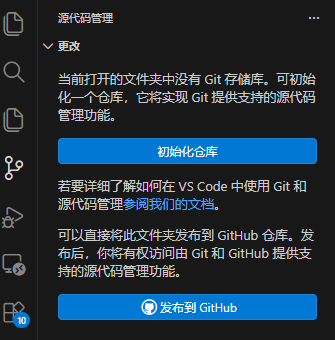
原因分析:
1.vscode中git路径被覆盖。
2.VScode 自动更新导致git版本落后。
解决方案:
1.vscode设置中搜索git:path 然后找到自己服务器中git的位置 填进settings.json中

- 升级git
bash
# 安装依赖
sudo yum install -y https://packages.endpointdev.com/rhel/7/os/x86_64/endpoint-repo.x86_64.rpm
# 升级 Git
sudo yum install -y git