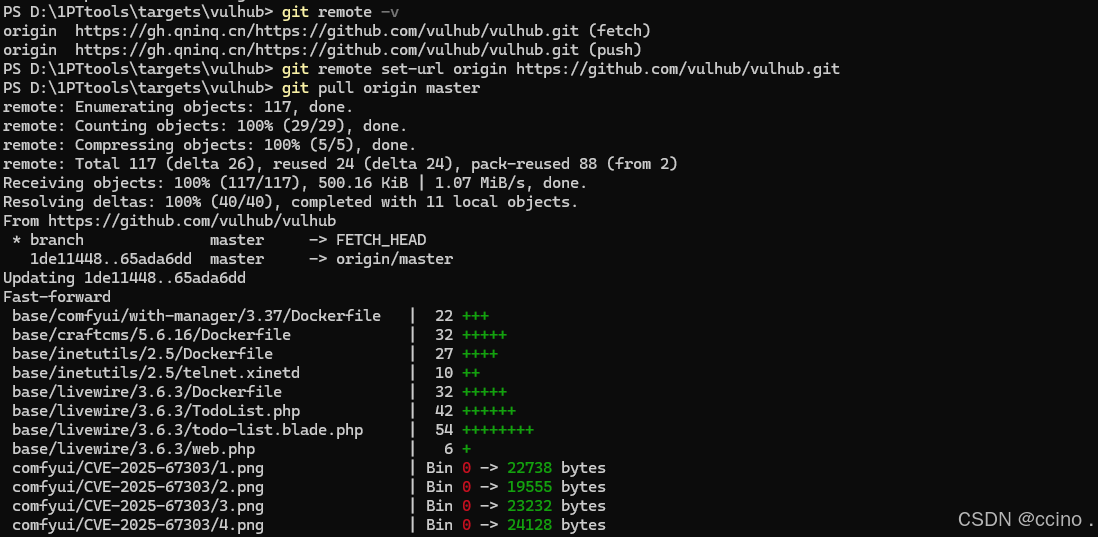
【本地更新vulhub为最新版本,无需重新下载】

1. 查看当前远程仓库地址(确认问题)

在当前 Vulhub 目录下执行:

复制代码
git remote -v

你会看到类似这样的输出(包含错误的镜像地址):

复制代码
origin  https://gh.qninq.cn/https://github.com/vulhub/vulhub.git/ (fetch)
origin  https://gh.qninq.cn/https://github.com/vulhub/vulhub.git/ (push)
2. 修改远程地址为 GitHub 官方地址

执行以下命令,将错误的镜像地址替换为 Vulhub 官方仓库地址:

复制代码
git remote set-url origin https://github.com/vulhub/vulhub.git
3. 再次尝试拉取最新代码
复制代码
git pull origin master
相关推荐
一名优秀的码农1 小时前
vulhub系列-39-y0usef(超详细)
安全·web安全·网络安全·网络攻击模型·安全威胁分析
Echo-J4 小时前
KVM-VMI项目编译安装全过程,包含所遇问题及解决措施
安全·网络安全·云计算·系统安全
oi..4 小时前
Flag入门—Flag在返回包中
网络·笔记·测试工具·安全·网络安全
heze095 小时前
sqli-labs-Less-53
数据库·mysql·网络安全
啥都想学点6 小时前
pikachu靶场——File Inclusion(Kali系统)
网络安全
楠目6 小时前
ThinkPHP 5.2 反序列化漏洞分析
网络安全
大方子6 小时前
【PolarCTF2026年春季挑战赛】Signed_Too_Weak
网络安全·polarctf
JS_SWKJ6 小时前
网闸:如何在“断连”中实现安全数据交换?
网络安全
一袋米扛几楼987 小时前
什么是 CVE(Common Vulnerabilities and Exposures)?
网络安全
WeeJot嵌入式8 小时前
爬虫对抗:ZLibrary反爬机制实战分析
爬虫·python·网络安全·playwright·反爬机制