Qt中使用Zint库显示二维码
先使用的是QtCreator 创建项目,但是会报错。
于是改用VS2022创建Qt项目,然后然后添加相关的库,就能调用Zint库中的函数生成二维码了。
第一步加载Zint库:
先把Zint源码中的include文件夹、lib文件夹、复制到项目目录下、Zint.dll、libpng16.dll放到运行目录下,如下图:
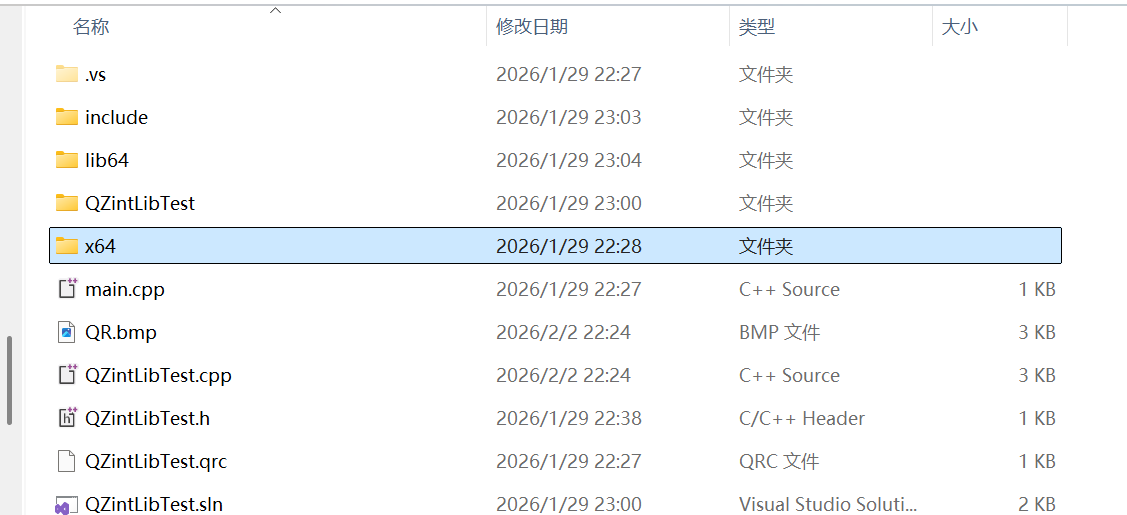
第二步:项目属性中添加Zint相关文件,如下图:
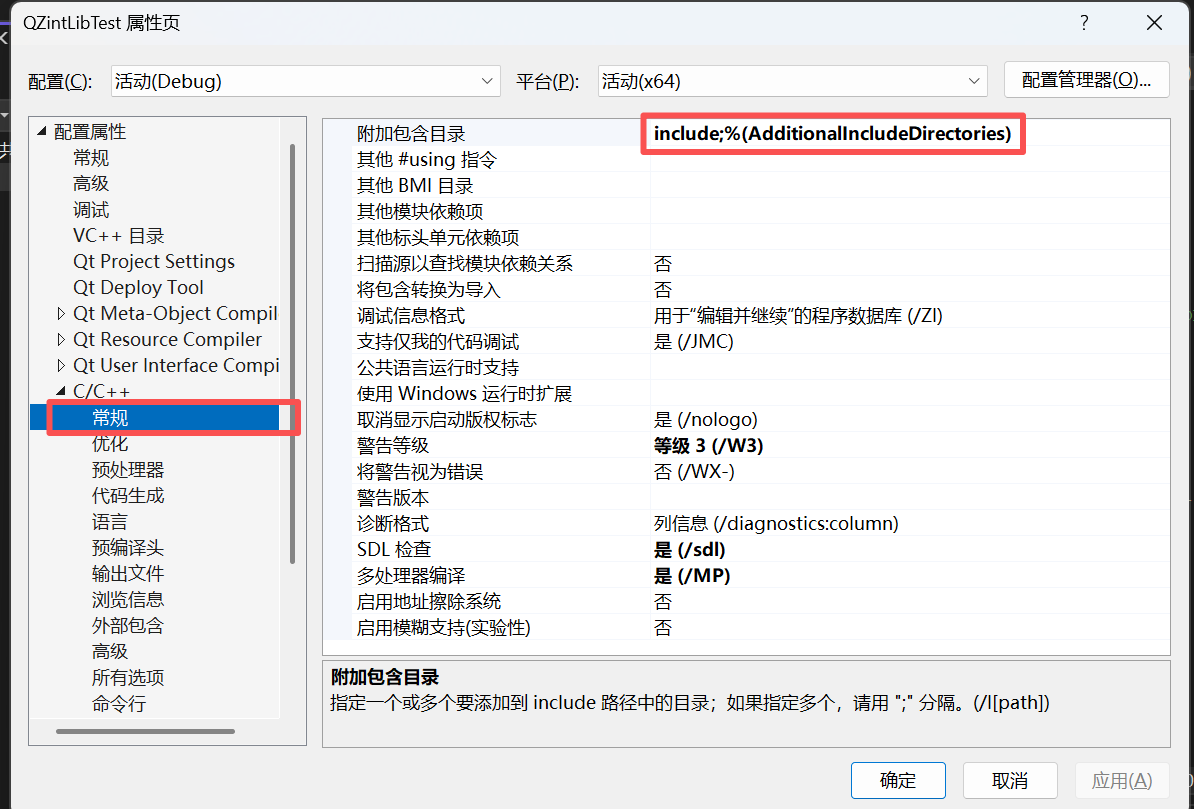
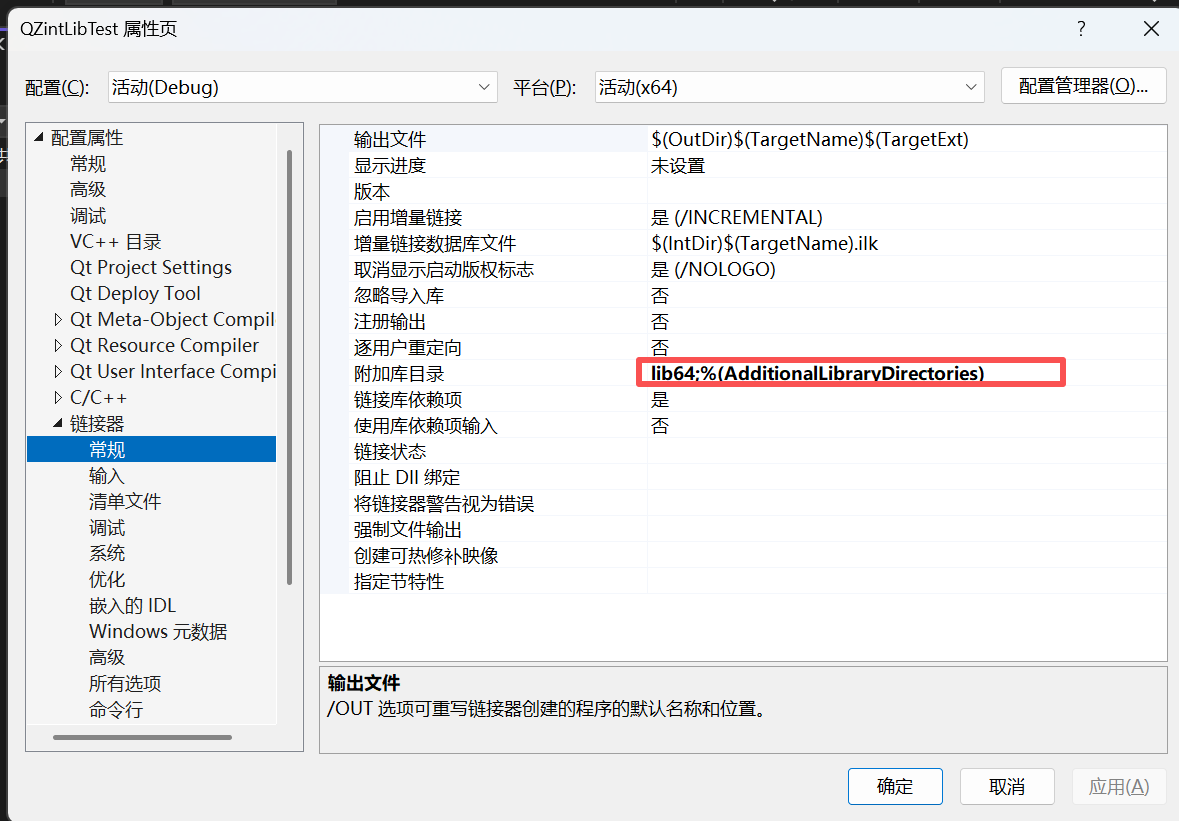
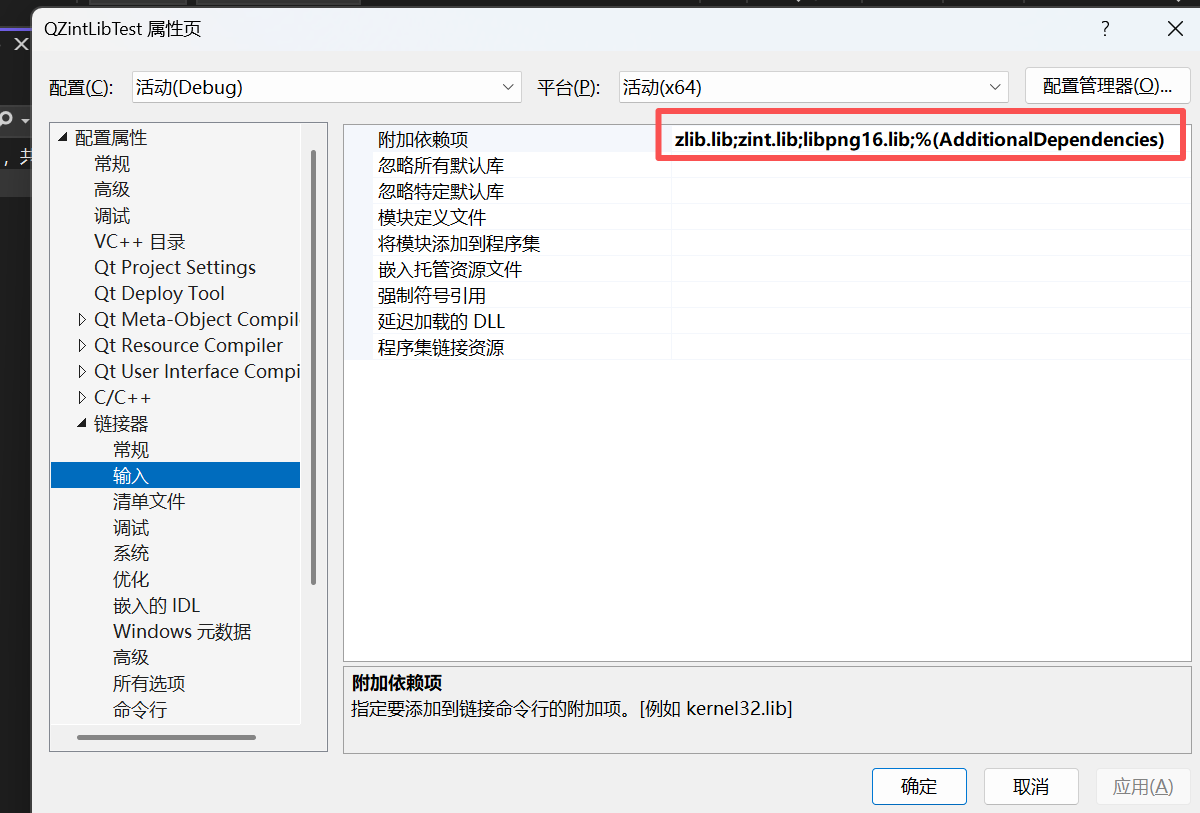
第三步:项目源代码
c++
#pragma once

#include <QtWidgets/QMainWindow>
#include "ui_QZintLibTest.h"

class QZintLibTest : public QMainWindow
{
    Q_OBJECT

public:
    QZintLibTest(QWidget *parent = nullptr);
    ~QZintLibTest();

    void on_pushButton_Clicked();

private:
    Ui::QZintLibTestClass ui;
};
C++
#include "QZintLibTest.h"
#include<QObject>
#include<QMessageBox>
#include"include/zint.h"

QZintLibTest::QZintLibTest(QWidget *parent)
    : QMainWindow(parent)
{
    ui.setupUi(this);
    QObject::connect(ui.pushButton, &QPushButton::clicked, this, &QZintLibTest::on_pushButton_Clicked);
}

QZintLibTest::~QZintLibTest()
{
}
void QZintLibTest::on_pushButton_Clicked()
{
    QString strText = ui.lineEdit->text();
    if (strText.isEmpty())
    {
        QMessageBox::warning(this, "提示", "输入内容不能为空!");
        return;
    }

    struct zint_symbol* symbol = ZBarcode_Create();
    if (symbol == nullptr)
    {
        QMessageBox::critical(this, "错误", "创建Zint条码对象失败!");
        return;
    }

    // 1. 配置Zint二维码参数(保留你的原有配置)
    symbol->scale = 2;          // 缩放比例
    symbol->option_1 = 3;       // QR码版本等参数
    symbol->option_2 = 5;
    symbol->symbology = BARCODE_QRCODE;  // 二维码类型
    symbol->output_options = 0;
    symbol->show_hrt = 0;       // 不显示下方文字
    symbol->input_mode = DATA_MODE;

    // 2. 安全设置输出图片名(统一大小写,无缓冲区溢出)
    strcpy_s(symbol->outfile,256, "QR.bmp");  // 推荐写法
    // 若需指定绝对路径(可选,生成到程序运行目录)
    // QString imgPath = QCoreApplication::applicationDirPath() + "/QR.bmp";
    // strcpy(symbol->outfile, imgPath.toLocal8Bit().constData());

    // 3. 转换输入内容为Zint支持的UTF-8格式
    QByteArray ba = strText.toUtf8();
    const char* pText = ba.constData();
    int nRet = ZBarcode_Encode(symbol, (const unsigned char*)pText, strlen(pText));

    if (nRet != 0)
    {
        QString strErr(symbol->errtxt);
        QMessageBox::critical(this, "编码错误", strErr);
        ZBarcode_Delete(symbol);
        return;
    }

    // 4. 核心修复:调用ZBarcode_Print生成图片文件(必须执行!)
    nRet = ZBarcode_Print(symbol, 0);  // 0=不旋转图片
    if (nRet != 0)
    {

        ZBarcode_Delete(symbol);
        return;
    }

    // 5. 加载图片并校验有效性(统一文件名,增加isNull判断)
    QPixmap pixTMP("QR.bmp");
    if (pixTMP.isNull())
    {

        ZBarcode_Delete(symbol);
        return;
    }

    // 6. 缩放图片并显示到QLabel(保持宽高比,避免变形)
    QPixmap pix = pixTMP.scaled(ui.label->size(), Qt::KeepAspectRatio, Qt::SmoothTransformation);
    ui.label->setPixmap(pix);
    // 可选:设置QLabel对齐方式,让二维码居中显示
    ui.label->setAlignment(Qt::AlignCenter);

    // 7. 释放Zint资源,避免内存泄漏
    ZBarcode_Delete(symbol);
}
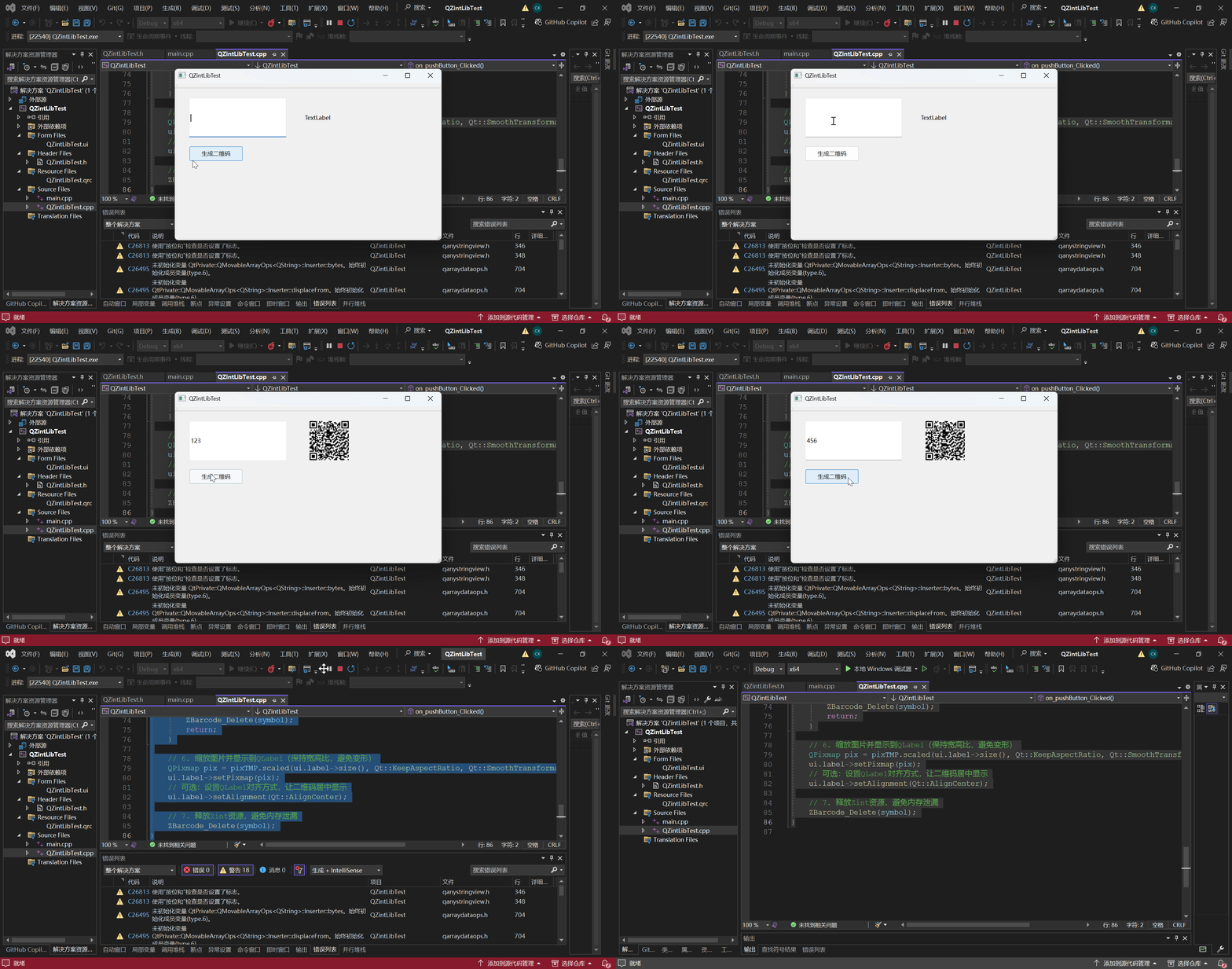
项目运行效果:
好了,项目就介绍到这里了。