一、createWebHistory 历史模式
1、做了什么?
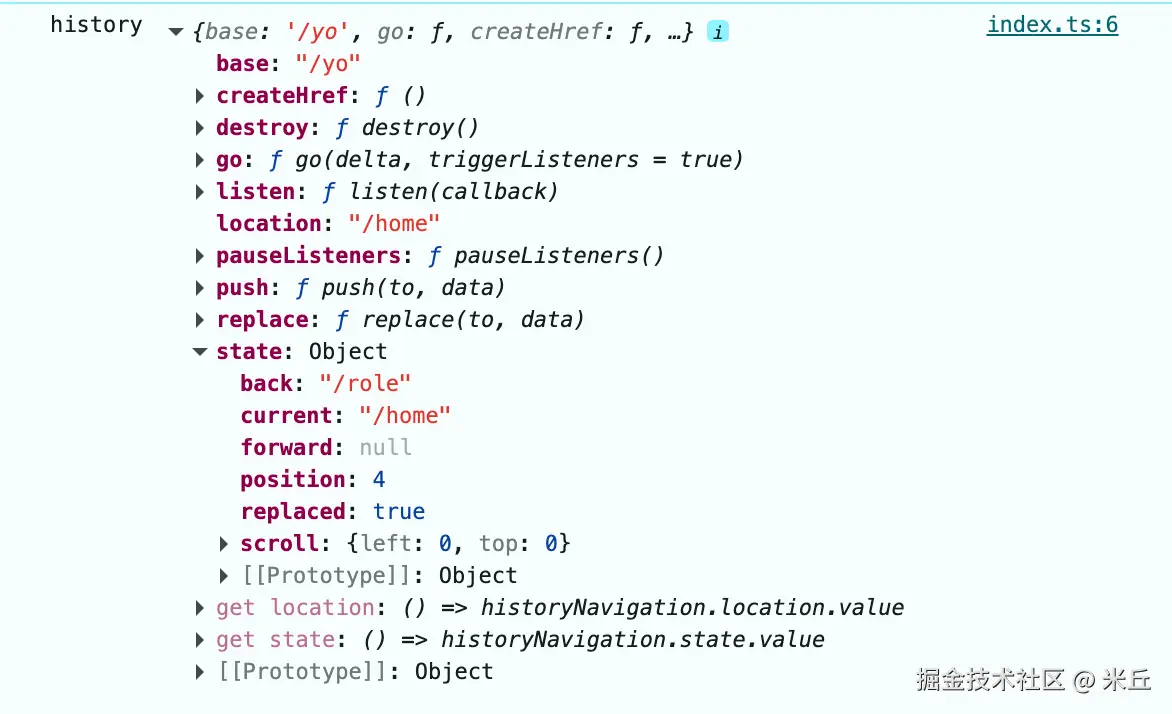
创建基于 HTML5 History API 的路由历史管理对象(RouterHistory)。封装浏览器原生的 history 对象,实现了无哈希(#)的 URL 路由管理,支持前进 / 后退导航、历史记录修改和路由变化监听。
2、函数返回?
RouterHistory对象
js
/**
 * 创建基于 HTML5 History API 的路由历史对象(RouterHistory)
 * Creates an HTML5 history. Most common history for single page applications.
 *
 * @param base -
 */
export function createWebHistory(base?: string): RouterHistory {
  // 标准化基础路径
  base = normalizeBase(base)

  // 处理路由导航(push/replace 等),管理 state/location 响应式状态
  const historyNavigation = useHistoryStateNavigation(base)

  // 处理路由监听(popstate 事件),管理监听器的暂停/恢复
  const historyListeners = useHistoryListeners(
    base,
    historyNavigation.state,
    historyNavigation.location,
    historyNavigation.replace
  )

  /**
   * 跳转历史记录(go 方法)
   * 1、触发监听器时,路由系统会完整执行「URL 变化 → 路由匹配 → 视图更新」的链路;
   * 2、不触发时,仅修改浏览器 URL / 历史记录,路由系统无任何响应
   *
   * 在触发浏览器前进 / 后退操作的同时,支持「是否触发路由监听器」的控制,
   * 实现「静默导航」(不触发监听回调)或「正常导航」(触发监听)
   * @param delta 跳转步数(可正可负)
   * @param triggerListeners 是否触发路由监听器(默认 true),false 时为「静默导航」
   */
  function go(delta: number, triggerListeners = true) {

    // triggerListeners 为 false 时,暂停所有路由监听器
    if (!triggerListeners) historyListeners.pauseListeners()

    // 都会执行,触发popstate事件,调用 popStateHandler
    history.go(delta)
  }

  // 组装 RouterHistory 对象
  const routerHistory: RouterHistory = assign(
    {
      // it's overridden right after
      location: '',
      base,
      go,
      createHref: createHref.bind(null, base),
    },

    historyNavigation, // push/replace/state/location
    historyListeners // listen/pauseListeners/destroy
  )

  // 重写 location 和 state 为响应式 getter
  Object.defineProperty(routerHistory, 'location', {
    enumerable: true,
    get: () => historyNavigation.location.value,
  })

  Object.defineProperty(routerHistory, 'state', {
    enumerable: true,
    get: () => historyNavigation.state.value,
  })

  return routerHistory
}
RouterHistory 接口
js
interface RouterHistory {
  /**
   * Base path that is prepended to every url. This allows hosting an SPA at a
   * sub-folder of a domain like `example.com/sub-folder` by having a `base` of
   * `/sub-folder`
   */
  readonly base: string // 路由基础路径	用于 SPA 部署在子目录
  /**
   * Current History location
   */
  readonly location: HistoryLocation // 当前路由地址, 字符串
  /**
   * Current History state
   */
  readonly state: HistoryState // 当前历史记录状态	对应浏览器原生 history.state
  // readonly location: ValueContainer<HistoryLocationNormalized>

  /**
   * Navigates to a location. In the case of an HTML5 History implementation,
   * this will call `history.pushState` to effectively change the URL.
   * 新增一条历史记录,对应浏览器 history.pushState(无刷新跳转)
   * @param to - location to push
   * @param data - optional {@link HistoryState} to be associated with the
   * navigation entry
   */
  push(to: HistoryLocation, data?: HistoryState): void
  /**
   * Same as {@link RouterHistory.push} but performs a `history.replaceState`
   * instead of `history.pushState`
   * 替换当前历史记录,对应浏览器 history.replaceState(无刷新替换,不新增记录)
   * @param to - location to set
   * @param data - optional {@link HistoryState} to be associated with the
   * navigation entry
   */
  replace(to: HistoryLocation, data?: HistoryState): void

  /**
   * Traverses history in a given direction.
   *
   * @example
   * ```js
   * myHistory.go(-1) // equivalent to window.history.back()
   * myHistory.go(1) // equivalent to window.history.forward()
   * ```
   * 前进 / 后退历史记录,对应浏览器 history.go
   * @param delta - distance to travel. If delta is \< 0, it will go back,
   * if it's \> 0, it will go forward by that amount of entries.
   * @param triggerListeners - whether this should trigger listeners attached to
   * the history
   */
  go(delta: number, triggerListeners?: boolean): void

  /**
   * Attach a listener to the History implementation that is triggered when the
   * navigation is triggered from outside (like the Browser back and forward
   * buttons) or when passing `true` to {@link RouterHistory.back} and
   * {@link RouterHistory.forward}
   * 监听路由变化(如浏览器后退 / 前进、手动修改 URL)
   * @param callback - listener to attach
   * @returns a callback to remove the listener
   */
  listen(callback: NavigationCallback): () => void

  /**
   * Generates the corresponding href to be used in an anchor tag.
   * 生成可用于 <a> 标签的完整 URL
   * @param location - history location that should create an href
   */
  createHref(location: HistoryLocation): string

  /**
   * Clears any event listener attached by the history implementation.
   * 清理历史管理器的所有事件监听(如 popstate 事件)、重置状态
   */
  destroy(): void
}
useHistoryStateNavigation
1、做了什么? 初始化路由默认状态。利用 replaceState 更新地址栏。
2、函数返回?
location,当前路由位置(响应式)state, 历史状态(响应式)push函数,新增历史记录(pushState)replace函数, 替换当前历史记录(replaceState)
js
/**
 * 管理 History 模式路由导航的核心组合式函数,
 * 封装了浏览器原生 history.pushState/replaceState API,处理路由地址的变更、历史状态(state)的维护
 * @param base
 * @returns
 */
function useHistoryStateNavigation(base: string) {

  const { history, location } = window

  // private variables
  // 维护当前路由路径(响应式容器)
  const currentLocation: ValueContainer<HistoryLocation> = {

    value: createCurrentLocation(base, location),
  }
  // 维护当前历史状态(响应式容器)
  const historyState: ValueContainer<StateEntry> = { value: history.state }

  // build current history entry as this is a fresh navigation
  // 如果浏览器原生 history.state 为空(首次加载),初始化默认状态
  if (!historyState.value) {
    // 修改路由地址
    changeLocation(
      currentLocation.value,
      {
        back: null,
        current: currentLocation.value,
        forward: null,
        // the length is off by one, we need to decrease it
        position: history.length - 1,
        replaced: true,
        // don't add a scroll as the user may have an anchor, and we want
        // scrollBehavior to be triggered without a saved position
        scroll: null,
      },
      true
    )
  }

  return {
    location: currentLocation, // 当前路由位置(响应式)
    state: historyState, // 历史状态(响应式)
    push, // 新增历史记录(pushState)
    replace, // 替换当前历史记录(replaceState)
  }
}
push
js
  /**
   * 新增历史记录
   * @param to 目标路由路径
   * @param data 新的历史状态数据
   */
  function push(to: HistoryLocation, data?: HistoryState) {

    // Add to current entry the information of where we are going
    // as well as saving the current position
    // 更新当前历史记录的 forward 指向(标记要跳转到的路径)
    const currentState = assign(
      {},
      // use current history state to gracefully handle a wrong call to
      // history.replaceState
      // https://github.com/vuejs/router/issues/366
      historyState.value,
      history.state as Partial<StateEntry> | null,
      {
        forward: to, // 标记下一个路由为目标路径
        scroll: computeScrollPosition(), // 保存当前滚动位置
      }
    )

    if (__DEV__ && !history.state) {
      warn(
        `history.state seems to have been manually replaced without preserving the necessary values. Make sure to preserve existing history state if you are manually calling history.replaceState:\n\n` +
          `history.replaceState(history.state, '', url)\n\n` +
          `You can find more information at https://router.vuejs.org/guide/migration/#Usage-of-history-state`
      )
    }

    // 先替换当前历史记录(更新 forward 和 scroll)
    changeLocation(currentState.current, currentState, true)

    // 构建新的历史记录状态(包含 back、forward、current、replaced)
    const state: StateEntry = assign(
      {},
      buildState(currentLocation.value, to, null),
      { position: currentState.position + 1 },
      data
    )

    // 推送新记录(pushState)
    changeLocation(to, state, false)
    currentLocation.value = to
  }
replace
js
  /**
   *  替换当前历史记录
   * @param to 目标路由路径
   * @param data 新的历史状态数据
   */
  function replace(to: HistoryLocation, data?: HistoryState) {
    // 1、构建新的 StateEntry:复用原有 back/forward,仅替换 curren
    const state: StateEntry = assign(
      {},
      history.state, // 浏览器原生历史状态 window.history.state
      // 状态数据包含: back 、forward、current、replaced
      buildState(
        historyState.value.back,
        // keep back and forward entries but override current position
        to, // 新的 current 路径
        historyState.value.forward,
        true // 标记为替换操作
      ),
      data,
       // 保持原位置(替换不新增记录)
      { position: historyState.value.position }
    )

    // 2、更新浏览器历史记录
    changeLocation(to, state, true)
    currentLocation.value = to
  }
changeLocation
js
  /**
   * 修改路由地址
   * @param to 目标路由路径 string
   * @param state 新的历史状态
   * @param replace 是否使用 replaceState 替换当前状态
   */
  function changeLocation(
    to: HistoryLocation,
    state: StateEntry,
    replace: boolean
  ): void {
    /**
     * if a base tag is provided, and we are on a normal domain, we have to
     * respect the provided `base` attribute because pushState() will use it and
     * potentially erase anything before the `#` like at
     * https://github.com/vuejs/router/issues/685 where a base of
     * `/folder/#` but a base of `/` would erase the `/folder/` section. If
     * there is no host, the `<base>` tag makes no sense and if there isn't a
     * base tag we can just use everything after the `#`.
     */
    // 1、处理 base
    const hashIndex = base.indexOf('#')
    const url =
      hashIndex > -1
        // 场景1:base 包含 #(Hash 模式)
        // 浏览器环境(有域名)+ 页面存在 <base> 标签 ------>	直接用完整 base + to
        ? (location.host && document.querySelector('base')
            ? base
            // 两种情况:
            // 1. file:// 协议(无 location.host)
            // 2. 无 <base> 标签	截取 base 中 # 及之后的部分 + to
            : base.slice(hashIndex)
          ) + to
        // 场景2:base 无 #(History 模式)
        : createBaseLocation() + base + to
    try {
      // BROWSER QUIRK
      // NOTE: Safari throws a SecurityError when calling this function 100 times in 30 seconds
      // 调用原生 pushState/replaceState
      history[replace ? 'replaceState' : 'pushState'](state, '', url)
      historyState.value = state // 更新当前历史状态
    } catch (err) {
      // 异常兜底:Safari 限制 30 秒内调用 100 次 pushState 会抛错
      if (__DEV__) {
        warn('Error with push/replace State', err)
      } else {
        console.error(err)
      }
      // Force the navigation, this also resets the call count
      // 降级使用 location.assign/replace 强制导航
      // 降级为 location.assign/replace(会触发页面刷新,但保证导航生效)
      location[replace ? 'replace' : 'assign'](url)
    }
  }
createCurrentLocation
js
/**
 * Creates a normalized history location from a window.location object
 * 将浏览器 location 对象解析当前路由路径
 * @param base - The base path 路由基础路径
 * @param location - The window.location object // 当前浏览器 location 对象
 */
function createCurrentLocation(
  base: string,
  location: Location
): HistoryLocation {
  // 解析路径名、查询参数、哈希值
  const { pathname, search, hash } = location
  // allows hash bases like #, /#, #/, #!, #!/, /#!/, or even /folder#end
  const hashPos = base.indexOf('#')

  // 处理 hash
  if (hashPos > -1) {
    // 计算需要截取的 hash 长度
    let slicePos = hash.includes(base.slice(hashPos))
      // 如果当前 hash 包含 base 中 # 及之后的部分(如 base=#/app,hash=#/app/home → 截取 4 位)
      ? base.slice(hashPos).length
      : 1 // 否则仅截取 1 位(即 # 本身)

    // 截取 hash 中「基础路径之后」的部分
    let pathFromHash = hash.slice(slicePos)

    // prepend the starting slash to hash so the url starts with /#
    // 保证路径以 / 开头
    if (pathFromHash[0] !== '/') pathFromHash = '/' + pathFromHash

    return stripBase(pathFromHash, '')
  }
  // 处理 History 模式(base 无 #)
  // 从 pathname 中移除 base 前缀(如 /admin/home → /home)
  const path = stripBase(pathname, base)
  return path + search + hash // 拼接路径 + 查询参数 + 哈希值,返回完整标准化路径
}
useHistoryListeners
1、做了什么?
- 监听事件
popstate,负责同步路由状态、计算导航方向,并通知所有路由监听器。 - 监听事件
pagehide,将当前页面的滚动位置保存到浏览器历史记录的状态中。 - 监听事件
visibilitychange,将当前页面的滚动位置保存到浏览器历史记录的状态中。
2、函数返回?
pauseListeners, 暂停监听导航listen, 注册导航回调destroy, 销毁所有监听器
js
/**
 * 路由历史监听的核心组合式函数,
 * 负责一站式管理「浏览器原生导航事件监听、自定义导航回调注册 / 销毁、滚动位置保存、监听器暂停 / 恢复」等能力
 * @param base - 路由基础路径
 * @param historyState - 路由历史状态容器
 * @param currentLocation - 当前路由位置容器
 * @param replace - 替换当前路由的函数
 * @returns
 */
function useHistoryListeners(
  base: string,
  historyState: ValueContainer<StateEntry>,
  currentLocation: ValueContainer<HistoryLocation>,
  replace: RouterHistory['replace']
) {
  let listeners: NavigationCallback[] = [] // 存储所有导航回调函数
  let teardowns: Array<() => void> = [] // 存储销毁监听器的函数
  // TODO: should it be a stack? a Dict. Check if the popstate listener
  // can trigger twice
  let pauseState: HistoryLocation | null = null  // 暂停监听时保存的当前位置

  const popStateHandler: PopStateListener = ({
    state, // 从 popstate 事件中获取的状态对象
  }: {
    state: StateEntry | null
  }) => {
    // 目标路由位置 字符串
    const to = createCurrentLocation(base, location)
    const from: HistoryLocation = currentLocation.value // 当前路由位置 字符串
    const fromState: StateEntry = historyState.value
    let delta = 0  // 初始化导航步数

    // 处理 popstate 事件
    if (state) {
      currentLocation.value = to // 更新目标路由为当前路由
      historyState.value = state

      // ignore the popstate and reset the pauseState
      // 忽略「暂停状态」的导航(内部防抖:避免重复触发)
      if (pauseState && pauseState === from) {
        pauseState = null
        return
      }
      // 计算导航步数 delta:目标状态位置 - 原状态位置
      delta = fromState ? state.position - fromState.position : 0
    } else {
      // 状态无效(如手动修改 URL 导致 history.state 丢失)
      // 调用 replace 重置 URL 并恢复状态(避免路由状态异常)
      replace(to)
    }

    // Here we could also revert the navigation by calling history.go(-delta)
    // this listener will have to be adapted to not trigger again and to wait for the url
    // to be updated before triggering the listeners. Some kind of validation function would also
    // need to be passed to the listeners so the navigation can be accepted
    // call all listeners
    listeners.forEach(listener => {
      // 执行导航回调函数,传递当前路由、上一个路由、导航信息
      listener(currentLocation.value, from, {
        delta,
        type: NavigationType.pop, // 导航类型:popstate 事件触发
        direction: delta
          ? delta > 0
            ? NavigationDirection.forward // 前向导航(步数 > 0)
            : NavigationDirection.back // 后向导航(步数 < 0)
          : NavigationDirection.unknown, // 未知方向(步数 = 0)
      })
    })
  }

  // 临时暂停导航监听
  function pauseListeners() {
    pauseState = currentLocation.value // 标记当前路由位置为「暂停状态」,
  }

  function listen(callback: NavigationCallback) {
    // set up the listener and prepare teardown callbacks
    listeners.push(callback) // 添加回调到队列

    // 生成「移除该回调」的函数
    const teardown = () => {
      // 从队列中移除该回调
      const index = listeners.indexOf(callback)
      if (index > -1) listeners.splice(index, 1)
    }

    // 存储销毁函数,用于批量清理
    teardowns.push(teardown)
    return teardown
  }

  function beforeUnloadListener() {
    // 仅当页面「隐藏」时执行(避免无意义的状态更新)
    if (document.visibilityState === 'hidden') {
      const { history } = window
      if (!history.state) return
      // 更新当前历史记录的状态:合并原有状态与当前滚动位置
      history.replaceState(
        assign({}, history.state, { scroll: computeScrollPosition() }),
        ''
      )
    }
  }

  // 销毁所有监听器
  function destroy() {
    for (const teardown of teardowns) teardown()
    teardowns = []
    // 移除 popstate 事件监听器
    window.removeEventListener('popstate', popStateHandler)
    // 移除页面隐藏事件监听器
    window.removeEventListener('pagehide', beforeUnloadListener)
    // 移除文档可见性变化事件监听器(visibilitychange)
    document.removeEventListener('visibilitychange', beforeUnloadListener)
  }

  // set up the listeners and prepare teardown callbacks
  window.addEventListener('popstate', popStateHandler)

  // 兼容性考量:iOS Safari 不触发 beforeunload,因此用 pagehide + visibilitychange 兜底
  // https://developer.chrome.com/blog/page-lifecycle-api/
  // note: iOS safari does not fire beforeunload, so we
  // use pagehide and visibilitychange instead
  // 兼容 pagehide(移动端 /iOS Safari)
  window.addEventListener('pagehide', beforeUnloadListener)
  // 兼容 visibilitychange(桌面端)
  document.addEventListener('visibilitychange', beforeUnloadListener)

  return {
    pauseListeners, // 暂停监听导航
    listen, // 注册导航回调
    destroy, // 销毁所有监听器
  }
}
二、createWebHashHistory 哈希模式
js
/**
 * 创建基于 Hash 模式的路由历史对象
 * @param base - 选的基础路径(比如 /admin),用于给 Hash 路由添加前缀,默认值为 `location.pathname + location.search`
 * @returns 路由历史对象
 */
function createWebHashHistory(base?: string): RouterHistory {
  // Make sure this implementation is fine in terms of encoding, specially for IE11
  // for `file://`, directly use the pathname and ignore the base
  // location.pathname contains an initial `/` even at the root: `https://example.com`
  // 1. 区分环境
  // 如果是 file:// 协议(本地文件),忽略 base,直接用 pathname + search;
  // 否则用传入的 base 或空字符串
  base = location.host ? base || location.pathname + location.search : ''
  // allow the user to provide a `#` in the middle: `/base/#/app`
  // 2、确保 base 中包含 #:如果用户没传 #,自动追加到 base 末尾
  if (!base.includes('#')) base += '#'

  // 3. 开发环境校验:base 必须以 # 或 #/ 结尾,否则给出警告
  if (__DEV__ && !base.endsWith('#/') && !base.endsWith('#')) {
    warn(
      `A hash base must end with a "#":\n"${base}" should be "${base.replace(/#.*$/, '#')}".`
    )
  }
  // 复用 createWebHistory 实现,只是 base 不同
  return createWebHistory(base)
}
三、应用
js
import { createRouter, createWebHistory } from 'vue-router'

const history = createWebHistory(import.meta.env.VITE_BASE_URL)

// const history = createWebHashHistory();

console.log('history', history)

const router = createRouter({
  history,
  routes: []
})
四、历史模式 与 hash模式
1、历史模式
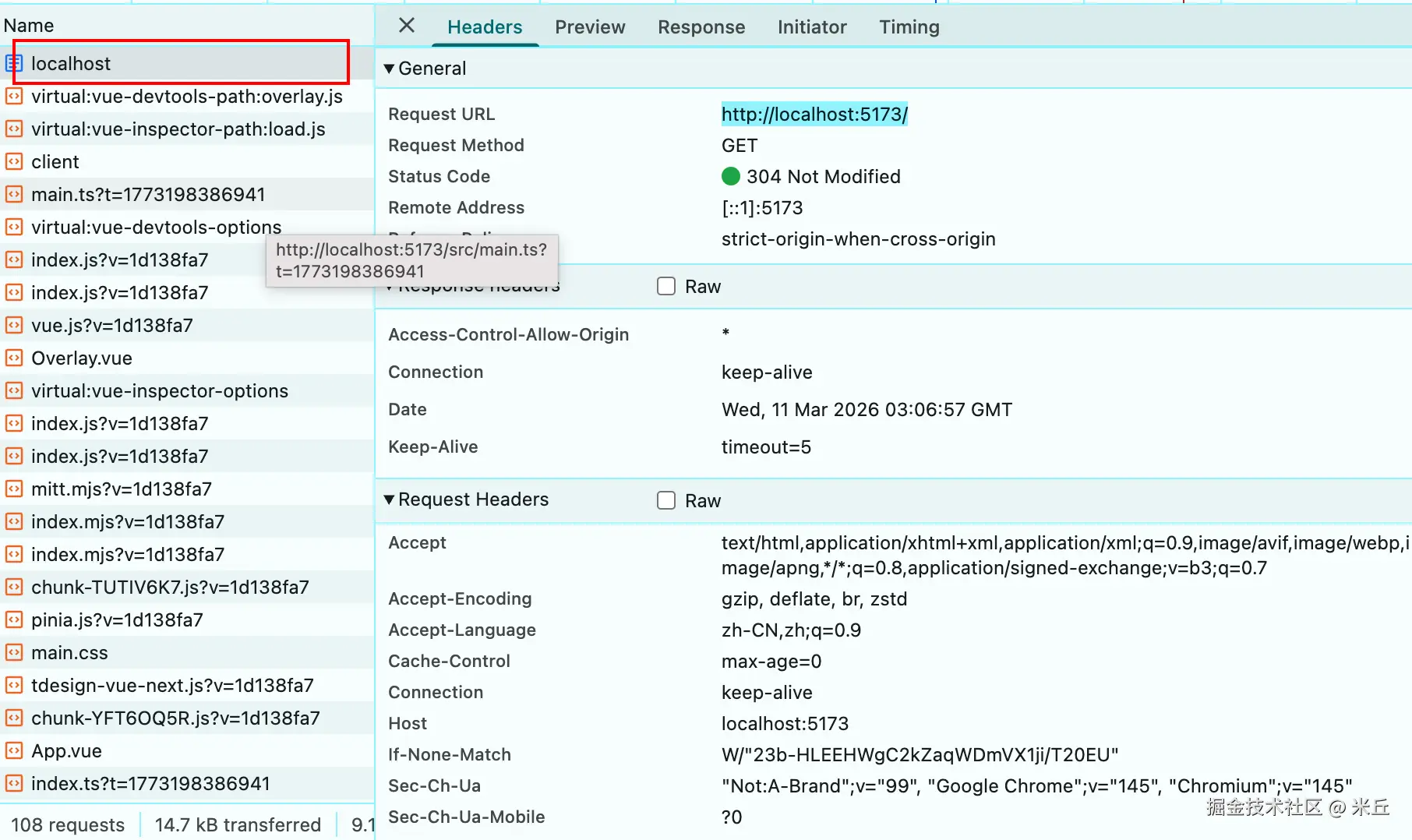
SPA 应用的核心是「所有路由都由前端 index.html 解析」,但 History 模式下:
- 当用户首次访问
http://xxx.com/home→ 浏览器发送GET /home请求 → 服务器默认会查找/home目录 / 文件,若不存在则返回 404。 - 当用户刷新页面 (已进入
/home路由后刷新)→ 浏览器再次发送GET /home请求 → 同样会 404。
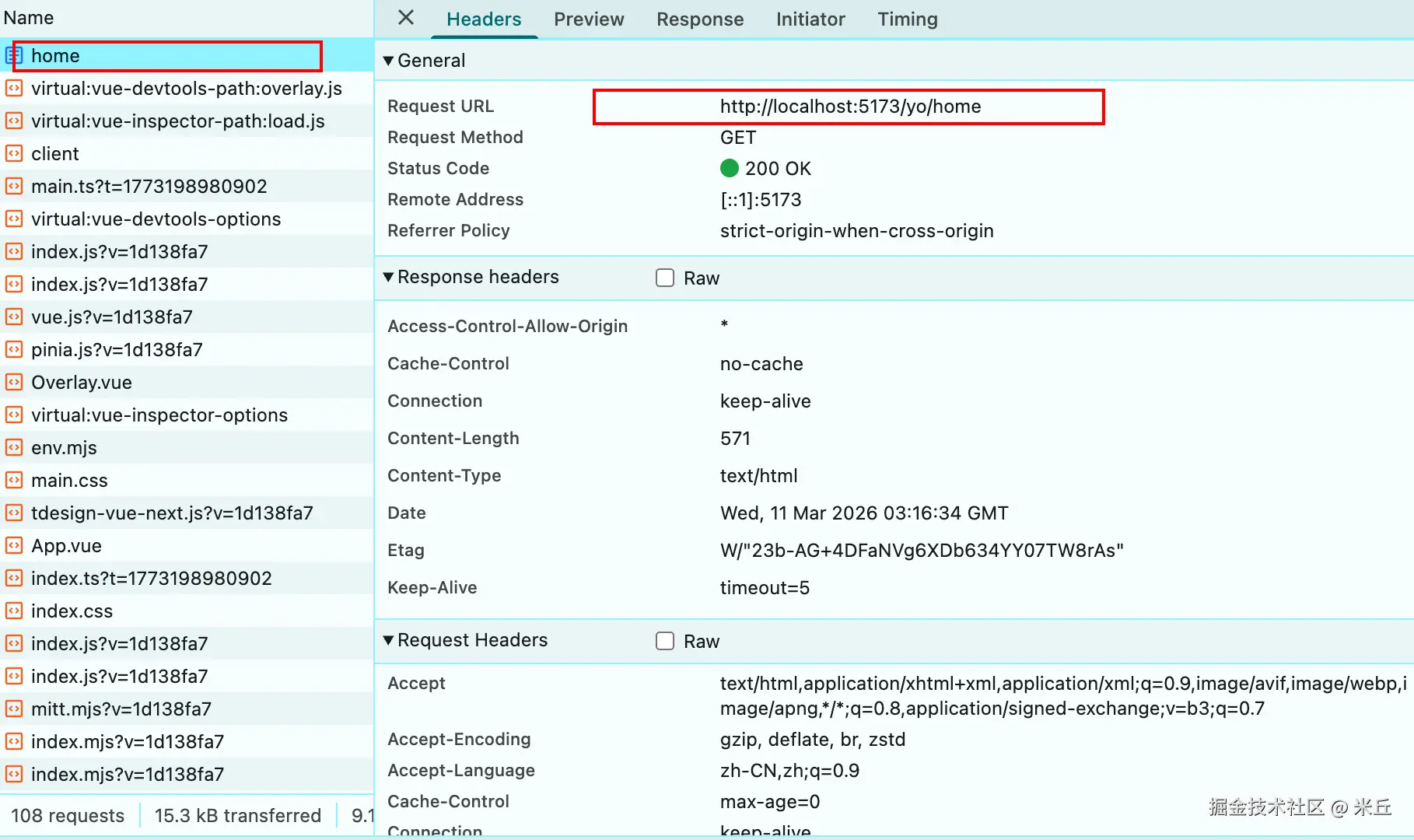
服务器需要配置:无论收到任何路径的 GET 请求(如 /home、/user、/detail),只要找不到对应文件,就返回 index.html。
2、hash模式
txt
http://localhost:5173/#/homeHash 模式的 URL 中,# 后的路由路径不会被发送到服务器:
- 无论用户访问
/#/home、/#/user,服务器收到的请求永远是GET /。 - 服务器只需返回
index.html(静态服务器默认行为),前端 Vue Router 会解析#/home部分,匹配对应的路由组件。