删除AppBarLayout自带阴影

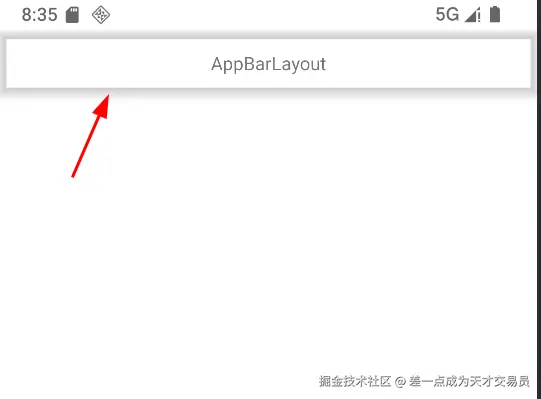
把AppBarLayout的background设置成透明之后,边缘会有阴影效果。elavation设置为0后还是有阴影。

xml 复制代码
<com.google.android.material.appbar.AppBarLayout
  android:layout_width="match_parent"
  android:layout_height="wrap_content"
  android:background="@android:color/transparent"
  android:elevation="0dp">

  <LinearLayout
    android:layout_width="match_parent"
    android:layout_height="50dp">

    <TextView
      android:layout_width="match_parent"
      android:layout_height="match_parent"
      android:gravity="center"
      android:text="AppBarLayout" />
  </LinearLayout>
</com.google.android.material.appbar.AppBarLayout>
原因

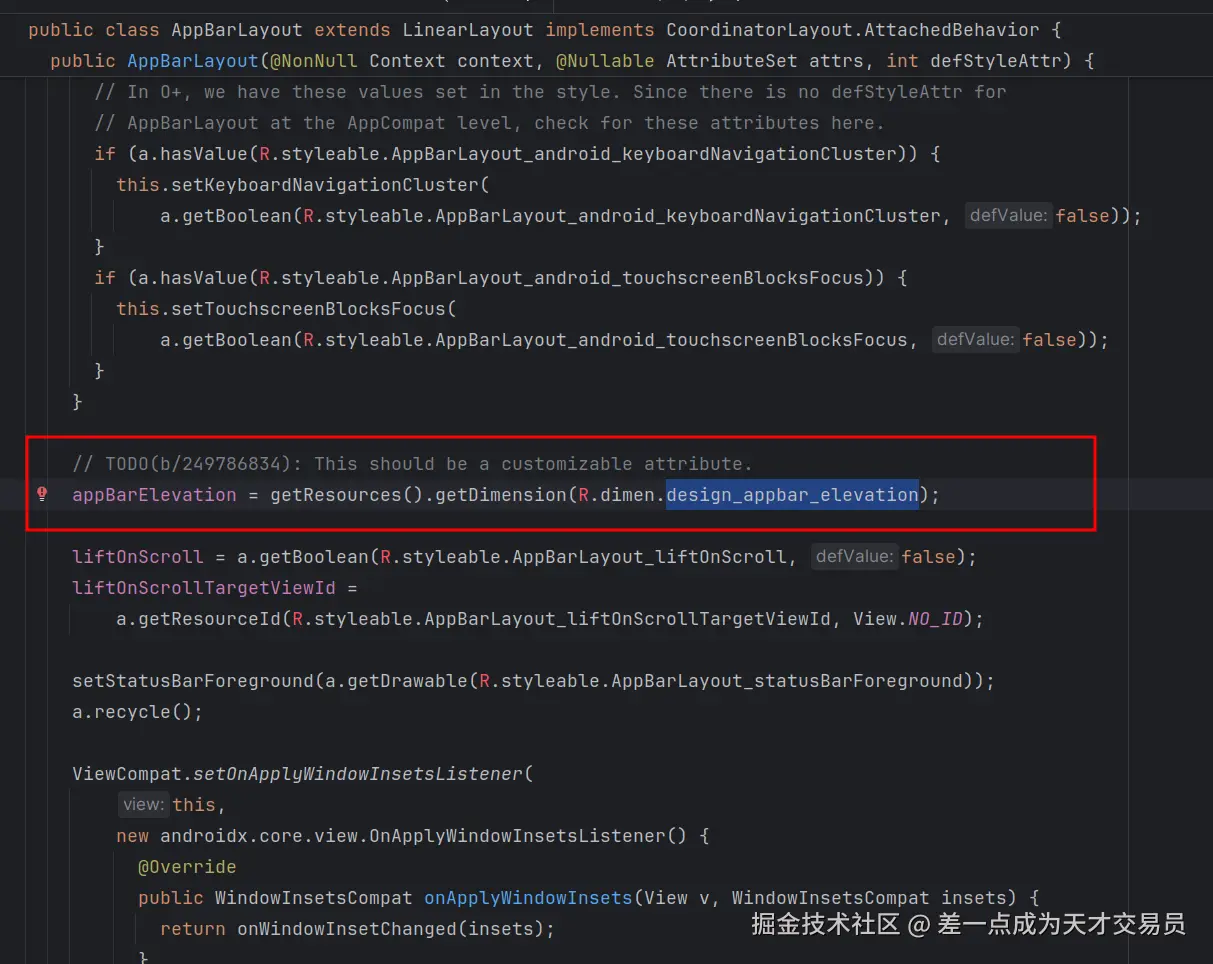
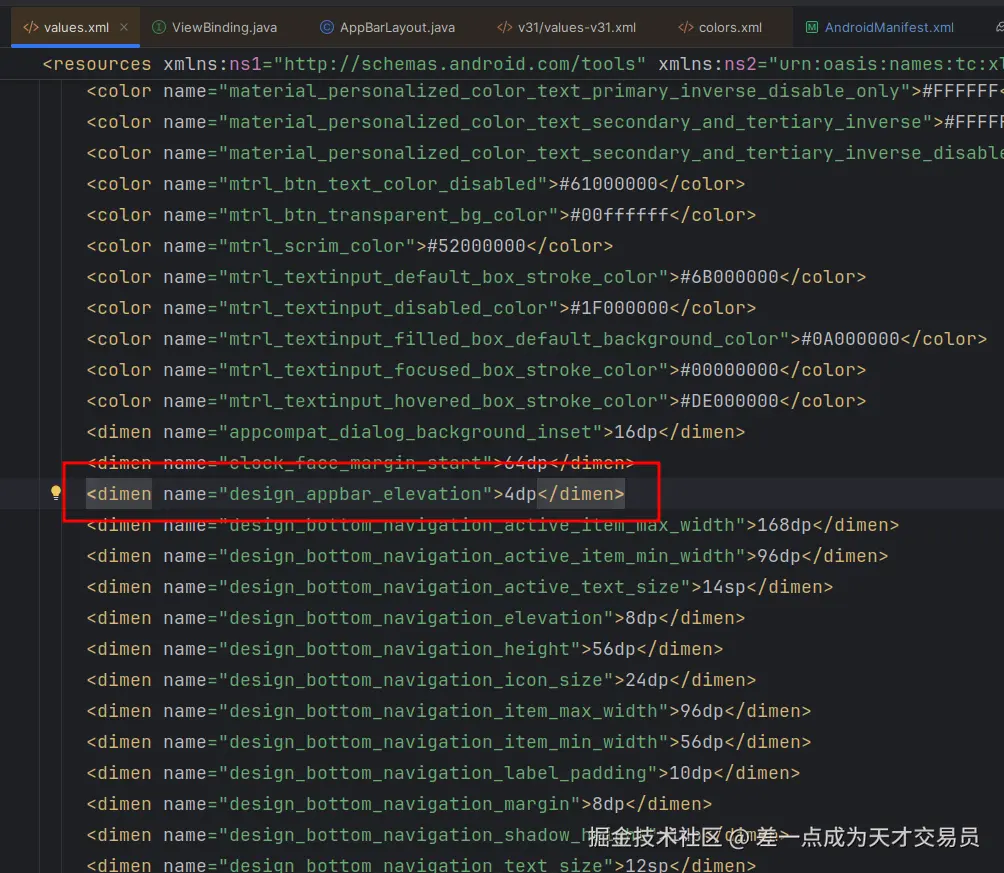
AppBarLayout的阴影是通过R.dimen.design_appbar_elevation来设置的,并没有通过自定义属性来设置。AppBarLayout的源码注释有一个TODO:This should be a customizable attribute,说明未来是google应该会把这个参数改为自定义的属性。
解决方法

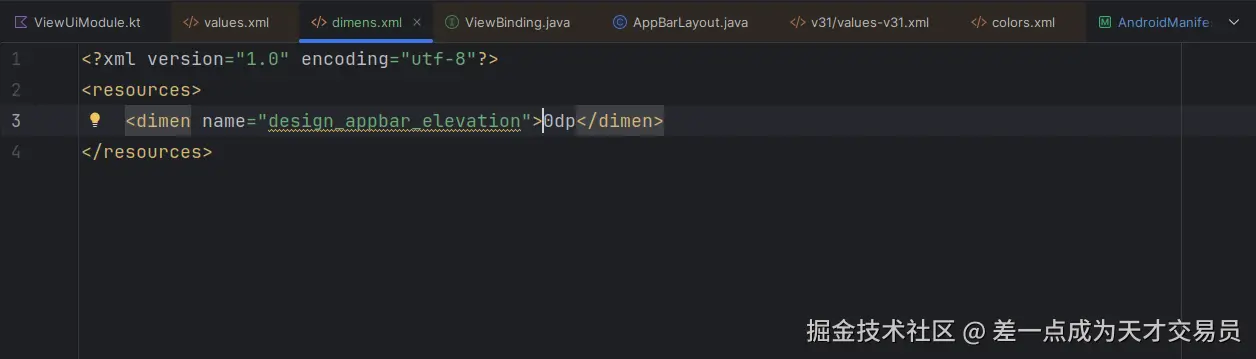
在dimens.xml中添加design_appbar_elevation即可,打包的时候自动替换AppBarLayout中的同名资源。
相关推荐
我命由我123452 小时前
Android Framework P1 - 低配学习 Framework 方案、开机启动 Init 进程
android·c语言·c++·学习·android jetpack·android-studio·android runtime
alexhilton13 小时前
Android上的ZeroMQ:用发布/订阅模式连接Linux服务
android·kotlin·android jetpack
木子予彤3 天前
Jetpack Compose 的高性能下拉刷新与上拉加载更多组件
android jetpack
李斯维5 天前
Android 沉浸式(Edge-to-Edge)的介绍与应用
android·android jetpack
我命由我123455 天前
Jetpack Compose - 设置 Compose 编译器、设置 Compose 依赖项
android·java·java-ee·kotlin·android jetpack·android-studio·android runtime
帅次6 天前
深入 MaterialTheme:掌握 ColorScheme 与 Typography 的设计核心
android·kotlin·gradle·android jetpack·compose
simplepeng6 天前
如何减少 89% 的重组,每个Compose开发者都需要的技巧 - derivedStateOf
android·android jetpack
帅次6 天前
Navigation Compose:NavHost、NavController 与参数
android·kotlin·gradle·android jetpack·compose
赏金术士7 天前
JetPack Compose 弹窗、菜单、交互组件(五)
android·kotlin·交互·android jetpack·compose