为啥卸载,因为公司要求。
一、先停止openclaw gateway service服务
openclaw gateway stop // 停止服务

openclaw gateway status // 服务状态
二、卸载
使用官方卸载命令
openclaw uninstall --all --yes --non-interactive卸载后遇到类似提示
Stopped Scheduled Task: OpenClaw Gateway
Removed task script: C:\Users\Administrator.openclaw\gateway.cmd
Removed ~.openclaw
Failed to remove D:.openclaw\workspace: Error: EBUSY: resource busy or locked, rmdir 'D:.openclaw\workspace\content\zhihu'
CLI still installed. Remove via npm/pnpm if desired.
有进程在占用文件,找到进程停了就可以了。
如何找进程停止,
Windows 自带工具:
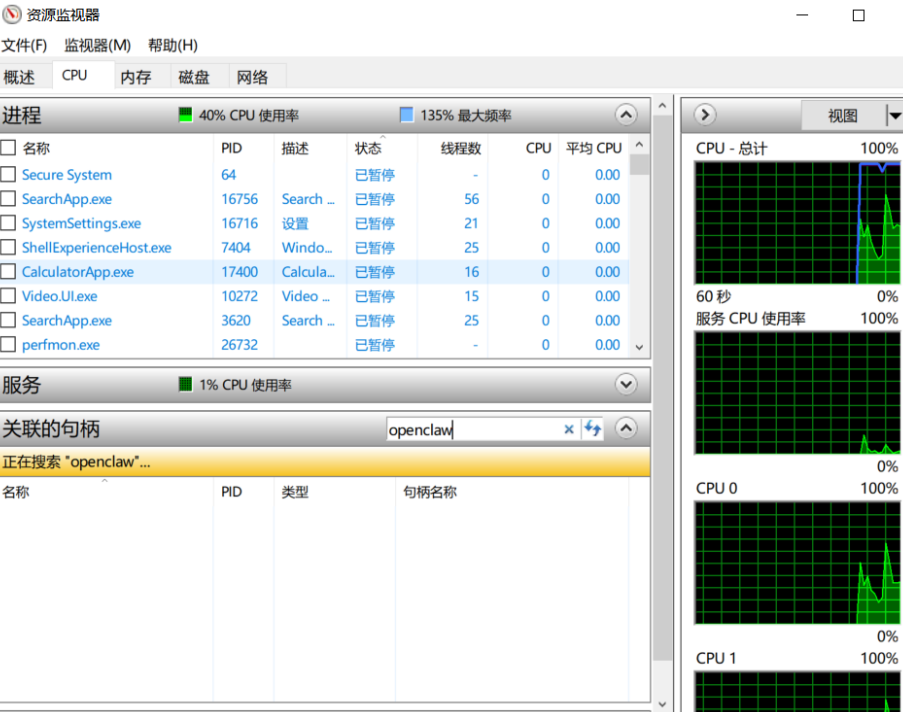
按 Win + R → 输入 resmon → 回车打开资源监视器
切换到 CPU 标签
在下方 关联的句柄(Associated Handles)搜索框中,输入关键字,关键字根据上面的提示信息,我就直接用了openclaw。找到后停止即可。
三、卸载CLI
可以看到这个提示
CLI still installed. Remove via npm/pnpm if desired.
使用npm安装的执行该命令即可
npm uninstall -g openclaw
如果你不是用的npm我想你应该知道怎么卸载。
pnpm 安装的
pnpm remove -g openclaw
bun 安装的
bun remove -g openclaw