一、新手疑虑:什么是GSAP?
官网原文:
The GreenSock Animation Platform (GSAP) is an industry-celebrated suite of tools used on over 11 million sites, including a ton of award‑winning ones! You can use GSAP to animate pretty much anything JavaScript can touch, in any framework. Whether you want to animate UI, SVG, Three.js or React components - GSAP has you covered.
GreenSock 动画平台 (GSAP) 是一套业界知名的工具,用于超过 1100 万个网站,其中包括大量屡获殊荣的网站!您可以使用 GSAP 在任何框架中为 JavaScript 可以触及的几乎任何内容制作动画 。无论您是想为 UI、SVG、Three.js 还是 React 组件制作动画 - GSAP 都能满足您的需求 。
The core library contains everything you need to create blazing fast, cross-browser friendly animations. This is what we'll be stepping through in this article.
核心库包含了创建快速、跨浏览器兼容动画所需的一切。这就是我们在本文中要逐步探讨的内容。
In addition to the core, there are a variety of plugins. You don'tneed to learn them in order to get started, but they can help with specific animation challenges like scroll based animation, draggable interactions, morphing, etc.
核心库包含了创建令人惊叹的动画所需的一切。除了核心库之外,还有各种各样的插件。您无需为了开始使用而学习它们,但它们可以帮助解决特定的动画难题,例如基于滚动的动画、可拖动交互、变形等。
二、GSAP的安装及引用
关于安装及引用我不过多赘述,大家可以去官网查看:
关于简单的学习和基础使用我们只需像如下引入到html文件中即可:
HTML
<!DOCTYPE html>
<html lang="en">
<head>
    <meta charset="UTF-8">
    <meta name="viewport" content="width=device-width, initial-scale=1.0">
    <!-- 引入下行代码 -->
    <script src="https://cdn.jsdelivr.net/npm/gsap@3.13.0/dist/gsap.min.js"></script>
    <link rel="stylesheet" href="./style.css">
    <title>Document</title>
</head>
三、制作我们的第一个GSAP动画
OK,现在我们就可以做出我们的第一个GSAP动画了,为了方便我先将简单的HTML和CSS样式写出来:
HTML
<body>
    <div class="box1"></div>
    <div class="box2"></div>
    <div class="box3"></div>
    <div class="box4"></div>
</body>
</html>
CSS如下:
CSS
body{
    margin: 0;
    padding: 0;
    height: 100vh;
    width: 100vw;
    display: flex;
    justify-content: center;
    align-items: center;
    flex-direction: column;
}
.box1{
    margin: 10px;
    height: 100px;
    width: 100px;
    background-color: blue;
}
.box2{
    margin: 10px;
    height: 100px;
    width: 100px;
    background-color: blue;
}
.box3{
    margin: 10px;
    height: 100px;
    width: 100px;
    background-color: blue;
}
.box4{
    margin: 10px;
    height: 100px;
    width: 100p
    background-color: blue;
}
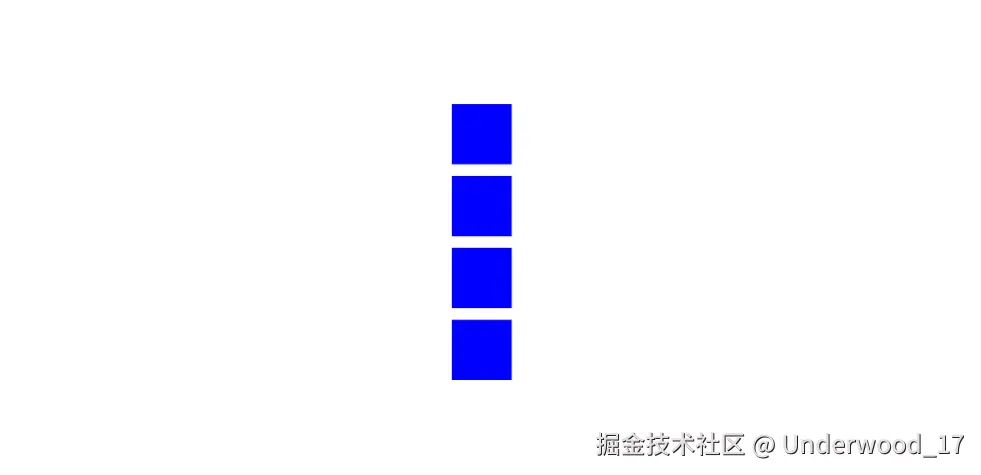
这样我们打开浏览器就会出现如下的四个竖列排放的正方形:
 这里再简单说一下:我们有一个方法 、 一个目标和一个 vars 对象 ,它们都包含有关动画的信息
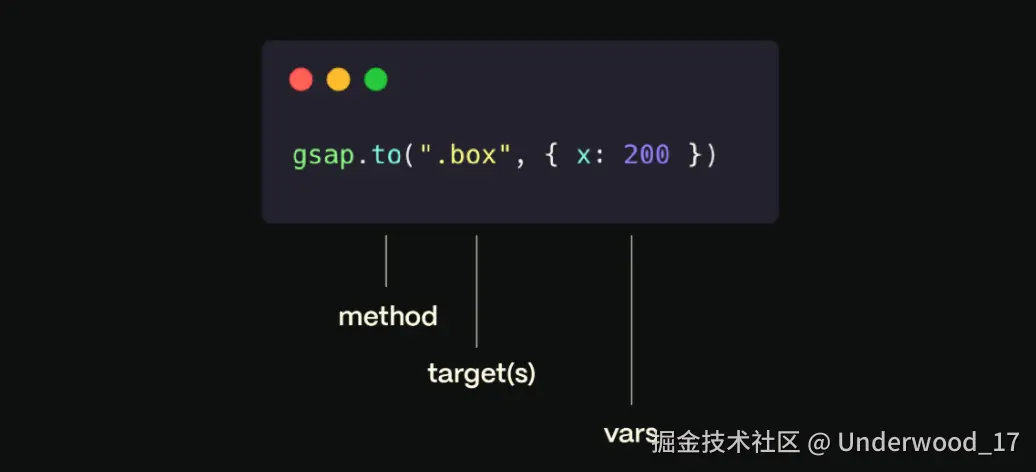 The method方法都会返回一个Tween实例,Tween有四种类型包括:
-
gsap.to() - 这是最常见的补间类型。.to() 补间将从元素的当前状态开始,并对补间中定义的值进行动画"到"。
-
gsap.from() - 类似于向后的 .to(), 它对补间中定义的值进行"从"动画处理 ,并在元素的当前状态处结束。
-
gsap.fromTo() - 定义起始值和结束值。
-
gsap.set() 立即设置属性 (无动画)。它本质上是一个持续时间为零的 .to() 补间。
js
gsap.to (".box1",{x:200})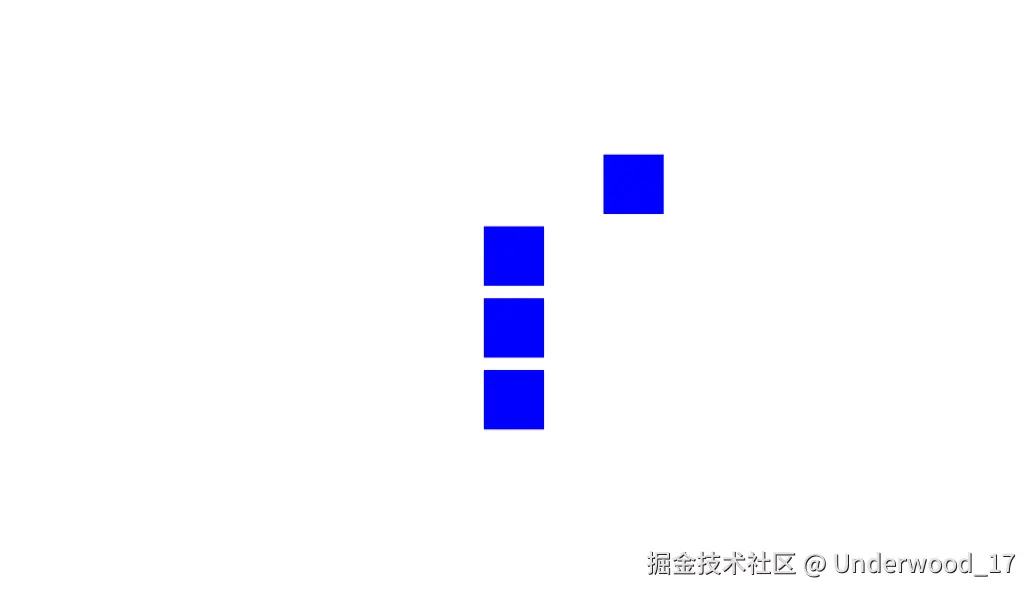 2. 对.box2使用gsap.from()
js
gsap.from(".box2",{x:200})由于gsap.from()是执行"从"这一动作,因此是从x=200的位置到初始位置,与gsap.to()相反
- gsap.fromTo()是上面两种方法的结合体,动画演示就不演示了,大家可以自己上手试一下
- gsap.set()和gsap.to()实现效果和语法结构一样,只是gsap.set()少了从与到之间的动画过程,同样也不过多赘述了。
四、有关GSAP的特殊属性
| 属性 | 描述 |
|---|---|
| duration | 动画持续时间(秒)默认值:0.5 |
| delay | 动画开始之前的延迟量(秒) |
| repeat | 动画应重复多少次。) |
| yoyo | 如果为 true,则补间将以相反的方向运行。(像悠悠球一样)默认值:false |
| stagger | 每个目标动画开始之间的时间(以秒为单位)(如果提供了多个目标) |
| ease | 控制动画期间的变化率,例如运动的"个性"或感觉。默认值:"power1.out" |
| onComplete | 动画完成时运行的函数 |
大家可以复制下面代码进行尝试:
js
gsap.fromTo(".box4",{
        x:'-20vw',
        backgroundColor:'blue',
    },
    {
        x:'20vw',
        backgroundColor:'black',
        yoyo:true,
        repeat:-1,//repeat设置为-1意思为无限重复循环
        duration:1,
        delay:4
    })