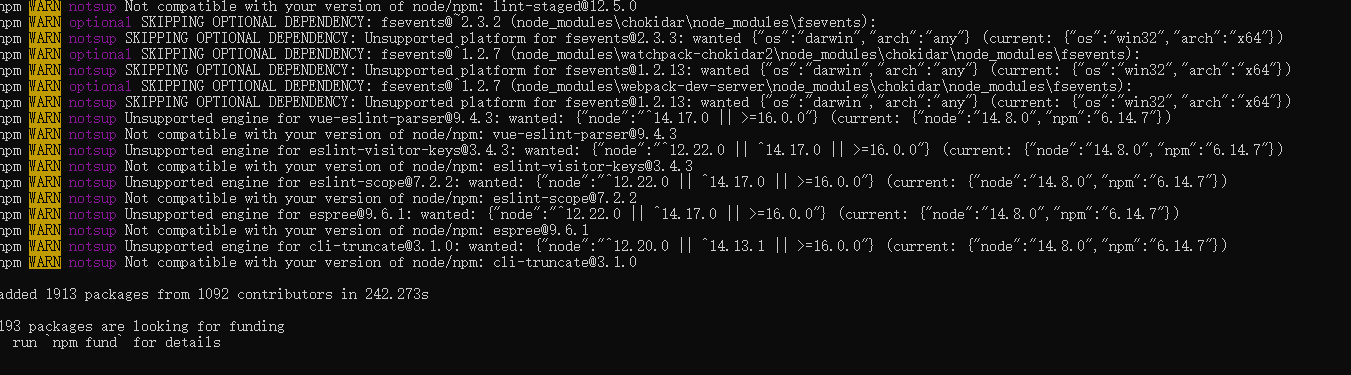
报错内容如下:
npm ERR! code EPERM npm ERR! syscall rename npm ERR! path D:\项目\kty_zncl_frontend\node_modules\@bpmn-io\element-templates-validator npm ERR! dest D:\项目\kty_zncl_frontend\node_modules\@bpmn-io\.element-templates-validator.DELETE
npm ERR! errno -4048
npm ERR! Error: EPERM: operation not permitted, rename 'D:\项目\kty_zncl_frontend\node_modules\@bpmn-io\element-templates-validator' -> 'D:\项目\kty_zncl_frontend\node_modules\@bpmn-io\.element-templates-validator.DELETE' npm ERR! [OperationalError: EPERM: operation not permitted, rename 'D:\项目\kty_zncl_frontend\node_modules\@bpmn-io\element-templates-validator' -> 'D:\项目\kty_zncl_frontend\node_modules\@bpmn-io\.element-templates-
解决过程:
-
尝试 npm cache clean --force 再次install 失败
-
分析code EPERM 是权限问题
-
然后通过管理员权限运行 再次失败
-
分析rename会不会是文件node_modules没清干净,然后执行
bashrm -rf node_modules package-lock.json提示 rm 不是内部或外部命令。解决:安装rimraf 执行 ,失败
bashrimraf node_modules package-lock.json -
然后查阅资料后,找到了解决方案。关掉代码编辑器!!!!!!!!!!!(如VSCode),右键点击命令提示符 或PowerShell ,选择"以管理员身份运行 ",然后再次执行
npm install。
哈哈哈也太好笑了,竟然是因为没有关闭文件的使用,代码编辑器。
解决步骤:
- 关闭代码编辑器!!!
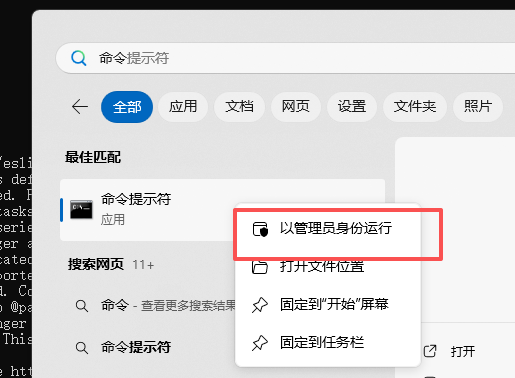 以管理员身份运行命令
- 进入项目文件目录

- 运行
bash
npm cache clean --force- 运行
bash
rimraf node_modules package-lock.json- npm install over嘻嘻解决