How websites work
By the end of this part, you'll know how websites are created and will be introduced to some basic security issues.
When you visit a website, your browser (like Safari or Google Chrome) makes a request to a web server asking for information about the page you're visiting. It will respond with data that your browser uses to show you the page; a web server is just a dedicated computer somewhere else in the world that handles your requests.
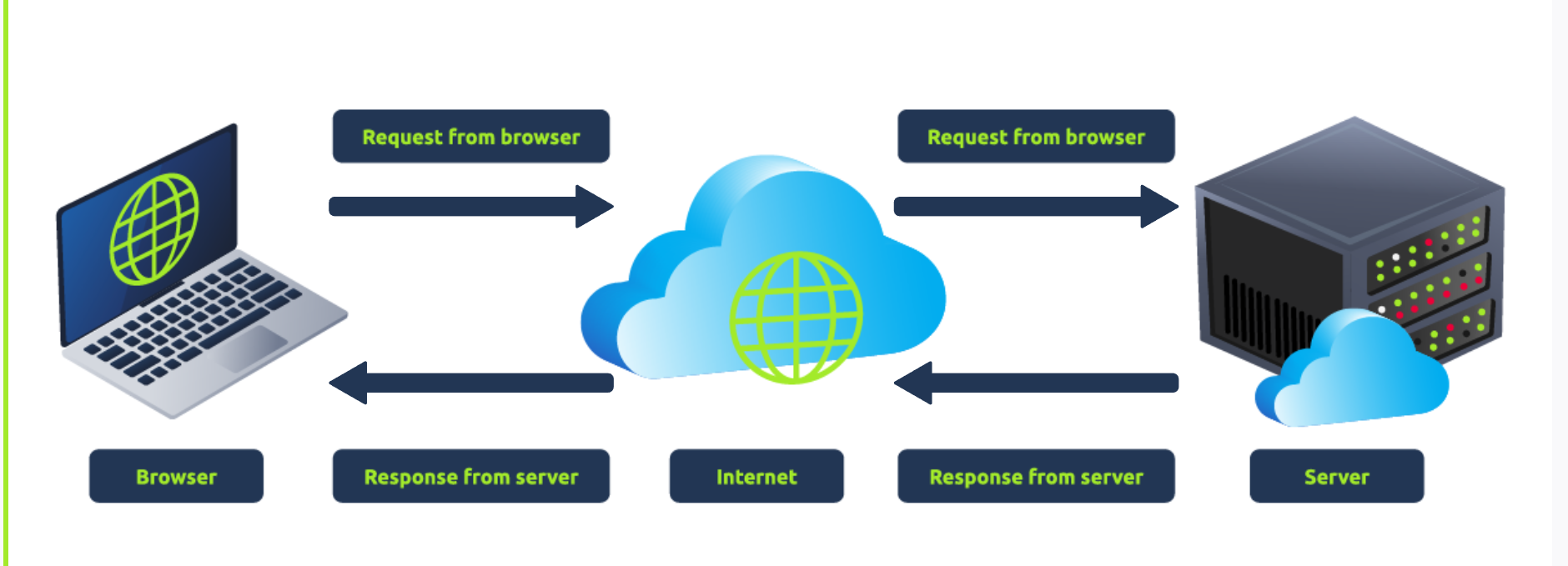
There are two major components that make up a website:
-
Front End (Client-Side) - the way your browser renders a website.
-
**Back End (**Server-Side) - a server that processes your request and returns a response.
There are many other processes involved in your browser making a request to a web server, but for now, you just need to understand that you make a request to a server, and it responds with data your browser uses to render information to you.
HTML
Websites are primarily created using:
-
HTML, to build websites and define their structure
-
CSS, to make websites look pretty by adding styling options
-
JavaScript, implement complex features on pages using interactivity
H yperT ext M arkup Language (HTML) is the language websites are written in. Elements (also known as tags) are the building blocks of HTML pages and tells the browser how to display content. The code snippet below shows a simple HTML document, the structure of which is the same for every website:
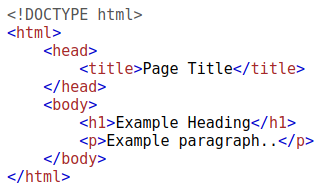
The HTML structure (as shown in the screenshot) has the following components:
-
The
<!DOCTYPE html>defines that the page is a HTML5 document. This helps with standardisation across different browsers and tells the browser to use HTML5 to interpret the page. -
The
<html>element is the root element of the HTML page - all other elements come after this element. -
The
<head>element contains information about the page (such as the page title) -
The
<body>element defines the HTML document's body; only content inside of the body is shown in the browser. -
The
<h1>element defines a large heading -
The
<p>element defines a paragraph -
There are many other elements (tags) used for different purposes. For example, there are tags for buttons (
<button>), images (<img>), lists, and much more.
Tags can contain attributes such as the class attribute which can be used to style an element (e.g. make the tag a different color) <p class="bold-text">, or the src attribute which is used on images to specify the location of an image: <img src="img/cat.jpg">.An element can have multiple attributes each with its own unique purpose, e.g., <p attribute1="value1" attribute2="value2">.
Elements can also have an id attribute (<p id="example">), which is unique to the element. Unlike the class attribute, where multiple elements can use the same class, an element must have different id's to identify them uniquely. Element id's are used for styling and to identify it by JavaScript.
You can view the HTML of any website by right-clicking and selecting "View Page Source" (Chrome) / "Show Page Source" (Safari).
JavaScript
JavaScript (JS) is one of the most popular coding languages in the world and allows pages to become interactive. HTML is used to create the website structure and content, while JavaScript is used to control the functionality of web pages - without JavaScript, a page would not have interactive elements and would always be static. JS can dynamically update the page in real-time, giving functionality to change the style of a button when a particular event on the page occurs (such as when a user clicks a button) or to display moving animations.
JavaScript is added within the page source code and can be either loaded within <script> tags or can be included remotely with the src attribute: <script src="/location/of/javascript_file.js"></script>
The following JavaScript code finds a HTML element on the page with the id of "demo" and changes the element's contents to "Hack the Planet" : document.getElementById("demo").innerHTML = "Hack the Planet";
HTML elements can also have events, such as "onclick" or "onhover" that execute JavaScript when the event occurs. The following code changes the text of the element with the demo ID to Button Clicked: <button onclick='document.getElementById("demo").innerHTML = "Button Clicked";'>Click Me!</button> - onclick events can also be defined inside the JavaScript script tags, and not on elements directly.
Sensitive Data Exposure
Sensitive Data Exposure occurs when a website doesn't properly protect (or remove) sensitive clear-text information to the end-user; usually found in a site's frontend source code.
We now know that websites are built using many HTML elements (tags), all of which we can see simply by "viewing the page source". A website developer may have forgotten to remove login credentials, hidden links to private parts of the website or other sensitive data shown in HTML or JavaScript.
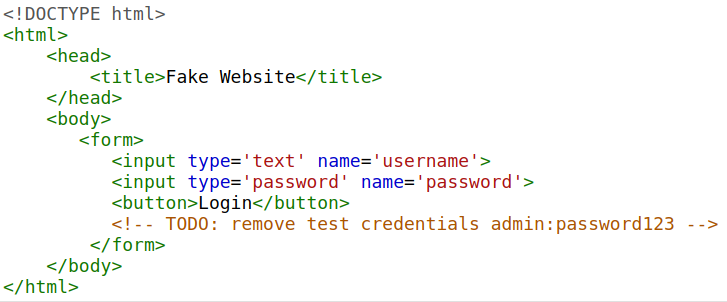
Sensitive information can be potentially leveraged to further an attacker's access within different parts of a web application. For example, there could be HTML comments with temporary login credentials, and if you viewed the page's source code and found this, you could use these credentials to log in elsewhere on the application (or worse, used to access other backend components of the site).
Whenever you're assessing a web application for security issues, one of the first things you should do is review the page source code to see if you can find any exposed login credentials or hidden links.
HTML Injection
HTML Injection is a vulnerability that occurs when unfiltered user input is displayed on the page. If a website fails to sanitise user input (filter any "malicious" text that a user inputs into a website), and that input is used on the page, an attacker can inject HTML code into a vulnerable website.
Input sanitisation is very important in keeping a website secure, as information a user inputs into a website is often used in other frontend and backend functionality. A vulnerability you'll explore in another lab is database injection, where you can manipulate a database lookup query to log in as another user by controlling the input that's directly used in the query - but for now, let's focus on HTML injection (which is client-side).
When a user has control of how their input is displayed, they can submit HTML (or JavaScript) code, and the browser will use it on the page, allowing the user to control the page's appearance and functionality.
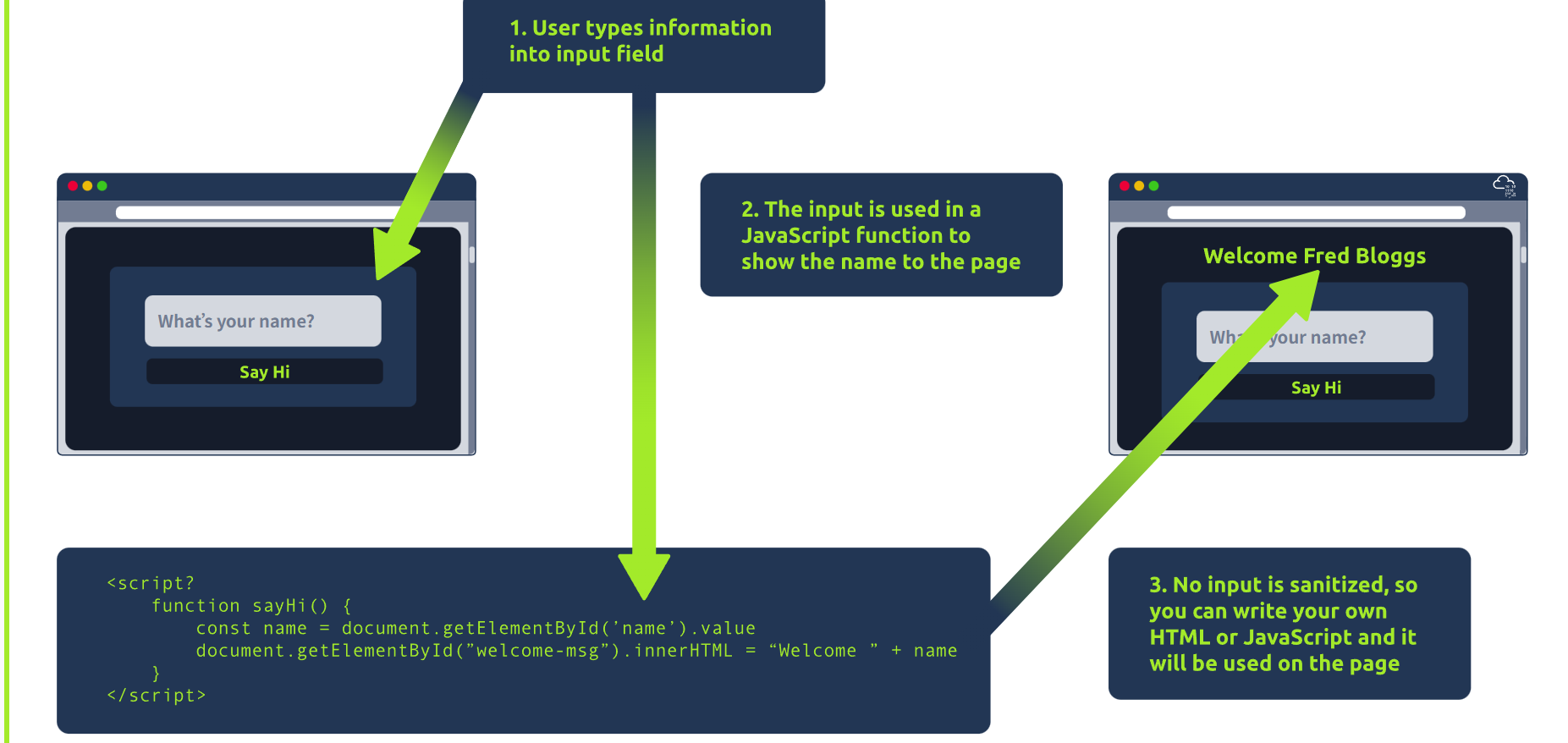
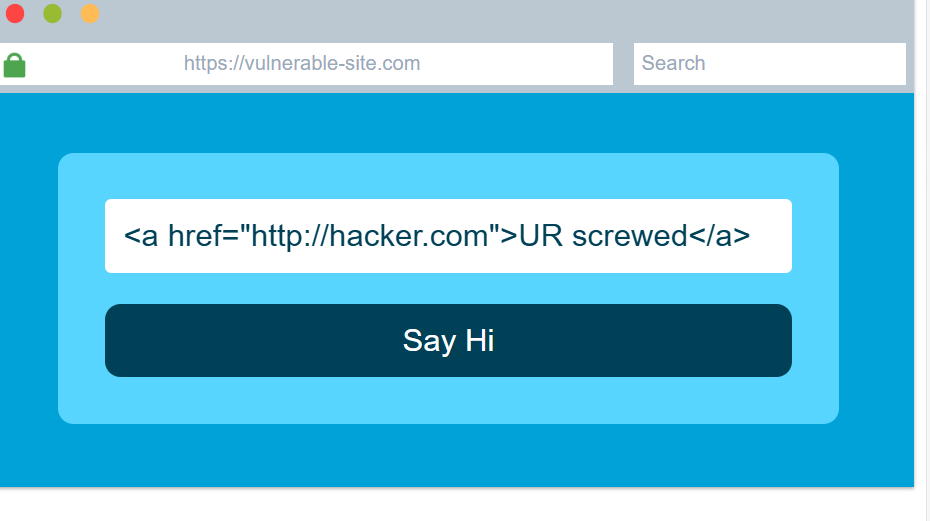
The image above shows how a form outputs text to the page. Whatever the user inputs into the "What's your name" field is passed to a JavaScript function and output to the page, which means if the user adds their own HTML or JavaScript in the field, it's used in the sayHi function and is added to the page - this means you can add your own HTML (such as a <h1> tag) and it will output your input as pure HTML.
The general rule is never to trust user input. To prevent malicious input, the website developer should sanitise everything the user enters before using it in the JavaScript function; in this case, the developer could remove any HTML tags.
Practice:
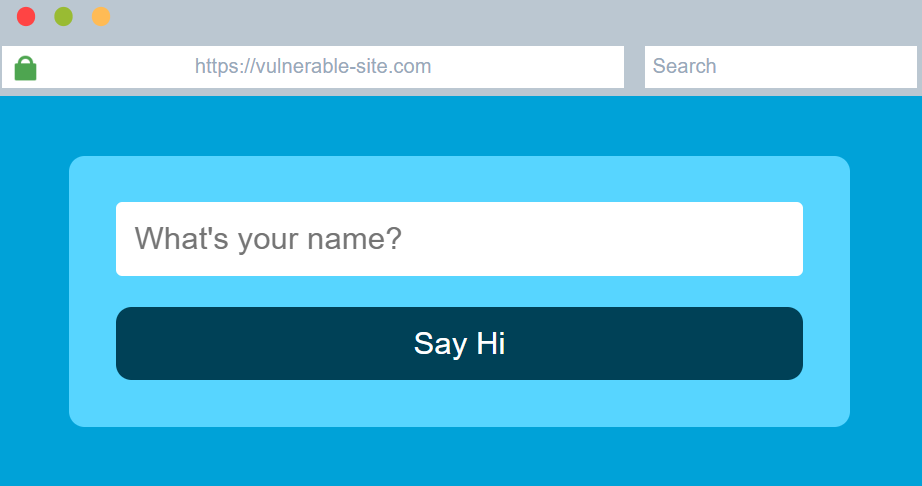
and inject HTML so that a malicious link to http://hacker.com is shown->