📂 支持的文件类型
| 类型 | 后缀 | |
|---|---|---|
| 图片 | .jpg, .jpeg, .jpe, .jfif, .png, .gif, .bmp, .dib, .webp, .svg, .avif, ico | |
| 视频 | .mp4, .m4v, .webm, .ogv, .m3u8, .mpd | |
| 音频 | .mp3, .mp2, .mp1, .mpga, .m4a, .mp4, .aac, .ogg, .oga, .wav, .wave, .webm, .opus, .flac | |
| PDF文档 | ||
| Office | .doc, .docx, .xls, .xlsx, .ppt, .pptx | |
| 3D 模型 | .glb, .gltf, .obj, .stl | |
| DXF矢量图 | .dxf | |
| JSON | .json | |
| Markdown文档 | .md | |
| 纯文本 | .txt |
在线示例
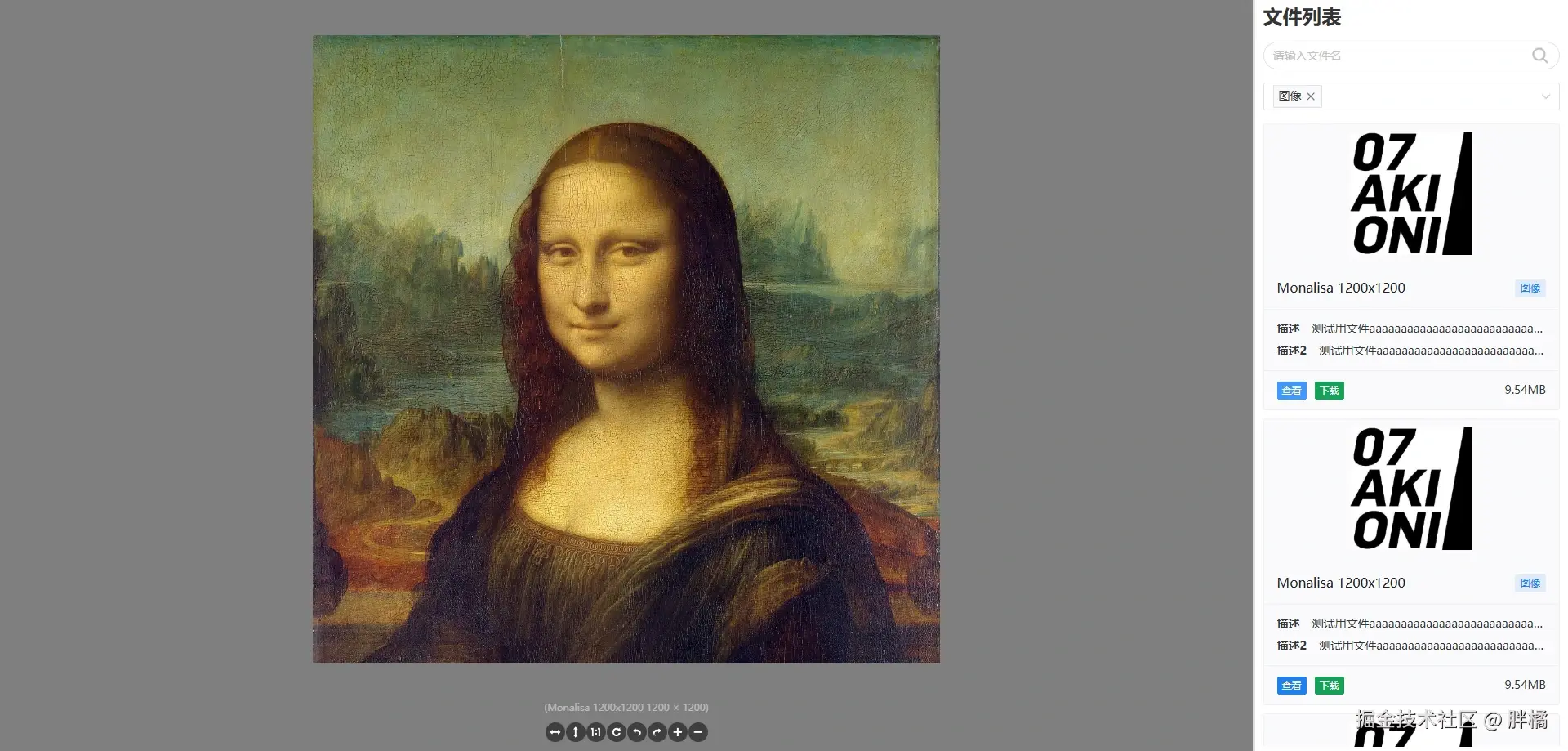
安装
bash
pnpm add @pangju666/file-viewer

yarn add @pangju666/file-viewer

npm install @pangju666/file-viewer
快速开始
全局注册
在你的 main.ts 或 main.js 中注册插件:
javascript
import {createApp} from 'vue'
import App from './App.vue'
import FileViewer from '@pangju666/file-viewer'
import '@pangju666/file-viewer/index.css'

const app = createApp(App)
app.use(FileViewer)
app.mount('#app')
局部引入
一次型导入数据,数据结构:FileItem
vue
<template>
  <file-viewer :data="fileItems"/>
</template>

<script setup>
  import {FileViewer} from '@pangju666/file-viewer'
  import '@pangju666/file-viewer/index.css'
  import {ref} from "vue";

  const fileItems = ref([{
    source: "https://disk.sample.cat/samples/pdf/sample-a4.pdf",
    mimeType: "application/pdf",
    name: "Sample A4 PDF",
    type: "PDF文档",
    cover: "https://07akioni.oss-cn-beijing.aliyuncs.com/07akioni.jpeg",
    tags: ["测试文件", "示例PDF"],
    size: 10000000,
    descriptions: [
      {
        name: "创建事件",
        value: "2026-3-18",
      },
      {
        name: "创建作者",
        value: "胖橘",
      },
    ],
  },
    {
      source: "https://disk.sample.cat/samples/png/monalisa-1200x1200.png",
      mimeType: "application/pdf",
      name: "Monalisa 1200x1200",
      type: {
        label: "图像",
        value: "image",
      },
      cover: "https://07akioni.oss-cn-beijing.aliyuncs.com/07akioni.jpeg",
      tags: [
        {
          value: "测试文件",
          type: "info",
        },
        {
          value: "测试文件",
          type: "success",
        }
      ],
      size: 10000000,
      descriptions: [
        {
          name: "创建事件",
          value: "2026-3-18",
        },
        {
          name: "创建作者",
          value: "胖橘",
        },
      ],
    }]);
</script>分页导入数据,数据结构:FileItem
vue
<template>
  <file-viewer :on-load="onLoad"/>
</template>

<script setup>
  import {FileViewer} from '@pangju666/file-viewer'
  import '@pangju666/file-viewer/index.css'

  const onLoad = (
      page,
      types,
      keyword,
  ) => {
    return [/*...从服务端获取分页数据*/]
  };
</script>
数据结构
FileType
文件类型信息的结构定义。
typescript
export type FileType = { label: string; value: string; } | string;💡 提示:
label用于定义文件类型的显示文本,未定义则直接使用value作为显示文本。
示例
javascript
const fileTypes = [
    {
        label: "图片", // 图片作为显示文本
        value: "image", // image作为值
    },
    {
        value: "图片", // 图片作为显示文本和值
    },
    "图片"  // 图片作为显示文本和值
]
FileItem
文件信息的结构定义。
typescript
export type FileItem = {
    source: string | File | Blob; // 源:URL、File 对象或 Blob
    mimeType?: string;           // MIME 类型(undefined 或为 null 时尝试使用 Blob 或 File 类型的 type 属性获取)
    id?: string;                // 唯一标识符,如果是pdf或office文件且需要使用onlyoffice预览,建议设置id
    name?: string;              // 文件名称(未定义时尝试使用 File 类型的 name 属性获取)
    type?: string | { label: string; value: string }; // 类型
    cover?: string;             // 封面图 URL
    size?: number;              // 大小(单位:字节)(undefined 或为 null 时尝试使用 Blob 或 File 类型的 size 属性获取)
    tags?: string[] | { value: string; type?: "default" | "primary" | "info" | "success" | "warning" | "error" }[]; // 标签集合
    descriptions?: { name: string; value: string }[];    // 描述信息
};
💡 提示:
内置的
Office预览组件只支持公网URL,所以无法使用File或Blob类型作为文件源(FileItem.source)。
示例
javascript
const fileItems = [
    {
        source: "https://disk.sample.cat/samples/pdf/sample-a4.pdf",
        mimeType: "application/pdf",
        name: "Sample A4 PDF",
        type: "PDF文档",
        cover: "https://07akioni.oss-cn-beijing.aliyuncs.com/07akioni.jpeg",
        tags: ["测试文件", "示例PDF"],
        size: 10000000,
        descriptions: [
            {
                name: "创建事件",
                value: "2026-3-18",
            },
            {
                name: "创建作者",
                value: "胖橘",
            },
        ],
    },
    {
        source: "https://disk.sample.cat/samples/png/monalisa-1200x1200.png",
        mimeType: "application/pdf",
        name: "Monalisa 1200x1200",
        type: {
            label: "图像",
            value: "image",
        },
        cover: "https://07akioni.oss-cn-beijing.aliyuncs.com/07akioni.jpeg",
        tags: [
            {
                value: "测试文件",
                type: "info",
            },
            {
                value: "测试文件",
                type: "success",
            }
        ],
        size: 10000000,
        descriptions: [
            {
                name: "创建事件",
                value: "2026-3-18",
            },
            {
                name: "创建作者",
                value: "胖橘",
            },
        ],
    },
]
组件
FileViewer
多文件预览组件,使用Naive UI Spin集成了单文件预览(左侧)和文件列表(右侧)。
💡 提示:
根据文件内容自动检测
MIME类型触发条件:
autoDetectType属性为trueFileItem的mimeType属性undefined或为null- 当
source为Blob或File类型时type属性undefined或为null
属性
除了继承自FileList和FilePreview的属性外,还包含以下属性:
| 名称 | 类型 | 默认值 | 说明 |
|---|---|---|---|
minSplitSize |
`number | string` | 0.1 |
maxSplitSize |
`number | string` | 0.9 |
defaultSplitSize |
`number | string` | 0.8 |
autoDetectType |
boolean |
true |
是否根据文件内容自动检测 MIME Type |
detectFileType |
`(file: FileItem) => string | Promise |
使用file-type实现 |
showLoading |
boolean |
true |
是否显示加载提示 |
loadingText |
string |
"正在加载中..." |
加载提示文本(源自Naive UI Spin的description属性) |
loadingSize |
`"small" | "medium" | "large" |
事件
| 名称 | 参数 | 说明 |
|---|---|---|
loading-start |
() |
开始加载文件时触发(showLoading为false时才会触发) |
loading-end |
() |
文件加载完成时触发(showLoading为false时才会触发) |
loading-error |
() |
文件加载失败时触发(showLoading为false时才会触发) |
click-file |
(file: FileItem) |
点击列表中的文件时触发(showLoading为false时才会触发),类型参考[FileItem](#名称 参数 说明 loading-start () 开始加载文件时触发(showLoading为false时才会触发) loading-end () 文件加载完成时触发(showLoading为false时才会触发) loading-error () 文件加载失败时触发(showLoading为false时才会触发) click-file (file: FileItem) 点击列表中的文件时触发(showLoading为false时才会触发),类型参考FileItem "#fileitem") |
方法
| 名称 | 参数 | 说明 |
|---|---|---|
changeFile |
(file: FileItem) |
修改当前预览文件(主要结合自定义文件列表使用),类型参考[FileItem](#名称 参数 说明 changeFile (file: FileItem) 修改当前预览文件(主要结合自定义文件列表使用),类型参考FileItem "#fileitem") |
插槽
| 名称 | 参数 | 说明 |
|---|---|---|
list |
() |
右侧文件列表的展示 |
preview |
(currentFile: FileItem) |
左侧预览区域的展示(showLoading为false时生效),类型参考[FileItem](#名称 参数 说明 list () 右侧文件列表的展示 preview (currentFile: FileItem) 左侧预览区域的展示(showLoading为false时生效),类型参考FileItem "#fileitem") |
FileList
文件列表组件,默认使用卡片形式展示文件信息
💡 提示:
如果是一次性传入所有文件数据请使用
data属性,如果需要分页加载请使用onLoad属性。
onLoad属性优先级大于data属性。
属性
| 属性 | 类型 | 默认值 | 说明 |
|---|---|---|---|
title |
string |
"文件列表" |
标题 |
data |
`FileItem[] | Promise<FileItem[]> | (() => FileItem[]) |
showBackTop |
boolean |
true |
是否显示回到顶部按钮 |
showSearch |
boolean |
true |
是否显示搜索框 |
showTitle |
boolean |
true |
是否显示标题 |
showFilter |
boolean |
true |
是否显示过滤器 |
showDescriptions |
boolean |
true |
是否显示文件描述信息 |
showCover |
boolean |
true |
是否显示文件封面 |
showTags |
boolean |
true |
是否显示文件标签信息 |
showType |
boolean |
true |
是否显示文件类型信息 |
coverHeight |
`number | string` | 150 |
coverObjectFit |
`"fill" | "contain" | "cover" |
coverLazy |
boolean |
false |
是否懒加载封面图片(源自Naive UI Image的lazy属性) |
coverFallbackSrc |
string |
undefined |
封面图片加载失败时显示的地址,coverLazy为false时有效 |
coverFallbackIcon |
Component |
Image(@vicons/ionicons5) |
封面图片加载失败时显示的图标组件(源自Naive UI Icon的component属性),coverLazy为false时有效 |
coverPlaceholderSrc |
string |
undefined |
封面图片加载中显示的地址,coverLazy为true时有效 |
coverPlaceholderIcon |
Component |
Image(@vicons/ionicons5) |
封面图片加载中显示的图标组件(源自Naive UI Icon的component属性),coverLazy为true时有效 |
cardSize |
`"small" | "medium" | "large" |
cardHoverable |
boolean |
true |
文件卡片是否可悬浮(源自Naive UI Card的hoverable属性) |
cardBordered |
boolean |
true |
文件卡片是否有边框(源自Naive UI Card的bordered属性) |
types |
`FileType[] | Promise<FileType[]> | (() => FileType[]) |
filter |
(file: FileItem, types: string[], keyword?: string) => boolean |
使用文件名和文件类型(type而不是mimeType)进行过滤 |
自定义文件数据搜索/过滤方法(如果传入onLoad,则该属性无效),类型参考[FileItem](#属性 类型 默认值 说明 title string "文件列表" 标题 data FileItem[] |
onLoad |
`(page: number, types: string[], keyword?: string) => Promise<FileItem[]> | FileItem[]` | undefined |
noMore |
boolean |
undefined |
是否已加载全部数据(如果未传入onLoad,则该属性无效) |
customDownload |
(fileItem: FileItem) => void |
使用a标签下载 |
自定义下载方法,类型参考[FileItem](#属性 类型 默认值 说明 title string "文件列表" 标题 data FileItem[] |
事件
| 名称 | 参数 | 说明 |
|---|---|---|
click-file |
(file: FileItem) |
点击列表中的文件时触发,类型参考[FileItem](#名称 参数 说明 click-file (file: FileItem) 点击列表中的文件时触发,类型参考FileItem "#fileitem") |
方法
| 名称 | 参数 | 说明 |
|---|---|---|
refreshData |
() |
刷新文件数据(主要结合自定义搜索框和过滤器使用) |
插槽
| 名称 | 参数 | 说明 |
|---|---|---|
title |
() |
文件列表标题的展示(showTitle为true时生效) |
search |
() |
搜索框的展示(showSearch为true时生效,需要结合refreshData方法使用) |
filter |
() |
过滤器的展示(showFilter为true时生效,需要结合refreshData方法使用) |
loading |
() |
文件数据加载中的展示 |
empty |
() |
文件列表为空的展示 |
no-more |
() |
没有更多数据的展示 |
back-top |
() |
回到顶部按钮的展示 |
list |
(fileList: FileItem[]) |
文件列表的展示,类型参考[FileItem](#名称 参数 说明 title () 文件列表标题的展示(showTitle为true时生效) search () 搜索框的展示(showSearch为true时生效,需要结合refreshData方法使用) filter () 过滤器的展示(showFilter为true时生效,需要结合refreshData方法使用) loading () 文件数据加载中的展示 empty () 文件列表为空的展示 no-more () 没有更多数据的展示 back-top () 回到顶部按钮的展示 list (fileList: FileItem[]) 文件列表的展示,类型参考FileItem card-header (fileItem: FileItem) 文件卡片头部内容(源自Naive UI Card的header插槽),类型参考FileItem card-header-extra (fileItem: FileItem) 文件卡片头部额外内容(源自Naive UI Card的header-extra插槽),类型参考FileItem card-cover (fileItem: FileItem) 文件卡片封面内容(源自Naive UI Card的cover插槽),类型参考FileItem card-footer (fileItem: FileItem) 文件卡片标底部内容(源自Naive UI Card的footer插槽),类型参考FileItem card-action (fileItem: FileItem) 文件卡片操作区域左侧内容(源自Naive UI Card的action插槽),类型参考FileItem card-action-extra (fileItem: FileItem) 文件卡片操作区域左侧额外内容(与action插槽互斥),类型参考FileItem card-action-right (fileItem: FileItem) 文件卡片操作区域右侧内容(与action插槽互斥),类型参考FileItem card-default (fileItem: FileItem) 文件卡片内容(源自Naive UI Card的default插槽),类型参考FileItem "#fileitem") |
card-header |
(fileItem: FileItem) |
文件卡片头部内容(源自Naive UI Card的header插槽),类型参考[FileItem](#名称 参数 说明 title () 文件列表标题的展示(showTitle为true时生效) search () 搜索框的展示(showSearch为true时生效,需要结合refreshData方法使用) filter () 过滤器的展示(showFilter为true时生效,需要结合refreshData方法使用) loading () 文件数据加载中的展示 empty () 文件列表为空的展示 no-more () 没有更多数据的展示 back-top () 回到顶部按钮的展示 list (fileList: FileItem[]) 文件列表的展示,类型参考FileItem card-header (fileItem: FileItem) 文件卡片头部内容(源自Naive UI Card的header插槽),类型参考FileItem card-header-extra (fileItem: FileItem) 文件卡片头部额外内容(源自Naive UI Card的header-extra插槽),类型参考FileItem card-cover (fileItem: FileItem) 文件卡片封面内容(源自Naive UI Card的cover插槽),类型参考FileItem card-footer (fileItem: FileItem) 文件卡片标底部内容(源自Naive UI Card的footer插槽),类型参考FileItem card-action (fileItem: FileItem) 文件卡片操作区域左侧内容(源自Naive UI Card的action插槽),类型参考FileItem card-action-extra (fileItem: FileItem) 文件卡片操作区域左侧额外内容(与action插槽互斥),类型参考FileItem card-action-right (fileItem: FileItem) 文件卡片操作区域右侧内容(与action插槽互斥),类型参考FileItem card-default (fileItem: FileItem) 文件卡片内容(源自Naive UI Card的default插槽),类型参考FileItem "#fileitem") |
card-header-extra |
(fileItem: FileItem) |
文件卡片头部额外内容(源自Naive UI Card的header-extra插槽),类型参考[FileItem](#名称 参数 说明 title () 文件列表标题的展示(showTitle为true时生效) search () 搜索框的展示(showSearch为true时生效,需要结合refreshData方法使用) filter () 过滤器的展示(showFilter为true时生效,需要结合refreshData方法使用) loading () 文件数据加载中的展示 empty () 文件列表为空的展示 no-more () 没有更多数据的展示 back-top () 回到顶部按钮的展示 list (fileList: FileItem[]) 文件列表的展示,类型参考FileItem card-header (fileItem: FileItem) 文件卡片头部内容(源自Naive UI Card的header插槽),类型参考FileItem card-header-extra (fileItem: FileItem) 文件卡片头部额外内容(源自Naive UI Card的header-extra插槽),类型参考FileItem card-cover (fileItem: FileItem) 文件卡片封面内容(源自Naive UI Card的cover插槽),类型参考FileItem card-footer (fileItem: FileItem) 文件卡片标底部内容(源自Naive UI Card的footer插槽),类型参考FileItem card-action (fileItem: FileItem) 文件卡片操作区域左侧内容(源自Naive UI Card的action插槽),类型参考FileItem card-action-extra (fileItem: FileItem) 文件卡片操作区域左侧额外内容(与action插槽互斥),类型参考FileItem card-action-right (fileItem: FileItem) 文件卡片操作区域右侧内容(与action插槽互斥),类型参考FileItem card-default (fileItem: FileItem) 文件卡片内容(源自Naive UI Card的default插槽),类型参考FileItem "#fileitem") |
card-cover |
(fileItem: FileItem) |
文件卡片封面内容(源自Naive UI Card的cover插槽),类型参考[FileItem](#名称 参数 说明 title () 文件列表标题的展示(showTitle为true时生效) search () 搜索框的展示(showSearch为true时生效,需要结合refreshData方法使用) filter () 过滤器的展示(showFilter为true时生效,需要结合refreshData方法使用) loading () 文件数据加载中的展示 empty () 文件列表为空的展示 no-more () 没有更多数据的展示 back-top () 回到顶部按钮的展示 list (fileList: FileItem[]) 文件列表的展示,类型参考FileItem card-header (fileItem: FileItem) 文件卡片头部内容(源自Naive UI Card的header插槽),类型参考FileItem card-header-extra (fileItem: FileItem) 文件卡片头部额外内容(源自Naive UI Card的header-extra插槽),类型参考FileItem card-cover (fileItem: FileItem) 文件卡片封面内容(源自Naive UI Card的cover插槽),类型参考FileItem card-footer (fileItem: FileItem) 文件卡片标底部内容(源自Naive UI Card的footer插槽),类型参考FileItem card-action (fileItem: FileItem) 文件卡片操作区域左侧内容(源自Naive UI Card的action插槽),类型参考FileItem card-action-extra (fileItem: FileItem) 文件卡片操作区域左侧额外内容(与action插槽互斥),类型参考FileItem card-action-right (fileItem: FileItem) 文件卡片操作区域右侧内容(与action插槽互斥),类型参考FileItem card-default (fileItem: FileItem) 文件卡片内容(源自Naive UI Card的default插槽),类型参考FileItem "#fileitem") |
card-footer |
(fileItem: FileItem) |
文件卡片标底部内容(源自Naive UI Card的footer插槽),类型参考[FileItem](#名称 参数 说明 title () 文件列表标题的展示(showTitle为true时生效) search () 搜索框的展示(showSearch为true时生效,需要结合refreshData方法使用) filter () 过滤器的展示(showFilter为true时生效,需要结合refreshData方法使用) loading () 文件数据加载中的展示 empty () 文件列表为空的展示 no-more () 没有更多数据的展示 back-top () 回到顶部按钮的展示 list (fileList: FileItem[]) 文件列表的展示,类型参考FileItem card-header (fileItem: FileItem) 文件卡片头部内容(源自Naive UI Card的header插槽),类型参考FileItem card-header-extra (fileItem: FileItem) 文件卡片头部额外内容(源自Naive UI Card的header-extra插槽),类型参考FileItem card-cover (fileItem: FileItem) 文件卡片封面内容(源自Naive UI Card的cover插槽),类型参考FileItem card-footer (fileItem: FileItem) 文件卡片标底部内容(源自Naive UI Card的footer插槽),类型参考FileItem card-action (fileItem: FileItem) 文件卡片操作区域左侧内容(源自Naive UI Card的action插槽),类型参考FileItem card-action-extra (fileItem: FileItem) 文件卡片操作区域左侧额外内容(与action插槽互斥),类型参考FileItem card-action-right (fileItem: FileItem) 文件卡片操作区域右侧内容(与action插槽互斥),类型参考FileItem card-default (fileItem: FileItem) 文件卡片内容(源自Naive UI Card的default插槽),类型参考FileItem "#fileitem") |
card-action |
(fileItem: FileItem) |
文件卡片操作区域左侧内容(源自Naive UI Card的action插槽),类型参考[FileItem](#名称 参数 说明 title () 文件列表标题的展示(showTitle为true时生效) search () 搜索框的展示(showSearch为true时生效,需要结合refreshData方法使用) filter () 过滤器的展示(showFilter为true时生效,需要结合refreshData方法使用) loading () 文件数据加载中的展示 empty () 文件列表为空的展示 no-more () 没有更多数据的展示 back-top () 回到顶部按钮的展示 list (fileList: FileItem[]) 文件列表的展示,类型参考FileItem card-header (fileItem: FileItem) 文件卡片头部内容(源自Naive UI Card的header插槽),类型参考FileItem card-header-extra (fileItem: FileItem) 文件卡片头部额外内容(源自Naive UI Card的header-extra插槽),类型参考FileItem card-cover (fileItem: FileItem) 文件卡片封面内容(源自Naive UI Card的cover插槽),类型参考FileItem card-footer (fileItem: FileItem) 文件卡片标底部内容(源自Naive UI Card的footer插槽),类型参考FileItem card-action (fileItem: FileItem) 文件卡片操作区域左侧内容(源自Naive UI Card的action插槽),类型参考FileItem card-action-extra (fileItem: FileItem) 文件卡片操作区域左侧额外内容(与action插槽互斥),类型参考FileItem card-action-right (fileItem: FileItem) 文件卡片操作区域右侧内容(与action插槽互斥),类型参考FileItem card-default (fileItem: FileItem) 文件卡片内容(源自Naive UI Card的default插槽),类型参考FileItem "#fileitem") |
card-action-extra |
(fileItem: FileItem) |
文件卡片操作区域左侧额外内容(与action插槽互斥),类型参考[FileItem](#名称 参数 说明 title () 文件列表标题的展示(showTitle为true时生效) search () 搜索框的展示(showSearch为true时生效,需要结合refreshData方法使用) filter () 过滤器的展示(showFilter为true时生效,需要结合refreshData方法使用) loading () 文件数据加载中的展示 empty () 文件列表为空的展示 no-more () 没有更多数据的展示 back-top () 回到顶部按钮的展示 list (fileList: FileItem[]) 文件列表的展示,类型参考FileItem card-header (fileItem: FileItem) 文件卡片头部内容(源自Naive UI Card的header插槽),类型参考FileItem card-header-extra (fileItem: FileItem) 文件卡片头部额外内容(源自Naive UI Card的header-extra插槽),类型参考FileItem card-cover (fileItem: FileItem) 文件卡片封面内容(源自Naive UI Card的cover插槽),类型参考FileItem card-footer (fileItem: FileItem) 文件卡片标底部内容(源自Naive UI Card的footer插槽),类型参考FileItem card-action (fileItem: FileItem) 文件卡片操作区域左侧内容(源自Naive UI Card的action插槽),类型参考FileItem card-action-extra (fileItem: FileItem) 文件卡片操作区域左侧额外内容(与action插槽互斥),类型参考FileItem card-action-right (fileItem: FileItem) 文件卡片操作区域右侧内容(与action插槽互斥),类型参考FileItem card-default (fileItem: FileItem) 文件卡片内容(源自Naive UI Card的default插槽),类型参考FileItem "#fileitem") |
card-action-right |
(fileItem: FileItem) |
文件卡片操作区域右侧内容(与action插槽互斥),类型参考[FileItem](#名称 参数 说明 title () 文件列表标题的展示(showTitle为true时生效) search () 搜索框的展示(showSearch为true时生效,需要结合refreshData方法使用) filter () 过滤器的展示(showFilter为true时生效,需要结合refreshData方法使用) loading () 文件数据加载中的展示 empty () 文件列表为空的展示 no-more () 没有更多数据的展示 back-top () 回到顶部按钮的展示 list (fileList: FileItem[]) 文件列表的展示,类型参考FileItem card-header (fileItem: FileItem) 文件卡片头部内容(源自Naive UI Card的header插槽),类型参考FileItem card-header-extra (fileItem: FileItem) 文件卡片头部额外内容(源自Naive UI Card的header-extra插槽),类型参考FileItem card-cover (fileItem: FileItem) 文件卡片封面内容(源自Naive UI Card的cover插槽),类型参考FileItem card-footer (fileItem: FileItem) 文件卡片标底部内容(源自Naive UI Card的footer插槽),类型参考FileItem card-action (fileItem: FileItem) 文件卡片操作区域左侧内容(源自Naive UI Card的action插槽),类型参考FileItem card-action-extra (fileItem: FileItem) 文件卡片操作区域左侧额外内容(与action插槽互斥),类型参考FileItem card-action-right (fileItem: FileItem) 文件卡片操作区域右侧内容(与action插槽互斥),类型参考FileItem card-default (fileItem: FileItem) 文件卡片内容(源自Naive UI Card的default插槽),类型参考FileItem "#fileitem") |
card-default |
(fileItem: FileItem) |
文件卡片内容(源自Naive UI Card的default插槽),类型参考[FileItem](#名称 参数 说明 title () 文件列表标题的展示(showTitle为true时生效) search () 搜索框的展示(showSearch为true时生效,需要结合refreshData方法使用) filter () 过滤器的展示(showFilter为true时生效,需要结合refreshData方法使用) loading () 文件数据加载中的展示 empty () 文件列表为空的展示 no-more () 没有更多数据的展示 back-top () 回到顶部按钮的展示 list (fileList: FileItem[]) 文件列表的展示,类型参考FileItem card-header (fileItem: FileItem) 文件卡片头部内容(源自Naive UI Card的header插槽),类型参考FileItem card-header-extra (fileItem: FileItem) 文件卡片头部额外内容(源自Naive UI Card的header-extra插槽),类型参考FileItem card-cover (fileItem: FileItem) 文件卡片封面内容(源自Naive UI Card的cover插槽),类型参考FileItem card-footer (fileItem: FileItem) 文件卡片标底部内容(源自Naive UI Card的footer插槽),类型参考FileItem card-action (fileItem: FileItem) 文件卡片操作区域左侧内容(源自Naive UI Card的action插槽),类型参考FileItem card-action-extra (fileItem: FileItem) 文件卡片操作区域左侧额外内容(与action插槽互斥),类型参考FileItem card-action-right (fileItem: FileItem) 文件卡片操作区域右侧内容(与action插槽互斥),类型参考FileItem card-default (fileItem: FileItem) 文件卡片内容(源自Naive UI Card的default插槽),类型参考FileItem "#fileitem") |
预览图

FilePreview
单文件预览组件,根据文件的mimeType渲染不同类型的预览组件。
| 组件名称 | 对应mimeType |
组件说明 |
|---|---|---|
[AudioViewer](#组件名称 对应mimeType 组件说明 AudioViewer image/(jpeg, png, gif, bmp, webp, svg+xml, avif, x-icon) 音频预览组件。 VideoViewer video/(mp4, webm), application/x-mpegURL, application/vnd.apple.mpegurl, application/dash+xml 视频预览组件。 ImageViewer audio/(mpeg, mp4, aac, ogg, wav, webm, opus, flac) 图片预览组件。 DxfViewer image/vnd.dxf DXF矢量图预览组件。 JsonViewer application/json JSON文件预览组件。 MarkdownViewer text/x-web-markdown Markdown文件预览组件。 TextViewer text/* 纯文本文件预览组件。 PdfViewer application/pdf PDF文件预览组件。 OfficeViewer application/msword, application/vnd.openxmlformats-officedocument.wordprocessingml.document, application/vnd.ms-excel, application/vnd.openxmlformats-officedocument.spreadsheetml.sheet, application/vnd.ms-powerpoint, application/vnd.openxmlformats-officedocument.presentationml.presentation Office文档预览组件。 ModelViewer model/(gltf-binary, gltf+json, obj, x.stl-binary) 3D模型预览组件。 "#audioviewer") |
image/(jpeg, png, gif, bmp, webp, svg+xml, avif, x-icon) |
音频预览组件。 |
[VideoViewer](#组件名称 对应mimeType 组件说明 AudioViewer image/(jpeg, png, gif, bmp, webp, svg+xml, avif, x-icon) 音频预览组件。 VideoViewer video/(mp4, webm), application/x-mpegURL, application/vnd.apple.mpegurl, application/dash+xml 视频预览组件。 ImageViewer audio/(mpeg, mp4, aac, ogg, wav, webm, opus, flac) 图片预览组件。 DxfViewer image/vnd.dxf DXF矢量图预览组件。 JsonViewer application/json JSON文件预览组件。 MarkdownViewer text/x-web-markdown Markdown文件预览组件。 TextViewer text/* 纯文本文件预览组件。 PdfViewer application/pdf PDF文件预览组件。 OfficeViewer application/msword, application/vnd.openxmlformats-officedocument.wordprocessingml.document, application/vnd.ms-excel, application/vnd.openxmlformats-officedocument.spreadsheetml.sheet, application/vnd.ms-powerpoint, application/vnd.openxmlformats-officedocument.presentationml.presentation Office文档预览组件。 ModelViewer model/(gltf-binary, gltf+json, obj, x.stl-binary) 3D模型预览组件。 "#videoviewer") |
video/(mp4, webm), application/x-mpegURL, application/vnd.apple.mpegurl, application/dash+xml |
视频预览组件。 |
[ImageViewer](#组件名称 对应mimeType 组件说明 AudioViewer image/(jpeg, png, gif, bmp, webp, svg+xml, avif, x-icon) 音频预览组件。 VideoViewer video/(mp4, webm), application/x-mpegURL, application/vnd.apple.mpegurl, application/dash+xml 视频预览组件。 ImageViewer audio/(mpeg, mp4, aac, ogg, wav, webm, opus, flac) 图片预览组件。 DxfViewer image/vnd.dxf DXF矢量图预览组件。 JsonViewer application/json JSON文件预览组件。 MarkdownViewer text/x-web-markdown Markdown文件预览组件。 TextViewer text/* 纯文本文件预览组件。 PdfViewer application/pdf PDF文件预览组件。 OfficeViewer application/msword, application/vnd.openxmlformats-officedocument.wordprocessingml.document, application/vnd.ms-excel, application/vnd.openxmlformats-officedocument.spreadsheetml.sheet, application/vnd.ms-powerpoint, application/vnd.openxmlformats-officedocument.presentationml.presentation Office文档预览组件。 ModelViewer model/(gltf-binary, gltf+json, obj, x.stl-binary) 3D模型预览组件。 "#imageviewer") |
audio/(mpeg, mp4, aac, ogg, wav, webm, opus, flac) |
图片预览组件。 |
[DxfViewer](#组件名称 对应mimeType 组件说明 AudioViewer image/(jpeg, png, gif, bmp, webp, svg+xml, avif, x-icon) 音频预览组件。 VideoViewer video/(mp4, webm), application/x-mpegURL, application/vnd.apple.mpegurl, application/dash+xml 视频预览组件。 ImageViewer audio/(mpeg, mp4, aac, ogg, wav, webm, opus, flac) 图片预览组件。 DxfViewer image/vnd.dxf DXF矢量图预览组件。 JsonViewer application/json JSON文件预览组件。 MarkdownViewer text/x-web-markdown Markdown文件预览组件。 TextViewer text/* 纯文本文件预览组件。 PdfViewer application/pdf PDF文件预览组件。 OfficeViewer application/msword, application/vnd.openxmlformats-officedocument.wordprocessingml.document, application/vnd.ms-excel, application/vnd.openxmlformats-officedocument.spreadsheetml.sheet, application/vnd.ms-powerpoint, application/vnd.openxmlformats-officedocument.presentationml.presentation Office文档预览组件。 ModelViewer model/(gltf-binary, gltf+json, obj, x.stl-binary) 3D模型预览组件。 "#dxfviewer") |
image/vnd.dxf |
DXF矢量图预览组件。 |
[JsonViewer](#组件名称 对应mimeType 组件说明 AudioViewer image/(jpeg, png, gif, bmp, webp, svg+xml, avif, x-icon) 音频预览组件。 VideoViewer video/(mp4, webm), application/x-mpegURL, application/vnd.apple.mpegurl, application/dash+xml 视频预览组件。 ImageViewer audio/(mpeg, mp4, aac, ogg, wav, webm, opus, flac) 图片预览组件。 DxfViewer image/vnd.dxf DXF矢量图预览组件。 JsonViewer application/json JSON文件预览组件。 MarkdownViewer text/x-web-markdown Markdown文件预览组件。 TextViewer text/* 纯文本文件预览组件。 PdfViewer application/pdf PDF文件预览组件。 OfficeViewer application/msword, application/vnd.openxmlformats-officedocument.wordprocessingml.document, application/vnd.ms-excel, application/vnd.openxmlformats-officedocument.spreadsheetml.sheet, application/vnd.ms-powerpoint, application/vnd.openxmlformats-officedocument.presentationml.presentation Office文档预览组件。 ModelViewer model/(gltf-binary, gltf+json, obj, x.stl-binary) 3D模型预览组件。 "#jsonviewer") |
application/json |
JSON文件预览组件。 |
[MarkdownViewer](#组件名称 对应mimeType 组件说明 AudioViewer image/(jpeg, png, gif, bmp, webp, svg+xml, avif, x-icon) 音频预览组件。 VideoViewer video/(mp4, webm), application/x-mpegURL, application/vnd.apple.mpegurl, application/dash+xml 视频预览组件。 ImageViewer audio/(mpeg, mp4, aac, ogg, wav, webm, opus, flac) 图片预览组件。 DxfViewer image/vnd.dxf DXF矢量图预览组件。 JsonViewer application/json JSON文件预览组件。 MarkdownViewer text/x-web-markdown Markdown文件预览组件。 TextViewer text/* 纯文本文件预览组件。 PdfViewer application/pdf PDF文件预览组件。 OfficeViewer application/msword, application/vnd.openxmlformats-officedocument.wordprocessingml.document, application/vnd.ms-excel, application/vnd.openxmlformats-officedocument.spreadsheetml.sheet, application/vnd.ms-powerpoint, application/vnd.openxmlformats-officedocument.presentationml.presentation Office文档预览组件。 ModelViewer model/(gltf-binary, gltf+json, obj, x.stl-binary) 3D模型预览组件。 "#markdownviewer") |
text/x-web-markdown |
Markdown文件预览组件。 |
[TextViewer](#组件名称 对应mimeType 组件说明 AudioViewer image/(jpeg, png, gif, bmp, webp, svg+xml, avif, x-icon) 音频预览组件。 VideoViewer video/(mp4, webm), application/x-mpegURL, application/vnd.apple.mpegurl, application/dash+xml 视频预览组件。 ImageViewer audio/(mpeg, mp4, aac, ogg, wav, webm, opus, flac) 图片预览组件。 DxfViewer image/vnd.dxf DXF矢量图预览组件。 JsonViewer application/json JSON文件预览组件。 MarkdownViewer text/x-web-markdown Markdown文件预览组件。 TextViewer text/* 纯文本文件预览组件。 PdfViewer application/pdf PDF文件预览组件。 OfficeViewer application/msword, application/vnd.openxmlformats-officedocument.wordprocessingml.document, application/vnd.ms-excel, application/vnd.openxmlformats-officedocument.spreadsheetml.sheet, application/vnd.ms-powerpoint, application/vnd.openxmlformats-officedocument.presentationml.presentation Office文档预览组件。 ModelViewer model/(gltf-binary, gltf+json, obj, x.stl-binary) 3D模型预览组件。 "#textviewer") |
text/* |
纯文本文件预览组件。 |
[PdfViewer](#组件名称 对应mimeType 组件说明 AudioViewer image/(jpeg, png, gif, bmp, webp, svg+xml, avif, x-icon) 音频预览组件。 VideoViewer video/(mp4, webm), application/x-mpegURL, application/vnd.apple.mpegurl, application/dash+xml 视频预览组件。 ImageViewer audio/(mpeg, mp4, aac, ogg, wav, webm, opus, flac) 图片预览组件。 DxfViewer image/vnd.dxf DXF矢量图预览组件。 JsonViewer application/json JSON文件预览组件。 MarkdownViewer text/x-web-markdown Markdown文件预览组件。 TextViewer text/* 纯文本文件预览组件。 PdfViewer application/pdf PDF文件预览组件。 OfficeViewer application/msword, application/vnd.openxmlformats-officedocument.wordprocessingml.document, application/vnd.ms-excel, application/vnd.openxmlformats-officedocument.spreadsheetml.sheet, application/vnd.ms-powerpoint, application/vnd.openxmlformats-officedocument.presentationml.presentation Office文档预览组件。 ModelViewer model/(gltf-binary, gltf+json, obj, x.stl-binary) 3D模型预览组件。 "#pdfviewer") |
application/pdf |
PDF文件预览组件。 |
[OfficeViewer](#组件名称 对应mimeType 组件说明 AudioViewer image/(jpeg, png, gif, bmp, webp, svg+xml, avif, x-icon) 音频预览组件。 VideoViewer video/(mp4, webm), application/x-mpegURL, application/vnd.apple.mpegurl, application/dash+xml 视频预览组件。 ImageViewer audio/(mpeg, mp4, aac, ogg, wav, webm, opus, flac) 图片预览组件。 DxfViewer image/vnd.dxf DXF矢量图预览组件。 JsonViewer application/json JSON文件预览组件。 MarkdownViewer text/x-web-markdown Markdown文件预览组件。 TextViewer text/* 纯文本文件预览组件。 PdfViewer application/pdf PDF文件预览组件。 OfficeViewer application/msword, application/vnd.openxmlformats-officedocument.wordprocessingml.document, application/vnd.ms-excel, application/vnd.openxmlformats-officedocument.spreadsheetml.sheet, application/vnd.ms-powerpoint, application/vnd.openxmlformats-officedocument.presentationml.presentation Office文档预览组件。 ModelViewer model/(gltf-binary, gltf+json, obj, x.stl-binary) 3D模型预览组件。 "#officeviewer") |
application/msword, application/vnd.openxmlformats-officedocument.wordprocessingml.document, application/vnd.ms-excel, application/vnd.openxmlformats-officedocument.spreadsheetml.sheet, application/vnd.ms-powerpoint, application/vnd.openxmlformats-officedocument.presentationml.presentation |
Office文档预览组件。 |
[ModelViewer](#组件名称 对应mimeType 组件说明 AudioViewer image/(jpeg, png, gif, bmp, webp, svg+xml, avif, x-icon) 音频预览组件。 VideoViewer video/(mp4, webm), application/x-mpegURL, application/vnd.apple.mpegurl, application/dash+xml 视频预览组件。 ImageViewer audio/(mpeg, mp4, aac, ogg, wav, webm, opus, flac) 图片预览组件。 DxfViewer image/vnd.dxf DXF矢量图预览组件。 JsonViewer application/json JSON文件预览组件。 MarkdownViewer text/x-web-markdown Markdown文件预览组件。 TextViewer text/* 纯文本文件预览组件。 PdfViewer application/pdf PDF文件预览组件。 OfficeViewer application/msword, application/vnd.openxmlformats-officedocument.wordprocessingml.document, application/vnd.ms-excel, application/vnd.openxmlformats-officedocument.spreadsheetml.sheet, application/vnd.ms-powerpoint, application/vnd.openxmlformats-officedocument.presentationml.presentation Office文档预览组件。 ModelViewer model/(gltf-binary, gltf+json, obj, x.stl-binary) 3D模型预览组件。 "#modelviewer") |
model/(gltf-binary, gltf+json, obj, x.stl-binary) |
3D模型预览组件。 |
💡 提示:
内置的
Office预览组件只支持公网URL,所以无法使用File或Blob类型作为文件源(FileItem.source)。
属性
| 属性 | 类型 | 默认值 | 说明 |
|---|---|---|---|
file |
FileItem |
undefined |
需要预览的[文件信息](#属性 类型 默认值 说明 file FileItem undefined 需要预览的文件信息 enableImage boolean true 是否启用图片文件预览 enableVideo boolean true 是否启用视频文件预览 enableAudio boolean true 是否启用音频文件预览 enablePdf boolean true 是否启用PDF文件预览 enableOffice boolean true 是否启用Office文件预览 enableModel boolean true 是否启用3D 模型文件预览 enableMarkdown boolean true 是否启用Markdown 文档文件预览 enableText boolean true 是否启用纯文本文件预览 enableJson boolean true 是否启用JSON文件预览 enableDxf boolean true 是否启用DXF 矢量图文件预览 customViewerMatcher string[] |
enableImage |
boolean |
true |
是否启用图片文件预览 |
enableVideo |
boolean |
true |
是否启用视频文件预览 |
enableAudio |
boolean |
true |
是否启用音频文件预览 |
enablePdf |
boolean |
true |
是否启用PDF文件预览 |
enableOffice |
boolean |
true |
是否启用Office文件预览 |
enableModel |
boolean |
true |
是否启用3D 模型文件预览 |
enableMarkdown |
boolean |
true |
是否启用Markdown 文档文件预览 |
enableText |
boolean |
true |
是否启用纯文本文件预览 |
enableJson |
boolean |
true |
是否启用JSON文件预览 |
enableDxf |
boolean |
true |
是否启用DXF 矢量图文件预览 |
customViewerMatcher |
`string[] | ((file: FileItem) => boolean)` | undefined |
viewerOptions |
{ audio?: Record<string, unknown>; dxf?: Record<string, unknown>; image?: Record<string, unknown>; json?: Record<string, unknown>; markdown?: Record<string, unknown>; model?: Record<string, unknown>; office?: Record<string, unknown>; pdf?: Record<string, unknown>; video?: Record<string, unknown>; text?: Record<string, unknown>; } |
undefined |
各类型文件预览组件的专属配置对象: • audio: [音频预览组件](#属性 类型 默认值 说明 file FileItem undefined 需要预览的文件信息 enableImage boolean true 是否启用图片文件预览 enableVideo boolean true 是否启用视频文件预览 enableAudio boolean true 是否启用音频文件预览 enablePdf boolean true 是否启用PDF文件预览 enableOffice boolean true 是否启用Office文件预览 enableModel boolean true 是否启用3D 模型文件预览 enableMarkdown boolean true 是否启用Markdown 文档文件预览 enableText boolean true 是否启用纯文本文件预览 enableJson boolean true 是否启用JSON文件预览 enableDxf boolean true 是否启用DXF 矢量图文件预览 customViewerMatcher string[] |
事件
| 名称 | 参数 | 说明 |
|---|---|---|
loading-start |
() |
开始加载文件时触发 |
loading-end |
() |
文件加载完成时触发 |
loading-error |
() |
文件加载失败时触发 |
方法
| 名称 | 参数 | 说明 |
|---|---|---|
setError |
(reason?: string, error?: unknown) |
报告文件预览失败(reason为错误原因,error为各类型预览组件抛出的错误) |
插槽
| 名称 | 参数 | 说明 |
|---|---|---|
error |
(reason?: string, filename?: string, fileUrl: string, mimeType: string, fileEncoding: string, error?: unknown) |
预览组件渲染错误时的展示 |
custom |
(filename?: string, fileUrl: string, mimeType: string, fileEncoding: string) |
用户自定义文件预览组件的展示 |
audio |
(filename?: string, fileUrl: string, mimeType: string, fileEncoding: string) |
音频文件预览时的展示 |
image |
(filename?: string, fileUrl: string, mimeType: string, fileEncoding: string) |
图片文件预览时的展示 |
video |
(filename?: string, fileUrl: string, mimeType: string, fileEncoding: string) |
视频文件预览时的展示 |
model |
(filename?: string, fileUrl: string, mimeType: string, fileEncoding: string) |
3D 模型文件预览时的展示 |
office |
(filename?: string, fileUrl: string, mimeType: string, fileEncoding: string) |
Office文件预览时的展示 |
markdown |
(filename?: string, fileUrl: string, mimeType: string, fileEncoding: string) |
Markdown 文档文件预览时的展示 |
dxf |
(filename?: string, fileUrl: string, mimeType: string, fileEncoding: string) |
DXF 矢量图文件预览时的展示 |
pdf |
(filename?: string, fileUrl: string, mimeType: string, fileEncoding: string) |
PDF文件预览时的展示 |
json |
(filename?: string, fileUrl: string, mimeType: string, fileEncoding: string) |
JSON文件预览时的展示 |
text |
(filename?: string, fileUrl: string, mimeType: string, fileEncoding: string) |
纯文本文件预览时的展示 |
unknown |
(filename?: string, fileUrl: string, mimeType: string, fileEncoding: string) |
没有对应预览组件的文件预览时的展示 |
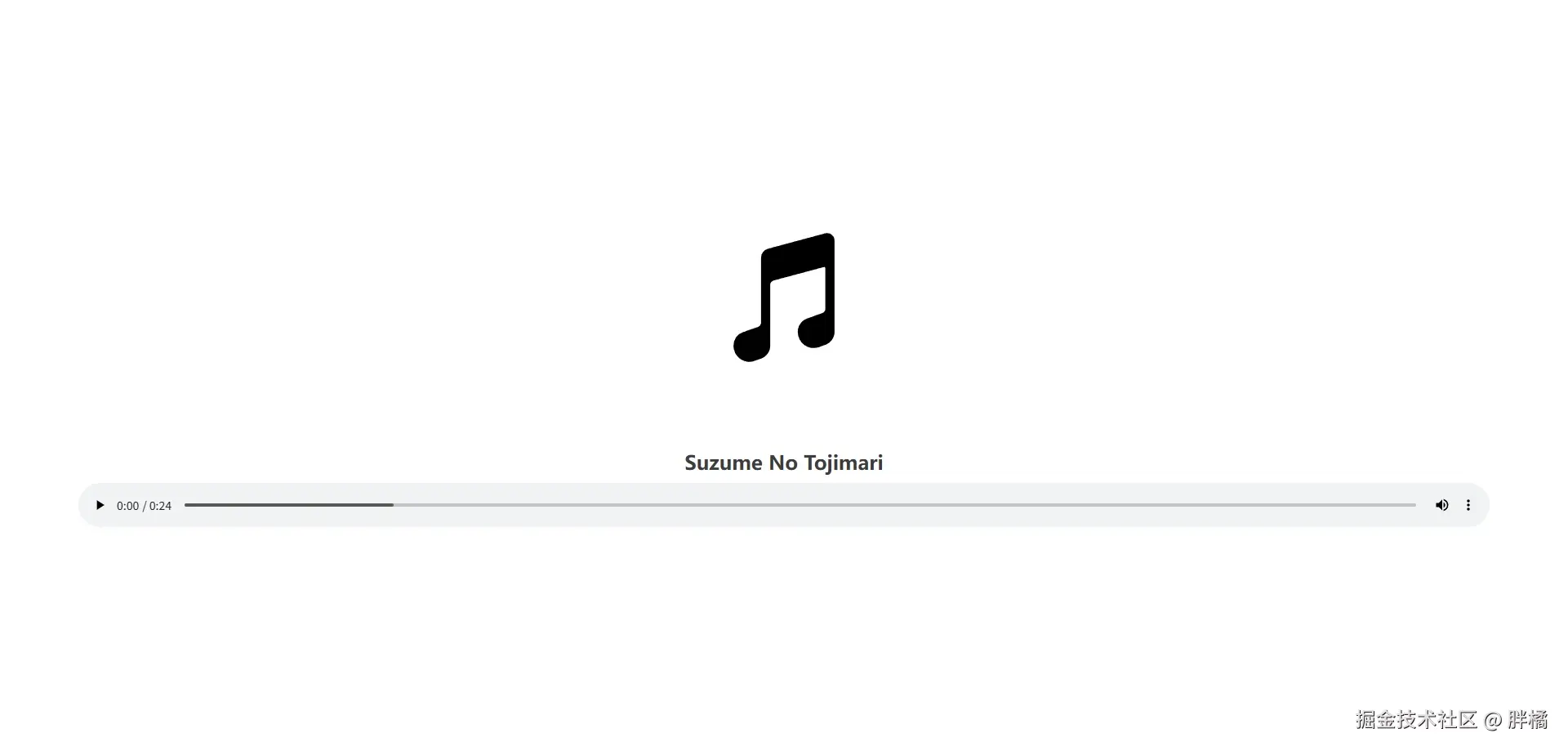
AudioViewer
音频预览组件,使用audio标签实现
属性
| 属性 | 类型 | 默认值 | 说明 |
|---|---|---|---|
src |
string |
undefined |
音频文件的URL |
title |
string |
undefined |
音频的标题 |
cover |
string |
cover |
音频封面图片URL |
autoplay |
boolean |
false |
是否启用自动播放(源自audio标签) |
controls |
boolean |
true |
是否启用控制面板(源自audio标签) |
coverHeight |
number |
180 |
封面图片高度(源自Naive UI Image的width属性) |
coverObjectFit |
`"fill" | "contain" | "cover" |
coverFallbackSrc |
string |
undefined |
封面图片加载失败时显示的地址(源自Naive UI Image的fallback-src属性) |
coverFallbackIcon |
Component |
MusicalNote(@vicons/ionicons5) |
封面图片加载失败时显示的图标组件(源自Naive UI Icon的component属性) |
事件
| 名称 | 参数 | 说明 |
|---|---|---|
ready |
() |
音频可以播放时触发 |
error |
(error: MediaError) |
音频播放失败时触发(error由audio标签抛出) |
预览图
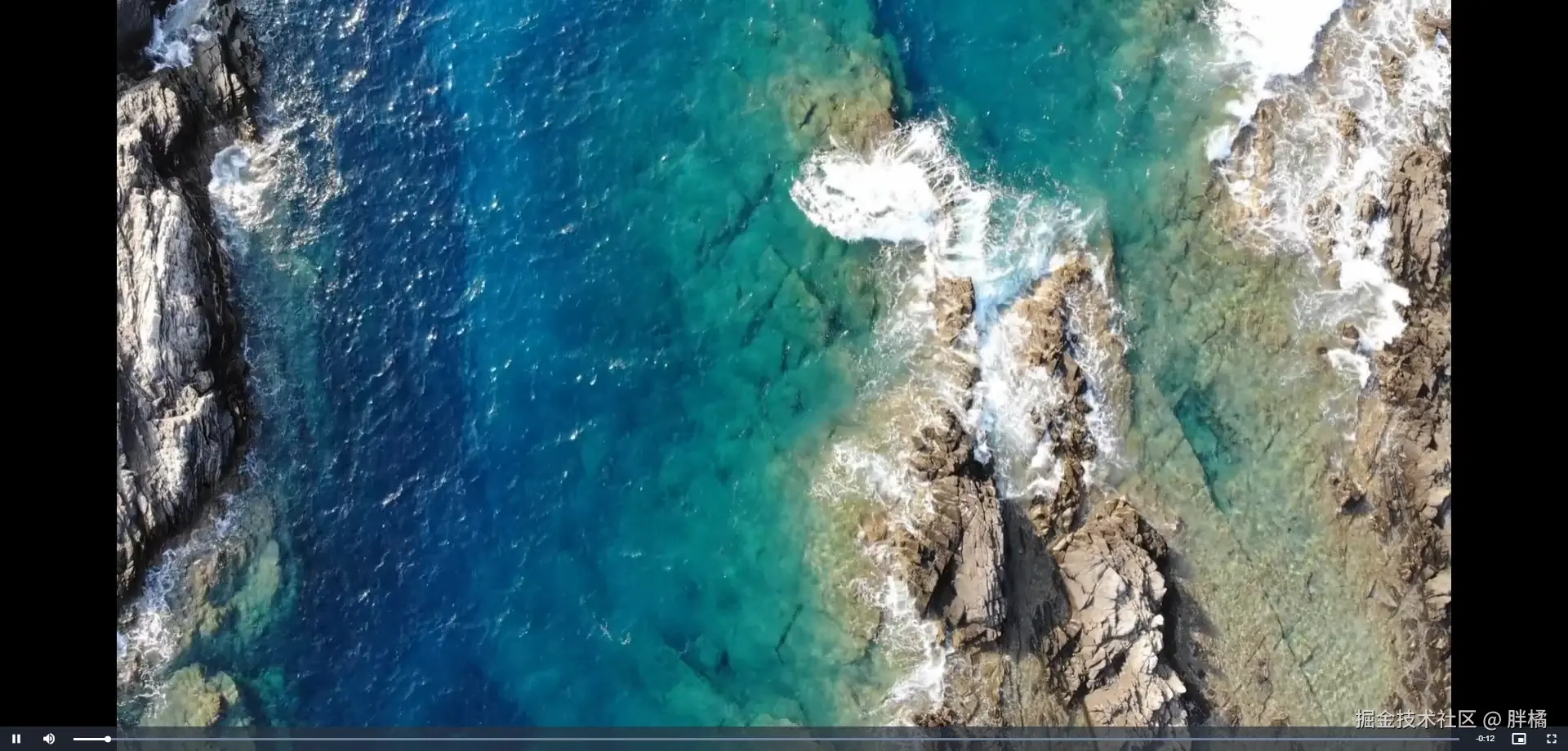
VideoViewer
视频预览组件,使用video.js实现
属性
| 属性 | 类型 | 默认值 | 说明 |
|---|---|---|---|
src |
`{ url: string; mimeType: string } | string` | undefined |
poster |
string |
undefined |
视频封面图片的URL |
playerOptions |
Record<string, unknown> |
{ language: "zh-CN", autoplay: false, controls: true } |
videojs方法的options |
事件
| 名称 | 参数 | 说明 |
|---|---|---|
ready |
() |
视频可以播放时触发 |
error |
(error: MediaError) |
视频播放失败时触发(error由videojs抛出) |
预览图
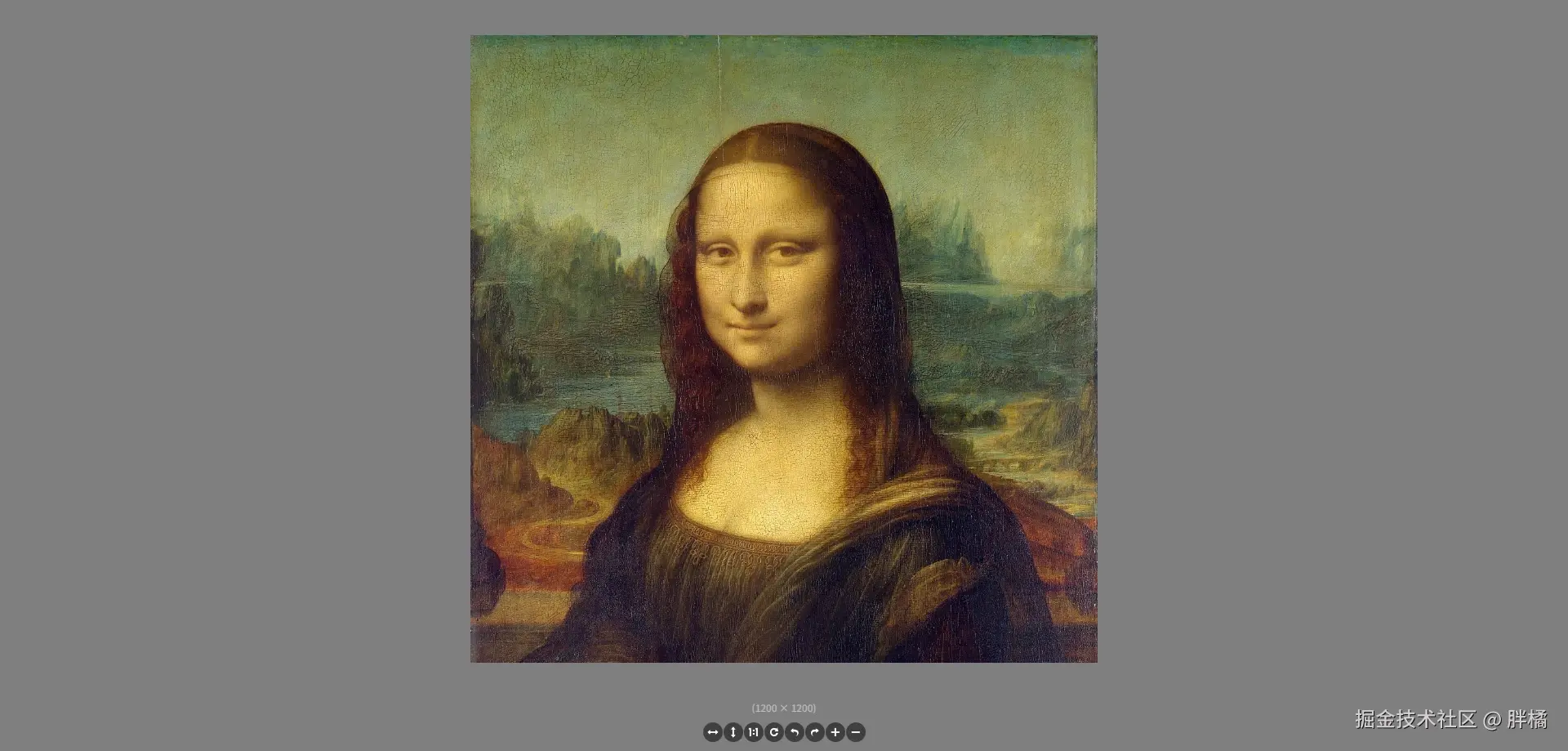
ImageViewer
图片预览组件,使用Viewer.js实现
💡 提示:
Viewer.js的{ inline: true, navbar: false, button: false }为固定配置。
Viewer.js的title属性默认为(${props.title} ${imageData.naturalWidth}x${imageData.naturalHeight})
属性
| 属性 | 类型 | 默认值 | 说明 |
|---|---|---|---|
src |
string |
undefined |
图片文件的URL |
title |
string |
undefined |
图片标题 |
viewerOptions |
Record<string, unknown> |
{ toolbar: { flipHorizontal: true, flipVertical: true, next: false, oneToOne: true, play: false, prev: false, reset: true, rotateLeft: true, rotateRight: true, zoomIn: true, zoomOut: true }} |
Viewer构造方法的options |
事件
| 名称 | 参数 | 说明 |
|---|---|---|
ready |
() |
图片加载完成时触发(由Viewer.js的viewed事件发出) |
error |
() |
浏览器加载图片失败时触发 |
预览图
DxfViewer
DXF预览组件,使用dxf-viewer实现
💡 提示:
建议不要修改
viewerOptions属性,我没找到官方文档,默认配置也是我参考示例代码写的。需要配置
fonts属性传入一些字体(官方示例有几个字体:传送门),否则文字无法正常显示。
属性
| 属性 | 类型 | 默认值 | 说明 |
|---|---|---|---|
src |
string |
undefined |
DXF文件的URL |
showProgressBar |
boolean |
true |
是否显示加载进度条 |
showLayerList |
boolean |
true |
是否显示图层列表 |
layerListWidth |
`number | string` | 300 |
fonts |
string[] |
[] |
渲染使用到的字体 |
dxfViewerOptions |
Record<string, unknown> |
{ fileEncoding: "utf-8", clearColor: new Three.Color("#fff"), autoResize: true, colorCorrection: true, sceneOptions: { wireframeMesh: true }} |
DxfViewer构造方法的options,请参考DXF Viewer 源码 第691行 |
事件
| 名称 | 参数 | 说明 |
|---|---|---|
ready |
() |
DXF加载完成时触发 |
error |
(error: Error) |
DXF加载失败时触发(error由dxf-viewer的Load方法抛出) |
progress |
`(phase: "font" | "fetch" |
示例
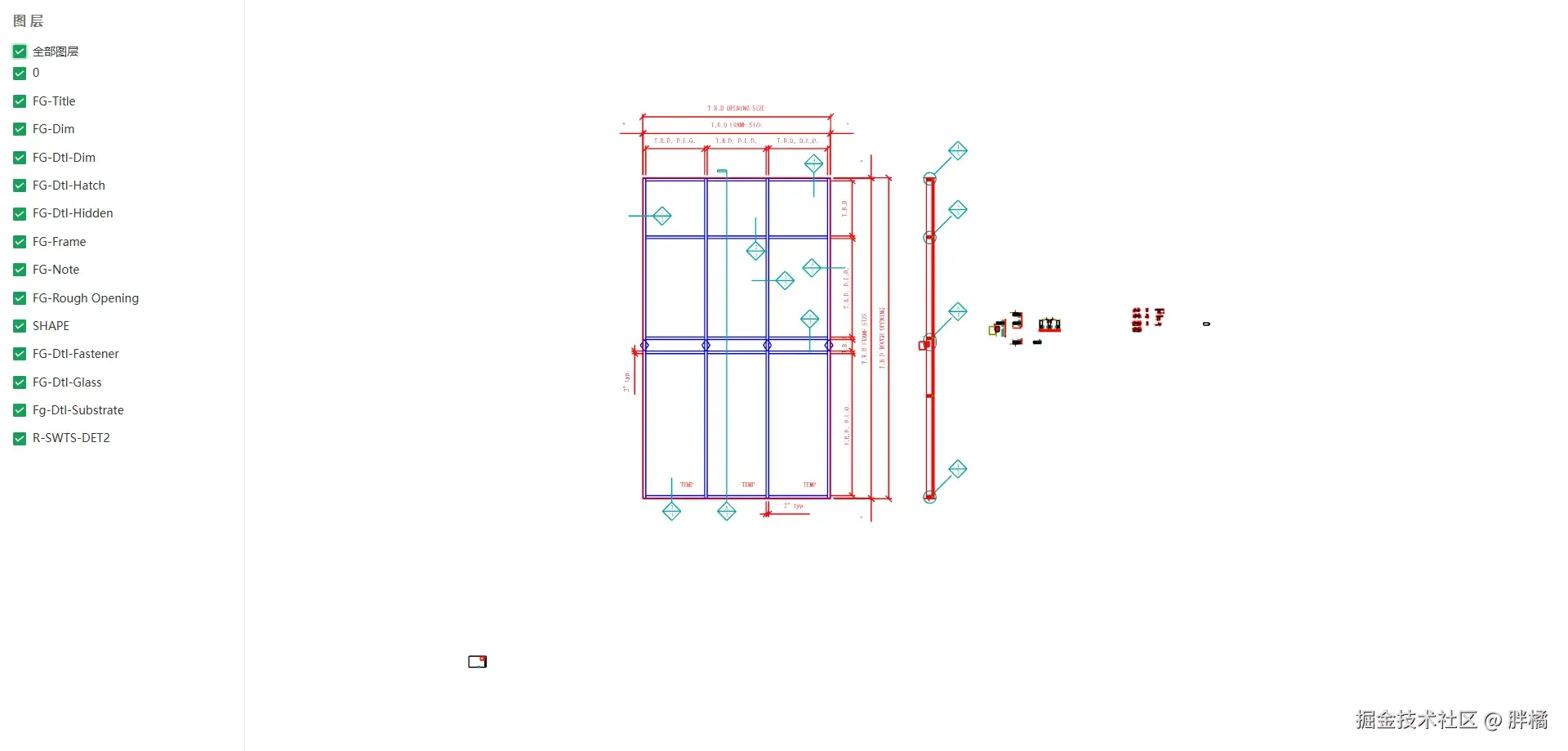
vue
<template>
  <dxf-viewer src="https://raw.githubusercontent.com/gdsestimating/dxf-parser/refs/heads/master/samples/data/api-cw750-details.dxf" class="pangju-wh-100" :fonts="fonts" />
</template>

<script setup>
import {DxfViewer} from "@pangju666/file-viewer";
import {ref} from "vue";

import HanaMinAFont from "@/assets/fonts/HanaMinA.ttf";
import NanumGothicRegularFont from "@/assets/fonts/HanaMinA.ttf";
import NotoSansDisplaySemiCondensedLightItalicFont from "@/assets/fonts/HanaMinA.ttf";
import RobotoLightItalicFont from "@/assets/fonts/HanaMinA.ttf";

const fonts = ref([
  HanaMinAFont, NanumGothicRegularFont, NotoSansDisplaySemiCondensedLightItalicFont, RobotoLightItalicFont
]);
</script>
JsonViewer
JSON预览组件,使用vue3-json-viewer实现
属性
| 属性 | 类型 | 默认值 | 说明 |
|---|---|---|---|
src |
`string | { url: string; fileEncoding?: string }` | undefined |
contentLoader |
`(url: string, fileEncoding: string) => Record<string, unknown> | Promise<Record<string, unknown>>` | 使用fetch下载 |
jsonViewerProps |
Record<string, unknown> |
{ copyable: true, expanded: true, expandDepth: 10 } |
JsonViewer 属性 |
事件
| 名称 | 参数 | 说明 |
|---|---|---|
ready |
() |
文件内容加载完成时触发 |
error |
(error: Error) |
文件内容加载失败时触发(error由fetch抛出) |
预览图
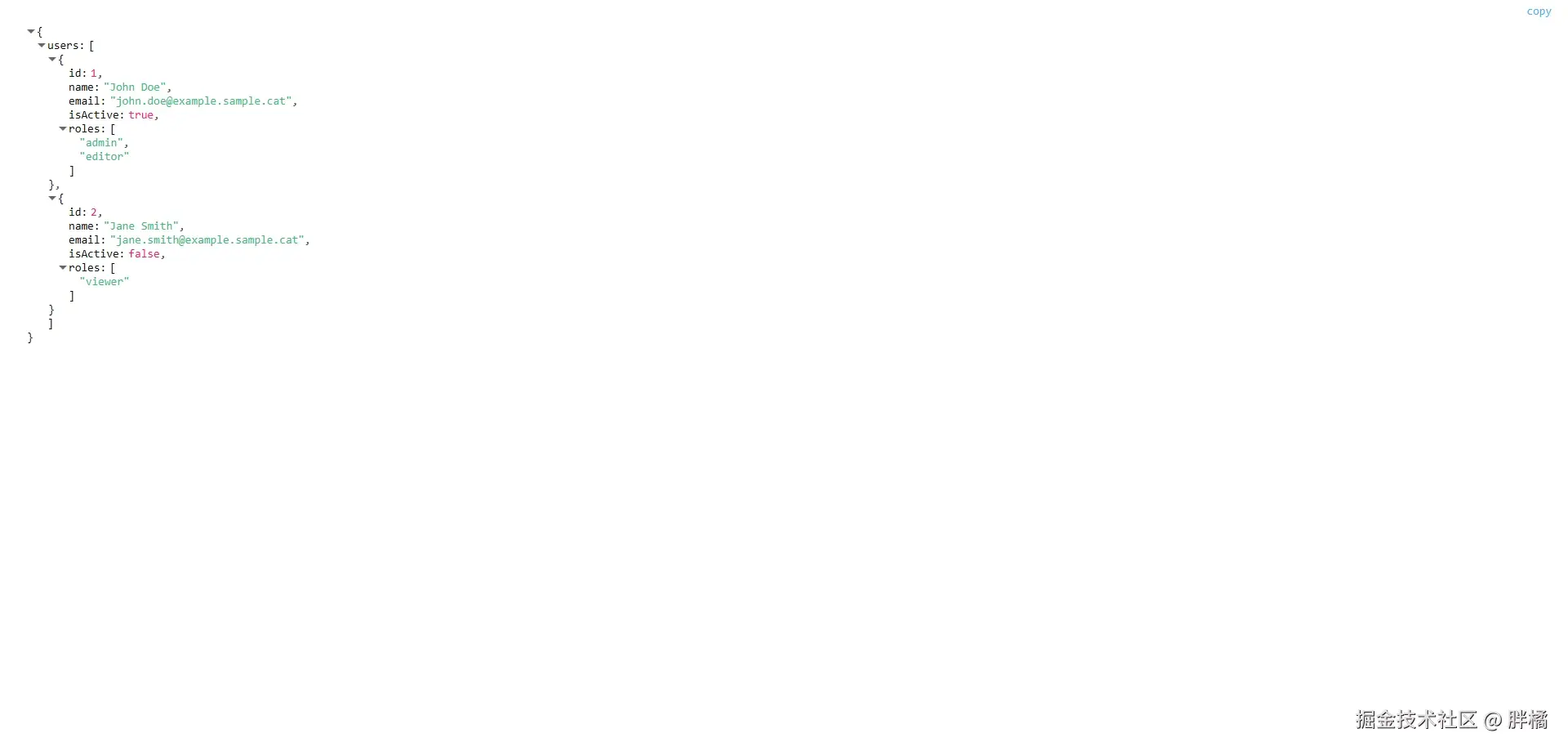
MarkdownViewer
Markdown预览组件,使用md-editor-v3实现
属性
| 属性 | 类型 | 默认值 | 说明 |
|---|---|---|---|
src |
`string | { url: string; fileEncoding?: string }` | undefined |
showCatalog |
boolean |
true |
是否显示目录 |
catalogWidth |
number |
350 |
目录宽度 |
contentLoader |
`(url: string, fileEncoding: string) => string | Promise |
使用fetch下载 |
mdPreviewProps |
Record<string, unknown> |
undefined |
MdPreview 属性 |
事件
| 名称 | 参数 | 说明 |
|---|---|---|
ready |
() |
文件内容加载完成时触发 |
error |
(error: Error) |
文件内容加载失败时触发(error由fetch抛出) |
预览图
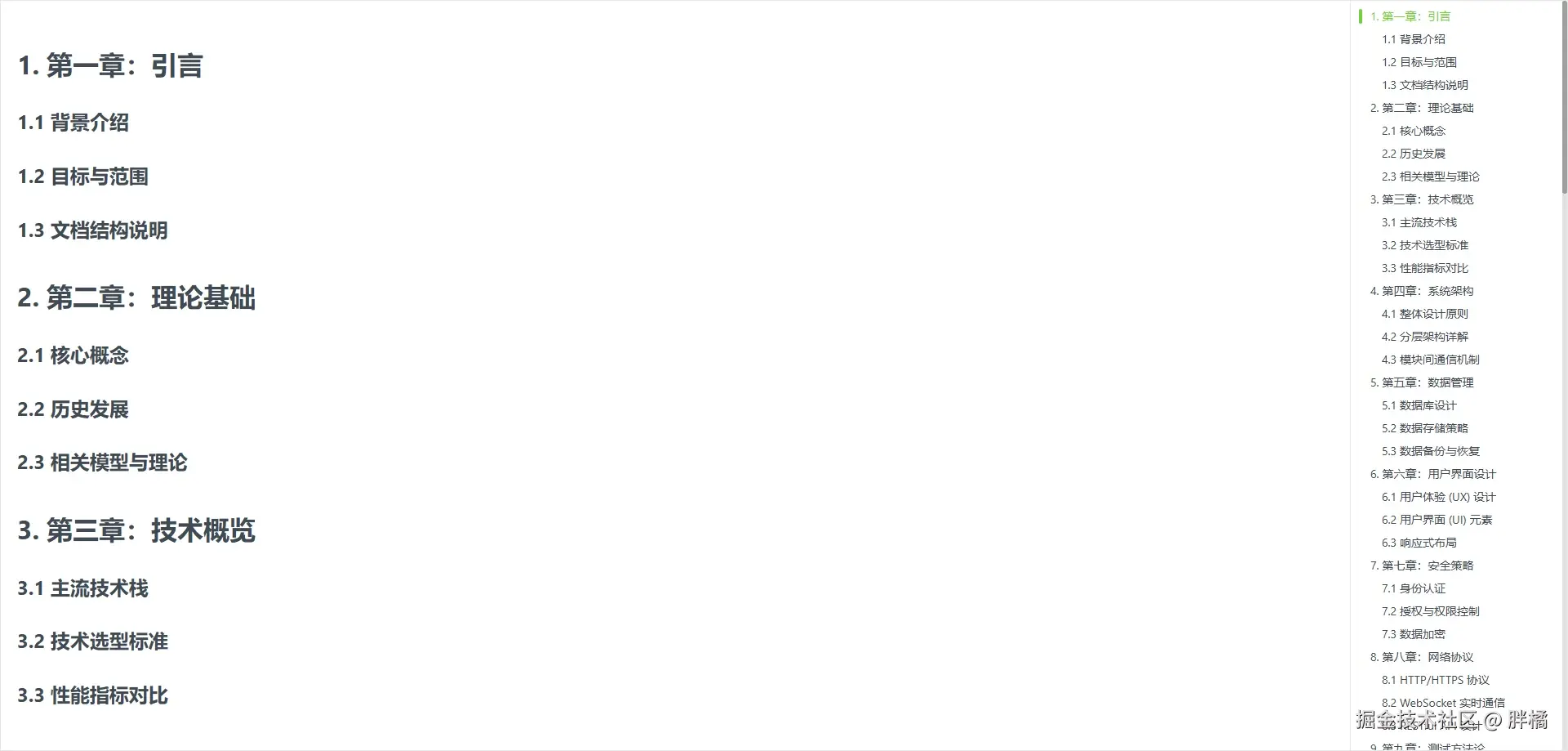
TextViewer
纯文本预览组件,使用pre元素实现
属性
| 属性 | 类型 | 默认值 | 说明 |
|---|---|---|---|
src |
`string | { url: string; fileEncoding?: string }` | undefined |
contentLoader |
`(url: string, fileEncoding: string) => string | Promise |
使用fetch下载 |
事件
| 名称 | 参数 | 说明 |
|---|---|---|
ready |
() |
文件内容加载完成时触发 |
error |
(error: Error) |
文件内容加载失败时触发(error由fetch抛出) |
示例
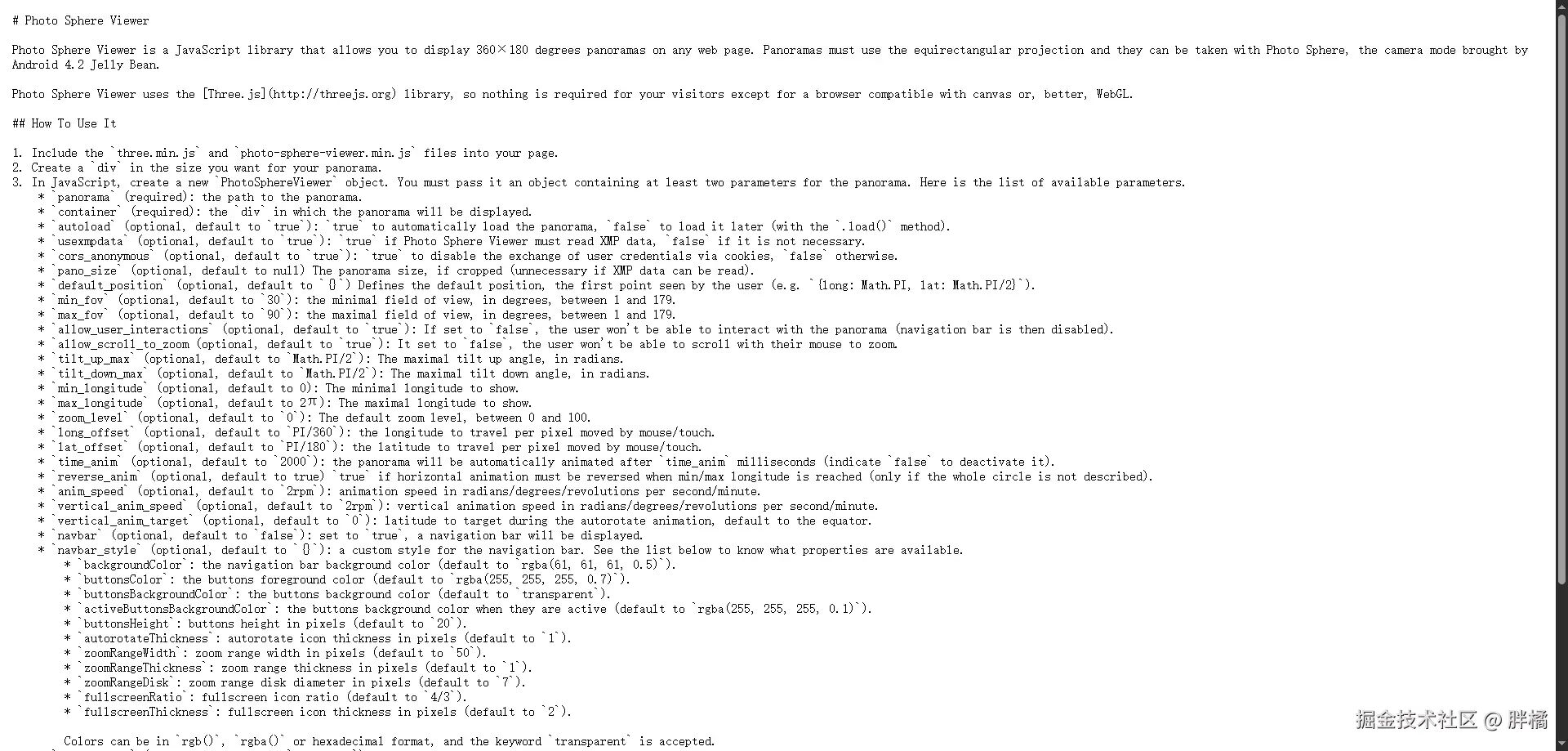
PdfViewer
PDF预览组件,使用PDF.js Viewer或OnlyOffice实现
💡 提示:
使用
pdfjs模式最好在项目的public目录放一份自己构建的代码(可以使用我在样式项目中的构建,传送门)。使用
OnlyOffice模式需要自己部署服务端环境。
mode为onlyOffice时,key必须唯一(如果未定义key,则默认使用nanoid来生成一个唯一标识符)。
属性
| 属性 | 类型 | 默认值 | 说明 |
|---|---|---|---|
src |
`string | { url: string; key?: string }` | undefined |
title |
string |
undefined |
Pdf文件的标题(仅在mode为onlyOffice时生效) |
id |
string |
"only-office-editor" |
DocumentEditor的id |
token |
string |
undefined |
OnlyOffice令牌配置 |
mode |
`"pdfjs" | "onlyOffice"` | "pdfjs" |
region |
string |
"zh-CN" |
OnlyOffice地区配置 |
pdfjsViewBaseUrl |
string |
"https://mozilla.github.io/pdf.js/web/viewer.html" |
PDF.js Viewer地址(最好改成自己部署的地址,或public目录下的路径) |
onlyOfficeServerUrl |
string |
undefined |
OnlyOffice服务端地址,例如:http://localhost:10000 |
事件
| 名称 | 参数 | 说明 |
|---|---|---|
ready |
() |
预览页面渲染完成时触发 |
error |
(errorDescription: string, errorCode?: number) |
Pdf文件加载失败时触发(errorDescription是错误信息,errorCode是错误代码) |
示例
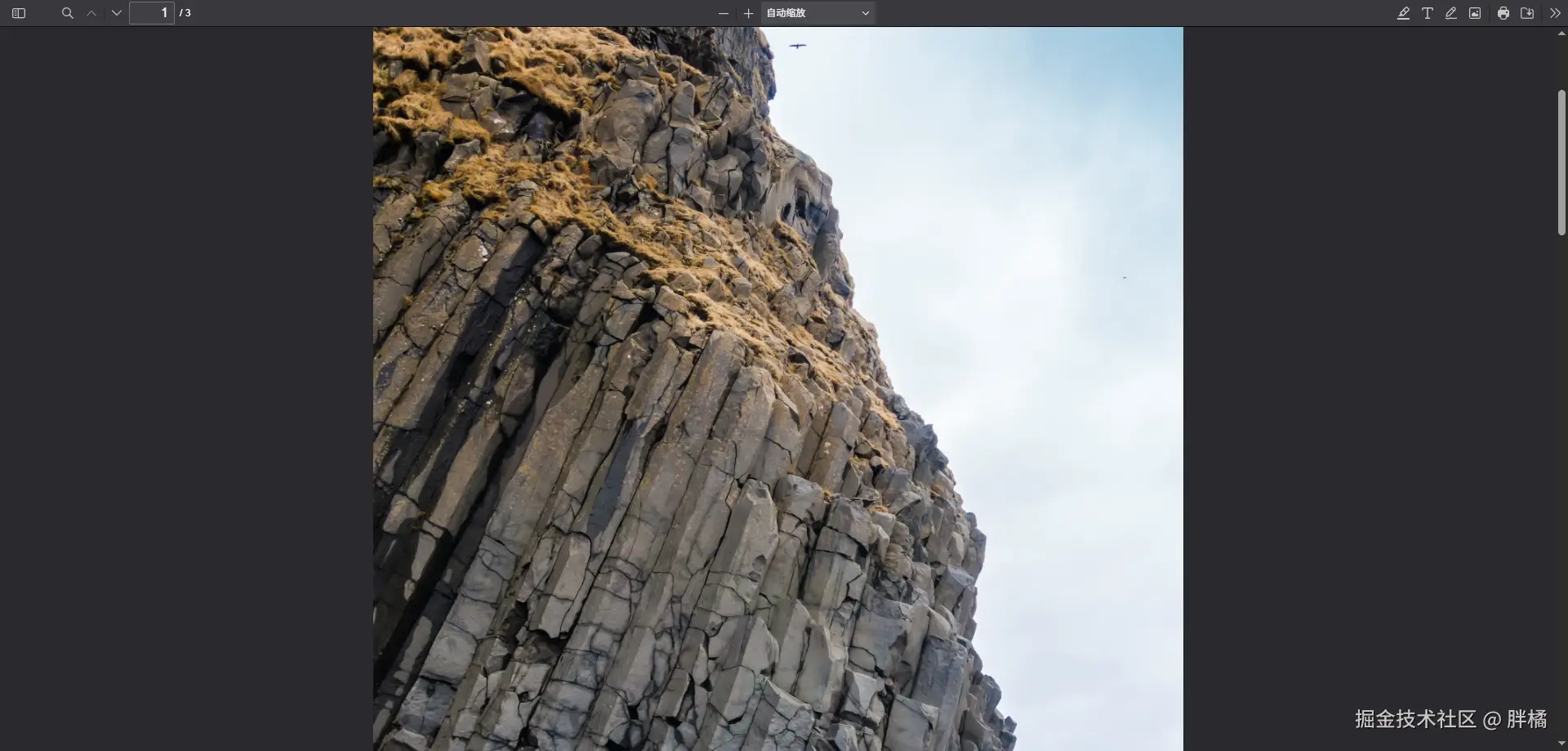
vue
<template>
  <pdf-viewer src="https://disk.sample.cat/samples/pdf/sample-a4.pdf" mode="pdfjs" class="pangju-wh-100" />
</template>

<script setup>
  import {PdfViewer} from "@pangju666/file-viewer";
</script>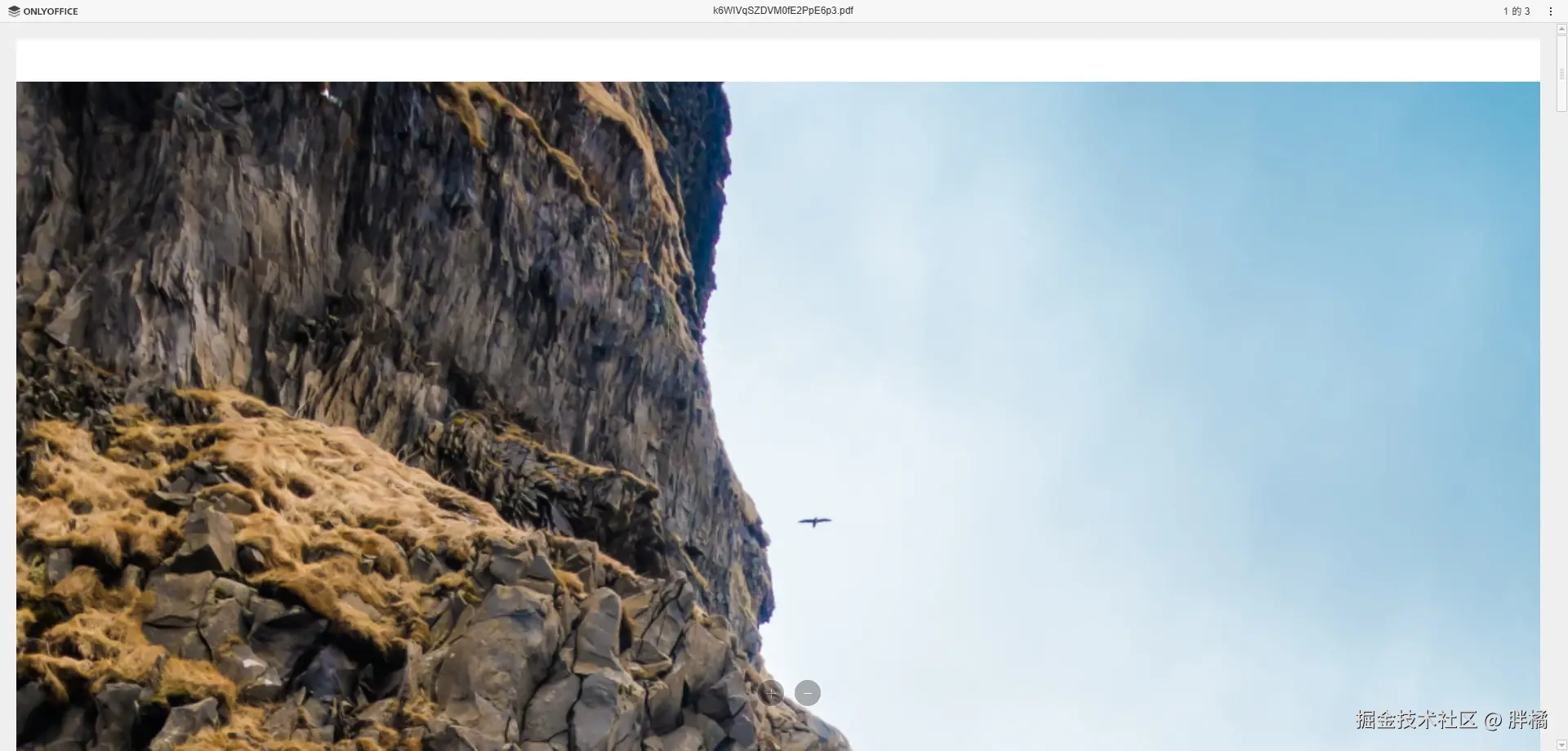
vue
<template>
  <pdf-viewer :src="pdfUrl" title="Sample A4 PDF" mode="onlyOffice" only-office-server-url="http://localhost:10000" class="pangju-wh-100"/>
</template>

<script setup>
  import {PdfViewer} from "@pangju666/file-viewer";
  import {ref} from "vue";

  const pdfUrl = ref({
    url: "https://disk.sample.cat/samples/pdf/sample-a4.pdf",
    mimeType: "application/pdf",
    key: "1234"
  })
</script>
OfficeViewer
Office文档预览组件,使用Microsoft Office Online或OnlyOffice实现
💡 提示:
使用
OnlyOffice模式需要自己部署服务端环境。
mode为onlyOffice时,key必须唯一(如果未定义key,则默认使用nanoid来生成一个唯一标识符)。
属性
| 属性 | 类型 | 默认值 | 说明 |
|---|---|---|---|
src |
`string | { url: string; mimeType: string; key?: string }` | undefined |
title |
string |
undefined |
Office文件的标题(仅在mode为onlyOffice时生效) |
id |
string |
"only-office-editor" |
DocumentEditor的id |
token |
string |
undefined |
OnlyOffice令牌配置 |
mode |
`"microsoft" | "onlyOffice"` | "microsoft" |
region |
string |
"zh-CN" |
OnlyOffice地区配置 |
microsoftViewBaseUrl |
string |
"https://view.officeapps.live.com/op/embed.aspx" |
Microsoft Office Online地址(一般不需要改) |
onlyOfficeServerUrl |
string |
undefined |
OnlyOffice服务端地址,例如:http://localhost:10000 |
事件
| 名称 | 参数 | 说明 |
|---|---|---|
ready |
() |
预览页面渲染完成时触发 |
error |
(errorDescription: string, errorCode?: number) |
Office文件加载失败时触发(errorDescription是错误信息,errorCode是错误代码) |
示例
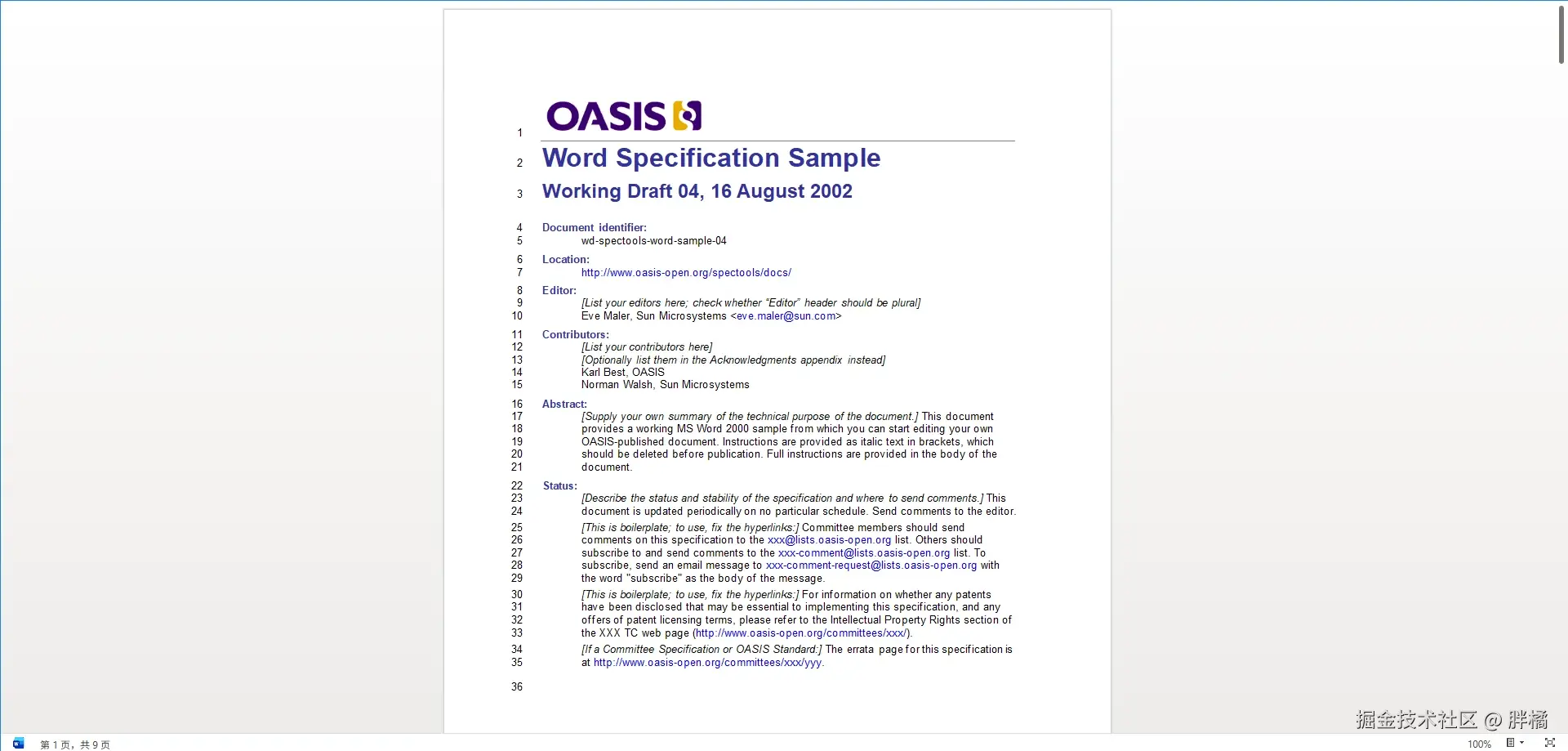
vue
<template>
  <office-viewer src="https://disk.sample.cat/samples/docx/sample5.doc" mode="microsoft" class="pangju-wh-100" />
</template>

<script setup>
  import {OfficeViewer} from "@pangju666/file-viewer";
</script>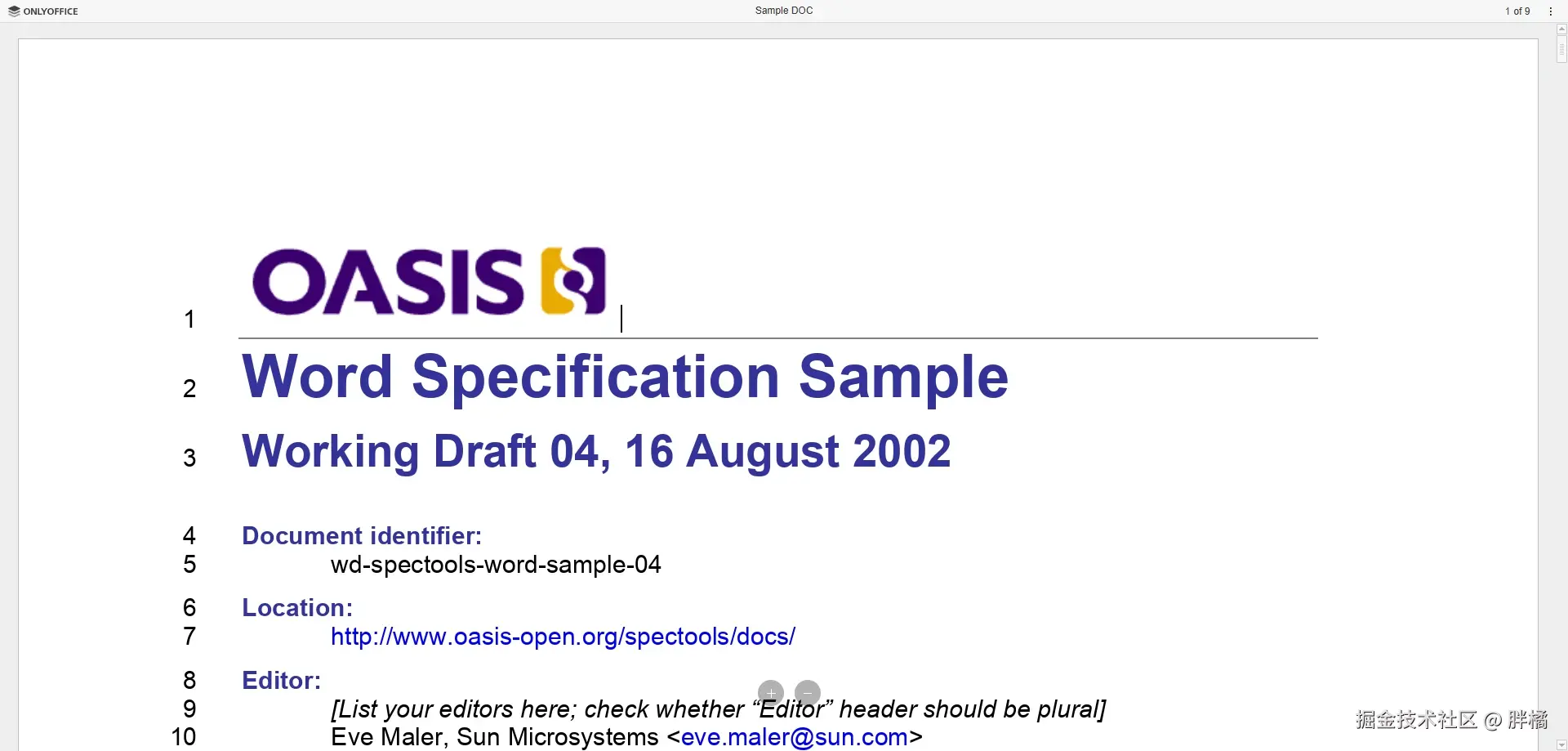
vue
<template>
  <office-viewer :src="officeUrl" title="Sample DOC" mode="onlyOffice" only-office-server-url="http://localhost:10000" class="pangju-wh-100"/>
</template>

<script setup>
  import {OfficeViewer} from "@pangju666/file-viewer";
  import {ref} from "vue";

  const officeUrl = ref({
    url: "https://disk.sample.cat/samples/docx/sample5.doc",
    mimeType: "application/msword",
    key: "123"
  })
</script>
ModelViewer
3D模型预览组件,使用@babylonjs/viewer实现
属性
| 属性 | 类型 | 默认值 | 说明 |
|---|---|---|---|
src |
`{ url: string; mimeType: string } | string` | undefined |
showProgressBar |
boolean |
true |
是否显示加载进度条(进度条为babylon-viewer元素内置UI) |
babylonViewerAttributes |
Record<string, unknown> |
undefined |
babylon-viewer元素属性 |
事件
| 名称 | 参数 | 说明 |
|---|---|---|
ready |
() |
模型加载完成时触发 |
progress |
(loadingProgress: number) |
模型加载时触发(loadingProgress为模型已加载进度百分比,例如:0.9) |
error |
(error?: Error, errorMessage?: string) |
模型加载失败时触发(error和errorMessage来自babylon-viewer元素) |
示例
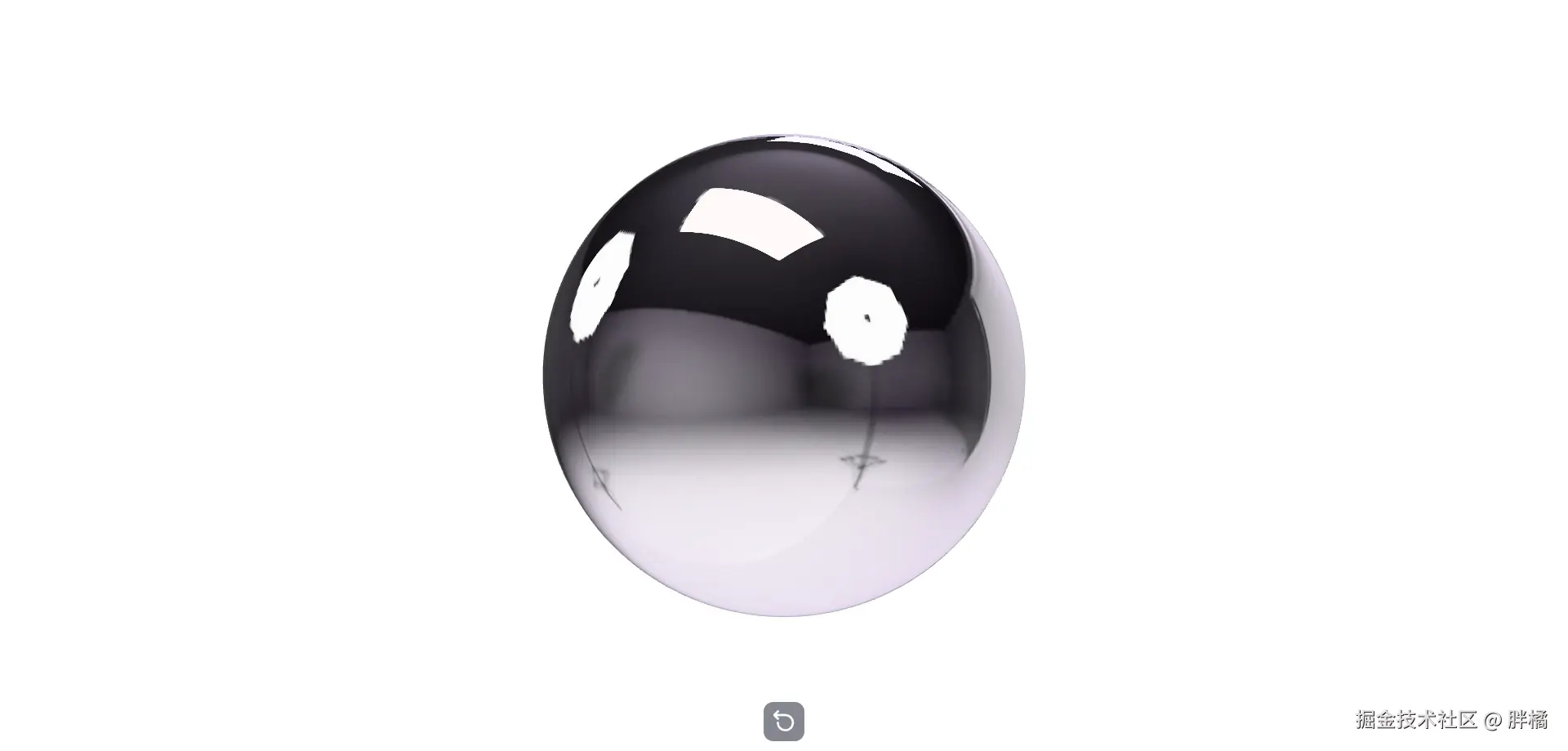
vue
<template>
  <model-viewer :src="modelSrc" class="pangju-wh-100"/>
</template>

<script setup>
  import {ModelViewer} from "@pangju666/file-viewer";
  import {ref} from "vue";

  const modelSrc = ref({
    url: 'https://threejs.org/examples/models/obj/male02/male02.obj',
    mimeType: 'model/obj'
  });
</script>
UnknownViewer
未知预览组件,当不存在对应文件类型的预览组件时的兜底组件
属性
| 属性 | 类型 | 默认值 | 说明 |
|---|---|---|---|
title |
string |
"不支持预览该文件" |
标题 |
src |
string |
undefined |
文件的URL |
filename |
string |
undefined |
文件名称 |
mimeType |
string |
undefined |
文件的MIME Type |
事件
| 名称 | 参数 | 说明 |
|---|---|---|
ready |
() |
组件渲染时触发 |
示例

vue
<template>
  <unknown-viewer src="https://disk.sample.cat/samples/pdf/sample-a4.pdf" filename="Sample A4 PDF" mimeType="application/pdf" class="pangju-wh-100"/>
</template>

<script setup>
  import {UnknownViewer} from "@pangju666/file-viewer";
</script>
ErrorViewer
错误预览组件,用于展示文件预览时发生的错误
属性
| 属性 | 类型 | 默认值 | 说明 |
|---|---|---|---|
reason |
string |
"文件预览失败" |
错误原因(用于展示) |
filename |
string |
undefined |
文件名称 |
src |
string |
undefined |
文件的URL |
mimeType |
string |
undefined |
文件的MIME Type |
示例

vue
<template>
  <error-viewer src="https://disk.sample.cat/samples/pdf/sample-a4.pdf" filename="Sample A4 PDF" mimeType="application/pdf" class="pangju-wh-100"/>
</template>

<script setup>
  import {ErrorViewer} from "@pangju666/file-viewer";
</script>