先更新ui,双击F:\ComfyUI_windows_portable_nvidia_cu126\ComfyUI_windows_portable\update\update_comfyui.bat
正确安装依赖,
bash
cd /d F:\ComfyUI_windows_portable_nvidia_cu126\ComfyUI_windows_portable
.\python_embeded\python.exe -m pip install --upgrade pip- 本人电脑真实情况实测有效,具体版本因电脑配置而已,可问ai。
bash
pip install tokenizers==0.20.1 transformers==4.45.2 huggingface-hub==0.25.2 fsspec==2023.10.0 datasets==2.14.7装 manager 依赖,下面的脚本可能是错的,正确的命令会在双击run_nvidia_gpu.bat后会有提示!
bash
pip install -r ComfyUI\manager_requirements.txt安装ComfyUI-LTXVideo,只需要在页面双击搜索LTXV有结果就行,因为不是普通节点,它是 workflow 封装节点
bash
cd ComfyUI/custom_nodes
git clone https://github.com/Lightricks/ComfyUI-LTXVideo.git
cd ComfyUI/custom_nodes/ComfyUI-LTXVideo
..\..\..\python_embeded\python.exe -m pip install -r requirements.txt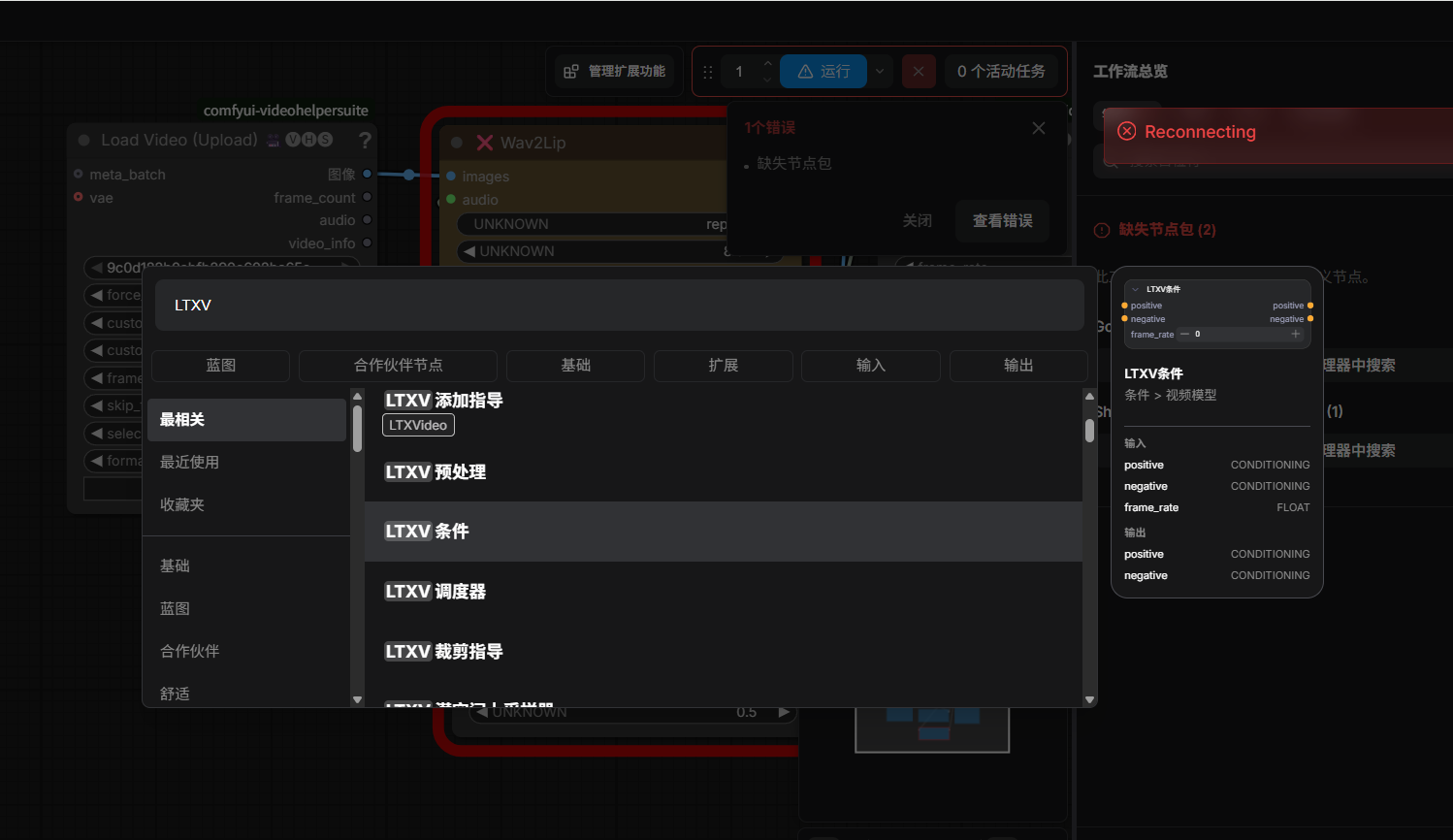
run_nvidia_gpu.bat加--enable-manager
bash
.\python_embeded\python.exe -s ComfyUI\main.py --windows-standalone-build --enable-manager
echo If you see this and ComfyUI did not start try updating your Nvidia Drivers to the latest. If you get a c10.dll error you need to install vc redist that you can find: https://aka.ms/vc14/vc_redist.x64.exe
pause