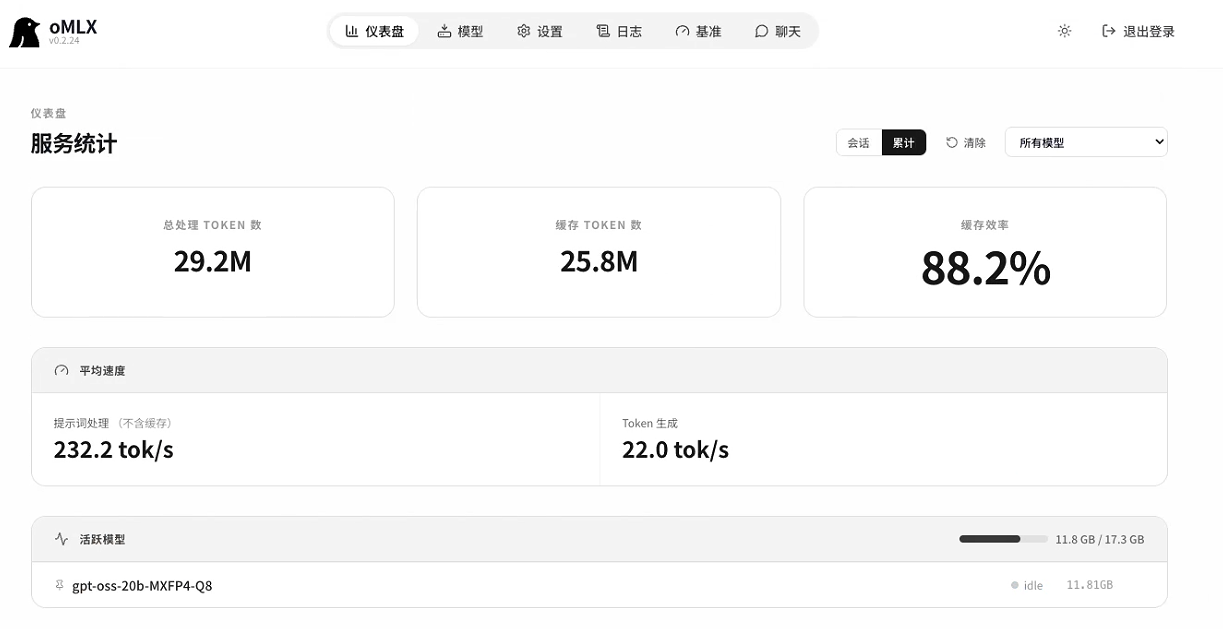
环境条件与软件配置
- Mac Mini (24G内存M4芯片)+ macOS 26 Tahoe
- 安装oMLX v0.2.24
- 本地安装openclaw v2026.3.24
安装
说明:虽然16G也行,但要有好一点点的效果,还是需要24G以上好点,请根据自己的内存大小选择最适合的模型。使用2026.3.23后可以直接使用clawhub的skill方便点,某些功能不用自己写skill
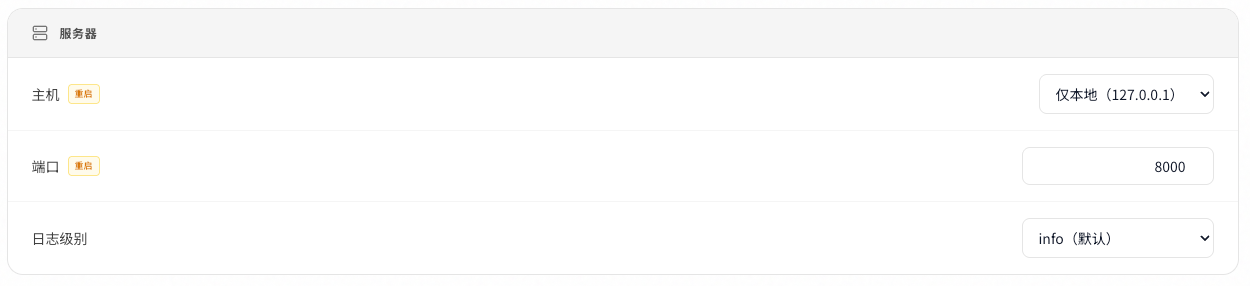
oMLX 启动服务
启动oMLX 本地大模型服务,127.0.0.1:8000 默认的端口服务
oMLX下载并加载模型
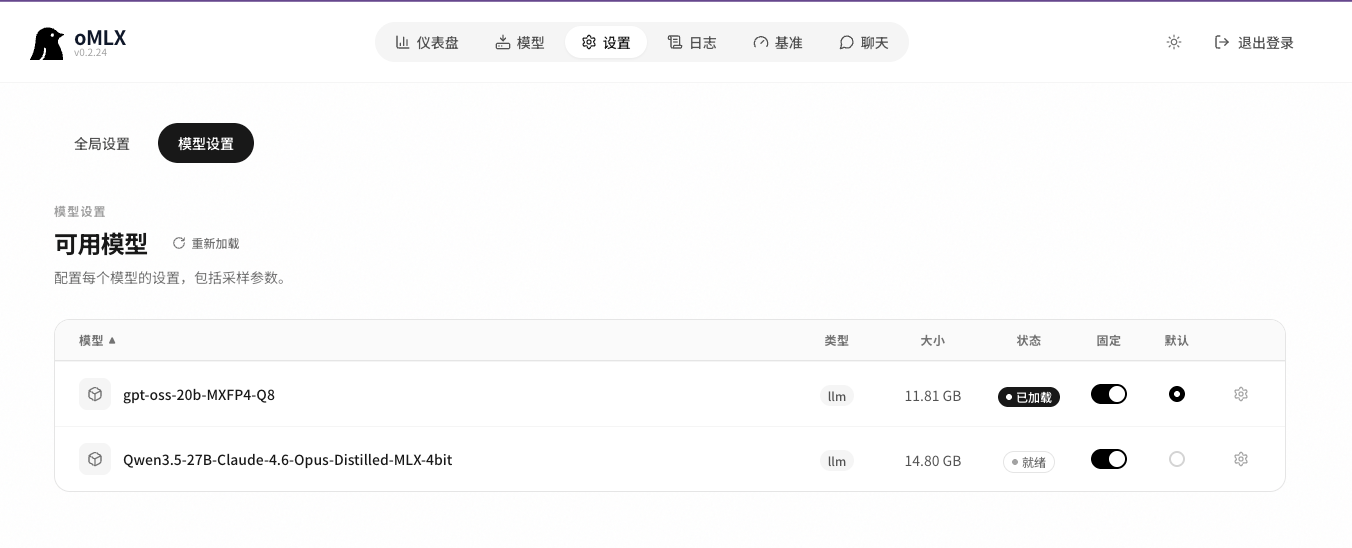
下载完成后需要在Admin Panel-设置-模型设置-加载下载的模型,并在聊天里试验一下
模型选择(24G内存)
- Qwen3.5-9B-MLX-4bit 速度比较好,效果一般
- Qwen3.5-27B-Claude-4.6-Opus-Distilled-MLX-4bit 会死机,内存会爆
- gpt-oss-20b-MXFP4-Q8(推荐) 运行良好,就是有点慢
方案优点与缺点
优点:
- 免费token,电费即算力,不必担心花费。(亲测一天0.6度电,家用电计算费用0.36元)
- 本地算力结合本地小龙虾,折腾起来方便,把家用算力与闲时网络用起来
缺点:
- 24G内存还是有点不够用,好的本地模型响应会有点慢,但能跑起来,如果是64G就完美点
配置
如果不是很擅长手动改写openclaw.json,请使用命令直接修改配置。
如有兴趣,可以了解一下频道channel,代理agent,绑定 binding,账号 account,还有关于群组权限allowlist,是否需要@才响应,匹配pearing等配置文件相关的知识
频道方案:
1. 原生微信+clawbot插件
客户端:打开微信-我的-设置-插件-clawbot插件
openclaw服务端:打开终端+运行以下命令添加频道,多微信用户创建不同的代理
javascript
# 1) 创建独立 agents,命令<agent-name>自己改一下
openclaw agents add <agent-name> --workspace ~/.openclaw/workspace-<agent-name> --non-interactive

# 2) 分别登录两个微信号(扫一次码)
openclaw channels login --channel openclaw-weixin --account <agent-name>

# 3) 账号绑定到对应 agent(关键)
openclaw agents bind --agent <agent-name> --bind openclaw-weixin:<agent-name>

# 4) 重启并验收
openclaw gateway restart
openclaw agents bindings
openclaw channels status --probe
2. telegram + bot
具体教程网上太多了,自行搜索
javascript
...
"channels": {
    "telegram": {
      "enabled": true,
      "dmPolicy": "pairing",
      "groupPolicy": "open",
      "streaming": "partial",
      "proxy": "socks5://127.0.0.1:1080",
      "accounts": {
        "default": {
          "dmPolicy": "pairing",
          "botToken": "<main_bot_token>",
          "allowFrom": [
            <tg_user_id>
          ],
          "groupPolicy": "allowlist",
          "streaming": "partial"
        },
        "family": {
          "dmPolicy": "pairing",
          "botToken": "<family_bot_token>",
          "groups": {
            "<tg_group_id>": {
              "requireMention": true,
              "allowFrom": [
                "*"
              ]
            }
          },
          "groupAllowFrom": [
            <tg_group_id>
          ],
          "groupPolicy": "allowlist",
          "streaming": "partial"
        },
...
3. 企业微信
https://open.work.weixin.qq.com/help2/pc/cat?doc_id=21671
按教程走就好了。
一些坑与重要的点
- 开始我只是一个main agent + 一个tg bot对话的,后来需要添加不同的bot与agent绑定,我是从旧版迁移到新版openclaw的,手动改了一下tg channel的配置,然后rg这个频道不见了,花了一天才知道,tg频道软件也是以插件形式注入到openclaw,是有一个开头的,需要开启。
bash
Key Troubleshooting Steps:
Enable the Plugin: Run openclaw config set plugins.enabled true.
Set Allowlist: Ensure Telegram is permitted: openclaw config set plugins.allow '["telegram"]'.
Enable Plugin Entry: Explicitly enable it with openclaw config set plugins.entries.telegram.enabled true.- oMLX回复有乱码情况,可能是本地缓存出问题,需要删除缓存目录文件~/.omlx/cache